Free • No signup Fix Damaged photo · Free

Fix Damaged Photo Online Free

← Browse all photo restoration tools

Last updated

Upload your damaged photo and describe the damage. AI fixes scratches, stains, tears, and water damage in seconds — completely free, no account needed.
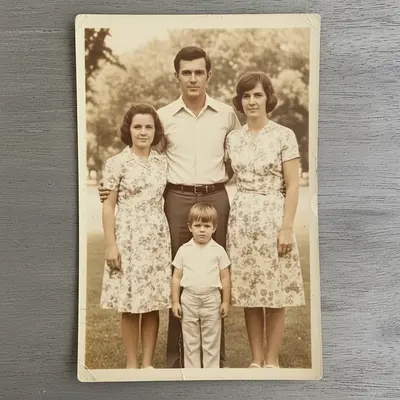
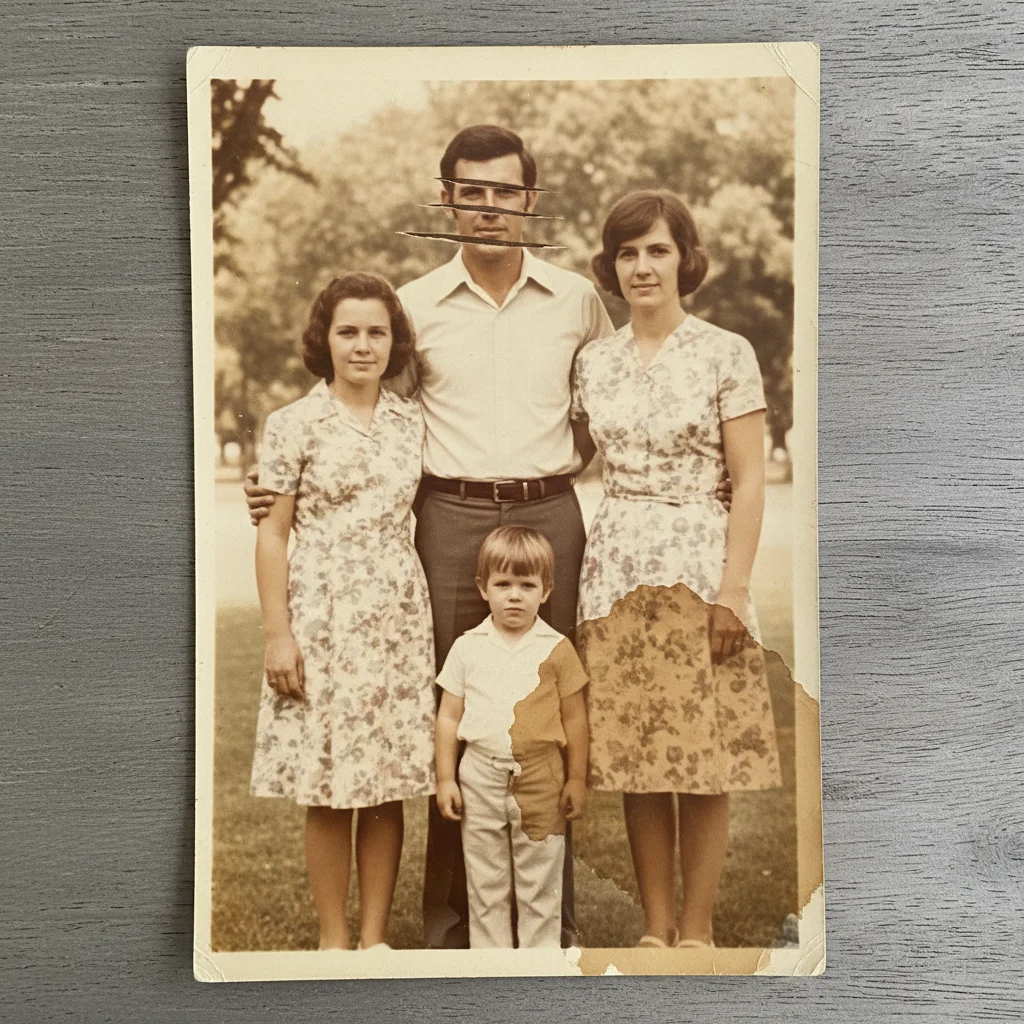
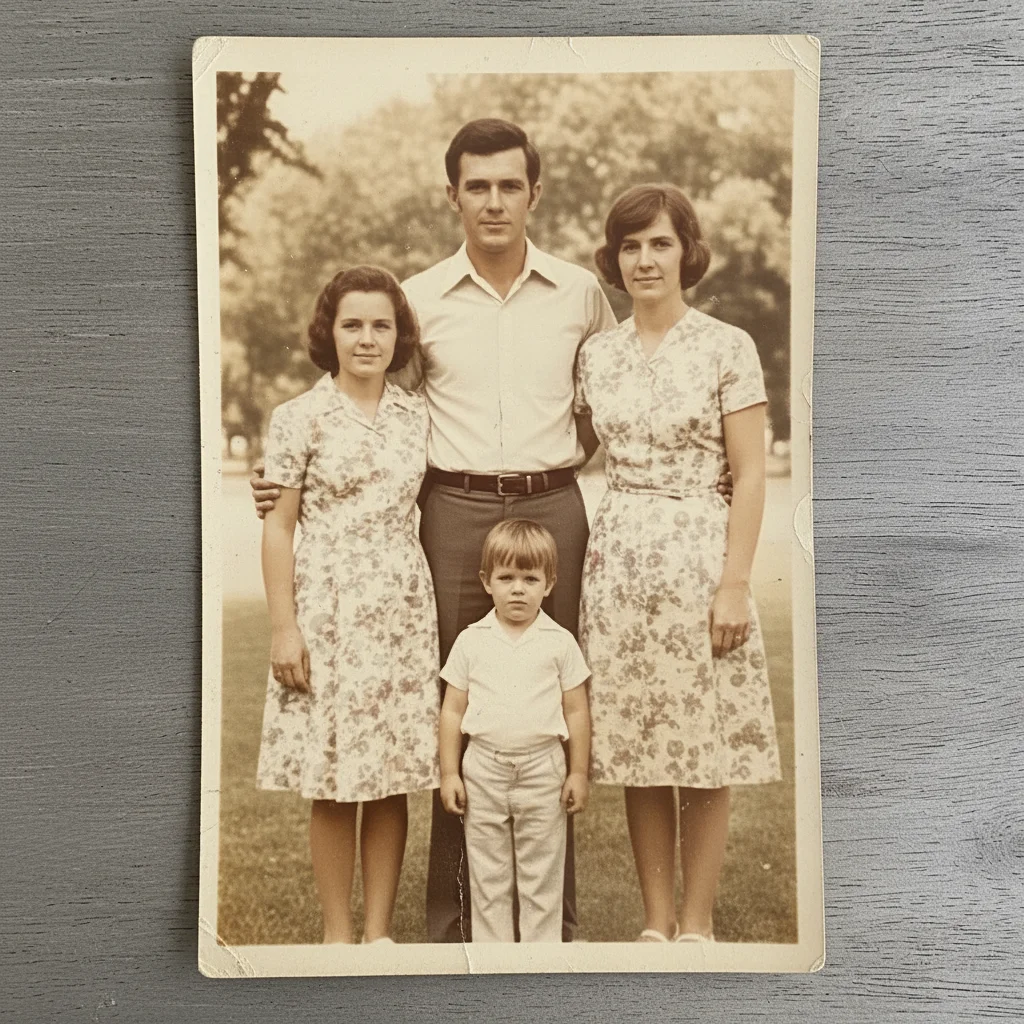
Portrait with horizontal scratches across the face and a large stain in the corner Same portrait with scratches removed, stain gone, and clean restored surface

Upload photo to fix damaged photo

"fix this damaged photo — remove the horizontal scratches and restore the detail underneath"

Release to upload

50,000+photos edited
<30stypical edit
1 freeedit weekly

1 free edit·then from $4.99

How it works

  1. Upload your damaged photo

    Drag and drop the damaged photo into EditThisPic. JPG, PNG, or WebP up to 7MB. If fixing a physical print, scan it at 600 DPI or higher — better resolution means better repair quality.

    Expect: Scratches and stains: 25-35 seconds. Tears, missing sections, and water damage: 40-55 seconds.
  2. Describe the damage to fix

    Type what needs fixing: 'fix this damaged photo — remove the scratches across the center and repair the torn corner.' Name the damage type for best results. The AI understands everyday language — no technical terms needed.

    Tip: Be specific about location: 'the stain in the upper-left corner' or 'horizontal scratches through the sky area' helps the AI target the right spot.

    Copy one of these to get started:

    General damage repair fix this damaged photo free — repair all visible scratches, stains, and surface damage seamlessly
    Scratched photo fix this damaged photo — remove the horizontal scratches and restore the detail underneath
    Stained photo fix this damaged photo online free — remove the stain and restore the original color and detail beneath it
    Torn or creased photo fix this damaged photo — seamlessly repair the tear and remove all visible creases
    2 more prompts
    Water-damaged photo fix this damaged photo free — remove water stains and blotches, recover the original detail
    Multiple damage types fix this damaged photo — repair the tear along the left edge, remove the brown stain in the center, and smooth all visible surface scratches
  3. Review the repaired photo

    Use the before/after slider to compare. Check that repaired areas blend naturally with the surrounding image. Download your fixed photo — free with no watermark.

See it in action

Portrait with horizontal scratches across the face and a large stain in the corner
Before
->
Same portrait with scratches removed, stain gone, and clean restored surface
After

Scratched and stained portrait fixed

A scanned portrait with deep horizontal scratches across the face and a large brown stain in the lower-right corner — both fixed in a single pass.

Prompt: fix this damaged photo — remove the horizontal scratches across the face and the brown stain in the lower-right corner
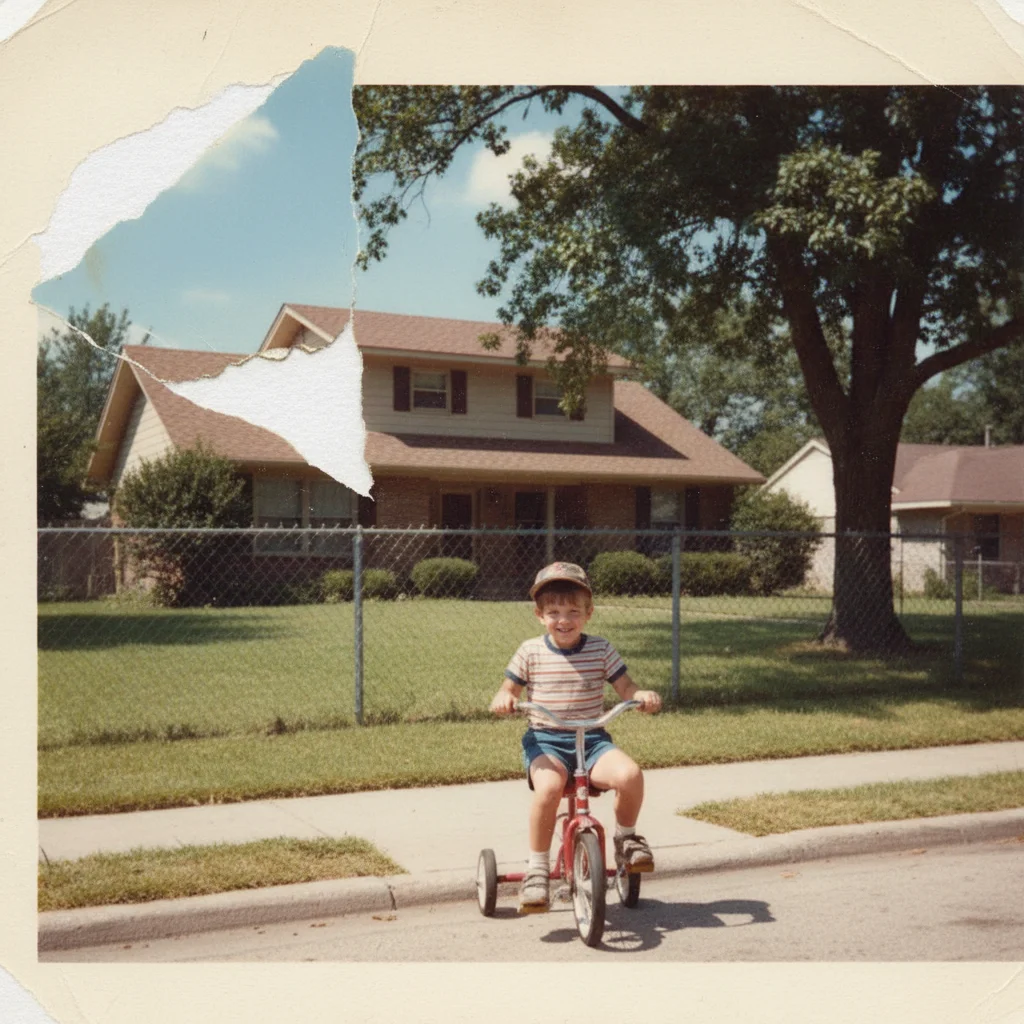
Childhood photo with torn upper-left corner revealing white backing paper
Before
->
Same photo with corner reconstructed and sky seamlessly filled in
After

Torn corner repaired

A childhood photo with a torn upper-left corner missing about 15% of the image — AI reconstructed the missing area to match the original.

Prompt: fix this damaged photo online free — reconstruct the torn upper-left corner to match the background

Quick answers

Is it really free to fix damaged photos online?

Yes. EditThisPic gives you one free Fast edit per week with no account required. That's enough for a single damaged photo repair session. Credit packs are available for high-volume work.

What kinds of photo damage can the AI fix?

The AI repairs scratches, stains, water damage, tears, creases, mold spots, foxing, yellowing, and fading. It can also reconstruct small missing sections. Very large missing areas (more than 30% of the image) may produce imperfect results.

How do I get the best results when fixing a damaged photo?

Scan physical prints at 600 DPI minimum.

Do I need to create an account to fix a damaged photo?

No account, no signup, no credit card. Just open EditThisPic, upload your photo, describe the damage, and download the fixed result.

Will there be a watermark on my fixed photo?

No. EditThisPic never adds watermarks — not on free edits, not ever. The downloaded photo is clean and ready to print or share.

Can the AI fix a photo that has been damaged by water?

Yes. Water damage typically causes stains, color bleeding, and blotching.

Does this work on digital photos or only old scanned prints?

Both. The tool repairs scanned prints and digital photos with damage from editing errors, compression artifacts, or corrupt files. Describe whatever you see: the AI adapts to the damage type.

Does it work on mobile?

Yes. EditThisPic runs fully in your mobile browser. Upload a scanned photo from your camera roll or use the iOS app. No app download required for browser use.

How much does EditThisPic cost?

You get 1 free edit per week — no account needed. After that, credit packs start at $1.99 for 3 edits. Monthly plans start at $4.99/mo for 20 edits with unused credits rolling over. All edits are full resolution with no watermark.

Ready to fix your damaged photo for free?

No signup required. No watermarks. Instant AI repair.

1 free edit included·Credit packs from $4.99