Pricing Compare Memorial photo restoration options · Free

Getting a Memorial Photo Restored: Services Compared

Last updated

A plain comparison of human and AI options, including where each is stronger.

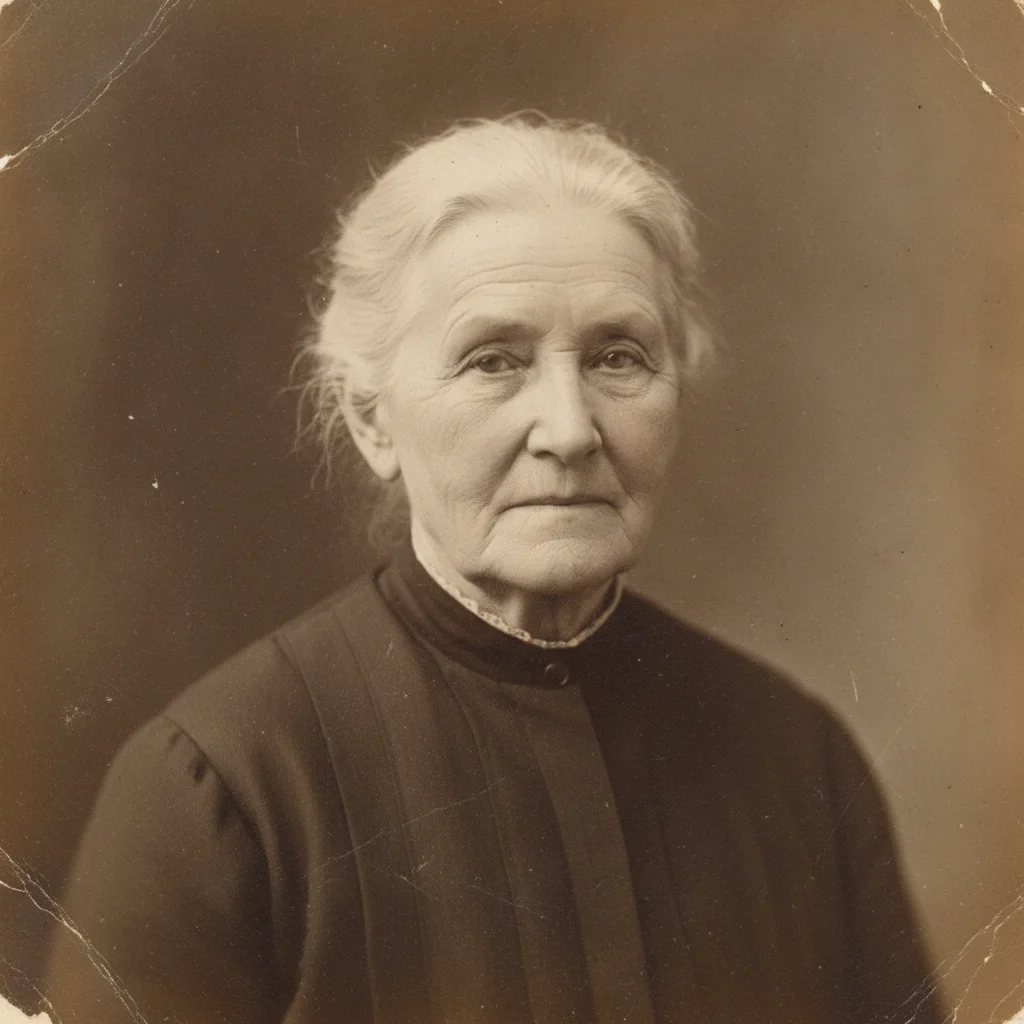
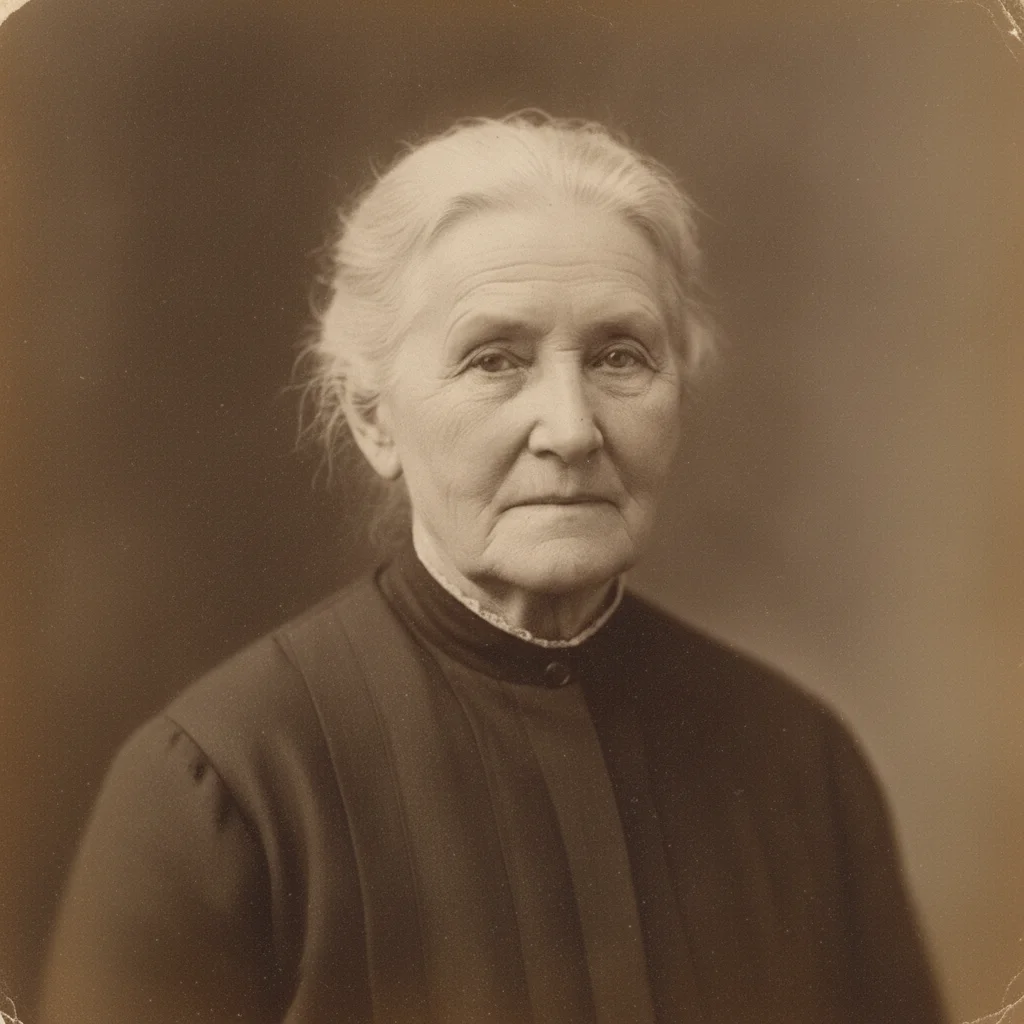
Aged portrait of an older woman with mild surface damage and fading The same portrait gently restored, damage repaired and natural texture preserved

Upload photo to compare memorial photo restoration options

"compare this photo for understand r/PhotoshopRequest; change only that detail, preserve recognizable features, pose, clothing or markings, and keep the rest unchanged"

Free to try · no sign-up · photos are never shared

Release to upload

<30stypical edit
1 freeedit weekly
Photo on your phone? Scan to open this editor there — free edit works on your phone too.

1 free edit every week·packs from $4.99

How it works

  1. Upload the clearest source you have

    Use the original scan or photo for choose between a community request, professional retoucher, one-tap enhancer, and iterative editor. Keep an untouched copy so you can compare facial, clothing, fur, or background details later.

    Expect: A clear, lightly damaged source is more reliable; severe blur, missing facial detail, or heavy overlap may need several careful attempts or a human retoucher.
  2. Describe one careful change

    Type a complete instruction: “Restore this portrait gently, repair only the visible damage, preserve recognizable features and natural texture, and keep the original photographic character” Name what should change and list the identity details, objects, or people that must remain untouched.

    Tip: Make repair, crop, background, removal, and reference-face work separate when they rely on different inputs or constraints.

    Copy one of these to get started:

    Compare a professional retoucher Restore this portrait gently, repair only the visible damage, preserve recognizable features and natural texture, and keep the original photographic character
    Understand r/photoshoprequest compare this photo for understand r/PhotoshopRequest; change only that detail, preserve recognizable features, pose, clothing or markings, and keep the rest unchanged
    Check remini's one-tap enhancement compare this photo for check Remini's one-tap enhancement; change only that detail, preserve recognizable features, pose, clothing or markings, and keep the rest unchanged
    Use editthispic for iterative directions compare this photo for use EditThisPic for iterative directions; change only that detail, preserve recognizable features, pose, clothing or markings, and keep the rest unchanged
    2 more prompts
    Prepare files and print dimensions compare this photo for prepare files and print dimensions; change only that detail, preserve recognizable features, pose, clothing or markings, and keep the rest unchanged
    Decide when human judgment matters compare this photo for decide when human judgment matters; change only that detail, preserve recognizable features, pose, clothing or markings, and keep the rest unchanged
  3. Review against the original

    Inspect the full-size result and compare published price source, privacy and rights, revision model, capability limits. AI restoration approximates missing detail. A heavily damaged, tiny, or blurred face may not restore perfectly, so compare the result with the original and keep the source file.

See it in action

Aged portrait of an older woman with mild surface damage and fading
Before
->
The same portrait gently restored, damage repaired and natural texture preserved
After

Portrait restored through EditThisPic

An owned period portrait gently restored through EditThisPic to show the result a restoration produces: only visible damage repaired, recognizable features and natural texture preserved.

Prompt: Restore this portrait gently, repair only visible damage, preserve recognizable features and natural texture

Quick answers

How do I getting a memorial photo restored: services compared?

Upload the source image and use a complete instruction such as: “Restore this portrait gently, repair only the visible damage, preserve recognizable features and natural texture, and keep the original photographic character” Review the result against the original before printing or sharing.

Is there a free photo editor that does not require a login?

Yes. EditThisPic offers one weekly Fast edit without an account. A Fast edit uses one credit after that; the current entry pack is 10 credits for $4.99.

What is the best approach for choose between a community request, professional retoucher, one-tap enhancer, and iterative editor?

Use the clearest original available, make one well-scoped change at a time, and compare the output with the source. AI restoration approximates missing detail. A heavily damaged, tiny, or blurred face may not restore perfectly, so compare the result with the original and keep the source file.

Will AI preserve the person's or pet's identity exactly?

No exact match is guaranteed. AI restoration approximates missing detail. A heavily damaged, tiny, or blurred face may not restore perfectly, so compare the result with the original and keep the source file. A human retoucher is the safer choice when guaranteed judgment or exact forensic fidelity matters.

Can I use a real customer memorial photo as a public example?

Not for this page family. Public proof must use an owned, licensed, cleared, or self-generated input. A real customer's memorial photo is never used as page proof.

Does this service print or ship the finished photo?

No. EditThisPic returns a digital image only. It does not provide print fulfillment, lab integration, resolution certification, bleed checks, or delivery.

What should I check before downloading?

Compare the full-size result with the original. Check eyes, mouth, hair or fur, hands, clothing, jewelry, background edges, shadows, and any detail that carries personal meaning.

When should I use a human retoucher instead?

Choose a skilled human when damage is severe, several faces overlap, exact likeness is essential, the print is irreplaceable, or you want someone accountable for detailed judgment and revisions.

How much does EditThisPic cost?

You get 1 free edit per week — no account needed. After that, one-time credit packs start at $4.99 for 10 edits, valid 12 months, no subscription. Power users who edit daily can pick Studio Membership, a monthly workspace at $49.99/mo for 300 edits. Purchased downloads are clean with no watermark.
Work carefully on memorial photo restoration options

Keep the original, make one change at a time, and review the result closely.

1 free edit included·Credit packs from $4.99