Free • No signup Remove Hand · Free

Remove Hand From Photo

← Browse all remove tools

Last updated

Describe who to add or remove. The AI handles the rest.

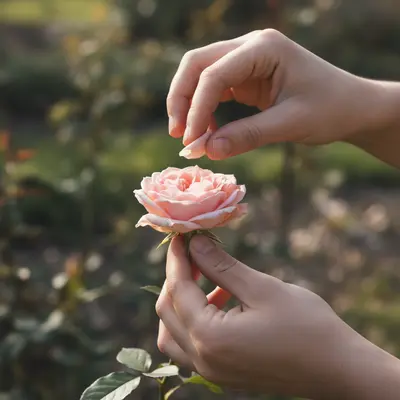
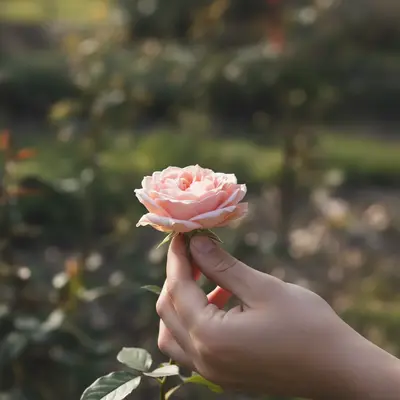
Photo with hand gesture behind subject Clean portrait with hand removed

Upload photo to remove hand

"remove the hand making a gesture behind the subject head"

Release to upload

50,000+photos edited
<30stypical edit
1 freeedit weekly

1 free edit·then from $4.99

How it works

  1. Upload your photo

    Upload a photo where the unwanted element is clearly visible. The AI needs to see surrounding context to fill in naturally after hand. JPG, PNG, WebP up to 7MB.

    Expect: Most edits complete in 20-45 seconds. Complex changes may need 1-2 refinements.
  2. Describe your edit

    Type what you want: 'remove the unwanted hand from this photo.' Be specific about details for best results. The AI understands natural language — no technical skills needed.

    Tip: Upload the person you want to add as a reference image for seamless insertion.

    Copy one of these to get started:

    Finger over lens edge remove the finger partially covering the edge of the photo
    Hand photobomb remove the hand making a gesture behind the subject head
    Arm reaching into frame remove the arm reaching in from the side of the photo
    Holding something to remove remove the hand and the object it is holding from this photo
    4 more prompts
    Selfie hand visible remove the arm and hand visible from holding the phone for this selfie
    Clean removal with smooth fill remove hand completely and fill the area with a clean, smooth background that matches surroundings
    Preserve surrounding detail remove hand while preserving all surrounding details and textures exactly as they are
    Multiple instances at once remove all visible hand from the entire photo, clean and seamless result
  3. Review the result

    Examine the area where the object was removed. The fill should match surrounding texture, color, and perspective. Check that no ghost outlines or smudged patches remain.

See it in action

Photo with hand gesture behind subject
Before
->
Clean portrait with hand removed
After

Gesture hand removed

Portrait cleaned up after removing hand gesture behind subject.

Prompt: remove the hand making a gesture behind the subject

Quick answers

Do I need to mark the hand?

No, describe which hand or arm to remove.

Is this free?

Yes, 1 free edit per week. Plans from $4.99/mo for 15 edits.

Does it work on mobile?

Yes, works in any mobile browser.

Can it remove a hand that is on someone?

Yes, the AI removes the hand and reconstructs the area underneath naturally.

What about fingers over the camera lens?

The AI can remove partial finger coverage and reconstruct the blocked portion of the scene.

What photo formats does the remove hand from photo tool support?

JPG, PNG, WebP, and HEIC. Upload any common photo format and EditThisPic handles the rest.

How long does it take to remove hand?

Usually 20-45 seconds. Upload your photo, describe what you want, and the AI delivers the result.

Do I need to download an app to remove hand?

No app needed. EditThisPic runs entirely in your web browser on any device -- desktop, laptop, phone, or tablet.

How much does EditThisPic cost?

You get 1 free edit per week — no account needed. After that, credit packs start at $1.99 for 3 edits. Monthly plans start at $4.99/mo for 20 edits with unused credits rolling over. All edits are full resolution with no watermark.

Ready to edit your group photos?

Free to try. No signup required.

1 free edit included·Credit packs from $4.99