Free โ€ข No signup Restore Only photo ยท Free

Restore the Only Photo of a Loved One

When this is the only photo you have, every detail matters. Restore it with the care it deserves.
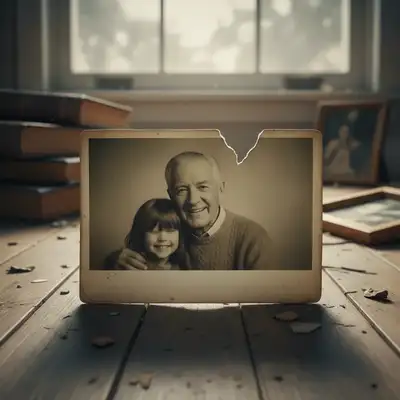
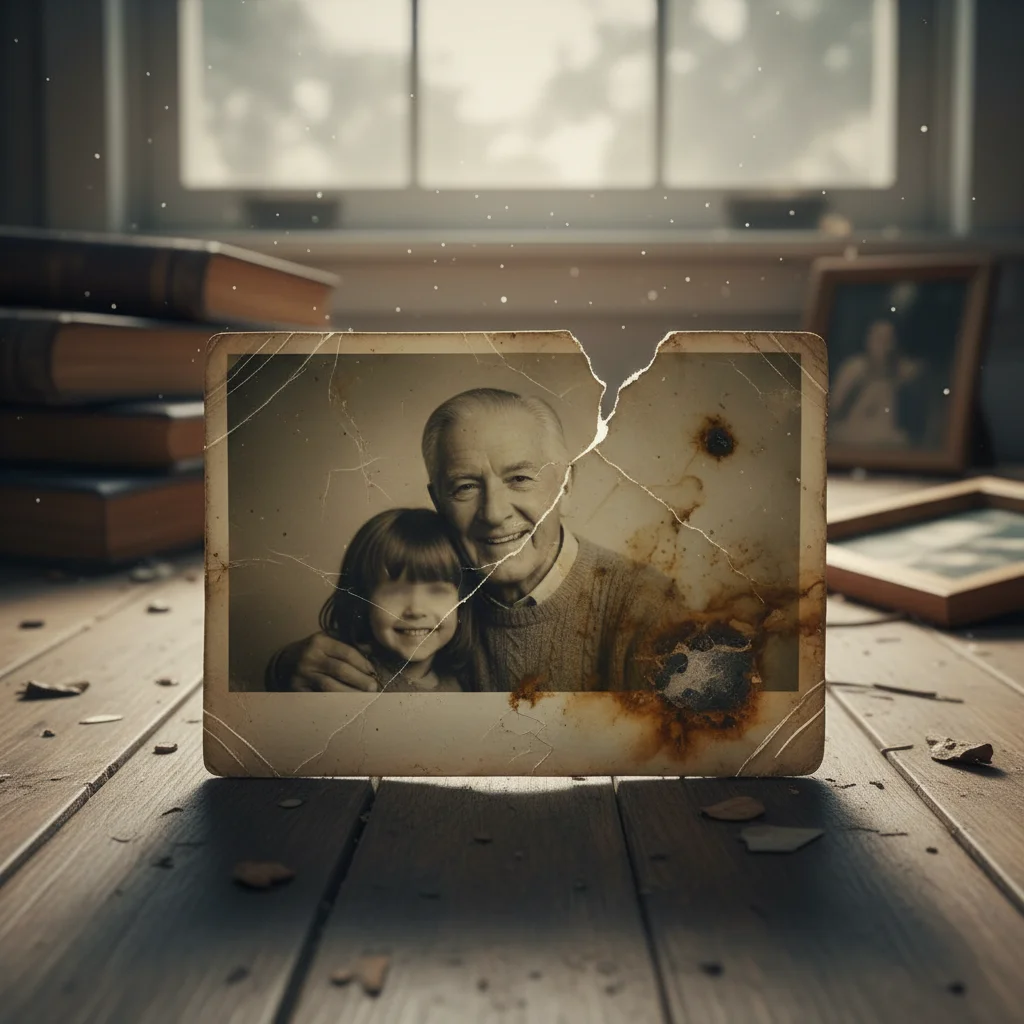
Water-damaged portrait with stains and color shift
Before
โ†’
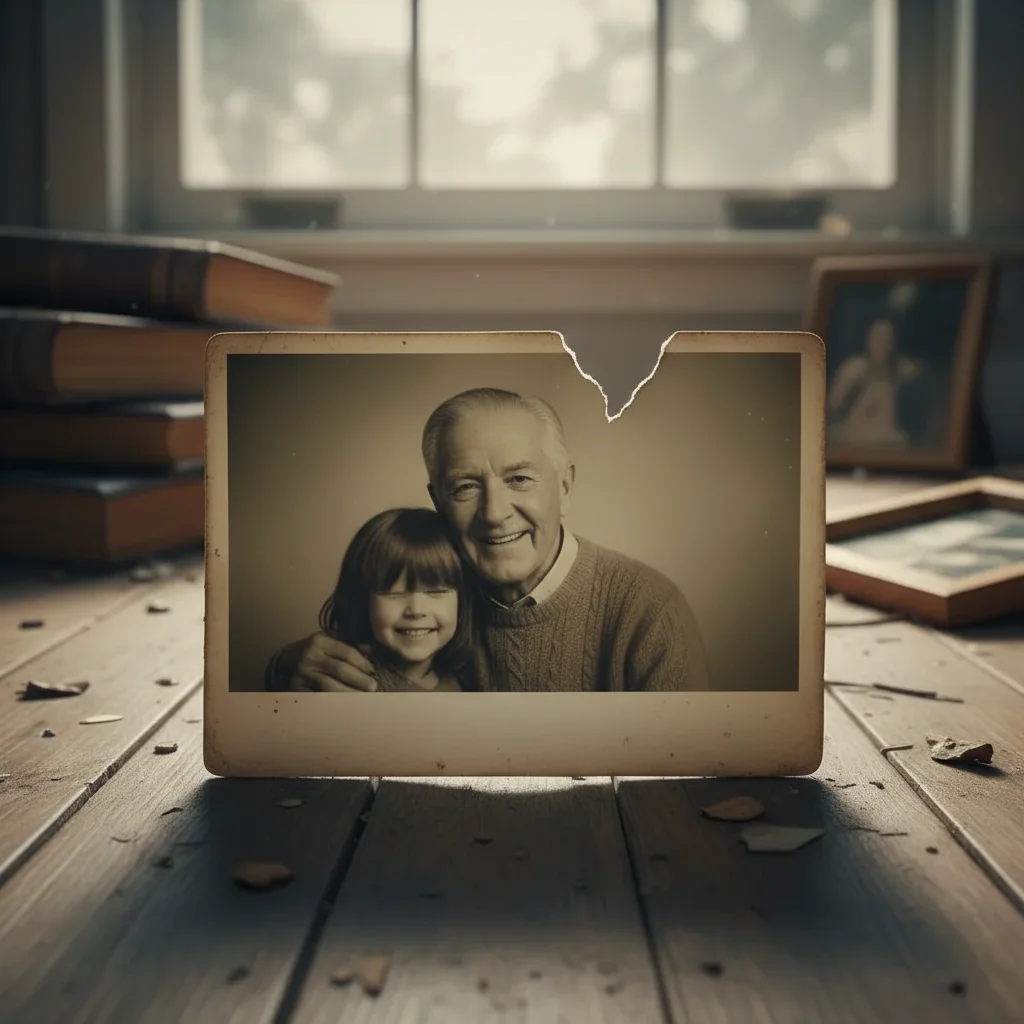
Same portrait fully restored with clear face and colors
After

Restore Only Photo of Loved One

Drop your photo here

or click to browse

Release to upload

Free โ€ข No signup

Advertisement
Popular use cases:
  • restore only photo of loved one
  • fix damaged photo of deceased
  • repair torn family photo
  • restore precious photo
  • fix water damaged photo
  • restore faded photo
  • repair only picture of grandparent
  • fix irreplaceable photo

Cost
Free No signup required
Time
Instant results in 15-30 seconds
Works on
Any device - browser, phone, tablet, desktop
Powered by
AI-powered photo editing

How it works

  1. Upload your precious photo

    Drop your photo into EditThisPic. Whether it's damaged, faded, torn, stained, or simply old and degraded, the AI can work with it. Scan or photograph your physical photo if it's not already digital - good lighting and flat positioning helps.

    Expect: Most restorations take 30-45 seconds. Severely damaged photos may need 2-3 careful passes to fully restore. Take your time - this photo matters.
  2. Describe the damage to repair

    Type what needs fixing: 'restore this damaged photo, fix the tears and faded colors' or 'repair the water damage and bring back the original colors.' Be specific about the types of damage - tears, scratches, stains, fading, blur. No marking needed for overall restoration.

    Tip: Describe all the damage types you see: 'fix the torn corner, remove the stains, restore the faded colors, and sharpen the blurry areas' gives the AI a complete understanding.

    Copy one of these to get started:

    General comprehensive restoration carefully restore this precious photo, fix all damage including tears, scratches, fading, and stains while preserving their authentic appearance
    Fix severe fading restore the faded colors in this old photo, bring back the original vibrancy while keeping the image natural and authentic
    Repair torn or creased photo repair the tears and creases in this photo, reconstruct the damaged areas to match the surrounding image naturally
    Remove water damage remove the water damage stains and restore the affected areas, bringing back clear colors and details
    4 more prompts
    Fix scratched photo remove all the scratches from this photo and restore the smooth, undamaged appearance underneath
    Sharpen blurry only photo sharpen this blurry photo as much as possible while keeping their face and features looking natural, this is the only photo I have
    Restore severely damaged photo this photo is heavily damaged with multiple issues - carefully restore it piece by piece, preserving any visible details of my loved one's face
    Remove yellowing and age damage remove the yellow tint and age damage from this old photo, restore it to look like it was just taken while keeping the authentic vintage feel
  3. Review every detail

    This photo is precious - examine the result carefully. Zoom in on their face. Check that their features look authentic to how you remember them. Verify the damage is gone but nothing important was changed. The AI should restore, not alter who they were.

  4. Refine specific areas

    If some damage remains or an area needs more attention, tap a marker on that spot: 'fix this remaining stain' or 'restore more detail in their face.' You can do multiple passes, each improving specific areas.

    Tip: Save after each successful pass. If you're working on severe damage, restore gradually - fix the major issues first, then refine details in follow-up edits.
Try it free โ†“

Restore Only Photo of Loved One

Drop your photo here

or click to browse

Release to upload

Free โ€ข No signup

"This was the only photo I had of my grandmother who raised me. It was water damaged and faded. EditThisPic restored it beautifully - I can see her face clearly now. I've been crying for an hour. Thank you." @GratefulGrandchild

See it in action

Water-damaged portrait with stains and color shift
Before
->
Same portrait fully restored with clear face and colors
After

Water-damaged photo restored

The only photo of a grandfather, damaged by flooding. Water stains and color shifts repaired to reveal his face clearly again.

Prompt: carefully restore this precious photo, fix all damage including tears, scratches, fading, and stains while preserving their authentic appearance
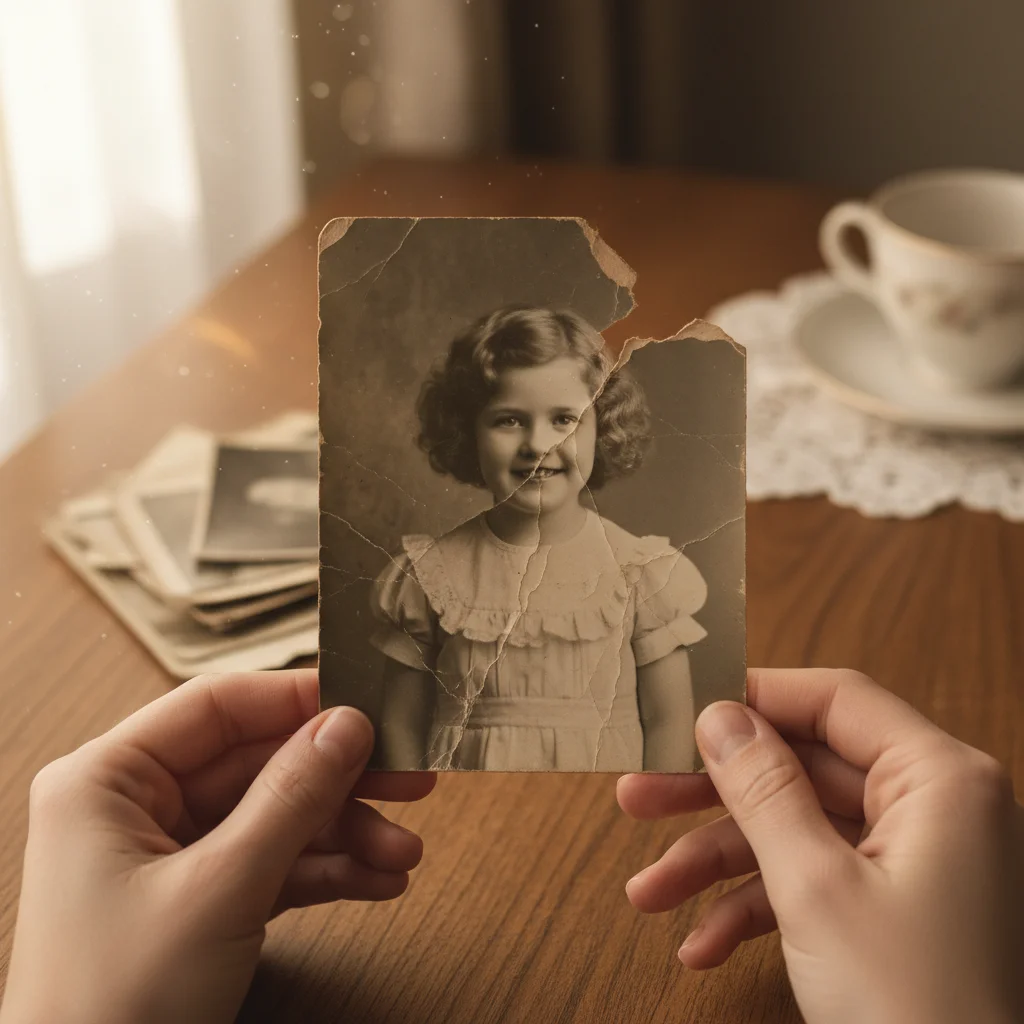
Torn black and white childhood photo
Before
->
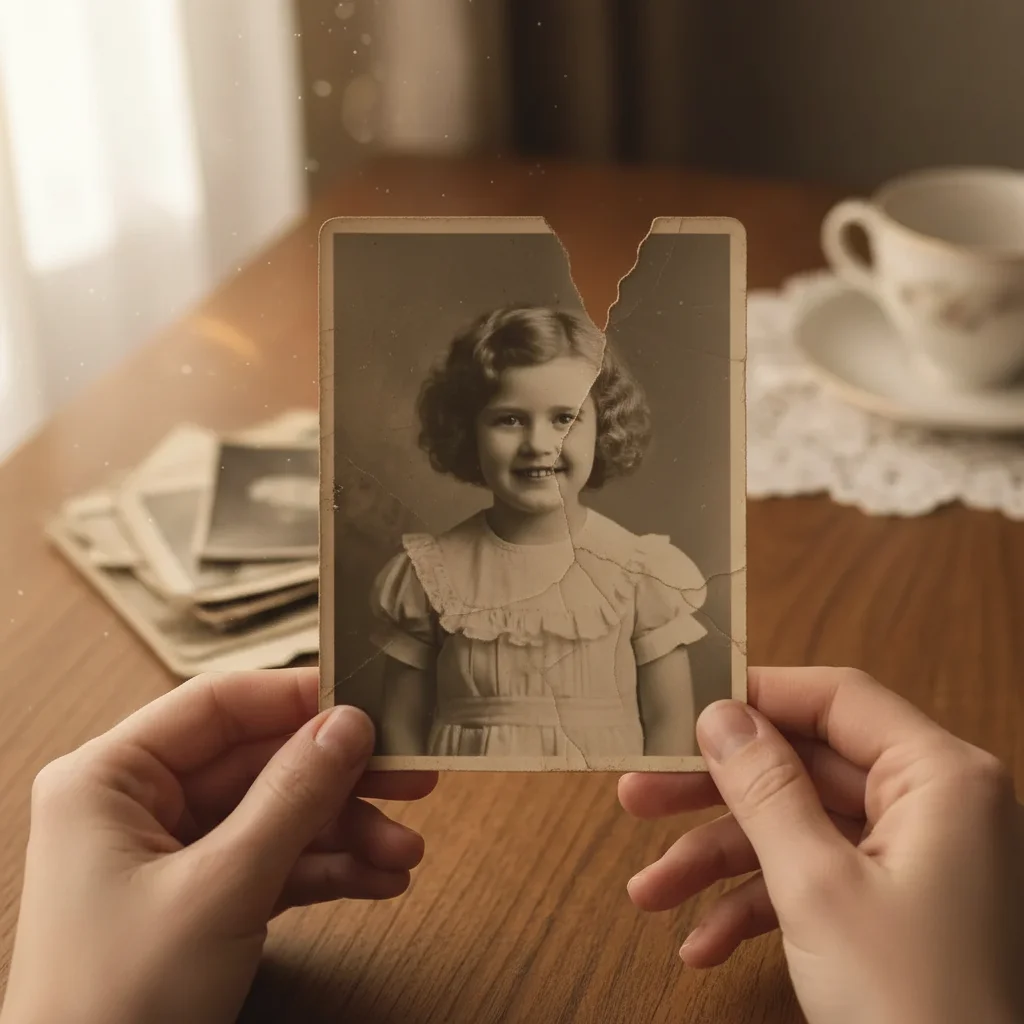
Same photo with torn corner and creases repaired
After

Torn photo reconstructed

A mother's only childhood photo had a torn corner that included part of her face. The AI carefully reconstructed the missing area.

Prompt: repair the tears and creases in this photo, reconstruct the damaged areas to match the surrounding image naturally
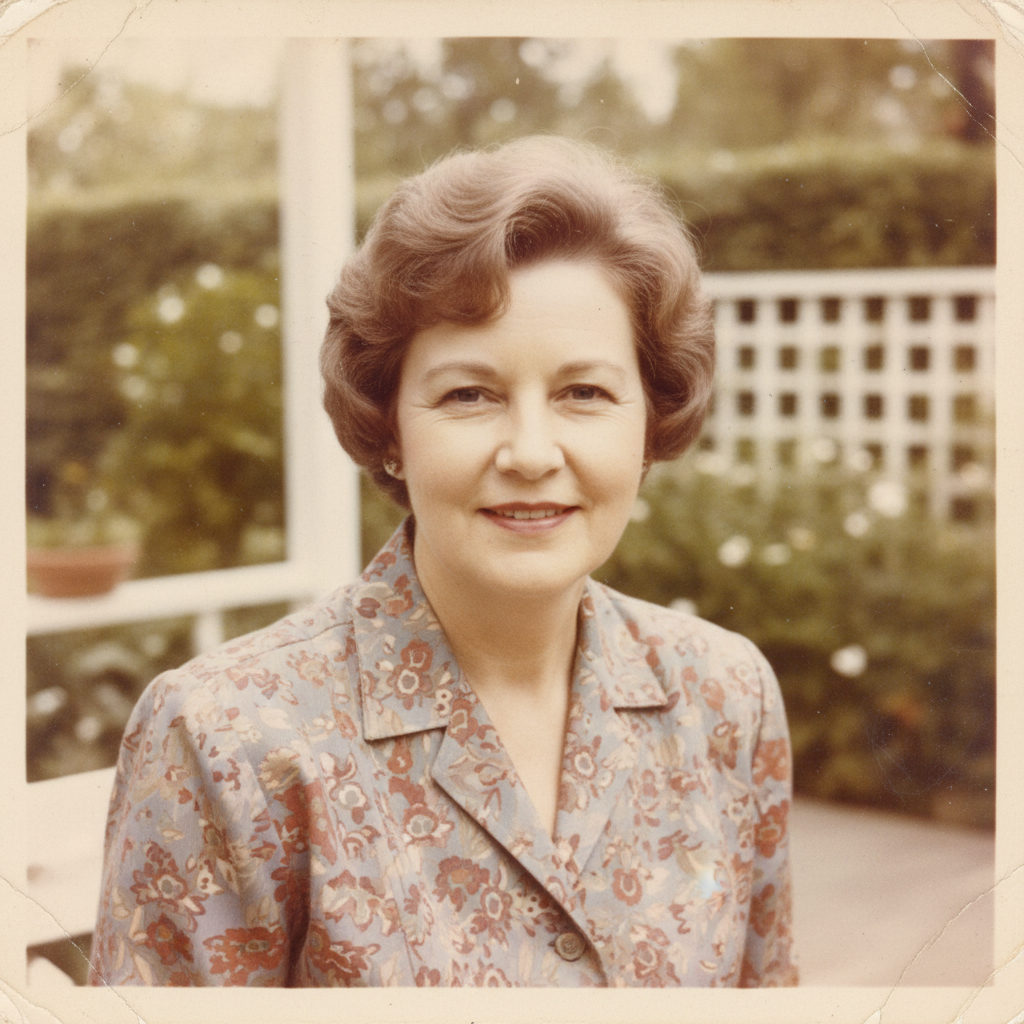
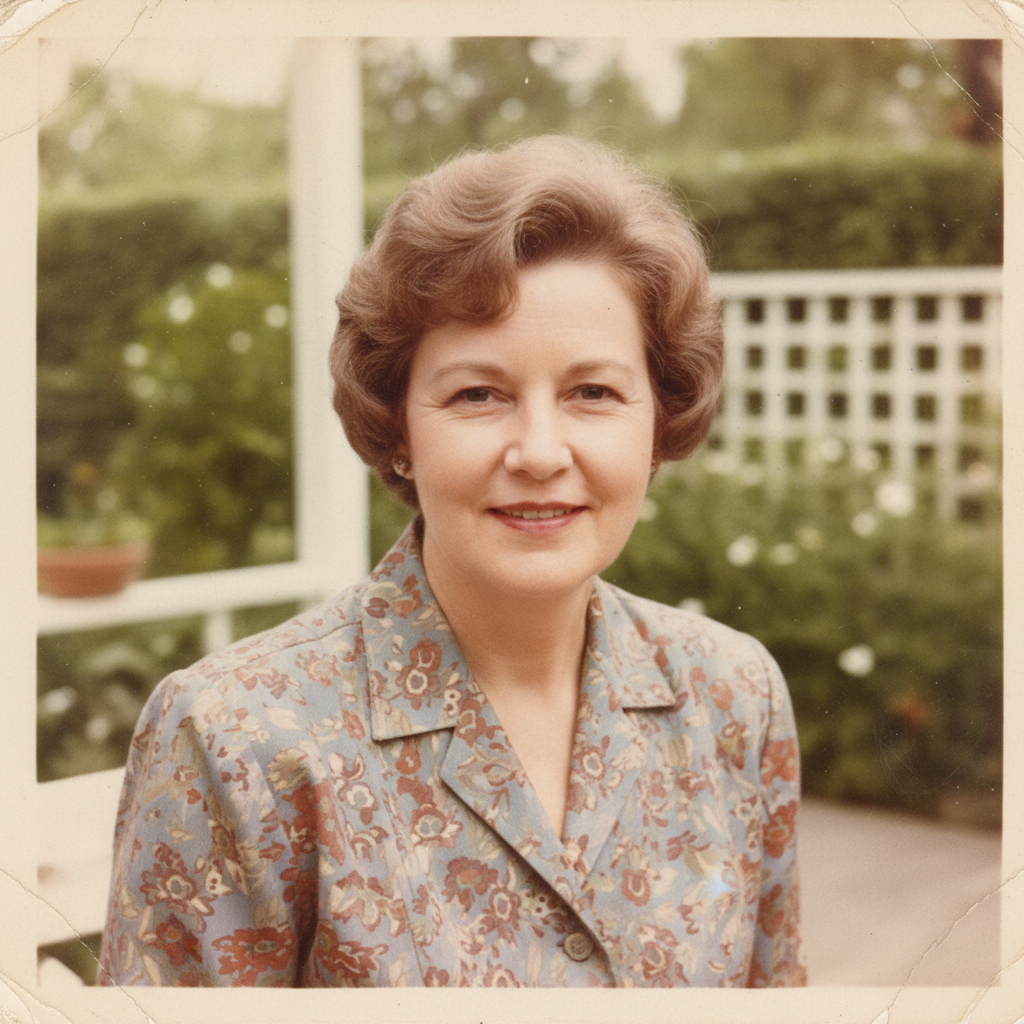
Severely faded color photo with washed out colors
Before
->
Same photo with vibrant colors restored
After

Faded photo colors restored

The only color photo of a grandmother, badly faded over decades. Colors brought back to reveal her warm smile.

Prompt: restore the faded colors in this old photo, bring back the original vibrancy while keeping the image natural and authentic
Advertisement

If something looks off

Their face looks different after restoration

Why: The AI may have reconstructed features in a way that doesn't match your memory of them.

Try: restore the photo more conservatively, preserve every visible detail of their face exactly as it appears, only fix the damage around them

Tip: Adding 'preserve their face exactly' tells the AI to be extra careful with facial features

Some damage remains after first pass

Why: Severe or complex damage often needs multiple targeted repairs.

Try: Tap a marker on the remaining damage, then describe: 'fix this specific area, restore it to match the surrounding clean areas'

Tip: Save after each successful pass and work gradually on heavily damaged photos

Restoration looks too artificial

Why: The AI may have over-processed the image, making it look too smooth or digital.

Try: restore this photo more naturally, maintain some film grain and texture, don't over-smooth

Tip: Requesting 'natural texture' and 'film grain' keeps the photo feeling authentic

Missing area reconstruction doesn't look right

Why: Large missing sections are harder to reconstruct accurately.

Try: try a different approach to reconstruct this missing area, imagine what would naturally be there based on the context

Tip: Multiple attempts may give different reconstructions - save the one that feels most right

Photo is too damaged to restore in one pass

Why: Extremely damaged photos need a staged approach.

Try: focus first on just removing the stains, leave other issues for the next pass

Tip: Break severe damage into steps: 1) remove stains, 2) fix tears, 3) restore colors, 4) sharpen

Quick answers

Do I need to mark all the damaged areas?

No. For overall restoration, just describe the damage: 'restore this damaged photo, fix the tears and fading.' The AI recognizes common types of damage. Only use markers for specific spots that need extra attention after the first pass.

How do I restore the only photo of a loved one for free?

Upload your precious photo to EditThisPic and describe the damage: 'carefully restore this photo, fix the tears, fading, and scratches while preserving their appearance.' The AI restores it in about 30 seconds. It's completely free, requires no account, and your irreplaceable photo remains private.

Can very severely damaged photos be restored?

Yes, though severely damaged photos may need multiple passes. Start with the worst damage, save the result, then work on remaining issues. The AI can fix tears, reconstruct missing areas, remove stains, restore faded colors, and sharpen blur. Even heavily damaged photos often yield surprisingly good results.

Is there a free photo restoration tool without login?

Yes. EditThisPic restores damaged photos for free without requiring any account or signup. Upload your photo, describe what needs fixing, and download the restored result with no watermark. Your photos are processed privately and never stored.

Will their face look the same after restoration?

The AI prioritizes preserving authentic appearance. It repairs damage around and on the face without changing who they are. If you notice any changes to their features, request 'preserve their face exactly as shown, only fix the damage.' You can always try again if something doesn't look right.

What if I only have a physical photo, not a digital one?

Photograph or scan your physical photo first. For best results: use even lighting (natural daylight works well), keep the camera parallel to the photo to avoid distortion, and capture the whole photo including any damaged areas. Even phone photos of old prints work well with EditThisPic.

Restore the photo that means everything

Preserve their memory with the care it deserves.

Try it free โ†’