Free • No signup Remove Mustache · Free

AI Mustache Remover

Just describe what you want. The AI removes mustaches without marking.
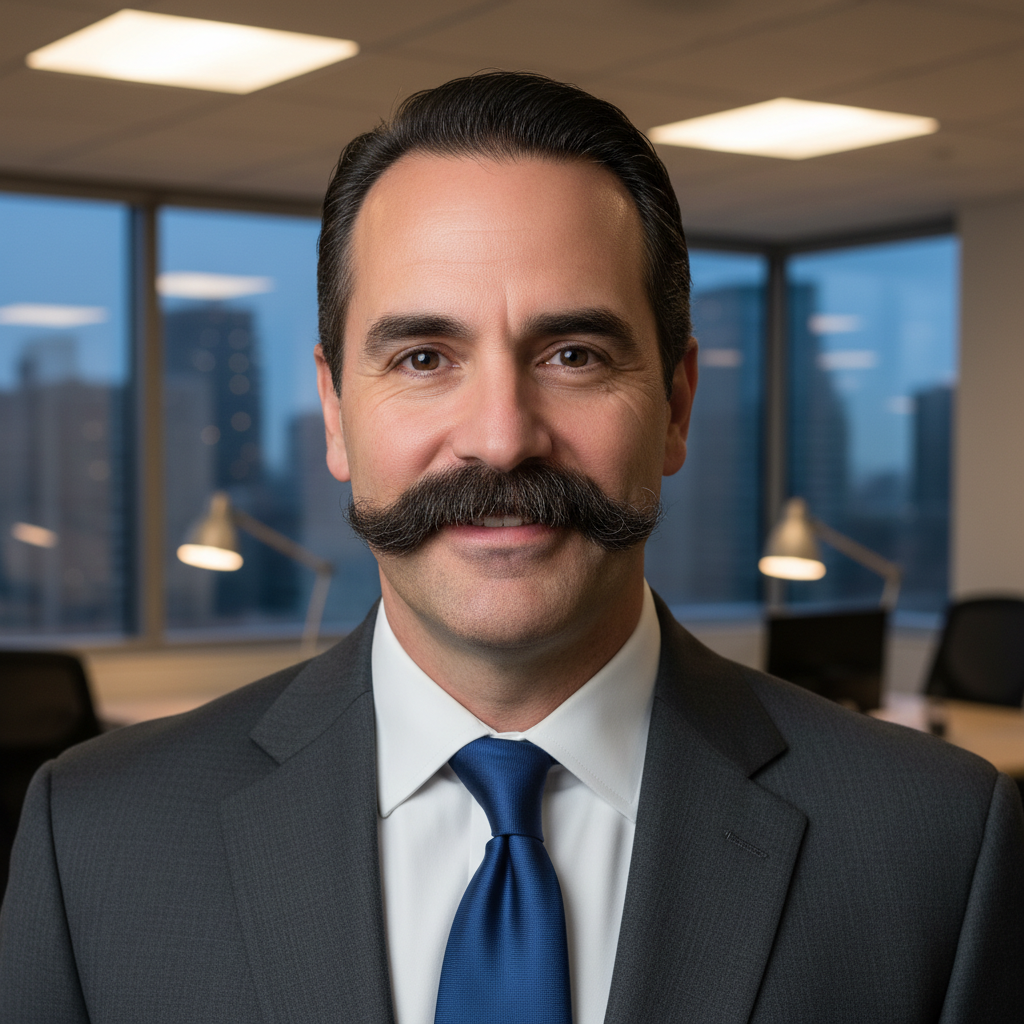
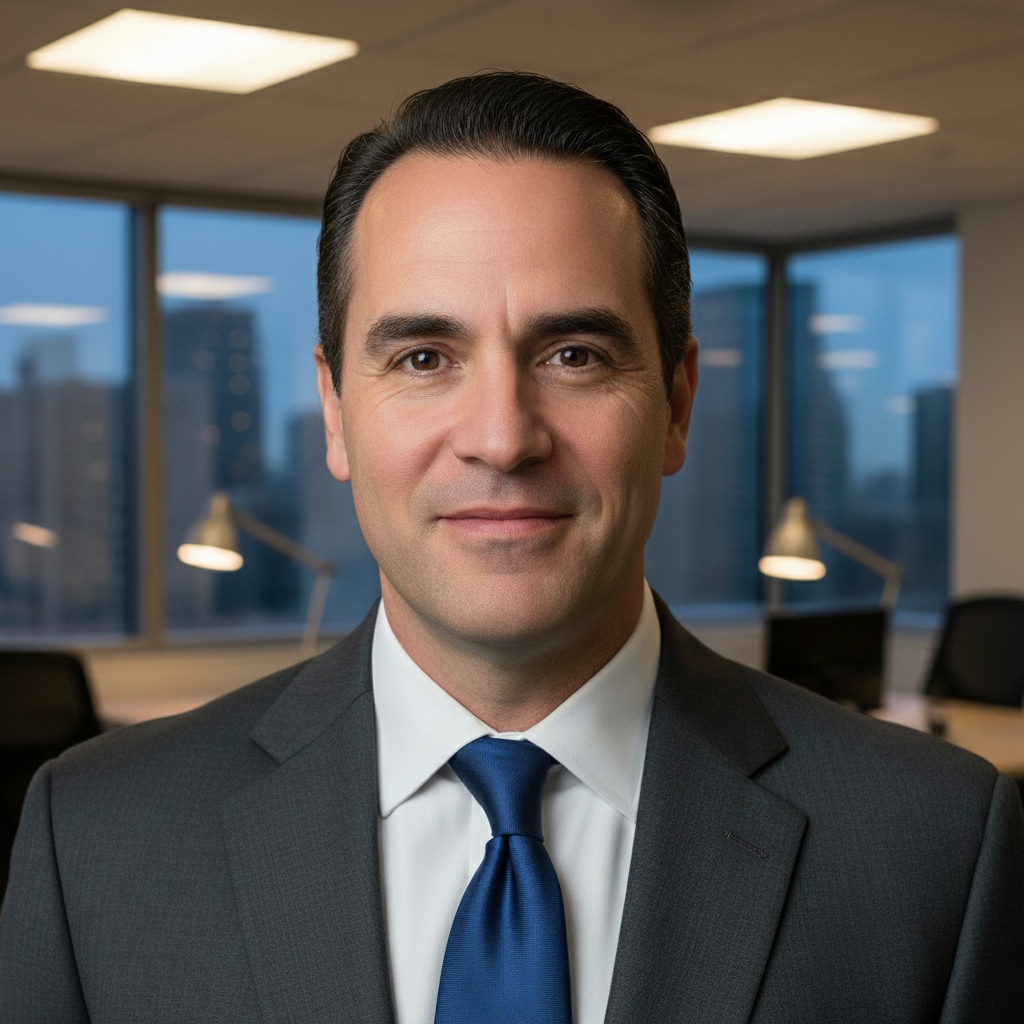
Professional headshot with dark mustache
Before
Same headshot with mustache removed and natural skin
After

Remove Mustache from Photo

Drop your photo here

or click to browse

Release to upload

Free • No signup

Advertisement
Popular use cases:
  • professional headshots
  • LinkedIn profile photos
  • dating app profiles
  • actor headshots
  • vintage photo restoration
  • military photos
  • curiosity edits

Cost
Free No signup required
Time
Instant results in 15-30 seconds
Works on
Any device - browser, phone, tablet, desktop
Powered by
AI-powered photo editing
Scenario Prompt Time
Standard mustache remove the mustache and show natural skin texture above the upper lip 15s
Thick handlebar remove the entire handlebar mustache including the edges and fill with natural skin matching the face 20s
Vintage photo remove the mustache from this old photo and restore natural skin tone matching the era 25s
Professional headshot remove facial hair above the upper lip completely and preserve natural skin texture for professional appearance 15s

How it works

  1. Upload your photo

    Drop your image into EditThisPic. JPG, PNG, WebP up to 7MB. Works best with front-facing portraits where the mustache is clearly visible. Natural lighting produces the most realistic skin texture replacement.

    Expect: Simple mustaches: 15-30 seconds. Thick or complex facial hair: may need 2-3 refinements for edges.
  2. Describe what you want

    Type your instruction: 'remove the mustache and show natural skin texture' or 'remove facial hair above upper lip completely.' Be specific about preserving skin tone and natural features. No marking needed—the AI understands what 'mustache' means and where it's located.

    Tip: Mention 'preserve natural skin texture and pores' for the most realistic results. The AI will match surrounding skin.

    Copy one of these to get started:

    Standard mustache removal remove the mustache and show natural skin texture above the upper lip
    Thick handlebar mustache remove the entire handlebar mustache including the edges and fill with natural skin matching the face
    Vintage photo restoration remove the mustache from this old photo and restore natural skin tone matching the era
    Professional headshot cleanup remove facial hair above the upper lip completely and preserve natural skin texture for professional appearance
    3 more prompts
    Pencil mustache removal remove the thin pencil mustache and fill with smooth skin texture matching the upper lip area
    Shadow mustache on light skin remove the shadow mustache and even out skin tone across the entire upper lip
    Patchy mustache removal remove all facial hair above the lip including patchy areas and create uniform natural skin
  3. Generate and review

    Click Generate and watch the AI analyze your photo. It identifies the mustache, removes it, and reconstructs natural skin texture matching your upper lip area. Check the result at full zoom to verify skin tone matching and smooth edges.

  4. Refine with markers if needed

    If any facial hair remains visible or edges need smoothing, tap markers on those specific spots and regenerate. This is optional—most mustache removals work without markers on the first try.

    Tip: Markers are for precision refinement, not a required step. The AI can find and remove mustaches from description alone.
Try it free

Remove Mustache from Photo

Drop your photo here

or click to browse

Release to upload

Free • No signup

"Wanted to see what I'd look like without my mustache. One prompt and done. Looks totally natural." @cleanshaven

See it in action

Professional headshot with dark mustache
Before
->
Same headshot with mustache removed and natural skin
After

Professional headshot mustache removal

Removed a thick dark mustache for a corporate headshot. The AI matched skin tone perfectly and preserved natural texture.
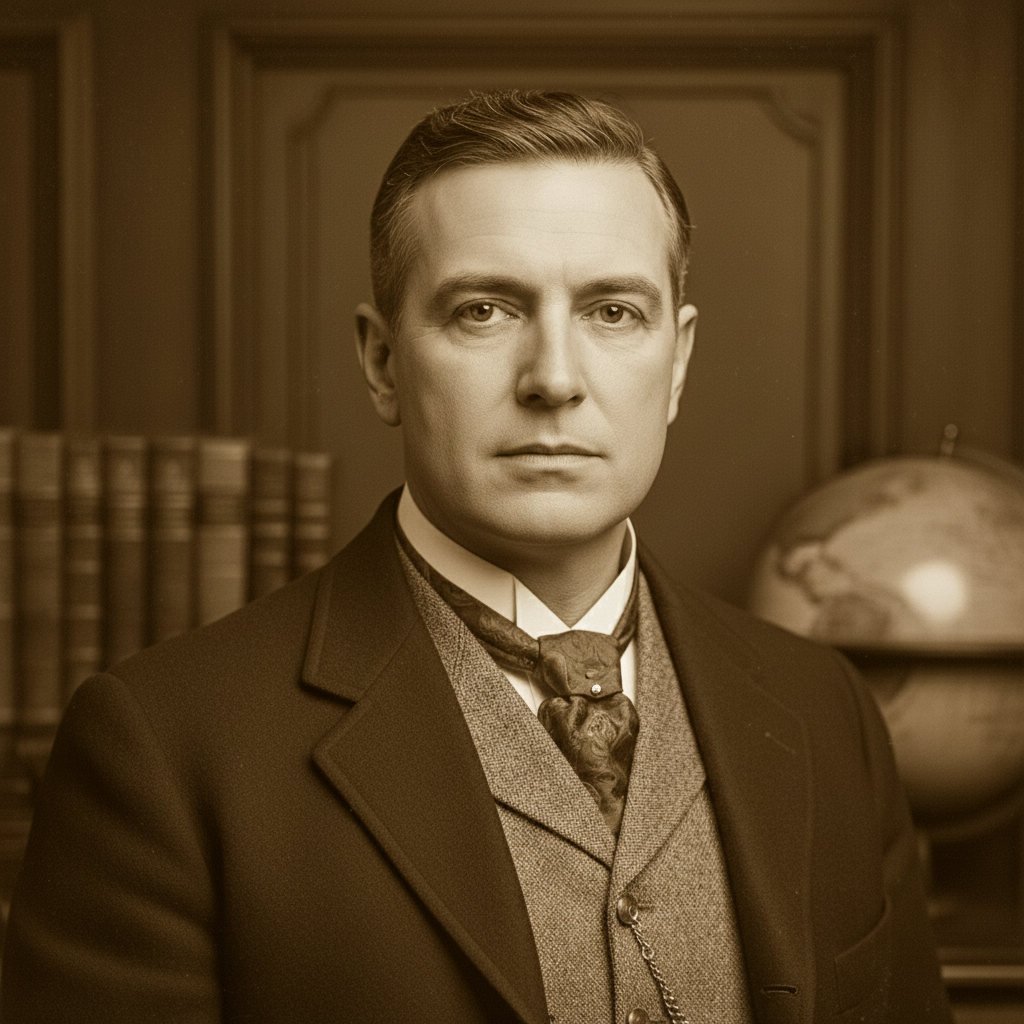
Prompt: remove the mustache and show natural skin texture above the upper lip
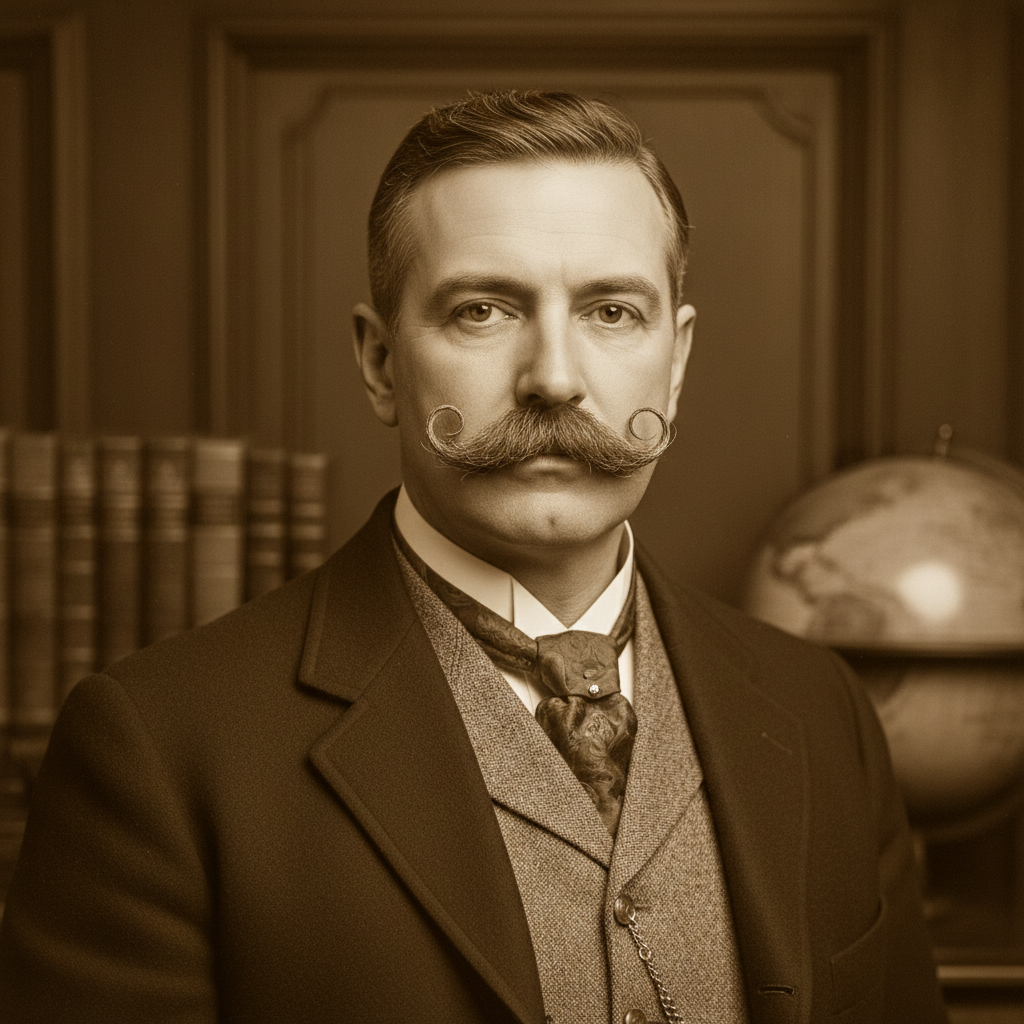
Vintage 1960s photo with handlebar mustache
Before
->
Vintage photo with mustache removed preserving era aesthetic
After

Vintage photograph mustache removal

Removed handlebar mustache from a 1960s family photo while preserving the vintage aesthetic and grain.

Prompt: remove the entire handlebar mustache including the edges and fill with natural skin matching the face
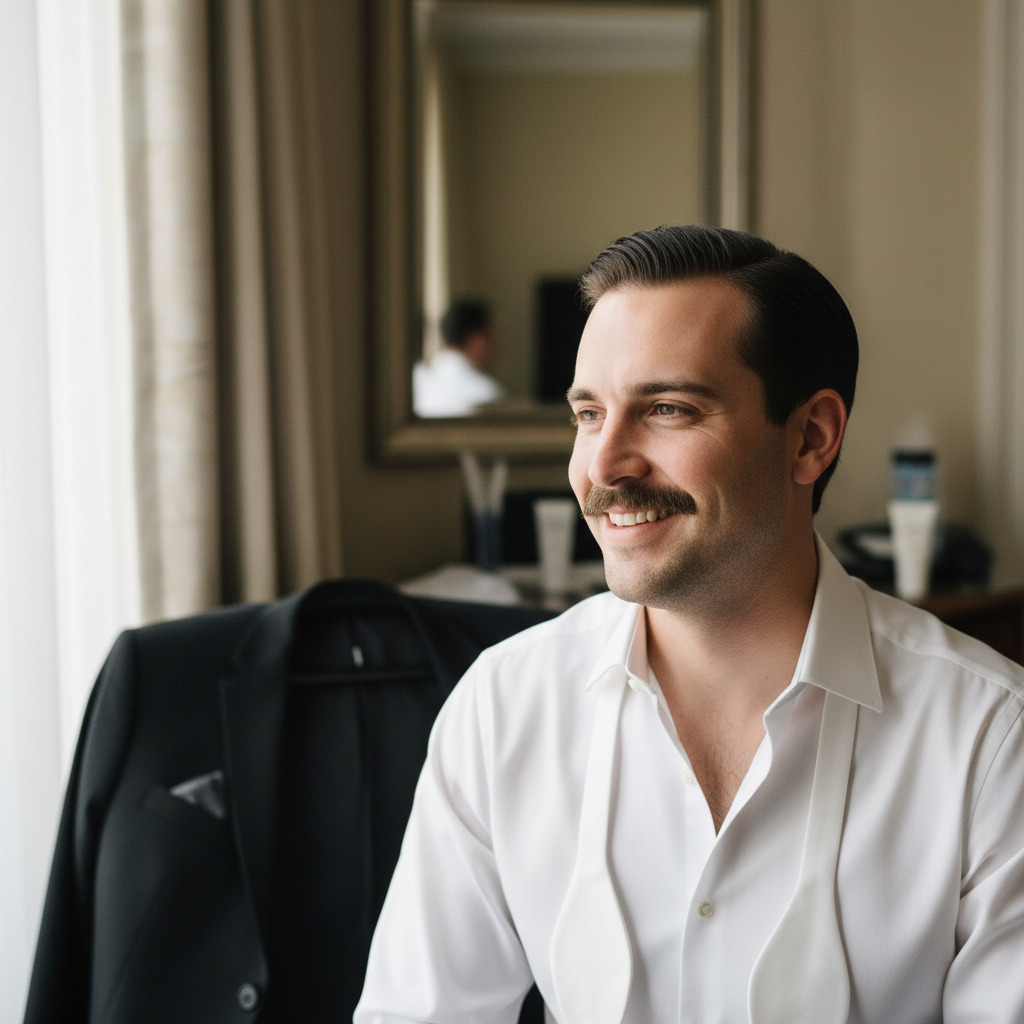
Outdoor selfie with pencil mustache
Before
->
Outdoor selfie with mustache removed naturally
After

Casual photo mustache removal

Removed a light brown pencil mustache from an outdoor selfie. One prompt delivered natural results.

Prompt: remove the thin pencil mustache and fill with smooth skin texture matching the upper lip area
Advertisement

If something looks off

AI changed the wrong area or removed part of the nose/lip

Why: The AI couldn't determine exactly which facial hair you meant, or interpreted 'upper lip' too broadly. This happens with ambiguous descriptions or photos where facial hair blends into shadows.

Try: Tap a marker directly on the mustache area, then regenerate with: 'remove only the marked facial hair above the upper lip'

Tip: Markers tell the AI 'I mean THIS specific area.' Use them when the mustache has unclear boundaries or blends with shadows.

Skin tone doesn't match after removal

Why: Uneven lighting in the original photo makes it hard for the AI to determine the correct skin tone. The AI samples surrounding skin, so shadows or color casts affect matching.

Try: Try: 'remove the mustache and match the skin tone from the cheek area' to guide the AI to sample from better-lit areas

Tip: Photos with even, natural lighting produce the most accurate skin tone matching. Avoid harsh overhead lighting or strong side shadows.

Some facial hair still visible after removal

Why: Very thick, dense, or multi-toned mustaches may need multiple passes. The AI prioritizes natural results over aggressive removal in a single pass.

Try: Run a second generation with: 'remove all remaining facial hair above the lip and smooth the skin completely'

Tip: For thick or stubborn facial hair, two passes often work better than one aggressive removal attempt.

Upper lip looks too smooth or artificial

Why: The AI over-smoothed the skin trying to blend the removal. This happens when the prompt emphasizes smoothness over texture preservation.

Try: Regenerate with: 'remove the mustache but preserve natural skin texture, pores, and fine lines'

Tip: Explicitly mentioning 'preserve texture' and 'pores' tells the AI not to over-smooth the result.

Edges of removal area are visible or blurry

Why: The transition between removed area and original skin needs better blending. This is common with low-resolution photos or harsh lighting.

Try: Add markers at the edge areas and use: 'blend the edges seamlessly with surrounding skin texture'

Tip: Higher resolution photos (at least 1000px wide) produce cleaner edge blending.

Shadow remains where mustache was

Why: The mustache cast a shadow on the upper lip, and the AI preserved the original lighting. This is most common with thick mustaches and side lighting.

Try: Try: 'remove the mustache and even out the lighting across the upper lip to match the face'

Tip: Specifying 'even out lighting' helps the AI understand you want the shadow eliminated too, not just the hair.

Quick answers

Do I need to mark the mustache before describing?

No! Just describe what you want: 'remove the mustache' or 'remove facial hair above upper lip.' The AI understands what a mustache is and where to find it on a face. Only use markers when you need precision—like specifying which part of a beard to keep, or refining edges after your first attempt.

How do I remove a mustache from a photo for free?

Upload your photo to EditThisPic and type 'remove the mustache and show natural skin texture.' The AI removes the facial hair and reconstructs natural skin in 15-30 seconds. Free to try with no signup, no watermark, and no credit card required.

Is there a free mustache remover that doesn't require login?

Yes. EditThisPic lets you remove mustaches from photos without creating an account. Just upload, describe what you want removed, and download the result. No email, no signup, completely free for your first edit.

What's the best AI tool for removing facial hair from photos?

EditThisPic uses Google's Gemini AI which understands facial anatomy and skin texture. Unlike manual clone tools in Photoshop, you just describe what you want: 'remove the mustache.' The AI handles detection, removal, and natural skin reconstruction automatically. Works on portraits, selfies, vintage photos, and professional headshots.

Will the skin look natural after mustache removal?

Yes, when you include 'preserve natural skin texture' in your prompt. The AI analyzes surrounding skin tone, pores, and texture to reconstruct realistic upper lip area. Results look natural on well-lit photos. Check the result at full zoom to verify—if edges are visible, mark those spots and regenerate.

Ready to remove your mustache?

Free to try. No signup required.

Try it free