AI Photo Editor for Airbnb Photos
Last updated
Listing photos that get bookings, without hiring a photographer.
Drop your photo here
or click to browse
Free • No signup
Release to upload
Built for Vacation Rental Hosts
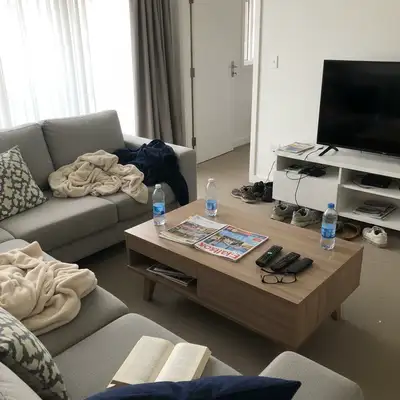
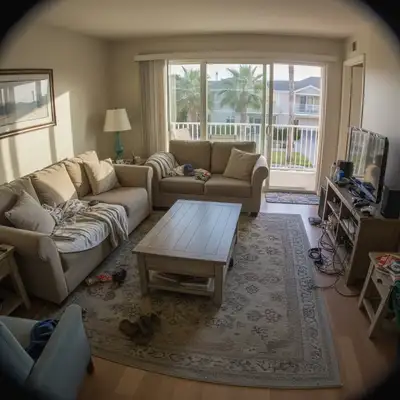
Better photos mean more bookings and higher rates. But professional photography costs $200-500 per shoot, and staging takes hours. EditThisPic lets you photograph your space as-is, then digitally declutter, brighten, and enhance. Show guests the clean, welcoming space without physically staging every shot.
Tools Hosts Use Most
Remove Clutter
Digitally declutter rooms without physical staging
Enhance Lighting
Brighten dark interiors to look spacious
Replace Sky
Transform grey exteriors into sunny inviting shots
Remove Object
Remove specific items from counters and tables
How to AI Photo Editor for Airbnb Photos
-
Upload your property photo
Drop your listing photo into EditThisPic. JPG, PNG, WebP up to 7MB. Works on interiors, exteriors, bedrooms, kitchens, bathrooms, and outdoor spaces like patios or pools.
Simple edits like lighting: 15-20 seconds. Decluttering: 25-35 seconds, may need refinement. -
Describe your edit
Type what you want: 'remove the clutter and show a clean staged space' or 'brighten this room with natural daylight' or 'replace the grey sky with sunny blue sky.' The AI understands vacation rental photography needs.
Add 'staged' or 'hotel-like' to get that professional vacation rental aesthetic. -
Review for accuracy
Check that the edit looks natural and still represents your actual space. The goal is showing your property at its best, not creating false expectations. Guests will see the real space.
-
Refine specific areas if needed
If the AI missed some clutter or edited something you wanted to keep, tap markers on those spots and regenerate. Specify what to keep vs. remove.
For decluttering, list items to keep: 'remove clutter but keep the plants and artwork.'
Copy-Paste Prompts for Airbnb Hosts
remove the clutter from the room and show a clean staged minimalist space, keep main furniture
'Staged minimalist' creates that professional vacation rental look guests love
enhance the lighting to look bright, airy, and welcoming with natural daylight feel throughout
Bright rooms appear more spacious and inviting to potential guests
replace the grey overcast sky with bright blue sky with white fluffy clouds, sunny and inviting
Blue skies make your property look welcoming any time of year
remove items from kitchen counter and show clean empty countertops, keep appliances
Clean counters signal a well-maintained property to potential guests
Show 4 more prompts
remove personal items and family photos from the room, show neutral guest-ready space
Neutral spaces help guests imagine themselves staying there
remove leaves and debris from patio, show clean outdoor entertaining area
Clean outdoor spaces are a major selling point for vacation rentals
brighten the bathroom and enhance lighting to look clean, fresh, and spa-like
Well-lit bathrooms photograph better and look more hygienic
replace the sky with warm golden sunset with orange and pink clouds, inviting evening atmosphere
Sunset exteriors create emotional appeal and stand out in search results
| Edit Type | Prompt | Time | |
|---|---|---|---|
| Declutter room | remove clutter, show clean staged space |
30s | Try This → |
| Brighten interior | enhance lighting, bright and airy |
20s | Try This → |
| Fix exterior sky | replace grey sky with blue sky and clouds |
25s | Try This → |
| Clean kitchen | remove items from counter, clean surfaces |
25s | Try This → |
Real Airbnb Photo Transformations
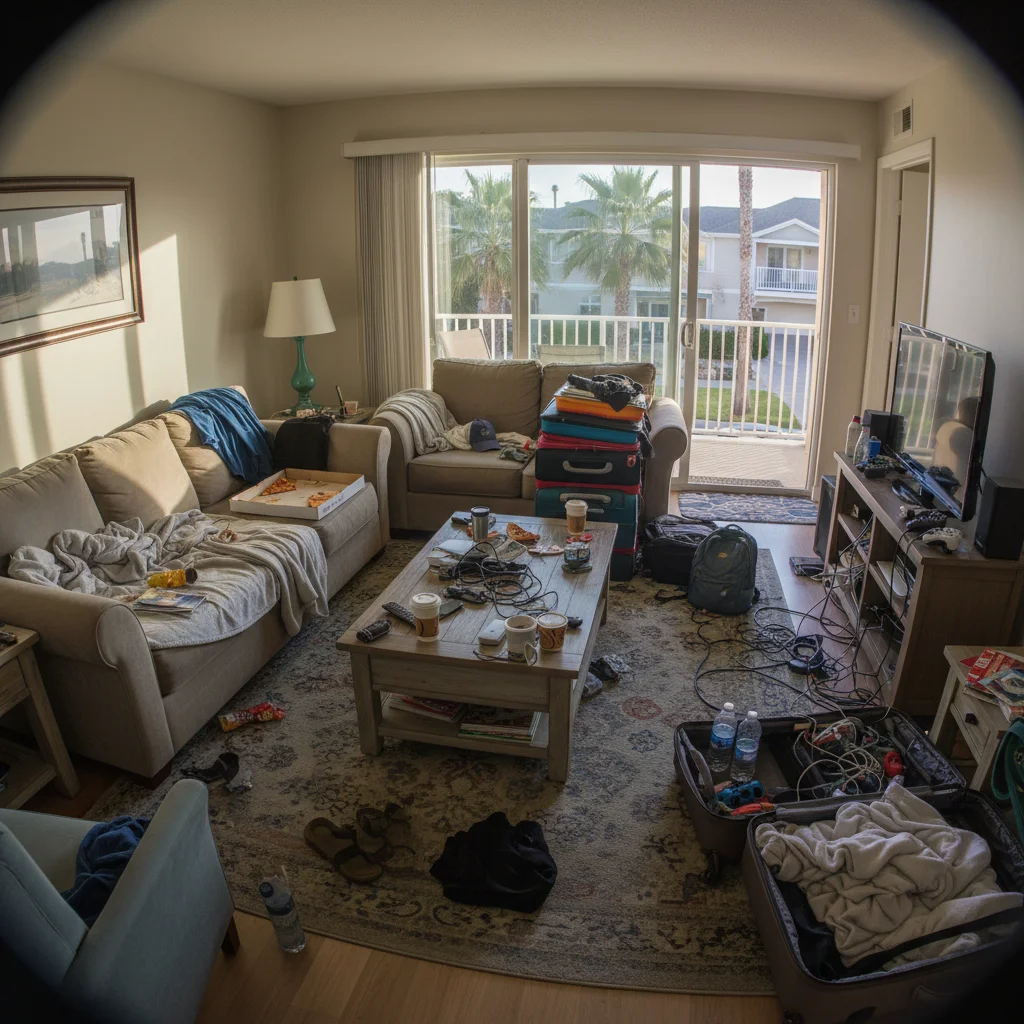
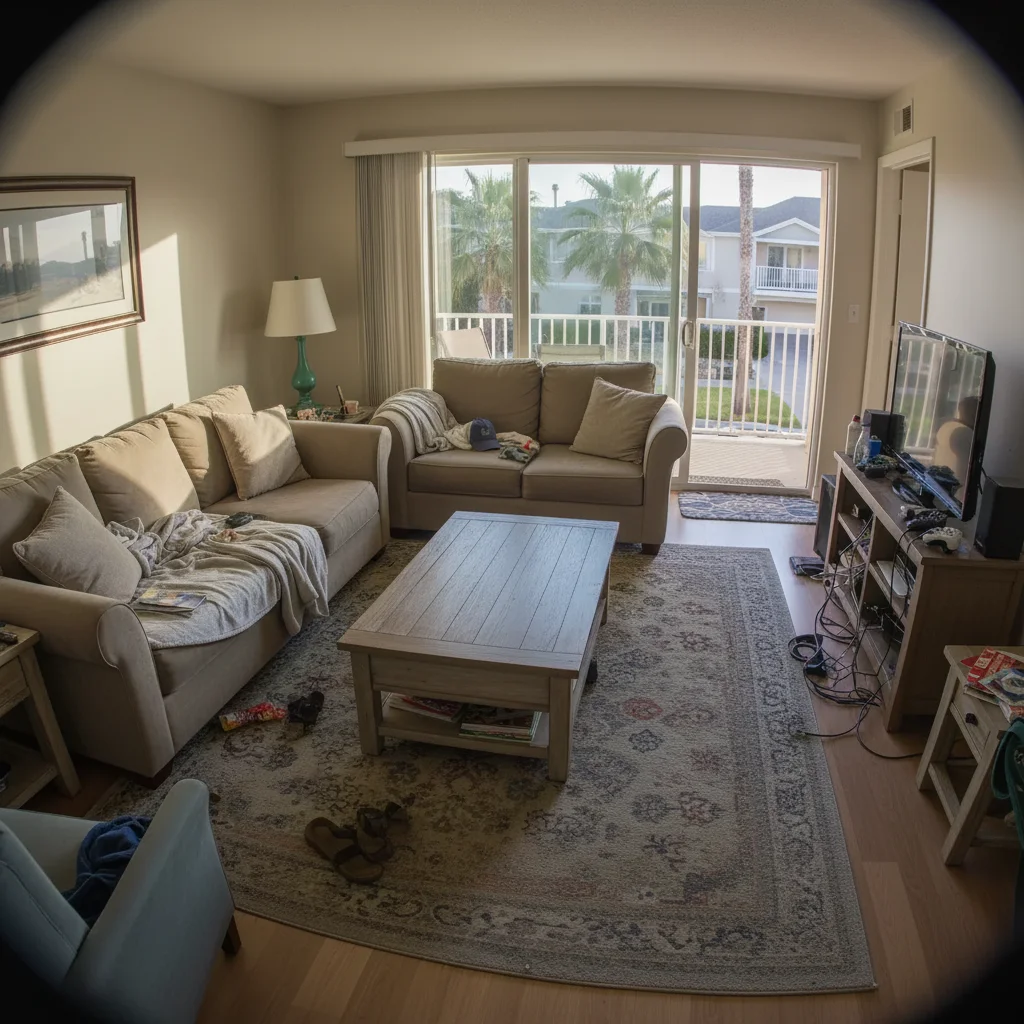
Living room decluttered for listing
Vacation rental living room with visible clutter transformed into a clean, staged look perfect for the listing.
remove the clutter from the room and show a clean staged minimalist space, keep main furniture
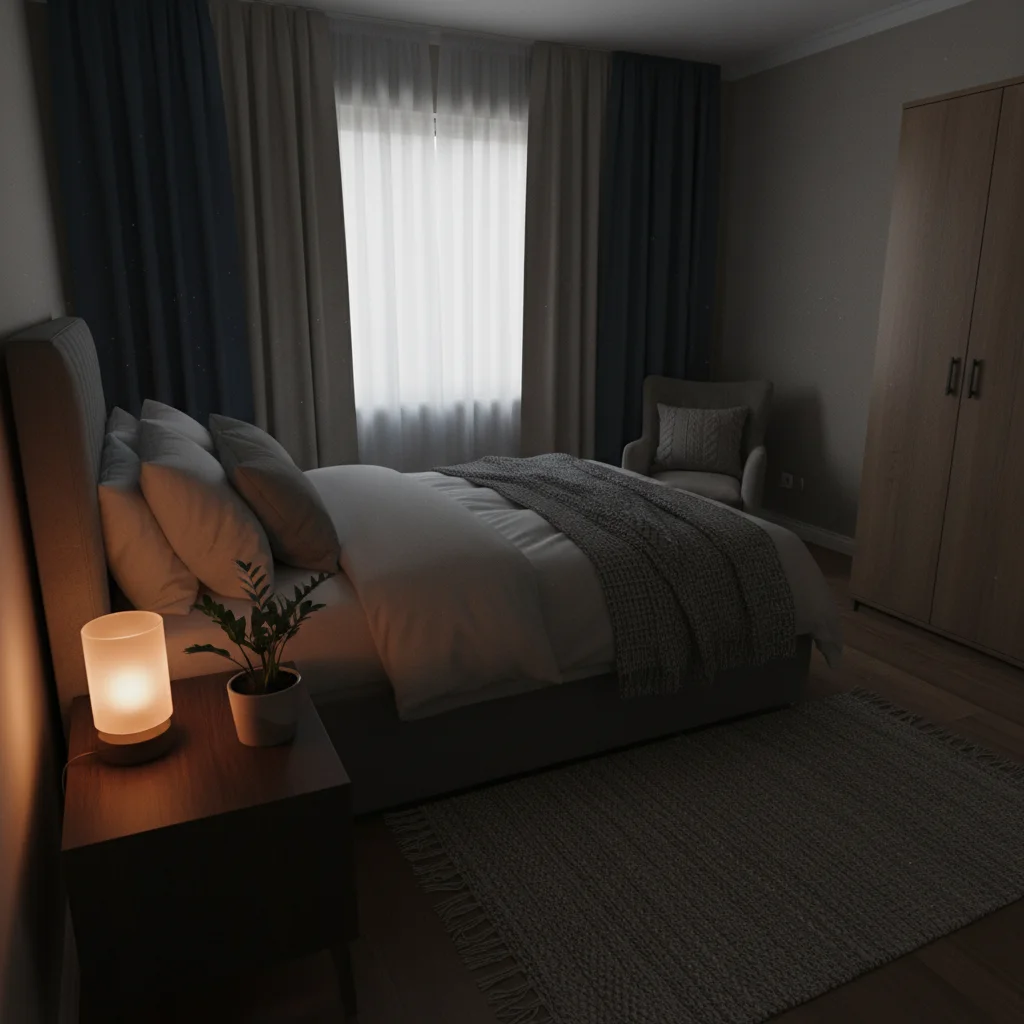
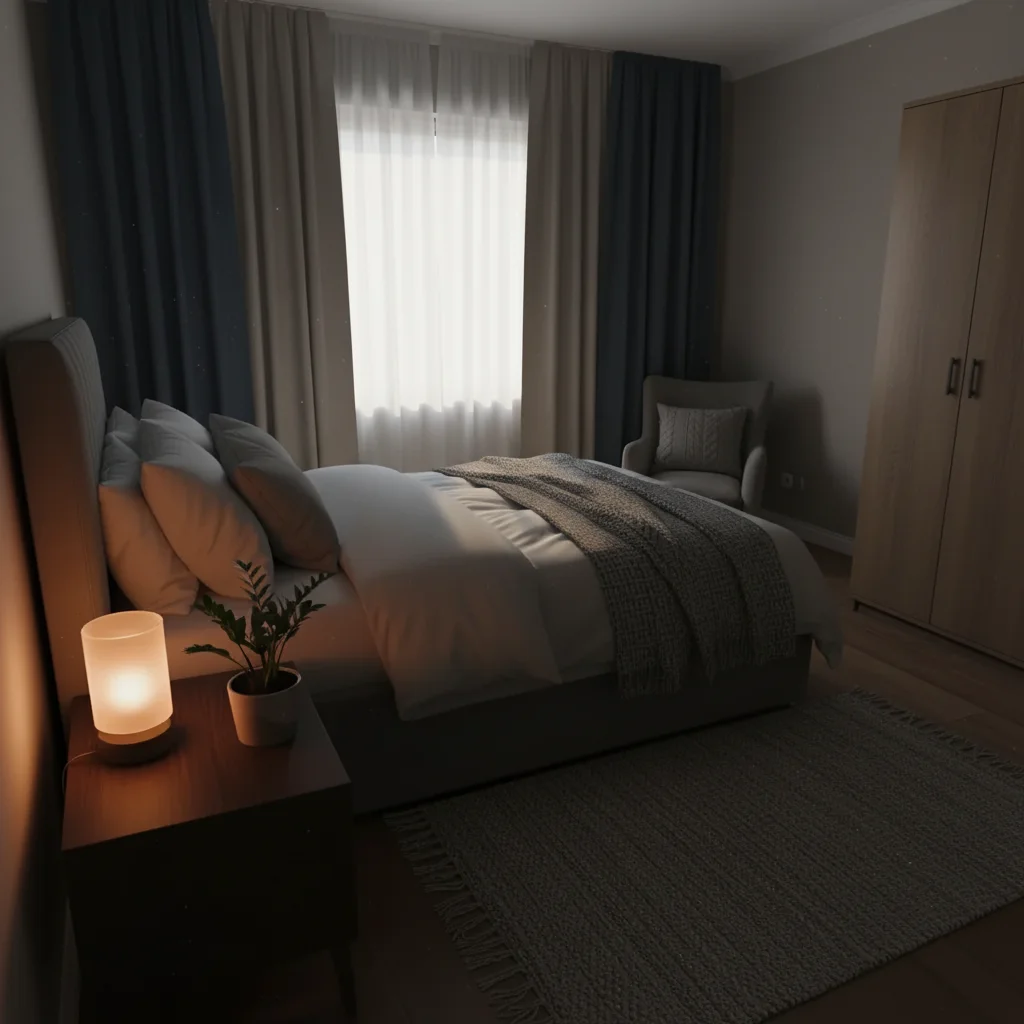
Dark bedroom brightened
Cozy but dim bedroom enhanced to look bright and welcoming for potential guests.
enhance the lighting to look bright, airy, and welcoming with natural daylight feel
When Things Go Wrong
AI removed something I wanted to keep
Why: The AI interpreted decorative items as clutter when you wanted to keep them for character.
List specific items to preserve in your prompt to maintain the character you want.
Enhanced lighting looks unnatural or overexposed
Why: The AI overcorrected dark areas, making them look artificially bright.
'Naturally' and 'realistic' guide the AI toward subtle enhancement.
Sky replacement looks fake at treeline
Why: Complex tree branches created challenging edges for the AI to detect.
Tap markers on trees incorrectly replaced, then: 'restore these foreground trees, only replace sky behind'
Markers on problem branches help the AI understand what should remain as foreground.
Room still looks cluttered after edit
Why: The AI removed some items but missed others, especially small or partially hidden objects.
Multiple passes work well for heavily cluttered rooms. Target specific items each pass.
Frequently Asked Questions
Is it okay to edit Airbnb listing photos?
Yes, as long as edits are honest. Removing clutter, enhancing lighting, and fixing weather on exteriors are standard practices. Avoid edits that misrepresent the space. The goal is showing your property at its best, not creating false expectations.
What's the best edit for more bookings?
Start with decluttering - clean, minimalist spaces photograph best. Then enhance lighting to make rooms bright and spacious. For exteriors, a blue sky makes any property more inviting. These three address the most common listing photo problems.
Will guests be disappointed when they arrive?
Not if you edit honestly. Removing temporary clutter, enhancing natural lighting, and showing good-weather exteriors are all accurate representations. Avoid adding furniture that isn't there or hiding permanent flaws.
Do I need to mark areas before describing edits?
No! Just describe what you want: 'remove clutter' or 'brighten room.' The AI understands these common requests. Only use markers when you need precision - like specifying which items to keep.
Can I edit multiple photos for my listing?
Edit one photo at a time, but reuse successful prompts across similar rooms. Create a prompt that works for your living room, then use similar wording for bedrooms. Consistency creates a professional look.
How do I declutter without physically cleaning?
Photograph your space as-is, then use EditThisPic to digitally remove clutter. Type 'remove clutter and show clean staged space.' The AI removes visible items and fills with clean surfaces. Much faster than physical staging.
Is EditThisPic's AI photo editor for airbnb photos really free?
Yes — you get 1 free edit per week, no account needed. Plans start at $4.99/month for 15 edits.
Can I airbnb photos on my phone?
Yes. EditThisPic works in any mobile browser — iPhone, Android, tablet. No app download needed.
How EditThisPic compares
| Tool | Free tier | Per-edit cost | AI-powered | Signup required |
|---|---|---|---|---|
| EditThisPic | 1 free edit/week | From 27¢ | Yes (Gemini) | No |
| Adobe Photoshop | 7-day trial | ~$22.99/mo subscription | Yes (Firefly) | Yes |
| Remove.bg | Low-res preview only | ~20¢/HD edit | Background only | Yes (for HD) |
| Canva | Basic tools only | $15/mo Pro for AI | Partial (Pro tier) | Yes |
Popular use cases
Ready to edit your photos?
Free to try. No signup required. More bookings.
Upload Your PhotoTrusted by 15,000+ users