Free • No signup Add Fireworks · Free

AI Fireworks Adder

Just describe the fireworks you want and AI creates the celebration.
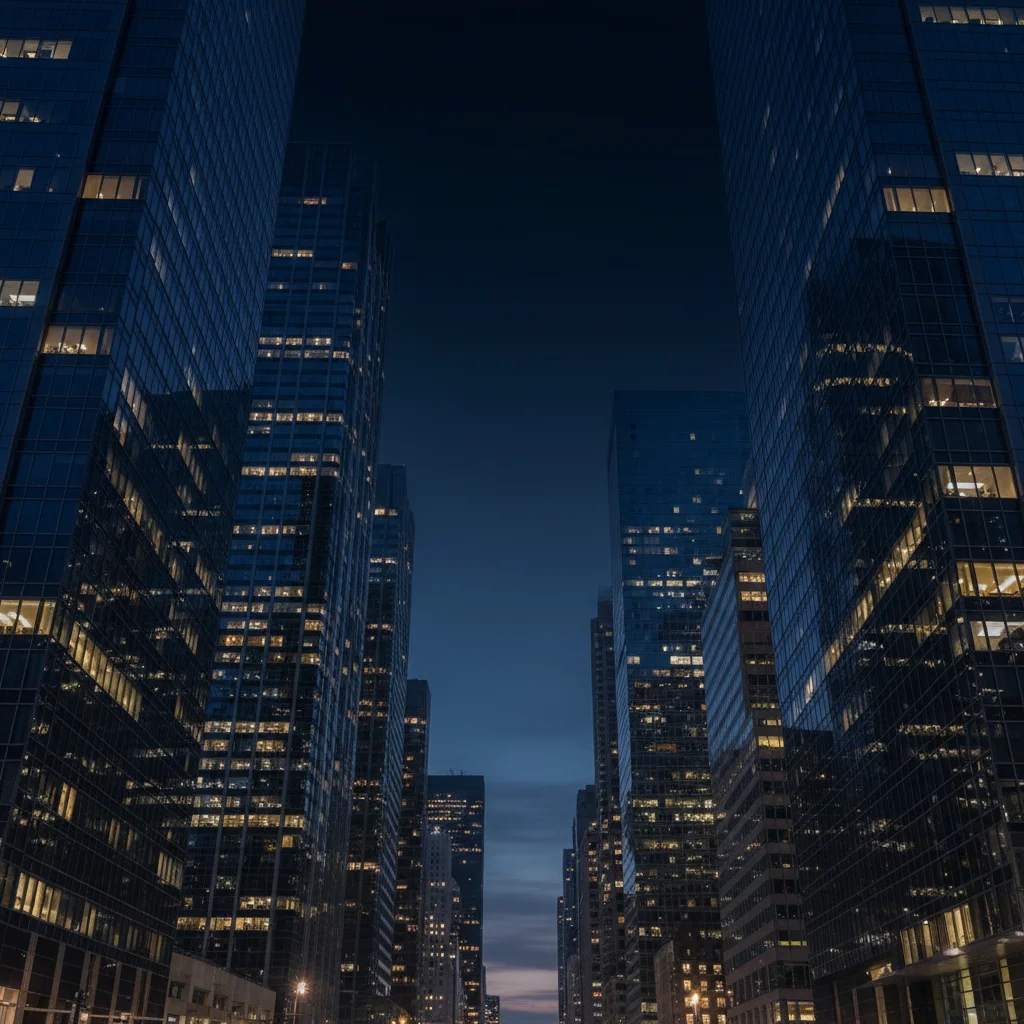
City skyline at night with empty dark sky
Before
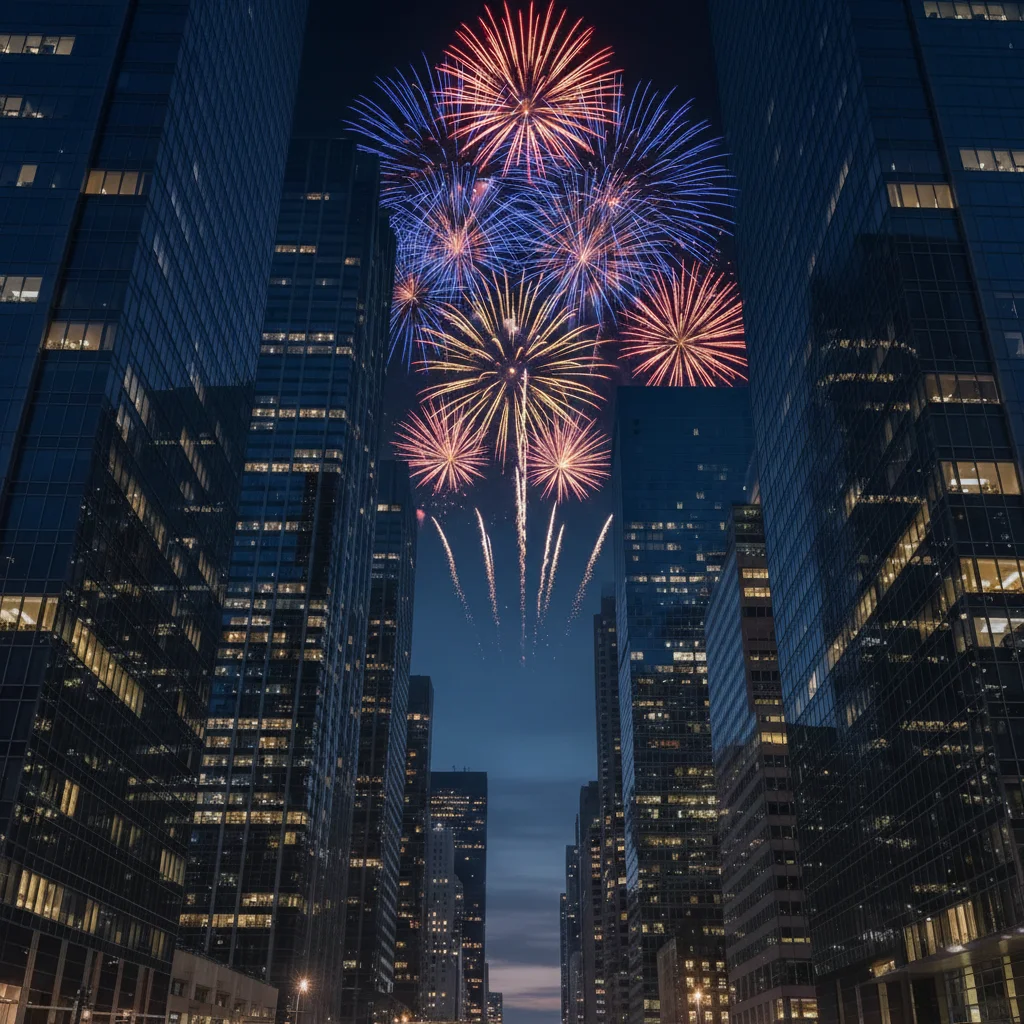
City skyline with colorful fireworks bursting overhead
After

Add Fireworks to Photo

Drop your photo here

or click to browse

Release to upload

Free • No signup

Advertisement
Popular use cases:
  • celebration photos
  • New Year's photos
  • wedding celebrations
  • festival photos
  • event marketing
  • party invitations
  • social media posts
  • holiday cards

Cost
Free No signup required
Time
Instant results in 15-30 seconds
Works on
Any device - browser, phone, tablet, desktop
Powered by
AI-powered photo editing
Scenario Prompt Time
Classic celebration add colorful fireworks bursting above the skyline with red, gold, and blue explosions 25s
Waterfront scene add bright fireworks above the water with light reflections rippling on the surface below 30s
Crowd illumination add fireworks above the crowd with golden light illuminating the people below 30s
Background atmosphere add scattered small fireworks across the night sky in the background, distant and subtle 25s

How it works

  1. Upload your photo

    Drop your night scene, celebration photo, or skyline image into EditThisPic. JPG, PNG, WebP up to 7MB. Works best with dark skies or evening photos where fireworks would naturally appear.

    Expect: Simple fireworks additions: 20-30 seconds. Complex multi-burst displays with specific colors and positions: may need 2-3 refinements for perfect placement and lighting integration.
  2. Describe what you want

    Type your instruction: 'add bright red and gold fireworks bursting above the building' or 'add scattered colorful fireworks across the night sky with light reflections.' Be specific about colors (red, gold, blue, white), positions (above buildings, behind people, scattered across sky), and effects (with smoke trails, with reflections on water). No marking needed—the AI understands composition and lighting.

    Tip: Mention lighting effects for realism: 'with light reflections on the water' or 'illuminating the crowd below' helps the AI create authentic integration.

    Copy one of these to get started:

    Classic celebration fireworks add colorful fireworks bursting above the skyline with red, gold, and blue explosions
    Waterfront reflections add bright fireworks above the water with light reflections rippling on the surface below
    Background celebration atmosphere add scattered small fireworks across the night sky in the background, distant and subtle
    Grand finale display add multiple large fireworks bursting simultaneously with trailing sparks and thick smoke
    4 more prompts
    Illuminating a crowd add fireworks above the crowd with golden light illuminating the people below
    Single dramatic burst add one large red and white firework bursting directly above the monument with radiating sparks
    New Year's countdown add bright gold and silver fireworks filling the entire sky with overlapping bursts
    Romantic sparklers add small golden sparkler fireworks in the foreground with soft bokeh effect
  3. Generate and review

    Click Generate and watch AI create realistic fireworks with proper perspective, atmospheric effects, and lighting integration. Check at full zoom for authentic burst patterns, light reflections on surfaces, and natural smoke trails. Verify colors match your description and fireworks are positioned correctly in the composition.

  4. Refine with markers if needed

    If you want fireworks in very specific locations or need to adjust where light reflections appear, tap markers on those exact spots and regenerate. This is optional—most fireworks additions work without markers.

    Tip: Markers are for precision placement in complex compositions. Try without them first—the AI often understands 'above the skyline' or 'behind the crowd' from description alone.
Try it free

Add Fireworks to Photo

Drop your photo here

or click to browse

Release to upload

Free • No signup

"Added fireworks to my New Year's photo. The AI made them look so real with proper lighting and reflections." @PartyPlanner

See it in action

City skyline at night with empty dark sky
Before
->
City skyline with colorful fireworks bursting overhead
After

Skyline celebration added

Added colorful fireworks above a city skyline with realistic light reflections on buildings.

Prompt: add colorful fireworks bursting above the skyline with red, gold, and blue explosions
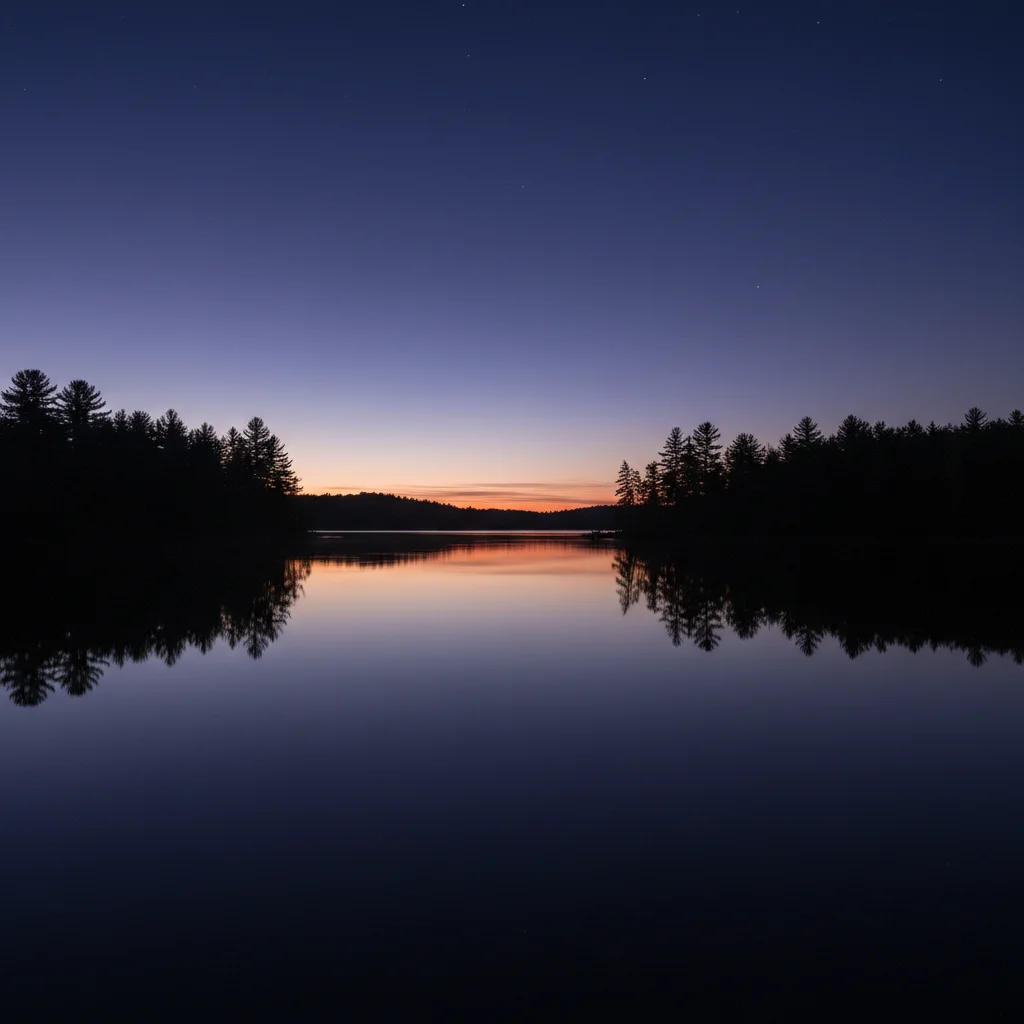
Calm lake at dusk with empty sky
Before
->
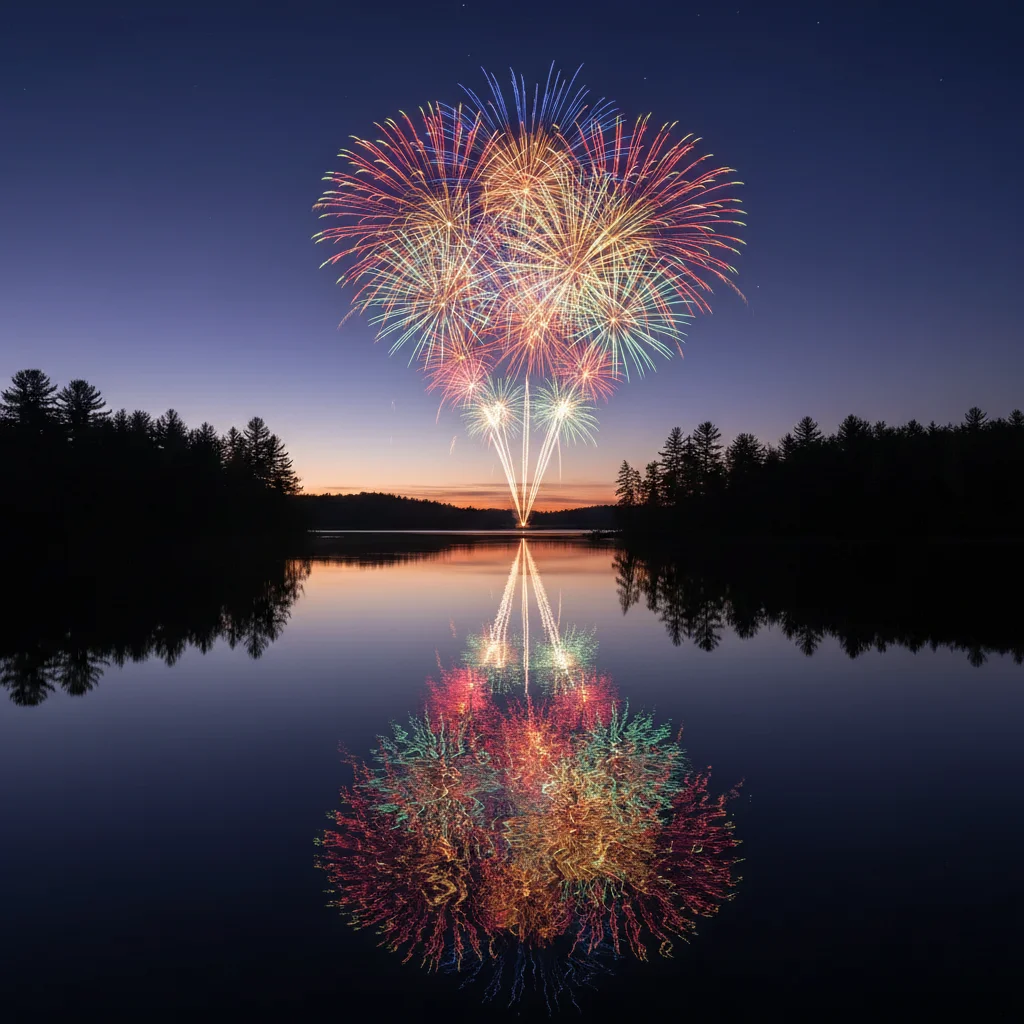
Lake scene with fireworks and light reflections on water
After

Waterfront reflections created

Added fireworks over a lake with authentic light reflections rippling on the water surface.

Prompt: add bright fireworks above the water with light reflections rippling on the surface below
Festival crowd at dusk with empty sky
Before
->
Festival crowd with fireworks bursting overhead and golden light
After

Crowd celebration enhanced

Added fireworks above a festival crowd with golden light illuminating the people below.

Prompt: add fireworks above the crowd with golden light illuminating the people below
Advertisement

If something looks off

AI placed fireworks in the wrong location

Why: The AI couldn't determine the exact positioning from description alone, especially in complex compositions with multiple focal points.

Try: Tap a marker where you want the center of each firework burst, then regenerate with the same prompt

Tip: Markers tell the AI 'place THIS firework HERE specifically.' Use them when you need precise positioning in architectural or portrait shots.

Fireworks look flat or unrealistic

Why: The AI didn't generate proper atmospheric effects like light scattering, smoke trails, or reflections that make fireworks look three-dimensional.

Try: Regenerate with explicit lighting details: 'add fireworks with bright light radiating outward, smoke trails, and reflections on nearby surfaces'

Tip: Mentioning multiple atmospheric effects (light, smoke, reflections) triggers more realistic rendering.

Fireworks are too bright or too dim

Why: The AI didn't correctly match the existing lighting conditions in your photo, creating exposure mismatches.

Try: Add exposure guidance: 'add subtle fireworks' for bright scenes or 'add brilliant glowing fireworks' for dark night scenes

Tip: Match intensity to your scene: daytime/sunset = 'subtle', night = 'bright' or 'brilliant'.

Colors don't match what I described

Why: Generic color words like 'colorful' or 'bright' let the AI choose randomly. Specific color names produce accurate results.

Try: Use exact color names: 'add fireworks in crimson red, gold, and sapphire blue' instead of just 'colorful'

Tip: Specific color names (crimson, gold, sapphire) beat generic terms (red, yellow, blue).

Fireworks overwhelm the main subject

Why: Without positioning guidance, the AI may create fireworks that compete with or obscure your photo's focal point.

Try: Add spatial constraints: 'add small fireworks in the background' or 'add fireworks above and behind the people, keeping them visible'

Tip: Use 'background', 'above', 'behind', and size words ('small', 'distant') to preserve your composition.

Reflections on water look wrong

Why: Water reflections require the AI to understand perspective, ripples, and how light distorts on moving surfaces.

Try: Be explicit: 'add fireworks with vertical light columns reflecting straight down on the calm water' or 'with broken scattered reflections on rippled water'

Tip: Calm water = 'vertical reflections'. Rippled water = 'scattered broken reflections'.

Quick answers

Do I need to mark where the fireworks should go?

No! Just describe the location: 'add fireworks above the building' or 'add fireworks across the entire sky.' The AI understands spatial relationships. Only use markers when you need fireworks in very precise positions—like centered exactly over a monument, or when your composition is complex with multiple focal points.

How do I add fireworks to photos for free?

Upload your photo to EditThisPic, describe the fireworks you want (colors, position, style), and the AI generates them in 20-30 seconds. Free to try with no signup or watermark. Works on celebration photos, skylines, crowds, and any scene where you want to add festive atmosphere.

Can I add fireworks to daytime photos?

Fireworks work best in evening or night photos where they naturally appear bright against darker skies. For daytime shots, the AI can add subtle fireworks, but they'll look washed out and unrealistic. Consider using the AI Sky Replacer to change your sky to dusk first, then add fireworks.

Will the fireworks include smoke and light effects?

Yes, when you mention them in your description. Add 'with smoke trails' or 'with light reflections on water' to get realistic atmospheric effects. Without these details, the AI creates basic bursts. The more effects you specify (smoke, reflections, radiating light, sparks), the more realistic the result.

What's the best free AI tool for adding fireworks to celebration photos?

EditThisPic's AI Fireworks Adder creates realistic fireworks with natural lighting, reflections, and atmospheric effects using simple text descriptions. Unlike manual editing tools that require layers and effects knowledge, you just describe what you want. Free, no account needed, no watermark on results.

Can I control the size and number of fireworks?

Yes, through your description. Use 'one large firework' for a single focal point, 'scattered small fireworks' for atmospheric background, or 'multiple large bursts' for grand finale effects. Add 'distant' to make them smaller, 'close' or 'large' to make them dominate. The AI interprets size and quantity from these natural language cues.

Ready to add fireworks to your photos?

Free to try. No signup required.

Try it free