Free • No signup Add Rain effect · Free

AI Rain Effect Adder

Transform any outdoor photo into a dramatic rainy scene with AI.
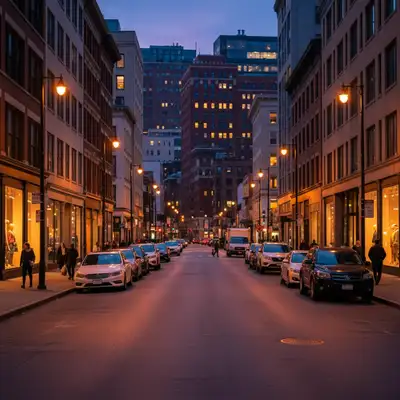
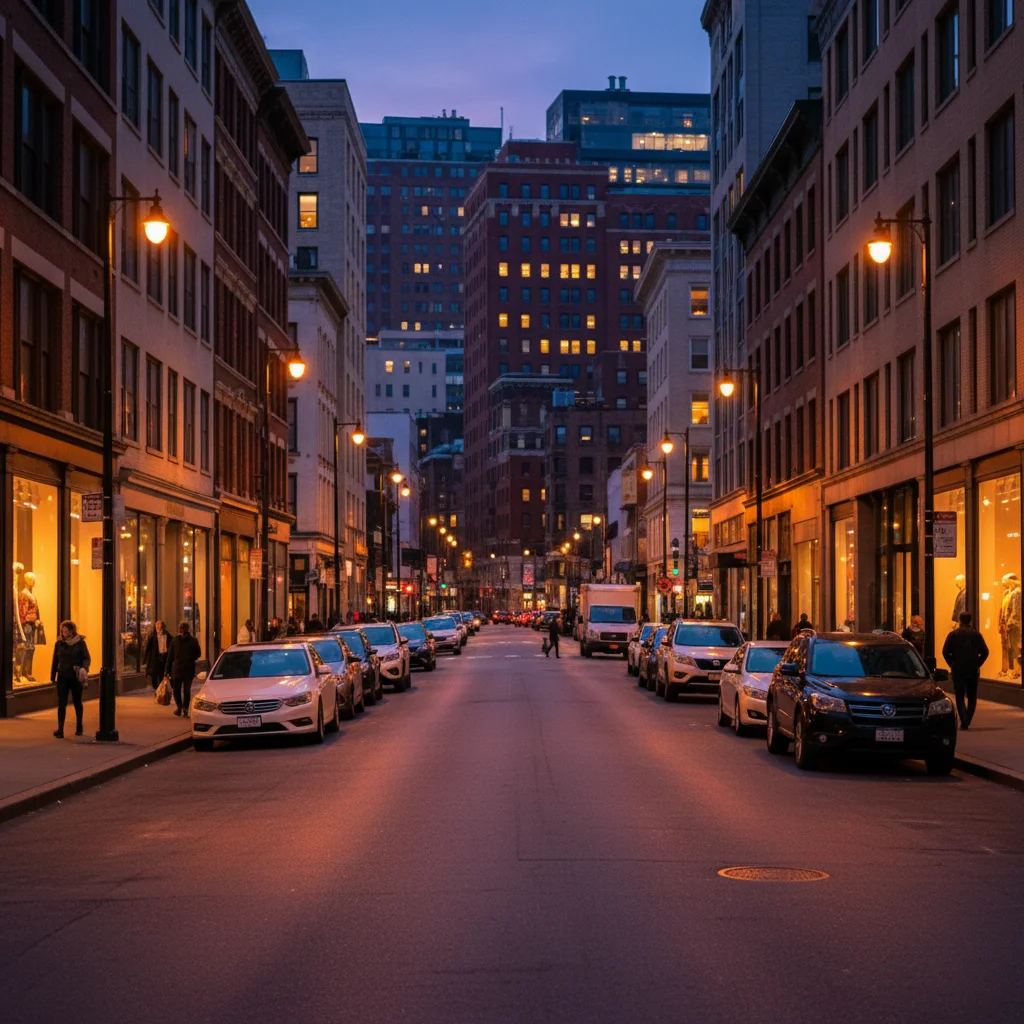
Dry city street at dusk with clear pavement and streetlights
Before
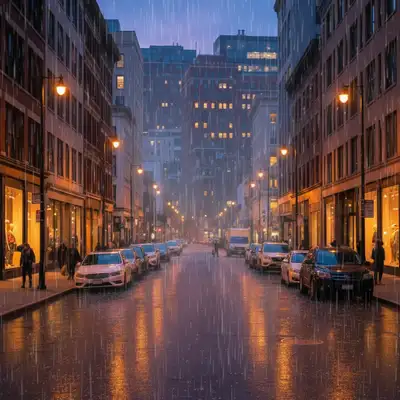
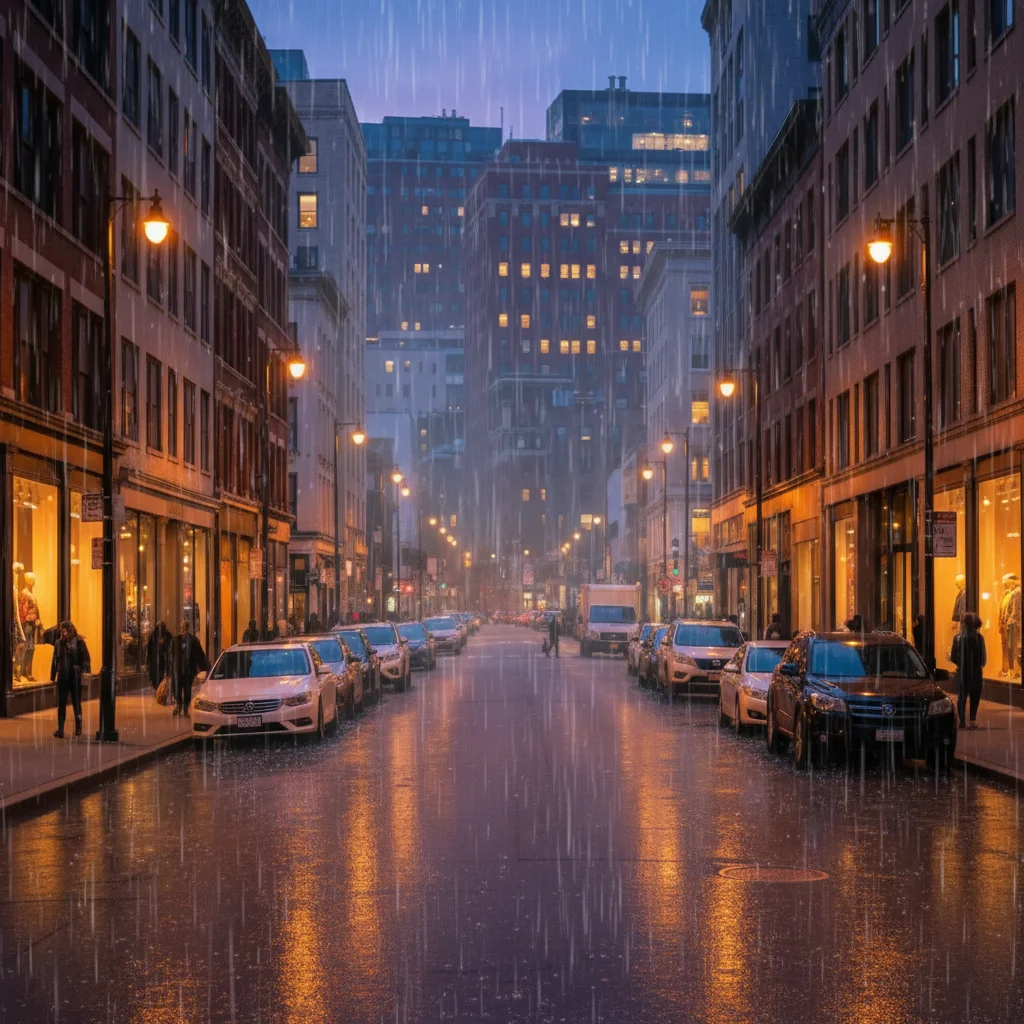
Same street with heavy rain, wet reflections, rain streaks, and atmospheric mist
After

Add Rain Effect to Photo

Drop your photo here

or click to browse

Release to upload

Free • No signup

Advertisement
Popular use cases:
  • cinematic photography
  • music video stills
  • album covers
  • dramatic portraits
  • urban photography
  • street photography
  • moody landscapes
  • Instagram aesthetics
  • creative photo manipulation

Cost
Free No signup required
Time
Instant results in 15-30 seconds
Works on
Any device - browser, phone, tablet, desktop
Powered by
AI-powered photo editing
Scenario Prompt Time
Heavy rain (city) add heavy rain with thick rain streaks, wet pavement with strong reflections of streetlights and buildings, and misty atmosphere 20s
Light drizzle add light drizzle with fine rain streaks, slight mist in the air, and subtle wet sheen on surfaces 15s
Storm rain add heavy storm rain with diagonal rain streaks blown by wind, intense downpour, wet surfaces with chaotic reflections 25s
Night rain reflections add heavy rain at night with bright reflections of lights in wet pavement and atmospheric glow 25s

How it works

  1. Upload your outdoor photo

    Drop your image into EditThisPic. Works best with outdoor scenes, cityscapes, streets, parks, or landscapes. JPG, PNG, WebP up to 7MB. Photos with good lighting and visible ground surfaces produce the most realistic wet reflections.

    Expect: Simple rain addition on bright scenes: 15-25 seconds. Complex scenes with detailed reflections and heavy rain: may need 2-3 refinements for perfect intensity.
  2. Describe the rain effect you want

    Type your instruction: 'add heavy rain with visible raindrops and wet pavement reflections' or 'add light drizzle with misty atmosphere and subtle rain streaks.' Be specific about rain intensity (light drizzle, moderate rain, heavy downpour), visibility (rain streaks, water droplets on camera), and surface effects (wet reflections, puddles). No marking needed—the AI understands atmospheric effects.

    Tip: Specify lighting conditions for realism: 'add rain with overcast gray sky' or 'add rain at night with streetlight reflections in wet pavement' creates more believable scenes.

    Copy one of these to get started:

    Dramatic heavy rain on city street add heavy rain with thick rain streaks, visible water droplets on camera, wet pavement with strong reflections of streetlights and buildings, and misty atmosphere
    Light drizzle for subtle mood add light drizzle with fine rain streaks, slight mist in the air, and subtle wet sheen on surfaces without heavy reflections
    Moderate rain with puddles add moderate rain with visible rain streaks, water droplets falling, wet ground with reflections, and small puddles forming on pavement
    Rain at night with reflections add heavy rain at night with bright reflections of neon lights and streetlights in wet pavement, rain streaks illuminated by light sources, and atmospheric glow
    3 more prompts
    Overcast rainy atmosphere add moderate rain with overcast gray sky, diffused lighting, rain streaks, wet surfaces with muted reflections, and heavy atmospheric haze
    Storm rain with wind effect add heavy storm rain with diagonal rain streaks blown by wind from left, intense downpour, wet surfaces with chaotic reflections, and dark moody atmosphere
    Rain on portrait background add rain in the background with visible rain streaks behind the subject, wet bokeh effect, and atmospheric depth while keeping subject dry and sharp
  3. Generate and review the rain effect

    Click Generate and watch AI add rain streaks, water droplets, wet surface reflections, and atmospheric haze to your scene. Review at full zoom to check rain direction consistency, reflection realism, and overall intensity. The AI adjusts lighting to match rainy conditions.

  4. Refine with markers if needed

    If you want rain concentrated in specific areas (like foreground only) or want to protect certain areas from getting wet, tap markers on those regions and regenerate. This is optional—most rain effects work without markers.

    Tip: Markers are for precision refinement, not required. Try without them first. Use markers to emphasize rain in specific zones or exclude areas like covered porches.
Try it free

Add Rain Effect to Photo

Drop your photo here

or click to browse

Release to upload

Free • No signup

"Added rain to my street photo in seconds. The wet reflections look so real, people think I actually shot it in the rain." @urbanphotographer

See it in action

Dry city street at dusk with clear pavement and streetlights
Before
->
Same street with heavy rain, wet reflections, rain streaks, and atmospheric mist
After

Urban street transformed to rainy night

Added heavy rain with dramatic reflections to a dry city street photo. The AI created realistic wet pavement reflections, rain streaks, and atmospheric haze.

Prompt: add heavy rain with thick rain streaks, wet pavement with strong reflections of streetlights and cars, and misty atmosphere
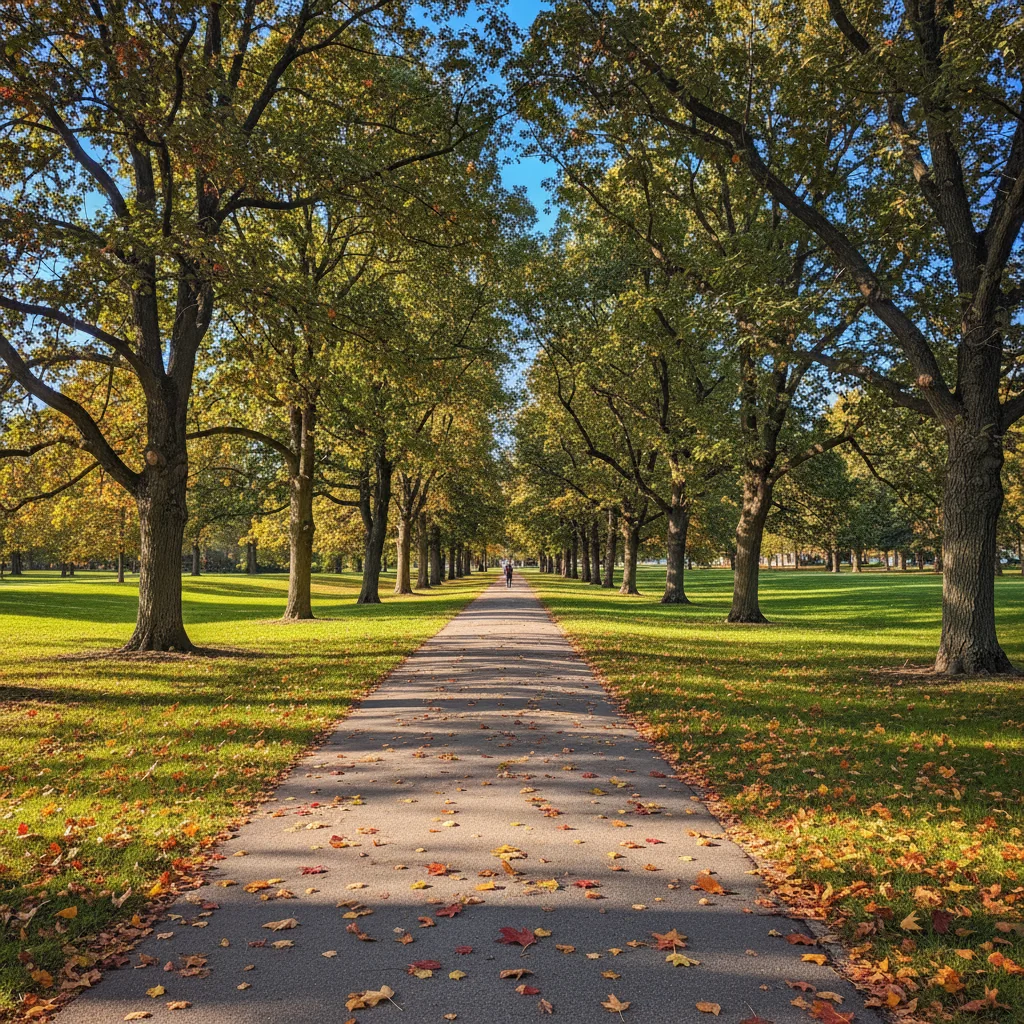
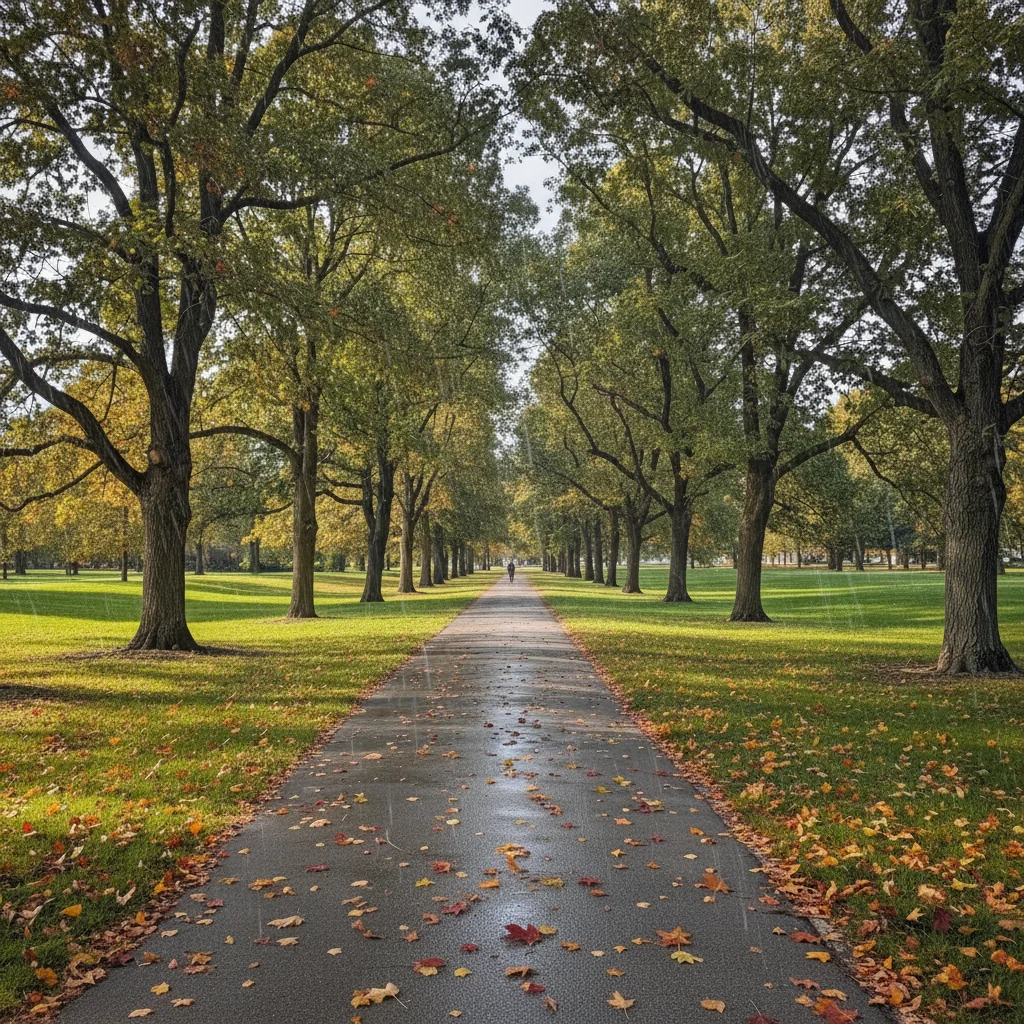
Sunny park path with dry ground and blue sky
Before
->
Same path with light rain, gray overcast sky, wet surfaces, and misty atmosphere
After

Park path with light drizzle added

Converted a sunny park scene to overcast drizzle. The AI added subtle rain, wet leaf surfaces, and soft atmospheric haze while maintaining natural colors.

Prompt: add light drizzle with overcast gray sky, fine rain streaks, wet sheen on path and leaves, and soft misty atmosphere
Portrait with clear dry background
Before
->
Same portrait with rain streaks and wet effects only in background, subject remains dry
After

Portrait with rain background effect

Added rain behind a person while keeping the subject dry and sharp. Creates dramatic separation and mood without affecting the portrait subject.

Prompt: add moderate rain in the background with visible rain streaks behind the subject and wet bokeh effect while keeping person dry
Advertisement

If something looks off

Rain looks fake or pasted on

Why: The rain intensity doesn't match the lighting conditions of the original photo. Bright sunny scenes with heavy rain look unrealistic.

Try: Specify matching lighting: 'add moderate rain with overcast gray sky and diffused lighting' to change the entire atmosphere, not just add rain overlay

Tip: For most convincing results, have the AI adjust the sky and lighting to match rainy conditions rather than just adding rain to a sunny scene

Rain streaks go in wrong direction

Why: The AI chose a random rain angle. Wind direction affects rain streak angles in real weather.

Try: Specify direction: 'add rain with diagonal streaks falling from upper right due to wind' or 'add vertical rain falling straight down on calm day'

Tip: Vertical rain suggests calm weather, angled rain suggests wind - choose based on the mood you want

No wet reflections on ground

Why: The prompt didn't explicitly request surface wetness and reflections, so the AI only added rain streaks.

Try: Add 'with wet pavement reflections' and 'puddles forming' to your prompt. Example: 'add heavy rain with wet street reflecting lights'

Tip: Wet reflections sell the rain effect - always include them in your prompt for realistic results

Rain is too subtle or barely visible

Why: Light rain or drizzle prompts create minimal effects. The rain intensity was underestimated.

Try: Increase intensity: change 'light drizzle' to 'moderate rain' or 'heavy downpour with thick rain streaks and visible water droplets'

Tip: Start with moderate or heavy rain for visible effects. You can always regenerate with lighter rain if it's too much

Entire photo looks too dark or desaturated

Why: Heavy rain prompts can trigger dramatic lighting changes. The AI interpreted 'rain' as requiring storm-level darkness.

Try: Specify brightness: 'add moderate rain while maintaining current lighting levels' or 'add rain during daytime with soft overcast light, not dark storm'

Tip: Rain doesn't always mean dark - overcast daytime rain is well-lit, just with gray sky instead of blue

AI changed the wrong area or added rain everywhere including indoors

Why: The AI couldn't determine which areas should have rain effects from description alone. Indoor areas or covered spaces should stay dry.

Try: Tap markers on outdoor areas only where you want rain, then regenerate with the same prompt to limit rain to those zones

Tip: Markers tell the AI 'apply rain effects to these specific areas only.' Use them when you have mixed indoor/outdoor or want selective rain placement

Quick answers

Do I need to mark areas before adding rain effects?

No! Just describe what you want: 'add heavy rain with wet reflections' or 'add light drizzle with misty atmosphere.' The AI understands outdoor scenes and atmospheric effects. Only use markers when you need precision—like adding rain to specific zones only (background but not foreground) or protecting covered areas from getting wet.

How do I add realistic rain to outdoor photos for free?

Upload your outdoor photo to EditThisPic and type 'add realistic rain with rain streaks, wet pavement reflections, and atmospheric haze.' The AI generates rain effects in 15-30 seconds. No Photoshop brushes or manual painting required. Completely free with no signup or watermark.

Can I control rain intensity and style?

Yes, specify intensity in your prompt: 'light drizzle' for subtle effects, 'moderate rain' for visible rain, or 'heavy downpour' for dramatic storms. You can also request specific effects like 'rain streaks', 'water droplets on camera lens', 'wet reflections', 'puddles', or 'misty atmosphere' to customize the look.

Will the rain look natural on sunny photos?

For most realistic results, include lighting changes in your prompt: 'add rain with overcast gray sky' rather than just 'add rain' to a bright sunny scene. The AI will adjust the entire atmosphere—sky color, lighting, and shadows—to match natural rainy conditions. Rain on sunny scenes without atmospheric changes can look artificial.

What is the best free AI tool for adding weather effects to photos?

EditThisPic specializes in atmospheric effects like rain, fog, and storms. Unlike manual Photoshop rain brushes or overlays, the AI understands physics—it adds appropriate wet reflections, adjusts lighting to match weather conditions, and creates natural rain streak angles. Free to use with no account required and no watermarks on your edits.

Can I add rain to portraits without making the person wet?

Yes, specify 'add rain in the background only while keeping subject dry' in your prompt. The AI will add rain streaks, wet effects, and atmosphere behind the person while preserving them as dry and sharp. This creates dramatic separation and mood for portrait photography.

Ready to add rain to your photos?

Free to try. No signup required.

Try it free