Free • No signup Make Resume photos · Free

AI Resume Photo Maker

Turn any photo into a polished resume headshot. No photographer required.
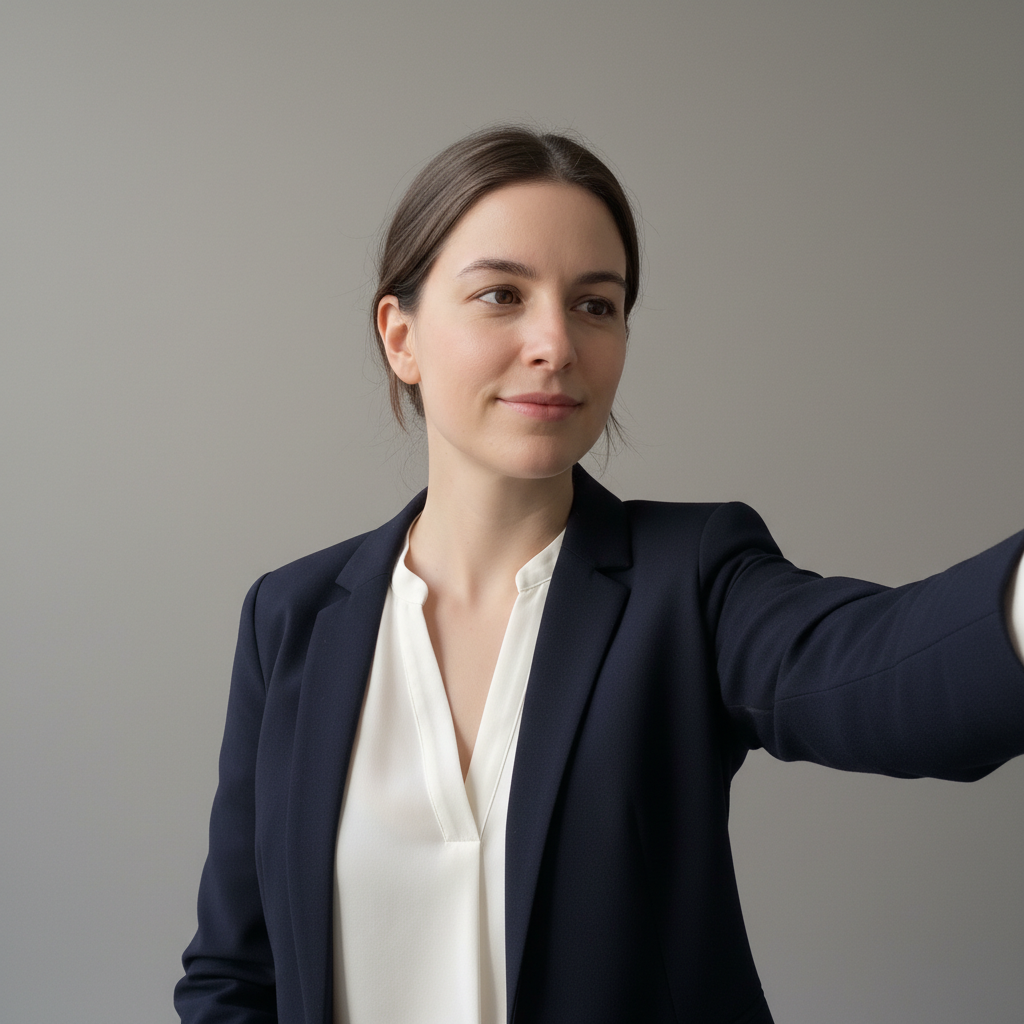
Woman's selfie in bathroom with tiled wall behind
Before
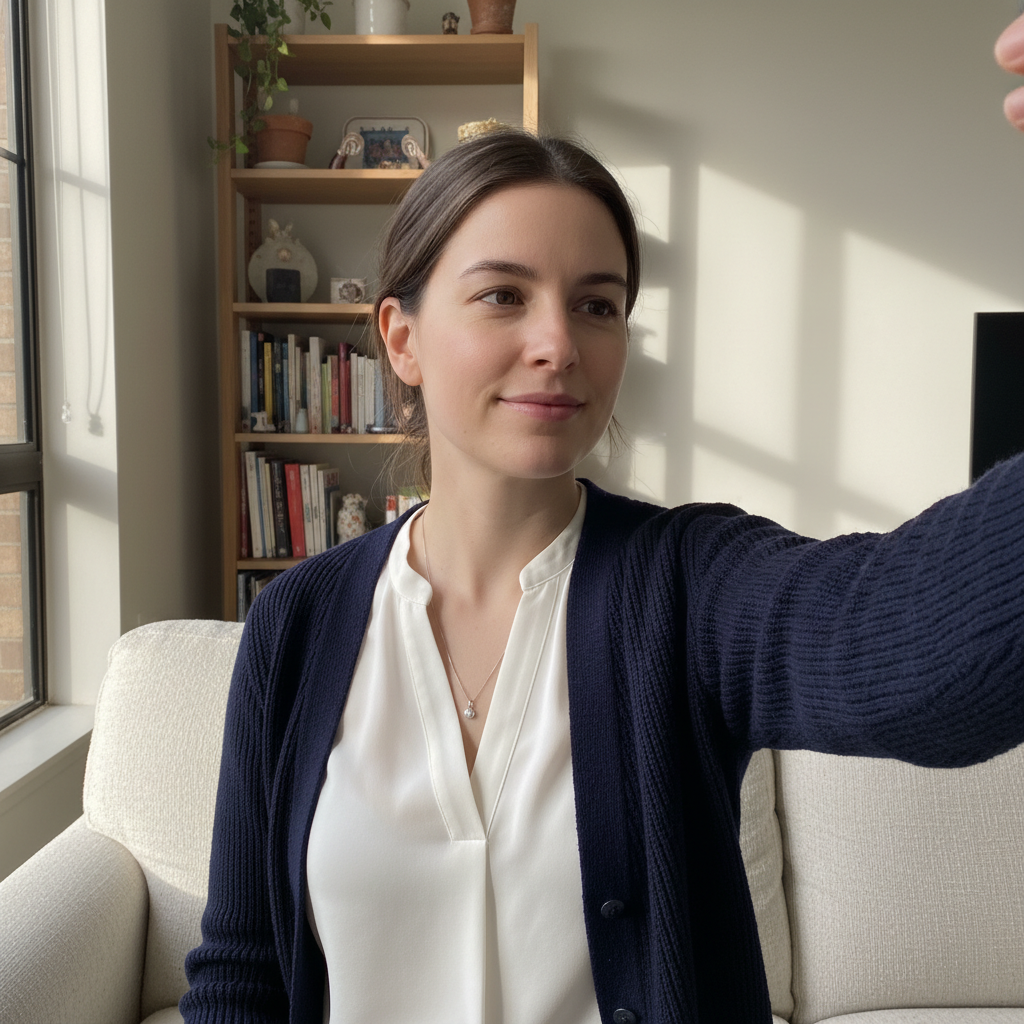
Same woman with clean professional resume headshot and white background
After

AI Resume Photo Maker

Drop your photo here

or click to browse

Release to upload

Free • No signup

Advertisement
Popular use cases:
  • resume headshots
  • CV photos
  • job application photos
  • LinkedIn profile photos
  • professional headshots
  • career page photos
  • job search photos
  • interview preparation

Cost
Free No signup required
Time
Instant results in 15-30 seconds
Works on
Any device - browser, phone, tablet, desktop
Powered by
AI-powered photo editing
Scenario Prompt Time
Simple white background make this a resume photo with clean white background 30s
Full professional transformation create a corporate CV headshot with grey background and studio lighting 40s
Industry-specific styling make a finance resume headshot with dark suit and navy background 45s

How it works

  1. Upload your photo

    Drop your image into EditThisPic. JPG, PNG, WebP up to 7MB. Use a clear photo where your face is well-lit and visible. Selfies, webcam photos, and casual portraits all work well for resume photo conversion.

    Expect: Standard resume photo: 30-40 seconds. Photos needing significant background and lighting correction: 45-60 seconds.
  2. Describe the resume photo style

    Type your instruction: 'make this a professional resume photo with clean white background, head and shoulders visible, and soft even lighting' or 'create a CV headshot with neutral grey background and professional appearance.' Specify background color and the level of formality. No marking needed—the AI understands what 'resume photo' and 'CV headshot' mean.

    Tip: Match the formality to your industry: conservative fields like finance prefer solid dark backgrounds, while creative fields work better with lighter, softer backdrops.

    Copy one of these to get started:

    Clean professional resume headshot make this a professional resume photo with clean white background, head and shoulders framing, soft even lighting, and a confident approachable expression
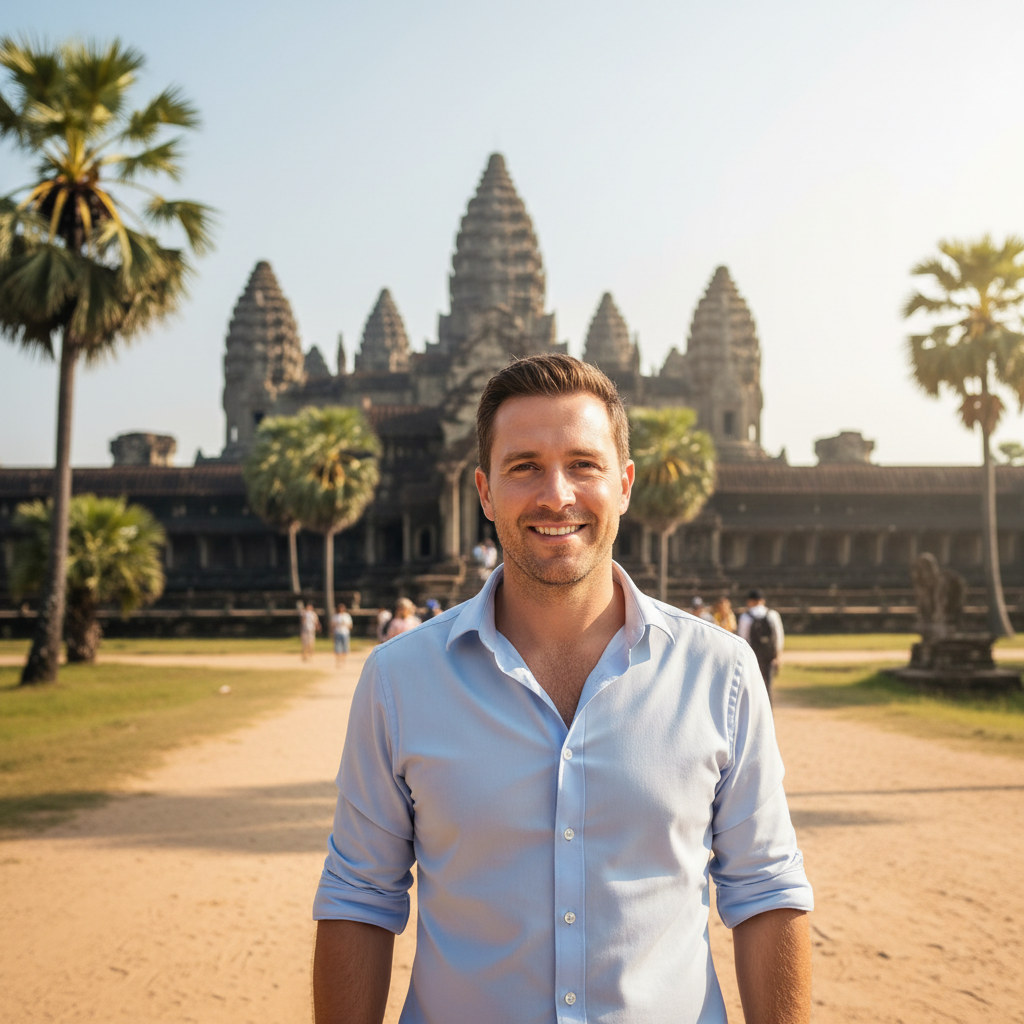
    Corporate CV photo create a corporate CV headshot with solid grey background, professional attire, studio-quality lighting with subtle shadow definition
    Modern creative industry resume transform into a modern professional headshot for a creative resume, soft blurred light background, natural warm lighting, confident relaxed expression
    Academic CV photo make this an academic CV photo with neutral background, scholarly appearance, head and upper shoulders visible, even flat lighting
    3 more prompts
    Finance/consulting resume create a professional resume headshot for finance, dark suit with conservative tie, solid navy background, studio lighting with authority
    Tech industry resume make this a professional tech resume photo with clean light background, smart casual look with open collar, bright even lighting, approachable expression
    International job application transform into a professional CV photo with plain white background, head centered, neutral expression, suitable for international job applications
  3. Review the result

    Check that the photo looks professional and approachable. Verify the background is clean, lighting is even, and your expression is confident but friendly. Ensure the framing includes head and shoulders with appropriate spacing.

  4. Refine with markers if needed

    If edges around hair or clothing need cleanup, or the background has minor imperfections, tap markers on those areas and regenerate. Most resume photo conversions work well on the first attempt.

    Tip: Markers are for precision refinement only. Try without them first—you usually won't need them.
Try it free

AI Resume Photo Maker

Drop your photo here

or click to browse

Release to upload

Free • No signup

"Job hunting and every resume template needed a professional headshot. Took a quick selfie, uploaded it, and got a clean professional photo that matched my resume design perfectly. Got three interview callbacks that week." @JobHunt_Marcus

See it in action

Woman's selfie in bathroom with tiled wall behind
Before
->
Same woman with clean professional resume headshot and white background
After

Bathroom selfie to professional resume photo

A quick bathroom selfie converted into a clean, professional resume headshot with proper background and lighting.

Prompt: make this a professional resume photo with clean white background, head and shoulders framing, soft even lighting, and a confident approachable expression
Man in plaid shirt on city sidewalk
Before
->
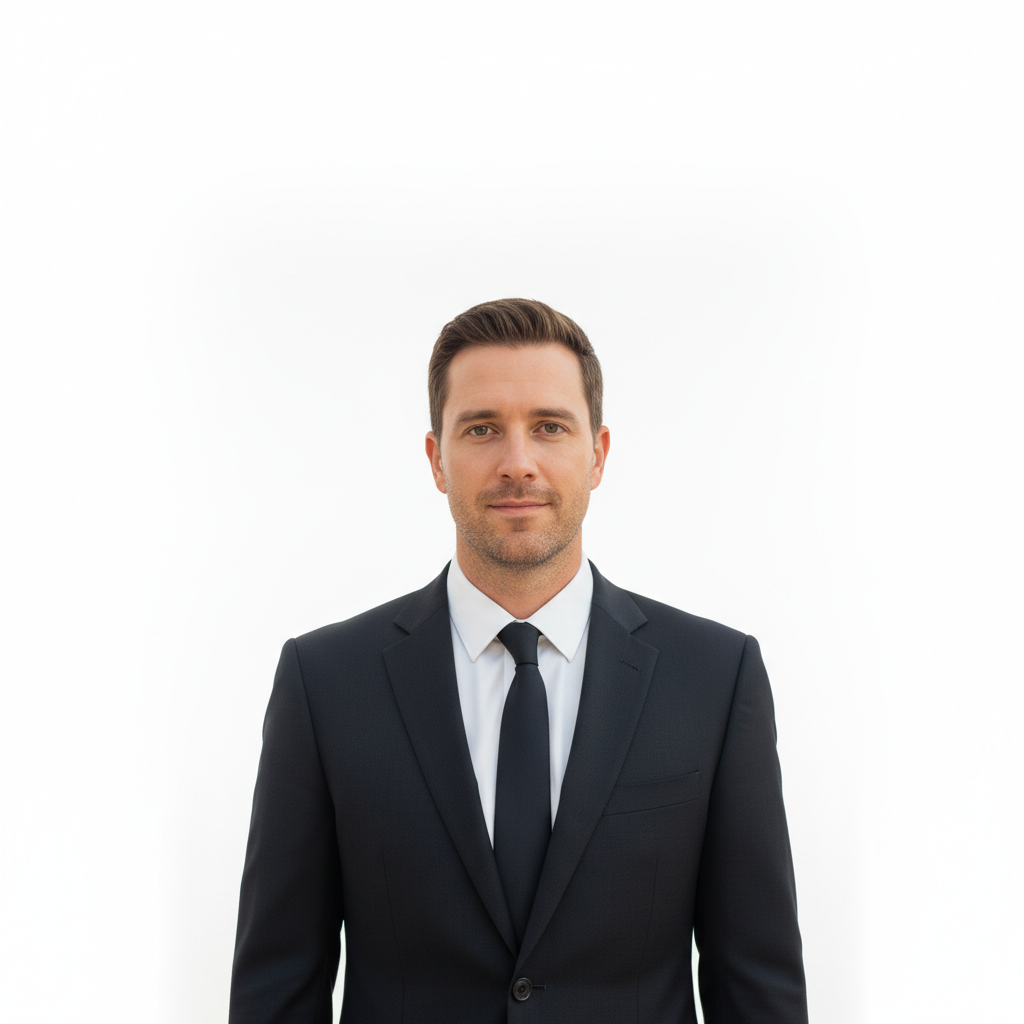
Same man with polished corporate headshot and grey studio background
After

Outdoor photo to corporate CV headshot

A casual outdoor photo transformed into a polished corporate CV headshot for a finance resume.

Prompt: create a corporate CV headshot with solid grey background, professional attire, studio-quality lighting with subtle shadow definition
Advertisement

If something looks off

AI changed the wrong area or something I didn't want changed

Why: The AI couldn't determine exactly which part of the photo you meant from description alone. This can happen when face and background both need different adjustments.

Try: Tap a marker on the specific area you want to change, then regenerate with the same prompt

Tip: Markers tell the AI 'I mean THIS area specifically.' Use them when description alone is ambiguous.

Photo looks too formal or too casual for my industry

Why: The AI defaulted to a generic professional look that may not match the conventions of your specific field.

Try: make this a professional resume photo for [your industry], with [specific attire] and [specific background] matching [industry] conventions

Tip: Naming your industry directly helps: 'for tech startup' vs 'for investment banking' produce very different results.

Background has artifacts or uneven patches near hair

Why: Complex hair textures, curls, or flyaway strands make clean background extraction difficult near hair edges.

Try: Tap markers on the areas where background is uneven near hair and regenerate: clean up the background to be perfectly solid around the hair edges

Tip: Smoothing flyaway hairs before taking the photo helps, but the AI handles most hairstyles well.

Expression looks forced or unnatural after transformation

Why: The AI altered the expression while making other changes, which can create an uncanny or stiff look.

Try: make this a resume photo but keep the original facial expression exactly as-is, only change the background and lighting

Tip: 'Keep the original expression' tells the AI to focus changes on the background and styling only.

Photo dimensions don't match the resume template's photo slot

Why: Resume photo slots vary in shape—some are square, some are circular, and some are portrait-oriented rectangles.

Try: make this a resume headshot with tight square crop, face centered, suitable for a circular or square photo slot

Tip: Most modern resume templates use square or circular photo slots. Request 'square crop' for maximum compatibility.

Quick answers

Do I need to mark the background before creating a resume photo?

No! Just describe what you want: 'make this a professional resume photo with white background' or 'create a CV headshot.' The AI understands these formats. Only use markers when you need to clean up specific edges, like where messy hair meets the new background.

How do I make a professional resume photo from a selfie for free?

Upload your selfie to EditThisPic and type 'make this a professional resume photo with clean white background and even lighting.' The AI replaces the background, adjusts lighting, and creates a polished headshot. Download the result and add it to your resume. Free to try, no account needed.

Is there a free resume photo maker that doesn't require an account?

Yes, EditThisPic creates professional resume photos with no login or signup required. Upload any portrait photo, describe the style you want, and get a polished CV headshot in seconds. No watermarks. Works for any industry from tech to finance.

What's the best free AI tool for making CV headshots?

EditThisPic transforms casual photos into professional CV headshots instantly. Unlike photo studios that charge for sessions and retakes, you can try different styles and backgrounds until you get the perfect look. Specify your industry for tailored results. Free to use, no account needed.

Ready to create your resume photo?

Free to try. No signup required.

Try it free