Free • No signup Try on Wedding dress · Free

AI Wedding Dress Try-On

Describe the bridal gown and see how it looks on you before visiting the boutique.
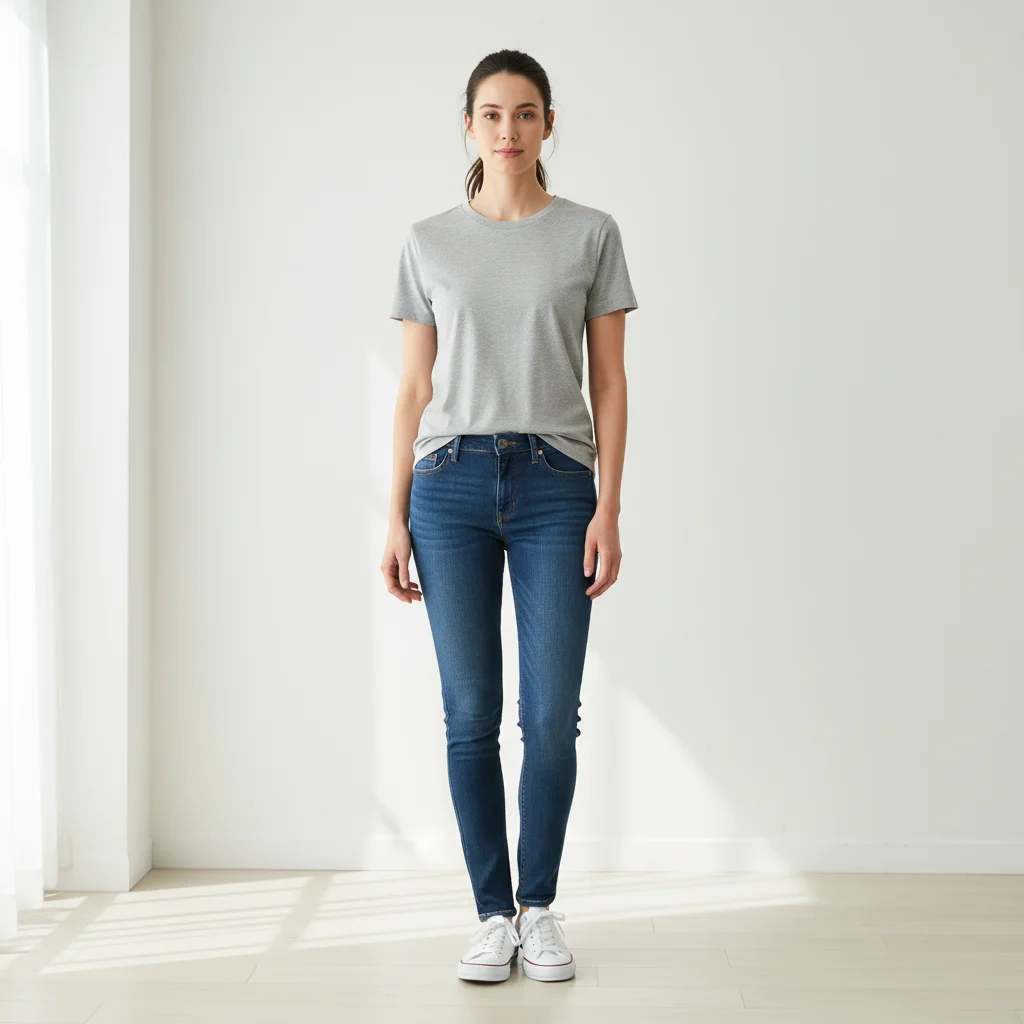
Woman in grey t-shirt and blue jeans
Before
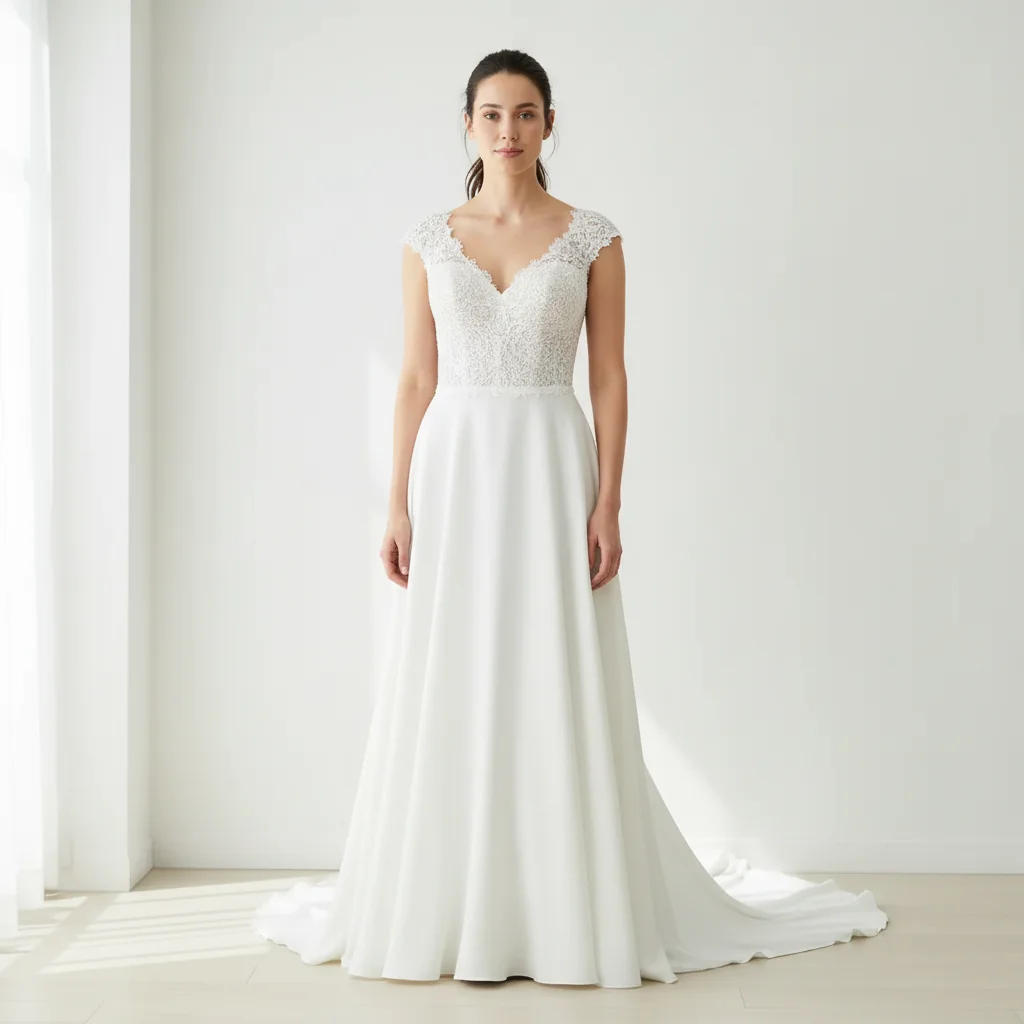
Same woman wearing a classic white A-line wedding gown with lace bodice
After

AI Wedding Dress Try-On

Drop your photo here

or click to browse

Release to upload

Free • No signup

Advertisement
Popular use cases:
  • wedding dress preview
  • bridal gown try-on
  • wedding planning
  • bridesmaid dress preview
  • bridal boutique preparation
  • wedding silhouette finder
  • bridal shopping
  • dress appointment prep

Cost
Free No signup required
Time
Instant results in 15-30 seconds
Works on
Any device - browser, phone, tablet, desktop
Powered by
AI-powered photo editing
Scenario Prompt Time
Simple gown try-on try on a white A-line wedding gown with a sweetheart neckline 35s
Detailed bridal look try on a lace mermaid gown with cathedral train 45s
Reference image gown put the wedding dress from the reference image on this person 50s

How it works

  1. Upload your photo

    Drop your image into EditThisPic. JPG, PNG, WebP up to 7MB. Full body shots work best so the AI can render the complete gown from bodice to train. Good lighting helps capture fabric details.

    Expect: Simple gown try-on: 30-40 seconds. Detailed gown with lace, beading, or train: 45-60 seconds and may need refinements.
  2. Describe the wedding dress

    Type what you want: 'try on a classic A-line wedding gown with a sweetheart neckline and lace overlay' or 'put a fitted mermaid bridal dress in ivory satin on this person.' Specify silhouette, neckline, fabric, and train length. No marking needed—the AI understands bridal terminology.

    Tip: Use bridal silhouette names (A-line, ballgown, mermaid, sheath, empire) for the most accurate results.

    Copy one of these to get started:

    Classic A-line gown try on a classic white A-line wedding gown with a sweetheart neckline, lace bodice, and chapel-length train
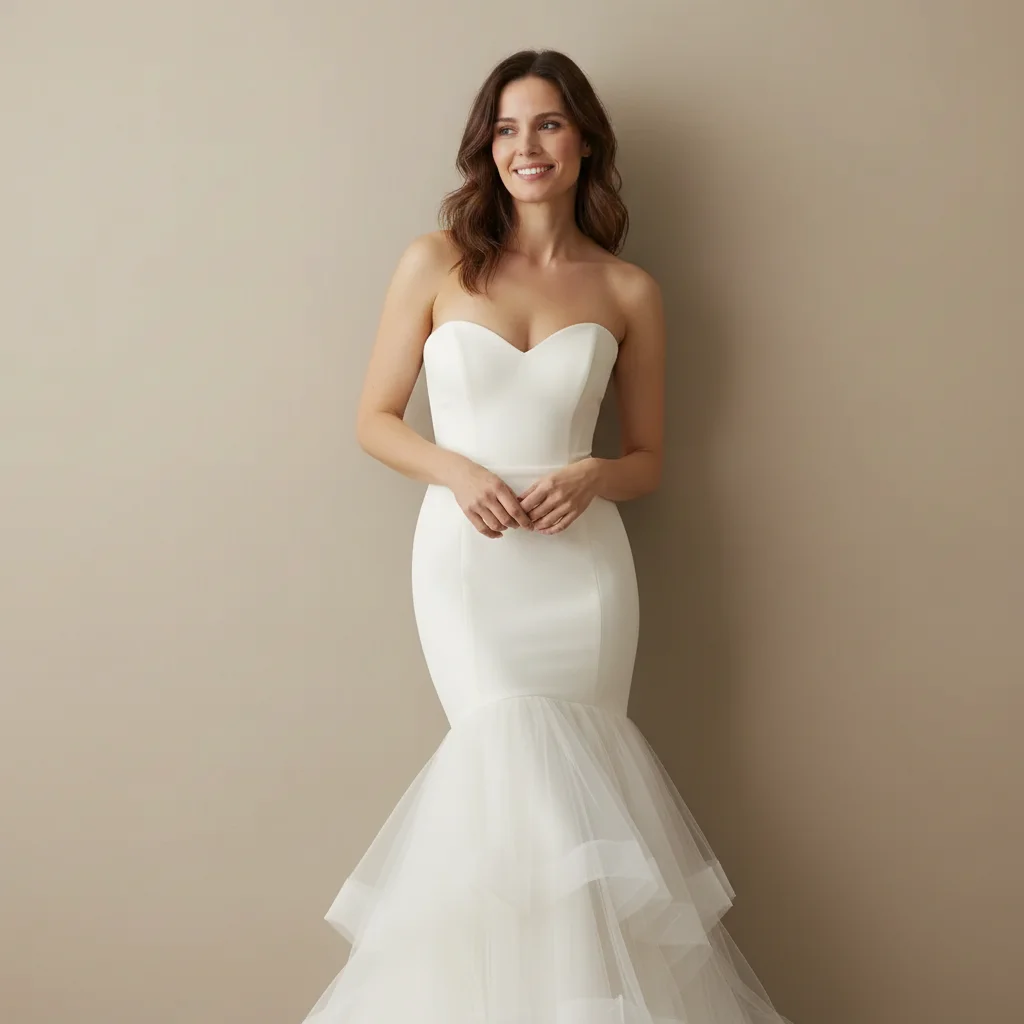
    Modern mermaid dress put a fitted ivory mermaid wedding dress on this person with a strapless bodice and flared tulle skirt below the knee
    Romantic ballgown try on a princess ballgown wedding dress with a full tulle skirt, off-shoulder sleeves, and beaded bodice
    Minimalist sheath dress try on a minimalist ivory sheath wedding dress with clean lines, a high neckline, and no embellishments
    3 more prompts
    Bohemian lace gown try on a bohemian wedding dress with all-over lace, bell sleeves, a deep V-neckline, and a flowing skirt
    Vintage-inspired gown try on a vintage 1920s-inspired wedding dress with a dropped waist, beaded embroidery, and cap sleeves in champagne color
    Simple civil ceremony dress try on a simple white midi-length dress with long sleeves and a modest round neckline for a civil wedding ceremony
  3. Review the bridal look

    Check that the gown drapes naturally on your body. Look for realistic lace detail, proper bodice fit, and natural fabric flow in the skirt and train. Zoom in on the neckline and waistline.

  4. Refine with markers if needed

    If the bodice, neckline, or train doesn't look right, tap markers on those specific areas and regenerate. Most bridal try-ons look great on the first try.

    Tip: Markers are for precision refinement only. Try without them first—you usually won't need them.
Try it free

AI Wedding Dress Try-On

Drop your photo here

or click to browse

Release to upload

Free • No signup

"Narrowed my bridal gown search from 50 dresses to 5 before stepping foot in a boutique. Saved me three exhausting appointment days. I knew exactly what silhouette worked on my body." @BrideToBeEmma

See it in action

Woman in grey t-shirt and blue jeans
Before
->
Same woman wearing a classic white A-line wedding gown with lace bodice
After

Casual outfit to classic A-line bridal gown

A woman in everyday clothes transformed into a bride wearing a classic A-line wedding gown to preview the silhouette.

Prompt: try on a classic white A-line wedding gown with a sweetheart neckline, lace bodice, and chapel-length train
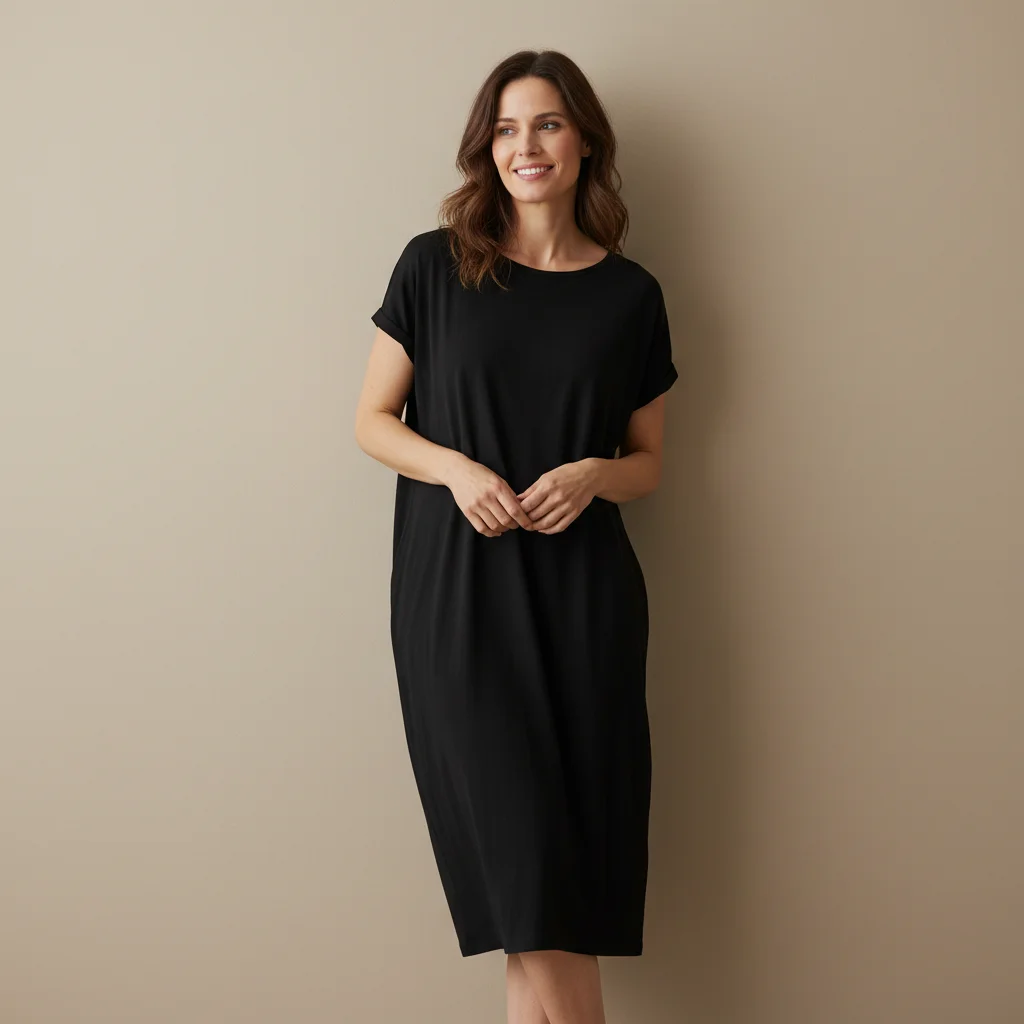
Woman in casual knee-length black dress
Before
->
Same woman wearing a fitted ivory mermaid wedding dress
After

Day dress to mermaid bridal gown

A woman in a casual dress tries on a fitted mermaid wedding dress to see how the silhouette flatters her body shape.

Prompt: put a fitted ivory mermaid wedding dress on this person with a strapless bodice and flared tulle skirt below the knee
Advertisement

If something looks off

AI changed the wrong area or something I didn't want changed

Why: The AI couldn't determine exactly which area you meant from description alone. This can happen if other clothing is visible or the body is partially obscured.

Try: Tap a marker on the dress/body area specifically, then regenerate with the same prompt

Tip: Markers tell the AI 'I mean THIS area specifically.' Use them when description alone is ambiguous.

Train or skirt looks stiff and unnatural

Why: The AI may render fabric without enough draping detail, especially for long trains and voluminous skirts that need natural fabric flow.

Try: try on the wedding dress with naturally flowing fabric, soft draping in the skirt, and a train that falls naturally on the floor

Tip: Adding 'flowing' and 'soft draping' explicitly tells the AI to render realistic fabric physics.

Lace or beading detail looks blurry or generic

Why: Fine details like lace patterns and individual beads are difficult to render at low resolution or on small areas of the image.

Try: try on the gown with detailed visible lace pattern on the bodice and clear beading along the neckline

Tip: Upload the highest resolution photo you have. Fine bridal details render better on larger images.

Bodice doesn't fit the body shape naturally

Why: Complex bridal bodice structures (corset, boned, structured) need to follow the actual body contour in the photo.

Try: try on the wedding dress with a bodice that naturally fits and follows this person's body shape and posture

Tip: Standing straight with shoulders back gives the AI the clearest body contour for bodice fitting.

Color looks too stark white or too yellow

Why: Wedding dress whites vary widely—pure white, ivory, champagne, blush—and the AI may pick a different shade than intended.

Try: try on the wedding dress in [ivory/champagne/warm white/pure white] shade specifically

Tip: Specify the exact white shade: 'ivory' for warm, 'pure white' for bright, 'champagne' for golden undertone.

Quick answers

Do I need to mark my body before trying on a wedding dress?

No! Just describe the gown you want: 'try on a classic A-line wedding gown with lace sleeves.' The AI understands what 'wedding dress' and 'bridal gown' mean. Only use markers if you want to adjust a specific area like the neckline or train after the first try.

How do I virtually try on a specific wedding dress I saw online?

Click '+ Add reference image' and upload the product photo of the dress from the bridal shop or website. Then type 'put the wedding dress from the reference image on this person.' The AI matches the gown's silhouette, fabric, and details.

Is there a free virtual wedding dress try-on that doesn't require login?

Yes, EditThisPic is free to try with no account needed. Upload your photo, describe the bridal gown, and download the result. No watermarks. Perfect for narrowing down dress styles before boutique appointments.

What's the best free AI tool for trying on wedding dresses virtually?

EditThisPic offers free AI bridal try-on with no signup required. Unlike bridal apps that only show dresses on generic body shapes, this renders the actual gown on your photo so you see how the silhouette, neckline, and length work on your body.

Ready to try on wedding dresses virtually?

Free to try. No signup required.

Try it free