Free โ€ข No signup Enhance Lawn ยท Free

Enhance Lawn in Photos

Turn brown, patchy lawns into lush green grass in seconds - perfect for real estate listings.
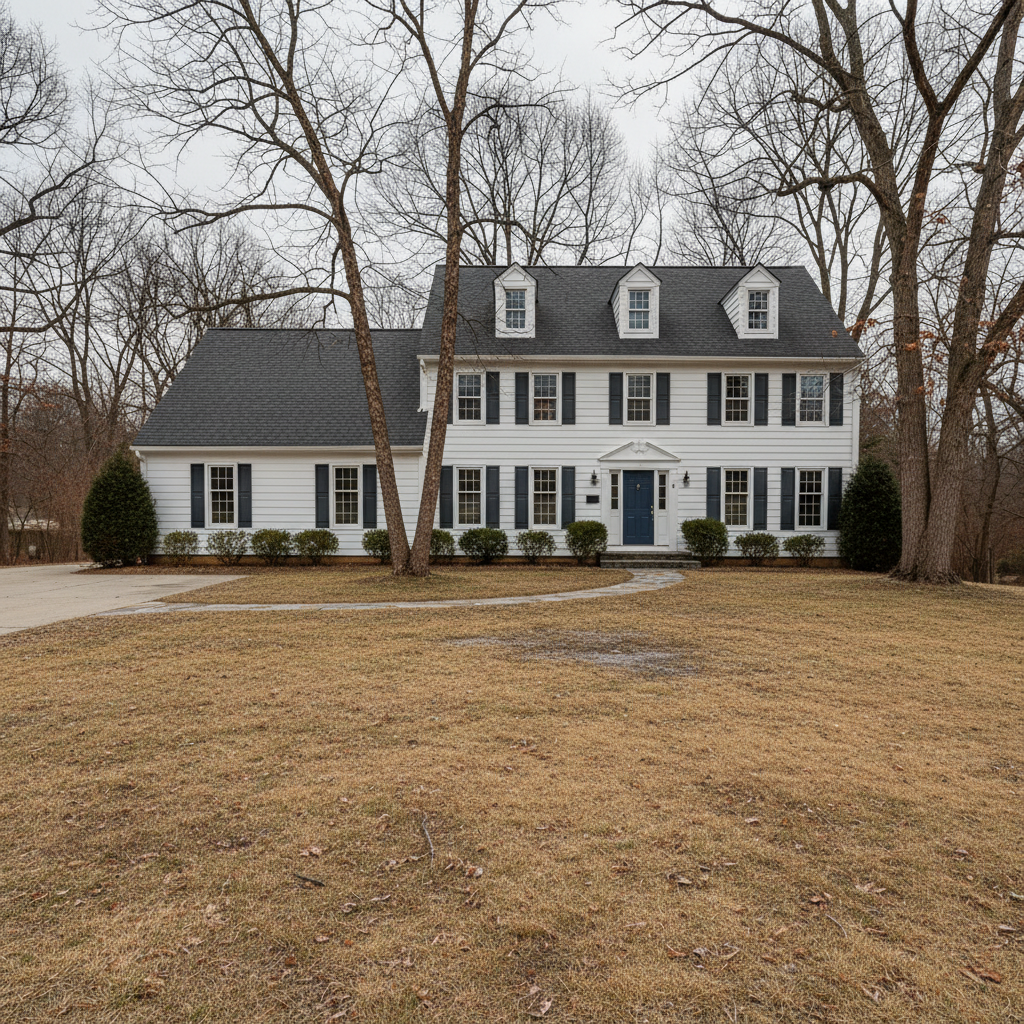
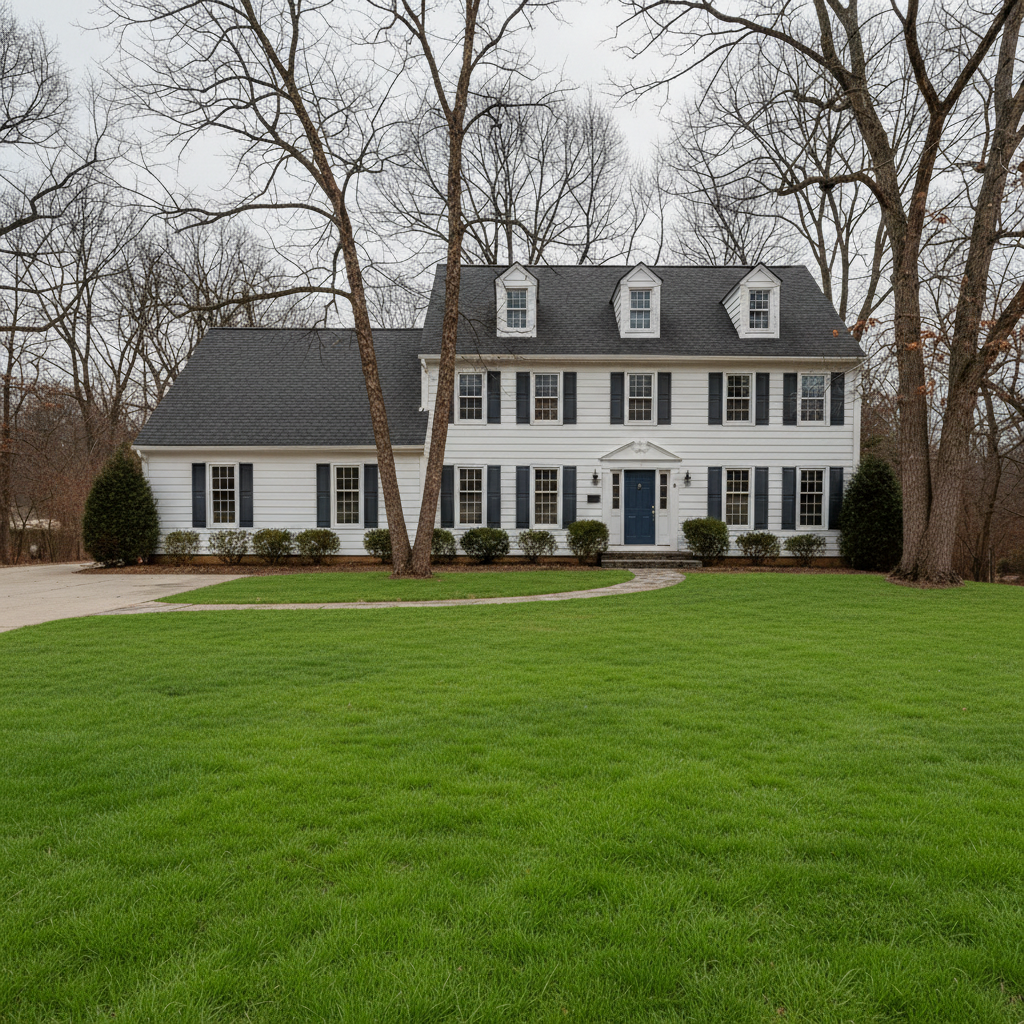
White house with brown dormant winter lawn in front yard
Before
โ†’
Same house with vibrant green healthy lawn
After

Enhance Lawn in Photos Free

Drop your photo here

or click to browse

Release to upload

Free โ€ข No signup

Advertisement
Popular use cases:
  • real estate photography
  • property listings
  • curb appeal enhancement
  • lawn care visualization
  • winter listing photos
  • drought damage repair
  • homeowner marketing
  • property staging

Cost
Free No signup required
Time
Instant results in 15-30 seconds
Works on
Any device - browser, phone, tablet, desktop
Powered by
AI-powered photo editing
Scenario Prompt Time
Winter brown lawn change the dormant brown winter lawn to vibrant summer green grass 15s
Patchy drought damage transform the patchy brown grass into uniform lush green lawn 20s
With landscaping make the lawn deep green while keeping flower beds and mulch unchanged 20s

How it works

  1. Upload your photo

    Drop your property photo into EditThisPic. Works best on outdoor shots showing lawn with clear grass areas. JPG, PNG, WebP up to 7MB.

    Expect: Simple lawn greening: 15-20 seconds. Complex yards with multiple areas or preserving specific features: may need one refinement.
  2. Describe what you want

    Type your instruction: 'make the lawn vibrant green' or 'transform the patchy grass to lush healthy green lawn.' Be specific about shade if needed: 'natural spring green' or 'deep emerald green.' No marking needed - the AI understands what 'lawn' means and preserves other landscaping.

    Tip: Mention 'keep flower beds and mulch areas unchanged' if you want to ensure only grass is enhanced

    Copy one of these to get started:

    Basic brown lawn to green make the lawn vibrant green and healthy looking
    Patchy lawn with bare spots transform the patchy brown grass into uniform lush green lawn, fill in bare spots
    Winter lawn to summer green change the dormant brown winter lawn to vibrant summer green grass
    Preserve landscaping while greening make the lawn deep green and lush while keeping flower beds, mulch areas, and shrubs exactly as they are
    4 more prompts
    Enhance lawn texture and uniformity transform the lawn to rich emerald green with uniform texture and healthy appearance
    Drought-damaged lawn recovery restore the yellowed drought-damaged grass to healthy green lawn with natural variation
    Add professional lawn stripes make the lawn vibrant green with subtle diagonal mowing stripes for a manicured look
    Match grass to season in photo enhance the lawn to natural spring green that matches the lighting and season of the trees and shrubs
  3. Generate and review

    Check that grass looks natural and green, flower beds and landscaping remain untouched, and the green shade matches the season and lighting of your photo. Zoom in to verify edges between lawn and mulch or pavement look clean.

  4. Refine with markers if needed

    If certain grass patches were missed or flower beds were affected, tap markers on those specific areas and describe the fix: 'make this section greener' or 'restore the original mulch bed here.' This is optional - most edits work without markers.

    Tip: Markers are for edge refinement between lawn and landscaping, not required for basic greening
Try it free โ†“

Enhance Lawn in Photos Free

Drop your photo here

or click to browse

Release to upload

Free โ€ข No signup

"Game changer for winter listings. Made every brown lawn look like spring in under 5 minutes per property. Photos got 3x more showing requests." @RealEstateRachel_IL

See it in action

White house with brown dormant winter lawn in front yard
Before
->
Same house with vibrant green healthy lawn
After

Winter listing transformed to spring green

A home listed in February with dormant brown winter grass. One prompt created lush green curb appeal.
Prompt: change the dormant brown winter lawn to vibrant summer green grass
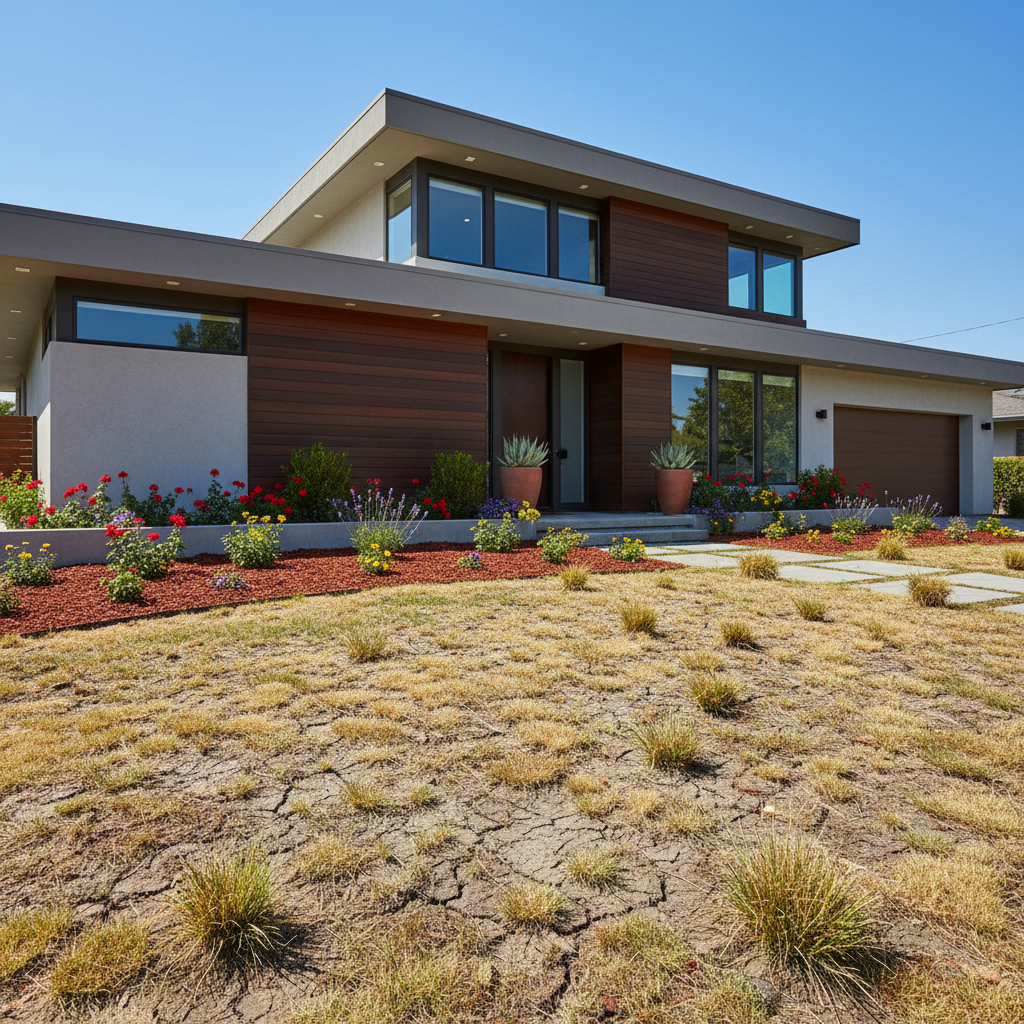
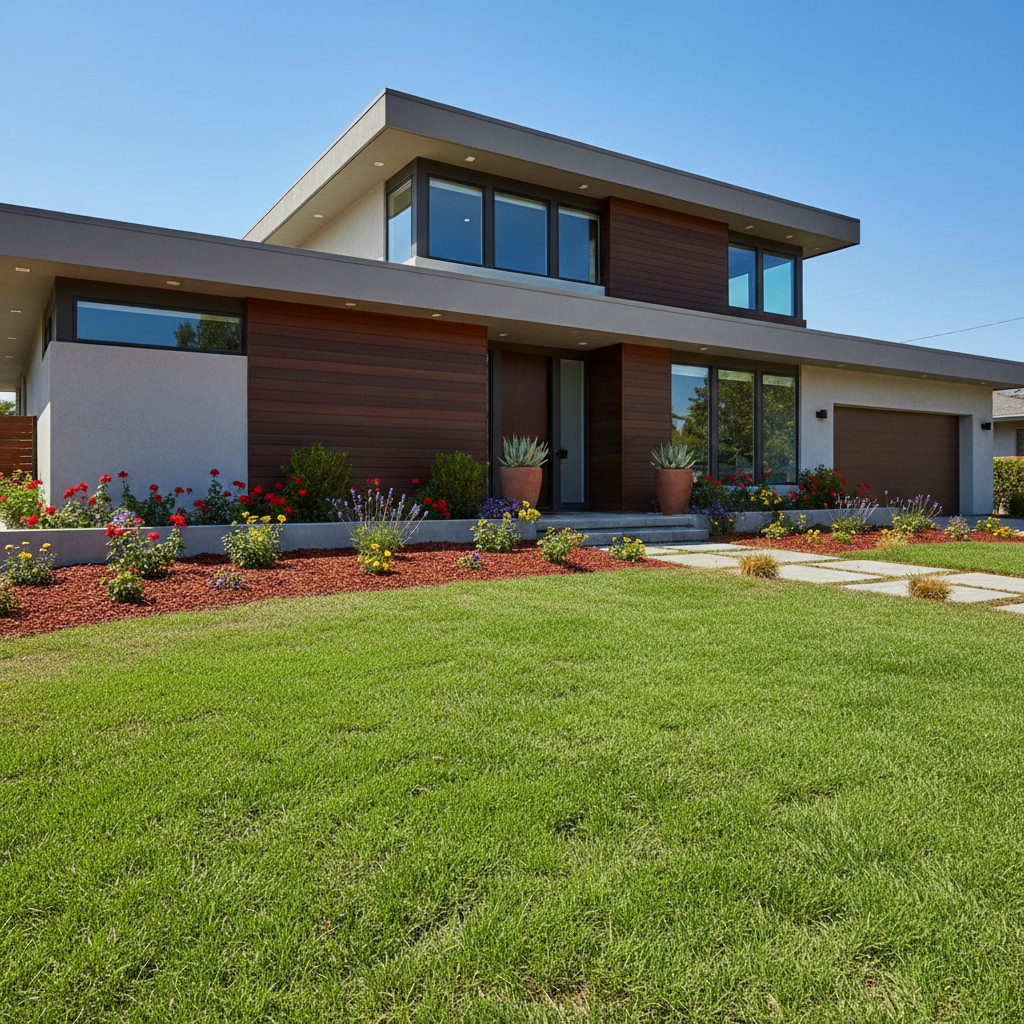
Modern home with patchy brown and yellow drought-damaged lawn
Before
->
Same home with uniform lush green lawn, flower beds preserved
After

Patchy drought lawn made uniform

Summer drought created brown patches throughout the lawn. Enhanced to uniform green while preserving the flower beds.

Prompt: transform the patchy brown grass into uniform lush green lawn while keeping the flower beds unchanged
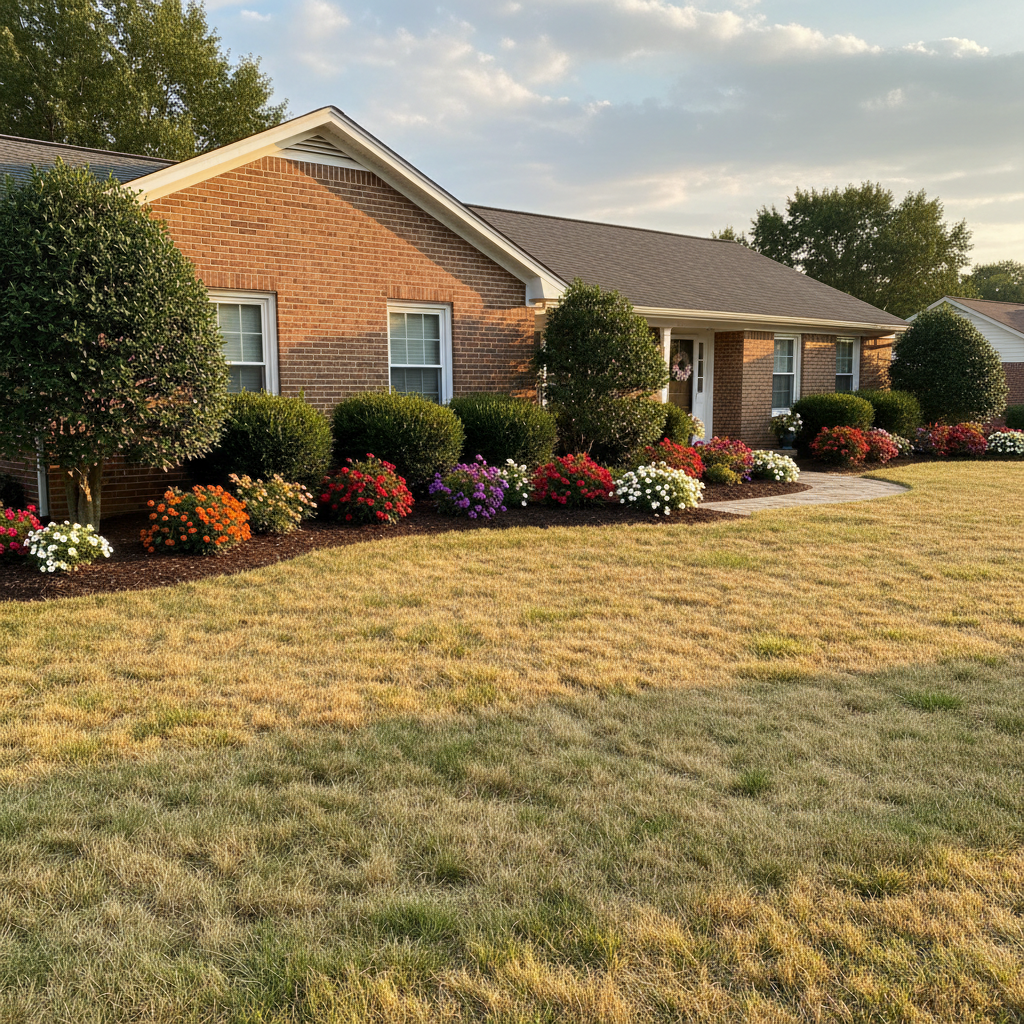
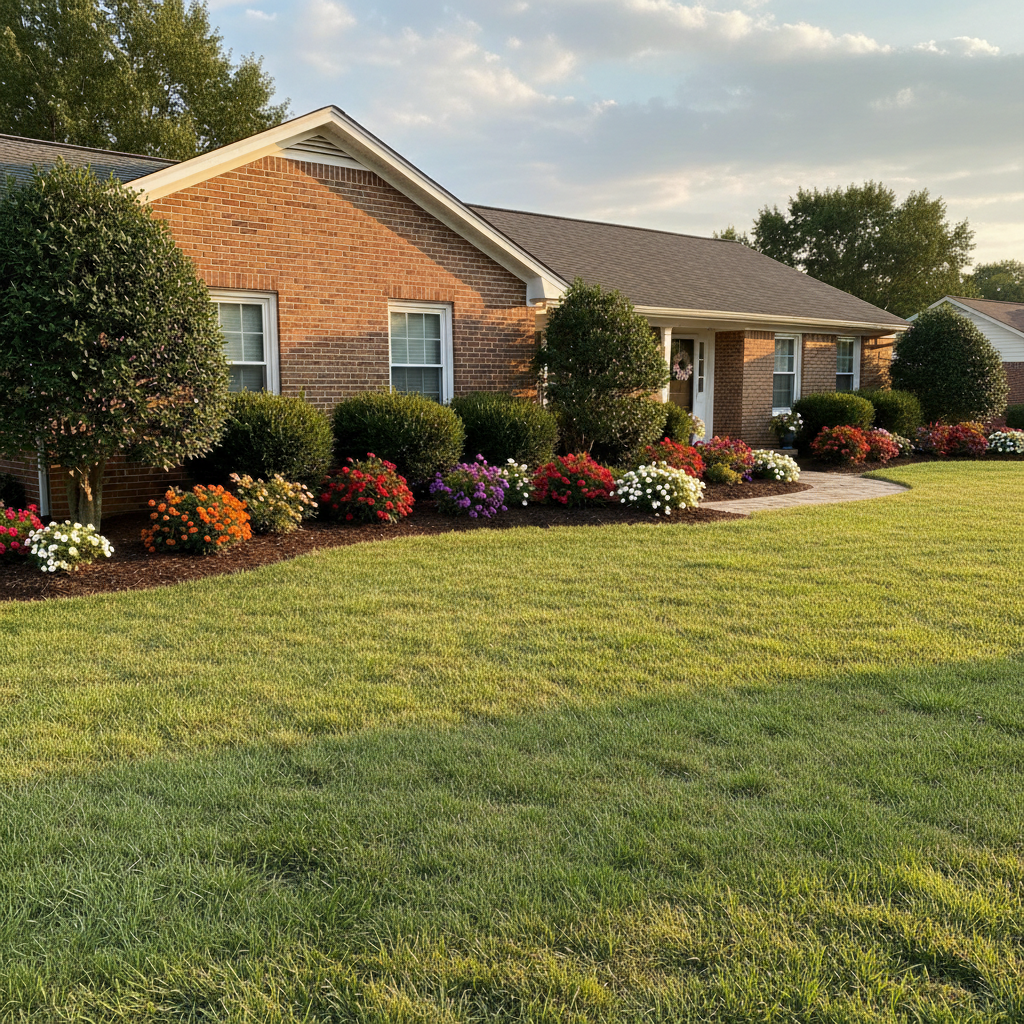
Brick home with yellowed lawn but beautiful landscaping and flower beds
Before
->
Same home with vibrant green lawn, all landscaping elements preserved perfectly
After

Yellowed lawn with landscaping preserved

Late summer yellowing across the lawn, but beautiful landscaping in place. Greened only the grass areas.

Prompt: make the lawn vibrant green while keeping flower beds, mulch areas, and shrubs exactly as they are
Advertisement

If something looks off

Grass color looks too artificial or neon green

Why: The AI applied a shade that's too saturated or doesn't match your photo's lighting conditions.

Try: make the lawn natural spring green that matches the season and lighting in the photo

Tip: Words like 'natural,' 'subtle,' or specifying a season help avoid oversaturation

Flower beds or mulch areas turned green

Why: The AI interpreted 'lawn' too broadly and included adjacent landscaped areas.

Try: restore the original flower beds and mulch, only make the grass areas green

Tip: In your initial prompt, explicitly mention 'keep flower beds and mulch unchanged'

Edges between lawn and sidewalk/driveway look blurry

Why: The AI blended colors at boundaries instead of keeping clean separation.

Try: sharpen the edges between green lawn and pavement, keep crisp boundaries

Tip: Zoom in to review edges before downloading - clean boundaries look more professional

Some brown patches still visible in the enhanced lawn

Why: The AI didn't fully cover all the brown areas in one pass.

Try: Tap markers on the remaining brown patches and say 'make these sections match the rest of the green lawn'

Tip: For severely patchy lawns, you may need one refinement pass to catch missed spots

Green shade doesn't match the season of surrounding trees

Why: The AI enhanced the lawn without considering the seasonal context of other vegetation.

Try: adjust lawn color to match the season shown in the trees and shrubs

Tip: Fall photos need more muted greens, spring photos can handle brighter shades

AI changed the wrong area or something I didn't want changed

Why: The AI couldn't determine exactly which area you meant from description alone. This happens with ambiguous requests.

Try: Tap a marker on the specific area you want to change, then regenerate with the same prompt

Tip: Markers tell the AI 'I mean THIS one specifically.' Use them when description alone is ambiguous.

Quick answers

Do I need to mark the lawn before describing the change?

No! Just describe what you want: 'make the lawn vibrant green' or 'transform brown grass to healthy green.' The AI understands what 'lawn' means and where grass is located. Only use markers if you need to refine specific edges or protect certain areas like flower beds.

Will it affect my flower beds, mulch, or landscaping?

The AI is trained to recognize lawn vs. landscaping, but to be safe, add 'keep flower beds and mulch unchanged' to your prompt. This ensures only grass areas are enhanced. You can always refine afterward if any landscaping was accidentally affected.

How natural does the enhanced lawn look?

Very natural when you specify the right shade. Use words like 'natural spring green' or 'match the season in the photo' rather than just 'bright green.' The AI matches lighting and adds realistic texture variation. For real estate, this level of enhancement is standard practice - just disclose virtual enhancement per local regulations.

Can I make the lawn greener than it would realistically be?

Yes, but it may look artificial. For believable results, match the green shade to your climate and season. Summer listings can handle deep green, while winter photos with bare trees need more muted tones. The goal is curb appeal that looks achievable, not artificial turf.

Is there a free lawn enhancement tool that doesn't require an account?

Yes. EditThisPic is completely free to try with no signup required. Upload your photo, describe the lawn enhancement you want, and download the result. No watermarks on the free version. Perfect for homeowners and real estate agents who need quick curb appeal improvements.

Ready to enhance your lawn?

Free to try. No signup required.

Try it free โ†’