Free โ€ข No signup Try on Clothing ยท Free

Virtual Try-On with Reference Image

Upload a photo of yourself and a reference image of what you want to try on. See how it looks instantly.
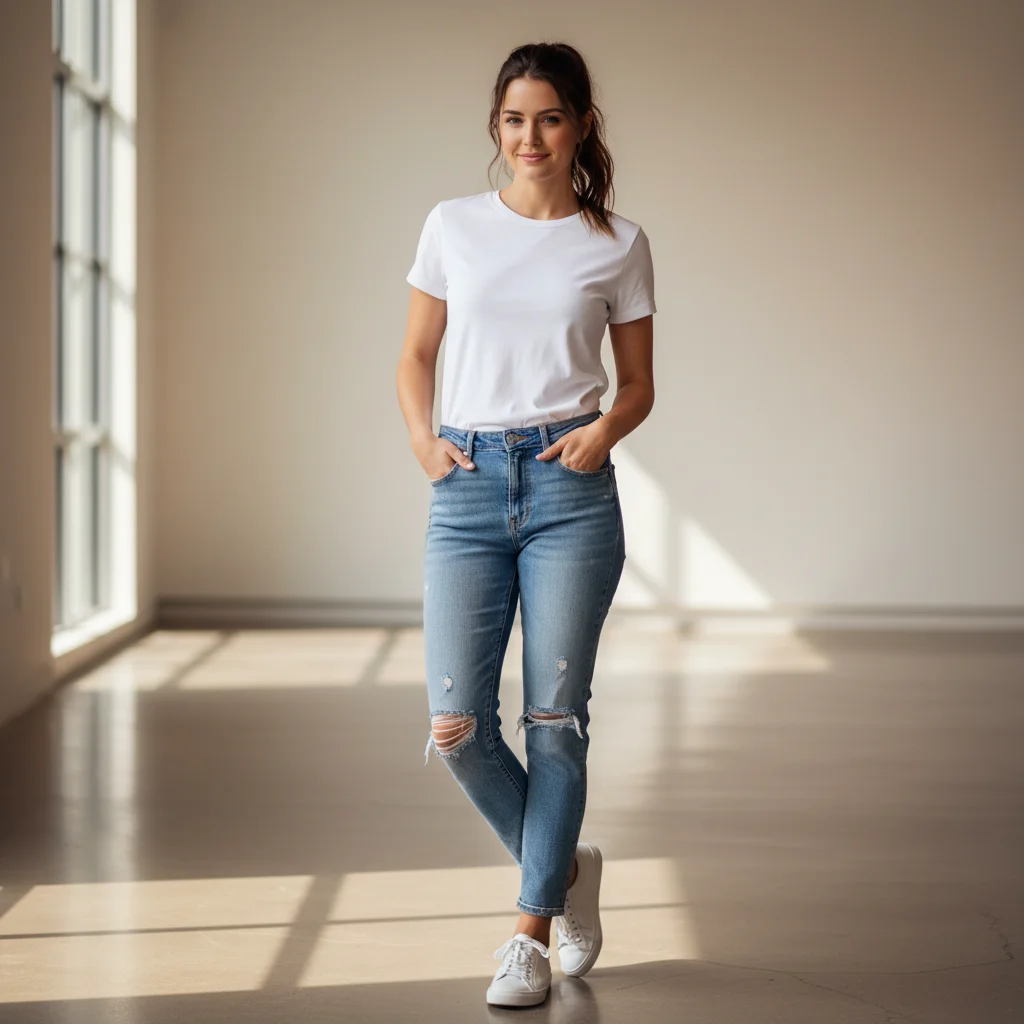
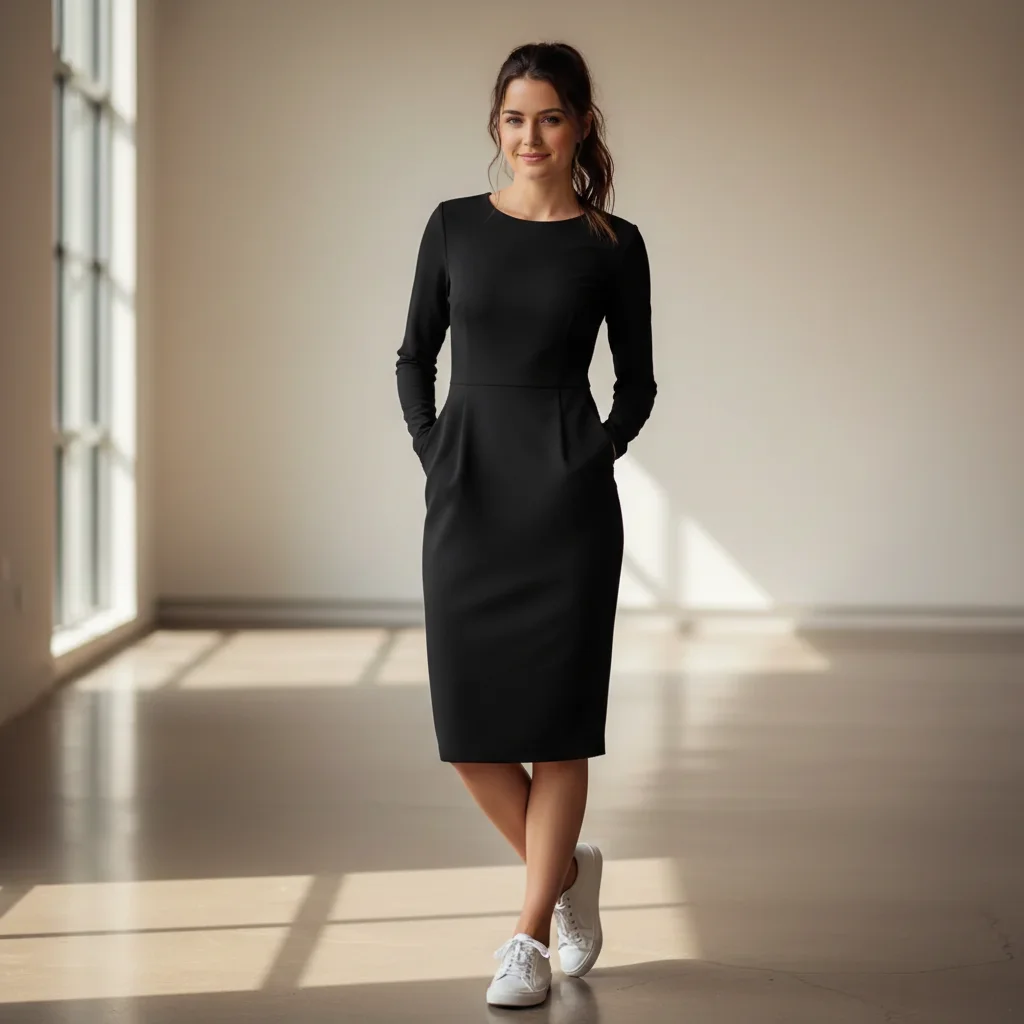
Woman in casual jeans and t-shirt
Before
โ†’
Same woman now wearing elegant cocktail dress from reference
After

Virtual Try-On with Reference Image

Drop your photo here

or click to browse

Release to upload

Free โ€ข No signup

Advertisement
Popular use cases:
  • virtual try-on
  • online shopping preview
  • outfit visualization
  • hairstyle preview
  • accessory try-on
  • fashion preview
  • virtual fitting room
  • style testing
  • before you buy
  • wardrobe planning

Cost
Free No signup required
Time
Instant results in 15-30 seconds
Works on
Any device - browser, phone, tablet, desktop
Powered by
AI-powered photo editing
Scenario Prompt Time
Clothing try-on put me in this outfit from the reference 45s
Hairstyle preview apply this hairstyle from the reference 40s
Accessory try-on show me wearing these glasses from the reference 35s

How it works

  1. Upload your photo

    Drop a photo of yourself into EditThisPic. JPG, PNG, WebP up to 7MB. Works best with clear photos where your body/face is visible and well-lit. Full body shots work for clothes, head-and-shoulders for hairstyles and accessories. The AI needs to see your current appearance clearly.

    Expect: Virtual try-on typically takes 40-60 seconds. Complex transfers with detailed patterns may need refinement.
  2. Upload the reference image

    Click '+ Add reference image' and upload a photo showing the clothing, hairstyle, or accessory you want to try. This could be a product photo, Instagram screenshot, magazine photo, or any image showing the look you want. The reference should clearly show the item's style, color, and details.

    Tip: Reference images work best when the item is clearly visible and well-lit. Product photos from online stores are ideal because they show clean, detailed views.

    Copy one of these to get started:

    Try on outfit from reference put me in this outfit from the reference image, make it fit my body naturally
    Try hairstyle from reference apply this hairstyle from the reference to my photo, keep my face exactly the same
    Try on glasses or sunglasses show me wearing these glasses from the reference image, positioned naturally on my face
    Try jewelry or accessories add this necklace from the reference image to my photo, hanging naturally
    4 more prompts
    Try makeup look from reference apply the makeup style from the reference image to my face, matching the colors and intensity
    Try hair color from reference change my hair to the exact color shown in the reference image, keep the same hairstyle I have
    Try outfit combination put me in the dress from the reference and add the shoes I see in the reference photo
    Try wedding dress or formal wear show me in this wedding dress from the reference, fitted to my body with natural draping
  3. Describe what you want to try

    Type your instruction: 'put me in this outfit from the reference image' or 'apply this hairstyle from the reference to my photo' or 'show me wearing these glasses from the reference.' The AI knows to look at the reference image and transfer that look onto your photo.

    Tip: Be specific about what part of the reference to use: 'try on the dress from the reference' or 'apply the hair color and style from the reference photo.'

    Copy one of these to get started:

    Try on outfit from reference put me in this outfit from the reference image, make it fit my body naturally
    Try hairstyle from reference apply this hairstyle from the reference to my photo, keep my face exactly the same
    Try on glasses or sunglasses show me wearing these glasses from the reference image, positioned naturally on my face
    Try jewelry or accessories add this necklace from the reference image to my photo, hanging naturally
    4 more prompts
    Try makeup look from reference apply the makeup style from the reference image to my face, matching the colors and intensity
    Try hair color from reference change my hair to the exact color shown in the reference image, keep the same hairstyle I have
    Try outfit combination put me in the dress from the reference and add the shoes I see in the reference photo
    Try wedding dress or formal wear show me in this wedding dress from the reference, fitted to my body with natural draping
  4. Review the virtual try-on result

    Check that the item from the reference fits naturally on your body/head. Look for realistic lighting that matches your original photo. Verify colors and patterns transferred accurately from the reference. Zoom in to check edges and details.

  5. Refine if needed

    If the fit looks unnatural or the style didn't transfer perfectly, regenerate with more specific instructions: 'make the outfit fit more closely to my body shape' or 'match the exact color from the reference.' Most try-ons work well on the first attempt.

    Tip: For hairstyles, specify 'keep my face exactly the same, only change the hair' to ensure face identity is preserved.
Try it free โ†“

Virtual Try-On with Reference Image

Drop your photo here

or click to browse

Release to upload

Free โ€ข No signup

"I screenshot outfits from Instagram and try them on before buying. Saved me from so many returns. It's like having a virtual fitting room for any photo I see online." @StyleExplorer_Maya

See it in action
Woman in casual jeans and t-shirt
Main Photo
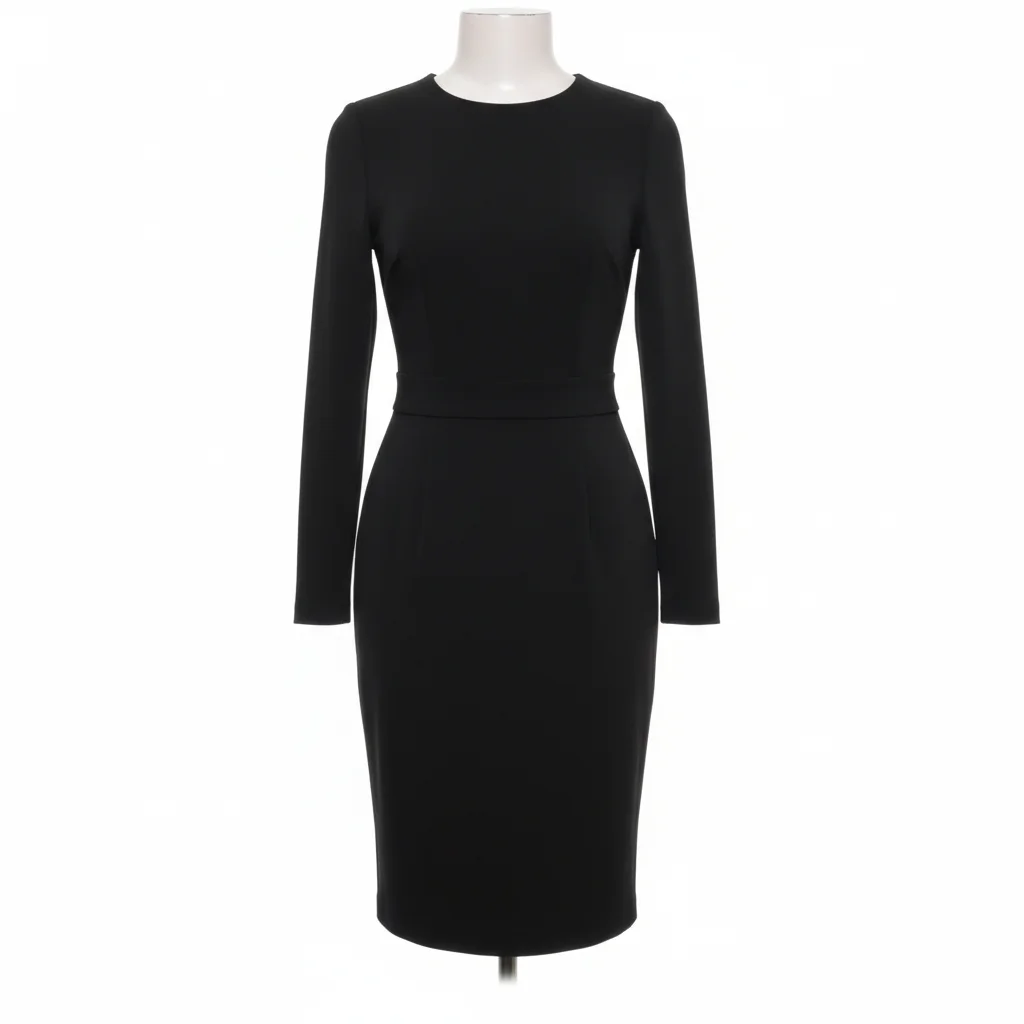
Reference
Reference
Same woman now wearing elegant cocktail dress from reference
Result

Try on dress from online store photo

A woman in casual clothes virtually tries on an elegant cocktail dress from an e-commerce product photo to see how it would look before purchasing.

Prompt: put me in the dress from photo 2 (the reference), make it fit my body in photo 1 naturally
Man with short conventional hairstyle
Main Photo
Reference
Reference
Same man with trendy styled hair from reference photo
Result

Try hairstyle from celebrity photo

A man uploads his selfie and a photo of a celebrity hairstyle to preview the look before visiting the barber.

Prompt: apply the hairstyle from photo 2 (the reference) to my photo in photo 1, keep my face exactly the same
Woman without sunglasses, clear face view
Main Photo
Reference
Reference
Same woman wearing designer sunglasses from reference
Result

Try on sunglasses from product listing

A woman uses a product photo of designer sunglasses to see how they'd look on her face before buying online.

Prompt: show me wearing the sunglasses from photo 2 (the reference) on my face in photo 1, positioned naturally
Advertisement

If something looks off

The outfit doesn't fit my body naturally

Why: Complex body poses or loose reference images make it harder for the AI to adapt clothing realistically to your specific shape.

Try: put me in the outfit from the reference, fitted closely to my exact body shape and pose

Tip: Adding 'fitted closely to my body shape' tells the AI to prioritize natural fit over exact reference replication.

Colors don't match the reference image

Why: Lighting differences between your photo and the reference can affect how colors transfer and appear.

Try: apply the outfit from the reference using the exact colors shown, adjusted for my photo's lighting

Tip: Mention color specifically: 'using the exact navy blue color from the reference' improves accuracy.

Hairstyle changed my face or facial features

Why: Without explicit instruction, the AI might interpret the hairstyle change too broadly and modify facial structure.

Try: apply only the hairstyle from the reference to my photo, keep my face, eyes, nose, and mouth identical

Tip: 'Keep my face identical' or 'preserve my facial features exactly' prevents unwanted face changes.

The item from the reference looks blurry or low quality

Why: If the reference image is low resolution or the item is small in the photo, the AI has limited detail to work with.

Try: Use a higher resolution reference image where the item fills more of the frame, then regenerate

Tip: Product photos from official brand websites typically have the best quality and detail for virtual try-on.

AI tried on the wrong item from the reference

Why: If the reference has multiple clothing items or accessories, the AI may not know which one you mean.

Try: Be specific: 'try on only the red dress from the reference, not the jacket' or 'apply the earrings shown in the reference'

Tip: When the reference shows a full outfit, name the specific piece: 'the dress' or 'the shoes' or 'the necklace.'

Lighting doesn't match between the try-on and my photo

Why: The reference image may have different lighting than your photo, creating an inconsistent composite look.

Try: apply the item from the reference with lighting that matches my original photo's direction and intensity

Tip: Mention lighting explicitly: 'with soft lighting from the left matching my photo' improves realism.

Quick answers

Do I need to upload a reference image or can I just describe what I want?

You can do either! Upload a reference image (click '+ Add reference image') when you have a specific photo of clothing, hairstyle, or accessory you want to try. This works great for online shopping or copying a look from social media. Or describe what you want without a reference: 'put me in a red cocktail dress' works too. Reference images give more accurate, specific results because the AI sees exactly what you want.

What types of items can I try on with reference images?

Clothing (dresses, suits, casual wear, formal wear), hairstyles (cuts, colors, styles), accessories (glasses, sunglasses, jewelry, hats, scarves), makeup looks, hair colors, shoes, and bags. Basically anything visible in fashion or style photos. The reference should clearly show the item you want to try.

Will the try-on look realistic or obviously edited?

Very realistic when your photo and reference are both clear and well-lit. The AI adapts the item to your body shape, pose, and lighting. Results look natural for most clothing and accessories. Hairstyles are convincing when you specify to keep your face identical. Complex patterns or very detailed items may show minor imperfections, but overall realism is high.

Can I try on items from any photo I find online?

Yes! Screenshot outfits from Instagram, save product photos from stores, use magazine photos, or celebrity style shots. Any clear image showing the clothing/hairstyle/accessory works. Product photos from e-commerce sites typically give the best results because they're high-resolution with clear views of the item.

Does virtual try-on work for different body types and sizes?

Yes! The AI adapts the clothing from the reference to fit your specific body shape and size. It doesn't just paste the reference - it understands how fabric drapes, where clothing should fit, and adjusts accordingly. This makes it useful for seeing how styles designed for different body types would look on you before purchasing.

Can I try multiple items from one reference image?

Yes, if they're visible in the reference! Say 'put me in the dress and shoes from the reference' or 'apply the hairstyle and makeup from the reference.' The AI can handle multiple elements when you name them specifically. For best results, try one item at a time first, then combine.

Ready to try on anything from a photo?

Free virtual try-on. No signup required.

Try it free โ†’