AI Photo Editor for Match Profile Photos
Look like yourself on a really good day. Authentic photos that attract real connections.
Drop your photo here
or click to browse
Release to upload
Free • No signup
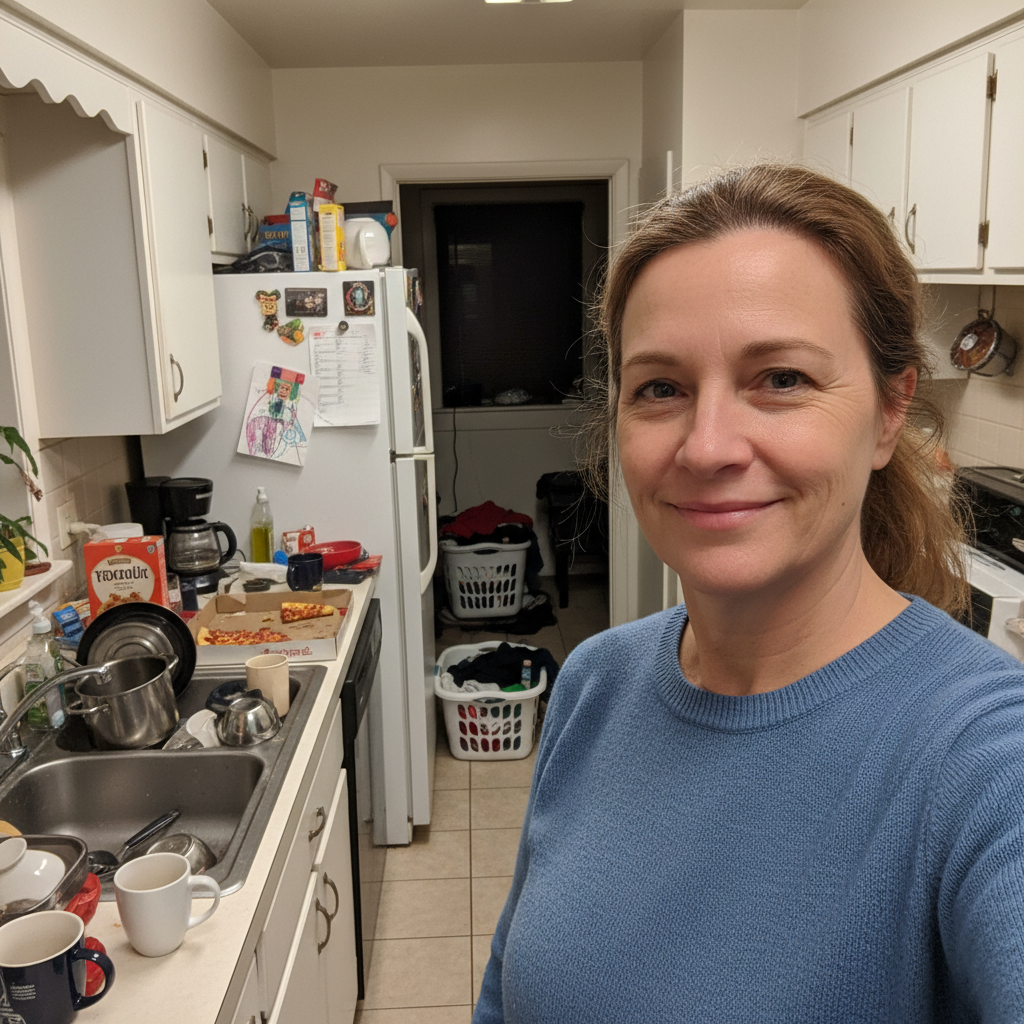
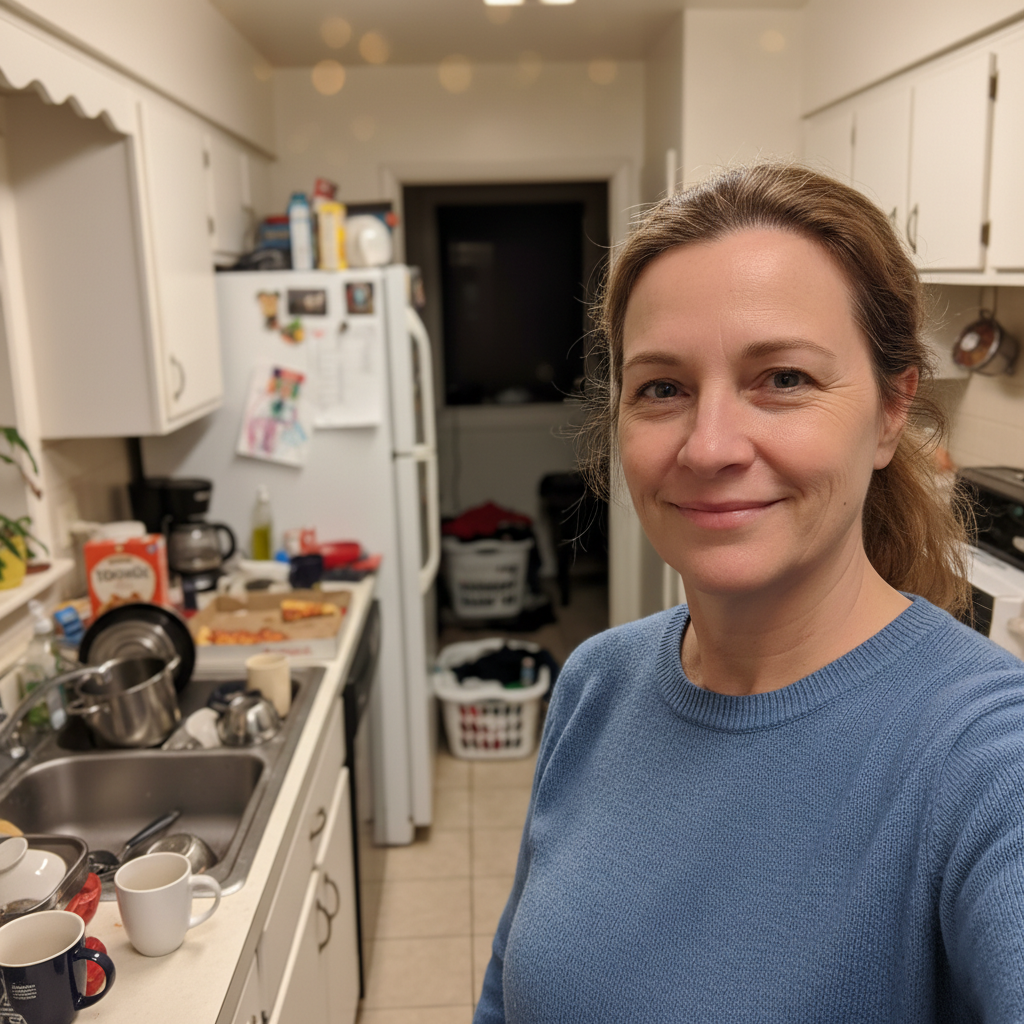
"My Match profile had a selfie from my kitchen. Background was a mess. Blurred it out, added better lighting. Same me, same smile, just a cleaner look. Got my first quality match that week." @ReadyForReal
Built for Serious Daters on Match
Match.com users are looking for real connections with real people. Your photos need to show the authentic you while making a strong first impression. EditThisPic helps you present yourself at your best without the over-edited look that screams 'not what you'll get.' Mature enhancement for mature dating.
Tools for Match Profile Photos
Blur Background
Clean up distracting backgrounds while keeping focus on you
Enhance Lighting
Warm, flattering light that looks natural, not artificial
Enhance Face
Subtle touch-ups that keep you looking like yourself
Replace Background
Swap cluttered home backgrounds for warm, inviting settings
Remove Background
Create clean slate for custom dating profile backgrounds
Step-by-Step Guide
-
Choose a photo that shows the real you
Pick a recent photo where you have a genuine expression. Natural light works best. Avoid heavily posed shots - Match users respond to authenticity. A photo from the last year ensures you look like yourself.
Simple enhancement: 15-20 seconds. Background replacement: 25-35 seconds.Photos where you're genuinely smiling at something (not the camera) tend to perform best on Match. -
Describe the enhancement you want
Drop your photo into EditThisPic and describe what you want: 'blur the messy background, enhance lighting to look warm and approachable' or 'soften the harsh shadows on my face, keep everything natural looking.'
Always include 'keep natural' or 'stay authentic' in your prompt to avoid over-processing. -
Check for authenticity
Review the result at full size. Ask yourself: does this still look like me? Would someone recognize me from this photo in person? The goal is better presentation, not a different person. Match users appreciate when photos match reality.
-
Fine-tune and download
If something looks off - eyes too bright, skin too smooth - use markers on those areas and ask for 'more natural' results. Download when you're happy. Consider creating 2-3 photos with different settings for profile variety.
Upload to Match and check how it looks in their thumbnail crop before committing.
Copy-Paste Prompts for Match Photos
blur background with soft bokeh, keep me in sharp focus, maintain natural lighting on my face
Soft blur removes distractions while keeping the photo feeling genuine
enhance lighting to warm and flattering, like golden hour sunlight, keep skin natural and authentic
Warm tones signal approachability and openness
reduce under-eye shadows, brighten eyes very subtly, keep my natural eye color and expression exactly
Very subtle eye enhancement prevents the 'I just woke up' look without looking edited
blur background softly, enhance lighting to warm and inviting, reduce tiredness from face, keep everything looking natural and authentic
Combining edits in one prompt maintains consistency across the changes
Show 4 more prompts
replace background with blurred outdoor cafe terrace, warm afternoon light, keep my face lighting unchanged
Lifestyle backgrounds suggest you're active and social without being try-hard
brighten teeth naturally, very subtle whitening only, keep smile completely genuine looking
'Very subtle' prevents the over-whitened look that screams 'edited'
correct the yellow/orange indoor lighting to neutral, enhance to soft daylight look, keep skin tones natural
Indoor lighting often makes skin look unhealthy - neutral correction fixes this
reduce harsh shadows on face, very subtle skin smoothing, keep all natural texture and character, no plastic look
'Keep natural texture' preserves the authentic look that Match users value
| Edit Type | Prompt | Time | |
|---|---|---|---|
| Background blur | blur background softly, keep natural |
15s | Try This → |
| Warm lighting | enhance lighting warm and flattering |
20s | Try This → |
| Full polish | blur background, warm lighting, reduce tiredness, stay natural |
30s | Try This → |
| Lifestyle background | replace background with blurred cafe |
25s | Try This → |
Real Examples
Kitchen selfie cleanup
Great smile, terrible background. The dishes and clutter had to go while keeping that genuine expression.
blur background completely with soft bokeh, enhance lighting to warm and flattering, keep my smile and expression exactly as is
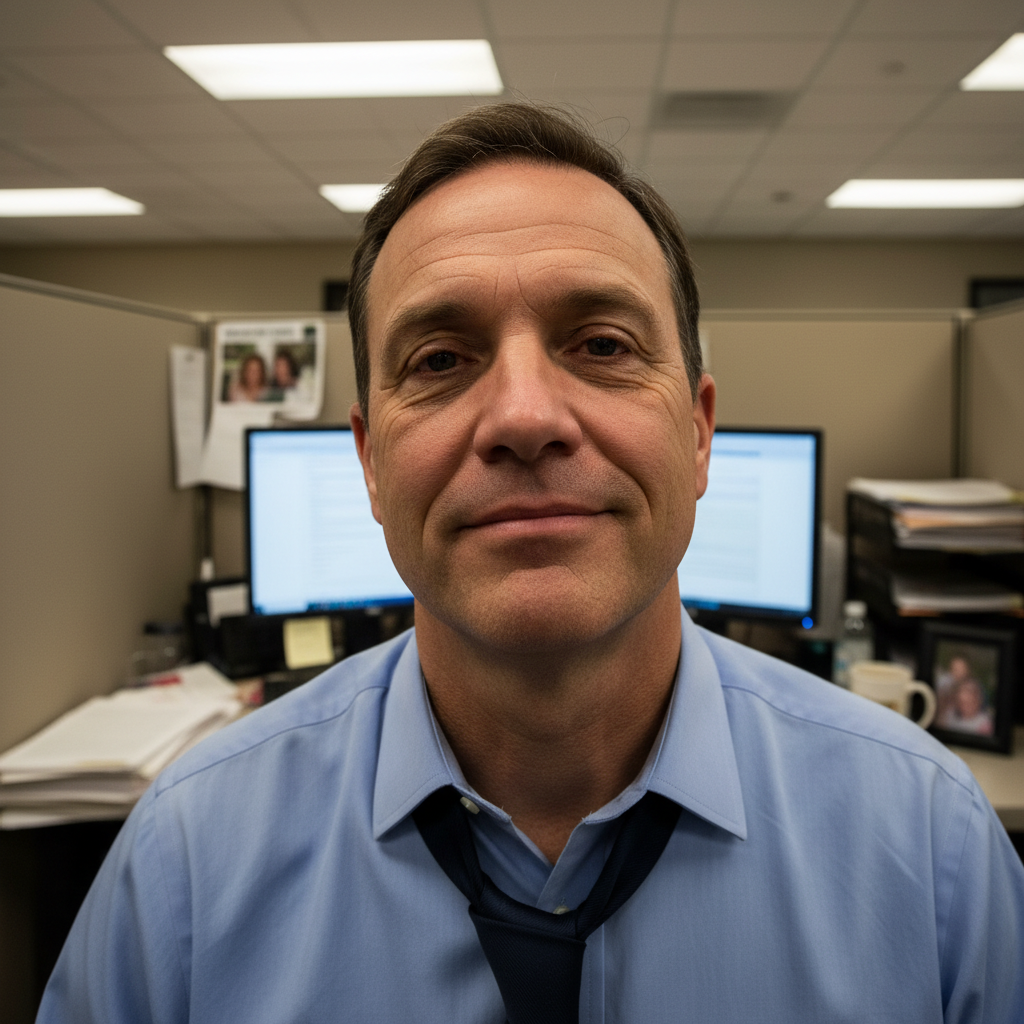
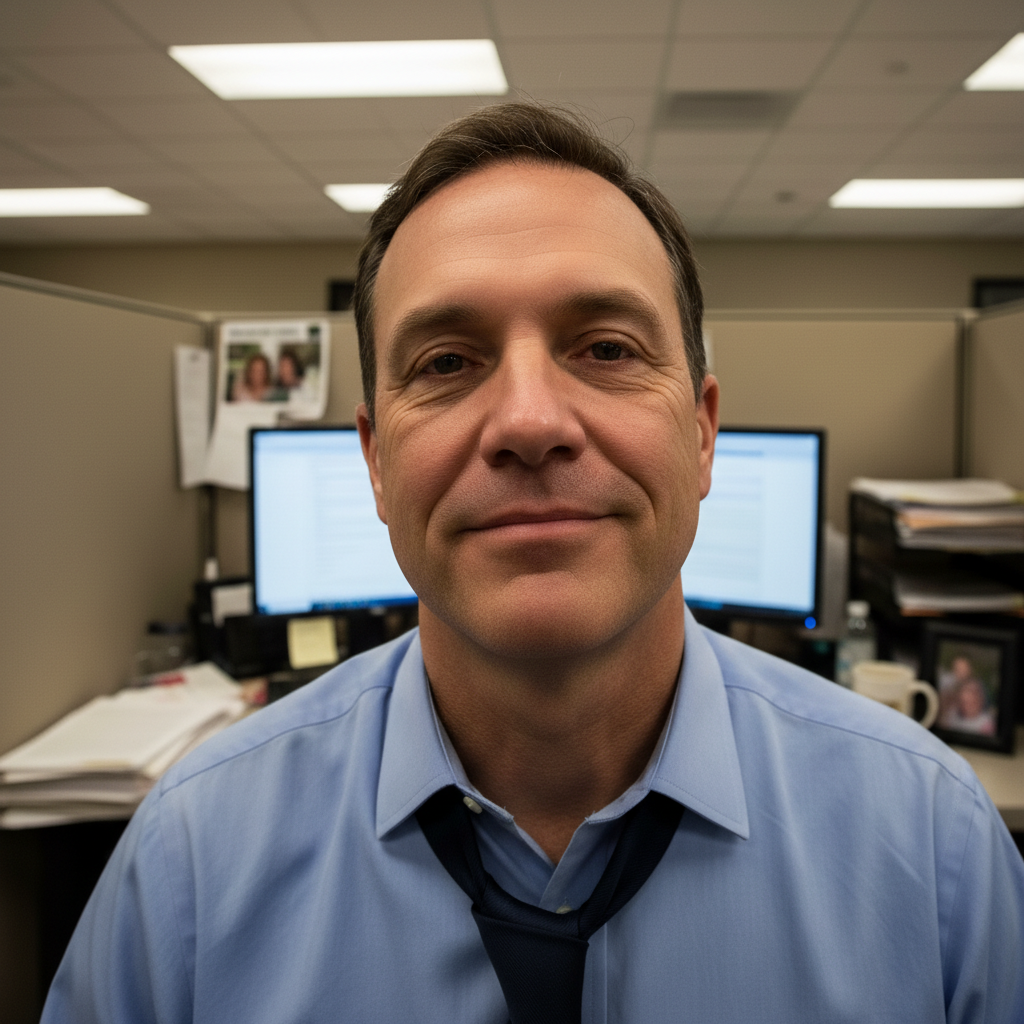
The tired after-work photo
You finally took a decent photo but you look exhausted. Subtle refresh without changing who you are.
reduce under-eye shadows and tiredness, brighten face subtly with warm light, blur background softly, keep my natural look completely


Backyard BBQ to date-worthy
Great candid shot from a friend's party. Just needed the random grill and lawn chairs removed from the story.
replace background with softly blurred greenery and warm afternoon light, keep my relaxed genuine expression and casual look
When Things Go Wrong
I look too perfect, like a magazine photo
Why: Multiple enhancements stacked together can remove natural texture and character.
Less is more for dating photos. Authenticity beats perfection on Match.
Skin looks plastic or overly smoothed
Why: Skin smoothing went too far, removing natural texture.
Match users in the 30+ demographic actually prefer natural-looking photos over heavily edited ones.
Eyes look unnaturally bright or edited
Why: Eye enhancement was too aggressive, creating an artificial look.
Tap markers on eyes, then: return eyes to completely natural, only reduce shadows around them
Natural eyes with reduced shadows looks better than brightened eyes.
Background replacement looks fake
Why: The new background doesn't match the original photo's lighting direction.
Blurring your actual background often looks more natural than a full replacement.
AI changed the wrong area
Why: The AI couldn't determine exactly which area you meant from description alone.
Tap a marker on the specific area you want to change, then regenerate with the same prompt
Markers tell the AI 'I mean THIS one specifically.' Use them when description alone is ambiguous.
Frequently Asked Questions
Do I need to mark anything before editing my dating photo?
No. Just describe what you want: 'blur background, enhance lighting warmly.' The AI understands these concepts. Markers are only for precision - like specifying exact areas for touch-ups. Try without them first.
Will I still look like myself for an in-person date?
Yes, if you follow the golden rule: enhance presentation, not features. Background blur, lighting improvement, and subtle tiredness reduction don't change how you look - they show you at your best. Avoid heavy smoothing or feature changes. Your Match date should recognize you immediately.
How do I edit my Match profile photo without looking fake?
Focus on environment, not face. Blur messy backgrounds, fix harsh lighting, reduce obvious tiredness - these improvements don't change your features. Always include 'keep natural' in prompts. The goal is you on a good day, not a different person.
Is there a free dating photo editor that doesn't require an account?
Yes. EditThisPic is free to try with no account required. Upload your photo, describe the enhancement, and download the result. No watermarks. No forced signup. Perfect for quickly improving a Match profile photo without committing to anything.
What's the best Match profile photo background?
Slightly blurred backgrounds work best - they keep attention on you without looking staged. Soft outdoor settings, cozy cafe vibes, or simply blurring your existing background all work well. Avoid pure white (looks like a passport photo) or obviously fake luxury settings (looks insecure).
Should I use filters on my dating photos?
No. Heavy filters are obvious and suggest you're hiding something. EditThisPic's AI enhancement is different - it improves lighting and removes distractions while keeping you looking authentic. Match's demographic especially values genuine presentation over filtered perfection.
Ready to upgrade your Match profile?
Free to try. No signup required. No watermarks.
Enhance Your Photo