Free • No signup Remove Glare · Free

Remove Glare from Photo

← Browse all remove tools

Last updated

Fix glasses reflections, screen shine, and flash hotspots in seconds.

Professional headshot with bright glare on glasses hiding eyes Same headshot with clear glasses and visible eyes

Upload photo to remove glare

"remove the reflection from the window and show the clear view outside"

Release to upload

50,000+photos edited
<30stypical edit
1 freeedit weekly

1 free edit·then from $4.99

How it works

  1. Upload your photo

    Upload a photo where the unwanted element is clearly visible. The AI needs to see surrounding context to fill in naturally after glare. JPG, PNG, WebP up to 7MB.

    Expect: Simple glare spot: 15-30 seconds. Complex reflections covering large areas: may need 2-3 refinements.
  2. Describe what you want

    Type your instruction: 'remove the glare from the glasses and show the eyes' or 'eliminate the window reflection and reveal what's outside.' Be specific about the glare location and what should appear underneath. No marking needed - the AI understands 'glare,' 'reflection,' and 'shine.'

    Tip: Mention what should be revealed: 'show clear eyes,' 'reveal the screen content,' or 'show the view outside.' This guides better reconstruction.

    Copy one of these to get started:

    Glasses glare hiding eyes remove the glare from the glasses and show clear eyes behind the lenses
    Window reflection blocking view remove the reflection from the window and show the clear view outside
    Screen glare on laptop or phone remove the glare from the screen and show what's displayed on it
    Flash hotspot on face remove the flash hotspot from the forehead and restore natural skin texture
    4 more prompts
    Car windshield glare remove the glare from the windshield and show the person inside clearly
    Product photo with shine remove the bright reflection from the product surface and show the true color
    Mirror reflection interfering remove my reflection from the mirror and show the room behind it
    Multiple glare spots remove all the bright glare spots from the photo and restore natural lighting
  3. Generate and review

    Check the result at full zoom. Verify the glare is completely gone and the revealed area looks natural. For glasses, ensure both eyes match in color and appearance. For windows, check that the view looks realistic.

See it in action

Professional headshot with bright glare on glasses hiding eyes
Before
->
Same headshot with clear glasses and visible eyes
After

Professional headshot glasses glare fixed

Bright flash created white hotspots on both lenses, completely hiding the eyes. One prompt revealed clear, natural-looking eyes.

Prompt: remove the glare from the glasses and show clear eyes
Living room window with bright sky reflection blocking garden view
Before
->
Same window with clear view of garden outside
After

Window reflection cleared for real estate

Window photo had bright sky reflection hiding the outdoor view. AI removed the glare to show the actual garden outside.

Prompt: remove the window reflection and show the garden view outside
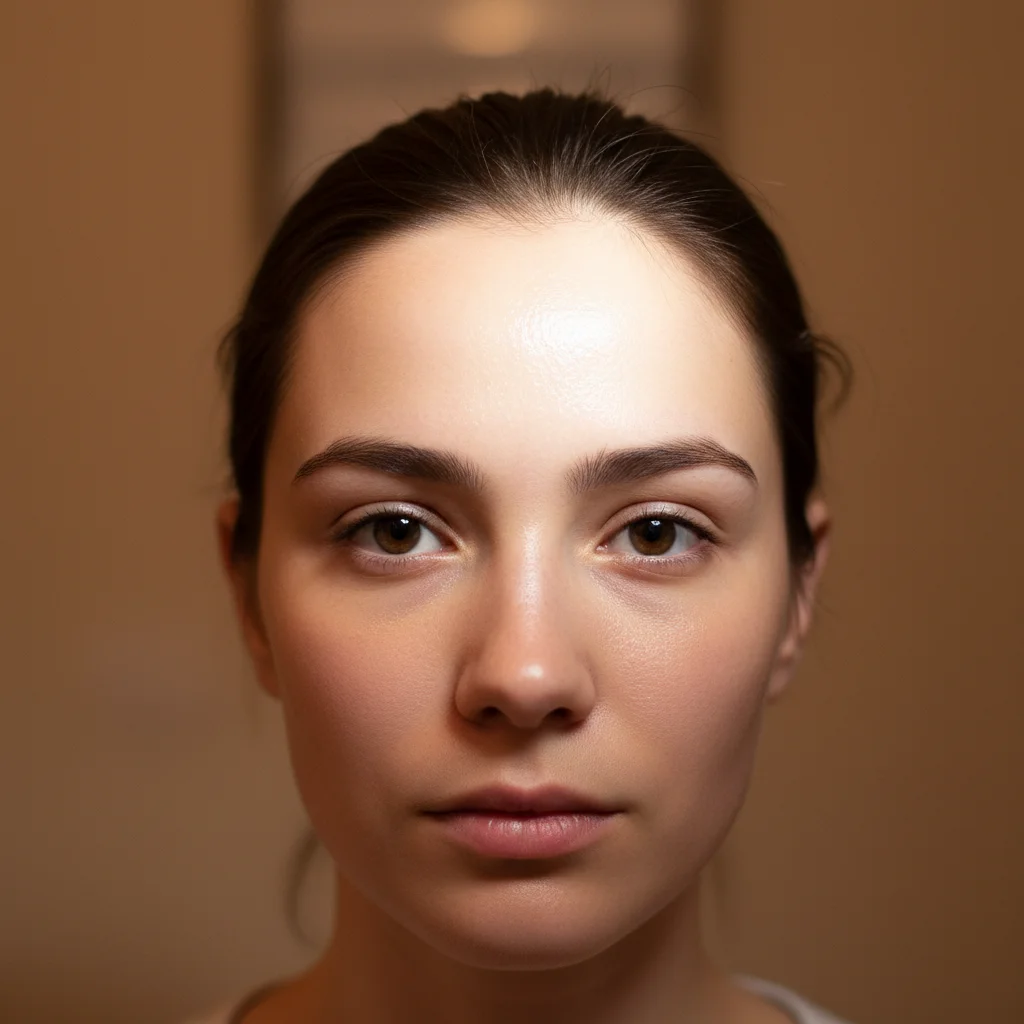
Event photo with flash hotspot on forehead
Before
->
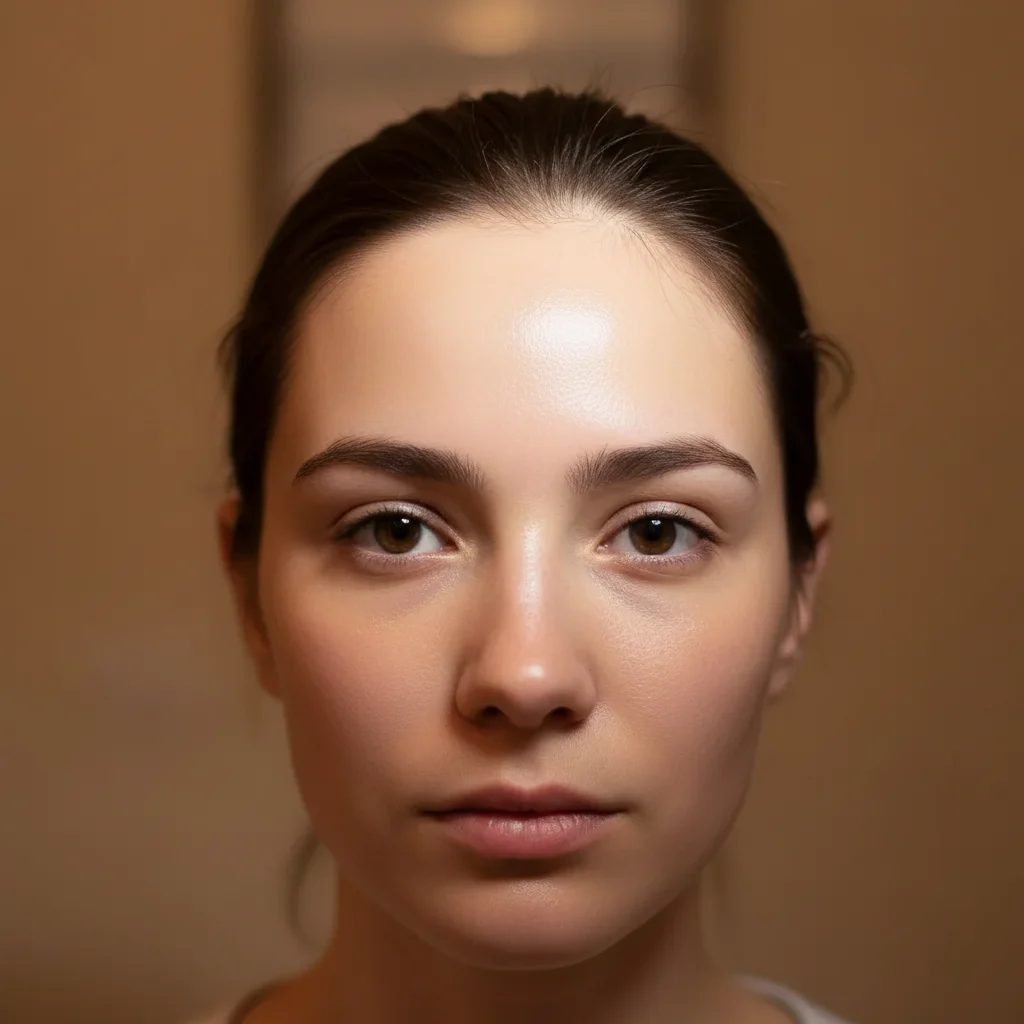
Same photo with natural-looking skin on forehead
After

Flash hotspot on forehead removed

Event photo where camera flash created a shiny bright spot on the forehead. Now the skin looks natural and even.

Prompt: remove the flash hotspot from the forehead and show natural skin

Quick answers

Do I need to mark the glare before describing what to remove?

No! Just describe what you want: 'remove the glare from the glasses' or 'fix the window reflection.' The AI recognizes glare patterns automatically.

Can it reveal my eyes if the glare completely covers them?

Yes. The AI reconstructs realistic eyes based on your face shape, skin tone, and any visible eye details at the edges. For best results, mention your eye color in the prompt: 'reveal natural blue eyes.' The AI will generate convincing eyes that look natural, though they're reconstructed rather than revealed.

Is there a free glare removal tool that doesn't require signup?

Yes. EditThisPic removes glare from glasses, windows, screens, and shiny surfaces completely free. No account creation, no email required. Just upload your photo, describe the glare to remove, and download the result. No watermarks added.

How do I remove glare from glasses in a photo for free?

Upload your photo to EditThisPic and type 'remove the glare from the glasses and show clear eyes.' The AI handles the rest in 15-30 seconds. Works on prescription glasses, sunglasses with visible eyes, and reading glasses. Free, no login needed.

What types of glare can this tool remove?

All types: glasses reflections from flash, window glare blocking views, screen shine on laptops and phones, flash hotspots on skin, product photography shine, and mirror reflections. Any bright spot caused by light reflecting off a surface.

Will removing glare look natural or obvious?

Natural. The AI reconstructs what should be behind the glare based on surrounding context - matching skin tones, sky colors, or screen patterns. Results blend because the AI understands what belongs in each area.

Is EditThisPic's AI glare remover really free?

Yes — you get 1 free edit per week, no account needed. Plans start at $4.99/month for 15 edits.

Can I remove glare on my phone?

Yes. EditThisPic works in any mobile browser — iPhone, Android, tablet. No app download needed.

How much does EditThisPic cost?

You get 1 free edit per week — no account needed. After that, credit packs start at $1.99 for 3 edits. Monthly plans start at $4.99/mo for 20 edits with unused credits rolling over. All edits are full resolution with no watermark.


Ready to remove that glare?

Free to try. No signup required.

1 free edit included·Credit packs from $4.99