Free • No signup Apply Blue hour look · Free

AI Blue Hour Filter

Just describe the blue hour effect and AI applies the twilight magic.
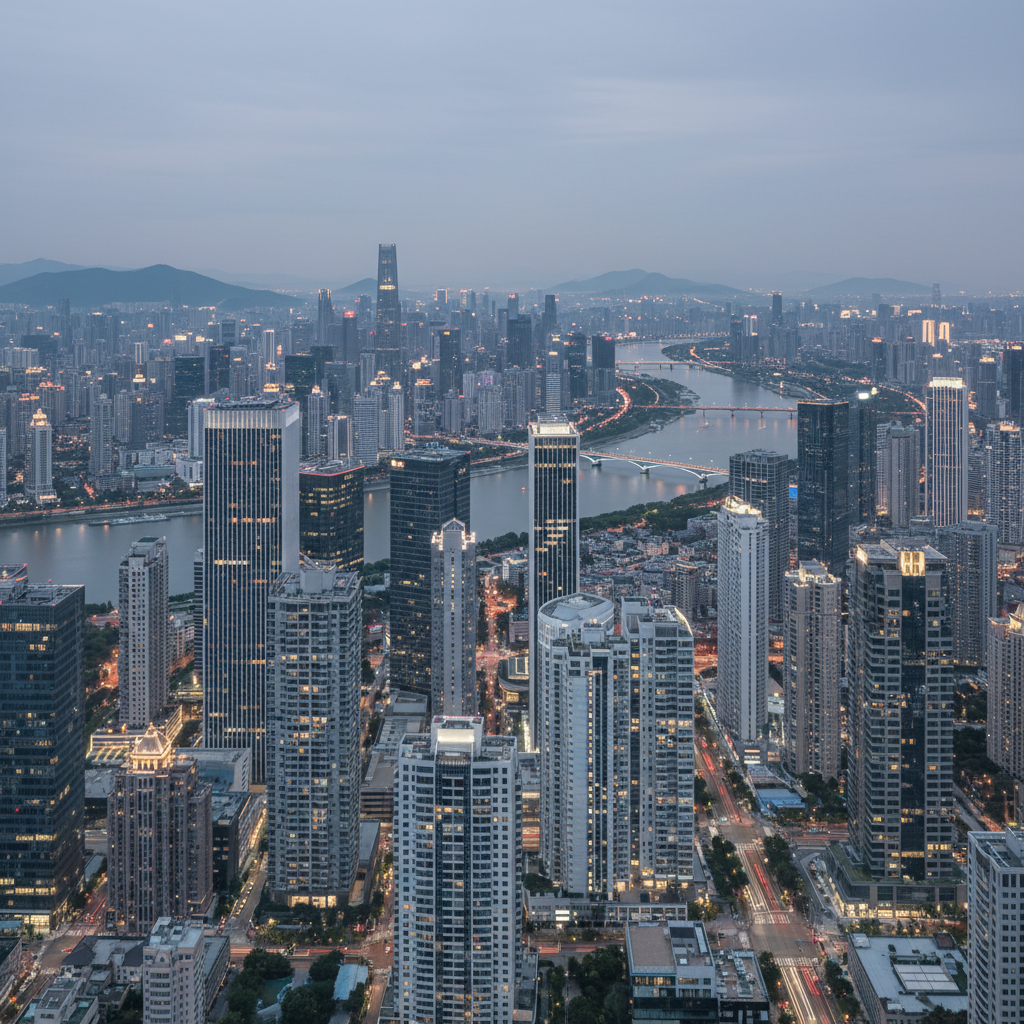
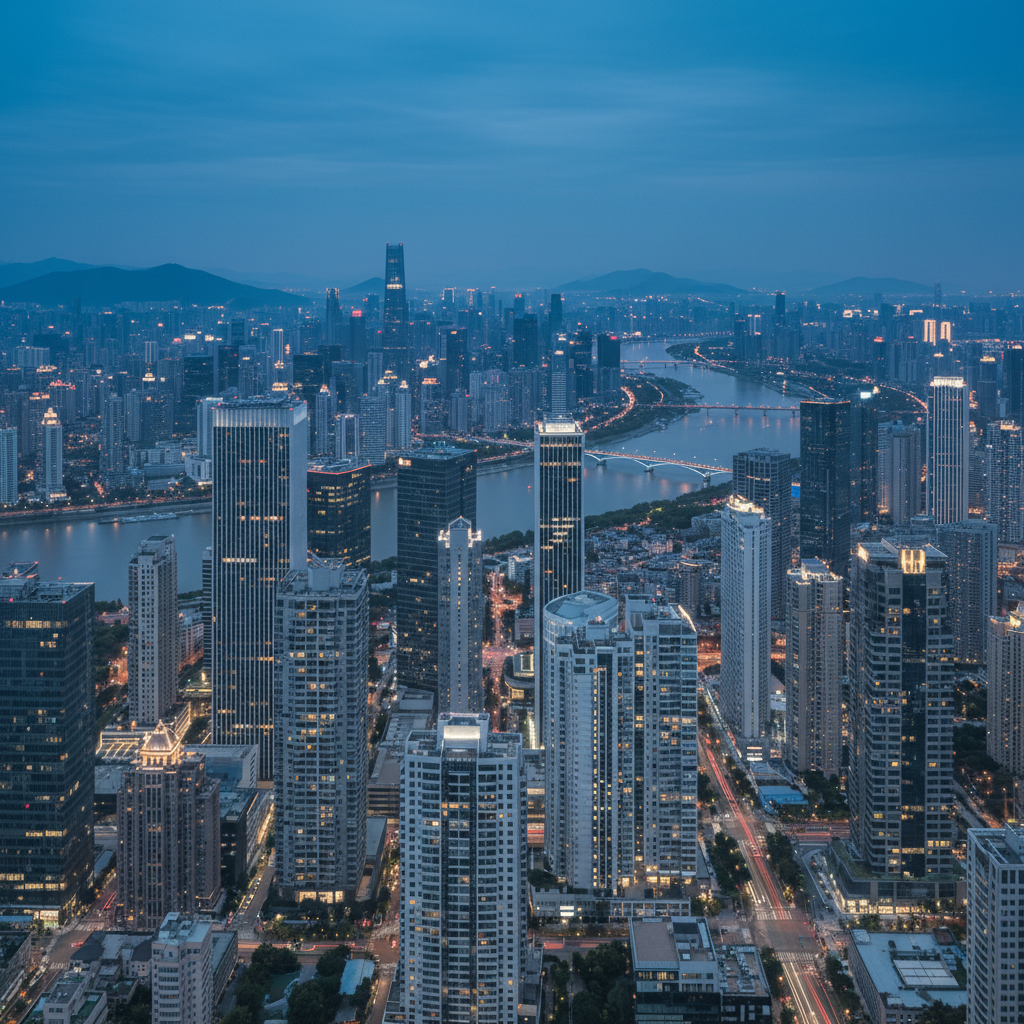
City skyline at regular evening
Before
City with blue hour filter—deep blue sky and warm lights
After

Add Blue Hour Filter to Photos

Drop your photo here

or click to browse

Release to upload

Free • No signup

Advertisement
Popular use cases:
  • cityscape photography
  • twilight photography
  • urban photography
  • landscape enhancement
  • architectural photography
  • travel photography
  • Instagram filters

Cost
Free No signup required
Time
Instant results in 15-30 seconds
Works on
Any device - browser, phone, tablet, desktop
Powered by
AI-powered photo editing
Scenario Prompt Time
Classic blue hour apply blue hour filter with deep blue twilight sky and warm glowing city lights 15s
Dramatic twilight add dramatic blue hour twilight atmosphere with rich blue sky 15s
Soft blue hour apply soft blue hour filter with gentle blue sky and subtle warm lights 15s
Urban glow add urban blue hour with deep indigo sky and bright warm lights 20s
Landscape blue hour apply blue hour to landscape with rich blue twilight sky 15s

How it works

  1. Upload your photo

    Drop your outdoor image into EditThisPic. Works with JPG, PNG, WebP up to 7MB. Best results with cityscapes, landscapes, or outdoor scenes. The AI will add the characteristic blue hour colors and atmosphere.

    Expect: Simple blue hour application: 15-20 seconds. Most photos work on first try with perfect twilight atmosphere.
  2. Describe the blue hour effect you want

    Type your instruction: 'apply blue hour filter with deep blue sky and warm city lights' or 'add twilight blue hour atmosphere.' Specify elements—deep blue sky, warm light sources, soft twilight glow. No marking needed—the AI understands blue hour photography.

    Tip: Mention both the blue sky and warm lights for classic blue hour contrast.

    Copy one of these to get started:

    Classic blue hour cityscape apply blue hour filter with deep blue twilight sky and warm glowing city lights
    Dramatic twilight atmosphere add dramatic blue hour twilight atmosphere with rich blue sky and golden light accents
    Soft evening blue hour apply soft blue hour filter with gentle blue sky and subtle warm window lights
    Urban blue hour glow add urban blue hour with deep indigo sky and bright warm street and building lights
    2 more prompts
    Landscape blue hour apply blue hour filter to landscape with rich blue twilight sky and natural warm tones
    Vivid blue hour add vivid saturated blue hour with electric blue sky and intense warm lighting
  3. Generate and review

    AI transforms your photo with deep blue twilight sky and enhances warm light sources for that magical blue hour look. Check that sky has that characteristic deep blue tone and artificial lights have warm orange glow.

Try it free

Add Blue Hour Filter to Photos

Drop your photo here

or click to browse

Release to upload

Free • No signup

"Got that perfect blue hour twilight look without waiting for the right time of day. The deep blue sky is stunning." @twilight_photographer

See it in action

City skyline at regular evening
Before
->
City with blue hour filter—deep blue sky and warm lights
After

Cityscape Blue Hour Transformation

Regular evening city photo. AI added classic blue hour look with deep blue sky and warm building lights.
Prompt: apply blue hour filter with deep blue twilight sky and warm glowing city lights
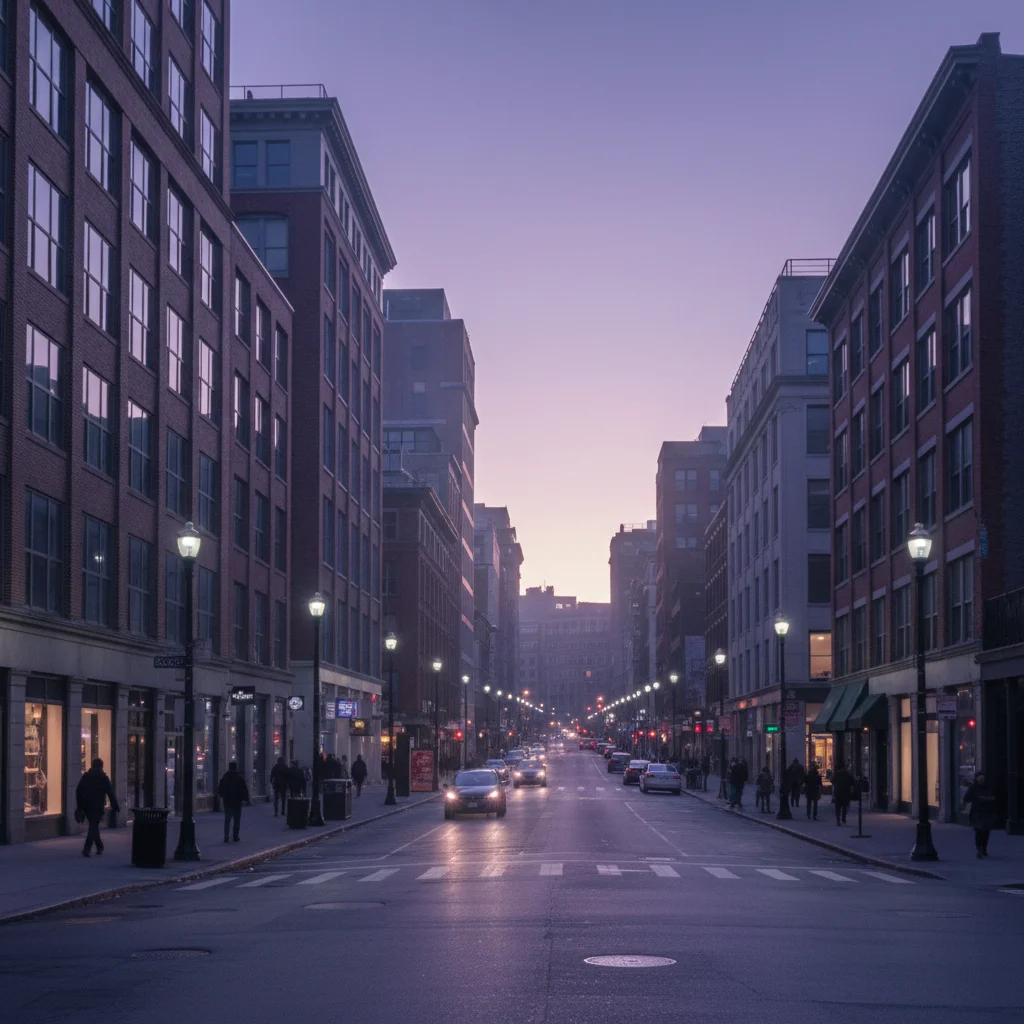
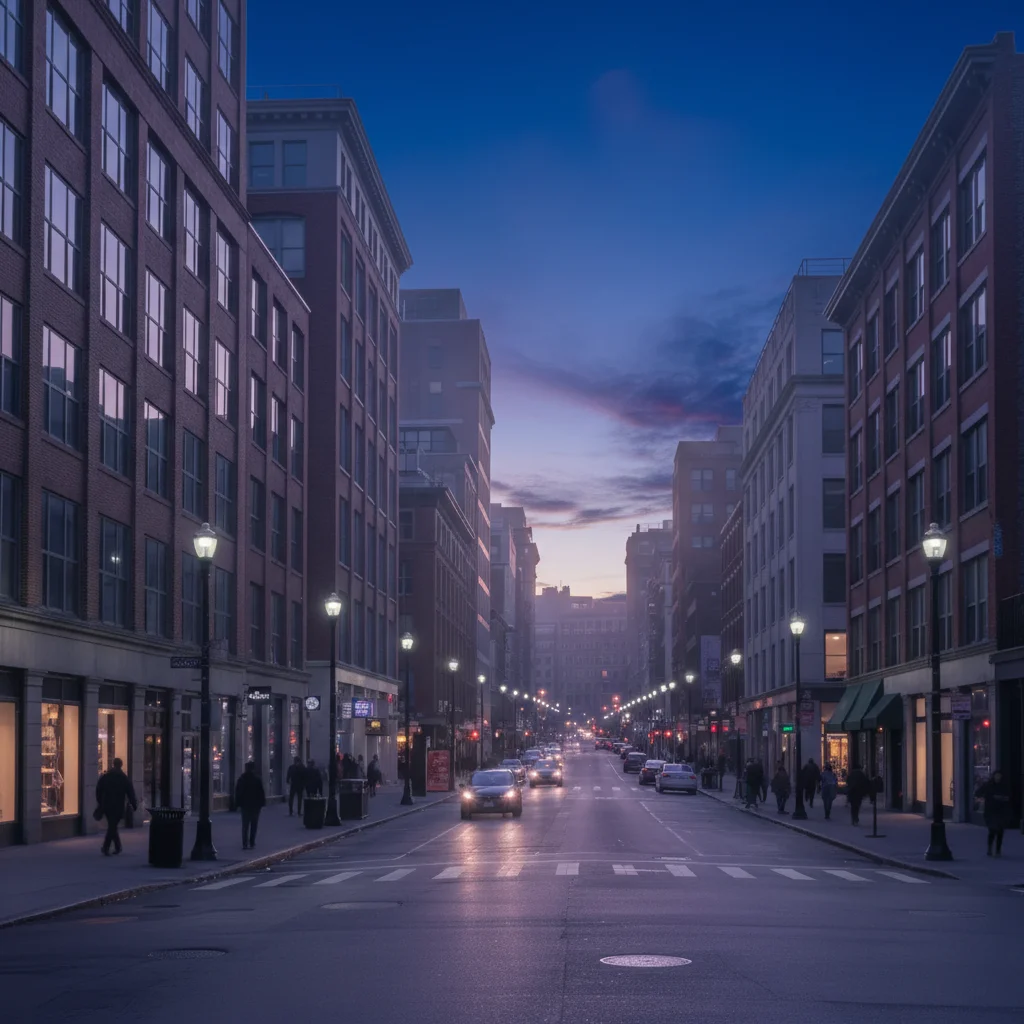
Street at dusk with purple sky
Before
->
Street with blue hour filter—deep blue sky and golden lights
After

Street Scene Blue Hour

Street photo at dusk. AI enhanced with dramatic blue hour atmosphere and warm street lighting.

Prompt: add dramatic blue hour twilight atmosphere with rich blue sky and golden light accents
Mountain at sunset with orange sky
Before
->
Mountain with blue hour filter—blue twilight sky
After

Landscape Blue Hour

Mountain landscape at sunset. AI applied blue hour tones to sky while preserving warm natural light.

Prompt: apply blue hour filter to landscape with rich blue twilight sky and natural warm tones
Advertisement

If something looks off

AI changed the wrong area or blue hour effect too subtle

Why: The AI may have applied a gentler version than expected. Blue hour is a specific color palette.

Try: Be more emphatic: 'apply strong blue hour filter with very deep blue sky and vivid warm lights'

Tip: Blue hour has distinct characteristics. Describe them: 'deep blue sky' + 'warm orange lights' for better results.

Sky turned blue but lights didn't warm up

Why: The AI focused on sky color but didn't enhance artificial light sources.

Try: Explicitly request both: 'apply blue hour with deep blue sky AND enhance warm glow from all light sources'
Whole image looks too blue, lost warmth

Why: Overly aggressive blue application without preserving warm tones. Blue hour needs color contrast.

Try: Try: 'blue hour filter with blue sky but preserve warm tones in lights and highlights'
Effect looks unnatural or oversaturated

Why: Blue hour can look artificial if too saturated. Fine line between dramatic and fake.

Try: Request subtlety: 'natural blue hour filter with realistic twilight colors, not oversaturated'
No change visible or very minimal effect

Why: Photo may already have blue hour qualities, or AI didn't recognize the request.

Try: Be specific: 'transform sky to deep indigo blue twilight and make all lights warm orange-gold'

Quick answers

Do I need to mark anything before applying blue hour?

No! Just describe the effect: 'apply blue hour filter' or 'add twilight blue hour atmosphere.' The AI recognizes skies, light sources, and applies the characteristic blue hour colors automatically. No marking needed.

How do I add blue hour filter to a photo for free?

Upload your outdoor image to EditThisPic and request blue hour: 'apply blue hour filter with deep blue sky and warm lights.' The AI transforms the sky to deep twilight blue and enhances warm tones in artificial lights. Free to use, no account needed.

What is blue hour in photography?

Blue hour is the twilight period just after sunset or before sunrise when the sky turns deep blue while artificial lights appear warm orange. It creates magical contrast between cool blue ambient light and warm artificial lights. Photographers prize this brief window for its unique atmosphere.

Will this work on any photo or just cityscapes?

Best on outdoor scenes with visible sky—cityscapes, landscapes, architecture, streets. Works great with artificial lights (buildings, street lamps) for classic contrast, but also enhances nature scenes with rich twilight blue tones. Indoor photos won't benefit much.

What's the difference between blue hour and just making the sky blue?

True blue hour is a specific color palette: deep indigo-blue sky + warm orange lights + soft atmospheric glow. It's not just blue sky—it's the interplay of cool and warm tones. The AI creates this entire look, not just color-shifts the sky.

Ready to add blue hour magic?

Free to try. No signup required.

Try it free