Free • No signup Apply Dreamy effect · Free

AI Dreamy Filter

Just describe the dreamy look you want - AI adds the ethereal glow.
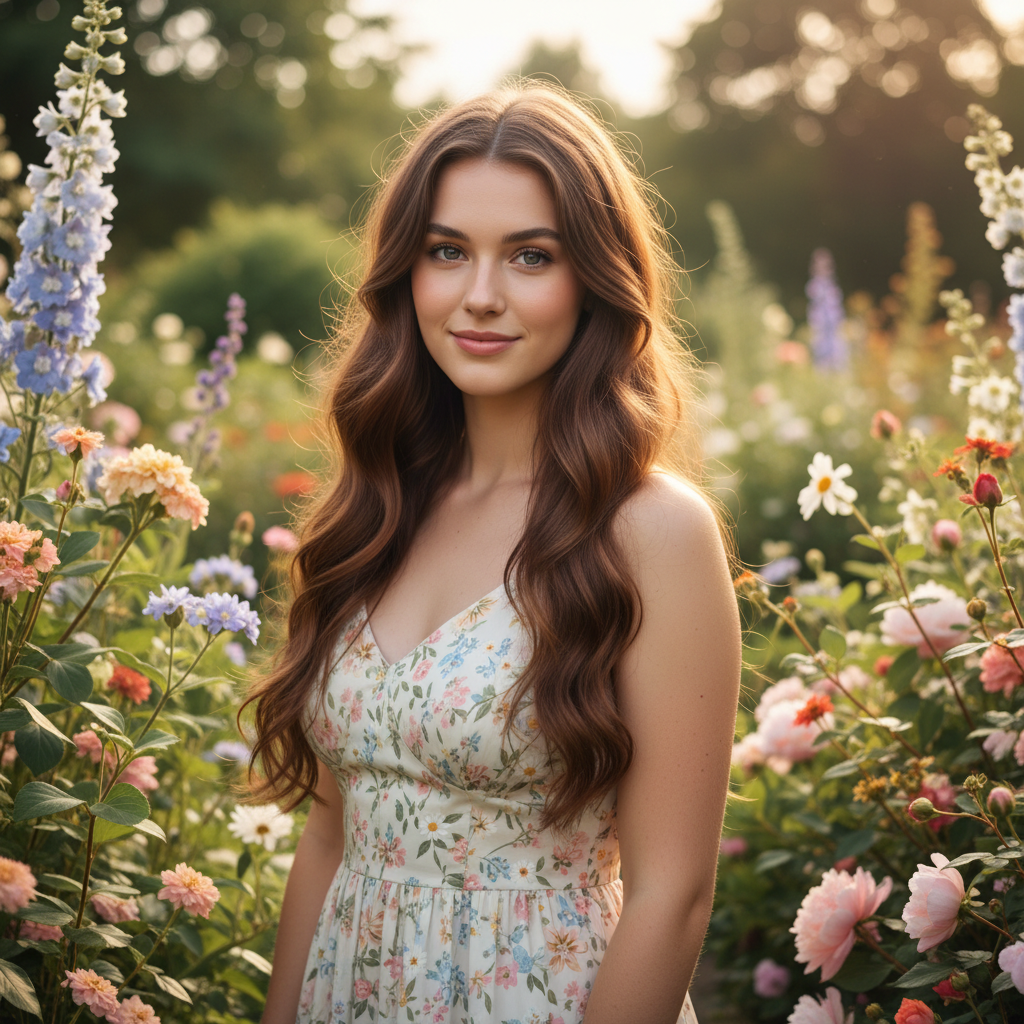
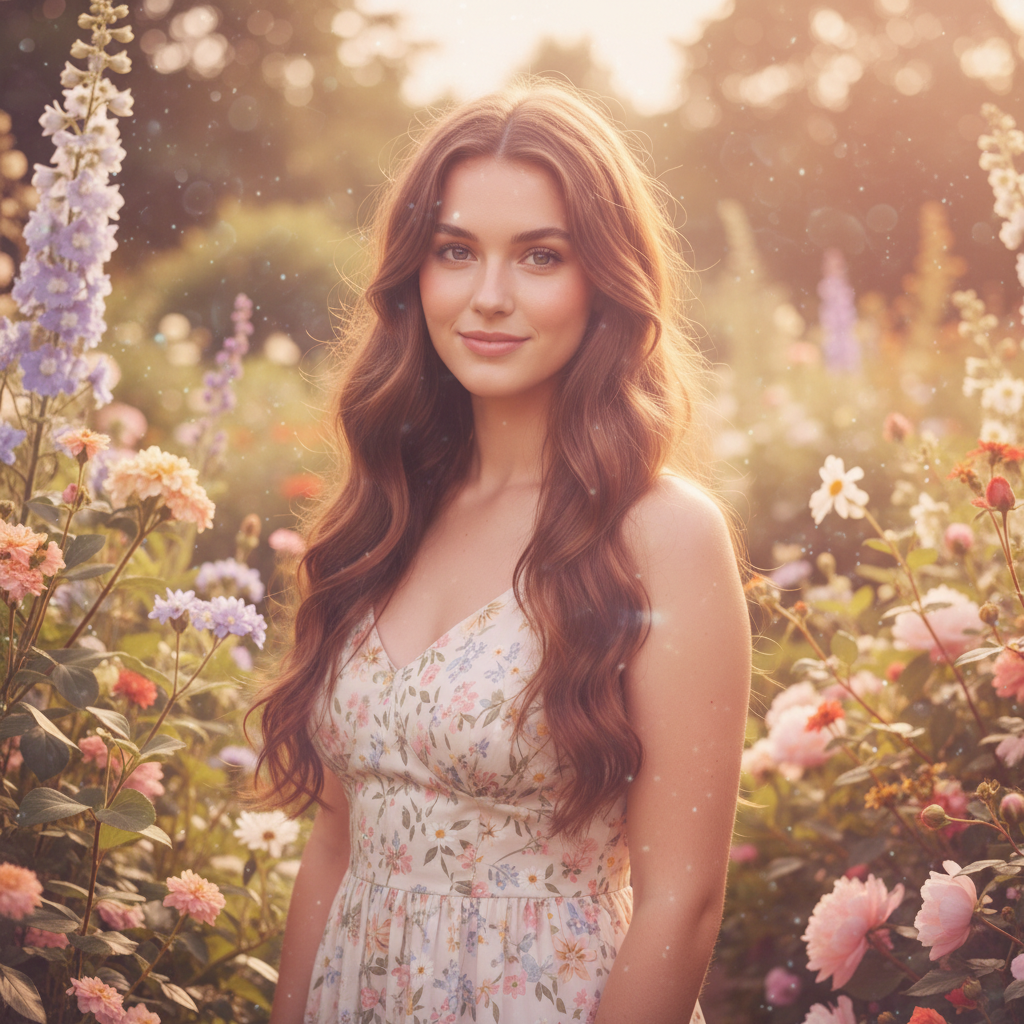
Normal portrait before dreamy filter
Before
Portrait with soft dreamy glow and ethereal effect
After

Apply Dreamy Filter to Photos Free

Drop your photo here

or click to browse

Release to upload

Free • No signup

Advertisement
Popular use cases:
  • wedding photography
  • portrait photography
  • newborn photos
  • engagement shoots
  • Instagram aesthetic
  • fairy tale themes

Cost
Free No signup required
Time
Instant results in 15-30 seconds
Works on
Any device - browser, phone, tablet, desktop
Powered by
AI-powered photo editing
Scenario Prompt Time
Classic soft dreamy apply a dreamy filter with soft focus, glowing highlights, and gentle hazy light 15s
Pastel dreamy aesthetic apply dreamy filter with soft pastel colors and lavender tones 15s
Golden hour dreamy apply dreamy filter with warm golden glow and sun-kissed highlights 15s

How it works

  1. Upload your photo

    Drop your image into EditThisPic. JPG, PNG, WebP up to 7MB. Works especially well on portraits, nature scenes, and photos with good lighting.

    Expect: Simple dreamy effects: 15-30 seconds. Complex multi-layer looks: may need one refinement.
  2. Describe the dreamy effect

    Type your instruction: 'apply a dreamy filter with soft focus and glowing highlights' or 'make this look ethereal with pastel tones and hazy light.' Be specific about softness level, glow intensity, and color palette. No marking needed—the AI applies the effect to the entire image.

    Tip: Combine effects: 'dreamy soft focus with lavender tint and golden hour glow' for unique looks

    Copy one of these to get started:

    Classic soft dreamy portrait apply a dreamy filter with soft focus, glowing highlights, and gentle hazy light throughout the image
    Pastel dreamy aesthetic apply a dreamy filter with soft pastel colors, light pink and lavender tones, and gentle diffused glow
    Golden hour dreamy glow apply a dreamy filter with warm golden glow, soft focus, and sun-kissed highlights
    Ethereal white dreamy look apply an ethereal dreamy filter with soft white glow, lifted shadows, and creamy highlights
    2 more prompts
    Vintage dreamy with film grain apply a dreamy vintage filter with soft focus, muted colors, subtle film grain, and nostalgic glow
    Fantasy dreamy with color shift apply a fantasy dreamy filter with soft purple and blue tones, glowing highlights, and ethereal haze
  3. Generate and review

    Click Generate and watch your photo transform. Check that the soft focus isn't too blurry, the highlights have a gentle glow, and important details like eyes remain sharp.

  4. Refine with markers if needed

    If you want certain areas sharper or softer, tap markers on those spots and regenerate with instructions like 'keep face details sharp' or 'stronger glow around edges.' This is optional—most dreamy filters work without markers.

    Tip: Markers help you control where the effect is strongest, but try without them first.
Try it free

Apply Dreamy Filter to Photos Free

Drop your photo here

or click to browse

Release to upload

Free • No signup

"This dreamy filter is magical! Just typed what I wanted and got that soft, ethereal look I've been trying to achieve in Photoshop for hours." @weddingphotog

See it in action

Normal portrait before dreamy filter
Before
->
Portrait with soft dreamy glow and ethereal effect
After

Portrait with Soft Dreamy Glow

Applied classic dreamy effect with soft focus and glowing highlights to a portrait.

Prompt: apply a dreamy filter with soft focus, glowing highlights, and gentle hazy light throughout the image
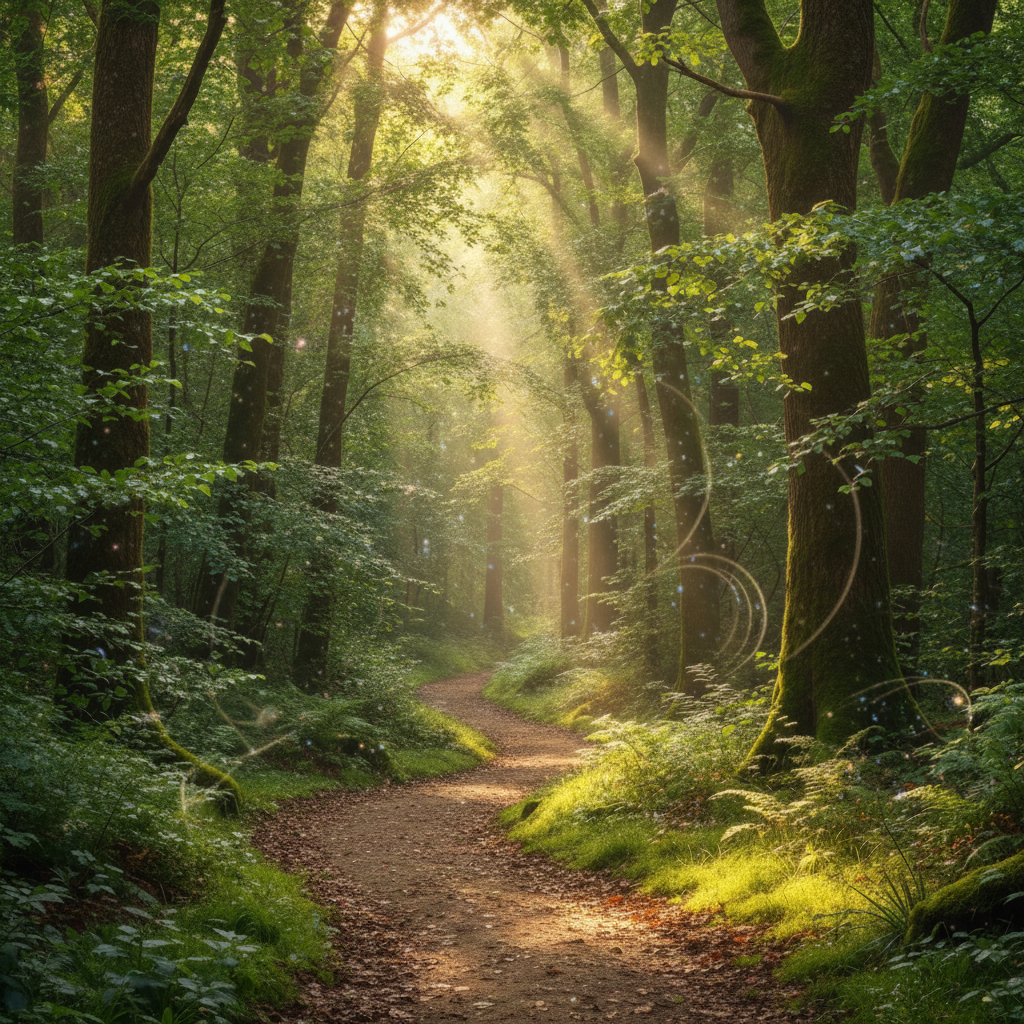
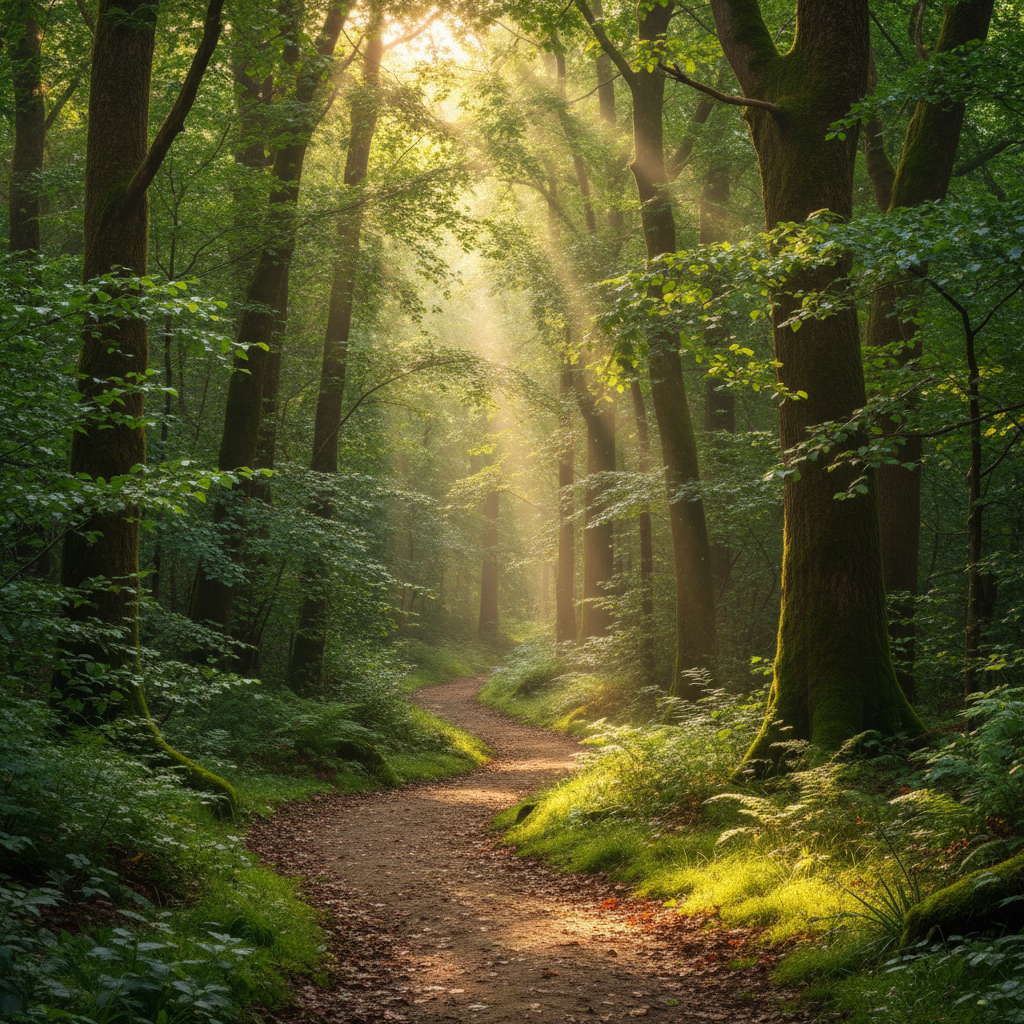
Clear flower photo before dreamy filter
Before
->
Flower photo with pastel dreamy glow
After

Flower Photo with Pastel Dreamy Look

Transformed a flower photo into a dreamy pastel scene with soft colors and glow.

Prompt: apply a dreamy filter with soft pastel colors, light pink and lavender tones, and gentle diffused glow
Advertisement

If something looks off

Photo looks too blurry or lost important details

Why: The AI may have applied too much soft focus based on your prompt wording.

Try: Regenerate with 'apply a subtle dreamy filter with gentle soft focus, keep important details sharp' or 'dreamy glow but maintain facial features'

Tip: Use words like 'subtle' or 'gentle' to reduce blur intensity, and specify 'keep eyes sharp' for portraits

Glow is too strong or unrealistic

Why: Over-application of highlight glow can create an artificial look.

Try: Regenerate with 'apply a natural dreamy filter with soft glow, not too bright' or 'gentle dreamy effect with realistic lighting'

Tip: Add 'natural' or 'realistic' to your prompt for more restrained glowing effects

Colors look washed out or too pale

Why: Dreamy filters often lift shadows and reduce saturation, which can remove color vibrancy.

Try: Regenerate with 'apply dreamy filter but preserve color saturation' or 'soft dreamy look with vibrant colors maintained'

Tip: For colorful subjects like flowers, specify 'keep colors vibrant' in your prompt

AI changed the wrong area or something I didn't want changed

Why: The AI couldn't determine exactly which area you meant from description alone.

Try: Tap a marker on the specific area you want to adjust differently, then regenerate with instructions like 'apply dreamy effect everywhere except the marked area'

Tip: Markers let you control selective sharpness or glow. Use them to keep faces sharp while softening backgrounds.

Quick answers

Do I need to mark anything to apply a dreamy filter?

No! Just describe the effect you want: 'apply a dreamy filter with soft focus and glowing highlights' or 'make this look ethereal with pastel tones.' The AI applies the effect to the entire image. Only use markers if you want certain areas sharper or softer than others, like keeping a face sharp while softening the background.

How do I make sure the photo doesn't get too blurry?

Use words like 'subtle' or 'gentle' in your prompt: 'apply a gentle dreamy filter with soft glow.' For portraits, add 'keep facial features and eyes sharp' to maintain important details while creating the dreamy atmosphere. You can also start subtle and regenerate with stronger effects if needed.

What's the difference between dreamy and soft focus filters?

Dreamy filters combine multiple effects—soft focus, glowing highlights, lifted shadows, and often color adjustments—to create an ethereal, romantic look. Soft focus alone just blurs slightly. Dreamy filters create that signature glowing, magical aesthetic seen in fairy tale photography.

Can I combine dreamy effects with color tones?

Yes! The AI understands combined instructions: 'apply a dreamy filter with lavender and pink pastel tones' or 'dreamy golden hour glow with warm colors.' Combining soft focus with specific color palettes creates unique, personalized dreamy looks.

Ready to add dreamy effects to your photos?

Free to try. No signup required.

Try it free