Actor Headshots from Selfies — One Photo, Casting-Ready in Seconds
Last updated
Industry-standard 8x10 headshots that casting directors actually want to see, without the $400-800 photographer session.
Drop your photo here
"Turn this into a professional actor headshot with a clean backdrop and cinematic lighting"
Release to upload
Built for Actors and Performers
Your headshot is your calling card in the industry. Casting directors spend 2-3 seconds deciding if you're right for a role based on your photo alone. Professional actor headshots cost hundreds and need frequent updates. EditThisPic lets you transform any great expression into industry-standard 8x10 headshots in seconds. Multiple looks for commercial vs theatrical without multiple photo sessions.
Tools for Professional Actor Headshots
Replace Background
Swap to neutral gray or warm theatrical backdrops
Enhance Face
Enhance eyes and add catchlights like professional headshot photography
Blur Background
Create cinematic shallow depth-of-field for theatrical looks
Enhance Lighting
Professional headshot lighting with subtle modeling
Remove Background
Create clean cutout for comp cards or custom backgrounds
How to AI Photo Editor for Actor Headshots
-
Choose your best expression
Pick a photo where your personality shines through naturally. For theatrical headshots: neutral expression, direct eye contact, showing your essence. For commercial headshots: warm smile, approachable energy. Outdoor photos with even lighting work best. Avoid harsh shadows on face.
Background replacement: 25-35 seconds. Eye enhancement: 20-25 seconds.The expression is everything - casting directors look for authenticity and range. Perfect background matters less than genuine connection. -
Upload and describe your headshot style
Drop your photo into EditThisPic and describe what you want: 'replace with neutral gray backdrop for theatrical headshot' or 'create warm commercial headshot with friendly lighting and subtle eye enhancement.'
Combine edits in one prompt: 'replace background with neutral gray, enhance eyes and add catchlights, keep expression completely natural' -
Review for industry standards
Check that you still look exactly like yourself - casting directors will meet you in person. Verify background is smooth and professional without distracting elements. Ensure eyes have natural catchlights (window reflection effect). Your headshot should look current, not retouched into a different person.
Copy-Paste Prompts for Actor Headshots
Turn this into a professional actor headshot with a clean backdrop and cinematic lighting
Industry standard for dramatic/theatrical submissions - shows your essence without distraction
create commercial headshot with warm, friendly lighting, slight background blur, enhance smile and eyes naturally
Perfect for commercial auditions - casting directors want approachable and relatable
blur background with shallow depth for cinematic look, enhance eyes with dramatic catchlights, keep expression intense
Shows range and dramatic capability - great for film and TV theatrical submissions
remove background completely for clean cutout, enhance face lighting evenly, perfect for comp card placement
Models and actors need clean cutouts for comp cards and composite sheets
Show 4 more prompts
replace with neutral professional backdrop, enhance eyes and expression warmly, friendly approachable commercial look
Voice actors need photos that convey personality and warmth even though they're not on camera
replace background with textured neutral gray, enhance eyes dramatically, maintain my unique character features exactly
Character actors need headshots that show their unique look without heavy retouching
soften the harsh shadows on my face from direct sunlight, keep background naturally blurred, warm the skin tones slightly
Outdoor photos often have strong directional lighting - softening creates more flattering look
replace background with warm neutral backdrop, enhance eyes with bright catchlights, theatrical but not overly dramatic
Theater performers need personality to shine through - warmer than film/TV headshots
| Edit Type | Prompt | Time | |
|---|---|---|---|
| Theatrical headshot | replace with neutral gray backdrop, enhance eyes with catchlights |
30s | Try This → |
| Commercial headshot | warm commercial backdrop, enhance smile and eyes naturally |
30s | Try This → |
| Cinematic theatrical | blur background shallow depth, dramatic eye catchlights |
25s | Try This → |
| Comp card cutout | remove background completely, even face lighting |
20s | Try This → |
Real Examples
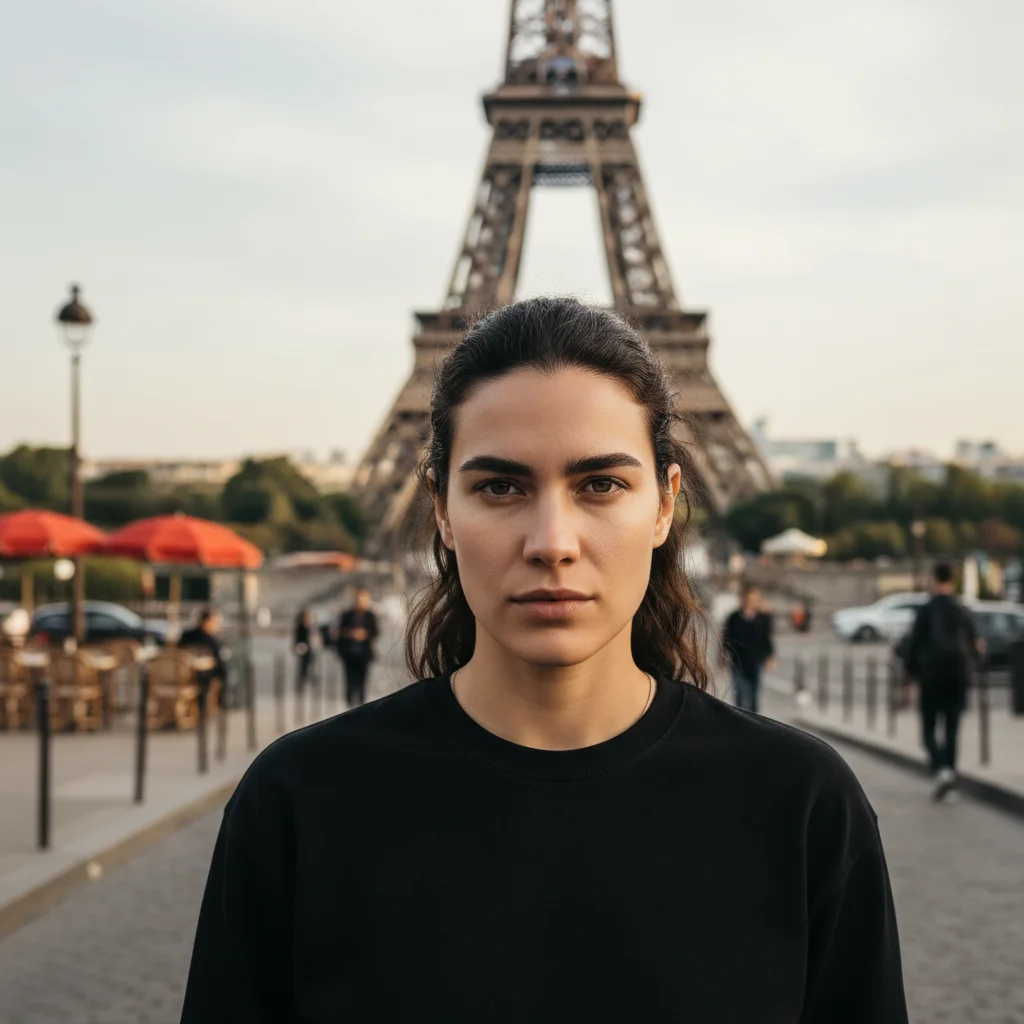
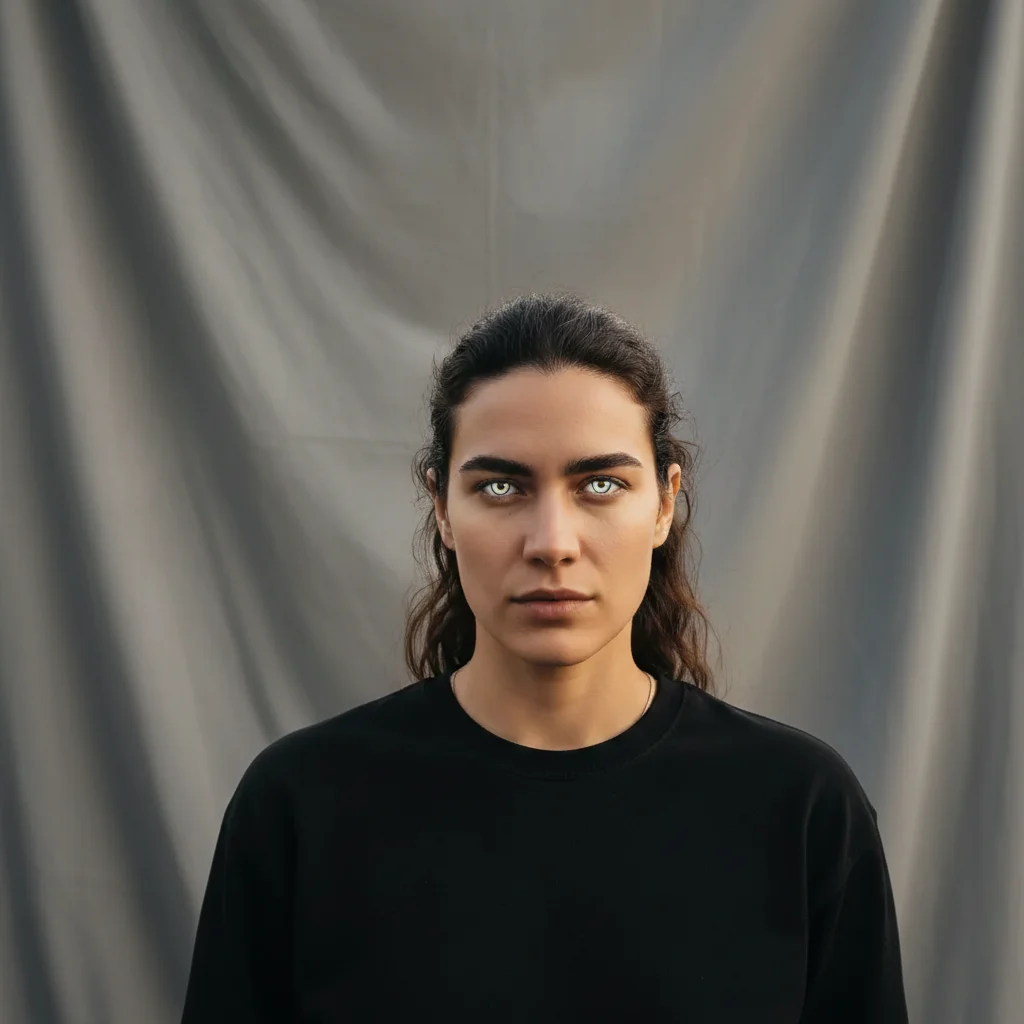
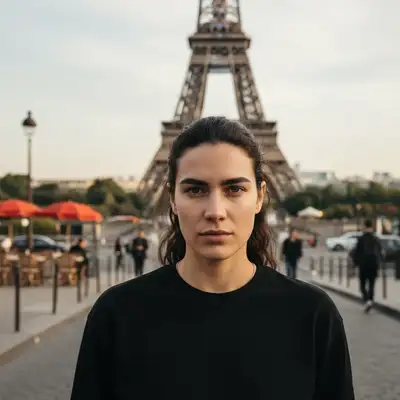
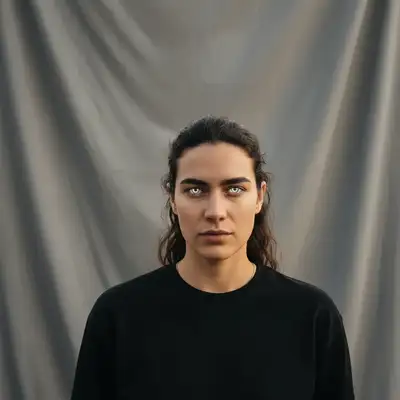
Tourist photo to theatrical headshot
Your best natural expression was captured while traveling. Keep the genuine connection with camera, replace the Eiffel Tower.
replace the Eiffel Tower and Paris street with neutral gray theatrical backdrop, enhance eyes and add subtle catchlights, keep intense natural expression exactly as is
Self-tape setup to commercial headshot
That perfect commercial smile from your self-tape setup. Keep the warm approachable energy, upgrade the bedroom wall backdrop.
replace bedroom wall and self-tape setup with warm commercial backdrop slightly blurred, enhance smile and eyes naturally, friendly casting-ready lighting
Graduation photo to headshot
Your college graduation photos captured great facial structure and expression. Lose the cap and gown, keep the confidence.
remove graduation cap and gown, replace university background with smooth neutral gray theatrical backdrop, enhance eyes with professional catchlights
Beach vacation to cinematic theatrical
That golden hour light at the beach created perfect cinematic quality. Keep the dramatic lighting, swap the ocean.
replace beach and ocean with blurred neutral backdrop, maintain the golden hour lighting quality, enhance eyes dramatically with strong catchlights, keep the intense cinematic mood
When Things Go Wrong
Eyes look over-enhanced or fake
Why: Too strong eye enhancement can make catchlights look artificial instead of natural window reflection.
enhance eyes very subtly, natural window catchlights only, maintain my natural eye color and texture
Industry standard is subtle catchlights that look like window light - not bright white dots.
Don't look like myself anymore - too retouched
Why: Multiple enhancement requests accumulated too many changes.
Start fresh with just: replace background with neutral gray backdrop, keep my face completely unchanged
Casting directors need to recognize you in person. Do background first, then decide if face needs anything.
Lighting looks flat or lacks dimension
Why: Over-correction removed the natural shadows that create facial structure.
enhance lighting but maintain natural shadows for facial dimension, subtle modeling light
Good headshot lighting shows structure - some shadow on one side is professional, not a problem.
Frequently Asked Questions
Can EditThisPic really turn my single photo into a casting-ready actor headshot?
Yes. Upload one photo, type a prompt like 'make this a professional actor headshot with a clean backdrop and cinematic lighting', and download the edited result in under a minute. Your face and expression stay exactly as they are.
Do I need to upload multiple photos or train a model?
No. EditThisPic edits a single photo. No model training, no uploading 15 selfies, no waiting hours. One photo, results in about 30 seconds.
How is this different from Photoai.com or HeadshotPro?
Those services train an AI model on 15-25 of your photos to generate new synthetic headshots. EditThisPic edits your existing photo directly — changing the backdrop and lighting — without model training or multi-photo uploads required.
How long does it take?
Usually 15-30 seconds. Upload your photo, describe the headshot style, and the result is ready. No waiting hours for a model to train.
What's the ideal input photo for a good headshot result?
Direct eye contact with camera, authentic expression, even lighting without harsh shadows. Outdoor shade or overcast days give the most flattering natural light. The background doesn't matter — that's what gets replaced.
Can I edit my existing photo instead of generating a new one?
That's exactly what EditThisPic does. It edits your real photo — replacing the backdrop, adding catchlights, improving lighting — rather than generating a synthetic new image from scratch.
What's the difference between theatrical and commercial headshots?
Theatrical: neutral expression, direct gaze, neutral gray backdrop, used for dramatic film/TV/theater roles. Commercial: warm smile, friendly energy, warmer backdrop, used for commercials and spokesperson work. Most actors need both. EditThisPic can create either style from the same source photo.
Will casting directors know it's AI-edited?
They won't care as long as you look like yourself. Casting directors care about authenticity and current likeness — not whether you paid a photographer. Just ensure you're recognizable when you walk into the audition room.
Is EditThisPic free?
Yes — you get 1 free edit per week, no account needed. Plans start at $4.99/month for 15 edits.
Can I create actor headshots on my phone?
Yes. EditThisPic works in any mobile browser — iPhone, Android, tablet. No app download needed.
Popular use cases
Ready to create your casting-ready headshot?
Free to try. No signup required. No watermarks.
Create Your HeadshotTrusted by 15,000+ users