Pricing Visualize Sealcoated asphalt · Free

AI Asphalt Sealcoat Visualizer

← Browse all creative effects

Last updated

Upload a photo of a faded driveway and preview a fresh sealcoat look. A mock-up, free, no account.
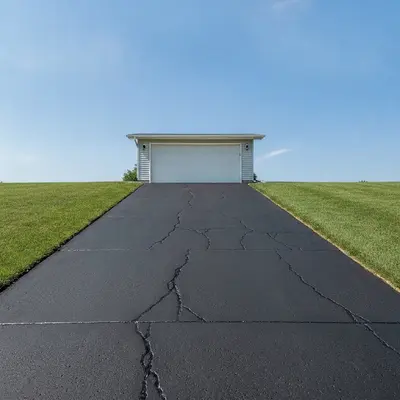
Faded gray asphalt driveway in front of a white garage Same driveway as a mock-up with an even dark sealcoat look

Upload photo to visualize sealcoated asphalt

"show this asphalt driveway sealcoated in a fresh dark finish, keep every crack and patch visible, house and lawn unchanged"

Free to try · no sign-up · never used for AI training

Release to upload

<30stypical edit
1 freeedit weekly
Photo on your phone? Scan to open this editor there — free edit works on your phone too.

1 free edit every week·paid packs after

How it works

  1. Upload a clear daytime photo of the asphalt

    Take a photo from a slight height, such as the front step, so the whole driveway is in the frame with the garage and lawn edges visible. Dry pavement in even light works best, since wet or shadowed asphalt is harder for the AI to read correctly.

    Expect: Most single-surface previews come back in well under a minute. Busy photos with lots of overlapping objects may need a second pass.
  2. Describe the finish you want to picture

    Type what the sealed surface should look like and what to keep, for example: 'show this asphalt driveway freshly sealcoated in even dark charcoal black, keep the cracks, edges, garage, and lawn unchanged.' You can also ask for crisp painted lines on a parking lot. No marking needed.

    Tip: Ask to keep the cracks. Sealcoat does not repair cracks, so a preview with a flawless surface can give the wrong idea.

    Copy one of these to get started:

    Faded driveway freshly sealcoated show this asphalt driveway freshly sealcoated in even dark charcoal black, keep the cracks, edges, garage, and lawn unchanged
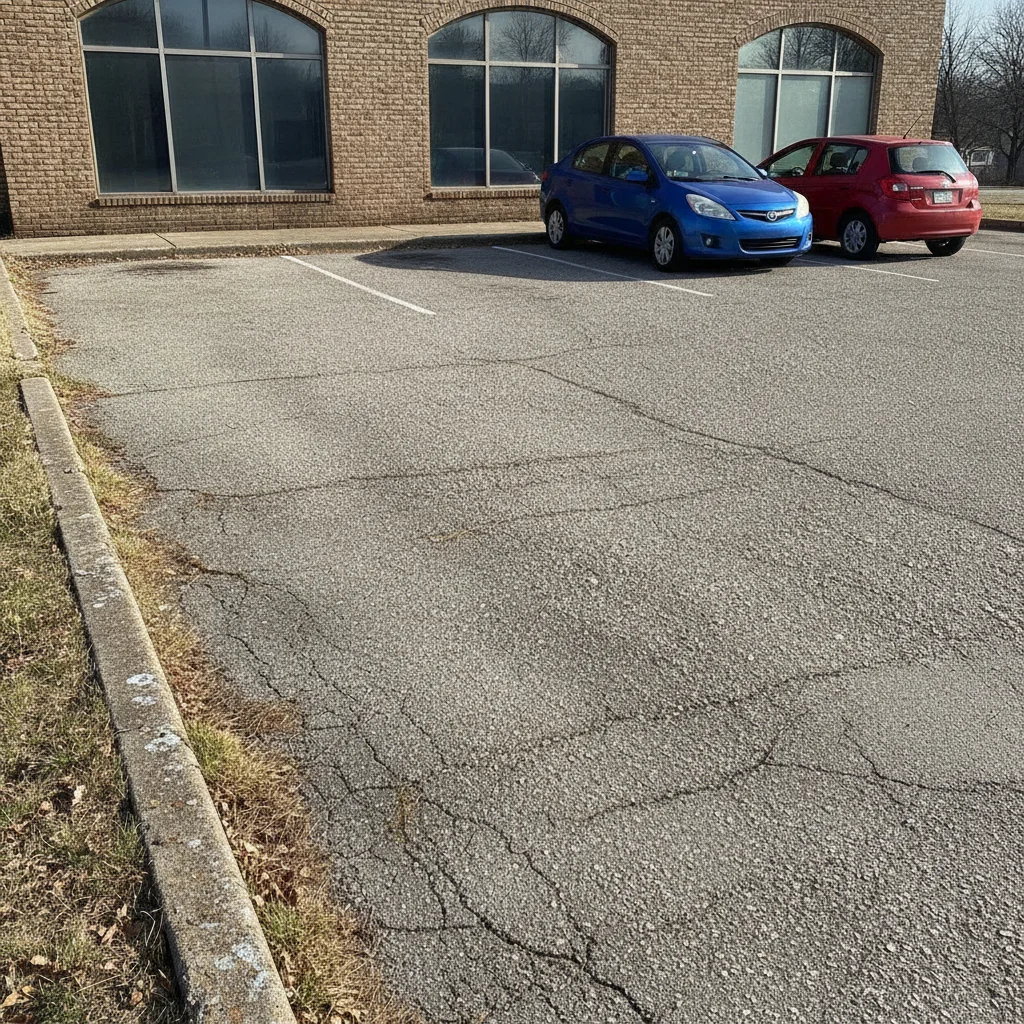
    Sealcoated with cracks still visible show this asphalt driveway sealcoated in a fresh dark finish, keep every crack and patch visible, house and lawn unchanged
    Parking lot with fresh sealcoat and lines show this asphalt parking lot freshly sealcoated in dark black with crisp white painted parking stall lines, keep the cars, curbs, and buildings unchanged
    Edge-only refresh near the garage show only the asphalt in front of the garage freshly sealcoated and darker, keep the rest of the driveway and the garage door unchanged
    3 more prompts
    Mock-up after patching a corner show this asphalt driveway with a freshly sealcoated dark finish, keep the patched area slightly different in tone, house and lawn unchanged
    Long rural driveway show this long asphalt driveway freshly sealcoated in dark black, keep the gravel shoulders, trees, and grass unchanged
    Basketball court or play area show this asphalt play area freshly sealcoated in dark green with a clean border, keep the hoop, fence, and surroundings unchanged
  3. Check the edges and what has been smoothed

    Look at where the asphalt meets lawn, garage and curb. Check that the AI kept seams, patches and cracks visible and did not turn the surface into a smooth black slab. Remember it shows the best-case look only.

  4. Refine with markers if needed

    If the AI darkened the garage door, the concrete apron, or the lawn too, tap a marker in the middle of the asphalt and regenerate with the same prompt. Markers pin the target so the rest of the photo stays as it was.

    Tip: Markers are for precision refinement, not a required step.

See it in action

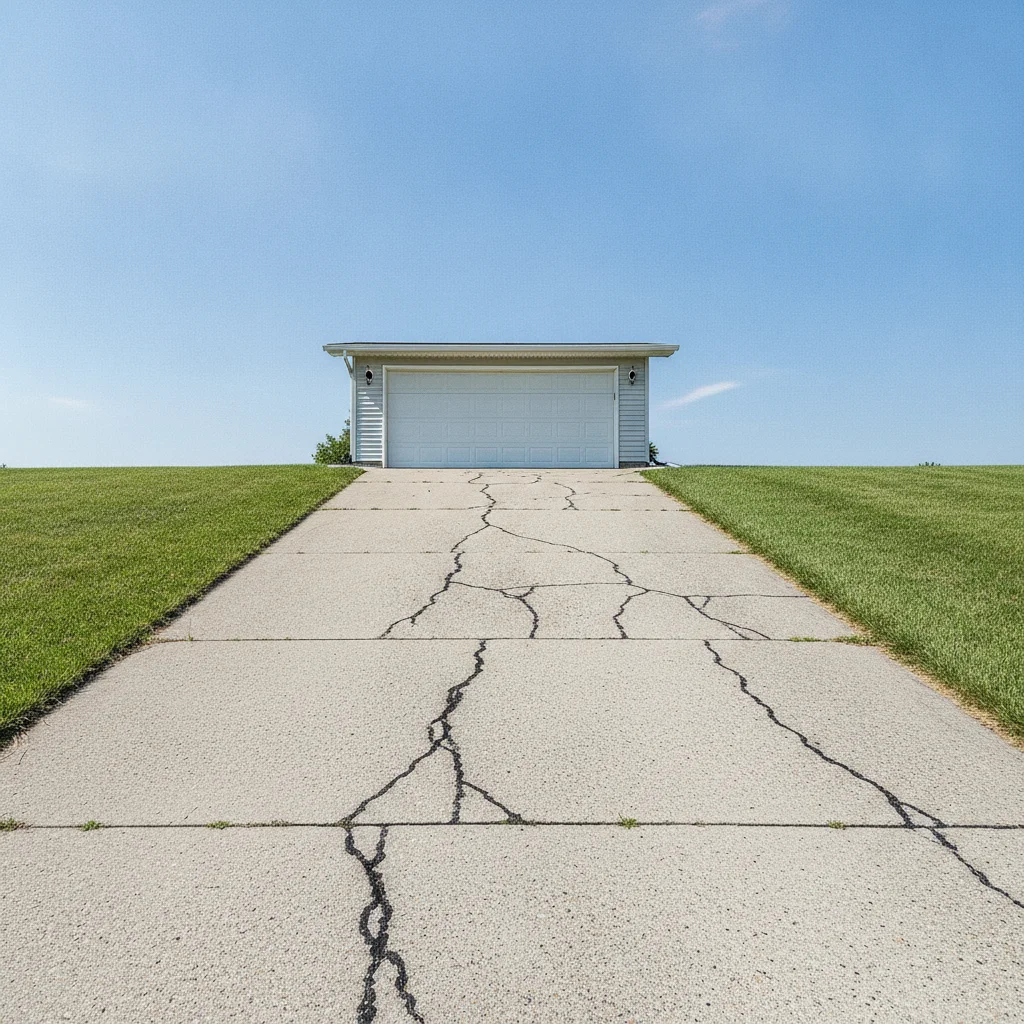
Faded gray asphalt driveway in front of a white garage
Before
->
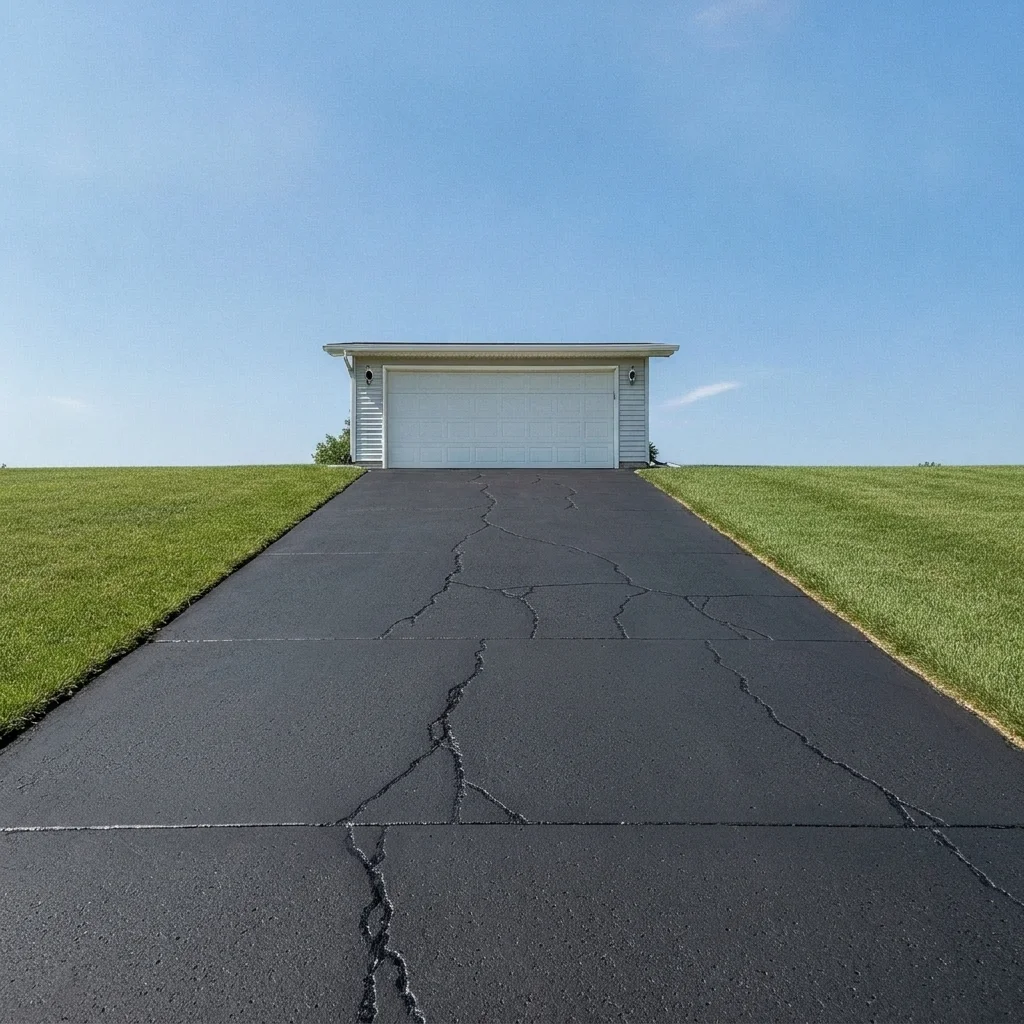
Same driveway as a mock-up with an even dark sealcoat look
After

Faded gray driveway — homeowner picture

A sun-faded asphalt driveway with hairline cracks in front of a two-car garage. The homeowner pictured fresh sealcoat before calling for quotes.

Prompt: show this asphalt driveway freshly sealcoated in even dark charcoal black, keep the cracks, edges, garage, and lawn unchanged
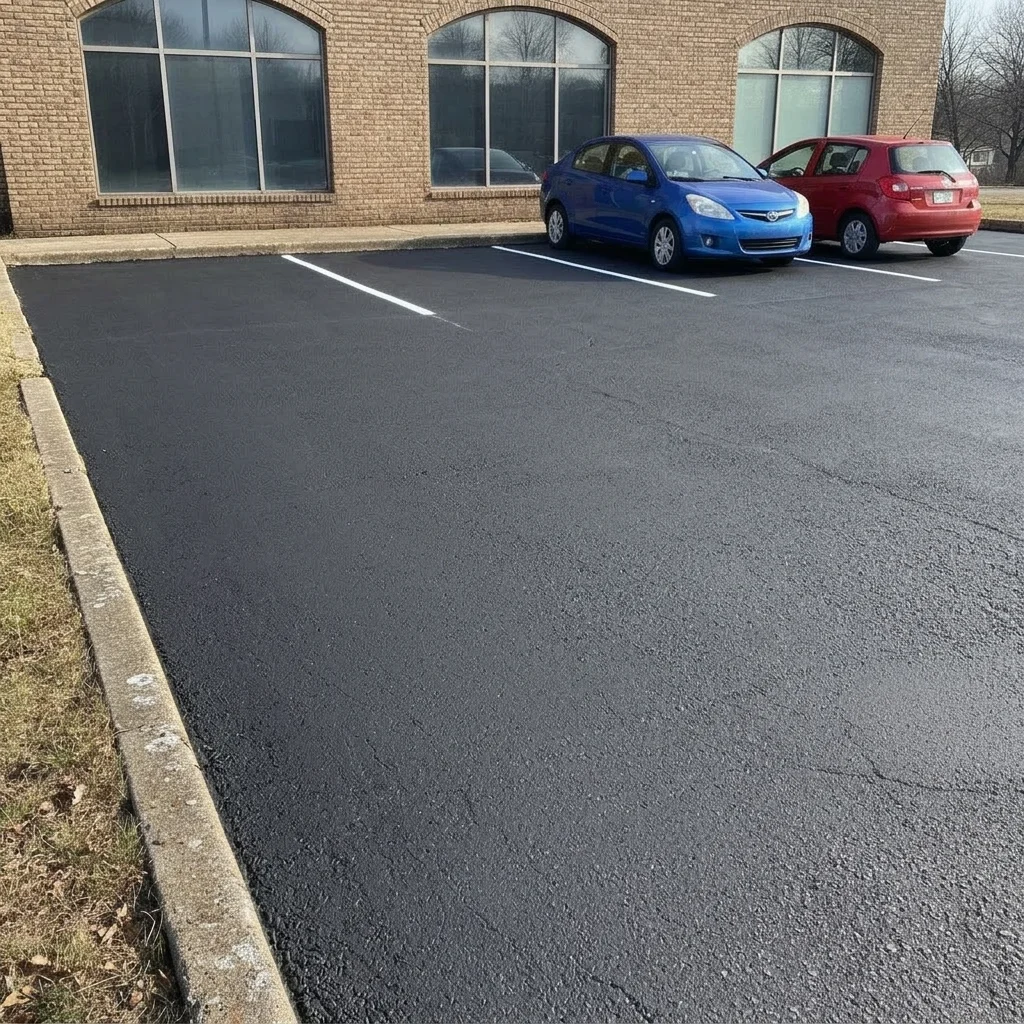
Faded gray parking lot with worn lines and two cars
Before
->
Same lot as a mock-up with dark asphalt and crisp white lines
After

Parking lot with faded lines

A small business lot with faded asphalt and worn white lines. The owner pictured fresh sealcoat and crisp stripes as an idea for a vendor conversation.

Prompt: show this asphalt parking lot freshly sealcoated in dark black with crisp white parking stall lines, keep the cars, curbs, and buildings unchanged
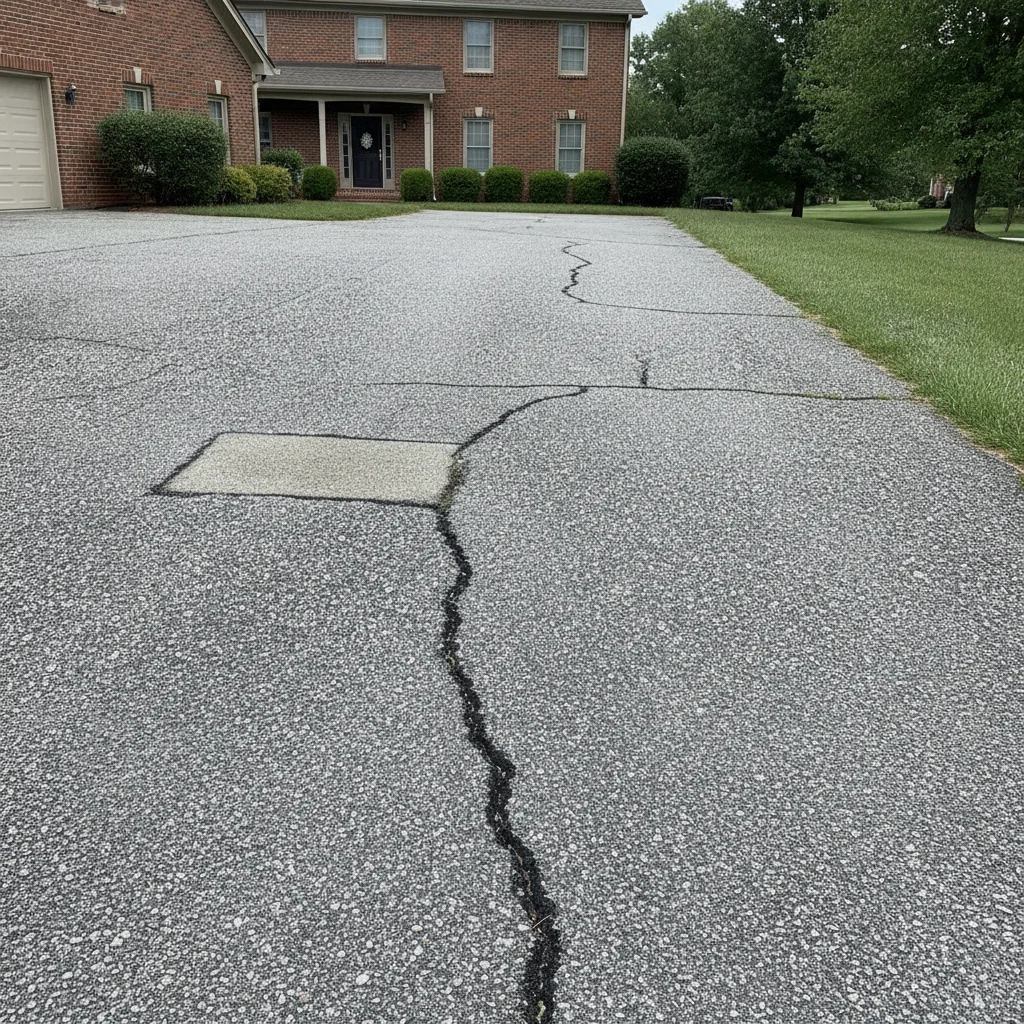
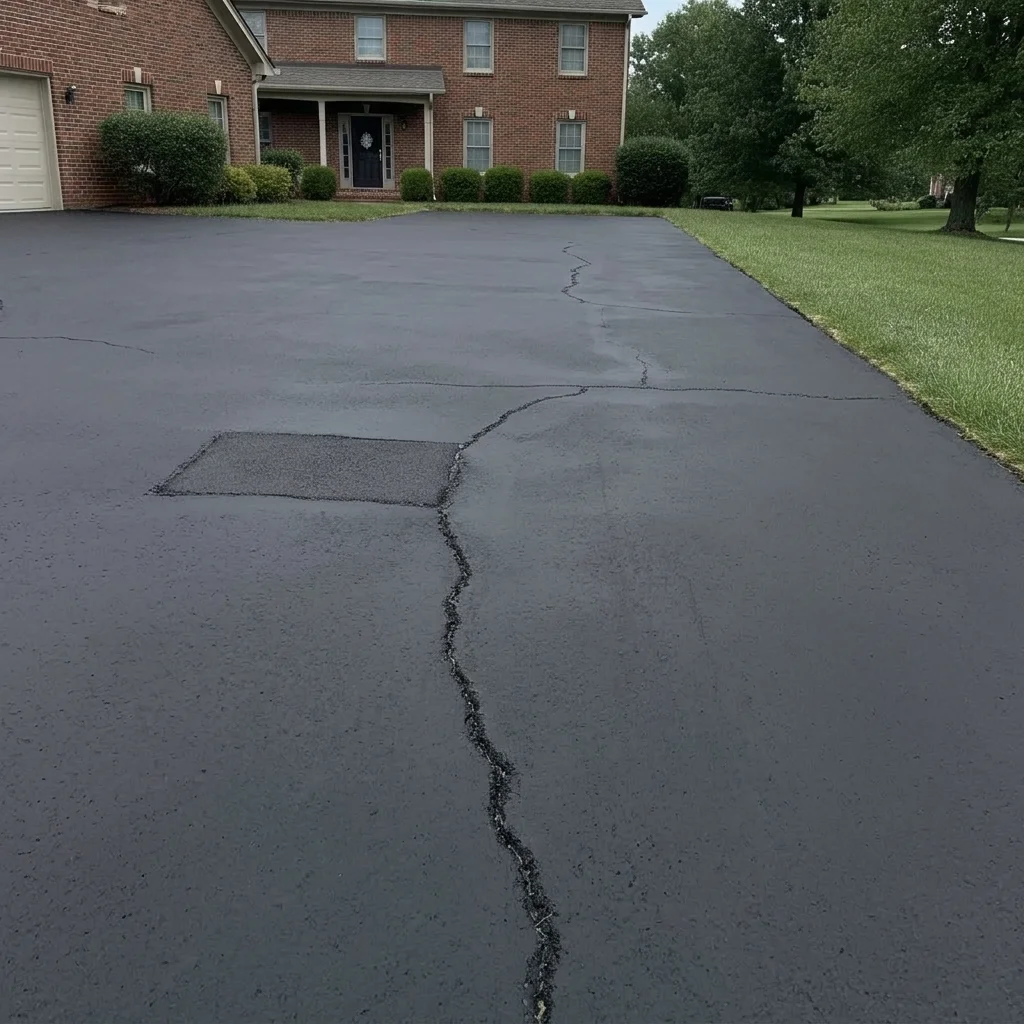
Gray driveway with cracks and a patch next to a brick house
Before
->
Same driveway as a mock-up with a darker finish and cracks still visible
After

Cracked driveway — honest preview

A driveway with several visible cracks. The mock-up keeps them visible to show that sealcoat alone does not fix them.

Prompt: show this asphalt driveway sealcoated in a fresh dark finish, keep every crack and patch visible, house and lawn unchanged

Quick answers

Do I need to mark the driveway before generating the preview?

No. Describe the finish, such as 'show this driveway freshly sealcoated in dark black, keep the cracks'. The AI finds the asphalt. Use markers only if it darkens the wrong area.

Is this a real before-and-after of sealcoating?

No. It is an AI mock-up of an idealized fresh finish. It is not a real result and cannot predict how a product will look or last. Do not present it as an actual after photo.

Is there a free asphalt sealcoat visualizer with no signup?

Yes. EditThisPic gives you a free preview edit with no account and no watermark. Upload a photo of the driveway and describe the finish.

Can a paving or sealcoating company use it with customers?

You can use it as a rough illustration during a conversation, clearly labeled as a mock-up. Do not use it as a guarantee, and tell the customer that cracks need repair and results vary.

Does sealcoating fix cracks and potholes?

Not by itself. Cracks and potholes normally need repair before sealing, and the preview cannot judge that. Ask a paving professional to inspect the surface.

How much does EditThisPic cost?

You get 1 free Standard edit per week — no account needed. After that, one-time credit packs start at $4.99 for 10 credits, valid 12 months, no subscription. A Standard edit uses 1 credit, Pro 2 and Ultra 3. Purchased downloads are clean with no watermark.

Ready to preview a sealcoated driveway?

Free to try. No signup required.

1 free edit included·paid credit packs after