Pricing Change Carpet color · Free

AI Carpet Color Changer

← Browse all change & replace tools

Last updated

Upload your room photo and describe the carpet color you want — the AI changes it in 30 seconds. Free, no account needed.
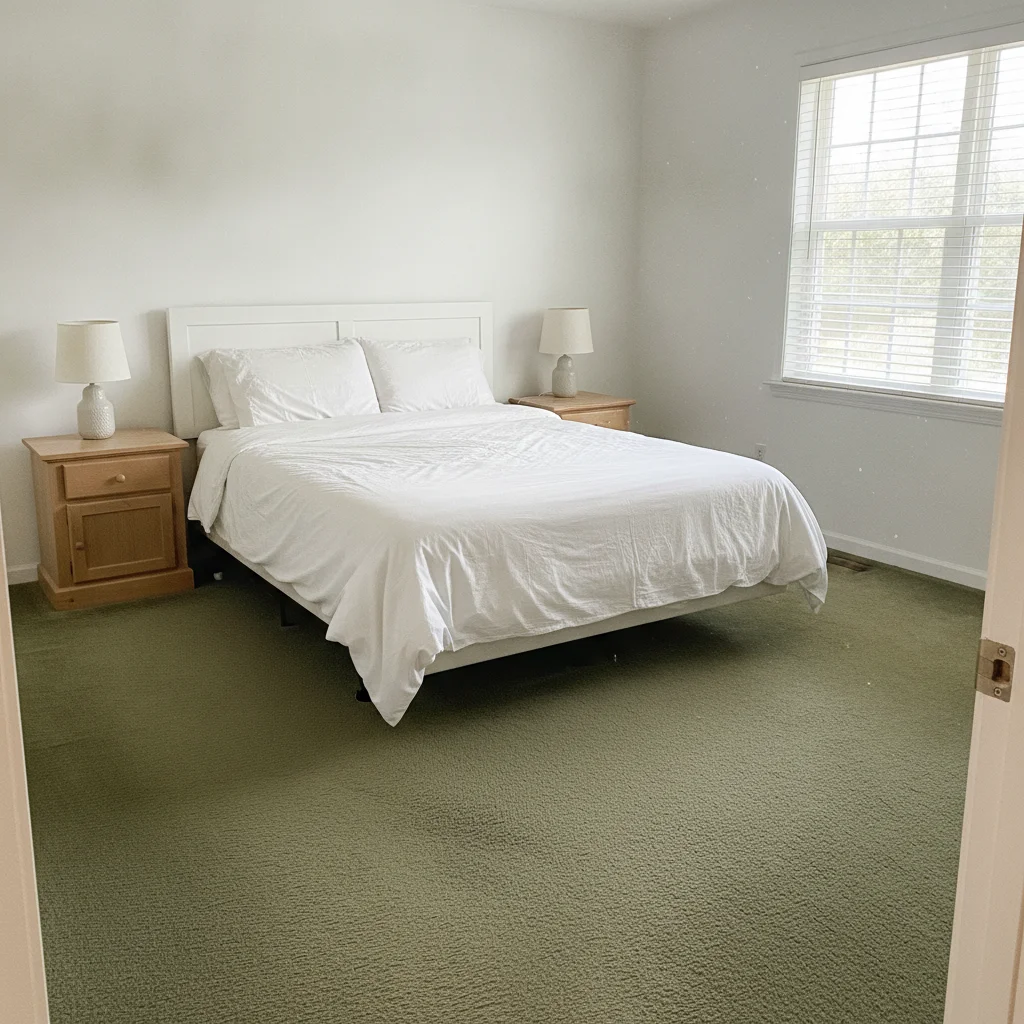
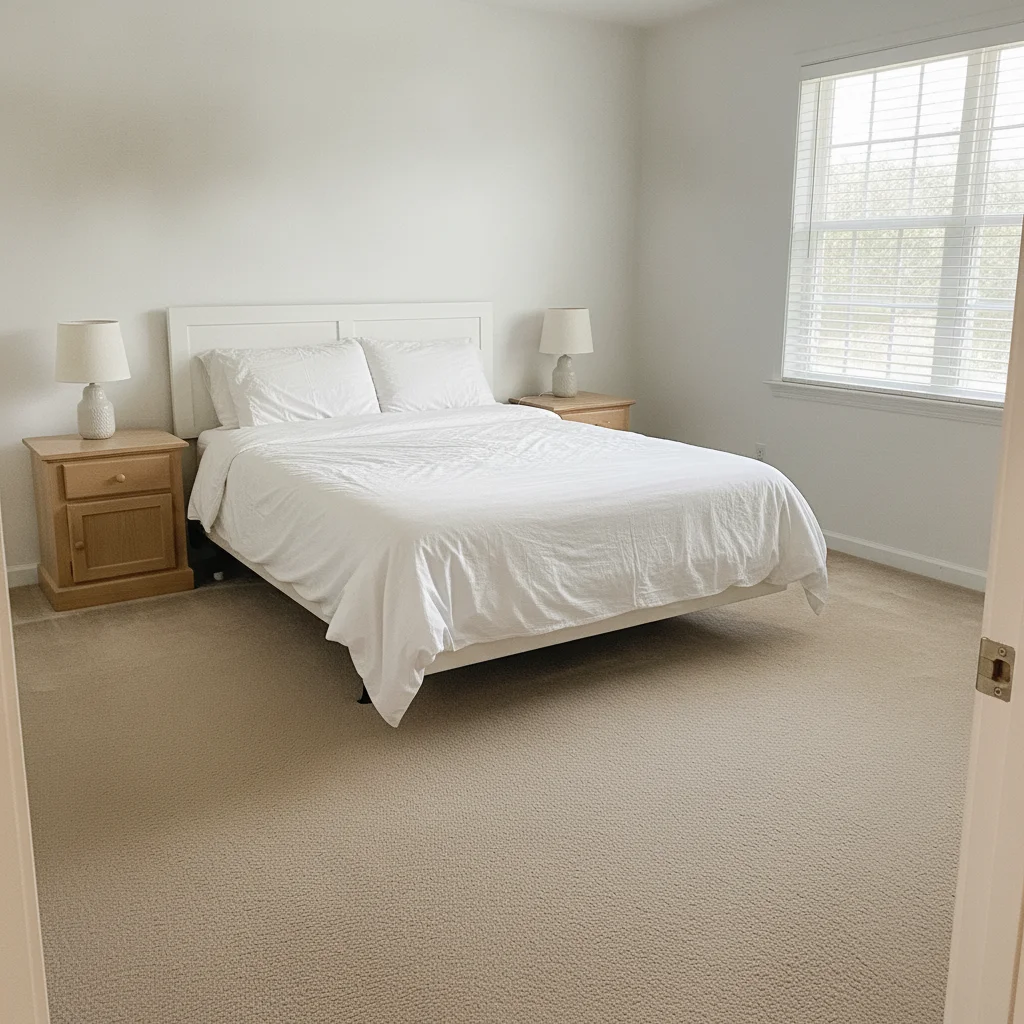
Bedroom with dated dark green wall-to-wall carpet and white walls Same bedroom with carpet changed to warm neutral beige, furniture and walls preserved

Upload photo to change carpet color

"replace the carpet with soft warm grey plush pile, mid-tone grey, not too dark, matte texture, preserve furniture and walls"

Free to try · no sign-up · photos are never shared

Release to upload

<30stypical edit
1 freeedit weekly
Photo on your phone? Scan to open this editor there — free edit works on your phone too.

1 free edit every week·packs from $4.99

How it works

  1. Upload a photo of the room with the carpet

    Use a photo where the carpet is clearly visible across the floor. Good overhead or straight-ahead room shots work best. Avoid photos taken from extreme angles where the carpet is barely visible. JPG, PNG, or WebP up to 7MB.

    Expect: Simple color changes on solid-colored carpet finish in about 30 seconds. Patterned or textured carpet may benefit from one refinement pass.
  2. Describe the new carpet color and pile type

    Type your instruction directly: 'change the carpet to soft warm beige plush pile' or 'replace the carpet with charcoal grey low-pile carpet, modern texture.' Including the pile description (plush, low-pile, Berber, textured) produces a more realistic render. No marking needed — the AI understands 'the carpet.'

    Tip: Include 'keep furniture and walls unchanged' to prevent the AI from accidentally altering adjacent surfaces, especially when the carpet color is close to the wall color.

    Copy one of these to get started:

    Neutral beige for listing photos change the carpet to warm neutral beige plush pile carpet, even color throughout, keep all furniture and walls unchanged
    Grey for modern bedroom replace the carpet with soft warm grey plush pile, mid-tone grey, not too dark, matte texture, preserve furniture and walls
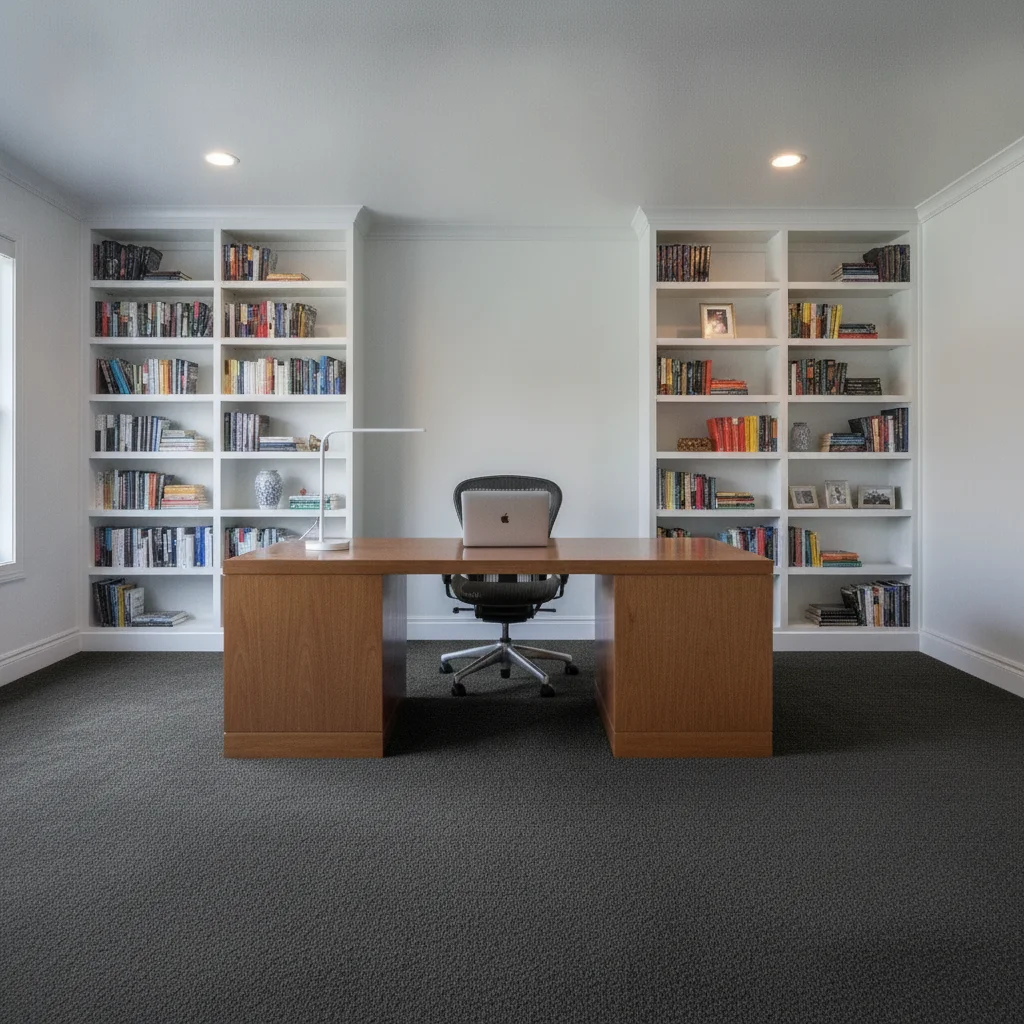
    Dark charcoal for home office or study change the carpet color to dark charcoal grey low-pile, professional clean look, keep desk and walls completely unchanged
    Cream for a light and airy feel replace the carpet with light cream white plush pile carpet, soft and warm white tone, not stark white, preserve existing furniture
    2 more prompts
    Navy blue for a bold bedroom design change the carpet to deep navy blue low-pile carpet, rich dark blue tone, smooth texture, keep the walls and furniture the same
    Berber style for a transitional look replace the carpet with warm oatmeal Berber-style loop pile carpet, natural flecked texture, casual transitional look
  3. Check carpet edges at baseboards and under furniture

    Zoom to 100% on the carpet edges at the baseboard and the areas where carpet disappears under furniture legs. These transitions are where the color change is most likely to look unnatural.

  4. Refine with markers if needed

    If part of the carpet area didn't change or the AI altered the wrong surface, tap markers on the carpet area and regenerate. Most carpet color changes work without markers.

    Tip: Markers are for precision — try without them first. Straightforward carpet recolors rarely need them.

See it in action

Bedroom with dated dark green wall-to-wall carpet and white walls
Before
->
Same bedroom with carpet changed to warm neutral beige, furniture and walls preserved
After

Dated green carpet to warm beige — pre-listing bedroom

An outdated green wall-to-wall carpet was limiting buyer appeal in a bedroom listing. One prompt changed it to a warm neutral beige that reads cleanly in MLS photos.

Prompt: change the carpet to warm neutral beige plush pile carpet, even color throughout, keep all furniture and walls unchanged
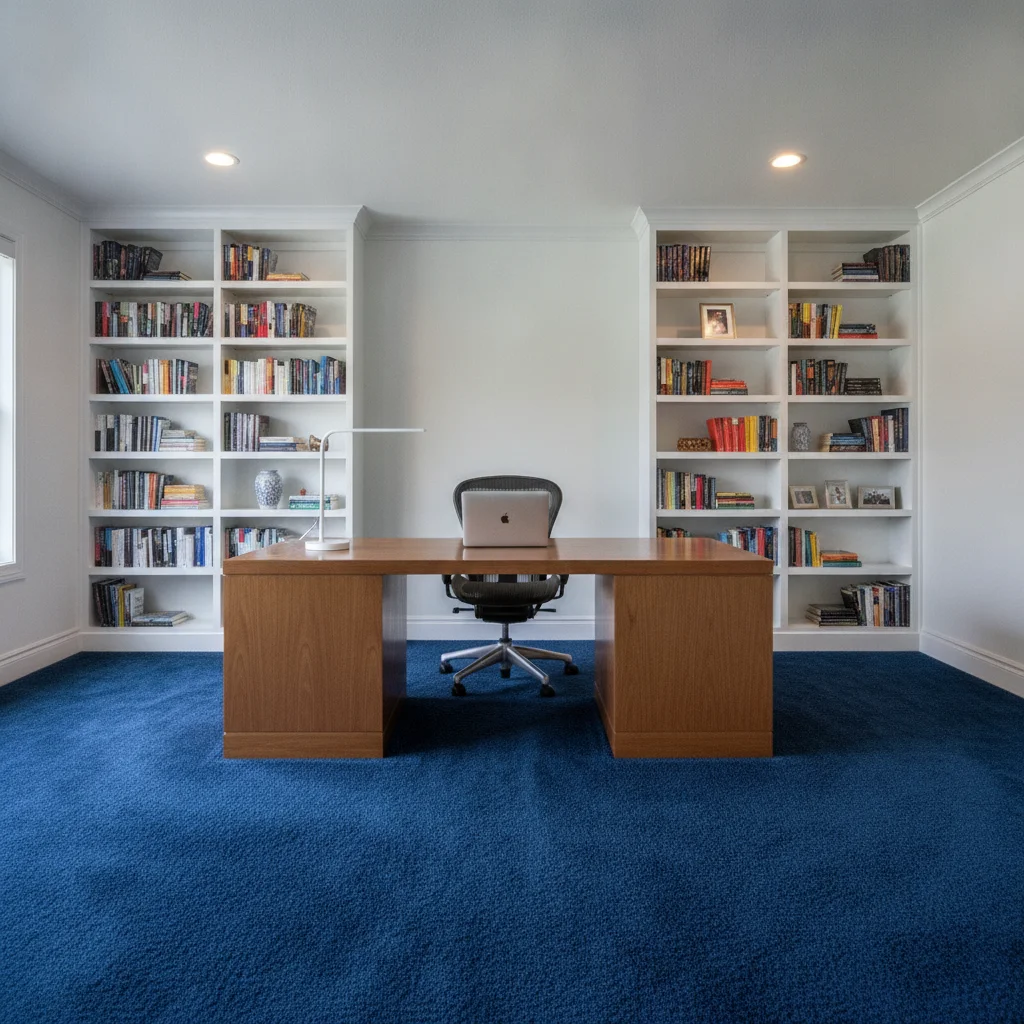
Home office with bright royal blue carpet and wooden desk
Before
->
Same home office with carpet changed to dark charcoal grey low-pile
After

Blue carpet to grey — home office design update

A home office with a bold blue carpet looked dated in listing photos. Changing it to charcoal grey low-pile gave the room a professional, neutral look that reads well for remote-work buyers.

Prompt: change the carpet color to dark charcoal grey low-pile, professional clean look, keep desk and walls completely unchanged

Quick answers

Do I need to mark the carpet area before changing its color?

No. Type 'change the carpet to warm grey plush pile' and the AI identifies the carpet and recolors it without any marking. Markers are only helpful if the AI recolors the wrong surface — in that case, tap a marker on the carpet floor and regenerate.

Is there a free carpet color visualizer with no login?

Yes. EditThisPic changes carpet colors for free with no account. Upload your room photo, describe the color and pile type, and download the result in about 30 seconds. Works in any browser on desktop or mobile. The free edit is a preview — purchased downloads are clean, full quality.

How do I see what a carpet color looks like in my room before buying?

Upload a photo of your room to EditThisPic, then type the carpet color you're considering — for example, 'change the carpet to soft warm beige plush pile.' The AI recolors the carpet in about 30 seconds. This lets you compare multiple colors on your actual room before purchasing.

What carpet color is best for home listings?

Neutral tones — warm beige, light grey, cream, or greige — photograph best for MLS listings because they're broadly appealing and don't compete with the room's other features. Use EditThisPic to preview multiple neutral options on your actual room before choosing.

Can I preview different carpet pile types — plush, Berber, low-pile?

Yes. Include the pile type in your prompt: 'warm beige plush pile,' 'oatmeal Berber-style loop pile,' or 'charcoal grey low-pile.' Each pile descriptor triggers a different surface texture in the render. Without a pile type, the AI defaults to a generic flat surface.

How much does EditThisPic cost?

You get 1 free edit per week — no account needed. After that, one-time credit packs start at $4.99 for 10 edits, valid 12 months, no subscription. Power users who edit daily can pick Studio Membership, a monthly workspace at $49.99/mo for 300 edits. Purchased downloads are clean with no watermark.

Ready to preview your carpet in a new color?

Free to try. No signup required.

1 free edit included·Credit packs from $4.99