Free • No signup Fix Posture · Free

AI Posture Fixer

Describe the posture fix you want and AI straightens it naturally. No marking needed.
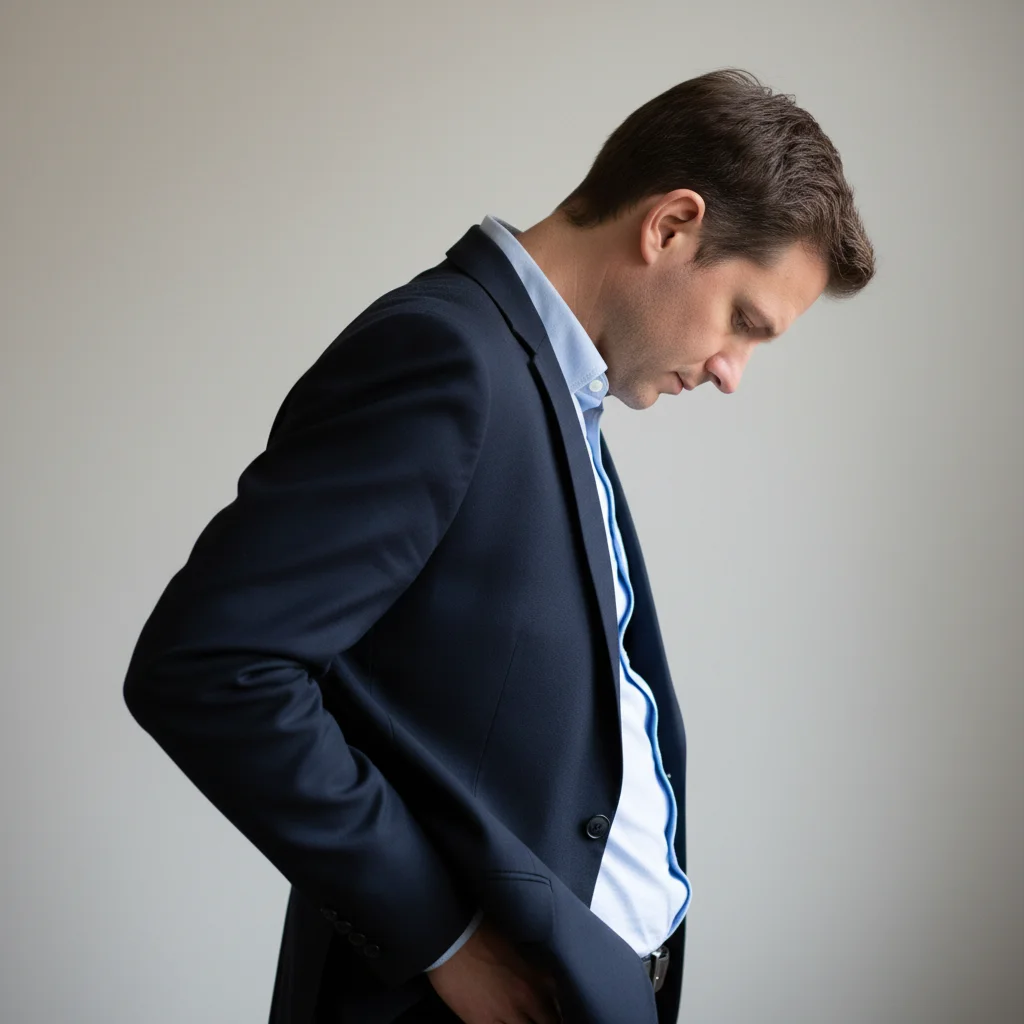
Man in blazer with visible slouching and rounded shoulders
Before
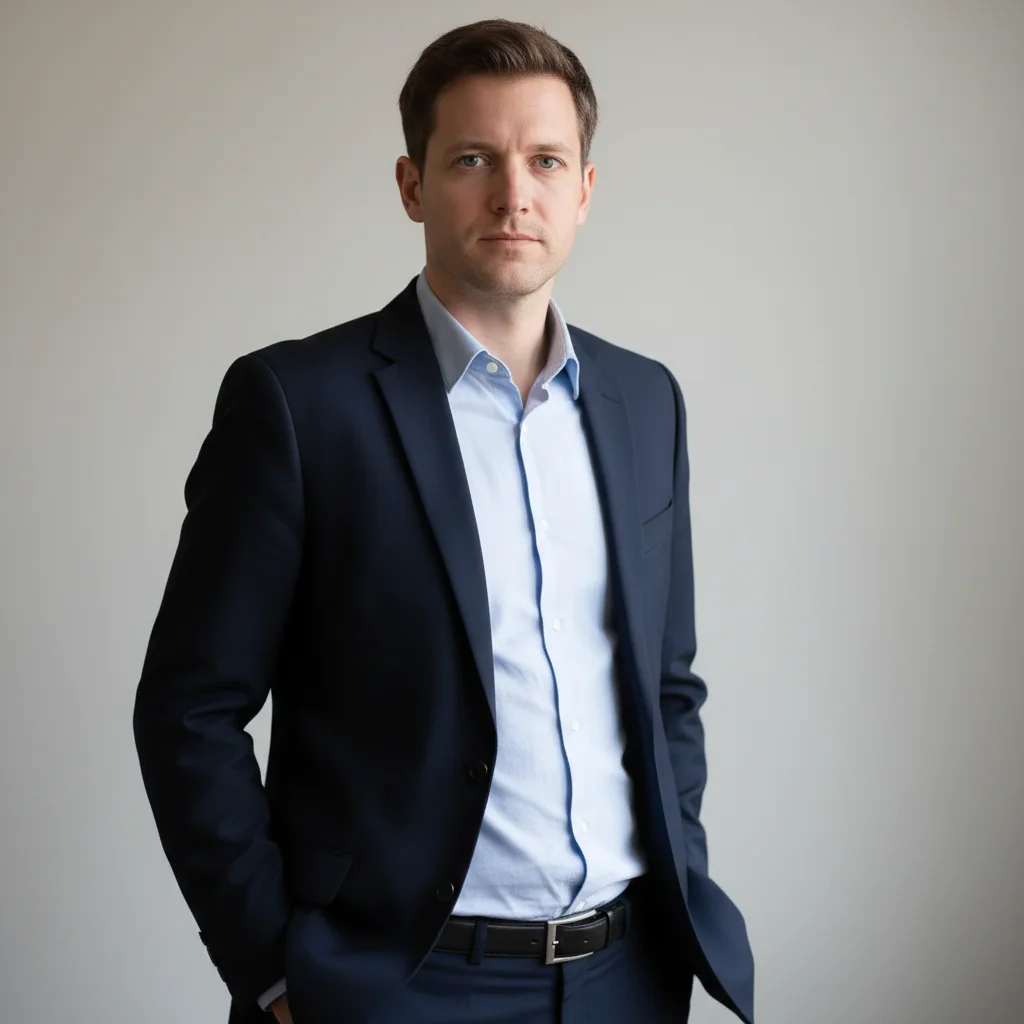
Same man with corrected upright posture and aligned shoulders
After

AI Posture Fixer

Drop your photo here

or click to browse

Release to upload

Free • No signup

Advertisement
Popular use cases:
  • posture correction
  • fix slouching in photo
  • professional photo posture
  • straighten posture
  • shoulder alignment
  • wedding photo fix
  • corporate headshot posture
  • body alignment

Cost
Free No signup required
Time
Instant results in 15-30 seconds
Works on
Any device - browser, phone, tablet, desktop
Powered by
AI-powered photo editing
Scenario Prompt Time
Subtle straightening make a subtle posture improvement, naturally straighter 30s
Full posture correction straighten posture, pull shoulders back, align spine 35s
Seated posture fix fix sitting posture, straighten back, open chest 40s

How it works

  1. Upload your photo

    Drop your image into EditThisPic. JPG, PNG, WebP up to 7MB. Photos where the upper body or full body is visible work best. Side profile and three-quarter angle shots show the most dramatic posture improvement.

    Expect: Minor posture correction: 30-40 seconds. Significant straightening: 40-50 seconds and may need refinements.
  2. Describe the posture fix

    Type what you want: 'straighten the posture and pull the shoulders back' or 'fix the slouching for an upright confident stance.' Be specific about what needs correcting. No marking needed—the AI understands body alignment.

    Tip: Name the specific issues: 'rounded shoulders', 'forward head', 'hunched back' for targeted corrections.

    Copy one of these to get started:

    General posture straightening straighten the posture, pull shoulders back and align the spine for an upright confident look
    Fix slouching at desk fix the slouching posture, straighten the back and lift the head to a natural upright position
    Shoulder alignment level and align both shoulders evenly, correct any drooping or asymmetry
    Standing posture improvement improve the standing posture to look taller and more confident, natural upright stance
    3 more prompts
    Forward head correction correct the forward head posture, move the head back over the shoulders naturally
    Seated posture fix fix the sitting posture, straighten the back and open up the chest for a professional look
    Subtle natural correction make a subtle posture improvement, just slightly straighter without looking stiff or posed
  3. Review the correction

    Check that the corrected posture looks natural, not stiff or robotic. Look for properly aligned shoulders, straight spine, and a natural head position. The person should look confident but relaxed.

  4. Refine with markers if needed

    If specific areas like the shoulders or neck need additional adjustment, tap markers on those spots and regenerate. Most posture fixes work well on the first try.

    Tip: Markers are for precision refinement only. Try without them first—you usually won't need them.
Try it free

AI Posture Fixer

Drop your photo here

or click to browse

Release to upload

Free • No signup

"My wedding photographer caught me slouching in half the formal shots. Fixed the posture in the ones that mattered most and now they look like I was standing tall the whole time." @WeddingFix_Priya

See it in action

Man in blazer with visible slouching and rounded shoulders
Before
->
Same man with corrected upright posture and aligned shoulders
After

Slouching corrected for professional photo

A casual photo with visible slouching corrected to an upright confident posture for professional use.

Prompt: straighten the posture, pull shoulders back and align the spine for an upright confident look
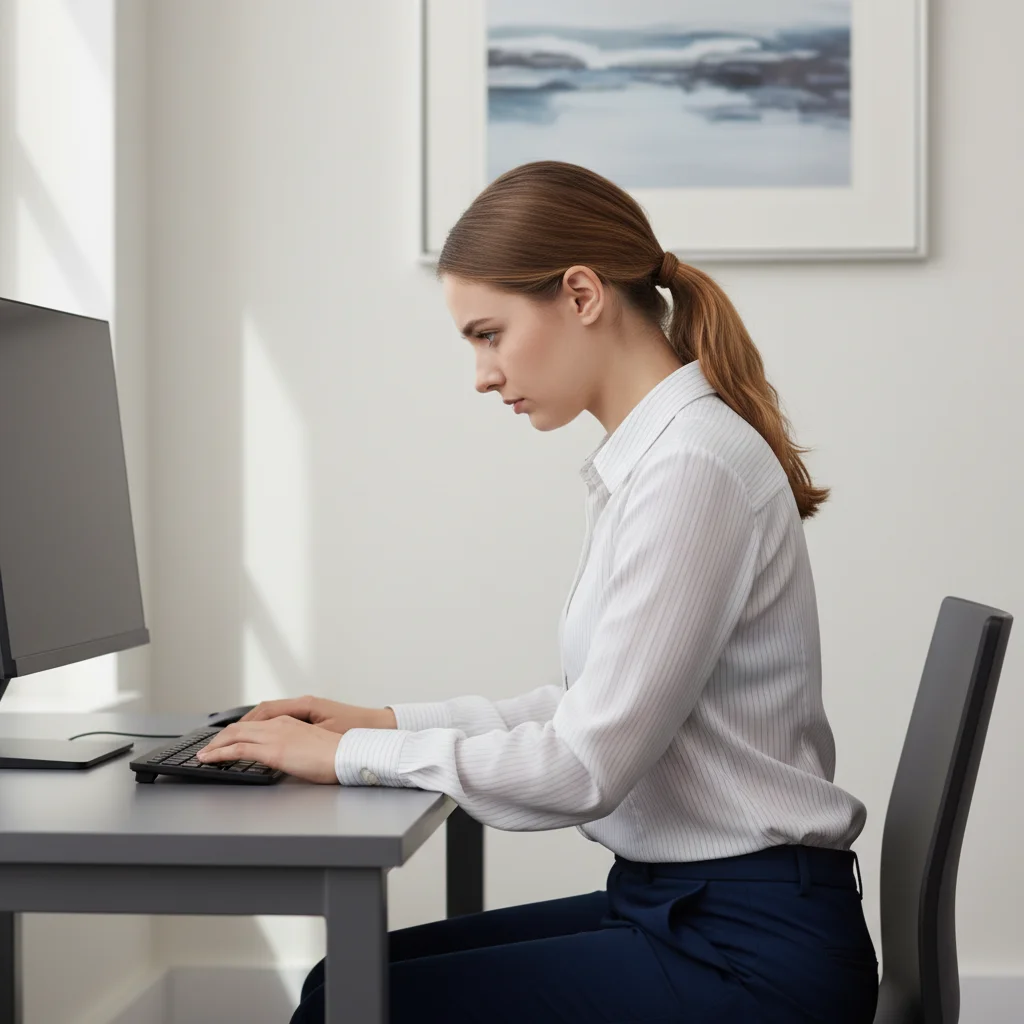
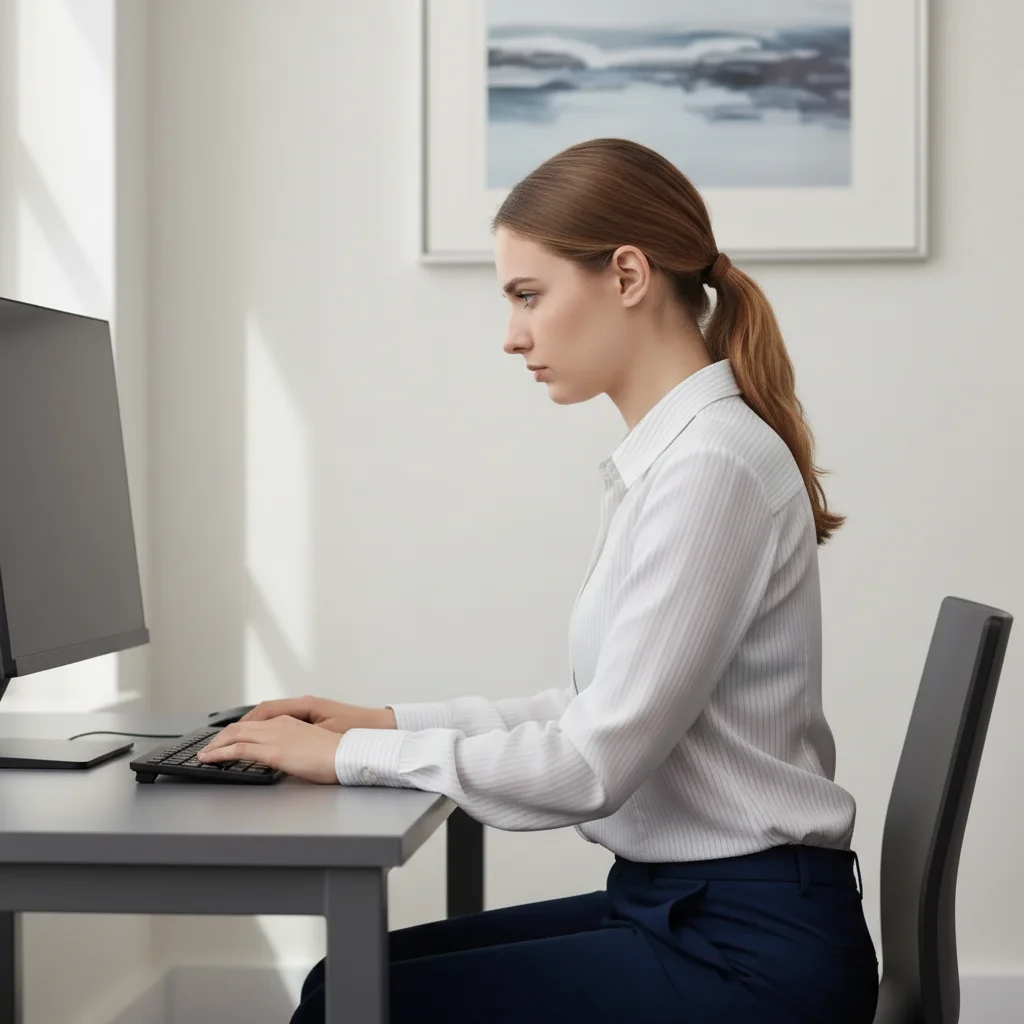
Woman slouching while seated at desk
Before
->
Same woman with straight upright seated posture
After

Seated posture fixed for video call screenshot

A seated photo with desk slouch corrected for a more professional and alert appearance.

Prompt: fix the sitting posture, straighten the back and open up the chest for a professional look
Advertisement

If something looks off

AI changed the wrong area or something I didn't want changed

Why: The AI couldn't determine exactly what posture issue to fix from description alone. It may have adjusted the wrong body part or changed facial features.

Try: Tap a marker on the specific area (shoulders, back, neck), then regenerate: fix posture here only

Tip: Markers tell the AI 'I mean THIS area specifically.' Use them to target shoulders, back, or neck individually.

Corrected posture looks stiff or unnatural

Why: The AI over-corrected, creating a rigid military-style stance instead of natural upright posture.

Try: straighten posture subtly, keeping a natural relaxed look—upright but not stiff or forced

Tip: 'Natural relaxed' and 'not stiff' tell the AI the posture should look comfortable, not robotic.

Clothing looks distorted after posture change

Why: The AI straightened the body but didn't properly adjust how clothing drapes on the new alignment.

Try: fix posture and adjust the clothing to drape naturally on the corrected body position

Tip: 'Drape naturally on the corrected position' tells the AI to update the fabric flow along with the body.

Face or head looks wrong after correction

Why: Correcting forward-head posture moved the head position but also altered facial proportions or angle.

Try: correct only the body posture, keep the face exactly the same—same angle, same features

Tip: 'Keep the face exactly the same' ensures only the body alignment changes, not facial appearance.

Background is distorted near the corrected body

Why: Posture correction shifts body pixels, which can warp nearby background elements.

Try: fix posture while keeping all background elements clean and undistorted

Tip: Simple backgrounds produce the cleanest posture corrections. Complex backgrounds may need a second pass.

Quick answers

Do I need to mark my body before describing the posture fix?

No! Just describe the correction: 'straighten the posture' or 'fix the slouching.' The AI understands body alignment and corrects it automatically. Only use markers if you want to target a specific area like just the shoulders or just the neck.

How do I fix posture in a photo for free?

Upload your photo to EditThisPic and type 'straighten the posture and pull shoulders back.' The AI corrects the alignment in 30-40 seconds while keeping the result natural. Free to use, no account required, no watermarks on the result.

Is there a free AI posture fixer that doesn't require login?

Yes, EditThisPic fixes posture for free with no account needed. Upload your photo, describe the correction, and download the result. No watermarks. Works on standing, sitting, and profile photos.

Will the posture correction look natural or robotic?

Subtle corrections look completely natural. The AI aims for confident and relaxed, not military-rigid. Use words like 'naturally' and 'relaxed' in your prompt to ensure a comfortable-looking result. Avoid over-correcting.

Ready to fix posture in your photos?

Free to try. No signup required.

Try it free