Free โ€ข No signup Enhance Hair volume ยท Free

Enhance Hair Volume in Photo with AI

Give flat hair instant body and fullness - just describe the volume you want
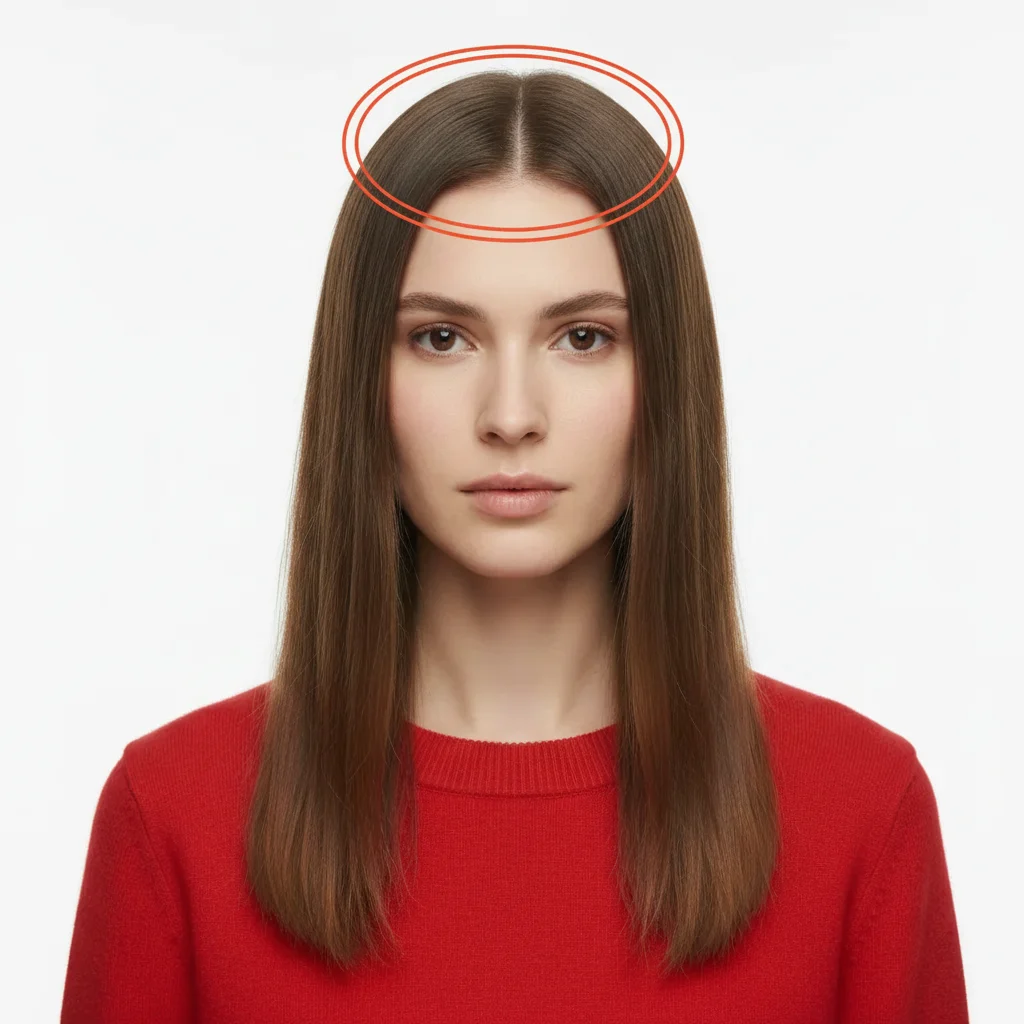
Person with flat, lifeless hair with no root volume
Before
โ†’
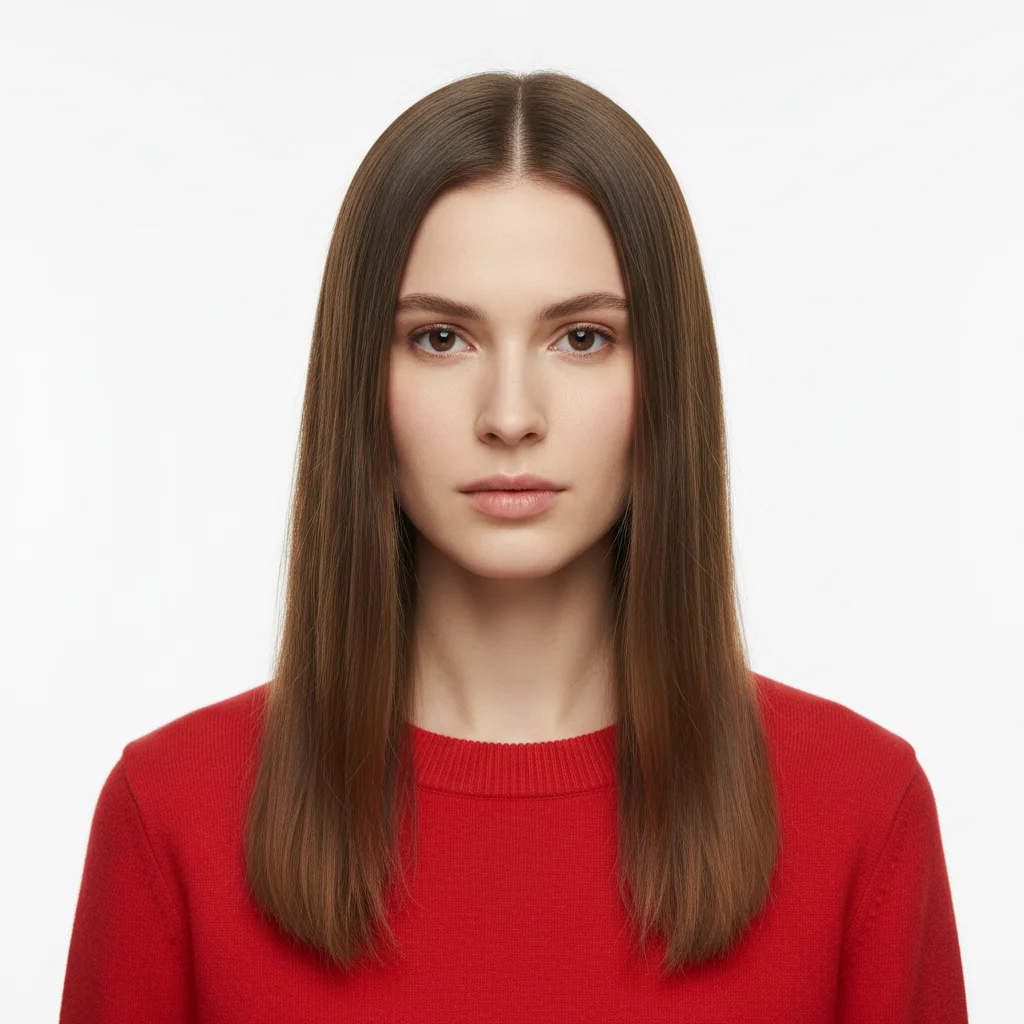
Same person with lifted roots and voluminous hair
After

Enhance Hair Volume in Photo

Drop your photo here

or click to browse

Release to upload

Free โ€ข No signup

Advertisement
Popular use cases:
  • hair volume enhancement
  • add volume to flat hair
  • root lift photo
  • thicker hair photo
  • boost hair fullness
  • volumize thin hair
  • salon volume simulation

Cost
Free No signup required
Time
Instant results in 15-30 seconds
Works on
Any device - browser, phone, tablet, desktop
Powered by
AI-powered photo editing
Scenario Prompt Time
General Volume Add volume to the hair, making it fuller and thicker 10s
Root Lift Add volume at the roots, lifting the hair away from the scalp 8s
Crown Volume Give the crown area more volume and height 12s
Dramatic Volume Make the hair dramatically more voluminous with significant body throughout 15s
Subtle Enhancement Add subtle volume for a natural, slightly fuller look 8s

How it works

  1. Upload your photo

    Choose a photo where the hair is visible. Photos with good lighting work best - the AI needs to see the hair's current shape and where it falls. Works on all hair types: straight, wavy, curly, or coily.

    Expect: Simple volume boost (subtle lift): 8-12 seconds. Dramatic volume changes (flat to very full): 15-18 seconds.
  2. Describe the volume you want

    Type what kind of volume you're looking for. Simple phrases work: "add volume to the hair", "make hair fuller and thicker", "give hair more body at the roots", or "volumize the hair completely". The AI understands volume levels - no need to mark the hair area first. Just describe the end result.

    Tip: Specify where you want volume: "add volume at the crown" or "volumize the roots" gives more targeted results than just "add volume". You can also request specific levels like "subtle volume" or "dramatic volume".

    Copy one of these to get started:

    General volume boost (most common) Add volume to the hair, making it fuller and thicker
    Root lift for flat hair Add volume at the roots, lifting the hair away from the scalp
    Crown volume enhancement Give the crown area more volume and height
    Dramatic transformation Make the hair dramatically more voluminous with significant body throughout
    3 more prompts
    Side volume for balance Add volume to the sides of the hair to create width
    Natural subtle lift Add subtle volume for a natural, slightly fuller look
    Texture-specific volume Volumize the curls, making them bigger and bouncier
  3. Review the result

    Check that the volume looks natural and proportional to the face. Good volume enhancements should look like styled hair, not artificial puffiness. The hair should maintain its texture while looking fuller.

  4. Refine with markers if needed

    If the AI added volume everywhere when you only wanted it at the crown, tap a marker on the specific area (crown, roots, sides) you want volumized, then regenerate. This is optional - most volume enhancements work with description alone.

    Tip: Markers are perfect for asymmetric volume adjustments - like adding volume to one side only, or lifting just the top layers while keeping the bottom sleek.
Try it free โ†“

Enhance Hair Volume in Photo

Drop your photo here

or click to browse

Release to upload

Free โ€ข No signup

"Fixed my flat hair in headshots without reshooting. The volume looks completely natural, like I actually blow-dried it properly." @MarkProfilePics

See it in action

Person with flat, lifeless hair with no root volume
Before
->
Same person with lifted roots and voluminous hair
After

Flat Roots to Lifted Volume

Classic root lift for someone with flat, limp hair. Adds body at the scalp where hair naturally falls flat.
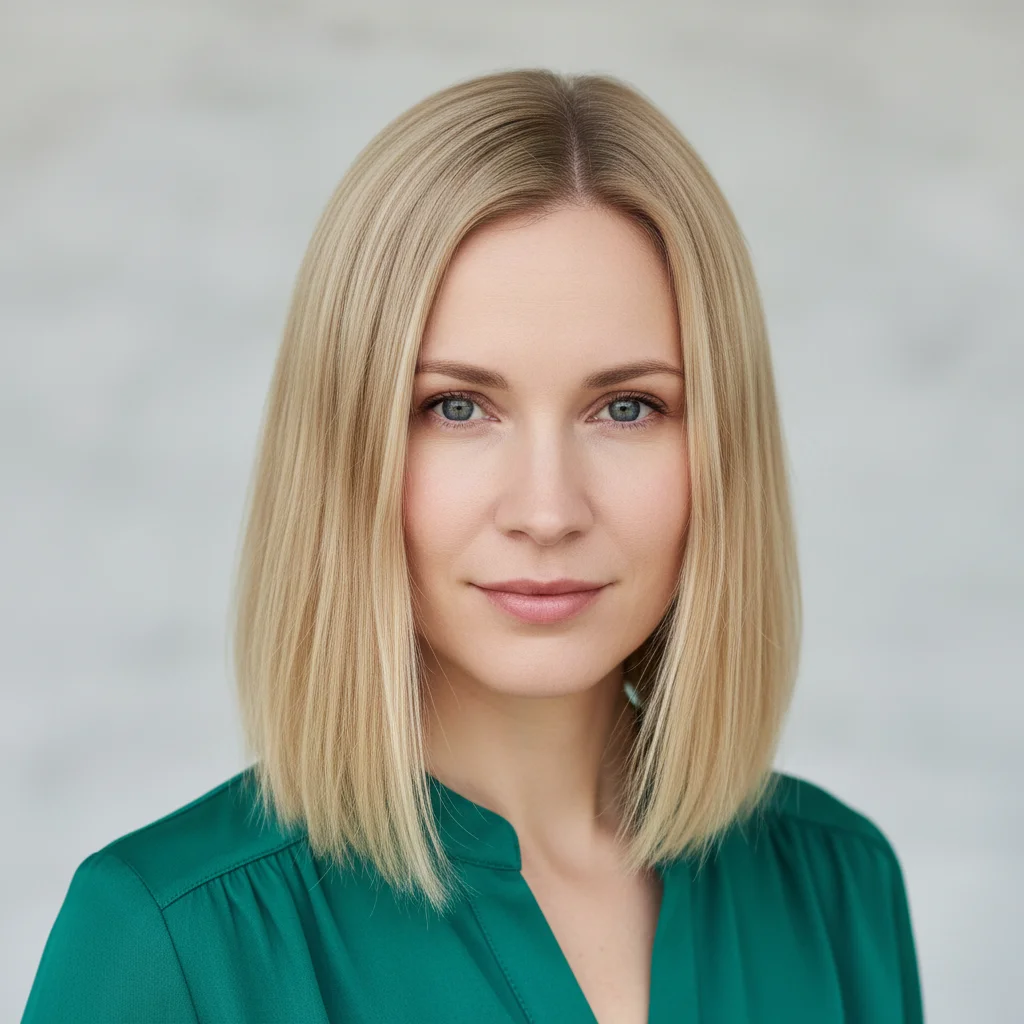
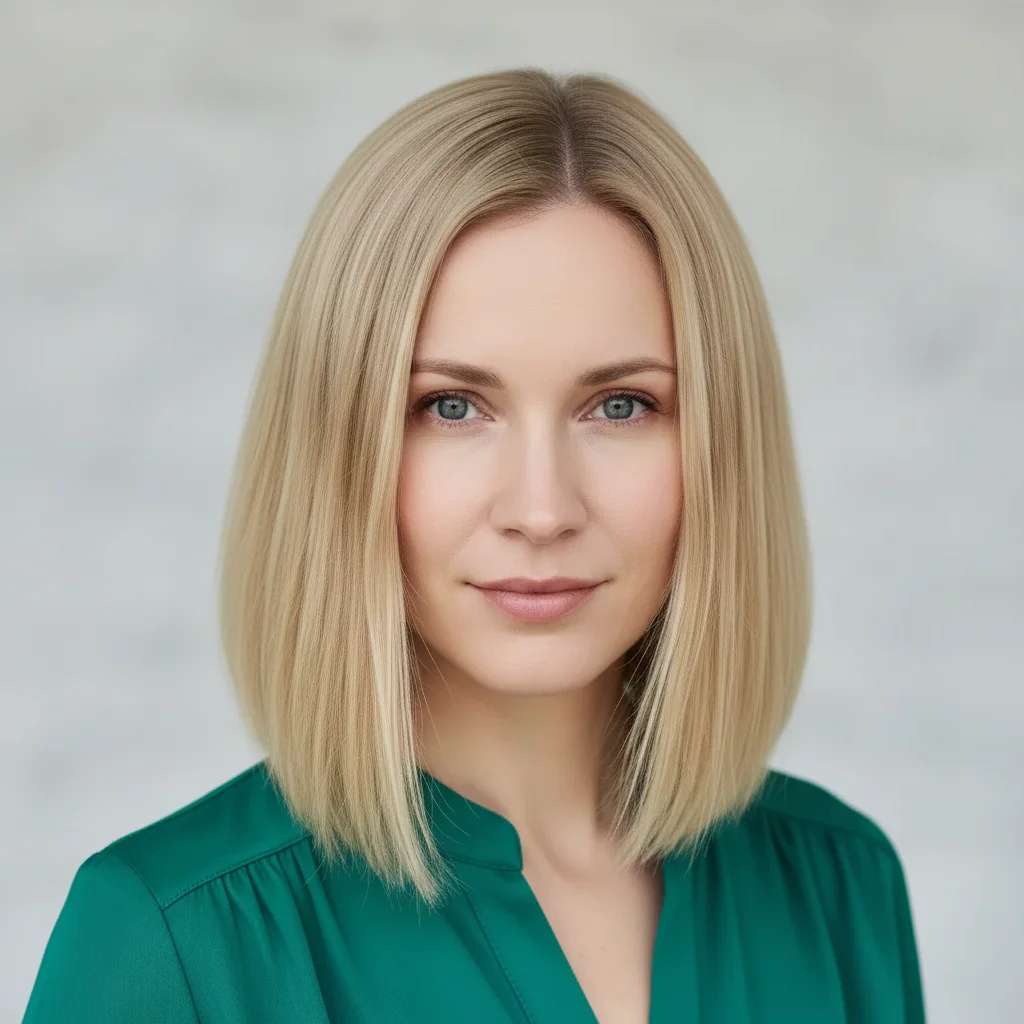
Prompt: Add volume at the roots, lifting the hair away from the scalp
Woman with thin, flat blonde hair lacking volume
Before
->
Same woman with full, voluminous blonde hair
After

Overall Volume and Fullness

Complete volume transformation making thin-looking hair appear full and healthy. Perfect for profile photos.

Prompt: Add volume to the hair, making it fuller and thicker
Man with flat crown area in hair
Before
->
Same man with enhanced volume and height at crown
After

Crown Height Enhancement

Targeted crown volume creates height and dimension. Great for adding professional polish to headshots.

Prompt: Give the crown area more volume and height
Advertisement

If something looks off

AI changed the wrong area or something I didn't want changed

Why: The AI couldn't determine exactly which area you meant from description alone.

Try: Tap a marker on the specific area you want to change, then regenerate with the same prompt

Tip: Markers tell the AI 'I mean THIS one specifically.' Use them when description alone is ambiguous.

The volume looks artificial or puffy rather than natural

Why: Too much volume was added too quickly, or the AI expanded the hair in unrealistic ways.

Try: Reduce the amount: 'Add subtle volume' or 'Add slight volume for a natural look' instead of asking for dramatic changes

Tip: Start with subtle volume enhancements. You can always regenerate with 'more volume' if the first result is too conservative.

Volume was added but the hair texture changed

Why: The AI sometimes modifies texture when adding volume, especially dramatic volume increases.

Try: Specify to keep texture: 'Add volume to the hair while keeping it straight' or 'Volumize the curls without changing the curl pattern'

Tip: If you want volume only (not texture changes), explicitly state the current texture should be maintained.

Volume was added everywhere but I only wanted it in one spot

Why: General prompts like 'add volume' apply to the entire hair area without targeting specific sections.

Try: Be more specific about location: 'Add volume only at the crown' or 'Volumize just the top layers, keep the bottom flat'

Tip: For targeted volume, always mention the specific area (roots, crown, sides, top layers) in your description.

The volume made the hair shape look unnatural

Why: Volume enhancements need to follow the natural fall and flow of hair, which can be tricky with certain angles or lighting.

Try: Add 'natural-looking' to your prompt: 'Add volume to the hair, natural-looking salon-style volume'

Tip: Front-facing photos work best for volume enhancements. Side angles and complex lighting can make results look less natural.

Not enough volume was added

Why: The AI interpreted your request conservatively to avoid overdoing it.

Try: Increase intensity: 'Add dramatic volume' or 'Make the hair significantly more voluminous throughout'

Tip: Words like 'dramatic', 'significant', or 'lots of' signal to the AI you want a major change, not subtle enhancement.

Quick answers

Do I need to mark the hair before describing what I want?

No! Just describe the volume you want ("add volume to hair" or "volumize the crown") and the AI detects and enhances the hair automatically. Only use markers if the AI added volume to the wrong area - for example, if you wanted crown volume only but it volumized everything.

How do I enhance hair volume for free?

Upload your photo to EditThisPic, type the volume enhancement you want ("add volume to hair", "lift the roots", "make hair fuller"), and the AI boosts volume instantly. Free to use with no signup required and no watermark on your downloads.

Will adding volume change my hair color or texture?

No, volume enhancements only affect fullness and body. Your hair color, texture, and style stay the same - the AI just makes it look fuller and more lifted. If texture changes, specify in your prompt: "add volume while keeping hair straight".

Can I add volume to just one section of hair?

Yes! Describe the specific area in your prompt ("add volume at the crown" or "volumize only the roots") or use markers to target a specific section. This is perfect for asymmetric styles or fixing one flat area.

Does this work on all hair types?

Yes, the AI enhances volume on straight, wavy, curly, and coily hair. The enhancement adapts to your hair type - curly hair gets bigger, bouncier curls while straight hair gets lift and body. Results look natural for each texture.

Ready to enhance your hair volume?

Free to try. No signup required.

Try it free โ†’