Free • No signup Add Sun flare · Free

AI Sun Flare Adder

Add beautiful sun flare and golden light with just a description.
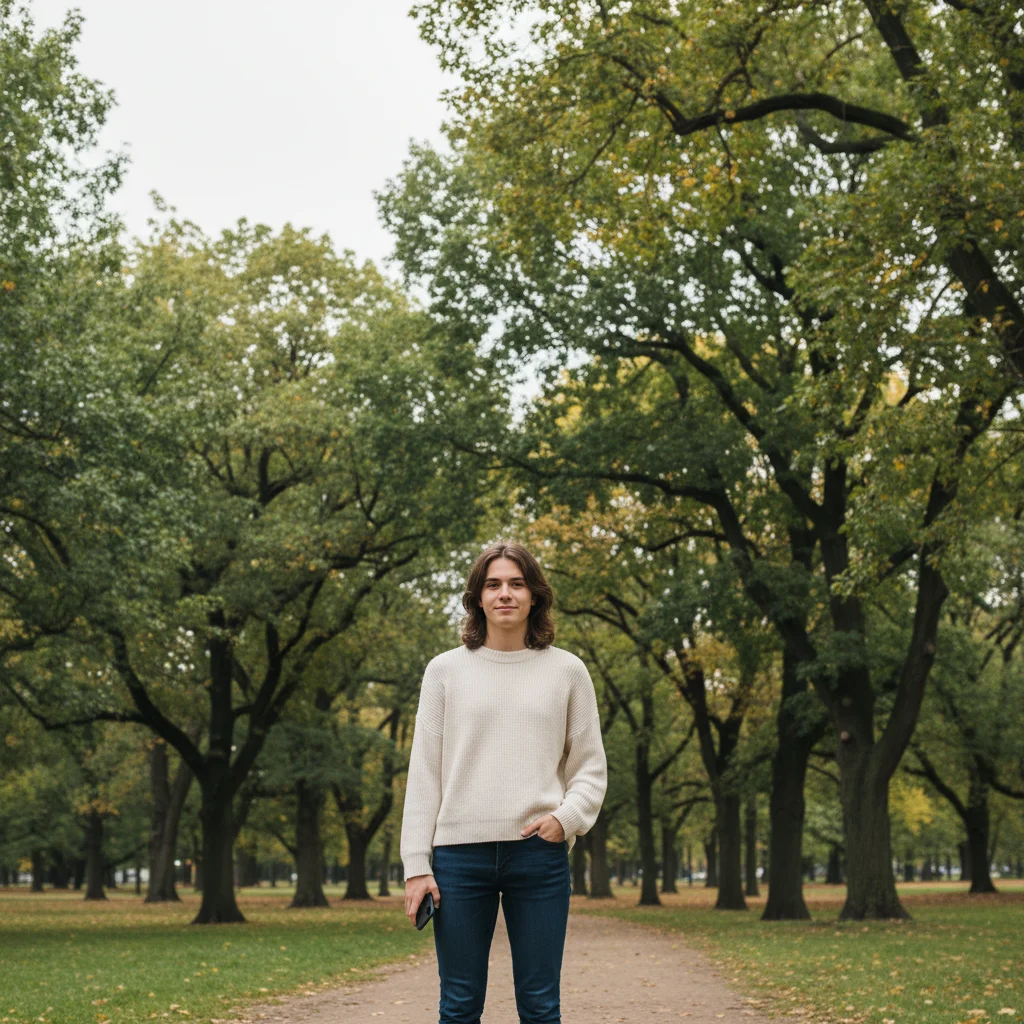
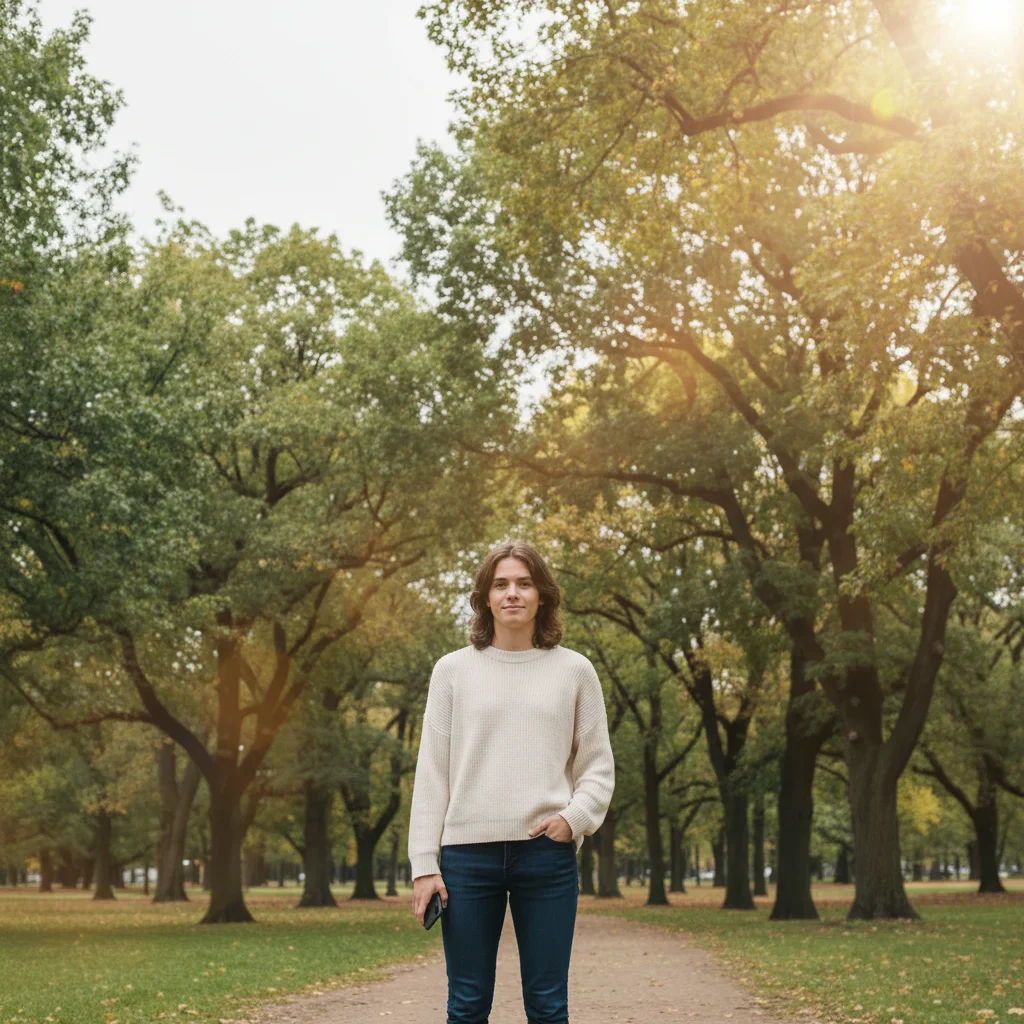
Portrait without sun flare in overcast light
Before
Portrait with warm golden sun flare creating backlight
After

Add Sun Flare to Photos

Drop your photo here

or click to browse

Release to upload

Free • No signup

Advertisement
Popular use cases:
  • portrait photography
  • golden hour effect
  • outdoor photography
  • landscape enhancement
  • wedding photography
  • social media photos
  • professional headshots
  • backlight effects

Cost
Free No signup required
Time
Instant results in 15-30 seconds
Works on
Any device - browser, phone, tablet, desktop
Powered by
AI-powered photo editing
Scenario Prompt Time
Golden hour glow add warm sun flare from the upper right with soft golden rays and gentle lens glow 15s
Subtle backlight add soft sun glow behind the subject with subtle warm backlight and gentle halo 10s
Dramatic rays add bright sun flare in top left corner with dramatic radiating rays and intense golden light 15s
Natural lens flare add realistic lens flare from the upper edge with natural optical artifacts and warm glow 15s

How it works

  1. Upload your photo

    Drop your image into EditThisPic. Works great on portraits, landscapes, and outdoor scenes. JPG, PNG, WebP up to 7MB.

    Expect: Simple sun flare effects: 10-20 seconds. Complex ray patterns with multiple light sources: may need 1-2 refinements.
  2. Describe the sun flare you want

    Type your instruction: 'add warm sun flare from the upper right with soft golden rays' or 'add bright lens flare in the top left corner with natural glow.' Be specific about position (upper left, top right, corner), warmth (golden, warm, bright white), and style (soft glow, lens flare, sun rays). No marking needed—the AI understands light placement.

    Tip: Include intensity: 'with subtle glow' for gentle warmth or 'with intense rays' for dramatic effect

    Copy one of these to get started:

    Warm golden hour glow add warm sun flare from the upper right with soft golden rays and gentle lens glow
    Subtle backlight effect add soft sun glow behind the subject with subtle warm backlight and gentle halo
    Dramatic sun rays add bright sun flare in top left corner with dramatic radiating rays and intense golden light
    Natural lens flare add realistic lens flare from the upper edge with natural optical artifacts and warm glow
    2 more prompts
    Sunset flare with orange warmth add sunset sun flare with deep orange-gold color and soft atmospheric glow
    Bright white sunburst add bright white sun flare with starburst pattern and clean crisp rays
  3. Generate and review the effect

    Click Generate and watch as AI adds realistic sun flare with proper glow, warmth, and ray patterns. Check the flare position and intensity at full zoom.

  4. Adjust position or intensity if needed

    If you want the flare repositioned or less intense, regenerate with adjusted instructions like 'move sun flare to top left' or 'reduce flare intensity by half.' This is optional—most sun flares work without markers.

    Tip: Markers are for precision, not required. Try without them first.
Try it free

Add Sun Flare to Photos

Drop your photo here

or click to browse

Release to upload

Free • No signup

"Added sun flare to my portrait and it instantly looks like golden hour magic!" @photo_lover

See it in action

Portrait without sun flare in overcast light
Before
->
Portrait with warm golden sun flare creating backlight
After

Portrait with golden backlight

Added warm sun flare behind subject creating beautiful golden hour backlight and professional portrait glow.

Prompt: add warm sun flare from the upper right with soft golden rays and gentle lens glow
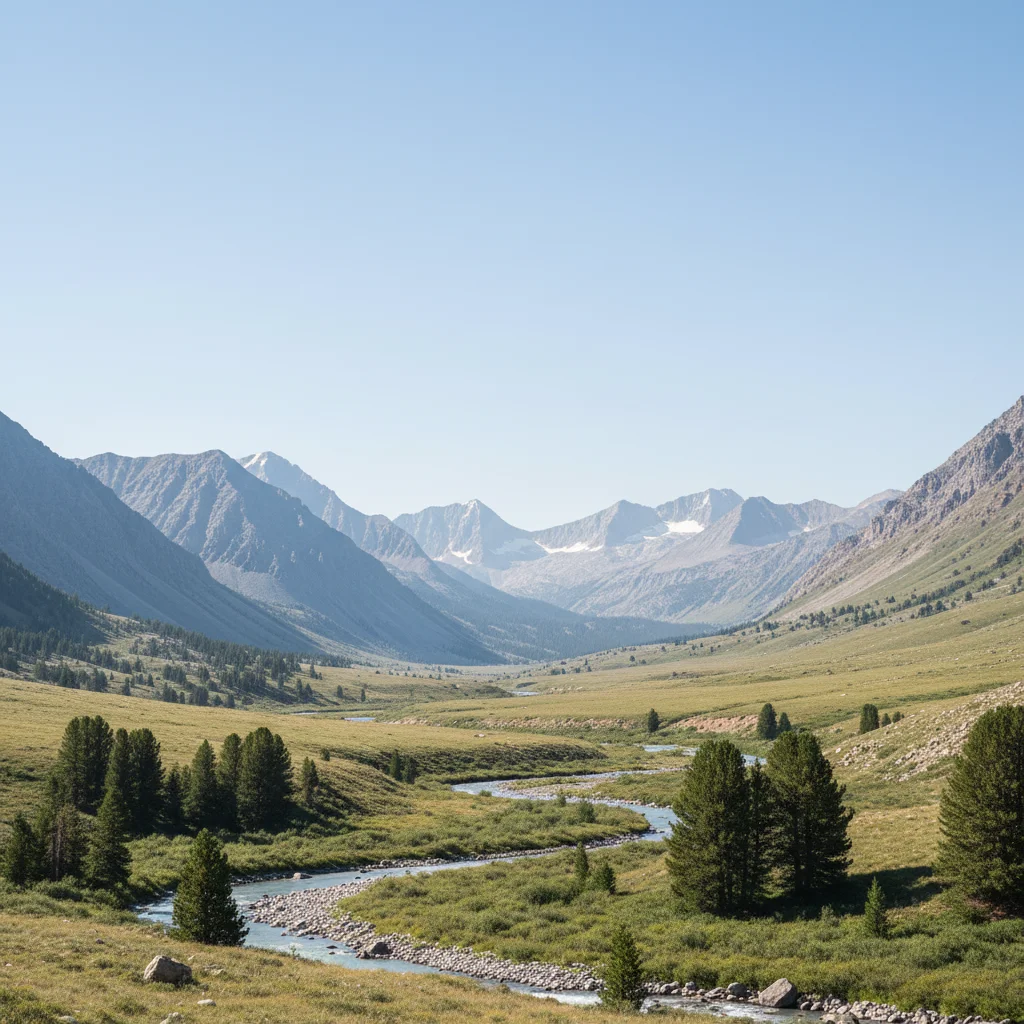
Mountain landscape without sun flare
Before
->
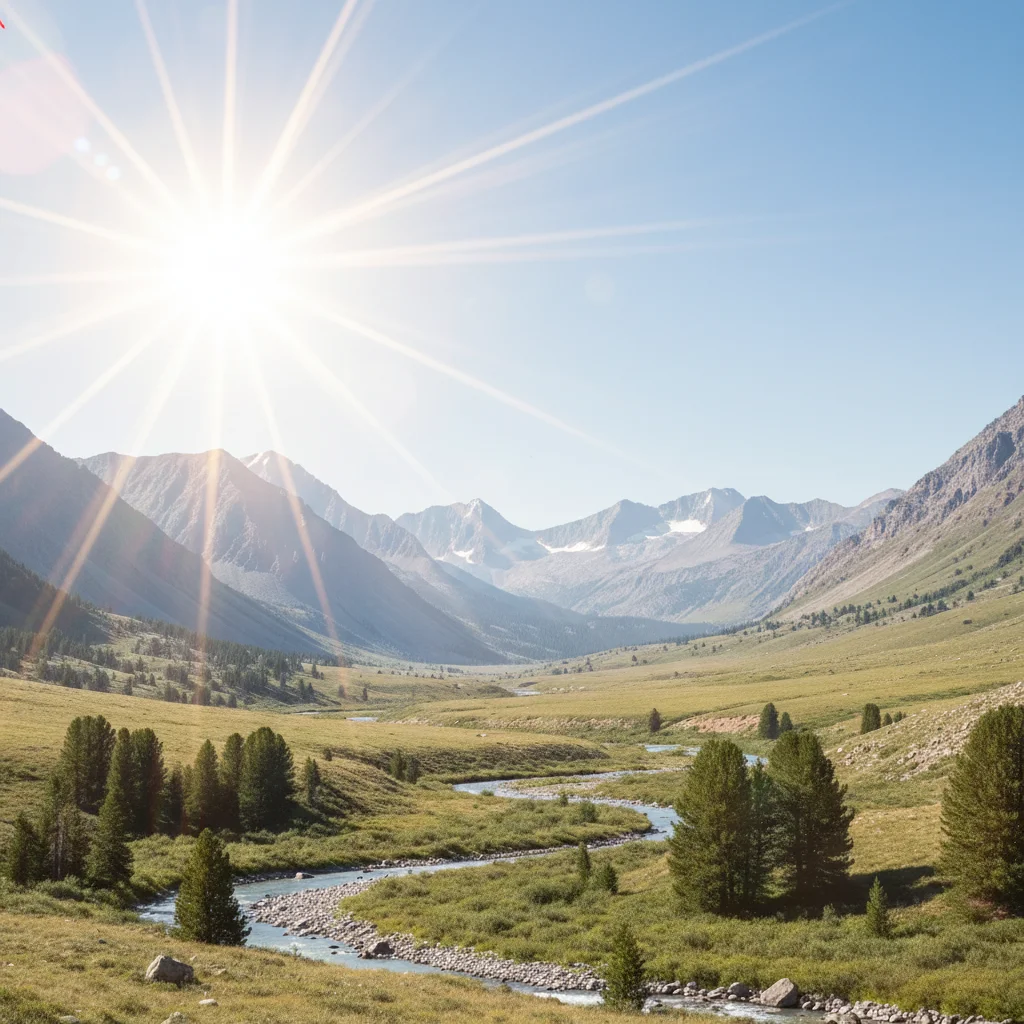
Mountain landscape with dramatic sun rays and golden glow
After

Landscape with dramatic rays

Added intense sun rays to mountain landscape creating dramatic atmospheric lighting effect.

Prompt: add bright sun flare in top left corner with dramatic radiating rays and intense golden light
Advertisement

If something looks off

Sun flare appears in wrong position

Why: The prompt didn't specify clear directional placement for the light source.

Try: Specify exact position: 'add sun flare from the upper right corner' or 'add sun glow in the top left area behind the trees'

Tip: Use compass directions (upper left, top right, bottom right) for precise placement

Flare looks too intense or washed out

Why: The AI used maximum intensity without guidance on subtle vs. dramatic effect.

Try: adjust sun flare to [subtle/moderate/intense] with [soft/medium/strong] rays and glow

Tip: Use 'subtle' or 'soft' for gentle warmth, 'intense' or 'dramatic' for strong effects

Color temperature doesn't match the scene

Why: The flare color wasn't specified to complement the existing photo lighting.

Try: add [warm golden/orange sunset/cool white/bright yellow] sun flare to match [golden hour/midday/morning] lighting

Tip: Golden warmth for sunrise/sunset, bright white for midday, orange for dramatic sunset

No rays visible, just a glow blob

Why: The prompt didn't request ray patterns or light beams from the flare.

Try: add sun flare with visible radiating rays spreading outward from the light source

Tip: Include 'with rays' or 'with light beams' to get ray patterns, not just glow

AI changed the wrong area or added flare where it shouldn't be

Why: The AI couldn't determine exactly which area you meant from description alone. This happens with ambiguous requests.

Try: Tap a marker at the spot where you want the sun flare to originate, then regenerate with the same prompt

Tip: Markers tell the AI 'I mean THIS spot specifically.' Use them when description alone is ambiguous

Quick answers

Do I need to mark where the sun flare should appear?

No! Just describe the position: 'add sun flare from the upper right' or 'add sun glow in the top left corner.' The AI understands directional placement. Only use markers when you need to specify an exact pixel location after your first attempt.

How do I add sun flare to photos for free?

Upload your photo to EditThisPic and type 'add warm sun flare from the upper right with soft golden rays.' The AI will generate realistic sun flare effects with natural glow, rays, and warmth in 10-20 seconds. It's completely free to try with no account required.

Can I control the warmth and color of the sun flare?

Yes. Specify color: 'warm golden sun flare' for golden hour warmth, 'bright white sun flare' for crisp daylight, or 'orange sunset flare' for dramatic sunset tones. The AI adjusts color temperature to match your description.

What's the difference between sun flare and lens flare?

Sun flare is the general warm glow and rays from sun, while lens flare specifically includes optical artifacts like hexagons, streaks, and rainbow patterns from camera lens elements. Use 'lens flare with optical artifacts' for the camera lens effect.

Ready to add sun flare to your photos?

Free to try. No signup required.

Try it free