Free β€’ No signup Fix Headshot for podcast Β· Free

Fix Headshot for Podcast Appearance

Podcast host needs your headshot for the episode. Look professional, not casual.

Man smiling at beach resort with palm trees and ocean in background
Before
β†’
Professional podcast guest headshot with neutral background, same natural smile
After

Fix Headshot for Podcast Appearance

Upload photo to fix headshot for podcast

Free β€’ Results in 30 seconds β€’ No signup

Release to upload

FreeNo signupNo watermark
Popular use cases:
  • podcast guest headshot
  • podcast appearance photo
  • podcast media headshot
  • guest speaker photo
  • podcast show notes photo
  • media appearance headshot
  • podcast guest image
  • interview guest photo

Cost
Free No signup required
Time
Instant results in 15-30 seconds
Works on
Any device - browser, phone, tablet, desktop
Powered by
AI-powered photo editing
Scenario Prompt Time
Neutral background replace with neutral gray, warm lighting 30s
Casual to professional remove casual background, professional setting 30s
Vacation photo fix replace beach/outdoor with neutral backdrop 25s
LinkedIn warmth adjust for podcast, warmer and approachable 20s

How it works

  1. Upload your photo

    Drop any recent photo where you look professional and approachable. Podcast guest photos appear on show notes, websites, and social media - you want to look like someone worth listening to. Avoid sunglasses or overly casual vacation shots.

    Expect: Background replacement: 25-30 seconds. Full professional polish: may need one refinement for lighting.
  2. Describe the professional look

    Type what podcast media needs: 'replace background with professional neutral backdrop, enhance lighting naturally' or 'remove casual background, professional headshot lighting.' Podcast hosts want guests to look credible and approachable. No marking required.

    Tip: Combine background and lighting: 'neutral background, warm professional lighting, keep my natural expression'

    Copy one of these to get started:

    Neutral professional background replace background with professional neutral gray backdrop, warm natural lighting, approachable but credible look
    Casual to professional transformation replace casual background with professional setting, enhance lighting for headshot quality, keep my natural smile
    Office background style replace with softly blurred professional office environment, warm lighting, expert guest appearance
    Clean studio look replace with gradient neutral backdrop, professional portrait lighting, media-ready quality
    3 more prompts
    Vacation photo rescue remove the beach/outdoor background, replace with professional neutral setting, keep my relaxed genuine expression
    Speaker/author style enhance for professional speaker headshot, soft lighting, confident and approachable, slight background blur
    LinkedIn photo to podcast guest adjust LinkedIn headshot for podcast media, warmer lighting, more approachable while staying professional
  3. Review for credibility and approachability

    Check that you look professional but friendly - not too corporate or stiff. Podcast audiences want to connect with guests. Verify background is clean and won't distract from your face. Lighting should be natural and flattering.

  4. Refine with markers if needed

    If hair edges need cleanup against the new background or lighting needs adjustment, tap markers on those specific areas and regenerate. Most podcast headshots work without markers - they're optional for precision.

    Tip: Check how the photo looks as a small thumbnail - podcast show notes often display guest photos at small sizes.
Try it free ↓

Fix Headshot for Podcast Appearance

Upload photo to fix headshot for podcast

Free β€’ Results in 30 seconds β€’ No signup

Release to upload

Free β€’ No signup

"Got invited on a podcast with 24 hours notice. All my photos were vacation shots or too casual. Fixed one in 20 seconds - replaced the beach with a clean background. Host said it looked great on their website." @PodcastGuest

See it in action

Man smiling at beach resort with palm trees and ocean in background
Before
->
Professional podcast guest headshot with neutral background, same natural smile
After

Vacation photo to podcast guest headshot

Best recent photo with a natural smile was from vacation at a beach resort. Host needed headshot by morning. Replaced the tropical background with professional neutral setting in 25 seconds.

Prompt: replace the beach and resort background with professional neutral gray backdrop, keep my natural relaxed expression, enhance lighting for media headshot
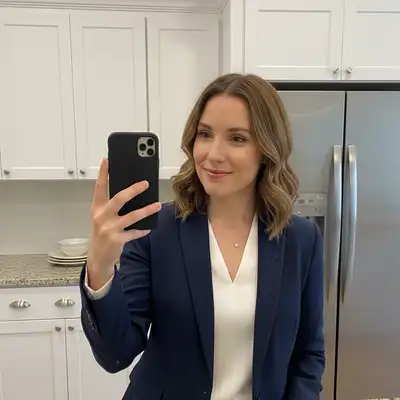
Woman in home office with bookshelf and casual background visible
Before
->
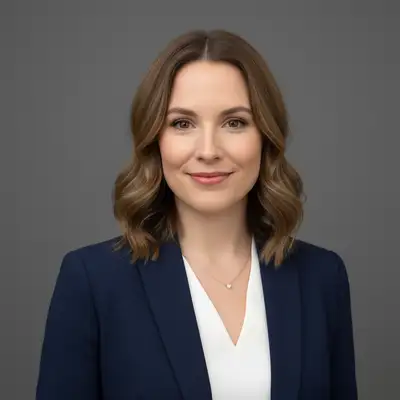
Professional podcast guest headshot with clean neutral background
After

Home office Zoom photo to professional headshot

Only decent recent photo was from a Zoom call with visible home office background - books, shelves, casual setting. Needed it professional for podcast show notes.

Prompt: replace home office background with professional neutral setting, enhance lighting for podcast guest quality, keep natural expression

Detailed Guides by Scenario

πŸ“·

Career Advancement

A polished fix for podcast appearance headshot signals competence and approachability β€” critical for LinkedIn, company directories, and conference speaker bios.

Common Scenarios

  • Updating your LinkedIn profile with a fix for podcast appearance headshot that reflects your current role
  • Providing a professional fix for podcast appearance photo for an internal company directory or 'About Us' page
  • Submitting a speaker or panelist headshot for an upcoming fix for podcast appearance industry event

Best Practices

  • Use a plain or softly blurred background β€” avoid busy environments that pull focus from your face
  • Wear solid colors typical of your industry; avoid loud patterns that distract on small thumbnails
  • Ensure the crop is head-and-shoulders β€” the standard framing for fix for podcast appearance headshots
πŸ“·

Industry-Specific Requirements

Many fix for podcast appearance roles have specific headshot standards for directories, licensing boards, or institutional profiles.

Common Scenarios

  • Meeting association or licensing board photo requirements for fix for podcast appearance professionals
  • Preparing a headshot for a fix for podcast appearance firm website that matches the team's visual style
  • Creating a fix for podcast appearance photo for a professional directory or industry publication

Best Practices

  • Research your specific fix for podcast appearance organization's photo guidelines before editing β€” some require formal attire or specific backgrounds
  • Keep the expression confident yet approachable β€” avoid overly casual or overly stiff poses
  • Match the lighting and background style of existing team photos if the headshot will appear alongside colleagues
πŸ“·

Personal Branding

Build a recognizable personal brand as a fix for podcast appearance with a consistent, high-quality headshot across all platforms.

Common Scenarios

  • Creating a signature fix for podcast appearance headshot for coaching, consulting, or freelance profiles
  • Using the same professional fix for podcast appearance photo across LinkedIn, personal website, and email signature
  • Refreshing an outdated fix for podcast appearance headshot without booking a new photo session

Best Practices

  • Use the same headshot everywhere β€” consistency builds recognition and trust
  • Choose lighting that flatters your features: soft, diffused light minimizes harsh shadows
  • If you already have a good selfie, the AI can transform it into a fix for podcast appearance-grade headshot

If something looks off

Headshot looks too corporate or stiff for podcast style

Why: Too much professional polish can lose the approachable feel podcasts want.

Try: soften the professional look, warmer lighting, friendly approachable while still credible

Tip: Podcasts are conversational - you want to look like someone listeners would enjoy talking to.

Background replacement looks artificial or pasted

Why: The AI didn't blend edges perfectly between you and the new background.

Try: Tap markers on edge areas, then: blend edges naturally with background, seamless professional transition

Tip: Try softly blurred backgrounds instead of solid colors - often looks more natural.

Lost my natural smile or expression after editing

Why: Too many enhancement requests may have altered your authentic appearance.

Try: Start fresh: replace background only, keep my face and expression completely unchanged

Tip: Do background first. Add lighting enhancement only if absolutely needed.

Lighting looks fake or over-enhanced

Why: Strong lighting adjustments can create unnatural appearance.

Try: adjust lighting subtly, natural and warm, podcast guest quality not studio glamour

Tip: 'Warm' creates approachable feel while 'natural' prevents over-processing.

AI changed the wrong area or something unexpected

Why: The AI couldn't determine exactly which area you meant from description alone.

Try: Tap a marker on the specific area you want changed, then regenerate with the same prompt

Tip: Markers tell the AI 'I mean THIS one specifically.' Use them when description alone is ambiguous.

Hair edges have halos or look choppy

Why: Fine hair strands against neutral backgrounds are challenging to separate perfectly.

Try: Tap markers on hair edges, then: blend hair naturally with background, smooth transition

Tip: Dark hair photographs against lighter backgrounds separate most cleanly.

Quick answers

Do I need to mark the background before describing the change?

No! Just describe what you want: 'replace background with professional neutral backdrop' or 'remove casual background, enhance lighting.' The AI understands backgrounds and lighting contexts without marking. Only use markers if hair edges need refinement after your first attempt.

How do I quickly fix a headshot for podcast appearance?

Upload your best recent photo and describe what podcast media needs: 'replace background with neutral gray, enhance lighting naturally, keep approachable expression.' Most podcast headshots are ready in 25-30 seconds. Focus on looking professional but friendly - not too corporate.

What makes a good podcast guest headshot?

Professional but approachable. Clean neutral background that won't distract. Natural smile or confident expression. Good lighting that's flattering but not overly produced. Should look like someone credible who's also easy to talk to. Avoid overly corporate poses or glamour shots.

Can I use a vacation photo for a podcast headshot?

Yes! Vacation photos often have the most natural, genuine smiles. Just replace the casual/vacation background with something professional. The authentic expression makes you relatable to podcast audiences - you just need appropriate context.

How is a podcast headshot different from LinkedIn?

LinkedIn headshots tend to be more corporate and formal. Podcast guest photos should be slightly warmer and more approachable - you want listeners to connect with you as a person. Same professional quality, but friendlier energy. Think 'expert you'd want to have coffee with' not 'executive in a boardroom.'

Is EditThisPic's AI headshot for podcast fixer really free?

Yes β€” you get 1 free edit per week, no account needed. For unlimited edits, plans start at $3.99/month.

Can I fix headshot for podcast on my phone?

Yes. EditThisPic works in any mobile browser β€” iPhone, Android, tablet. No app download needed.

What photo formats does the AI headshot for podcast fixer support?

JPG, PNG, WebP, and HEIC. Upload any common photo format and EditThisPic handles the rest.

Ready to fix your podcast guest headshot?

Free to try. No signup required.