Free • No signup Fix Newborn hospital photo · Free

Newborn hospital photo not perfect? Fix it

Remove medical equipment, fix harsh lighting, perfect your baby's first photo—can't reshoot this moment.
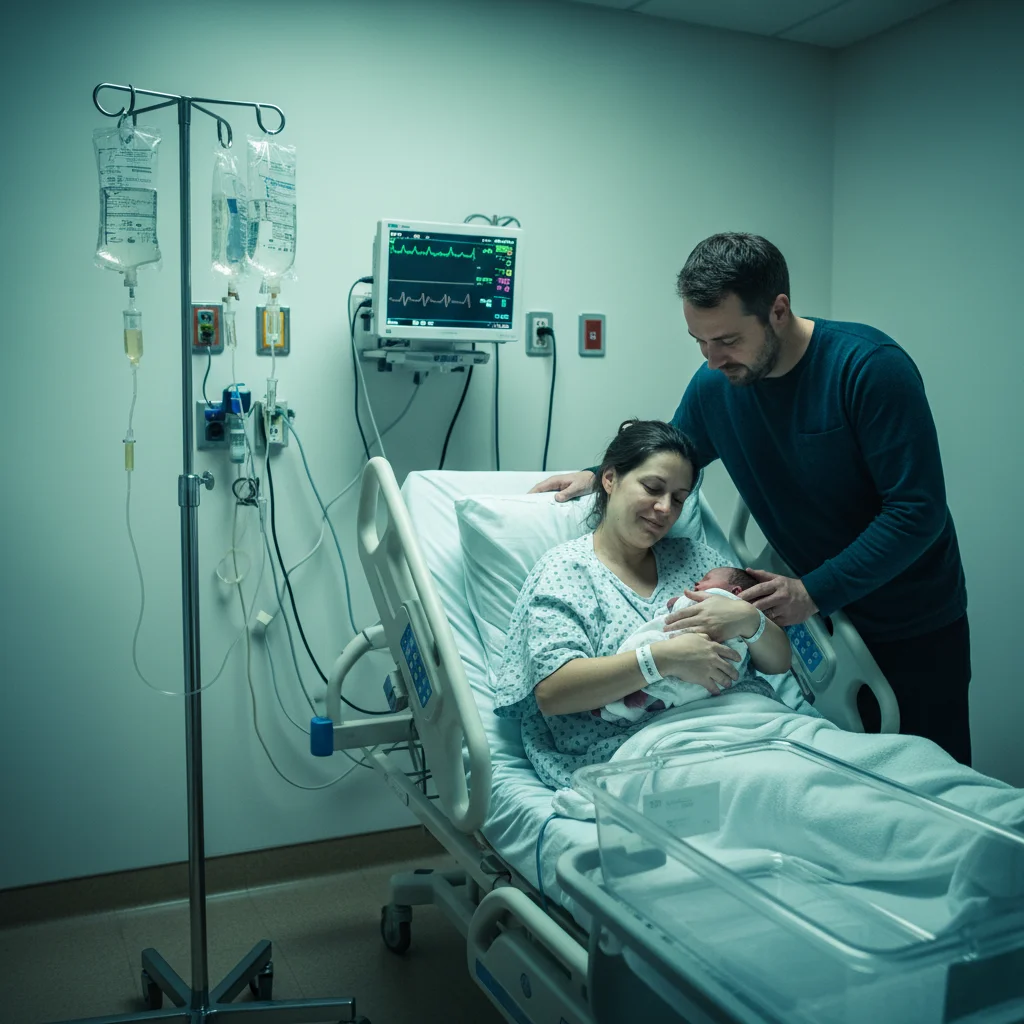
Hospital family photo with IV poles and monitors visible
Before
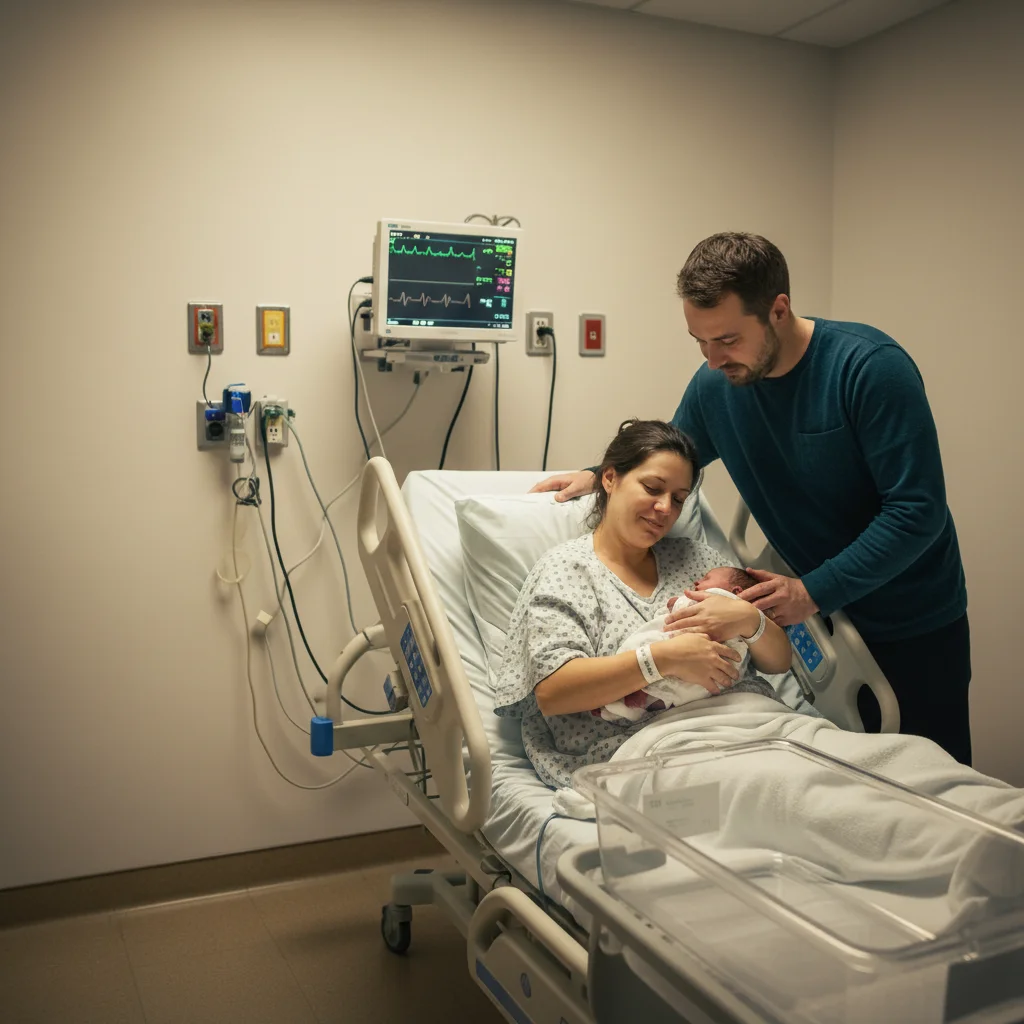
Clean family photo with equipment removed, warm soft lighting
After

Newborn Hospital Photo Too Harsh? Fix Lighting & Clutter

Drop your photo here

or click to browse

Release to upload

Free • No signup

Advertisement
Popular use cases:
  • Newborn hospital photos
  • Remove medical equipment from photos
  • Fix hospital lighting
  • Birth photography editing
  • NICU photos
  • First family photo
  • Hospital photo cleanup

Cost
Free No signup required
Time
Instant results in 15-30 seconds
Works on
Any device - browser, phone, tablet, desktop
Powered by
AI-powered photo editing
Scenario Prompt Time
Remove medical equipment remove all medical equipment including IV poles and monitors 30s
Fix harsh lighting soften harsh hospital lighting, make warm and peaceful 25s
Clean background clutter clean up background hospital clutter and medical items 30s
Complete transformation remove equipment, soften lighting, make warm and intimate 45s

How it works

  1. Upload your hospital photo

    Drop your newborn hospital photo into EditThisPic. First skin-to-skin, family meeting baby, that exhausted proud smile—whatever precious moment got photobombed by medical reality. JPG, PNG, WebP up to 7MB. These first hours can't be recreated.

    Expect: Simple fixes (remove one piece of equipment, adjust lighting): 25-35 seconds. Complex fixes (multiple items, harsh lighting, background clutter): 45-60 seconds.
  2. Describe what to fix or remove

    Type what bothers you: 'remove the IV pole and medical equipment,' 'soften the harsh hospital lighting and make it warm,' or 'clean up the background clutter.' Be specific about what doesn't belong in your memory—monitors, cords, hospital bracelets, medical devices. The AI understands hospital scenes.

    Tip: Combine fixes: 'remove all medical equipment, soften the lighting, and make this feel peaceful and warm' works beautifully.

    Copy one of these to get started:

    Medical equipment visible in frame remove all medical equipment including IV poles, monitors, and cords from this hospital photo
    Harsh overhead hospital lighting soften the harsh hospital lighting and make this photo warm and peaceful, like natural window light
    Background clutter and hospital details clean up the background, remove hospital clutter, and make this feel like a peaceful nursery moment
    Everything needs fixing at once remove all medical equipment, soften the lighting, clean the background, make this feel warm and intimate
    4 more prompts
    Hospital bracelets visible on mom or baby remove the hospital bracelets and ID tags while keeping everything else natural
    Exhausted or unflattering parent appearance soften the shadows under eyes and make skin look healthy and radiant, natural post-birth glow
    Photo taken through isolette or incubator remove the isolette reflections and glass, make it look like baby is being held directly
    Colors look too cold or clinical warm up the colors and make this hospital photo feel cozy and peaceful, like a home nursery
  3. Review your perfect first moment

    Check that medical equipment is gone, lighting feels warm and natural, and the focus is on your baby and family. Zoom in to verify no leftover cords or hospital details. This is the photo you'll show your child someday—make it beautiful.

  4. Refine if needed (optional)

    If any equipment remains or lighting needs adjustment, tap a marker on the specific area and describe: 'remove this cord' or 'soften the light on baby's face.' Most hospital photos work perfectly on first try with Smart mode.

    Tip: For very harsh overhead lighting, try 'replace harsh hospital lighting with soft natural window light' for magical results.
Advertisement
Try it free

Newborn Hospital Photo Too Harsh? Fix Lighting & Clutter

Drop your photo here

or click to browse

Release to upload

Free • No signup

"Our first family photo had IV poles and monitors everywhere. This cleaned it up beautifully while keeping the raw emotion. Now it's framed in the nursery." @NewMomma2026

See it in action

Hospital family photo with IV poles and monitors visible
Before
->
Clean family photo with equipment removed, warm soft lighting
After

First family photo with IV poles and monitors

Their first photo as a family of three, but IV poles and monitors filled the frame. One prompt removed all medical equipment and softened the harsh lighting, creating a photo worthy of the moment's emotion.

Prompt: remove all medical equipment including IV poles and monitors, soften the harsh lighting and make this warm and peaceful
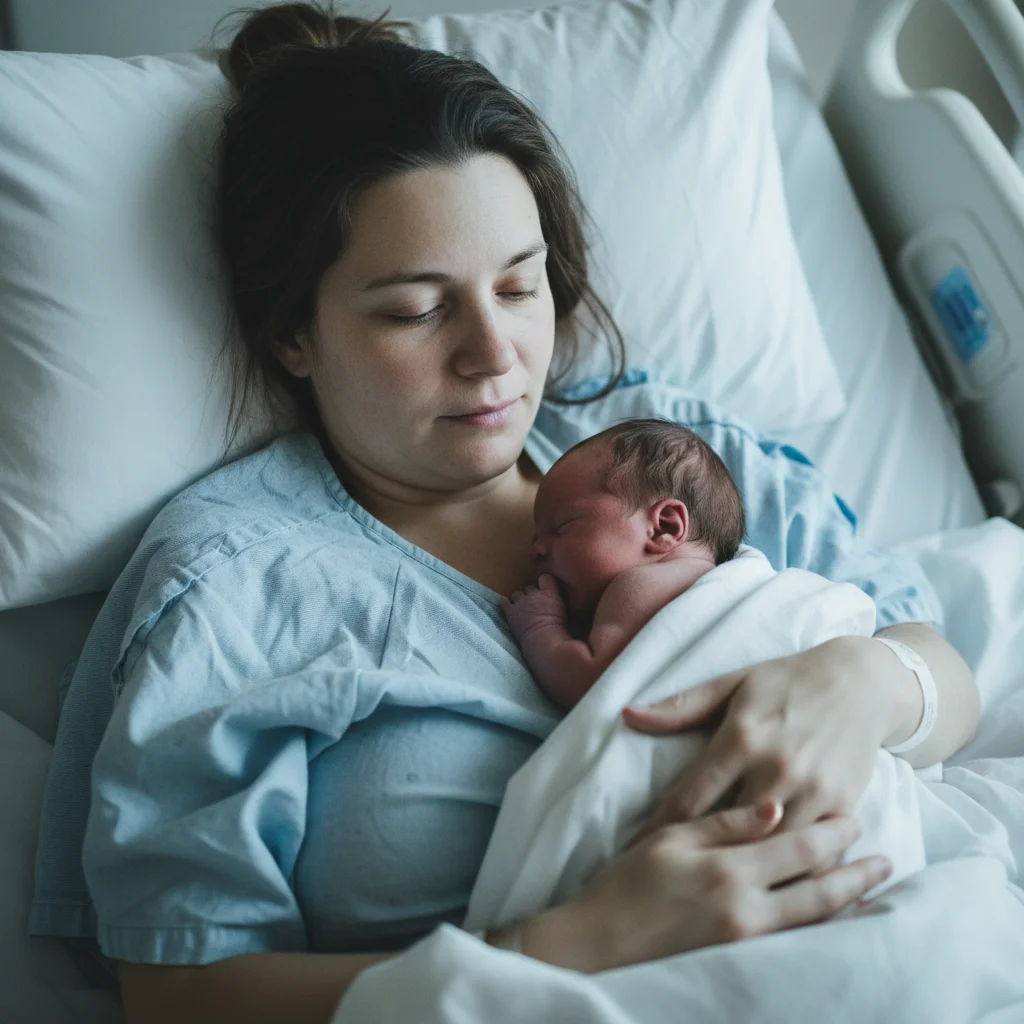
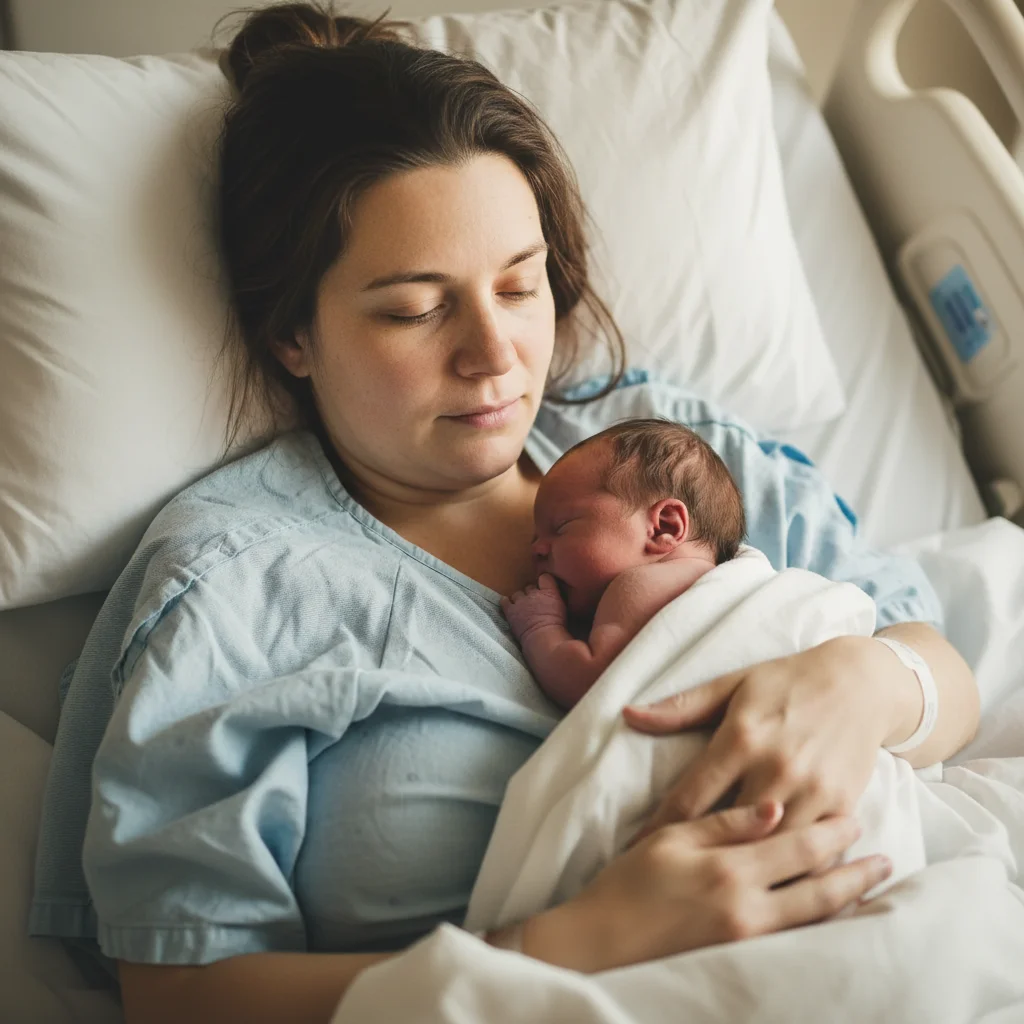
Skin-to-skin photo with harsh fluorescent hospital lighting
Before
->
Same photo with soft warm natural lighting, peaceful atmosphere
After

Skin-to-skin photo with harsh overhead lights

Perfect skin-to-skin moment right after birth, but the harsh hospital lighting made it look clinical instead of intimate. AI softened the lighting to feel warm and peaceful like their memory of the moment.

Prompt: soften the harsh hospital lighting and make this photo warm and peaceful, like soft natural window light

If something looks off

AI removed wanted items along with equipment

Why: The prompt was too broad, causing the AI to remove blankets, pillows, or other items you wanted to keep along with medical equipment.

Try: remove only the IV pole and medical monitors, keep the baby blankets and everything else

Tip: Be specific about what to remove. List items explicitly: 'remove IV pole and monitors' not 'remove everything in background.'

Lighting looks fake or over-softened

Why: Aggressive lighting adjustment can make the photo look overly filtered or lose natural detail and texture.

Try: soften the harsh lighting naturally, make it look like real window light not a filter

Tip: Add 'natural' or 'realistic' to lighting requests. Smart mode creates more believable lighting changes.

Baby's skin tone changed with lighting fix

Why: Adjusting lighting can shift color temperature, affecting newborn skin tones which should stay natural and accurate.

Try: soften the lighting but preserve baby's natural skin tone exactly as it was

Tip: Mention preserving skin tones explicitly when adjusting lighting. Newborn coloring is important to keep accurate.

Background looks empty or weird after equipment removal

Why: Removing large medical equipment can leave obvious empty spaces or unnatural fills in the background.

Try: remove the equipment and fill the background naturally to match the surrounding hospital room

Tip: Try 'blur the background after removing equipment' to make fills less noticeable and keep focus on baby.

Hospital bracelets still partially visible

Why: Bracelets that wrap around arms or are partially hidden can be missed if only the visible part is removed.

Try: remove all hospital bracelets completely including the parts wrapped around the wrist

Tip: Tap markers on visible bracelet parts to ensure complete removal, especially on baby's tiny wrist.

Quick answers

Do I need to mark the medical equipment before removing it?

No. Just type 'remove the IV pole and medical equipment' and the AI identifies and removes hospital items automatically. It understands what medical equipment looks like in birth photos. Markers are only needed if you want to remove something very specific that the AI might miss, or if equipment is partially hidden.

Can I fix multiple issues in one hospital photo?

Yes. Combine fixes: 'remove all medical equipment, soften the harsh lighting, clean up the background clutter, and make this warm and peaceful.' The AI handles multiple changes at once. Smart mode (4 credits) works best for comprehensive hospital photo transformations because it applies changes in the right sequence.

Will this make the photo look fake or over-edited?

Not if you ask for natural results. Hospital photos are tricky because they're already authentic moments—you're just removing distractions. Use words like 'natural,' 'realistic,' or 'subtle' in your prompts. The goal is making the photo match your memory of the moment, not creating something that never happened.

What if my baby was in the NICU and photos are through the isolette?

You can remove isolette reflections and glass with 'remove the isolette glass and reflections, make it look like baby is being held.' This is emotionally powerful but technically complex—Smart mode works much better. The AI can't change the actual medical situation, but it can remove visual barriers.

Can I make myself look less exhausted without looking fake?

Yes, gently. Try 'soften the shadows under eyes and make skin look healthy and radiant, natural post-birth glow.' Keep it subtle—you want to look like yourself rested, not like a different person. The exhaustion is part of the story, but harsh lighting shouldn't make you look worse than you felt.

Should I edit these photos or keep them authentic?

That's entirely your choice. Some parents love the raw hospital reality—it's part of the story. Others prefer cleaning up medical clutter to focus on the emotional moment. There's no wrong answer. Your baby won't remember or care about IV poles, so if removing them makes you happier about displaying the photo, that's valid. These are your memories to preserve however feels right.

Is EditThisPic's AI newborn hospital photo fixer really free?

Yes — you get 1 free edit per week, no account needed. For unlimited edits, plans start at $3.99/month.

Can I fix newborn hospital photo on my phone?

Yes. EditThisPic works in any mobile browser — iPhone, Android, tablet. No app download needed.

Ready to perfect your baby's first photos?

Free to try. No signup required.

Try it free