Free โ€ข No signup Edit Profile pictures ยท Free

Profile Picture Editor

Make a great first impression - professional profile photos in seconds
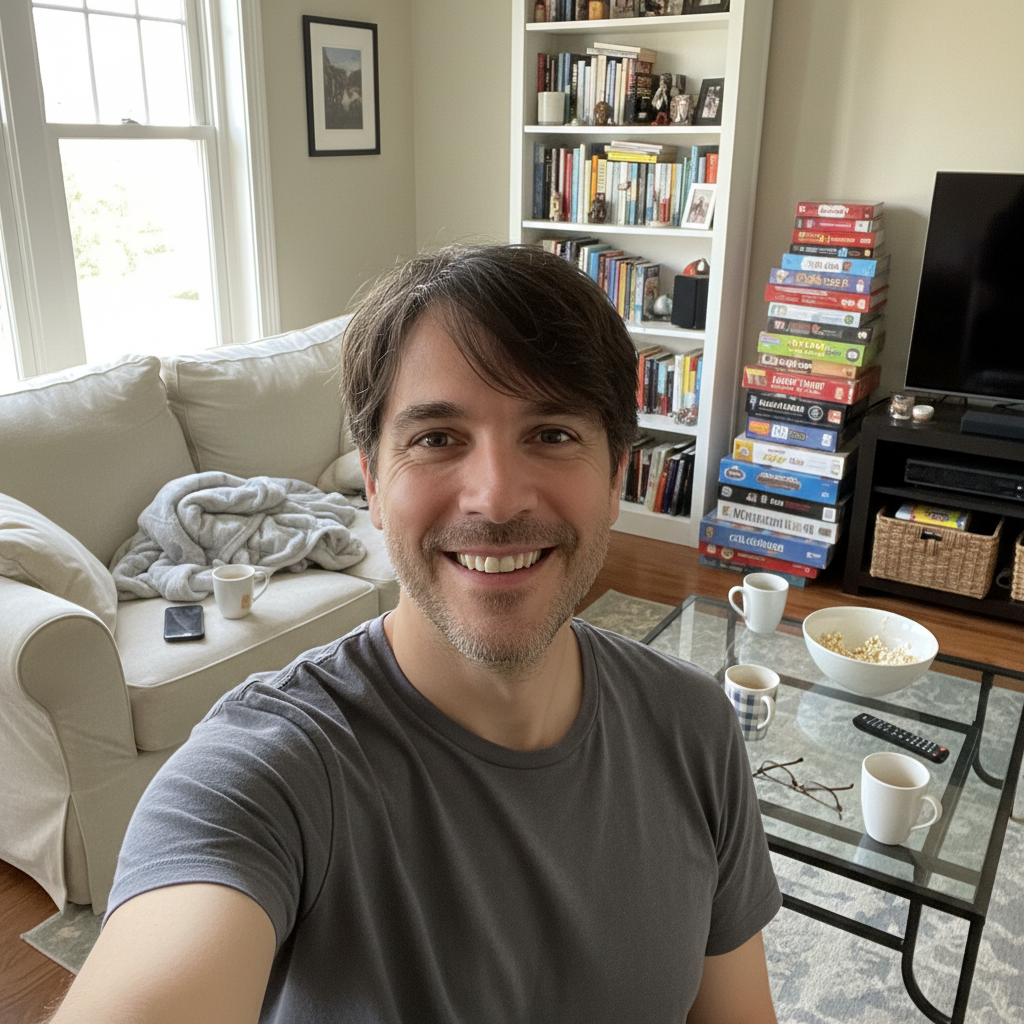
Casual selfie with messy home background and uneven lighting
Before
โ†’
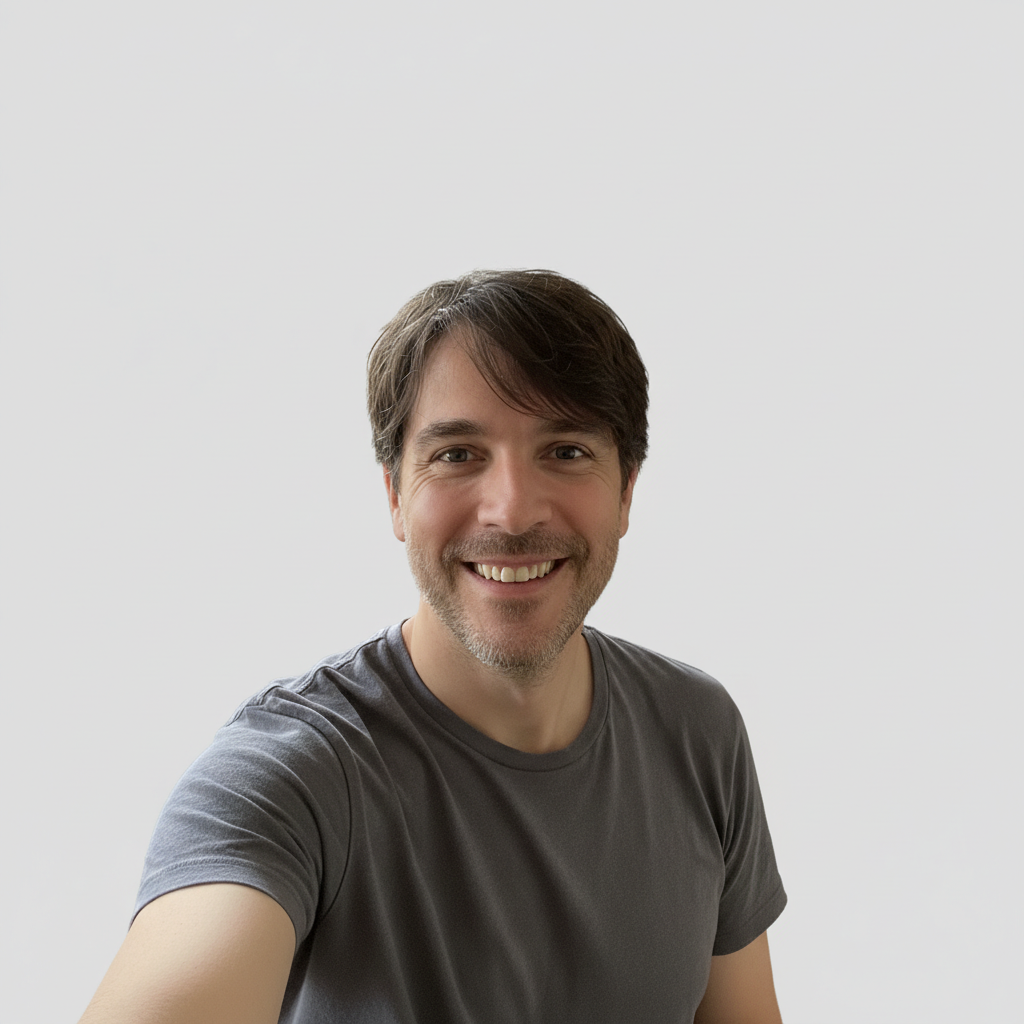
Professional headshot with clean background and studio lighting
After

Profile Picture Editor

Drop your photo here

or click to browse

Release to upload

Free โ€ข No signup

Advertisement
Popular use cases:
  • LinkedIn profile photo
  • social media avatar
  • professional headshot
  • Instagram profile picture
  • Twitter profile photo
  • business profile photo
  • online dating profile photo
  • Zoom profile picture

Cost
Free No signup required
Time
Instant results in 15-30 seconds
Works on
Any device - browser, phone, tablet, desktop
Powered by
AI-powered photo editing
Scenario Prompt Time
Remove background remove background and add clean white backdrop 25s
Fix lighting fix lighting for professional studio look 15s
Full headshot make this a professional headshot 30s

How it works

  1. Upload your photo

    Drop any photo into EditThisPic. Selfies, casual photos, or existing headshots all work. JPG, PNG, WebP up to 7MB.

    Expect: Simple fixes like lighting: 15-20 seconds. Background removals: 25-30 seconds.
  2. Describe your ideal profile photo

    Type what you want: 'remove the background and add a professional blue backdrop' or 'fix the lighting and remove blemishes.' Be specific about the look you want. The AI understands profile photo needs like clean backgrounds, professional lighting, and subtle retouching.

    Tip: Combine multiple fixes in one prompt: 'remove background, fix lighting, and smooth skin'

    Copy one of these to get started:

    Need a clean, professional background remove the background and replace with a clean white backdrop
    Lighting is unflattering or uneven fix the lighting to look more professional with soft, even illumination
    Want to look more polished without looking fake subtly remove blemishes and smooth skin while keeping it natural
    Turn a casual photo into a headshot make this look like a professional headshot with studio lighting
    5 more prompts
    Teeth look dull or discolored whiten my teeth naturally
    Red-eye from flash photography remove the red-eye from my eyes
    Angle makes face look unflattering adjust the angle to be more flattering and straight-on
    Need consistent style across platforms create a professional headshot style with neutral background and warm lighting
    Need to crop for specific platform dimensions crop to a square format centered on my face for Instagram
  3. Download your professional photo

    Review your transformed profile picture and download in high resolution. Perfect for LinkedIn, social media, or professional profiles. If you want additional adjustments, just describe them.

  4. Use markers for precise retouching

    If you need to target a specific area like a blemish or stray hair, tap markers on those spots and describe the fix. Most profile photo edits work perfectly without markers.

    Tip: Markers are helpful when you want to remove a specific blemish without affecting surrounding skin
Try it free โ†“

Profile Picture Editor

Drop your photo here

or click to browse

Release to upload

Free โ€ข No signup

"Turned a selfie into a LinkedIn headshot in 20 seconds. Got compliments from recruiters the same day!" @mikejobs2026

See it in action

Casual selfie with messy home background and uneven lighting
Before
->
Professional headshot with clean background and studio lighting
After

Casual to Professional Headshot

Everyday selfie transformed into polished LinkedIn-ready profile photo.
Prompt: make this look like a professional headshot with studio lighting
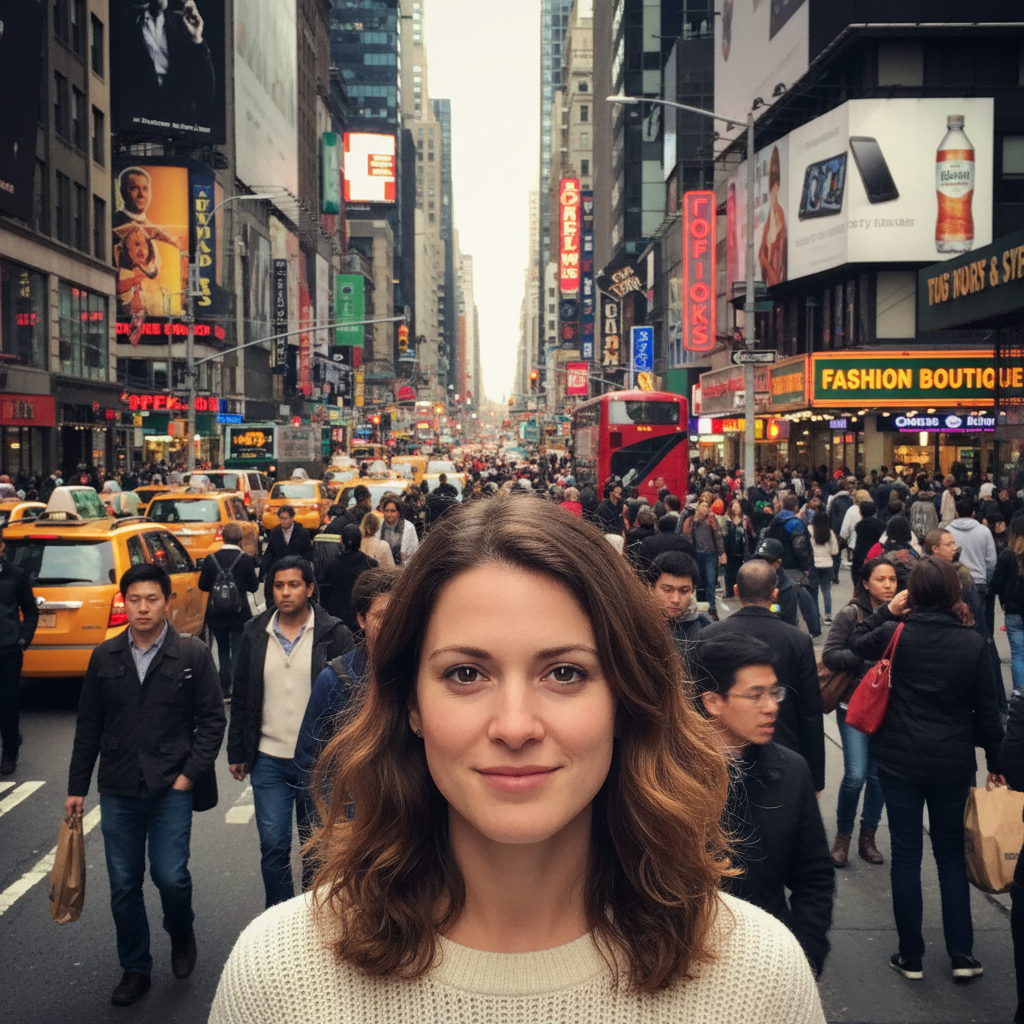
Portrait with distracting busy street background
Before
->
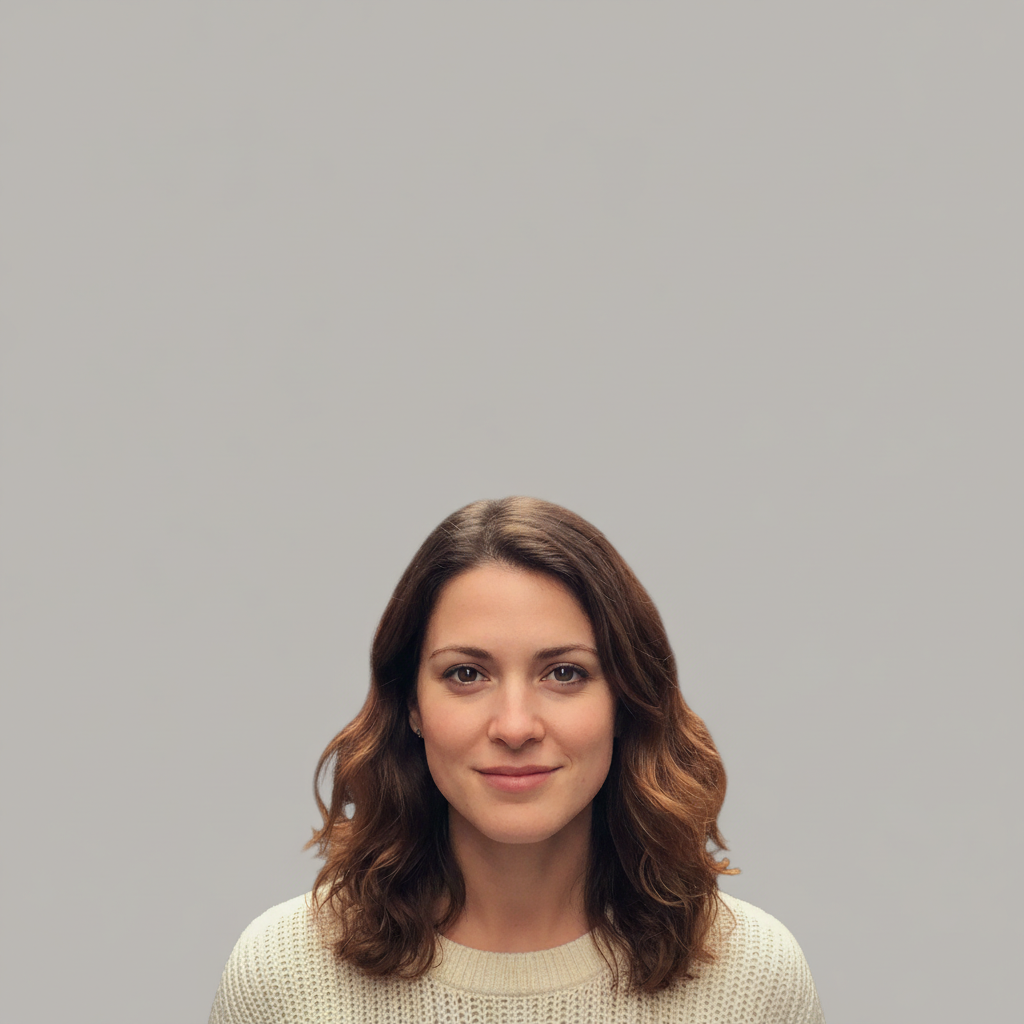
Same portrait with clean light gray professional backdrop
After

Removed Background for Clean Profile

Busy outdoor background replaced with professional solid color.

Prompt: remove the background and replace with a clean light gray backdrop
Headshot with harsh shadows and visible blemishes
Before
->
Same headshot with balanced lighting and smooth, natural skin
After

Fixed Lighting and Skin

Harsh lighting and visible blemishes corrected for polished appearance.

Prompt: fix the lighting and subtly remove blemishes for a professional look
Advertisement

If something looks off

Skin looks too smooth or plastic after editing

Why: The AI may have over-corrected skin smoothing

Try: Try 'very subtly smooth skin while keeping natural texture'

Tip: Use words like 'subtle', 'slight', or 'natural' to avoid over-processing

Background removal left artifacts around hair edges

Why: Fine hair details can be challenging to separate from backgrounds

Try: Try 'clean up the edges around my hair' or use markers on problem areas

Tip: Solid color backgrounds (white, gray, blue) hide edge issues better than gradients

Teeth whitening looks unnatural

Why: The AI may have whitened too aggressively

Try: Try 'slightly whiten teeth while keeping them natural looking'

Tip: Natural teeth have subtle color variation - overly white teeth look fake

Angle adjustment distorted my face

Why: Major angle changes require more facial reconstruction

Try: Start over with a smaller adjustment: 'slightly straighten the angle'

Tip: For significant angle issues, it's better to take a new photo from the right angle

Quick answers

How do I make a casual photo look like a professional headshot?

Just describe the transformation: 'make this look like a professional headshot with studio lighting and a clean background.' The AI will adjust lighting, background, and overall polish to create a business-ready profile photo from any casual shot.

Can I edit my profile picture for free without a watermark?

Yes! EditThisPic is free to try with no signup required. You can remove backgrounds, fix lighting, and enhance your profile photos without any watermarks on the final images.

What's the best background for a LinkedIn profile photo?

Professional recruiters recommend solid colors like white, light gray, or soft blue. Try 'replace background with professional light gray backdrop' or 'add a clean white background.' Avoid busy patterns or distracting scenes.

How do I remove blemishes without looking over-edited?

Use natural language like 'subtly remove blemishes while keeping natural skin texture' or 'lightly smooth skin without making it look plastic.' The key words 'subtle' and 'natural' help the AI make realistic improvements.

Can I use the same style across all my social media profiles?

Yes! Once you get a look you like, use similar prompts for all your photos. For example, 'professional headshot style with neutral background and warm lighting' will create consistent branding across LinkedIn, Twitter, and other platforms.

Ready to upgrade your profile photo?

Free to try. No signup required. Professional results in 15-30 seconds.

Try it free โ†’