AI Photo Editor for Interior Design Photos
Transform any room photo into portfolio-worthy imagery in under a minute.
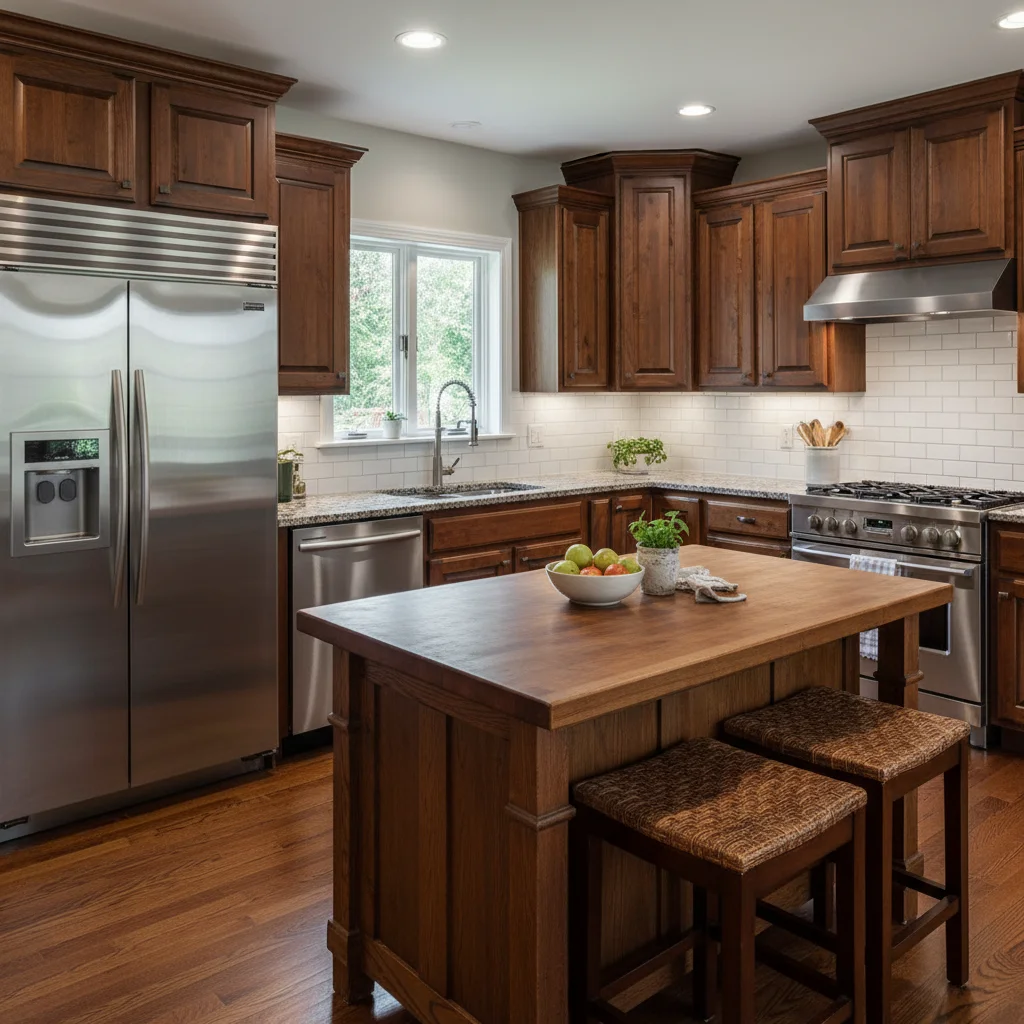
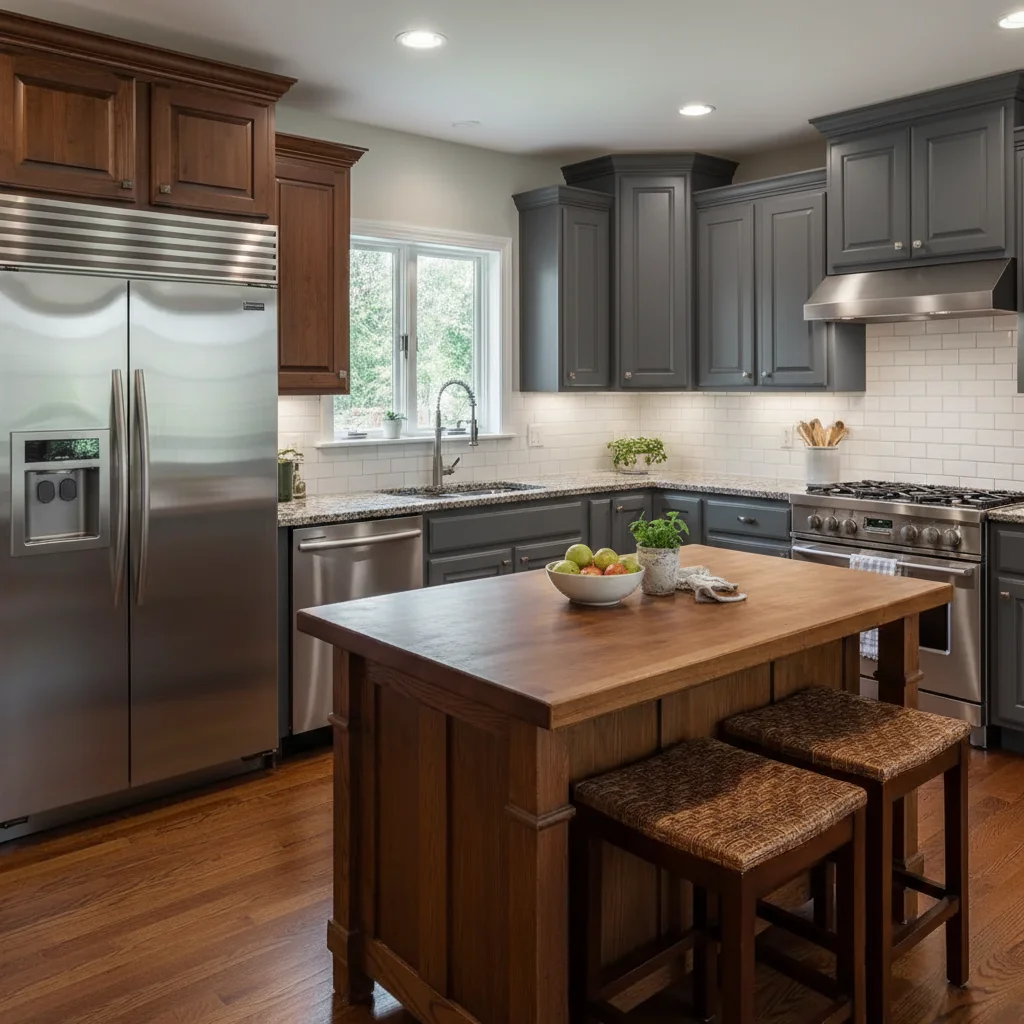
Drop your photo here
or click to browse
Release to upload
Free • No signup
"Shot a vacant condo for my portfolio. Added a mid-century modern living room setup in 30 seconds. Client thought I rented staging furniture. Landed the design contract that week." @InteriorsByKim
Built for Interior Design Professionals
Interior design portfolios live and die by photo quality. Empty rooms need staging, occupied spaces need decluttering, and every shot needs perfect lighting. Traditional virtual staging costs $50-100 per image with 24-48 hour turnaround. EditThisPic lets you describe what you envision and see it in seconds.
Tools Interior Designers Use Most
Virtual Staging
Add furniture and decor to empty rooms for portfolios and client presentations
Declutter Room
Remove personal items and mess to reveal clean architectural space
Enhance Lighting
Brighten dark interiors with natural, balanced daylight
Remove Furniture
Clear rooms to show empty space or prepare for virtual staging
Change Colors
Visualize different wall colors, cabinet finishes, or flooring options
How to AI Photo Editor for Interior Design Photos
-
Upload your interior photo
Drop your room image into EditThisPic. JPG, PNG, WebP up to 7MB. Works with empty rooms, furnished spaces, before-renovation shots, and completed projects. Whether it's a dark basement or a bright loft, upload what you have.
Simple edits like lighting enhancement: 20-30 seconds. Complex virtual staging: may need 2-3 refinements. -
Describe your vision in plain English
Type what you need: 'virtually stage this empty room with contemporary furniture and warm lighting' or 'remove all the clutter and show the clean space.' Be specific about style, colors, and atmosphere. No marking or selection needed - the AI understands interior design terminology.
Include design style keywords: 'mid-century modern,' 'Scandinavian minimalist,' 'industrial loft,' 'coastal farmhouse' for accurate furniture selection. -
Review and download
Check furniture placement and scale, lighting balance, and material textures. For virtual staging, verify furniture looks natural in the space. For decluttering, ensure personal items are gone but architectural features remain. Download your portfolio-ready image.
-
Refine specific areas if needed
If furniture scale needs adjustment or the AI missed some clutter, tap a marker on that exact spot and regenerate. Common refinements: adjusting furniture placement, removing specific items the AI missed, or tweaking lighting in certain areas.
Most edits work on the first try. Markers help when you need to say 'move THIS piece' or 'remove THAT item specifically.'
Copy-Paste Prompts for Interior Design Photos
virtually stage this living room with modern furniture including a comfortable sectional sofa, coffee table, side tables, and area rug in neutral warm tones, natural daylight
Specifying furniture pieces ensures the AI includes everything needed for a complete room setup
remove all personal items, clutter, and mess from the room, show the clean architectural space with empty surfaces and clear floors
'Empty surfaces and clear floors' tells the AI to be thorough about decluttering
enhance the lighting to be bright and airy with natural daylight feel, balance shadows, make the space feel open and inviting
Describing the 'feel' helps the AI understand you want mood enhancement, not just brightness
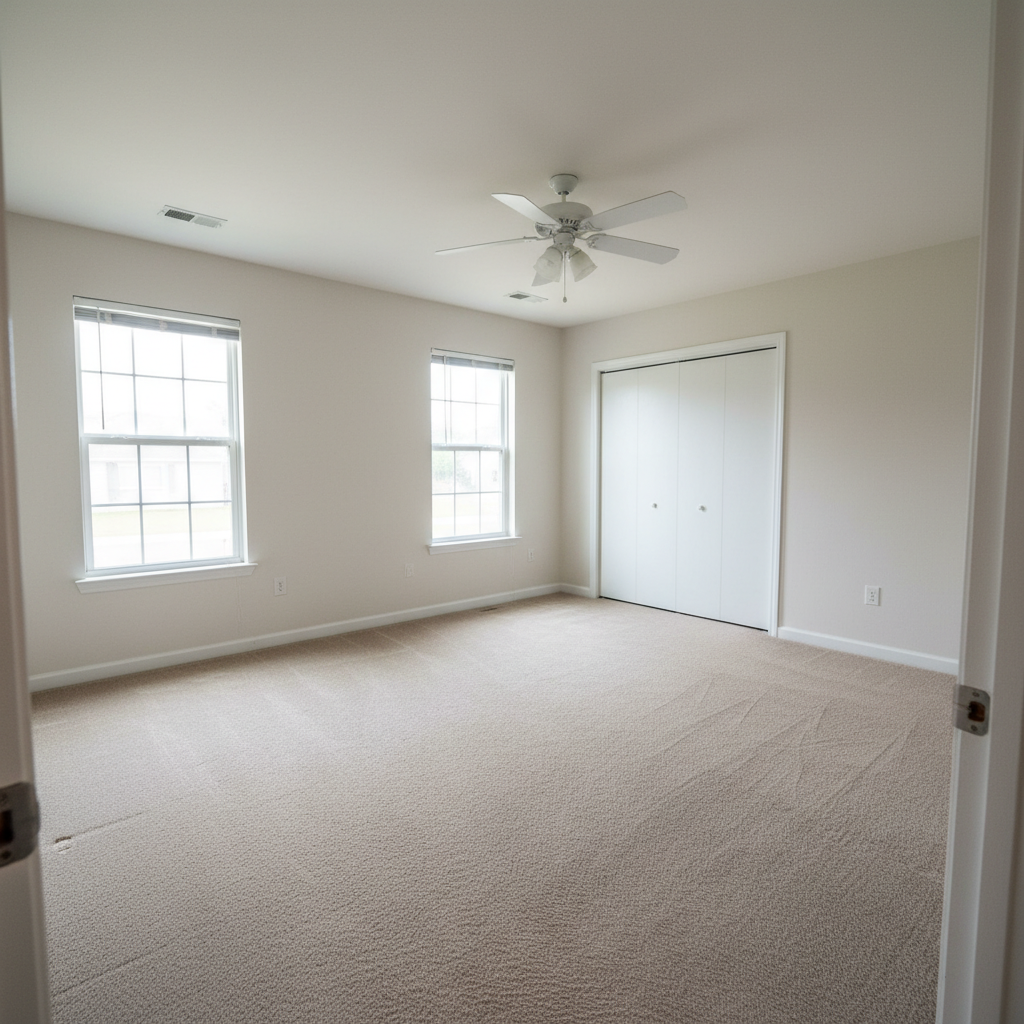
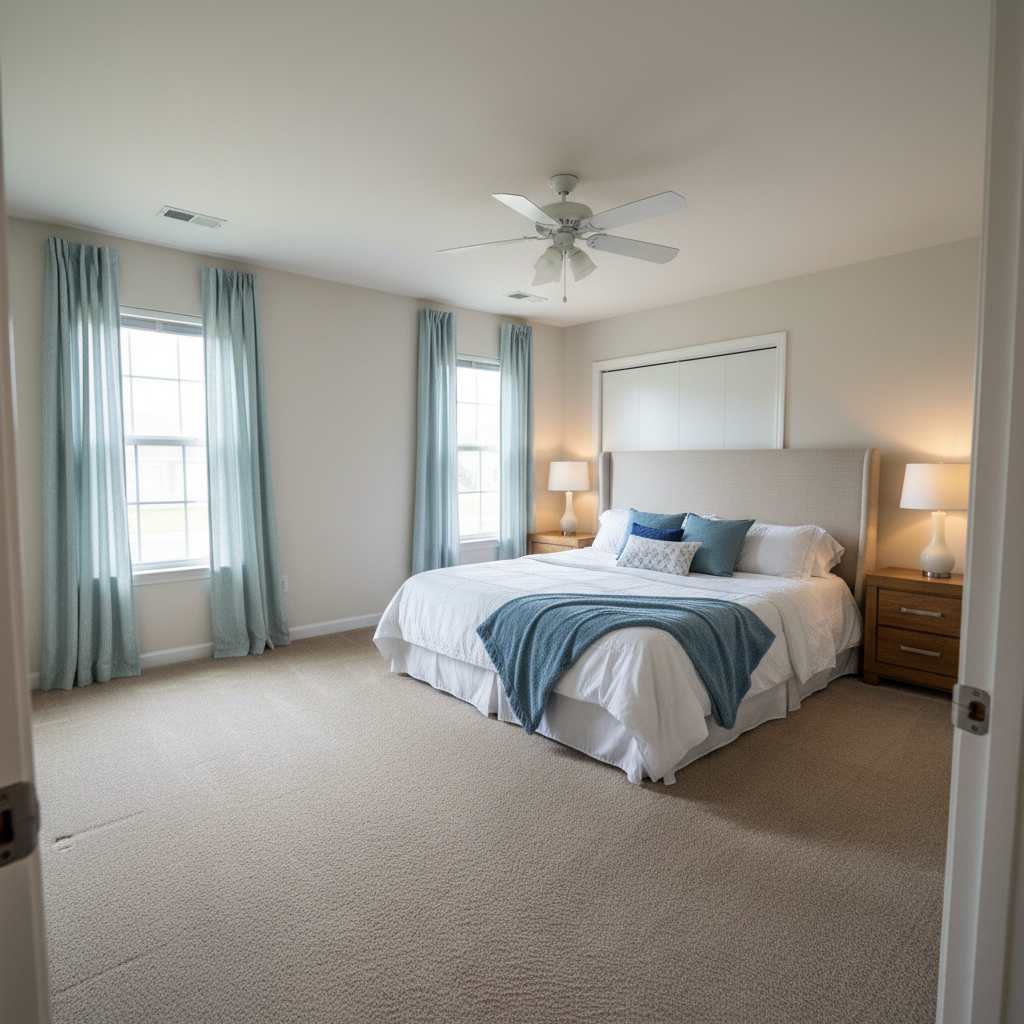
virtually stage this bedroom with a king bed with white bedding, matching nightstands, table lamps, and a cozy area rug, modern minimalist style
White bedding photographs well and appeals to most buyers - a safe portfolio choice
Show 4 more prompts
change the wall color to a soft sage green, keep all the trim, molding, and architectural details the same
Specifying 'keep trim' prevents the AI from changing elements you want preserved
remove all furniture from the room to show the empty space, keep the architectural features, windows, and flooring visible
Essential first step when you want to restage a room with a different style
change the cabinet color to white, update the countertops to look like white marble, keep the layout and appliances the same
Perfect for showing clients renovation potential without actual construction
reduce the window glare and balance the interior lighting, show detail in both the room and the view outside
Addresses the classic interior photography challenge of balancing indoor and outdoor exposure
| Edit Type | Prompt | Time | |
|---|---|---|---|
| Stage empty room | virtually stage with modern furniture, neutral tones |
35s | Try This → |
| Declutter space | remove clutter and personal items, clean space |
25s | Try This → |
| Brighten interior | enhance lighting, bright and airy daylight |
25s | Try This → |
| Change wall color | change wall color to [color], keep trim |
20s | Try This → |
Real Examples
Empty room virtually staged
A vacant living room transformed with modern furniture placement. The AI added a complete furniture set that looks naturally placed.
virtually stage this living room with modern furniture including a comfortable sectional sofa, coffee table, side tables, and area rug in neutral warm tones, natural daylight
Cluttered room decluttered
A messy occupied room cleared of personal items to reveal the beautiful space underneath. Perfect for portfolio use.
remove all personal items, clutter, and mess from the room, show the clean architectural space with empty surfaces and clear floors
When Things Go Wrong
Virtual furniture looks out of scale
Why: The AI may misjudge room dimensions from perspective, leading to furniture that's too large or small.
Tap markers on the furniture that's wrong sized, then: adjust the furniture scale to match the room proportions, the [sofa/table] should be smaller/larger
Mentioning a reference object helps: 'the sofa should be sized for a 12-foot wide room.'
AI changed the wrong area
Why: When multiple similar items exist or the instruction was ambiguous, the AI may pick incorrectly.
Tap a marker on the specific item you want changed, then regenerate with the same prompt
Markers tell the AI 'I mean THIS one specifically.' Use them when description alone is ambiguous.
Decluttering removed architectural features
Why: The AI sometimes interprets 'remove clutter' too broadly and takes decorative molding or built-ins.
remove clutter and personal items only, keep all architectural features like molding, built-in shelves, and fireplace mantel
Be specific about what to preserve: 'keep the crown molding, wainscoting, and built-in bookshelf.'
Staged furniture style doesn't match request
Why: Generic terms like 'modern' can be interpreted differently. The AI needs specific style cues.
remove the furniture and restage with [specific style] furniture, like [designer name] or [era] pieces in [specific materials]
Reference specific designers or eras: 'Eames-inspired,' 'Danish modern,' 'restoration hardware style.'
Lighting enhancement made some areas too bright
Why: Global lighting adjustments can over-brighten areas that were already well-lit.
Tap markers on the too-bright areas, then: balance the lighting in these areas, reduce the brightness while keeping the rest of the room well-lit
Markers let you target specific areas for adjustment rather than the whole image.
Frequently Asked Questions
How do I virtually stage an empty room for free?
Upload your empty room photo to EditThisPic and type: 'virtually stage with modern furniture including a sofa, coffee table, and rug in neutral tones.' The AI places realistic furniture in 30-40 seconds. No 3D modeling skills needed, no expensive staging software. Free to try, no account required.
Can I remove clutter from interior photos without losing architectural details?
Yes. Type 'remove personal items and clutter, keep all architectural features.' The AI understands the difference between temporary mess and permanent features like molding, built-ins, and fireplaces. Specify what to preserve if you want extra protection for specific elements.
Do I need to mark areas before describing what I want?
No! Just describe your edit: 'virtually stage with mid-century modern furniture' or 'remove the clutter.' The AI understands interior design context. Only use markers for precision - like specifying which piece of furniture to adjust, or pointing to specific clutter the AI missed.
Is there a free virtual staging tool for interior designers?
Yes. EditThisPic offers free virtual staging with no signup required. Unlike professional staging services that charge $50-100 per image with 24-48 hour turnaround, you describe what you want and see results in under a minute. No watermarks on downloads.
How do I brighten dark interior photos for my portfolio?
Upload your dark interior and type: 'enhance lighting to bright and airy with natural daylight feel.' The AI balances shadows and exposure while keeping the image looking natural. It handles the classic interior photography challenge of dark rooms without blowing out windows.
Can I visualize different wall colors or finishes?
Yes. Type 'change the wall color to soft sage green' or 'make the cabinets look like white oak.' The AI can visualize paint colors, cabinet finishes, countertop materials, and flooring options. Great for showing clients renovation potential before any work begins.
What furniture styles can the AI create for virtual staging?
The AI understands most interior design styles: mid-century modern, Scandinavian minimalist, industrial, coastal, farmhouse, contemporary, traditional, bohemian, and more. Use specific style names in your prompt for accurate results. You can also reference specific designers or furniture brands.
How do I prepare interior photos for design competitions?
For competition submissions, focus on clean, well-lit shots that showcase your design work. Use EditThisPic to enhance lighting, remove any construction debris or staging items that distract from the design, and ensure colors are accurate. Keep edits subtle - judges can spot over-processed images.
Will the AI-staged furniture look realistic?
Yes, EditThisPic generates photorealistic furniture that matches room perspective and lighting. The AI considers shadow direction, ambient light color, and floor reflections. For best results, use high-quality source photos and be specific about furniture style and materials.
Ready to transform your interior design photos?
Free to try. No signup required. No watermarks.
Upload Your First Photo