Free โ€ข No signup Preview Hair extensions ยท Free

AI Hair Extension Preview
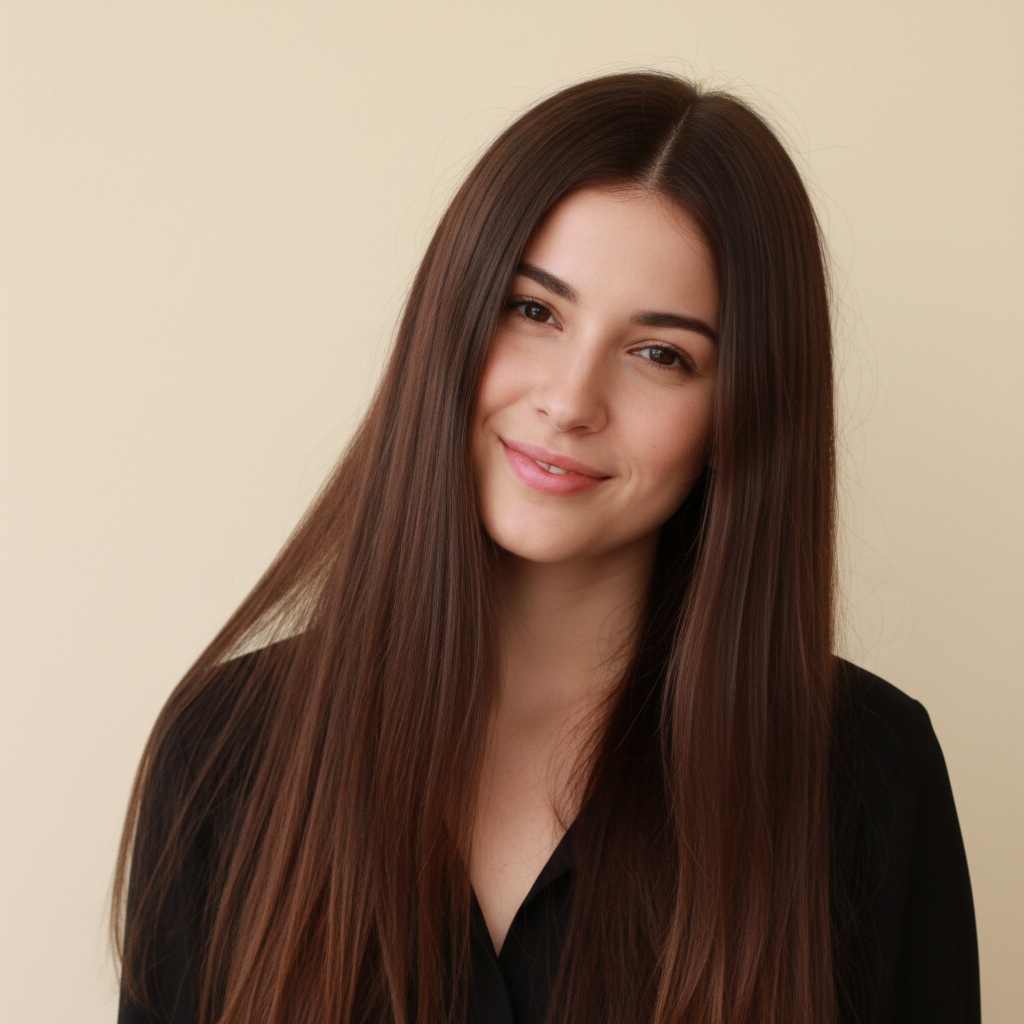

Before
Before
โ†’
After
After

Free AI Hair Extension Preview

Drop your photo here

or click to browse

Release to upload

Free โ€ข No signup

Advertisement
Popular use cases:
  • hair extension preview
  • try extensions virtually
  • see hair extensions before buying
  • extension length simulator
  • hair extension try on
  • preview hair length
  • volumizing extensions preview
  • hair extension visualization

Cost
Free No signup required
Time
Instant results in 15-30 seconds
Works on
Any device - browser, phone, tablet, desktop
Powered by
AI-powered photo editing
Scenario Prompt Time
15-30s
15-30s
15-30s
15-30s

How it works

  1. Upload your photo

    Choose a photo showing your current hair. The AI will add length, volume, or both based on what you describe. Make sure your hair is visible so the AI can seamlessly blend the extensions with your natural hair.

    Expect: Simple length addition: 25-35 seconds. Complex volume and length with specific styling: 35-45 seconds and may need refinement.
  2. Describe the extensions you want

    Type what you want extensions to add - more length (specify how much longer), added volume, or both. Mention the style you want: straight, wavy, curly, or matching your current texture. The AI adds realistic-looking extensions that blend with your natural hair color and texture.

    Tip: Be specific about length and what you want: 'add 6 inches of length with thick volume' or 'extend hair to mid-back length, wavy texture'. Mention if you want color-matched or different shade.

    Copy one of these to get started:

    preview Add hair extensions to make my hair 6 inches longer with matching color and texture
    preview Give me longer hair extensions down to mid-back length with added volume
    preview Add thick volumizing extensions to make my hair look fuller, same length
    preview Give me long wavy extensions extending hair to lower back with natural blend
    4 more prompts
    preview Add extensions to create long straight hair down to waist level
    preview Give me voluminous curly extensions adding both length and bounce to my hair
    preview Add subtle extensions just for volume boost, keeping current length but fuller look
    preview Give me dramatic length extensions to create super long hair past waist with high volume
  3. Review the result

    Check the added length and volume, and how well the extensions blend with your natural hair. Make sure the texture and color match. If adjustments needed, describe changes like 'make extensions thicker' or 'blend color better at roots'.

  4. Download Your Extension Preview

    Save your photo with extensions in high resolution. No watermark, perfect for deciding if extensions are right for you or showing your stylist the length you want.

Try it free โ†“

Free AI Hair Extension Preview

Drop your photo here

or click to browse

Release to upload

Free โ€ข No signup

See it in action

Before
Before
->
After
After

Natural Length Extension

Add hair extensions to make my hair 8 inches longer to mid-back length, matching my brown color and wavy texture

Prompt:
Before
Before
->
After
After

Volume-Boosting Extensions

Add thick volumizing extensions to make my hair look much fuller and thicker, keeping the same length

Prompt:
Before
Before
->
After
After

Long Dramatic Extensions

Give me dramatic hair extensions creating long hair down to lower back with added volume and matching black color

Prompt:
Advertisement

If something looks off

AI changed the wrong area or something I didn't want changed

Why: The AI couldn't determine exactly which area you meant from description alone.

Try: Tap a marker on the specific area you want to change, then regenerate with the same prompt

Tip: Markers tell the AI 'I mean THIS one specifically.' Use them when description alone is ambiguous.

Extensions don't blend naturally with my hair color

Why: Color-matching needs explicit instruction, especially with multi-tonal hair.

Try: Add 'perfectly color-matched to my natural hair' or 'blend seamlessly with my [color] hair' to your prompt

Tip: For best blending, mention 'matching my hair color exactly' or specify the exact shade you want for extensions.

The added hair looks too thick or unnatural

Why: Volume amount needs calibration based on your natural hair density.

Try: Try 'natural-looking volume that matches my hair density' or 'subtle thickness increase, not overly voluminous'

Tip: Use 'natural volume' for subtle, 'thick and full' for medium boost, 'very voluminous' for dramatic. Match your hair type.

Extension texture doesn't match my natural hair

Why: Texture needs to be specified, especially if your hair has curl or wave pattern.

Try: Specify texture: 'extensions with same wavy texture as my hair' or 'straight extensions' or 'curly extensions matching my curl pattern'

Tip: Always mention texture. Straight, wavy, curly, or 'matching my current texture'. Mismatched texture looks fake.

Can't tell where natural hair ends and extensions begin

Why: This is actually good! Seamless blending is the goal for realistic extensions.

Try: If you want to see the difference clearly for decision-making, try side-by-side: upload photo again and compare with/without

Tip: Invisible blending means the extensions look natural. If you need to see the before/after clearly, save both versions.

Added length isn't as long as I wanted

Why: Length descriptors may need more specificity about final desired length.

Try: Use exact measurements: 'add 10 inches' or anatomical points: 'extend to waist level' or 'down to lower back'

Tip: Specify either inches (6, 10, 14, etc.) or body landmarks (mid-back, waist, below waist). Be explicit about final length.

Quick answers

Do I need to mark my hair before previewing extensions?

No! Just describe the length and volume you want. The AI automatically detects your hair and adds realistic extensions. Only use markers if you want extensions in specific unusual sections or if the AI needs clarification about where your hair is.

Can I try different extension lengths and styles on the same photo?

Yes! After seeing one result, describe different length or volume and the AI replaces the previous extensions. Try shoulder-length, then mid-back, then waist-length - compare as many options as you want. Each generation replaces the previous preview.

What types of extensions can I preview?

You can preview any extension style: added length only, volume only, or both. Any texture: straight, wavy, curly. Any amount: subtle (few inches), medium (6-8 inches), dramatic (12+ inches). Specify what you want and the AI shows you how it would look.

Will the extensions match my natural hair color?

The AI attempts to color-match by default, but you can be explicit: 'matching my natural hair color' for same shade, or request different: 'extensions in lighter blonde' or 'darker extensions'. For multi-tonal hair, mention 'blend with my highlights' for best matching.

Can I see how much volume extensions would add?

Yes! Specify volume-focused requests: 'add volume and thickness without changing length' or 'volumizing extensions to make thin hair look fuller'. The AI shows increased fullness. This helps decide if you need extensions primarily for length, volume, or both.

How do I know what length extensions to get?

Experiment with this tool! Try 'add 6 inches', then 'add 10 inches', then 'extend to mid-back' and compare. You can test various lengths before buying. When you find a look you love, note the description and show it to your stylist or use when ordering extensions.

Can I preview extensions with different texture than my natural hair?

Yes! You can request any texture: 'straight extensions' even if your hair is curly, or 'wavy extensions' for straight hair. This lets you see how texture change would look. However, for most realistic daily look, extensions matching your texture blend best.

Ready to preview hair extensions?

Free to try. No signup required.

Try it free โ†’