Pricing Visualize Kitchen appliances · Free

AI Appliance Color Visualizer

← Browse all creative effects

Last updated

Upload your kitchen photo, name the finish, and preview it on the appliances. Free, no account.
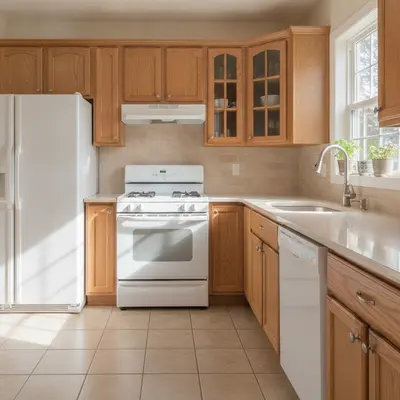
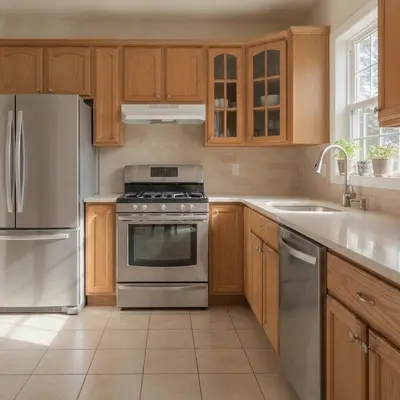
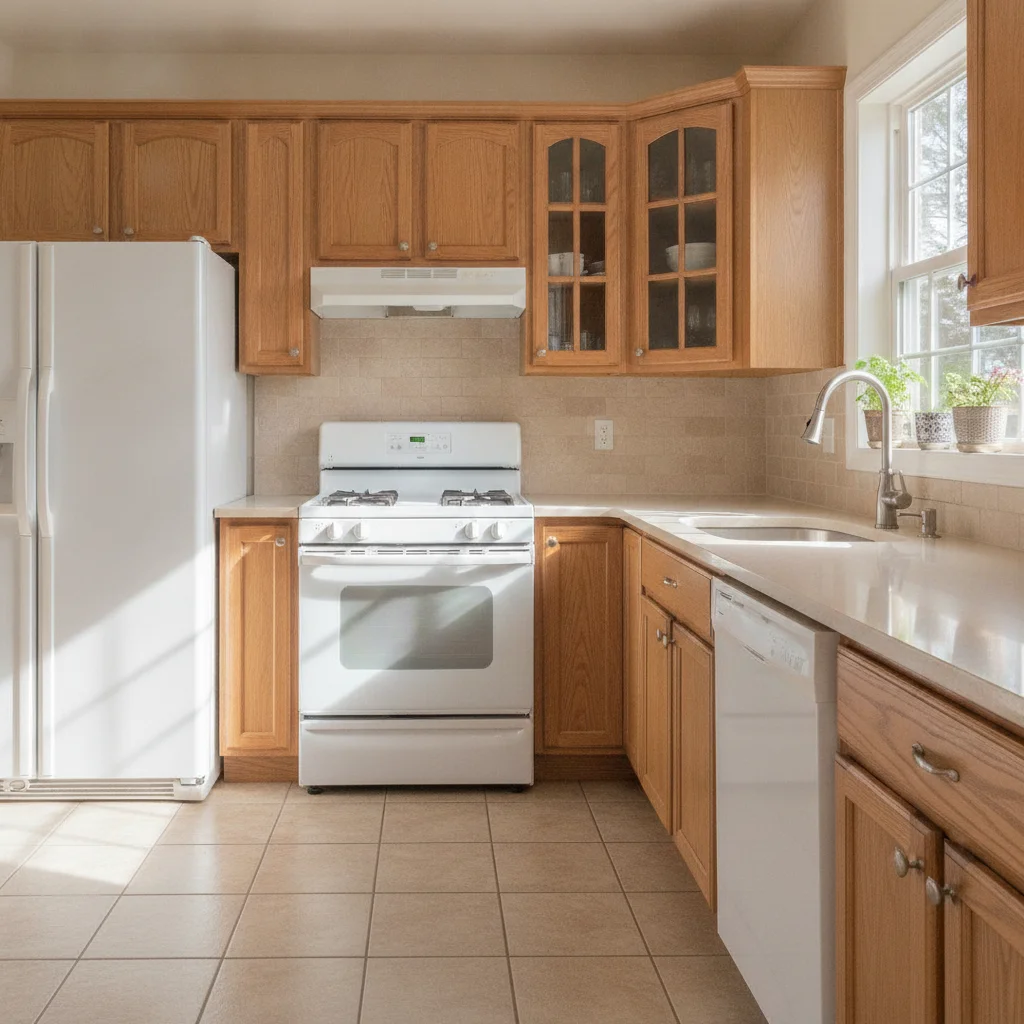
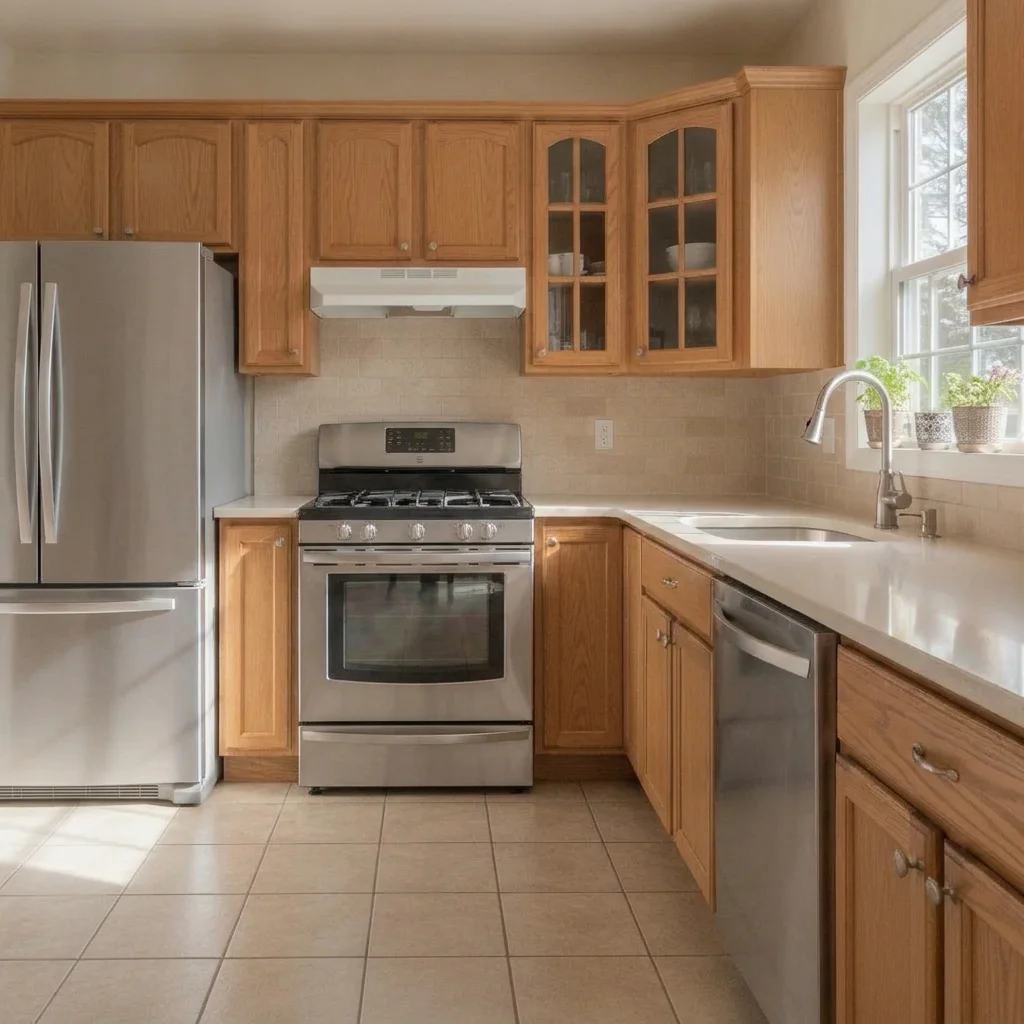
Kitchen with white refrigerator, range and dishwasher, oak cabinets Same kitchen with brushed stainless steel appliances

Upload photo to visualize kitchen appliances

"change all the appliances to black stainless steel with a soft satin finish, keep everything else in the kitchen the same"

Free to try · no sign-up · never used for AI training

Release to upload

<30stypical edit
1 freeedit weekly
Photo on your phone? Scan to open this editor there — free edit works on your phone too.

1 free edit every week·paid packs after

How it works

  1. Upload a clear photo

    Use a straight-on photo where the refrigerator, range and dishwasher are visible and not blocked by people or clutter. Even lighting helps the AI read the existing finish.

    Expect: Most previews take well under a minute. Busy photos with many similar surfaces can take longer or need a second try.
  2. Describe the change you want

    Say which appliances to change and what finish you want. For example, 'change the refrigerator and range to black stainless steel, keep the white dishwasher.' Naming each appliance avoids surprises.

    Tip: Name the finish precisely: stainless steel, black stainless, matte black, white, slate or panel-ready cabinet front.

    Copy one of these to get started:

    Stainless steel appliances change the refrigerator, range and dishwasher to brushed stainless steel, keep the cabinets, counters and walls unchanged
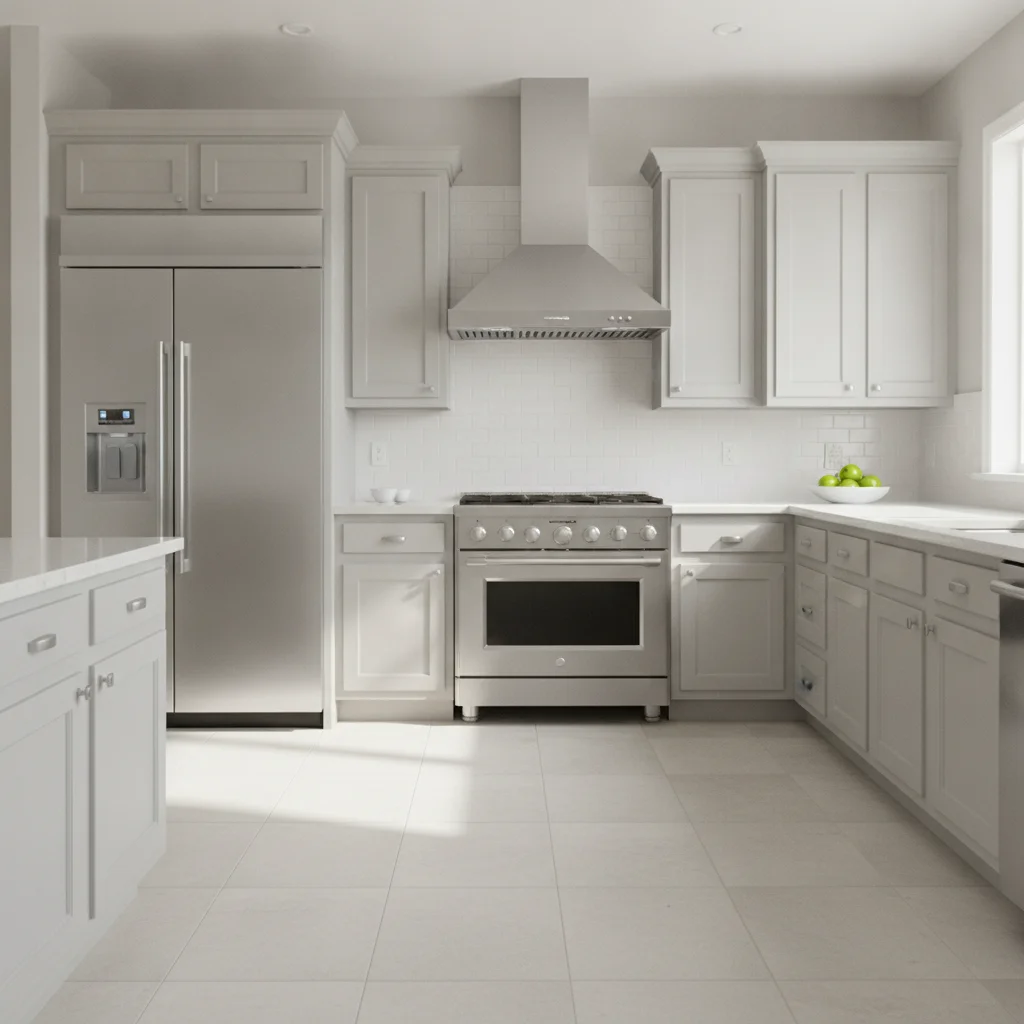
    Black stainless set change all the appliances to black stainless steel with a soft satin finish, keep everything else in the kitchen the same
    White appliances change the stainless steel appliances to a clean glossy white finish, keep the cabinets and counters the same
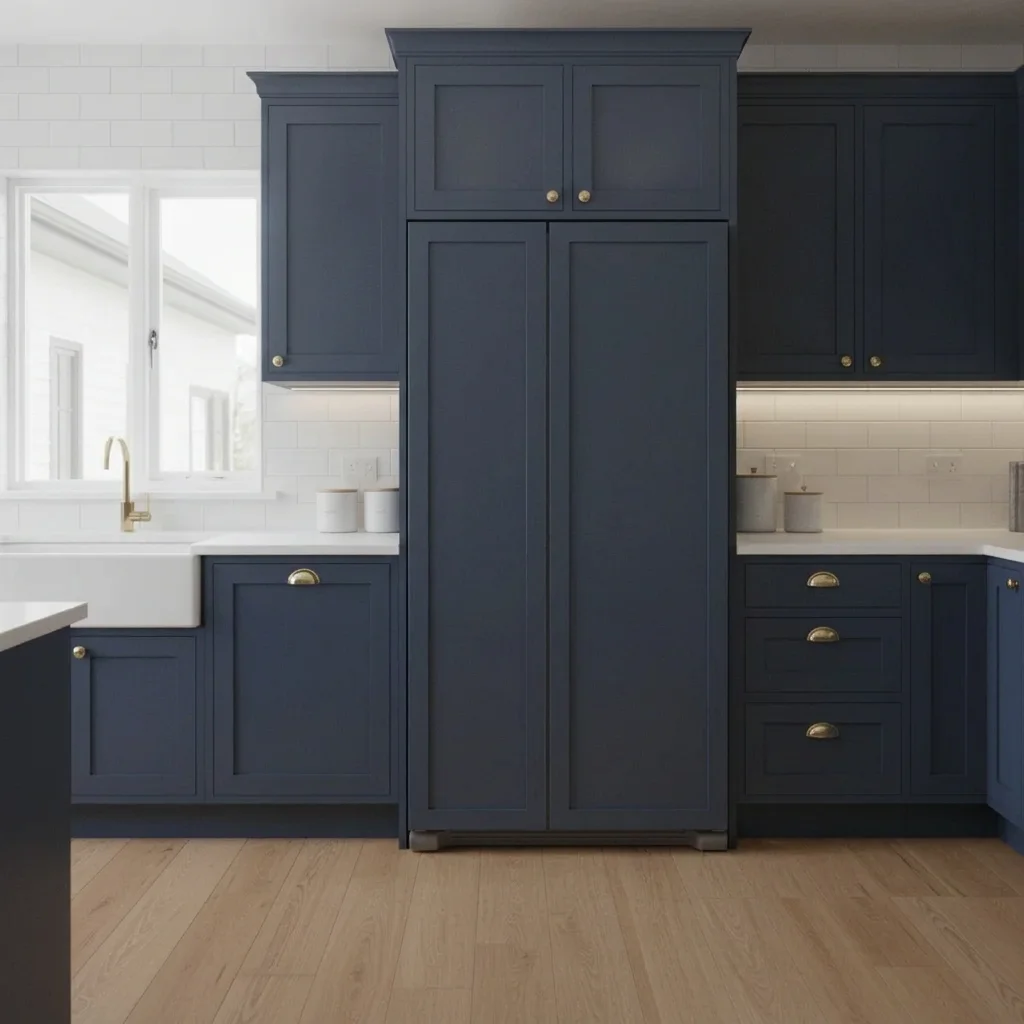
    Panel-ready refrigerator make the refrigerator panel-ready, covered in the same navy cabinet panels as the surrounding cabinets, no visible handle on the front
    3 more prompts
    Matte black range only change only the range to matte black, keep the stainless refrigerator and dishwasher as they are
    Slate or fingerprint-resistant look change the refrigerator and dishwasher to a slate gray fingerprint-resistant finish, keep the range and cabinets unchanged
    Retro colored fridge change the refrigerator to a retro mint green with rounded corners and chrome handle, keep the rest of the kitchen the same
  3. Review the preview

    Check the handles, door seams and control panels. Reflections on stainless can look different from real life, and logos or displays may blur. The result is a look, not a product match, so confirm models and finishes with the retailer.

  4. Refine with markers if needed

    If the AI changes the cabinets or a wall oven instead of the fridge, place a marker on the appliance you mean and regenerate. Markers are useful when two appliances sit side by side.

    Tip: Markers are optional. Most previews work from the description alone; use them only when the AI picks the wrong area.

See it in action

Kitchen with white refrigerator, range and dishwasher, oak cabinets
Before
->
Same kitchen with brushed stainless steel appliances
After

White appliances to stainless steel

A homeowner with older white appliances wanted to see whether stainless suited their oak cabinets.

Prompt: change the refrigerator, range and dishwasher to brushed stainless steel, keep the cabinets, counters and walls unchanged
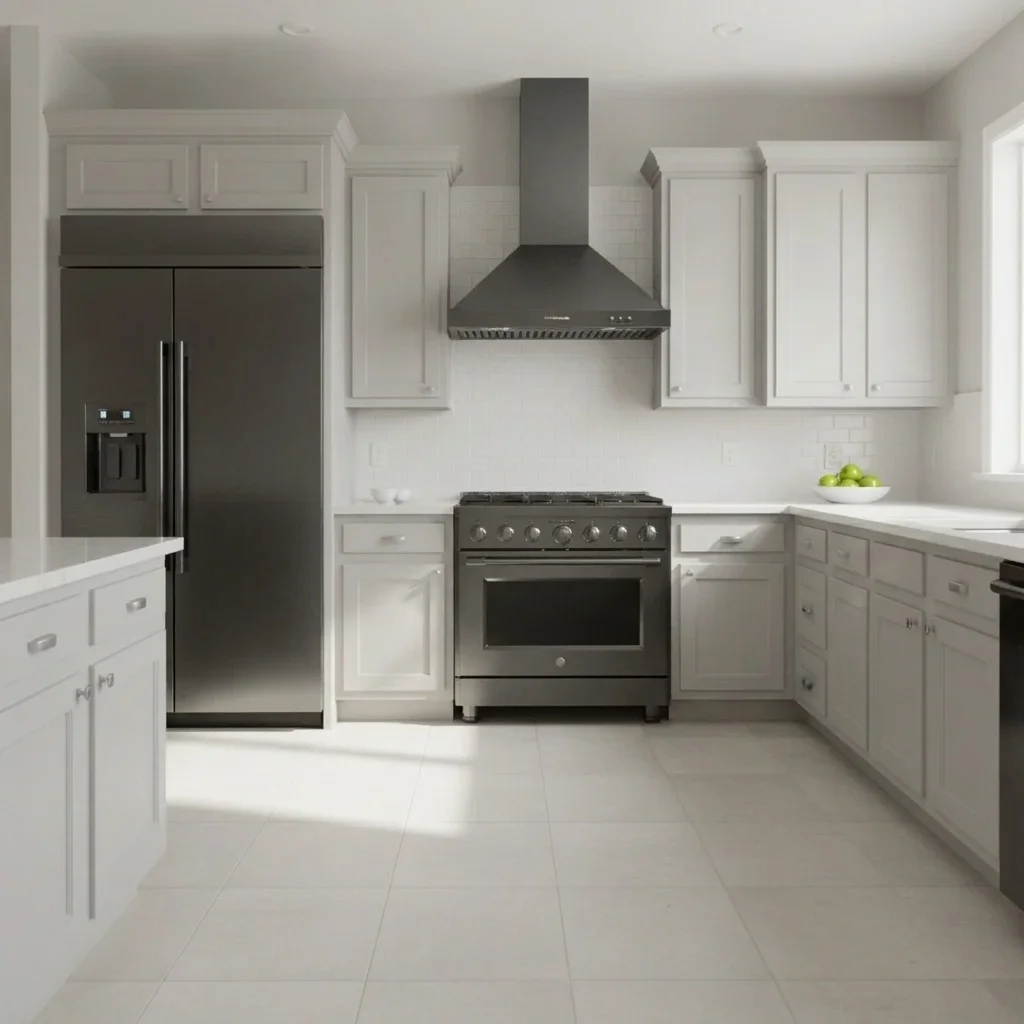
Kitchen with stainless steel appliances and gray cabinets
Before
->
Same kitchen with black stainless appliances
After

Stainless to black stainless

A buyer chose between finishes before ordering for a gray-cabinet kitchen.

Prompt: change all the appliances to black stainless steel with a soft satin finish, keep everything else in the kitchen the same
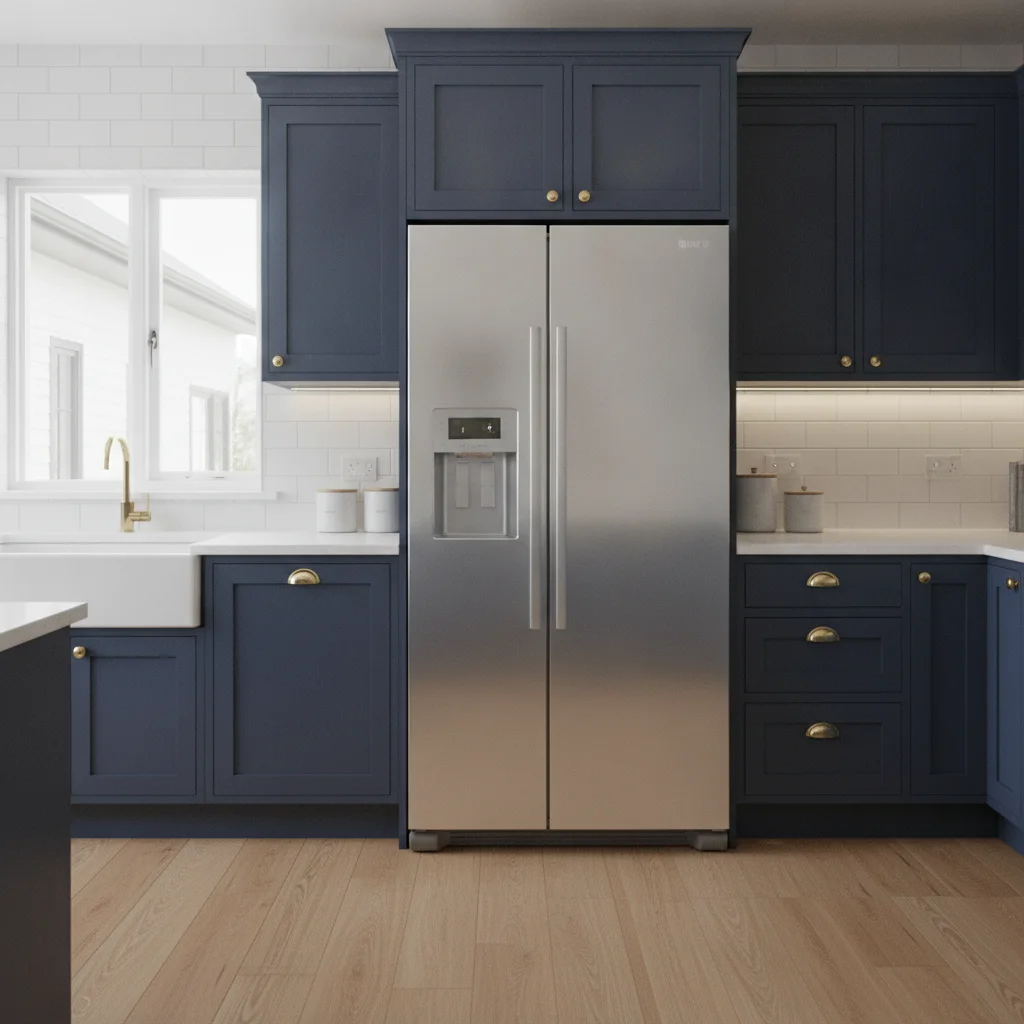
Navy kitchen with a stainless refrigerator in the cabinet run
Before
->
Same kitchen with the refrigerator covered in matching navy cabinet panels
After

Panel-ready refrigerator in a navy kitchen

A remodeler wanted to show a client the built-in look of a panel-ready fridge.

Prompt: make the refrigerator panel-ready, covered in the same navy cabinet panels as the surrounding cabinets, no visible handle on the front

Quick answers

Do I need to mark the appliances before choosing a finish?

No. Describe the appliances and finish, such as 'change the refrigerator and range to black stainless steel.' Use markers only if the AI changes the wrong item.

Is there a free appliance color visualizer with no signup?

Yes. EditThisPic offers a free preview edit with no account and no watermark. Upload the kitchen photo, describe the finish and view the mock-up.

Will the preview match a specific brand and model?

No. It shows a finish and color, not a particular product. Use it to decide on a direction, then check the exact models and finishes with the retailer.

Can I mix finishes, like a black range with stainless fridge?

Yes. Name which appliance gets which finish, for example 'change only the range to matte black and keep the stainless refrigerator.'

Can I preview a panel-ready look?

Yes. Ask for the refrigerator or dishwasher to be covered in the same panels as the surrounding cabinets with no visible handle. Check the result carefully, since seams are hard for AI to draw.

How much does EditThisPic cost?

You get 1 free Standard edit per week — no account needed. After that, one-time credit packs start at $4.99 for 10 credits, valid 12 months, no subscription. A Standard edit uses 1 credit, Pro 2 and Ultra 3. Purchased downloads are clean with no watermark.

Ready to preview your appliance finishes?

Free to try. No signup required.

1 free edit included·paid credit packs after