Pricing Convert Image to schematic · Free

AI Image to Schematic Converter

← Browse all creative effects

Last updated

Turn any photo into a Minecraft-style block schematic or blueprint grid — describe the style you want, no marking needed.
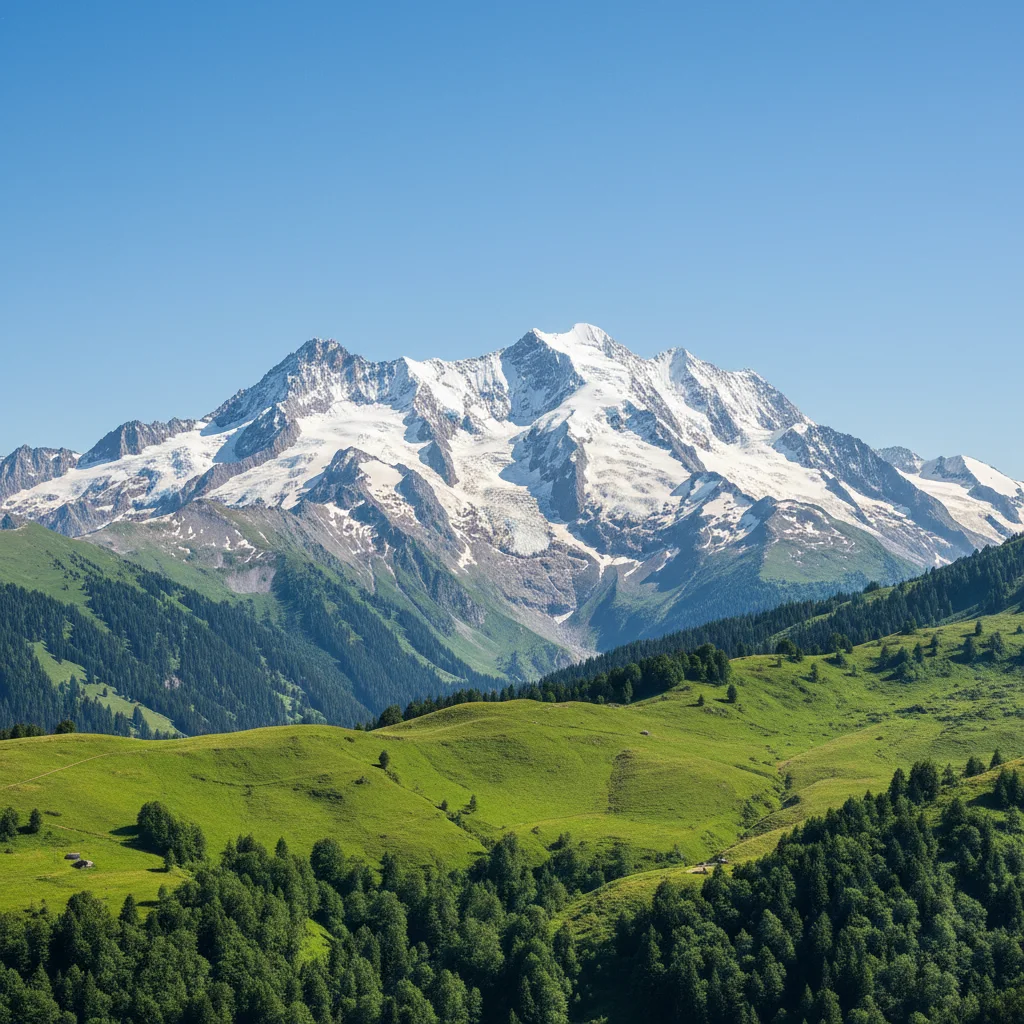
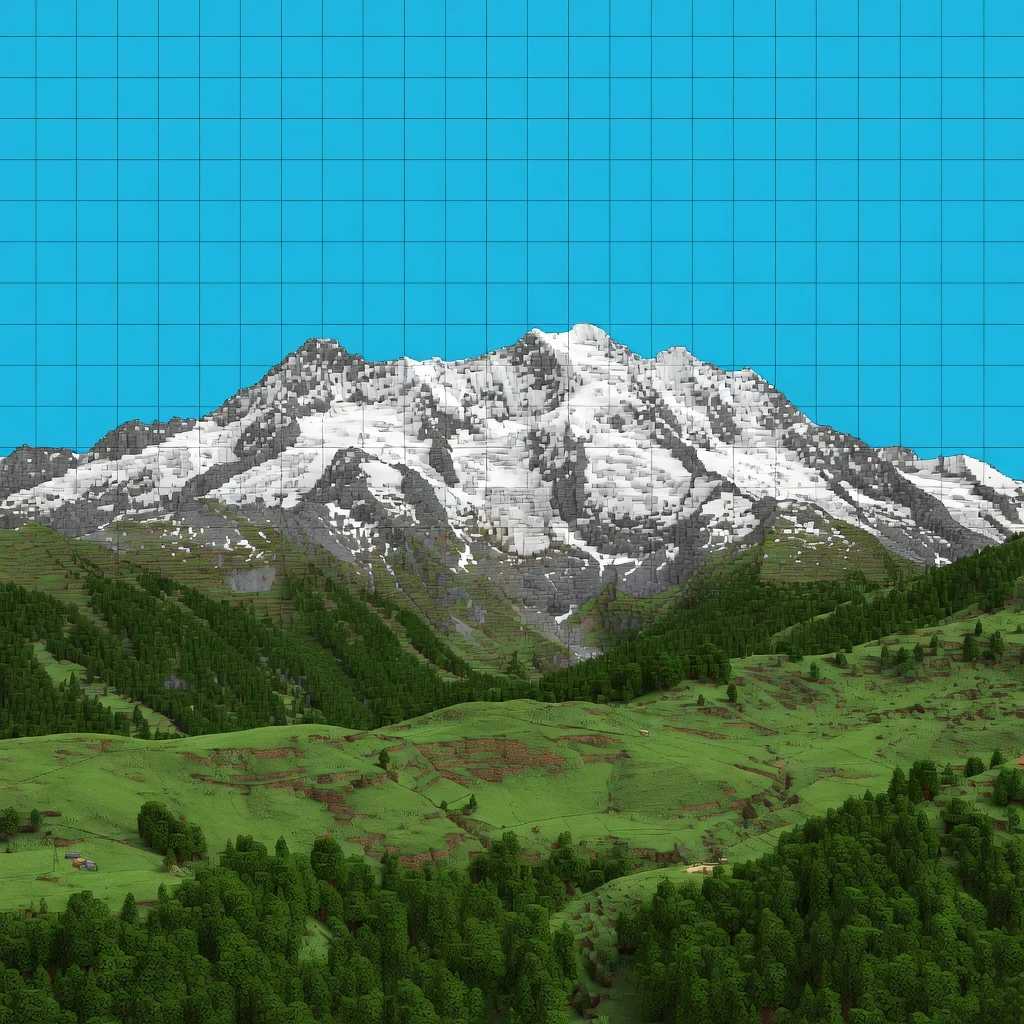
A snow-capped mountain range rising above green forested hills and open pasture, under a clear blue sky. The same mountain and valley rendered as a blocky Minecraft-style schematic, with a grid overlaid on the sky and blocky textures on the rock, snow, and trees.

Upload photo to convert image to schematic

"convert this image into a technical blueprint schematic with grid lines, blue tones, and labeled measurement marks"

Free to try · no sign-up · photos are never shared

Release to upload

<30stypical edit
1 freeedit weekly
Photo on your phone? Scan to open this editor there — free edit works on your phone too.

1 free edit every week·packs from $4.99

How it works

  1. Upload your photo

    Upload any photo — selfies, landscapes, buildings, and objects all work. Clear, well-lit photos with distinct shapes produce the cleanest block-art output. JPG, PNG, and WebP up to 7MB are supported.

    Expect: Simple images with clear shapes: 20-30 seconds. Complex scenes with lots of detail: 30-45 seconds.
  2. Describe the schematic style

    Type what you want: 'convert this photo into a Minecraft-style block schematic with a visible grid' or 'turn this into a pixel-art blueprint with a 16x16 block grid.' Specify the grid density, color palette, or style (Minecraft, isometric blueprint, pixel art) for more targeted results. The AI understands 'schematic,' 'blueprint,' and 'block art' directly — no area marking needed.

    Tip: Mention the grid size or block count for more precise output: 'convert to a 32-block wide schematic' gives a clear density target.

    Copy one of these to get started:

    Classic Minecraft schematic convert this photo into a Minecraft-style block schematic with a visible square grid and flat block colors
    Blueprint-style technical drawing convert this image into a technical blueprint schematic with grid lines, blue tones, and labeled measurement marks
    Isometric pixel art turn this photo into an isometric pixel-art schematic with a 45-degree grid and retro 8-bit color palette
    Coarse block art for large builds convert this photo to a coarse Minecraft block schematic, maximum 32 blocks wide, using only standard Minecraft block colors
    3 more prompts
    Selfie to Minecraft portrait convert this selfie into a Minecraft pixel-art portrait schematic, 64 blocks tall, with clear facial features preserved in block form
    Landscape to build map turn this landscape photo into a top-down Minecraft build map schematic showing terrain elevation with different block shades
    Grayscale blueprint schematic convert this photo into a grayscale architectural schematic with a fine grid overlay, white background, and clean line art style
  3. Review the block-art result

    Check that the major shapes and colors from your original photo are readable in the schematic output. Look at edges and large color regions first — those are most critical for a usable build guide.

See it in action

A snow-capped mountain range rising above green forested hills and open pasture, under a clear blue sky.
Before
->
The same mountain and valley rendered as a blocky Minecraft-style schematic, with a grid overlaid on the sky and blocky textures on the rock, snow, and trees.
After

Mountain landscape converted to a blocky Minecraft-style map

A snow-capped mountain landscape was converted into a Minecraft-style schematic with a visible grid overlaid on the sky. The rock and snow textures read as a photorealistic-blocky hybrid rather than true flat low-poly voxel art, but the mountain and valley's overall shape and layout are preserved.

Prompt: Convert this mountain landscape into a Minecraft-style block schematic with a visible grid

A smiling selfie of a person in an orange t-shirt against a plain white wall, arms outstretched toward the camera.
Before
->
The same selfie pixelated into large square blocks for a Minecraft-style portrait, with a soft blurred patch remaining above the hairline.
After

Selfie turned into a pixelated block-style portrait

A smiling selfie in an orange shirt was pixelated into large square blocks for a Minecraft-style portrait look. A soft blurred patch remains above the hairline where the pixelation didn't fully apply.
Prompt: Turn my selfie into a pixelated, Minecraft-style block portrait
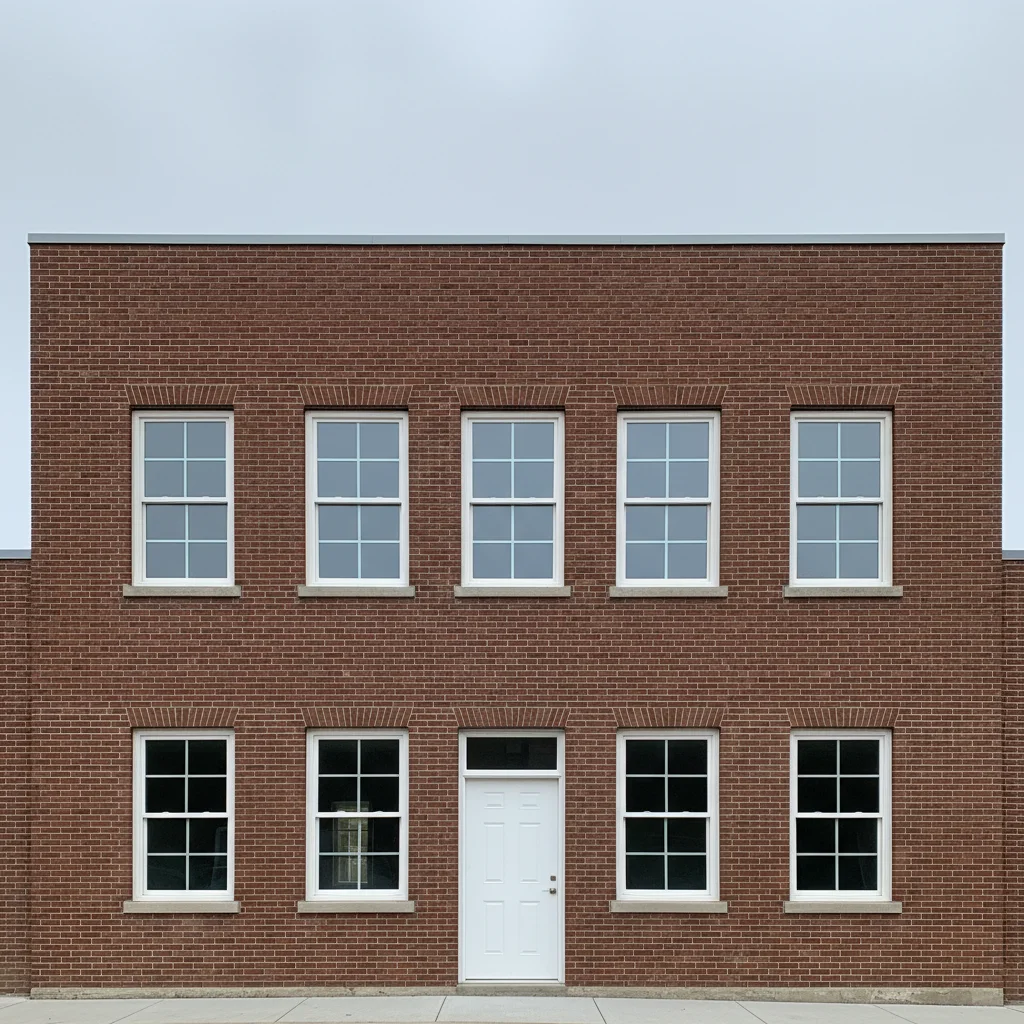
Red brick building facade with symmetrical windows
Before
->
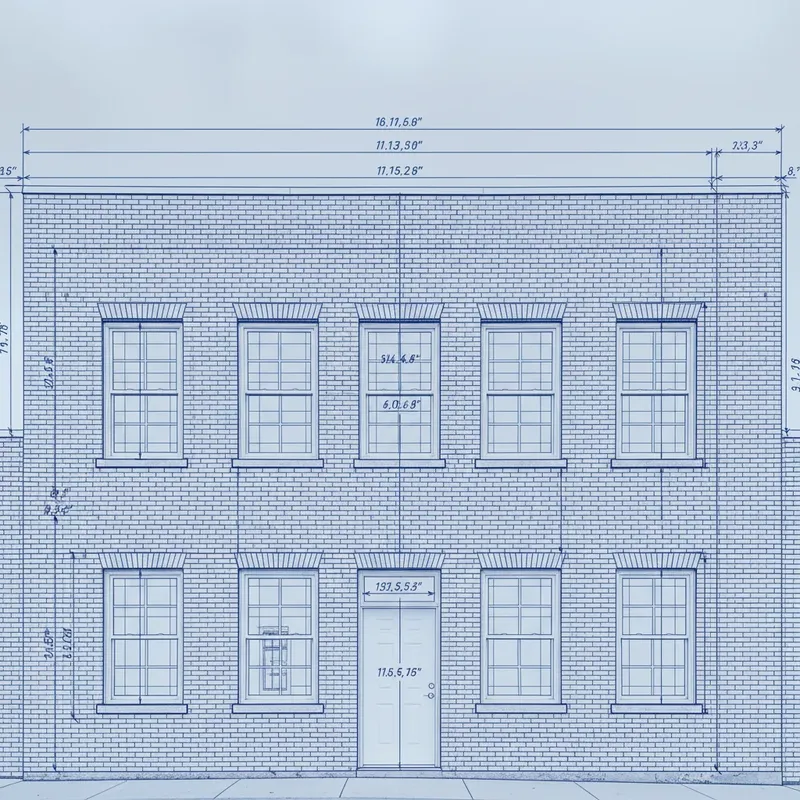
Same building as blue technical blueprint schematic with grid lines
After

Building photo to blueprint schematic

A building facade converted to a technical blueprint-style schematic with grid lines and measurement marks.

Prompt: convert this image into a technical blueprint schematic with grid lines, blue tones, and labeled measurement marks

Quick answers

Do I need to mark anything in the photo before converting to a schematic?

No. Just describe the conversion you want: 'convert this photo to a Minecraft-style block schematic with a visible grid.' The AI applies the transformation to the entire image.

How do I convert a photo to a Minecraft schematic for free?

Upload your photo to EditThisPic and type 'convert this photo into a Minecraft-style block schematic with a visible square grid and flat block colors.' The AI converts it in about 30 seconds. Free, no account required, no watermark on the result.

Is there a free image-to-schematic converter with no login?

Yes. EditThisPic converts photos to Minecraft schematics, blueprints, and pixel-art grids with no account required and no watermark. Works in any browser on desktop and mobile.

Does this output a real .schematic file I can import into Minecraft?

EditThisPic produces a schematic-style image that shows your photo as a block grid — it's a visual reference for building, not a .schematic or .nbt file for direct import. Use it as your build guide in-game. For importable files you'd need a separate tool like Litematica.

What photos convert best to block schematics?

Photos with clear shapes, high contrast, and distinct color regions convert cleanest. Buildings, faces, landscapes with defined horizon lines, and simple objects all work great. Very busy, low-contrast photos (fog, crowds) produce muddier block outputs.

Can I specify how many blocks wide the schematic should be?

Yes. Include the block count in your prompt: 'convert to a Minecraft schematic 64 blocks wide.' The AI will calibrate the grid density to match. Larger block counts preserve more detail; smaller counts give a more chunky, classic Minecraft look.

Can I convert a landscape photo to a Minecraft terrain build map?

Yes. Use a prompt like 'convert this landscape to a top-down Minecraft build map showing terrain elevation with different block shades for different heights.' The AI interprets color brightness as elevation, giving you a usable terrain reference.

How much does EditThisPic cost?

You get 1 free edit per week — no account needed. After that, one-time credit packs start at $4.99 for 10 edits, valid 12 months, no subscription. Power users who edit daily can pick Studio Membership, a monthly workspace at $49.99/mo for 300 edits. Purchased downloads are clean with no watermark.

Ready to convert your photo to a schematic?

Free to try. No signup required.

1 free edit included·Credit packs from $4.99