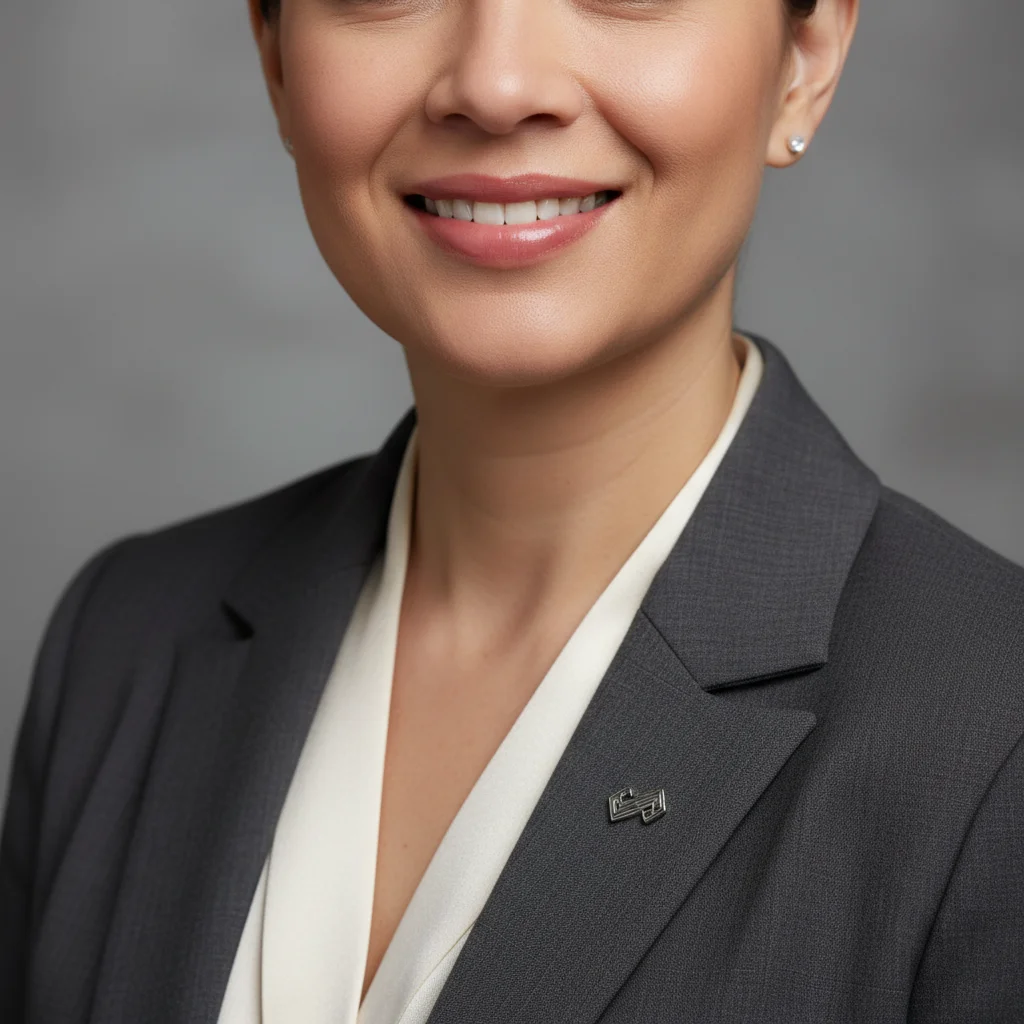
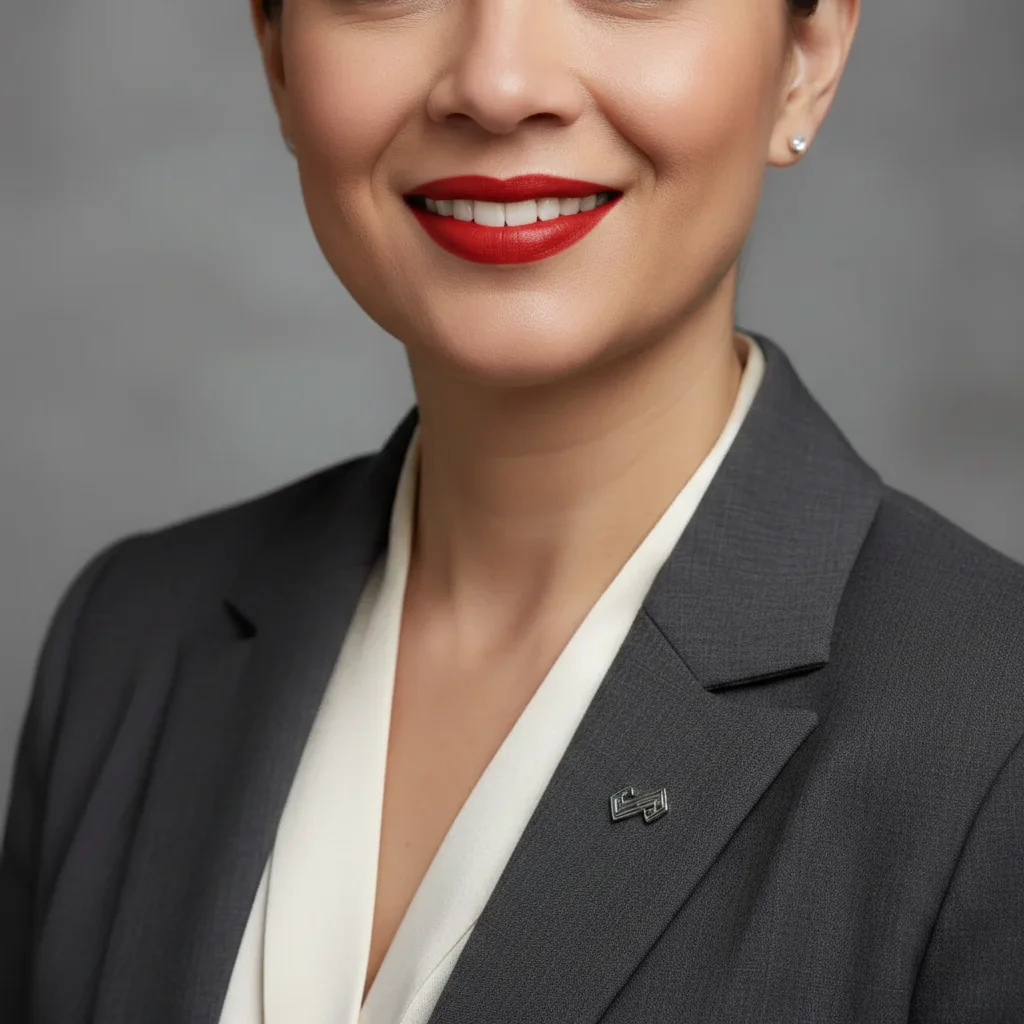
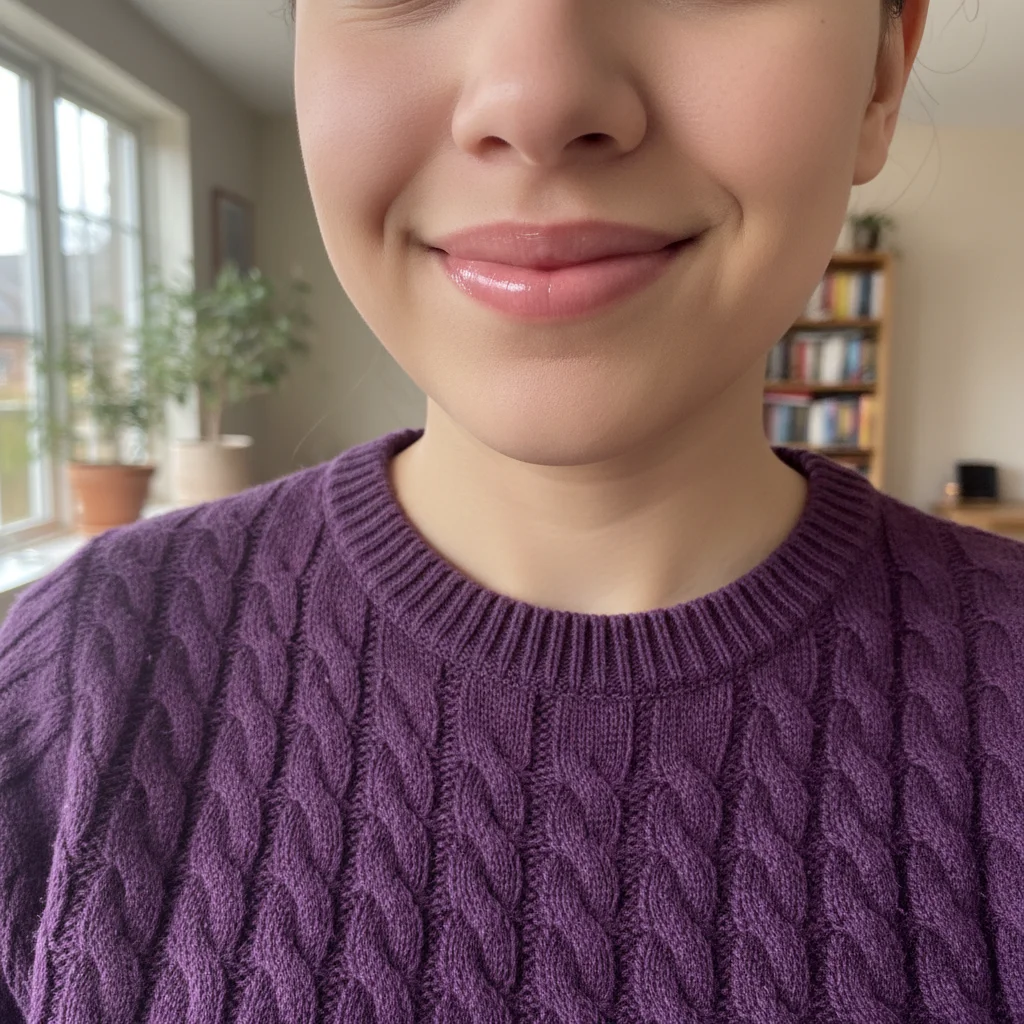
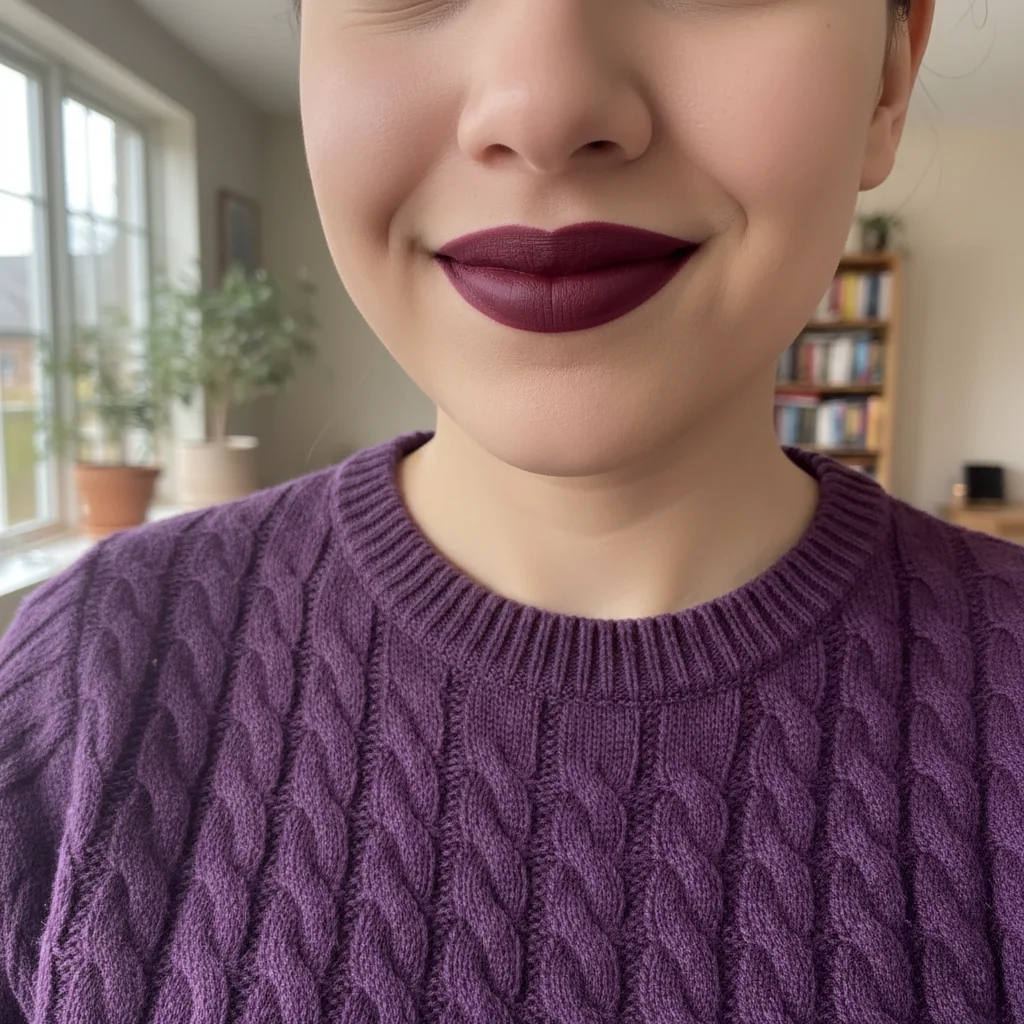
Do I need to mark the lips before describing the color I want?
No! For most photos, just describe what you want: 'change lip color to deep red' or 'make lips rose pink.' The AI understands what lips are in portraits.
How do I change lip color in a photo for free?
Upload your portrait to EditThisPic, type 'change lip color to [color name]' in the prompt box (like 'change lip color to classic red'), and generate. The AI automatically identifies lips and applies the new color naturally. Free to try with no signup required.
Is there a free lip color changer that doesn't require an account?
Yes. EditThisPic's AI lip color changer is completely free to try with no account creation needed. Upload your photo, describe the lip color you want, and download the result with no watermark.
Will the changed lip color look natural or obviously fake?
When you include 'natural texture' and specify a finish (matte, glossy, satin) in your prompt, the AI creates realistic lip color that looks like actual lipstick application. The key is being specific about the shade and finish you want to avoid overly bright or flat-looking results.
Can I try multiple lip colors on the same photo?
Yes. After your first color change, you can regenerate with different color prompts to test various shades. This is perfect for previewing which lip colors work with your skin tone before buying actual lipstick.
What lip color names work best in prompts?
Be specific with color descriptions: 'classic red', 'deep berry', 'nude pink', 'coral', 'burgundy', 'peachy nude'. Add descriptors like 'bright', 'deep', 'soft', 'dusty', or 'natural'. Also specify finish: 'matte', 'glossy', 'satin', 'sheer' for more realistic results.
Can I change lip color on my phone?
Yes. EditThisPic works in any mobile browser — iPhone, Android, tablet. No app download needed.
What photo formats does the AI lip color changer support?
JPG, PNG, WebP, and HEIC. Upload any common photo format and EditThisPic handles the rest.
How much does EditThisPic cost?
You get 1 free edit per week — no account needed. After that, credit packs start at $1.99 for 3 edits. Monthly plans start at $4.99/mo for 20 edits with unused credits rolling over. All edits are full resolution with no watermark.