Free • No signup Create Meme · Free

AI Meme Maker

Turn any photo into a meme by describing the caption, style, or expression you want. No marking needed.
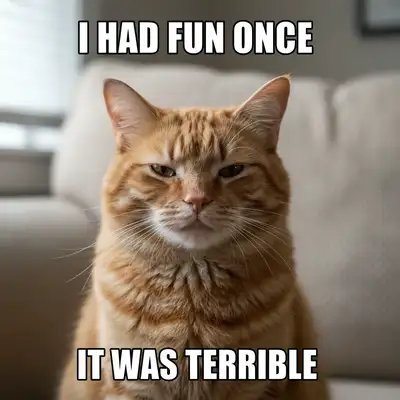
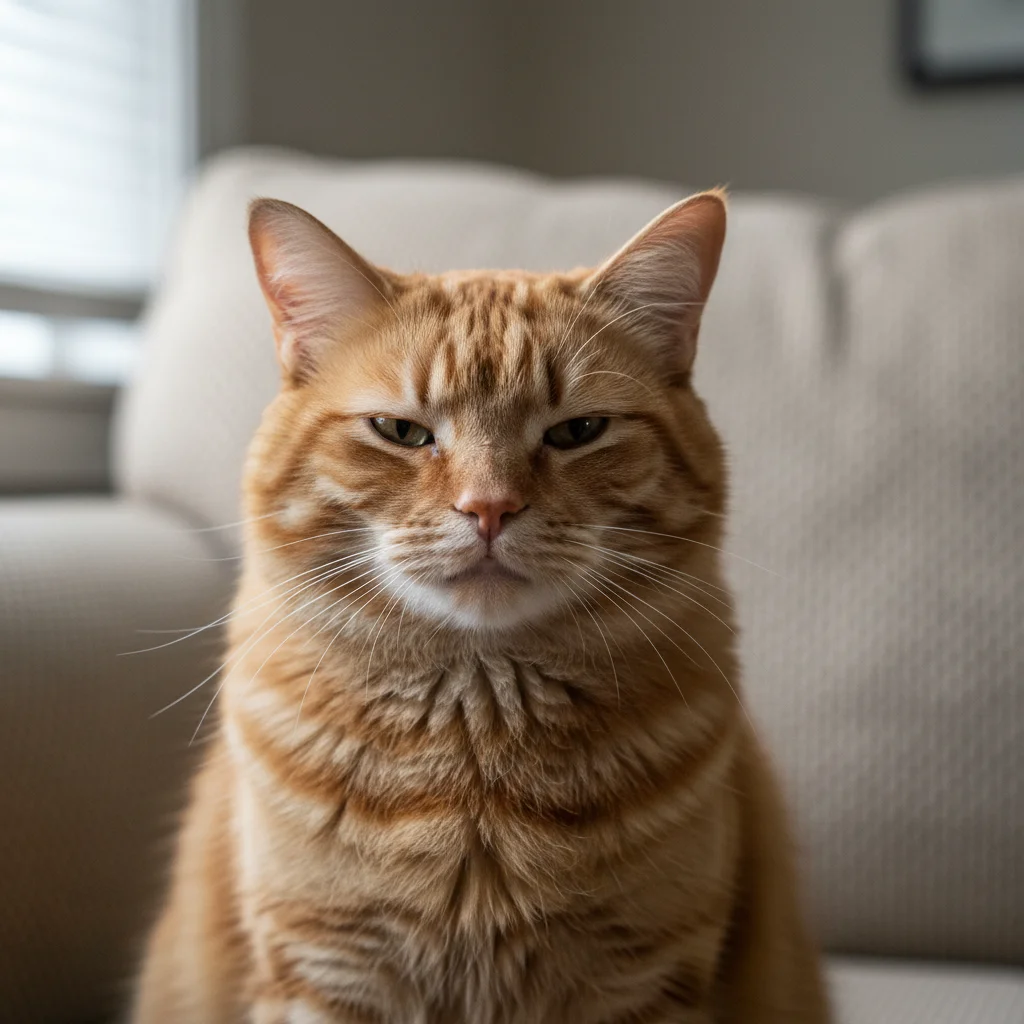
Grumpy orange tabby cat on beige couch
Before
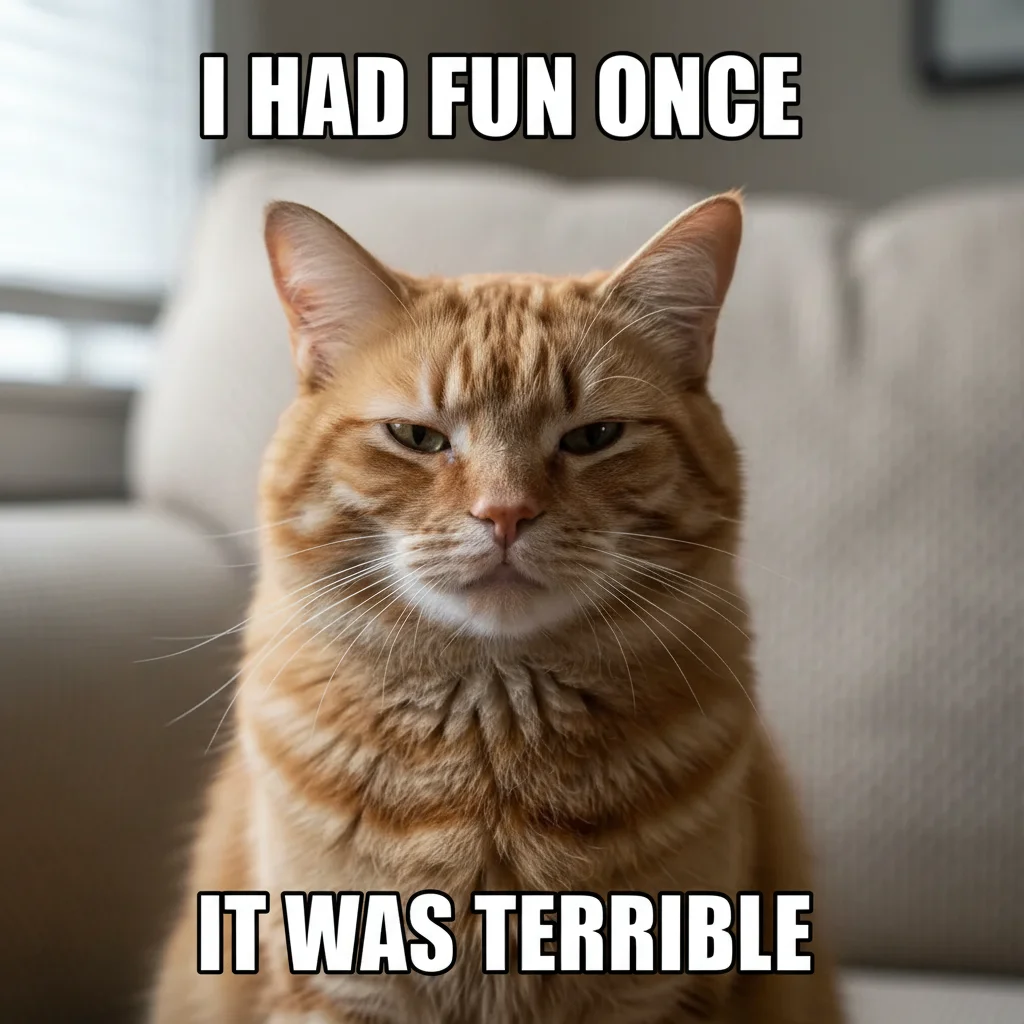
Same cat with meme text: I HAD FUN ONCE / IT WAS TERRIBLE
After

AI Meme Maker

Drop your photo here

or click to browse

Release to upload

Free • No signup

Advertisement
Popular use cases:
  • meme creation
  • reaction meme
  • custom meme from photo
  • meme caption generator
  • funny photo edit
  • social media meme
  • work group chat meme
  • pet meme maker

Cost
Free No signup required
Time
Instant results in 15-30 seconds
Works on
Any device - browser, phone, tablet, desktop
Powered by
AI-powered photo editing
Scenario Prompt Time
Classic top/bottom text add white Impact text top and bottom with black outline 30s
Expression + caption exaggerate expression, add meme text 40s
Multi-label meme label each person in the photo with meme text 45s

How it works

  1. Upload your photo

    Drop your image into EditThisPic. JPG, PNG, WebP up to 7MB. Any photo works—reaction faces, pets, screenshots, group photos. Photos with clear expressions or funny situations make the best memes.

    Expect: Adding text captions: 30-35 seconds. Modifying expressions or adding visual elements: 40-50 seconds.
  2. Describe the meme you want

    Type your instruction: 'add white Impact font text at the top saying YOUR TEXT HERE and at the bottom MORE TEXT' or 'make this person look shocked and add meme caption WHEN YOU REALIZE IT IS MONDAY.' Be specific about text placement, font style, and any expression changes. No marking needed.

    Tip: Use ALL CAPS for meme text in your prompt—it tells the AI you want the classic bold meme look.

    Copy one of these to get started:

    Classic top/bottom text meme add white Impact font text with black outline at the top saying ME EXPLAINING WHY and at the bottom IT MAKES PERFECT SENSE
    Reaction meme with expression change make this person look extremely surprised with wide eyes and open mouth, then add meme text WHEN THE WIFI ACTUALLY WORKS
    Drake-style comparison meme create a side-by-side meme with this photo: top half shows the person rejecting something with hand out, bottom half shows them approving with a point, add labels
    Pet meme with caption add a meme caption to this pet photo: white text with black outline at the bottom saying I HAS A CONCERN, make it look like a classic animal meme
    3 more prompts
    Distracted boyfriend style add label text to each person in this group photo: label the person looking away as ME, the person they're looking at as NEW HOBBY, the person being ignored as RESPONSIBILITIES
    Motivational poster parody make this a demotivational poster: add a black border frame around the photo, white title text below saying TEAMWORK and smaller text saying Together Everyone Achieves Less
    Expanding brain meme panel make this photo into an expanding brain meme with 4 levels: small brain USING EMAIL, medium brain USING SLACK, glowing brain USING CARRIER PIGEONS, galaxy brain SHOUTING FROM THE ROOF
  3. Check the meme result

    Verify the text is readable, positioned correctly, and the font style matches what you wanted. Check that any expression modifications look natural and funny, not distorted. Make sure the text doesn't cover important parts of the image.

  4. Refine with markers if needed

    If text is overlapping the subject's face or an element needs repositioning, tap markers on the area where you want changes and regenerate with adjusted instructions. Most memes look great on the first try.

    Tip: Markers are for precision refinement only. Try without them first—you usually won't need them.
Try it free

AI Meme Maker

Drop your photo here

or click to browse

Release to upload

Free • No signup

"Used my boss's reaction photo from the team chat to make a meme for the group. Added the perfect caption and everyone lost it. Way faster than messing with meme generator websites." @MemeLord_Jake

See it in action

Grumpy orange tabby cat on beige couch
Before
->
Same cat with meme text: I HAD FUN ONCE / IT WAS TERRIBLE
After

Cat photo turned into a classic meme

A photo of a grumpy-looking cat transformed into a classic meme with bold Impact font captions.

Prompt: add white Impact font text with black outline at the top saying I HAD FUN ONCE and at the bottom IT WAS TERRIBLE
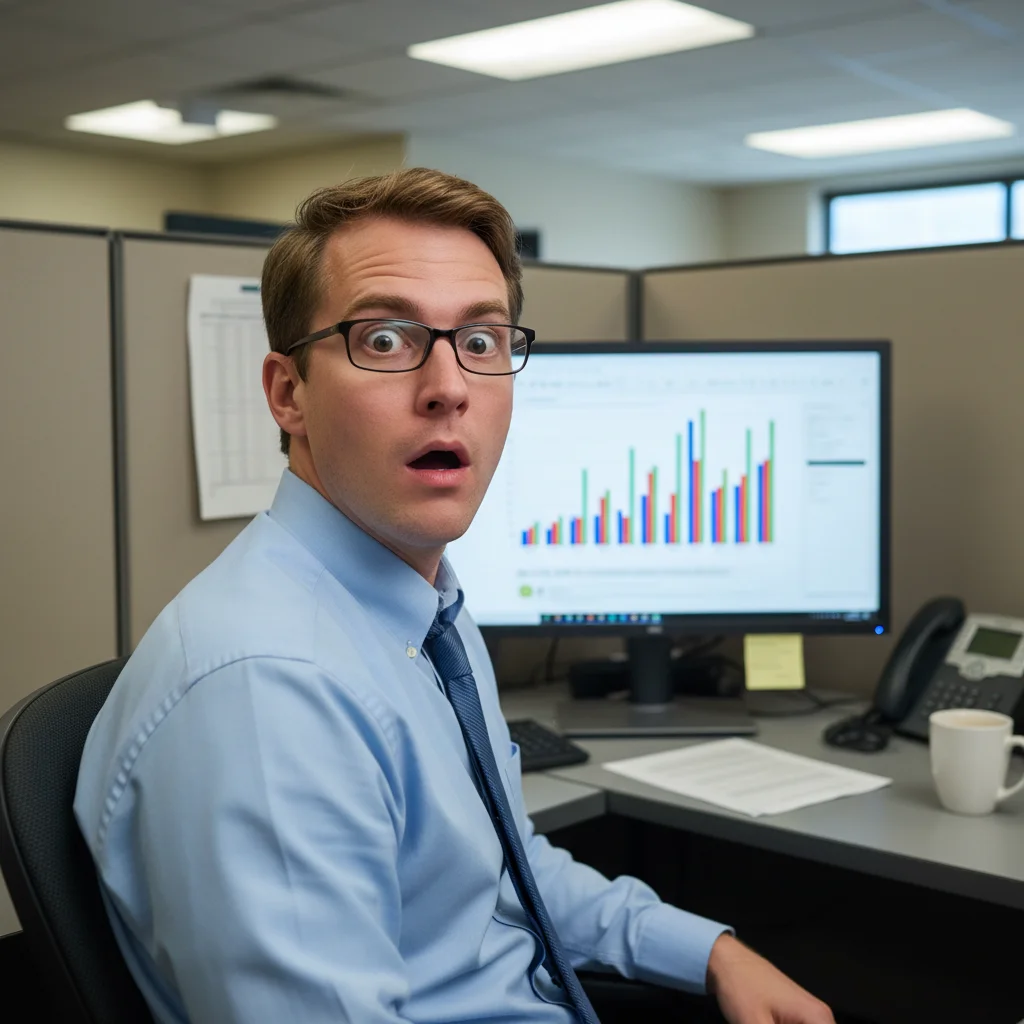
Man with mildly surprised look in office
Before
->
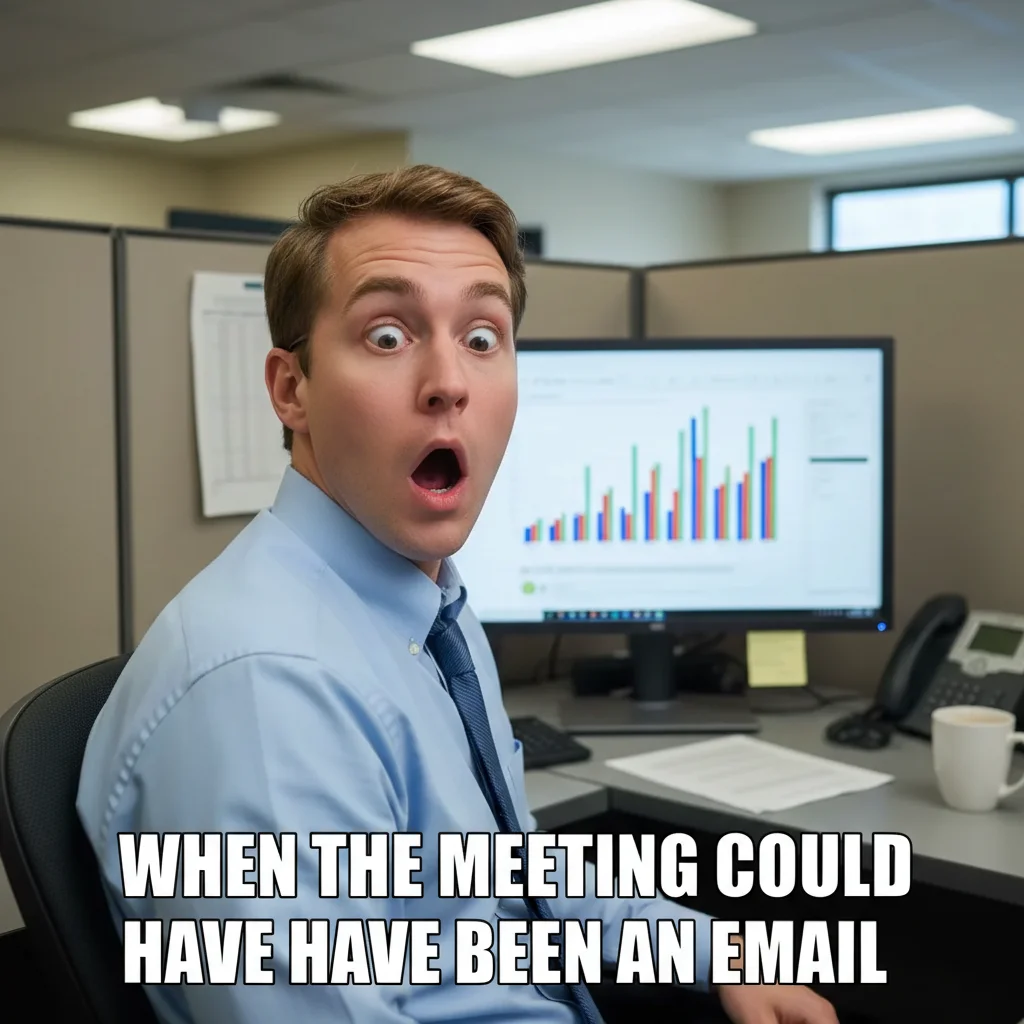
Same man with exaggerated shock expression and meme caption about meetings
After

Office photo turned into reaction meme

A coworker's exaggerated reaction photo turned into a relatable work meme with custom caption.

Prompt: make this person look extremely surprised with wide eyes and open mouth, then add meme text WHEN THE MEETING COULD HAVE BEEN AN EMAIL
Advertisement

If something looks off

AI changed the wrong area or modified something I didn't want changed

Why: The AI couldn't determine exactly what you wanted modified versus preserved. This happens when instructions are vague about what to keep unchanged.

Try: Tap a marker on the specific area you want to change, then regenerate with the same prompt

Tip: Markers tell the AI 'I mean THIS area specifically.' Use them when description alone is ambiguous.

Text is unreadable or wrong font style

Why: The AI chose a font style that doesn't match classic meme formatting, or the text blends into the image colors.

Try: add meme text in bold white Impact font WITH THICK BLACK OUTLINE, make sure text is clearly readable against the image

Tip: 'Thick black outline' is crucial—it's what makes meme text readable on any background color.

Text covers the main subject's face

Why: The AI placed text in the center of the image where the subject is, instead of at the top and bottom margins.

Try: add meme text at the VERY TOP and VERY BOTTOM of the image only, do not cover the person's face or the main subject

Tip: 'Very top' and 'very bottom' with 'do not cover the face' gives clear placement constraints.

Expression modification looks distorted or uncanny

Why: The AI pushed facial features too far when modifying the expression, creating an unnatural look.

Try: slightly exaggerate the expression to look more surprised, keep it natural looking—subtle enhancement not extreme distortion

Tip: 'Subtle enhancement' and 'keep it natural' prevent the AI from over-modifying facial features.

Meme text has spelling errors or wrong words

Why: The AI interpreted or auto-corrected your text instead of using it verbatim.

Try: add text EXACTLY as follows, do not change any words or spelling: [YOUR EXACT TEXT HERE]

Tip: Putting text in quotes and saying 'exactly as follows' prevents the AI from paraphrasing your caption.

Quick answers

Do I need to mark where the text should go before adding it?

No! Just type 'add meme text at the top saying YOUR TEXT and at the bottom saying MORE TEXT' and the AI places it correctly. Only use markers if text ends up covering the wrong area and you need to specify exact placement.

How do I create a meme from my own photo for free?

Upload your photo to EditThisPic, type 'add white Impact font text at the top saying YOUR CAPTION and at the bottom MORE TEXT,' and download the result. The AI adds the classic meme look with bold text and outlines. Free to try, no account needed.

Is there a free AI meme maker that doesn't require login?

Yes, EditThisPic creates memes for free with no account needed. Upload any photo, describe the caption text and style you want, and download the result. No watermarks on outputs. Works with personal photos, pet pictures, and reaction shots.

Can AI change someone's expression to make a better meme?

Yes. Type 'make this person look shocked' or 'exaggerate the surprised expression' along with your meme caption. The AI modifies facial expressions while adding text in a single pass. Works best with clear, front-facing photos where the face is visible.

Ready to create your meme?

Free to try. No signup required.

Try it free