Pricing Visualize Metal building · Free

Metal Building Color Visualizer

← Browse all creative effects

Last updated

Describe wall, roof and trim colors and see them on your own building.
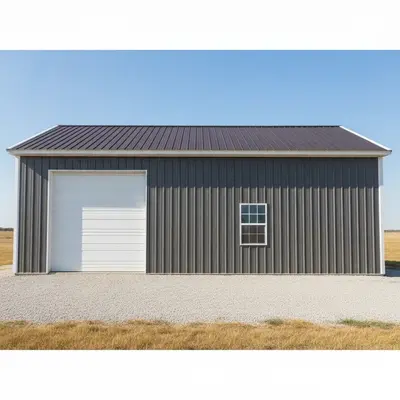
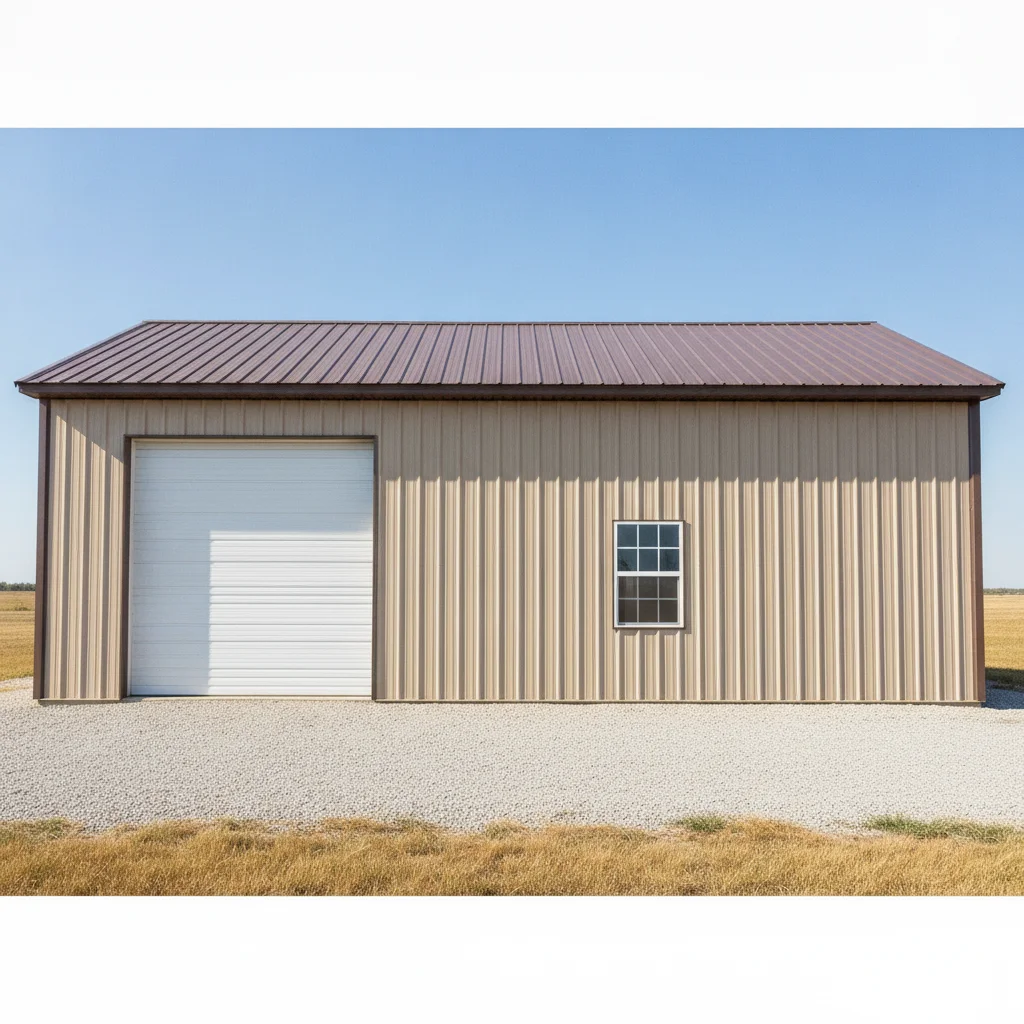
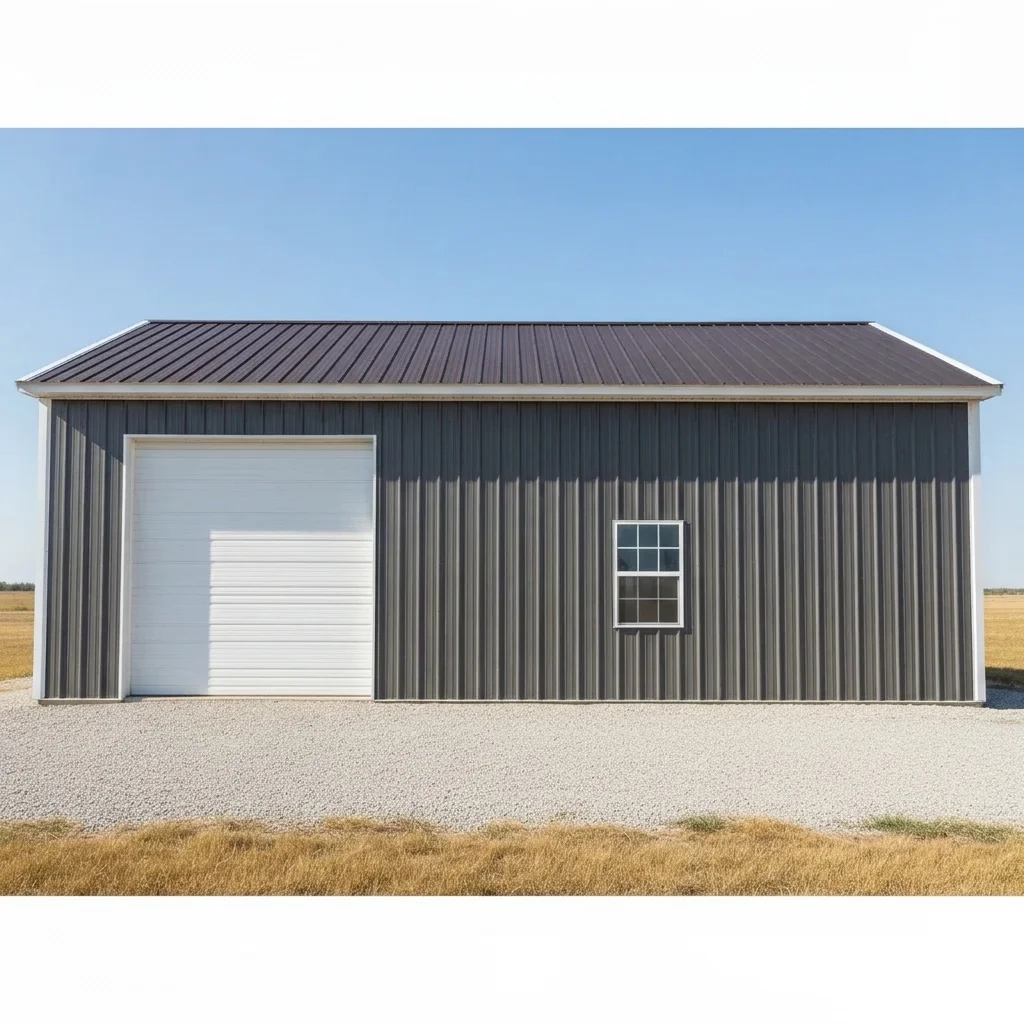
Tan metal shop with a brown roof and a white roll-up door Same shop with charcoal walls, slate roof and white trim

Upload photo to visualize metal building

"change the metal walls to light tan, the roof to dark brown and the trim to dark brown, keep the doors and landscaping unchanged"

Free to try · no sign-up · never used for AI training

Release to upload

<30stypical edit
1 freeedit weekly
Photo on your phone? Scan to open this editor there — free edit works on your phone too.

1 free edit every week·paid packs after

How it works

  1. Upload a clear photo of the building

    Use a daytime photo of the building from a corner so two walls and the roof edge are visible. Include the doors and trim. For a building you have not built yet, a photo of a similar one works for a color comparison.

    Expect: Three-part color changes (walls, roof, trim) are usually quick. Buildings with many windows, doors or lean-tos may need a refinement pass.
  2. Describe the change you want

    Describe each part separately: 'change the walls to charcoal gray, the roof to burnished slate and the trim to white, keep the roll-up door, windows and gravel unchanged.' Metal buildings often have a wall color, roof color, trim color and door color, so list each one. No marking is needed.

    Tip: List the four common parts: wall, roof, trim and doors. An unlisted part may stay unchanged or follow another color.

    Copy one of these to get started:

    Charcoal walls, slate roof, white trim change the metal walls to charcoal gray, the roof to burnished slate and the corner and eave trim to white, keep the roll-up door, windows and gravel unchanged
    Barnwood-style tan with brown trim change the metal walls to light tan, the roof to dark brown and the trim to dark brown, keep the doors and landscaping unchanged
    Black shop with red accent door change the metal walls and roof to matte black, change the roll-up door to bright red, keep the concrete apron and trees unchanged
    Forest green with tan trim change the metal walls to forest green, the roof to dark gray and the trim to tan, keep the doors, windows and ground unchanged
    3 more prompts
    Match the house change the metal shop walls to the same warm gray as the house siding, the roof to charcoal and the trim to white, keep the doors unchanged
    White building with colored roof change the metal walls to bright white, the roof to hunter green and the trim to hunter green, keep the doors and landscape unchanged
    Compare roof colors change only the roof of the metal building to galvalume silver, keep the walls, trim, doors and ground identical, same angle
  3. Check panel lines, trim edges and roof

    Look at whether the metal panel ribs are still visible, the corner trim and eave trim read as a separate color, and the roof is a different tone from the walls. Check the doors and windows weren't recolored.

  4. Refine with markers if needed

    If the doors or a second building changed, tap a marker on the part you want to change and regenerate with the same description. Markers help when wall and roof colors are close.

    Tip: Markers are for precision refinement, not a required step.

See it in action

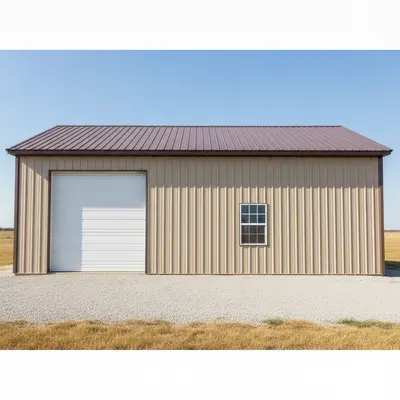
Tan metal shop with a brown roof and a white roll-up door
Before
->
Same shop with charcoal walls, slate roof and white trim
After

Tan shop to charcoal and slate

An owner planning a repaint compared a darker scheme against the existing tan.

Prompt: change the metal walls to charcoal gray, the roof to burnished slate and the trim to white, keep the roll-up door, windows and gravel unchanged
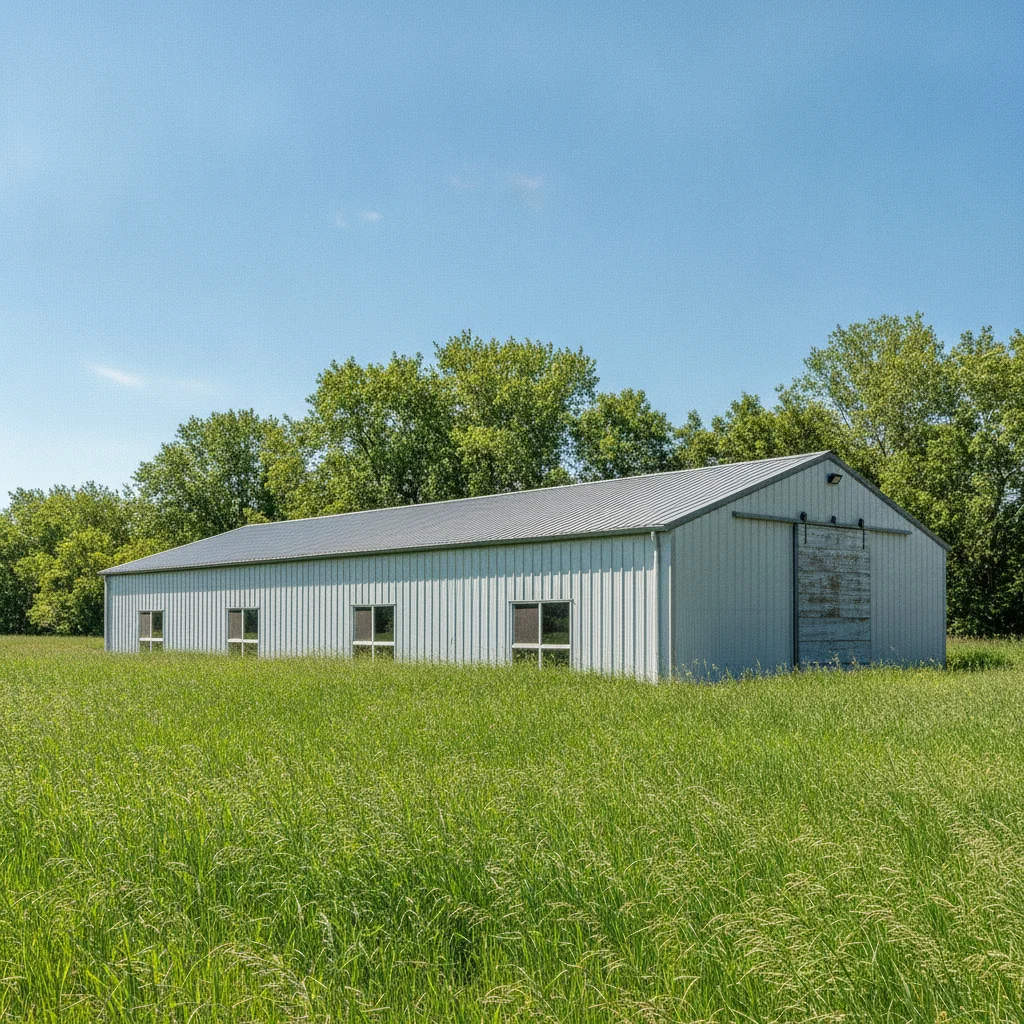
Light gray metal building with a gray roof
Before
->
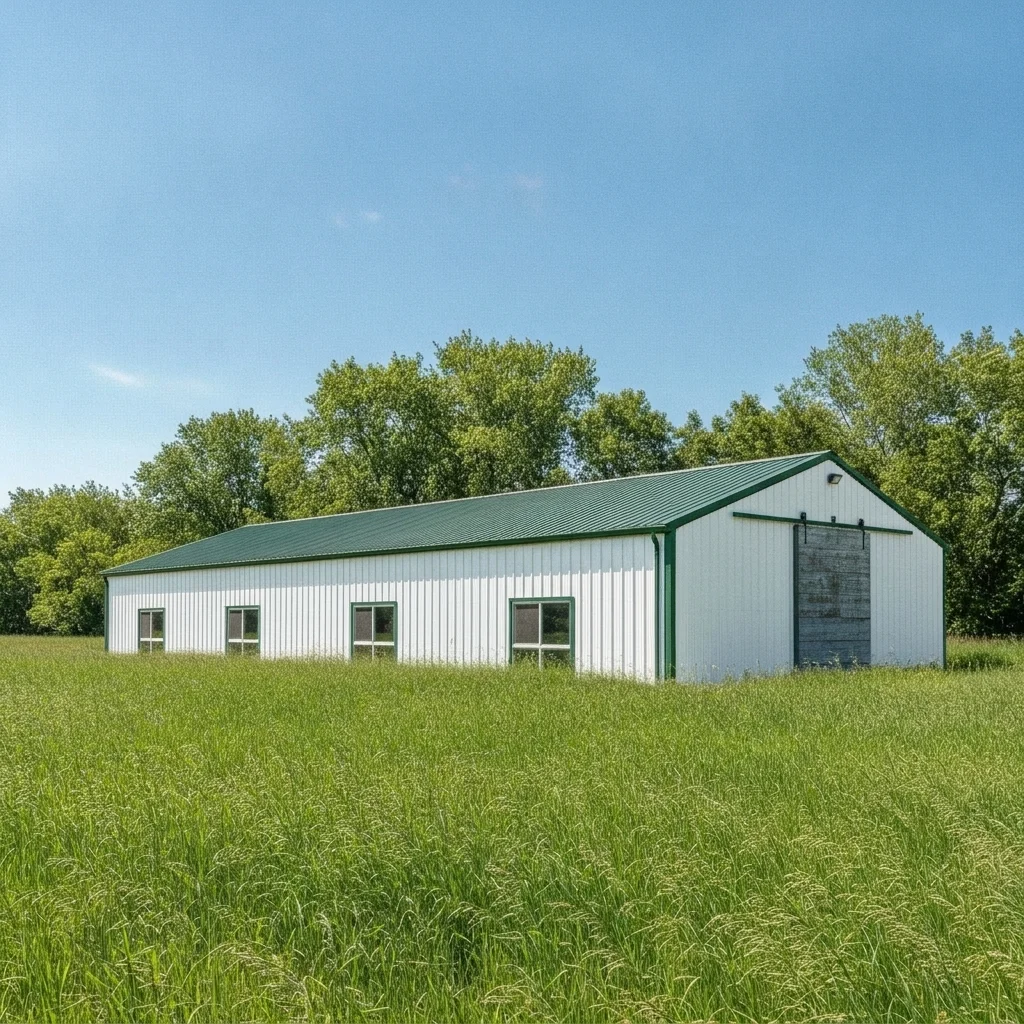
Same building in bright white with a hunter green roof and trim
After

White metal building to green roof

A hobby farm owner previewing a hunter green roof and trim.

Prompt: change the metal walls to bright white, the roof to hunter green and the trim to hunter green, keep the doors and landscape unchanged
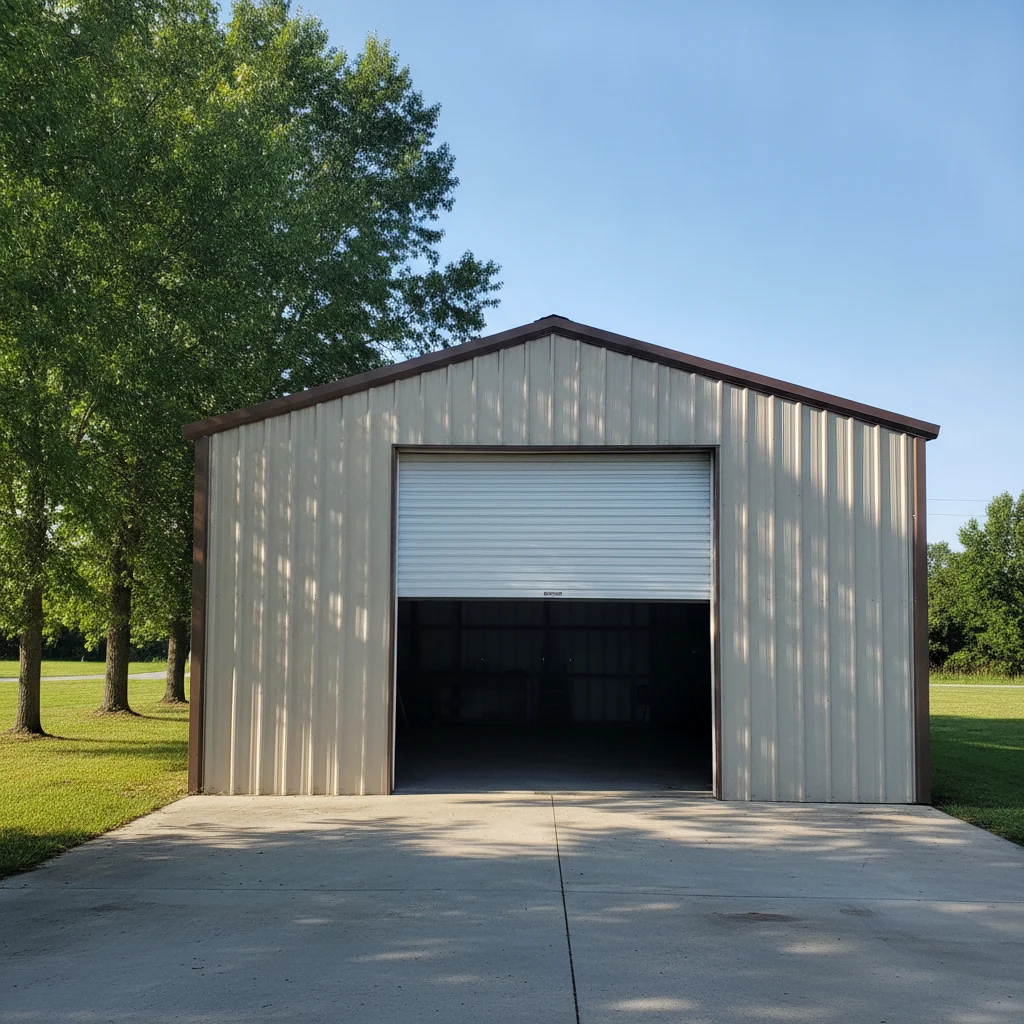
Beige metal garage shop with a white door
Before
->
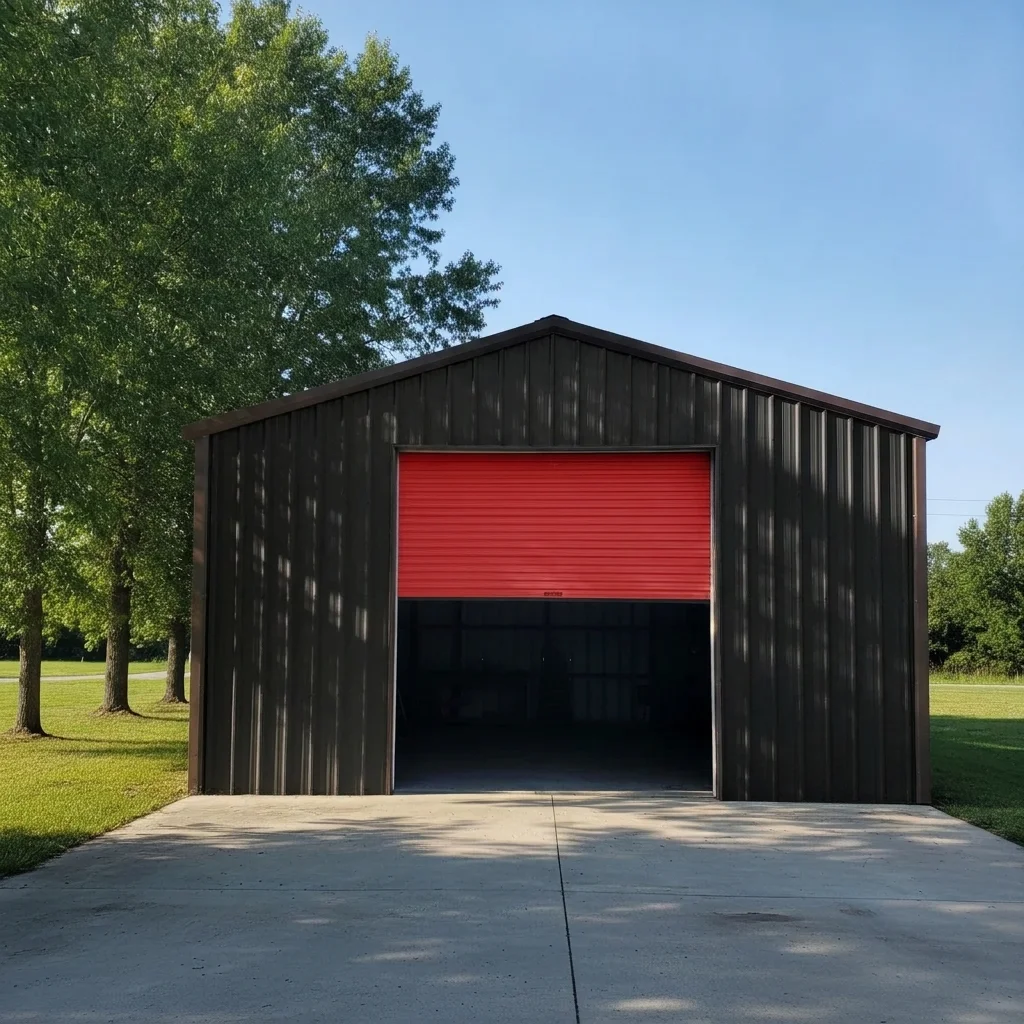
Same shop in matte black with a bright red door
After

Black shop with a red door

A homeowner previewing a modern look next to their house.

Prompt: change the metal walls and roof to matte black, change the roll-up door to bright red, keep the concrete apron and trees unchanged

Quick answers

Do I need to mark the building before describing the colors?

No. Describe each part, for example 'walls charcoal, roof slate, trim white.' Use markers only if the AI changes the wrong surface, such as a door or another building.

Is there a free metal building color visualizer with no signup?

Yes. EditThisPic is free to try with no account needed. Upload your building photo, describe the colors and review the preview.

Can I preview a building that is not built yet?

You can use a photo of a similar building to compare color combinations. Treat the result as a color idea, not a plan or drawing of the final building.

Will the preview match manufacturer panel colors?

No. It is a mock-up for judging combinations. Ask your supplier for actual samples before ordering.

Can I preview wall, roof and trim separately?

Yes. List them in one description or change one part at a time and compare the results.

How much does EditThisPic cost?

You get 1 free Standard edit per week — no account needed. After that, one-time credit packs start at $4.99 for 10 credits, valid 12 months, no subscription. A Standard edit uses 1 credit, Pro 2 and Ultra 3. Purchased downloads are clean with no watermark.

Ready to preview your building colors?

Free to try. No signup required.

1 free edit included·paid credit packs after