Pricing Edit Author headshots and book cover photos · Free

AI Photo Editor for Authors

← Browse all creative effects

Last updated

Polish your author headshot, book cover photo, and promotional images with AI — just describe what you want.
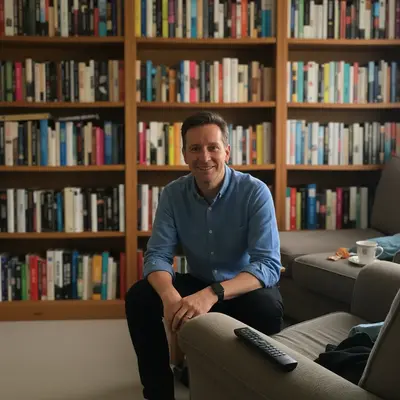
Author in front of messy living room background Same author with warm bookshelf background and professional lighting

Upload photo to edit author headshots and book cover photos

"replace the background with a blurred bookshelf full of books, warm library atmosphere"

Free to try · no sign-up · photos are never shared

Release to upload

<30stypical edit
1 freeedit weekly
Photo on your phone? Scan to open this editor there — free edit works on your phone too.

1 free edit every week·packs from $4.99

How it works

  1. Upload your author photo

    Drop in your headshot, bio photo, or any photo you want to use for book cover or promo. JPEG or PNG works best. Even informal photos from your phone can be transformed into publisher-ready author portraits.

    Expect: Background cleanup or lighting fix: 15-20 seconds. More complex changes: 25-35 seconds.
  2. Describe the change you want

    Type what you need — 'replace the background with a library bookshelf,' 'make this look like a professional author headshot,' 'brighten the face and remove shadows,' or 'clean background, elegant and professional.' No area selection needed. The AI identifies the right elements from your description.

    Tip: For author headshots, mention the genre vibe: 'approachable and warm for a children's book author,' 'serious and authoritative for a non-fiction academic,' or 'mysterious and dramatic for a thriller writer.' Genre context shapes the aesthetic.

    Copy one of these to get started:

    Clean professional headshot for author bio make this look like a professional author headshot — clean neutral background, warm natural lighting, polished and approachable
    Add a bookshelf background replace the background with a blurred bookshelf full of books, warm library atmosphere
    Fix poor lighting on headshot brighten the face, even out the lighting, remove harsh shadows, make it look like natural window light
    Make casual photo look professional remove the busy background and replace with a clean white background, make the overall photo look more professional
    2 more prompts
    Thriller or mystery author aesthetic give this photo a moody dramatic feel — dark background, dramatic side lighting, serious and atmospheric like a thriller author
    Remove clutter from background remove all the clutter and mess in the background, clean it up so there's only a simple neutral background
  3. Review the result

    Check that the lighting looks natural on your face, the background suits your author brand, and the image reads well both as a full-size headshot and as a small thumbnail on Amazon or Goodreads. Zoom in to check facial detail quality.

See it in action

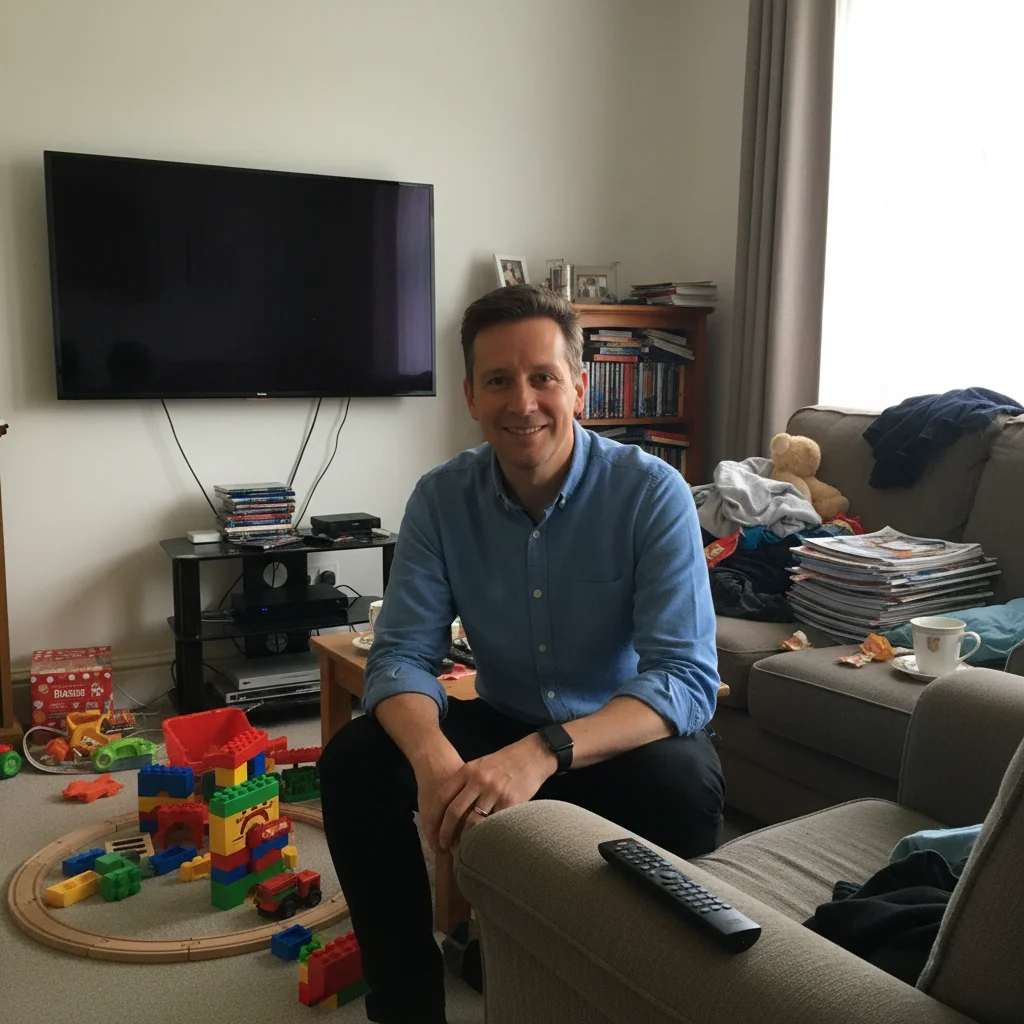
Author in front of messy living room background
Before
->
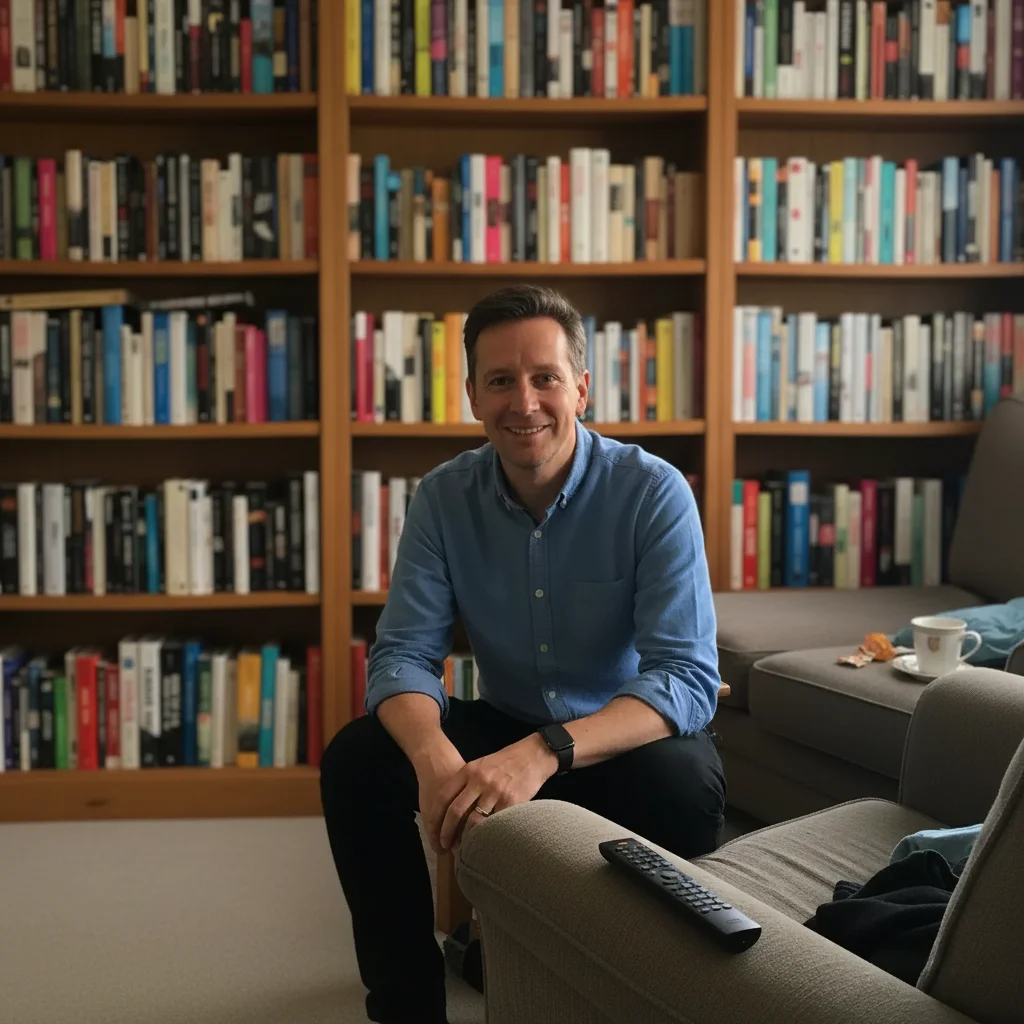
Same author with warm bookshelf background and professional lighting
After

Home photo → professional author headshot

An author's casual home photo with a distracting background. Transformed for their Amazon author page and press kit.

Prompt: replace the background with a clean warm bookshelf full of books, add professional warm lighting, make it look like a polished author headshot
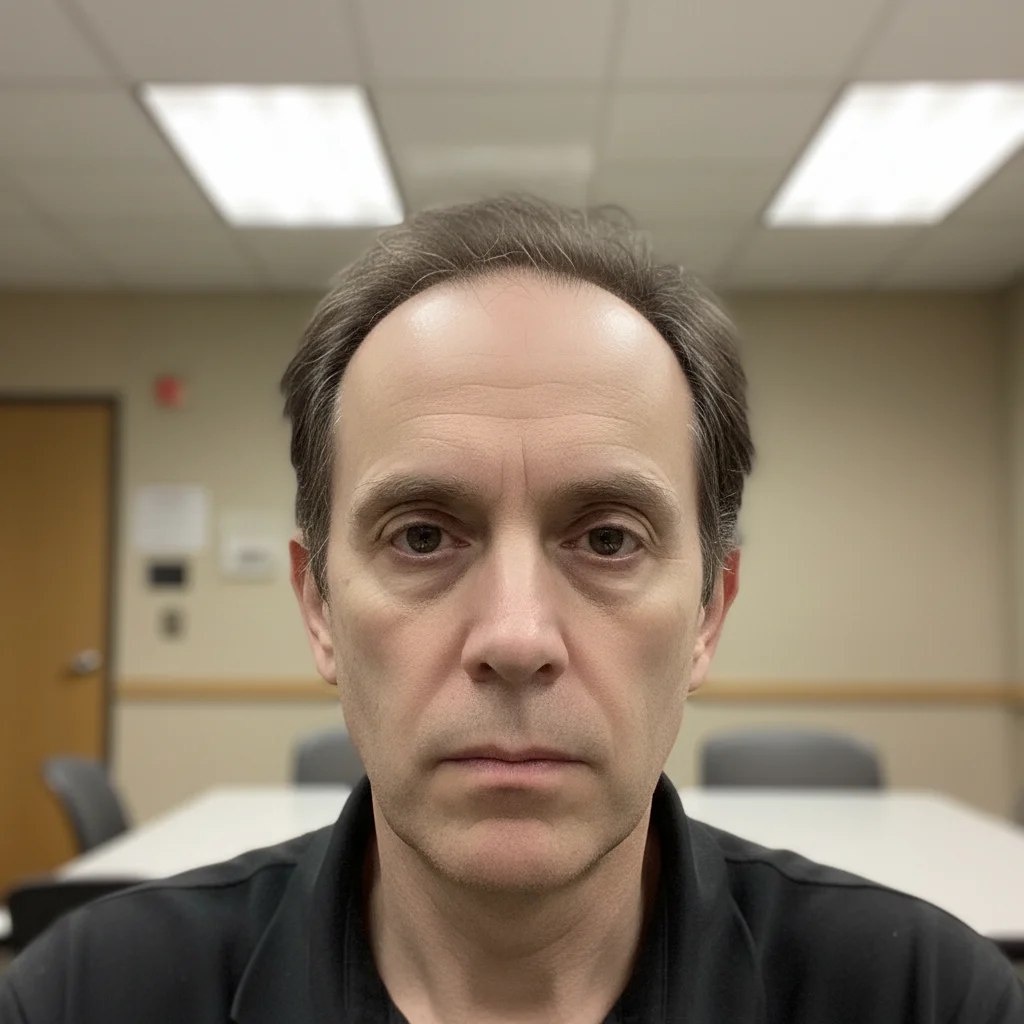
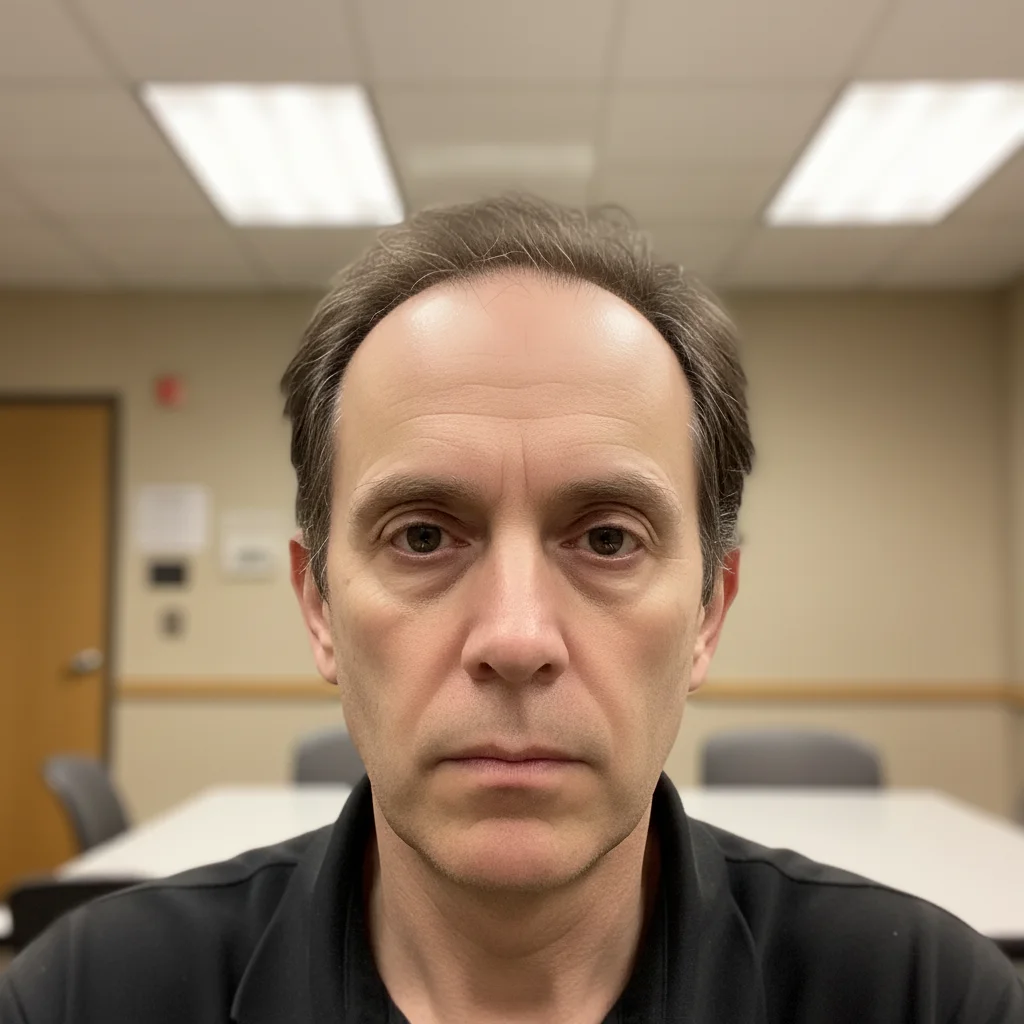
Author headshot with harsh fluorescent overhead lighting
Before
->
Same author with warm natural lighting and no harsh shadows
After

Poor lighting fix for bio photo

An author headshot with unflattering overhead fluorescent lighting. Fixed for publisher submission.

Prompt: fix the lighting — remove the harsh overhead shadows, brighten the face evenly with warm natural light, make it look professional

Quick answers

Do I need to select areas before editing my author headshot?

No. Just describe what you want — 'clean professional background,' 'warm bookshelf,' 'fix the lighting.' The AI identifies the right areas from your description.

How do I get a professional author headshot for free?

Upload any reasonably good photo to EditThisPic and describe the professional look you want — 'warm bookshelf background, professional lighting, polished author headshot.' Download the result free with no account needed. Results good enough for Amazon author pages, press kits, and social media.

Is there a free author photo editor with no login required?

Yes — EditThisPic is free to try with no account needed. Describe the change, download the result. No registration — the free edit is a preview; purchased downloads are clean, full quality.

Can I use EditThisPic to edit book cover source photos?

Yes. You can transform a photo's background, lighting, and atmosphere to work as book cover source material. EditThisPic handles the photo editing — for adding title text and final layout, you'd use a design tool like Canva or Photoshop afterward.

What size should my author headshot be for Amazon KDP?

Amazon KDP Author Central recommends at least 1400x1400px, displayed square. For best quality, use a 2000x2000px or larger photo. EditThisPic outputs at your original photo's resolution.

How much does EditThisPic cost?

You get 1 free edit per week — no account needed. After that, one-time credit packs start at $4.99 for 10 edits, valid 12 months, no subscription. Power users who edit daily can pick Studio Membership, a monthly workspace at $49.99/mo for 300 edits. Purchased downloads are clean with no watermark.

Ready to polish your author photo?

Free to try. No signup required.

1 free edit included·Credit packs from $4.99