Pricing Edit Speaker headshots and keynote promotional photos · Free

AI Photo Editor for Speakers

← Browse all creative effects

Last updated

Edit your speaker headshot and conference promo photos with AI — just describe the professional look you want.

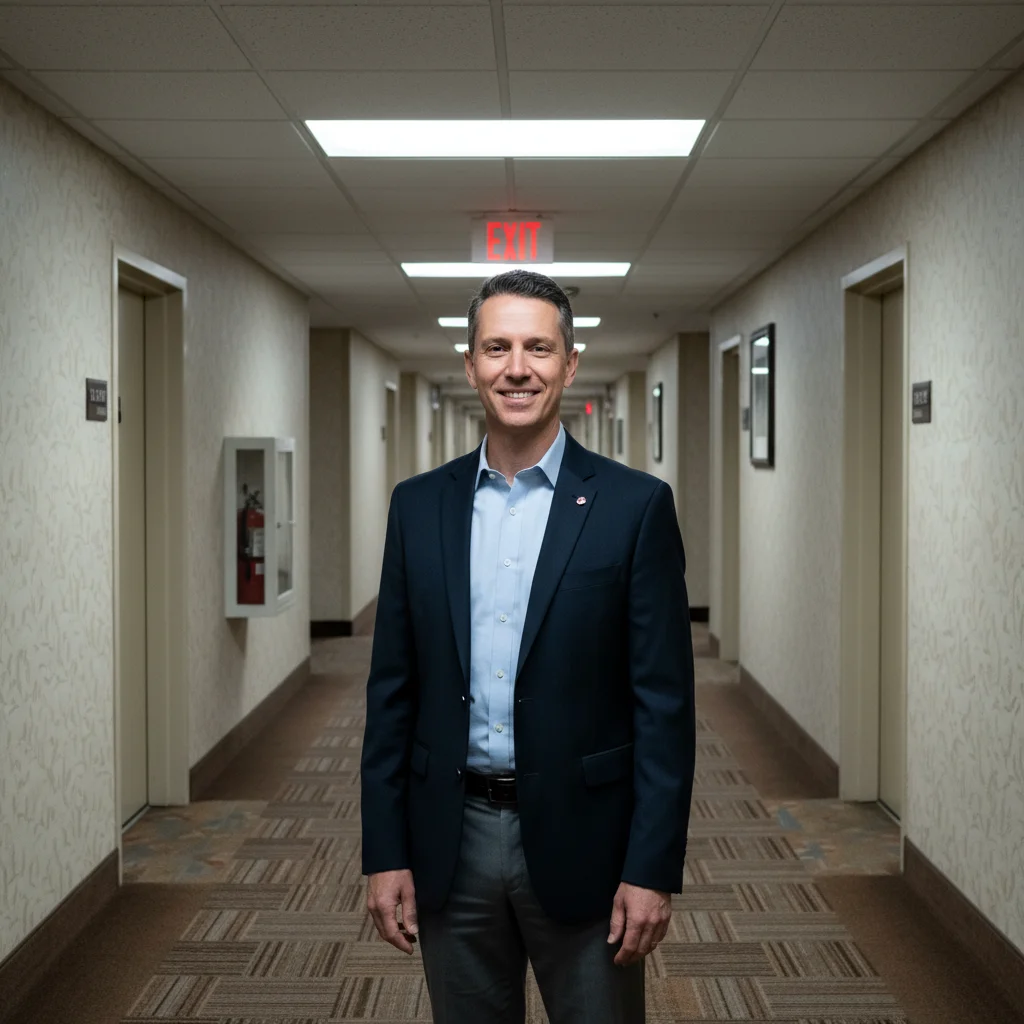
Speaker in conference hallway with fluorescent lighting Same speaker with clean dark professional background and even studio lighting

Upload photo to edit speaker headshots and keynote promotional photos

"fix the lighting — even it out, remove harsh shadows, make it look like professional portrait studio lighting"

Free to try · no sign-up · photos are never shared

Release to upload

<30stypical edit
1 freeedit weekly
Photo on your phone? Scan to open this editor there — free edit works on your phone too.

1 free edit every week·packs from $4.99

How it works

  1. Upload your speaker headshot or promo photo

    Drop in your headshot, conference bio photo, or any promotional photo you use for speaking engagements. JPEG or PNG works best. Even a good phone photo can be transformed into a professional speaker profile image.

    Expect: Background replacement or lighting fix: 15-25 seconds. More complex transformations: 25-35 seconds.
  2. Describe the professional look you want

    Type what you need — 'replace the background with a dark professional gradient,' 'make this look like a keynote speaker headshot,' 'even out the lighting, add confidence and authority.' No need to select or mark areas. The AI interprets your description and applies the changes.

    Tip: For speakers, credibility and authority matter. Try: 'professional headshot with neutral dark background, confident direct eye contact, polished corporate look.' The word 'confident' and 'authoritative' actually influence the output aesthetics.

    Copy one of these to get started:

    Professional keynote speaker headshot make this look like a professional keynote speaker headshot — dark clean background, confident authoritative lighting, polished and credible
    Fix bad office or venue lighting fix the lighting — even it out, remove harsh shadows, make it look like professional portrait studio lighting
    Remove distracting background at conference remove the busy conference background and replace with a clean blurred neutral gradient
    Make a candid stage shot usable improve the lighting on my face, reduce the dark shadows from stage lighting, make this stage photo look professional
    2 more prompts
    Professional tone for speaker bureau make this photo look professional enough for a speaker bureau listing — clean background, excellent lighting, corporate credibility
    Brighten and sharpen overall image brighten the photo, sharpen the details, make the overall image crisper and more vivid
  3. Review the result

    Check that the photo reads as confident and professional, the lighting is flattering, and the background doesn't distract. Speaker photos are often used small on conference websites — verify it works at thumbnail size too.

See it in action

Speaker in conference hallway with fluorescent lighting
Before
->
Same speaker with clean dark professional background and even studio lighting
After

Conference venue shot → speaker bureau headshot

A speaker's photo taken in a conference hallway with fluorescent lights and a generic hotel corridor background. Transformed for their speaker bio page.

Prompt: replace the conference hallway background with a clean dark professional gradient, even out the lighting, make it look like a high-quality keynote speaker headshot
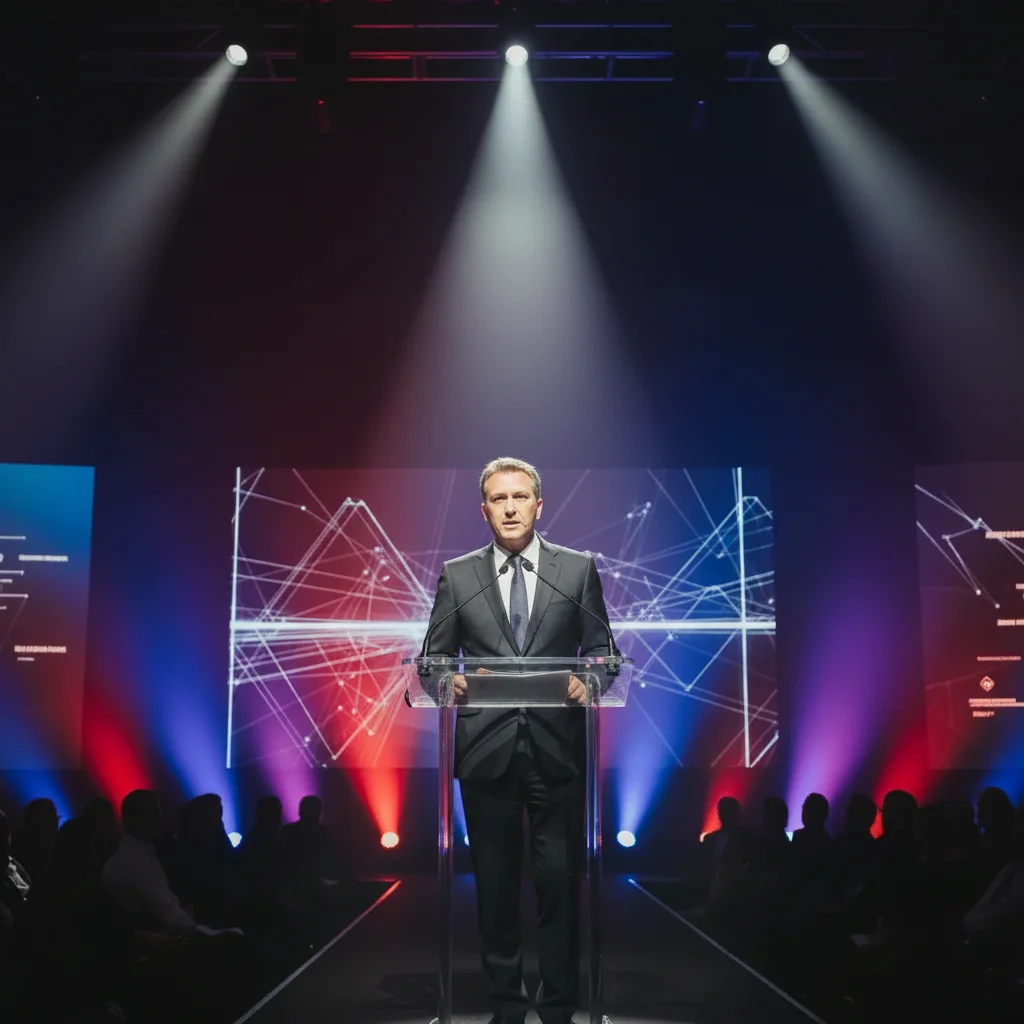
Speaker at podium with harsh overhead stage lighting shadowing the face
Before
->
Same speaker with evenly lit face and professional appearance
After

Stage photo with harsh backlighting

A speaker photo taken on stage with bright stage lighting from behind creating dark shadows on the face. Fixed for promotional use.

Prompt: improve the lighting on my face — reduce the harsh shadows from the stage backlighting, bring forward the face detail, make it look natural and professional

Quick answers

Do I need to select areas before editing my speaker headshot?

No. Just describe what you want — 'clean professional background,' 'better lighting,' or 'make this look like a keynote speaker headshot.' The AI identifies the right areas from your description.

How do I get a professional speaker headshot for free?

Upload your photo to EditThisPic, describe the look you need — 'dark professional background, confident lighting, speaker bureau quality' — and download the result. Free with no account needed. Ready for conference programs, speaker bureau listings, and event websites.

Is there a free speaker photo editor that doesn't require login?

Yes — EditThisPic is free to try with no account needed. Describe the change, get the result, download it. No registration or subscription required.

Can I edit a stage or keynote photo to make it usable for promo?

Yes. Stage photos often have harsh overhead lighting and busy backgrounds. EditThisPic can improve face lighting, remove distracting backgrounds, and clean up the overall image. Describe what you need: 'fix the lighting on my face' or 'remove the stage clutter behind me.'

What dimensions should my speaker headshot be for a conference website?

Most conference programs request 300x300 to 800x800 pixels minimum, displayed square. Speaker bureaus often require at least 1200x1200px. EditThisPic outputs at your original photo's resolution — start with a high-resolution source.

How much does EditThisPic cost?

You get 1 free edit per week — no account needed. After that, one-time credit packs start at $4.99 for 10 edits, valid 12 months, no subscription. Power users who edit daily can pick Studio Membership, a monthly workspace at $49.99/mo for 300 edits. Purchased downloads are clean with no watermark.

Ready to polish your speaker photo?

Free to try. No signup required.

1 free edit included·Credit packs from $4.99