Pricing Remove Wrinkle from clothing · Free

AI Wrinkle Remover from Clothing

← Browse all body & person tools

Last updated

Type 'remove the wrinkles from the shirt' and the AI smooths the fabric in under 30 seconds — no marking needed.

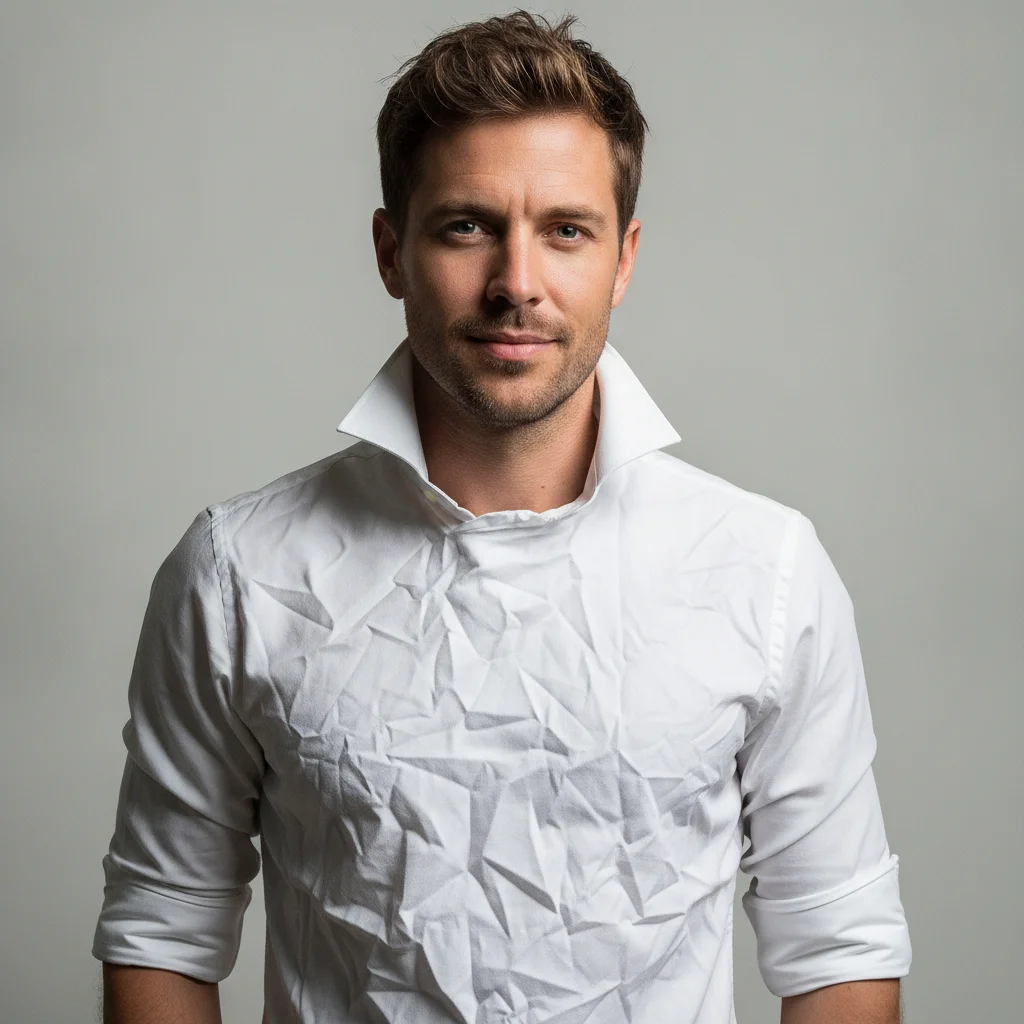
Man in heavily wrinkled white dress shirt with visible fold lines across chest Same man in smoothly pressed white shirt, face and background unchanged

Upload photo to remove wrinkle from clothing

"smooth all wrinkles from this clothing product photo, make the fabric look freshly ironed, preserve the garment's original color and structure"

Free to try · no sign-up · photos are never shared

Release to upload

<30stypical edit
1 freeedit weekly
Photo on your phone? Scan to open this editor there — free edit works on your phone too.

1 free edit every week·packs from $4.99

How it works

  1. Upload your clothing photo

    Drop your photo into EditThisPic. JPG, PNG, or WebP up to 7MB. Good lighting that makes the wrinkles visible helps the AI identify and smooth them accurately.

    Expect: Light to moderate wrinkles on solid fabric: done in 15–30 seconds. Heavy wrinkling across multiple garment panels may need one refinement pass to catch every fold.
  2. Describe what to smooth

    Type your instruction: 'remove the wrinkles from the shirt, smooth the fabric while keeping the original color and garment shape.' The AI understands wrinkles — no marking or selection needed. Specify which part of the garment if wrinkles are concentrated in one area.

    Tip: Add 'keep the garment shape and color unchanged' to prevent the AI from accidentally altering the cut or silhouette while smoothing.

    Copy one of these to get started:

    All-over wrinkles on a shirt — easy remove all wrinkles from the shirt, smooth the fabric evenly across the chest, sleeves, and collar, keep the original color and shape unchanged
    Wrinkled product photo for e-commerce — easy smooth all wrinkles from this clothing product photo, make the fabric look freshly ironed, preserve the garment's original color and structure
    Wrinkled collar in a portrait — easy remove the wrinkles from the collar and front of the shirt in this portrait, keep the face and background completely unchanged
    Wrinkled dress in a photo — medium smooth the wrinkles from the dress, preserve the drape and silhouette of the fabric, keep the original color and any visible pattern
    2 more prompts
    Linen or textured fabric wrinkles — medium reduce the wrinkles on the linen shirt, lightly smooth the fabric while preserving the natural linen texture and slight surface variation
    Heavy deep creases — medium remove the deep creases from the shirt fabric, smooth to a pressed appearance, preserve all button details and seam lines
  3. Check the smoothed areas at full zoom

    Zoom to 100% on the collar, sleeves, and body panel. Verify that fabric texture is retained — the garment should look freshly ironed, not plastic or blurred. Check that natural drape shadows are still present.

  4. Refine specific folds with markers if needed

    If a stubborn deep fold remains, tap a marker directly on it and regenerate with 'smooth the fold in the marked area, match the surrounding fabric.' Markers are optional — most wrinkles are handled in the first pass.

    Tip: For heavy wrinkles at collar edges or under armpits, a second targeted pass almost always resolves the remaining creases.

See it in action

Man in heavily wrinkled white dress shirt with visible fold lines across chest
Before
->
Same man in smoothly pressed white shirt, face and background unchanged
After

Heavily wrinkled dress shirt smoothed for LinkedIn headshot

A portrait photo of a man in a white business shirt with deep wrinkles across the chest. The AI smoothed the shirt to a pressed appearance without touching the face, jacket, or background.

Prompt: remove all wrinkles from the white shirt, smooth to a pressed appearance, keep the face, jacket, and background unchanged
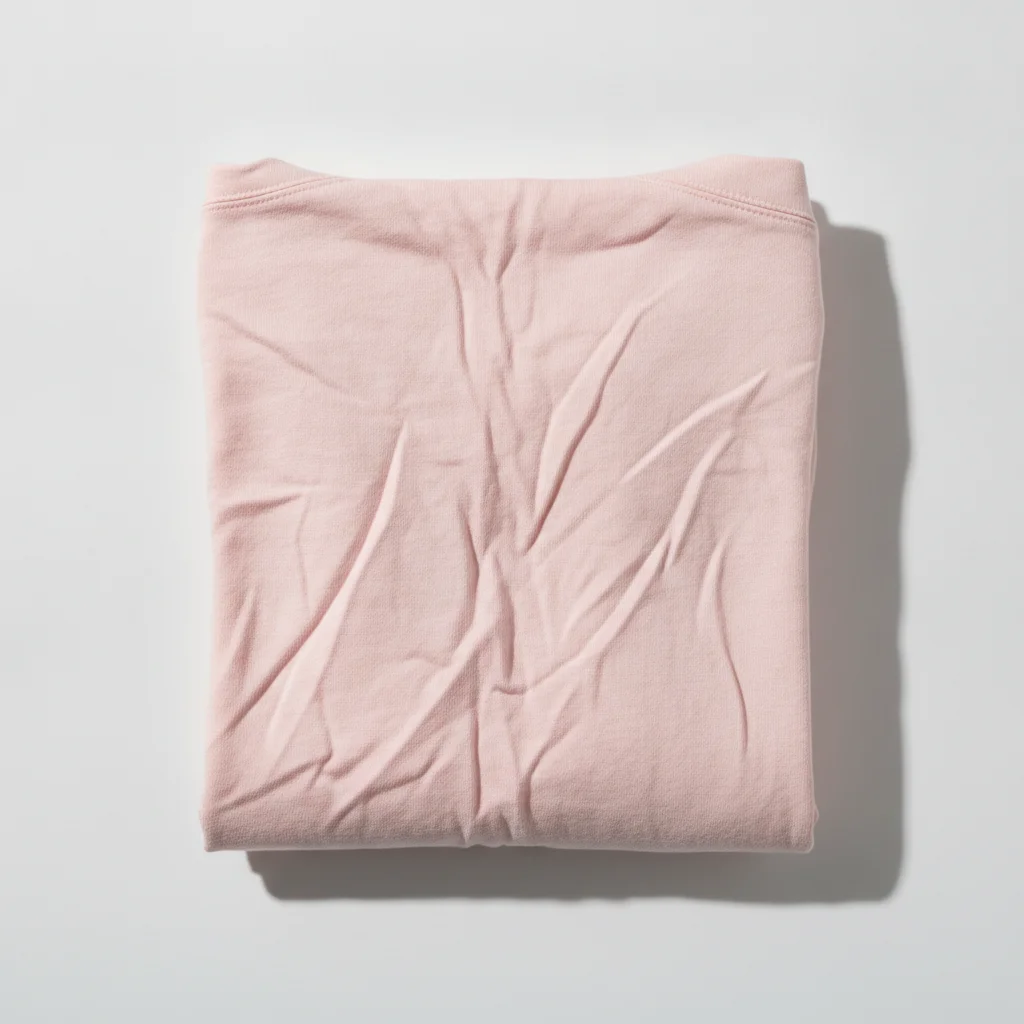
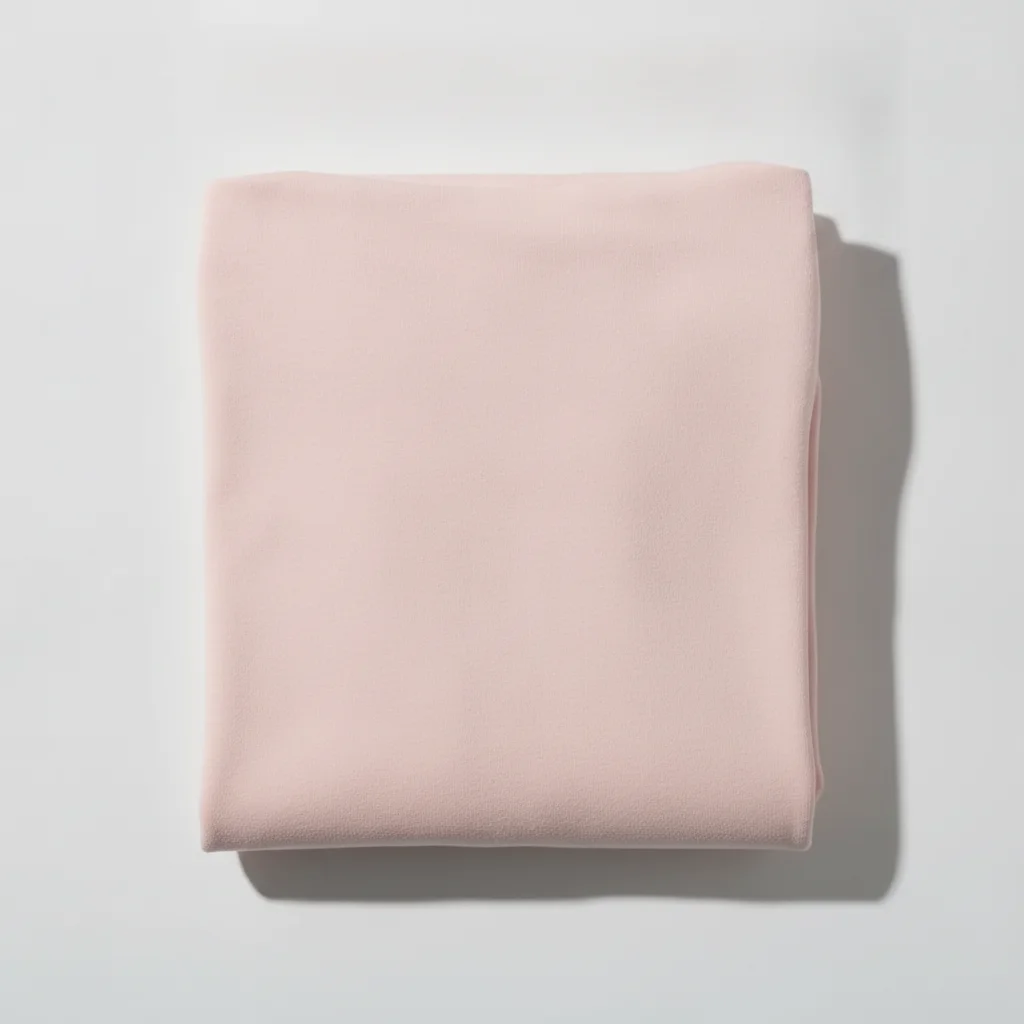
Pink cotton blouse flat-lay with heavy fold lines and wrinkles
Before
->
Same blouse smoothed to a freshly ironed appearance, color and shape preserved
After

Wrinkled product flat-lay smoothed for resale listing

A secondhand blouse photographed for resale had visible fold lines from being stored. One prompt smoothed the fabric without altering the garment's color or pattern.

Prompt: smooth all wrinkles from this clothing product photo, make the fabric look freshly ironed, preserve the garment's original color and structure

Quick answers

Do I need to mark the wrinkles before describing them?

No. Just type 'remove the wrinkles from the shirt.' EditThisPic's AI identifies and smooths wrinkled fabric automatically. Markers are only needed if the AI targets the wrong area — which is rare when wrinkles are clearly described.

Is there a free AI tool to remove wrinkles from clothing photos without an account?

Yes. EditThisPic removes wrinkles from clothing photos with a free preview edit — no account, no login — and purchased downloads are clean. Upload, describe the wrinkles, and download the smoothed result in about 30 seconds. Works in any browser.

How do I remove wrinkles from a shirt in a photo with AI?

Upload your photo to EditThisPic and type 'remove all wrinkles from the shirt, smooth the fabric evenly, keep the original color unchanged.' The AI smooths the fabric in under 30 seconds. No signup required.

Will wrinkle removal also change the garment's shape or color?

Not if you include 'keep the garment shape and color unchanged' in your prompt. Without that instruction the AI may occasionally alter the silhouette slightly. Adding it explicitly locks the shape and color while only smoothing the wrinkles.

How much does EditThisPic cost?

You get 1 free edit per week — no account needed. After that, one-time credit packs start at $4.99 for 10 edits, valid 12 months, no subscription. Power users who edit daily can pick Studio Membership, a monthly workspace at $49.99/mo for 300 edits. Purchased downloads are clean with no watermark.

Ready to smooth out those wrinkles?

Free to try. No signup required.

1 free edit included·Credit packs from $4.99