Free โ€ข No signup Add Facial hair ยท Free

Add Facial Hair to Photo with AI

Preview any beard or mustache style before growing it out - just describe what you want
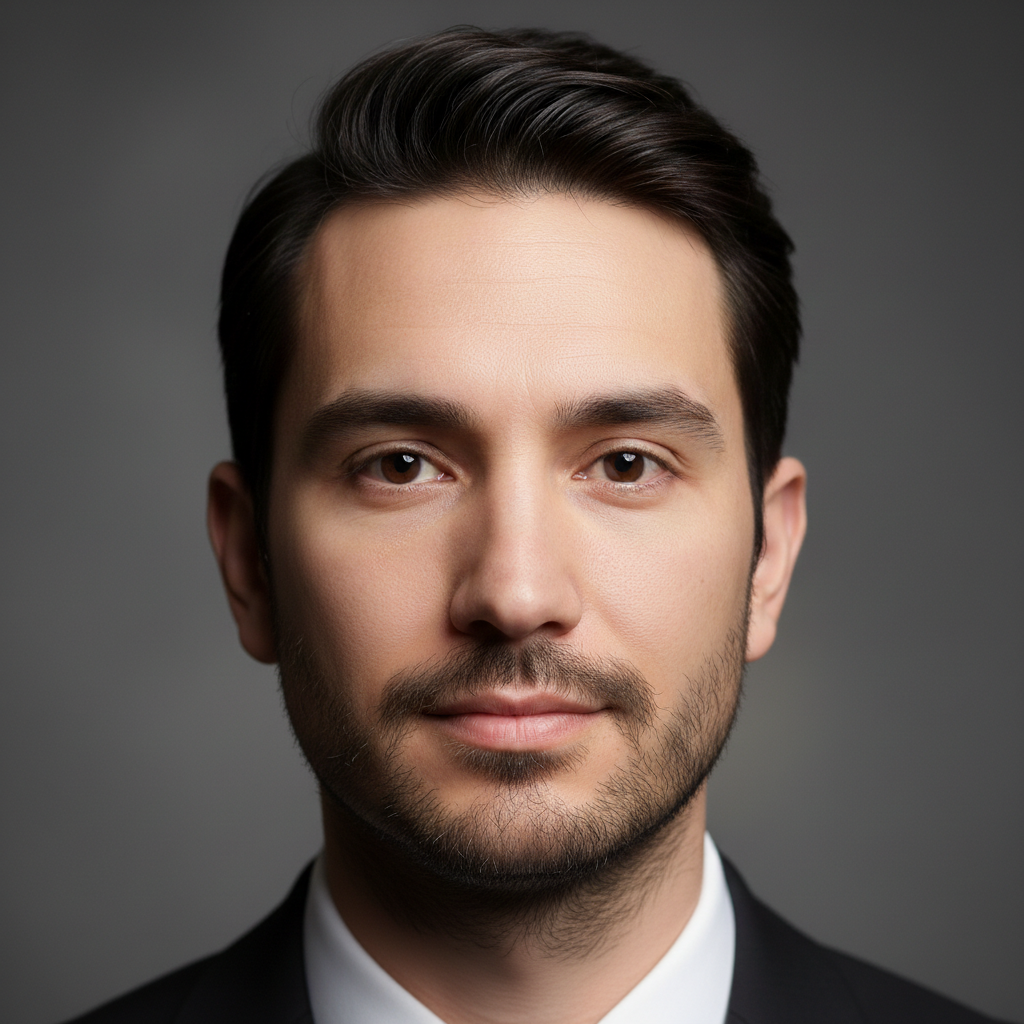
Clean-shaven man with no facial hair
Before
โ†’
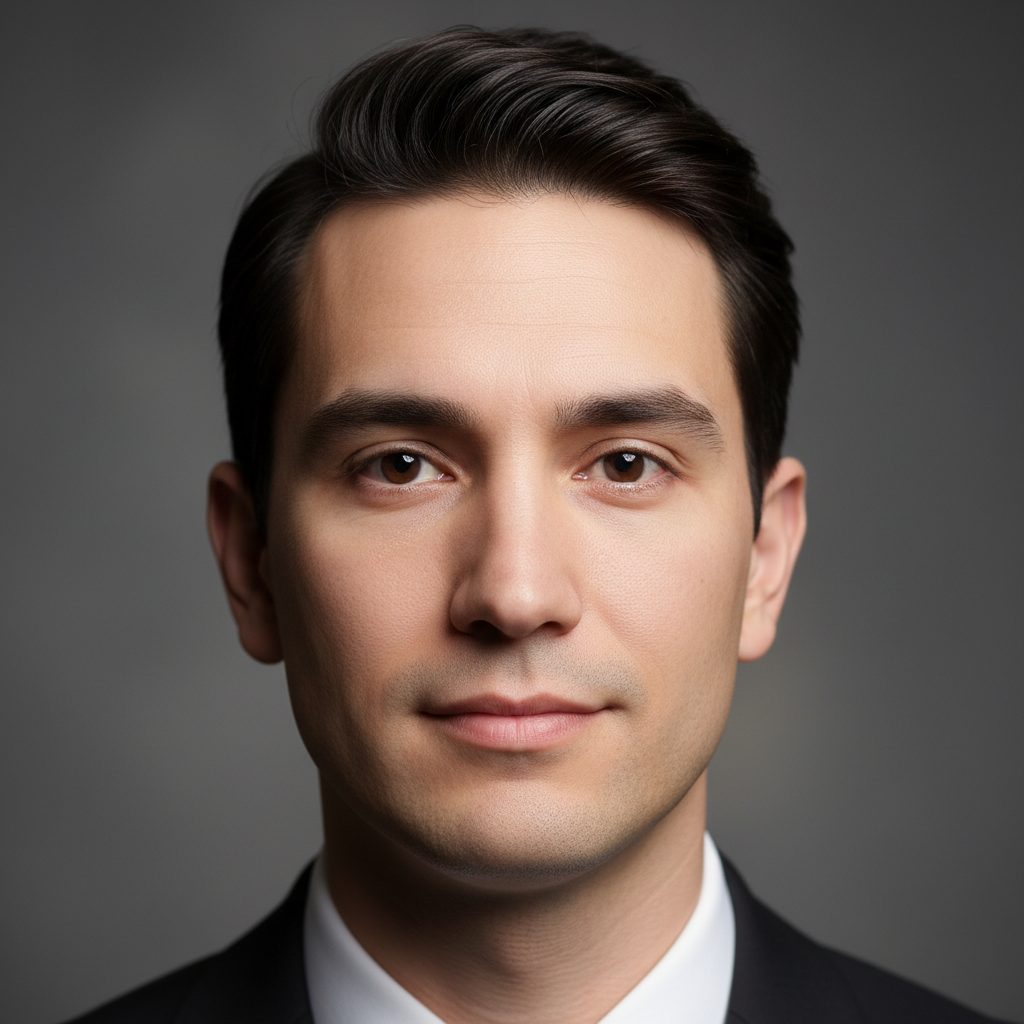
Same man with full natural beard covering lower face
After

Add Facial Hair to Photo

Drop your photo here

or click to browse

Release to upload

Free โ€ข No signup

Advertisement
Popular use cases:
  • add beard to photo
  • add mustache to photo
  • preview beard styles
  • try facial hair virtually
  • see yourself with beard
  • facial hair simulator
  • beard try-on

Cost
Free No signup required
Time
Instant results in 15-30 seconds
Works on
Any device - browser, phone, tablet, desktop
Powered by
AI-powered photo editing
Scenario Prompt Time
Full Beard Add a full beard covering the chin, jaw, and cheeks 18s
Stubble Add stubble across the face, like a 5 o'clock shadow 10s
Mustache Only Add a mustache above the upper lip, no beard 8s
Goatee Add a goatee on the chin and around the mouth 15s
Van Dyke Add a Van Dyke: mustache and goatee without cheek hair 16s

How it works

  1. Upload your photo

    Choose a photo where your face is clearly visible and well-lit. Face-forward or slight angle works best. The AI needs to see your jaw, chin, and upper lip area to place facial hair naturally.

    Expect: Simple styles (stubble, light beard): 10-15 seconds. Complex styles (full thick beards, styled mustaches): 18-22 seconds.
  2. Describe the facial hair you want

    Type exactly what style you want to try. Be specific: "add a full beard", "add a mustache", "add stubble", "give me a goatee", or "add a beard and mustache combo". The AI understands facial hair styles and will create them to match your hair color and skin tone - no need to mark your face first.

    Tip: Use style names for precision: goatee, Van Dyke, soul patch, handlebar mustache, circle beard, ducktail beard. You can also specify characteristics: "short trimmed beard" vs "long full beard" or "thick mustache" vs "thin pencil mustache".

    Copy one of these to get started:

    Full beard (most common) Add a full beard covering the chin, jaw, and cheeks
    Stubble (5 o'clock shadow) Add stubble across the face, like a 5 o'clock shadow
    Mustache only Add a mustache above the upper lip, no beard
    Goatee Add a goatee on the chin and around the mouth
    4 more prompts
    Short trimmed beard Add a short, neatly trimmed beard about 1/4 inch long
    Van Dyke style Add a Van Dyke: mustache and goatee without cheek hair
    Circle beard Add a circle beard: rounded goatee and mustache combo
    Handlebar mustache Add a handlebar mustache with upturned ends
  3. Review the result

    Check how the facial hair suits your face shape. Does it complement your features? The color should match your hair (or you can request a different shade). Growth pattern should look natural, following your jaw and lip lines.

  4. Refine with markers if needed

    If the AI added facial hair to the wrong areas or the shape isn't right, tap markers on the specific areas you want covered (chin, upper lip, cheeks, sideburns), then regenerate. This is optional - most facial hair additions work with description alone.

    Tip: Markers are helpful for custom shapes - like adjusting goatee width, mustache extent, or creating specific sculpted beard shapes.
Try it free โ†“

Add Facial Hair to Photo

Drop your photo here

or click to browse

Release to upload

Free โ€ข No signup

"Tried a goatee, full beard, and stubble before committing to growing one out. Saved me 3 months of awkward growth only to discover it doesn't suit me!" @ChrisBeardTest

See it in action

Clean-shaven man with no facial hair
Before
->
Same man with full natural beard covering lower face
After

Full Beard Addition

Complete beard covering chin, jaw, and cheeks. Natural growth pattern following face contours. Most popular style for preview.
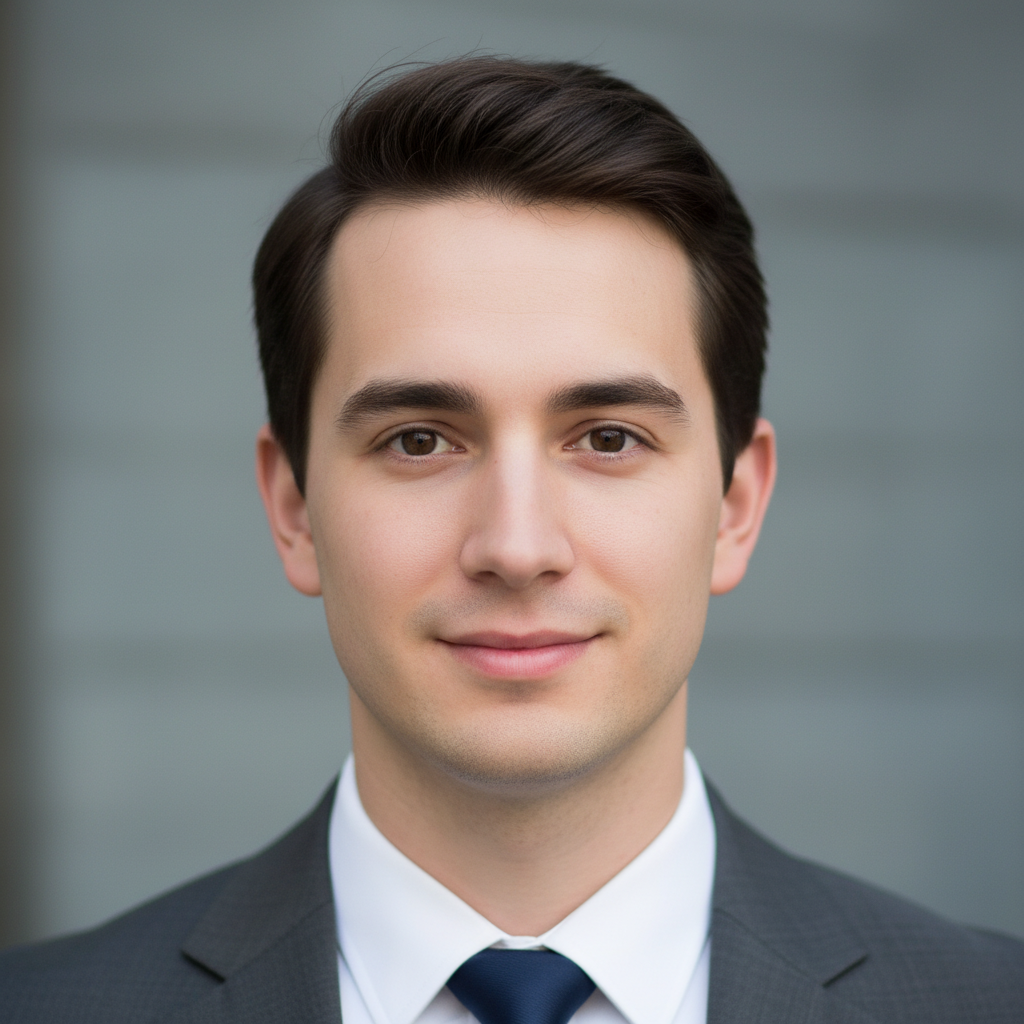
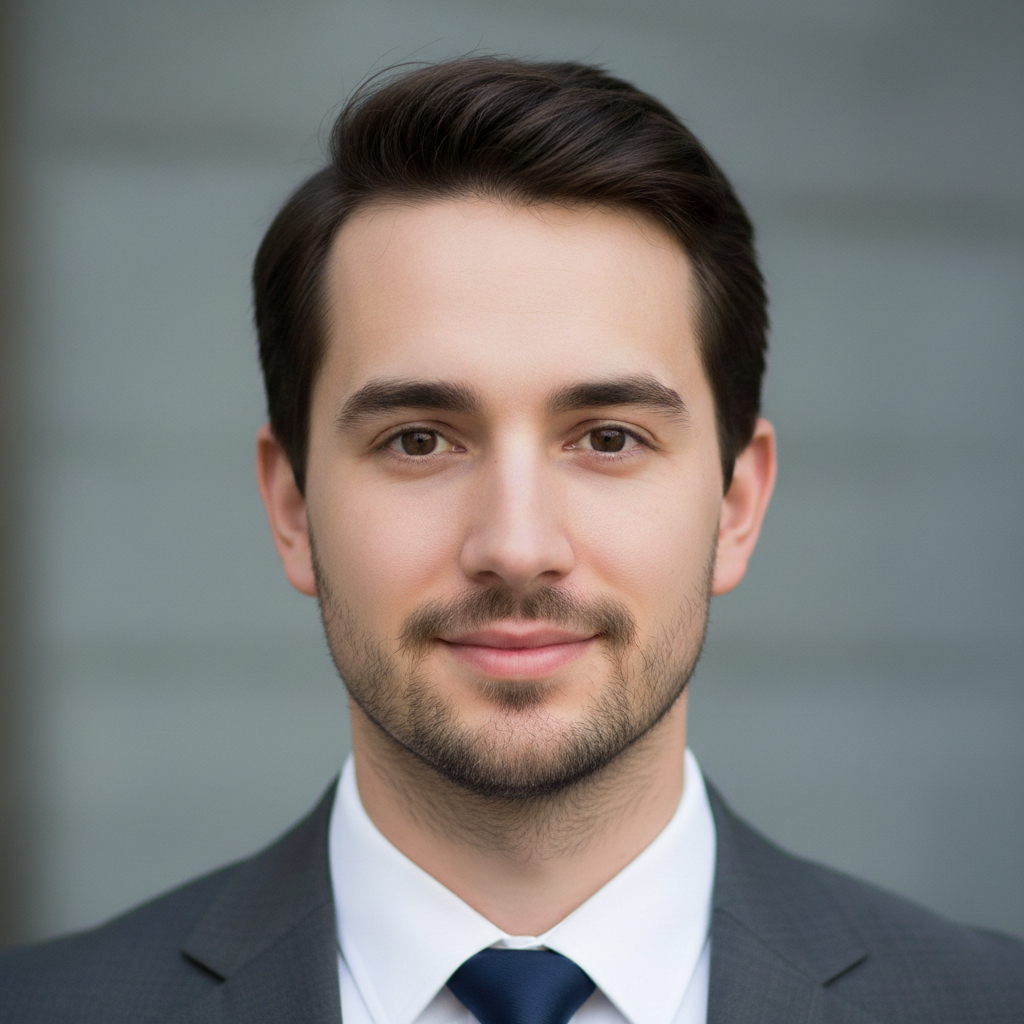
Prompt: Add a full beard covering the chin, jaw, and cheeks
Young clean-shaven man
Before
->
Same man with even stubble across lower face and jaw
After

Stubble/5 O'Clock Shadow

Short even stubble across the face. Perfect for testing if facial hair suits you before committing to full growth.
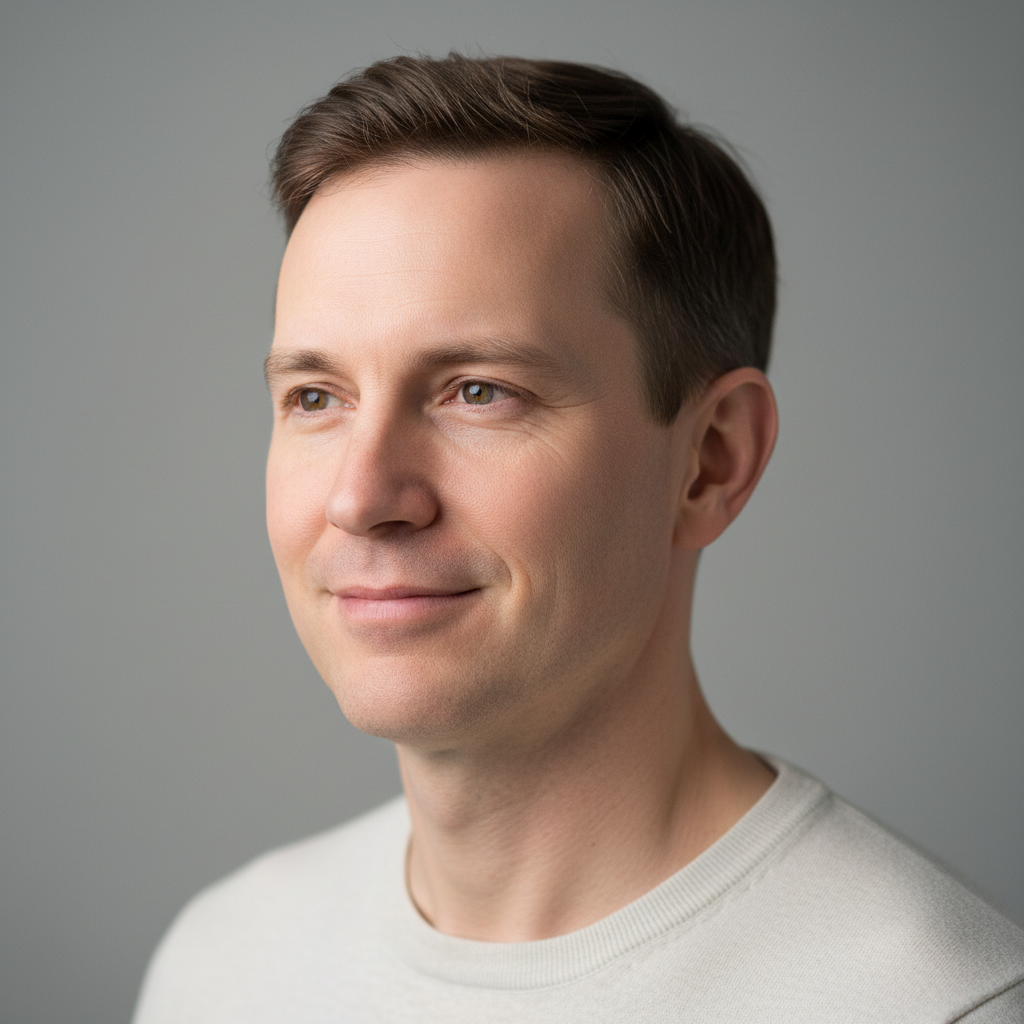
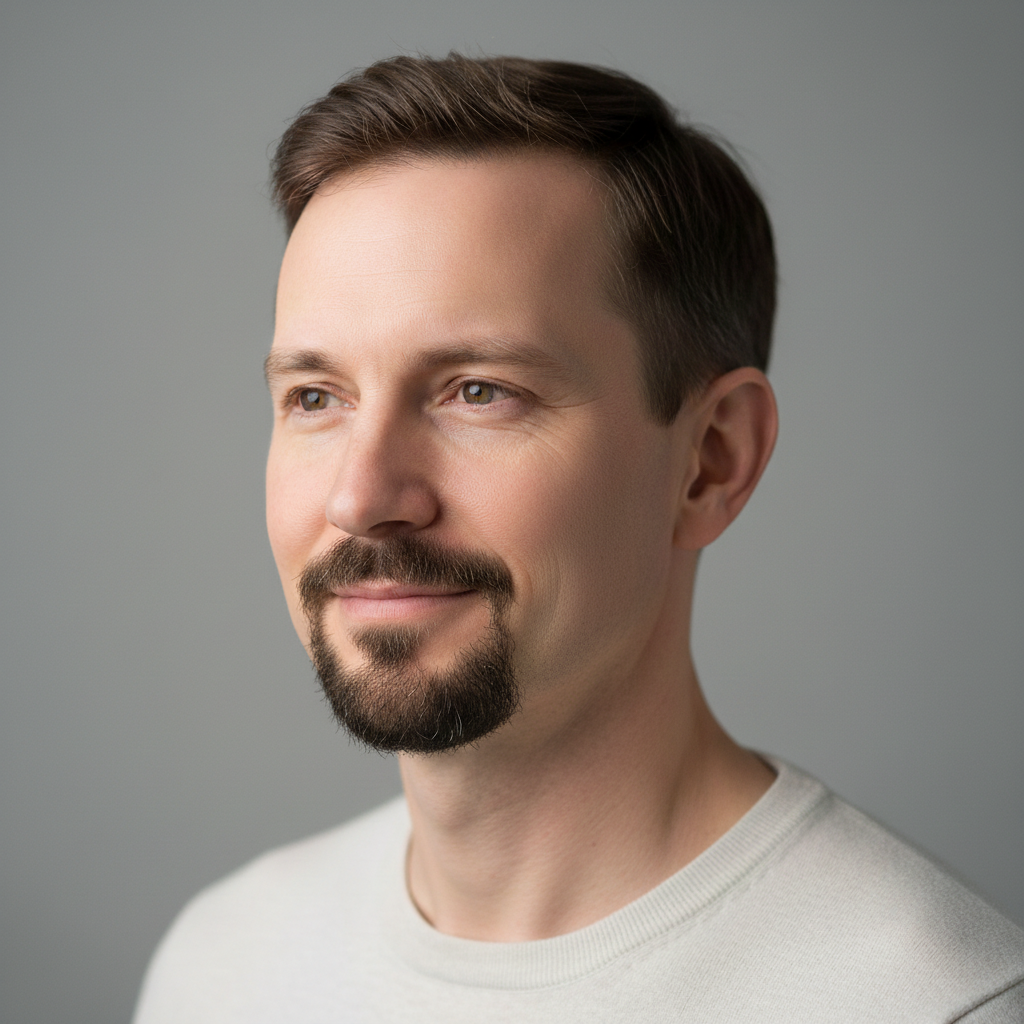
Prompt: Add stubble across the face, like a 5 o'clock shadow
Clean-shaven man with dark skin
Before
->
Same man with goatee covering chin and connected to mustache
After

Goatee Style

Classic goatee - chin and mustache connected with clean-shaven cheeks. Professional look that's not as full as a complete beard.

Prompt: Add a goatee on the chin and around the mouth
Advertisement

If something looks off

AI changed the wrong area or something I didn't want changed

Why: The AI couldn't determine exactly which area you meant from description alone.

Try: Tap a marker on the specific area you want to change, then regenerate with the same prompt

Tip: Markers tell the AI 'I mean THIS one specifically.' Use them when description alone is ambiguous.

The facial hair color doesn't match my hair

Why: Complex lighting or if you have highlights/dyed hair, the AI might not pick the right reference color.

Try: Specify color: 'Add a full beard in dark brown' or 'Add a black mustache matching my hair color'

Tip: If your hair is dyed differently from your natural color, specify which color you want for facial hair.

The beard is too thick/full or too thin/patchy

Why: The AI's default density might not match your preference or realistic growth pattern.

Try: Adjust density: 'Add a thin beard' or 'Add a thick, full beard' to control coverage

Tip: Terms like "sparse", "patchy", "thin" create lighter coverage. "Thick", "full", "dense" create heavier beards.

The facial hair extends too far up the cheeks

Why: Some beard styles naturally grow high on cheeks, but you might want a lower cheek line.

Try: Specify coverage: 'Add a beard with a low cheek line' or 'Add a beard that doesn't extend past mid-cheek'

Tip: "Low cheek line" or "high cheek line" controls how far up the face the beard extends.

The mustache connects weirdly with the beard

Why: The transition between mustache and beard can look unnatural if not properly blended.

Try: Request natural connection: 'Add a beard and mustache that connect naturally' or specify separation: 'Add a beard without connecting to the mustache'

Tip: Some styles (Van Dyke, corporate beard) intentionally disconnect mustache from beard - specify if that's what you want.

The facial hair looks unnatural or pasted-on

Why: The facial hair might not be following your face's natural contours or matching the photo's lighting.

Try: Add 'natural-looking' or 'realistic': 'Add a natural-looking full beard that follows my jaw line'

Tip: Well-lit, face-forward photos produce the most natural results. Side angles and dramatic lighting can make facial hair look less realistic.

Quick answers

Do I need to mark my face before describing what I want?

No! Just describe the facial hair style you want ("add a full beard" or "add a mustache") and the AI detects your face and adds it automatically. Only use markers if the AI added hair to the wrong areas - for example, if you wanted just a goatee but it added cheek hair too.

How do I add facial hair to photos for free?

Upload your photo to EditThisPic, type the facial hair style you want ("add a beard", "add stubble", "add a goatee"), and the AI adds it instantly. Free to use with no signup required and no watermark on your downloads.

Can I preview different beard styles before growing one?

Yes, that's the main use case! Try full beard, stubble, goatee, Van Dyke, or mustache styles on your photo to see what suits your face before committing to months of growth. You can test multiple styles on the same photo.

Will the facial hair match my hair color?

Yes, the AI analyzes your hair color and creates facial hair that matches. If you want a different shade (like if your hair is dyed), specify the color in your prompt: "add a dark brown beard" or "add a gray beard".

Can I add just a mustache without a beard?

Yes! Specify "add a mustache, no beard" in your prompt. You can also request specific mustache styles like handlebar, pencil, or walrus. The AI understands facial hair combinations and isolated styles.

Ready to add facial hair to your photo?

Free to try. No signup required.

Try it free โ†’