Free โ€ข No signup Combine Expressions ยท Free

Combine Best Expressions from Multiple Photos

Got 10 photos where different people look good in each? Create one perfect shot.

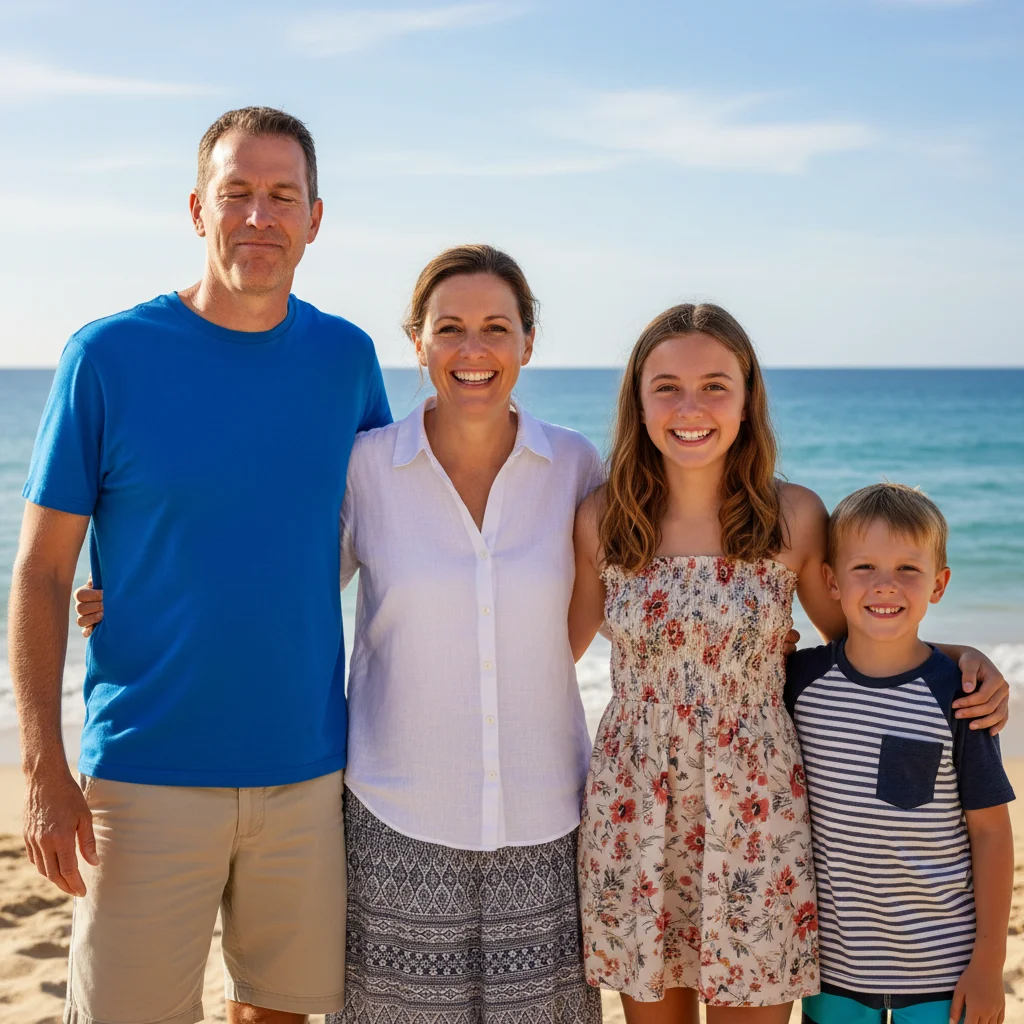
Family beach photo with dad blinking in blue shirt
Before
โ†’
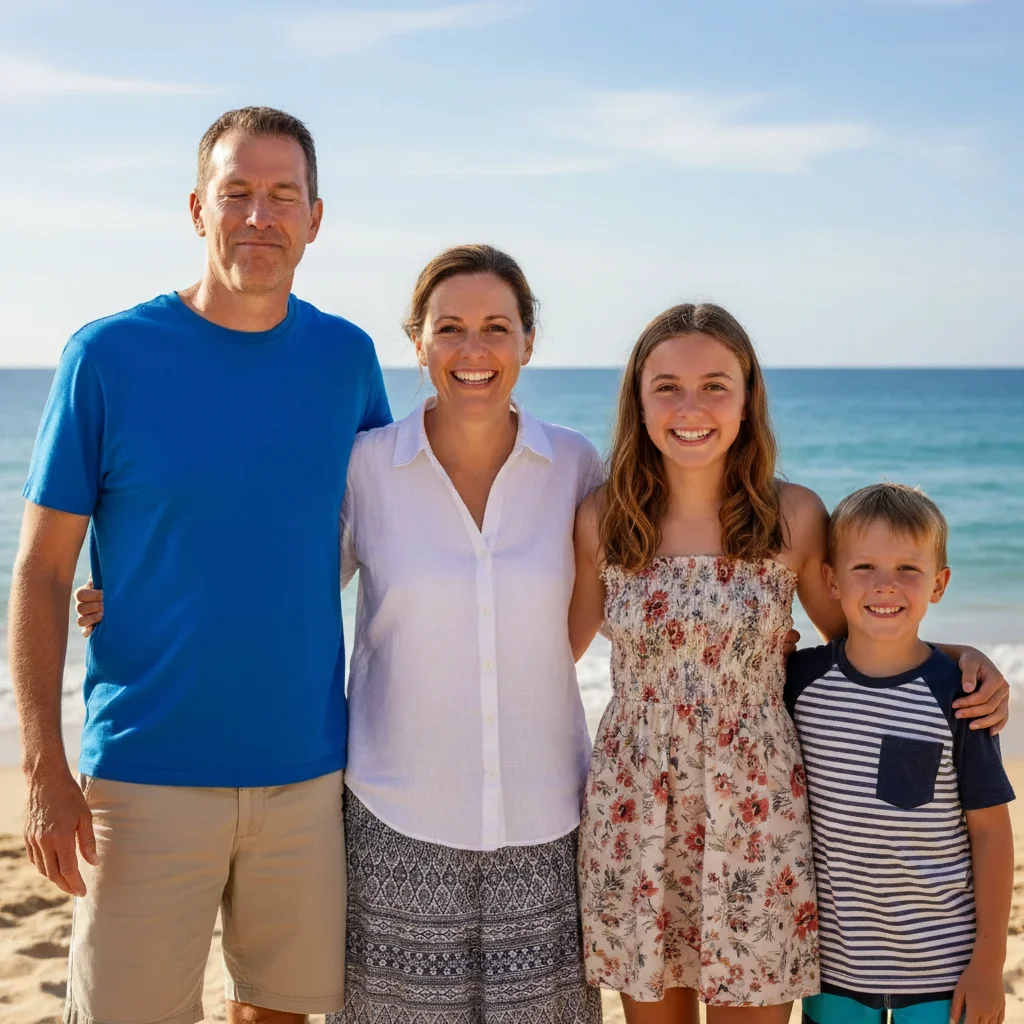
Same photo with dad's eyes open from reference photo
After

Fix Blinks in Group Photos

Drop your photo here

or click to browse

Release to upload

Free โ€ข No signup

Advertisement
Popular use cases:
  • combine expressions from photos
  • fix blink in group photo
  • swap facial expression
  • fix someone not smiling
  • fix kid looking away
  • fix pet eyes closed
  • merge best moments photos
  • expression swap AI

Cost
Free No signup required
Time
Instant results in 15-30 seconds
Works on
Any device - browser, phone, tablet, desktop
Powered by
AI-powered photo editing
Scenario Prompt Time
Fix blink replace [person] from photo 1 with expression from photo 2 where eyes open 25s
Fix looking away swap [person]'s face from photo 1 with photo 2 where looking at camera 25s
Fix not smiling replace [person] from photo 1 with smiling expression from photo 2 30s

How it works

  1. Upload your base photo

    Drop the photo with good composition but where someone has a bad expression - blinking, looking away, or not smiling. This becomes 'photo 1' in your prompt. JPG, PNG, WebP up to 7MB.

    Expect: Simple expression swaps: 20-30 seconds. Complex lighting matching with angle differences: may need 2-3 refinements.
  2. Upload reference photo with good expression

    Click '+ Add another image' and select a photo where that person has the expression you want - eyes open, smiling, looking at camera. This becomes 'photo 2.' Choose a reference photo with similar lighting and angle for best results. The AI will extract just their expression and blend it into photo 1.

    Tip: Use a reference photo from the same photo session or event for matching lighting, clothing, and hair style.

    Copy one of these to get started:

    Fix someone blinking in group photo replace the expression of the person in blue shirt from photo 1 with their expression from photo 2 where their eyes are open
    Fix kid looking away swap my daughter's face in photo 1 with her smiling face from photo 2 where she's looking at the camera
    Fix someone not smiling replace the groomsman on the right in photo 1 with his smiling expression from photo 2
    Fix pet's closed eyes swap the dog's expression in photo 1 with the alert expression from photo 2 where their eyes are open
    4 more prompts
    Fix multiple expression issues replace my mom's face in photo 1 with her expression from photo 2 where she's smiling and her eyes are open
    Fix awkward mid-speech expression swap the woman in red dress from photo 1 with her natural expression from photo 2
    Fix toddler distracted expression replace my son's face in photo 1 with his happy expression from photo 2 where he's not distracted
    Fix expression with angle difference swap the bride's expression in photo 1 with her smiling face from photo 2, match the angle and lighting
  3. Describe the expression swap

    Type your instruction referencing both photos: 'replace the expression of the person in blue shirt from photo 1 with their expression from photo 2' or 'swap my daughter's face in photo 1 with her smiling face from photo 2.' Be specific about which person and mention both photo 1 and photo 2.

    Tip: Identify the person clearly: 'the woman in red dress,' 'my son on the left,' 'the bride.' Mention what's better in photo 2: 'eyes open,' 'smiling,' 'looking at camera.'

    Copy one of these to get started:

    Fix someone blinking in group photo replace the expression of the person in blue shirt from photo 1 with their expression from photo 2 where their eyes are open
    Fix kid looking away swap my daughter's face in photo 1 with her smiling face from photo 2 where she's looking at the camera
    Fix someone not smiling replace the groomsman on the right in photo 1 with his smiling expression from photo 2
    Fix pet's closed eyes swap the dog's expression in photo 1 with the alert expression from photo 2 where their eyes are open
    4 more prompts
    Fix multiple expression issues replace my mom's face in photo 1 with her expression from photo 2 where she's smiling and her eyes are open
    Fix awkward mid-speech expression swap the woman in red dress from photo 1 with her natural expression from photo 2
    Fix toddler distracted expression replace my son's face in photo 1 with his happy expression from photo 2 where he's not distracted
    Fix expression with angle difference swap the bride's expression in photo 1 with her smiling face from photo 2, match the angle and lighting
  4. Generate and review

    Check that the swapped expression matches the lighting of photo 1, the angle looks natural, skin tone blends seamlessly, and edges around the face are smooth. Verify the expression from photo 2 was accurately transferred.

  5. Refine with markers if needed

    If edges need smoothing or the expression didn't swap perfectly, tap a marker on the person's face in photo 1 and regenerate. This tells the AI exactly which face to focus on.

    Tip: For group photos with similar-looking people, markers help the AI target the correct person.
Try it free โ†“

Fix Blinks in Group Photos

Drop your photo here

or click to browse

Release to upload

Free โ€ข No signup

"Had 15 wedding photos. In each one, either the bride or groom was blinking. This saved our only chance at a perfect ceremony photo." @SarahM_Wedding

See it in action

Family beach photo with dad blinking in blue shirt
Main Photo
Dad with eyes open smiling at camera
Reference
Same photo with dad's eyes open from reference photo
Result

Fixed someone blinking in group photo

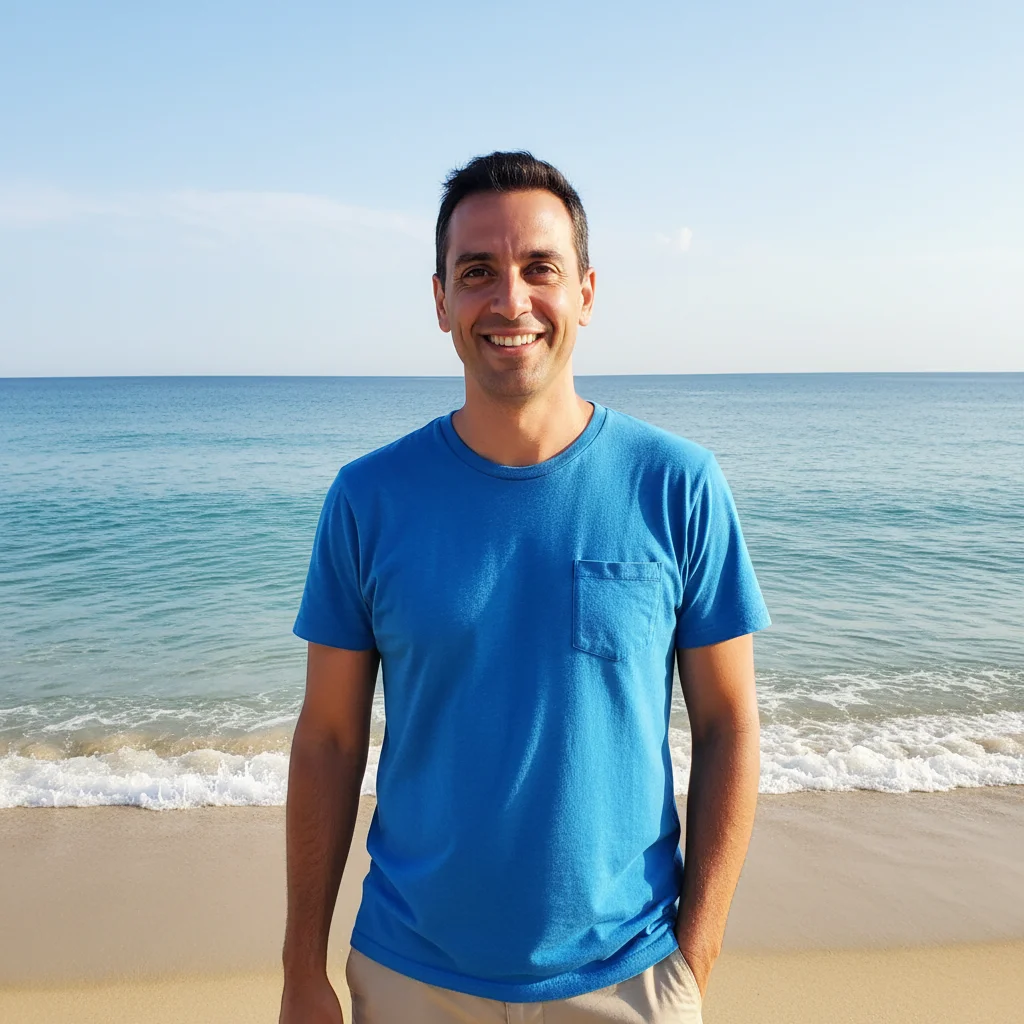
Family beach photo where dad was blinking. Swapped his expression from a reference photo taken seconds later where his eyes were open.

Prompt: replace the man in blue shirt from photo 1 with his expression from photo 2 where his eyes are open
Family portrait with daughter looking away to the left
Main Photo
Daughter smiling directly at camera
Reference
Same portrait with daughter smiling at camera from reference
Result

Fixed daughter looking away in family portrait

Professional family portrait where daughter was distracted and looking to the side. Swapped her expression from reference photo where she was smiling at camera.

Prompt: swap my daughter's face in photo 1 with her smiling face from photo 2 where she's looking at the camera
Wedding party with groomsman on right not smiling
Main Photo
Groomsman smiling in tuxedo
Reference
Complete wedding party with everyone smiling
Result

Fixed groomsman not smiling in wedding party

Wedding party lineup where one groomsman had a serious expression while everyone else was smiling. Swapped his expression from a candid photo where he was laughing.

Prompt: replace the groomsman on the right in photo 1 with his smiling expression from photo 2
Family photo with dog's eyes closed
Main Photo
Golden retriever with eyes open looking at camera
Reference
Same photo with dog's eyes open and alert from reference
Result

Fixed pet's closed eyes in family photo

Family photo with dog where the dog was mid-blink. Swapped the dog's expression from another photo taken moments before where eyes were alert.

Prompt: swap the dog's expression in photo 1 with the alert expression from photo 2 where their eyes are open
Advertisement

Detailed Guides by Scenario

๐Ÿ“ท

Getting the Best Smile

Everyone has their best smile in different photos. Combine them into one perfect shot.

Common Scenarios

  • Kid smiling in one shot but looking away in the good composition
  • Someone has a forced smile vs a natural one in different photos
  • Best body pose in one photo, best expression in another
  • Pet looking alert in one shot, family looking good in another

Best Practices

  • Describe what's better about the reference expression
  • Use 'natural smile' or 'genuine expression' for better results
  • Swap expressions, not entire faces, when possible
  • Check that lighting in both photos is similar
Fix kid's expression replace my daughter's expression from photo 1 with her happy natural smile from photo 2
Fix pet's expression swap the dog's expression from photo 1 with the alert happy expression from photo 2
๐Ÿ“ท

Creating Perfect Group Photos

Take multiple group photos, then combine the best of everyone into one perfect shot.

Common Scenarios

  • Wedding party where different people look best in different shots
  • Family reunion with 15+ people
  • Team photo where someone always has eyes closed
  • School photo with distracted kids

Best Practices

  • Take many photos at the event for more reference options
  • Fix one person at a time, saving between each
  • Start with the most important fixes first
  • Use similar background shots for easier compositing
Fix one person in wedding party replace the groomsman on the right from photo 1 with his smiling expression from photo 2, keep everyone else unchanged
Fix distracted child swap the expression of the kid in front from photo 1 with their looking-at-camera face from photo 2
๐Ÿ“ท

Wedding and Family Photos

These moments can't be recreated. Make sure you get one perfect shot by combining the best from multiple takes.

Common Scenarios

  • Ceremony photos where bride or groom blinked
  • Family portraits at holiday gatherings
  • Anniversary photos with elderly relatives
  • Reunion photos with relatives who rarely see each other

Best Practices

  • Photographers often take burst shots - check all of them
  • For formal portraits, expressions should be subtle to match
  • Check for consistency in hair, jewelry, boutonniere positions
  • Save your work frequently when doing multiple fixes
Fix bride's expression replace the bride's expression from photo 1 with her radiant smile from photo 2, match lighting and preserve veil position
Fix family member looking away swap mom's face from photo 1 with photo 2 where she's looking at camera, blend naturally with the group

If something looks off

Swapped expression doesn't match the lighting of photo 1

Why: The reference photo was taken in very different lighting conditions (outdoor vs indoor, bright vs dim).

Try: replace the [person] from photo 1 with their expression from photo 2, adjust lighting to match photo 1

Tip: Use reference photos from the same session or with similar lighting for seamless results

Face looks pasted on, not naturally blended

Why: The AI didn't smooth the edges or match skin tone between the two photos.

Try: swap the [person]'s face from photo 1 with photo 2, blend edges naturally and match skin tone

Tip: Explicitly mention 'blend edges' and 'match skin tone' to improve seamless integration

Expression angle doesn't match the head position in photo 1

Why: The reference photo has a significantly different head angle or perspective than photo 1.

Try: replace the [person]'s expression from photo 1 with photo 2, adjust the angle to match their head position in photo 1

Tip: Choose reference photos with similar head angles - slight differences are okay, but extreme angles may need angle matching prompts

Wrong person's expression was changed

Why: Multiple people in photo 1 look similar, and the AI targeted the wrong person.

Try: Tap a marker on the specific person's face in photo 1, then regenerate with the same swap prompt

Tip: For group photos with similar-looking people, use markers to tell the AI exactly which face to swap

Hair or glasses from reference photo replaced the base photo incorrectly

Why: The AI swapped more than just the facial expression, including hair style or accessories.

Try: swap only the facial expression of [person] from photo 1 with photo 2, keep original hair and clothing from photo 1

Tip: Specify 'facial expression only' or 'keep original hair' to limit what gets swapped

AI changed the wrong area or something I didn't want changed

Why: The AI couldn't determine exactly which area you meant from description alone. This happens with ambiguous requests.

Try: Tap a marker on the specific area you want to change, then regenerate with the same prompt

Tip: Markers tell the AI 'I mean THIS one specifically.' Use them when description alone is ambiguous.

Quick answers

How do I fix someone blinking in a photo?

Upload the photo where they blinked, click '+ Add reference image' to add a photo where their eyes are open, then describe 'replace their expression from photo 1 with photo 2 where eyes are open.' The AI swaps just the expression while keeping everything else the same.

Can I combine the best parts from multiple photos?

Yes! Upload your preferred base photo, add a reference photo with the better element, then describe what to swap: 'replace the smile,' 'use the eyes from photo 2,' or 'swap the expression.' You can combine best faces from multiple shots into one perfect photo.

How do I create one perfect photo from many similar shots?

Work through fixes one at a time. Fix the first person's expression, download the result, then use that as your new base photo to fix the next person. This gives you control over each swap and builds toward a perfect final image.

Do I need to mark the face before swapping?

No! Just describe which person: 'replace the woman in red dress from photo 1 with her expression from photo 2.' The AI understands facial recognition. Only use markers when you have multiple similar-looking people.

Does this work on group photos?

Yes! This is one of the most common uses. Identify the person clearly: 'the man in blue on the left' and mention 'keep everyone else unchanged.' Fix multiple people by processing them one at a time.

How many reference photos can I use?

One reference photo per edit, but you can chain edits. Fix one person, download the result, then use that as your new base and add a different reference photo to fix the next person. Repeat for each fix needed.

Will the lighting match after combining?

The AI automatically adjusts to match the lighting from your base photo (photo 1). For best results, use reference photos from the same session or with similar lighting conditions. You can also add 'match lighting from photo 1' to your prompt.

Can I fix multiple people's expressions at once?

You can try describing multiple swaps, but doing one person at a time usually gives better results. The AI can focus more precisely on each individual swap, and you can verify each fix before moving to the next.

Does this work on wedding photos?

Yes! Wedding photos are a perfect use case. Photographers take many shots - find the ones where different people look best and combine them. Works for ceremony shots, formal portraits, and candid moments.

How do I choose which expression to use?

Look through all your photos to find where that person looks best - eyes open, natural smile, looking at camera. That becomes your reference photo. Describe what's better about it: 'where she's smiling naturally' or 'where his eyes are open.'

Can I combine photos taken at different times?

Yes, but results are best when photos are close in time. Same-session photos match lighting, clothing, and hair perfectly. Photos from different days or events can work but may need extra blending instructions.

Is this better than Photoshop for combining expressions?

For most people, yes. Photoshop requires manual masking, color matching, and careful blending - skills that take years to develop. EditThisPic does it in one prompt. Photoshop gives more control for edge cases, but AI handles 90% of expression swaps faster and easier.
Ready to combine the best expressions?

Free to try. No signup required.

Try it free โ†’