AI Photo Editor for Corporate Headshots
Match your team's polished style without booking the company photographer.


Drop your photo here
or click to browse
Release to upload
Free • No signup
"New employee started Monday, needed her headshot for the team page by Friday. She sent a good photo from home, I matched it to our existing team style in under a minute. Our marketing director thought we flew the photographer out again." @HRDirectorSarah
Built for Corporate Teams and HR
Corporate websites and directories need consistent, professional headshots. Coordinating company-wide photo days is expensive and logistically complex. New hires, remote employees, and acquisitions create ongoing gaps. EditThisPic lets you match any existing corporate style instantly. Create cohesive team pages without the photographer, scheduling, or per-person fees.
Tools for Corporate Headshots
Replace Background
Match corporate brand colors or standard team backdrop
Enhance Lighting
Professional studio-quality lighting for executive presence
Blur Background
Professional office context with depth blur
Enhance Face
Subtle professional retouching for polished appearance
Remove Background
Create cutout for custom branded backgrounds
Step-by-Step Guide
-
Upload your photo (or reference your team style)
Start with a photo where you're looking at the camera with a natural expression. Professional attire matters more than background since we'll replace it. If matching existing team photos, note their background color, lighting style, and crop ratio.
Background replacement: 25-35 seconds. Full styling match: 30-45 seconds.Examine your company's existing headshots. Note: background color (gray, white, blurred office), lighting direction, and how tightly cropped they are. -
Describe your corporate style
Type your instruction: 'replace background with corporate gray gradient, professional studio lighting' or 'match the style of a typical corporate team headshot with neutral backdrop and even lighting.' Be specific about colors if matching brand guidelines.
Include brand specifics: 'background using company blue #2B5797' or 'match our navy-to-gray gradient backdrop' -
Review for brand consistency
Compare your result to existing team photos. Check that background color matches exactly. Verify lighting direction and intensity are consistent. Ensure crop and composition align with your team page format. The goal is seamless visual consistency.
-
Fine-tune and export
If edges need cleanup or lighting needs adjustment, use markers on specific areas and regenerate. Export in the resolution and aspect ratio your website requires. Create multiple versions if needed for different platforms (website, directory, email signature).
Save your exact prompt for future team members. Consistency comes from using identical settings across all headshots.
Copy-Paste Prompts for Corporate Headshots
replace background with professional corporate gray gradient, even studio lighting, clean executive headshot style
Gray gradient is the most versatile - works for any industry and matches most existing team pages
replace background with neutral corporate backdrop, professional even lighting, consistent with standard company team headshots
Use this when you need to match existing photos but don't have specific color codes
enhance for executive headshot quality, professional corporate lighting, subtle polish, authoritative but approachable
For C-suite and board members, 'executive' signals slightly more refined styling
replace background with professional blurred corporate office, modern workspace visible but soft, executive presence lighting
Blurred office backgrounds work well for tech companies and modern workplaces
Show 4 more prompts
replace background with clean white studio backdrop, bright modern lighting, contemporary corporate style
White backgrounds are popular for tech companies and startups - clean and modern
replace background with dark navy professional backdrop, subtle gradient, polished executive lighting
Dark backgrounds work for finance, law, and consulting firms seeking traditional gravitas
replace home office background with corporate gray to match team headshots, even professional lighting, consistent style
Specify 'match team headshots' when integrating remote employees into existing team pages
enhance to press kit quality headshot, high resolution, professional corporate lighting, media-ready polish
Press kit photos need higher polish and resolution for media publications
| Edit Type | Prompt | Time | |
|---|---|---|---|
| Gray gradient backdrop | replace with corporate gray gradient |
25s | Try This → |
| Match team style | match company team headshot style |
30s | Try This → |
| Executive polish | executive headshot quality lighting |
25s | Try This → |
| Full consistency | match exact backdrop, lighting, and crop style |
35s | Try This → |
Real Examples
New hire from home office photo
New team member started remote. She sent a photo from her home office, but the bookshelf and window behind her didn't match your team page.
replace home office background with corporate gray gradient backdrop, professional studio lighting, match company team headshot style


Executive update for press kit
CEO needs an updated headshot for an upcoming conference. The best recent photo is from a company event with other people visible in the background.
remove event background and crowd, replace with executive dark gray gradient, enhance to press kit quality with polished professional lighting
Matching acquired company team
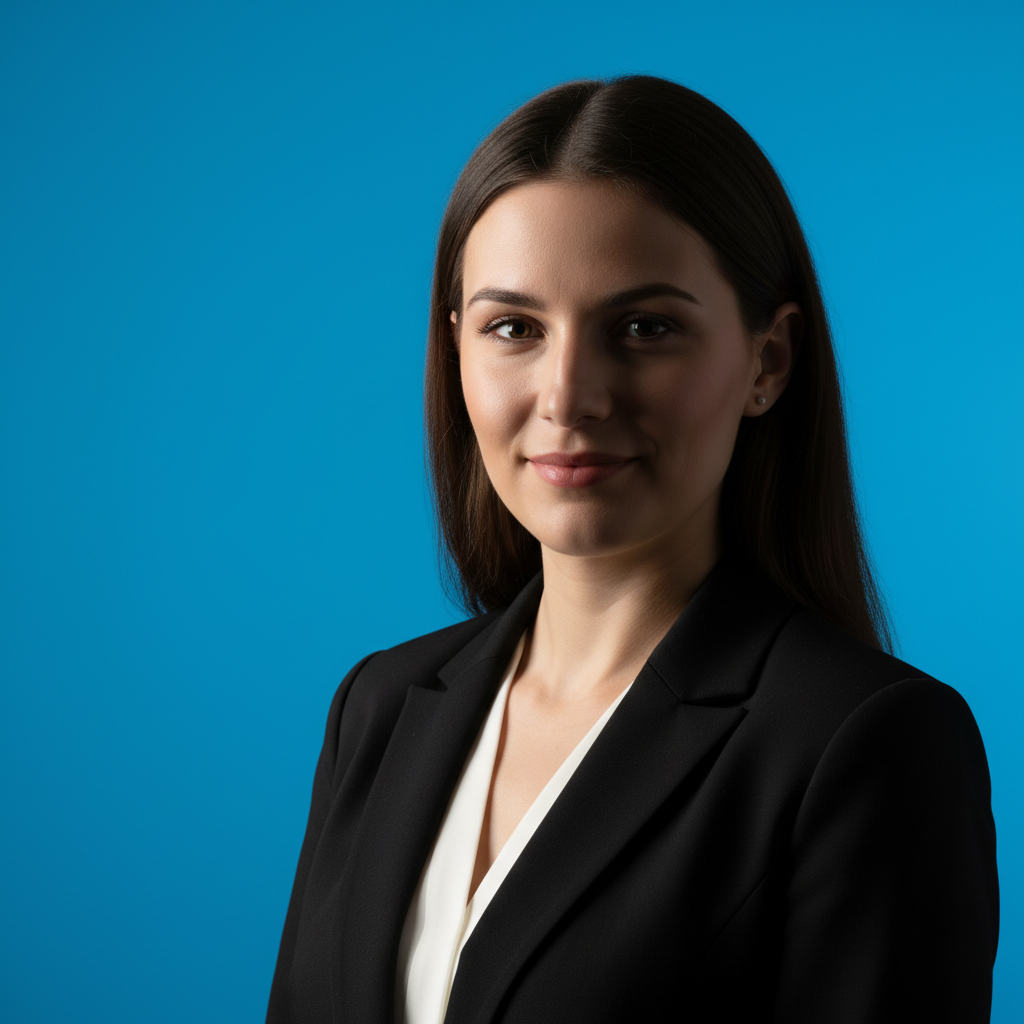
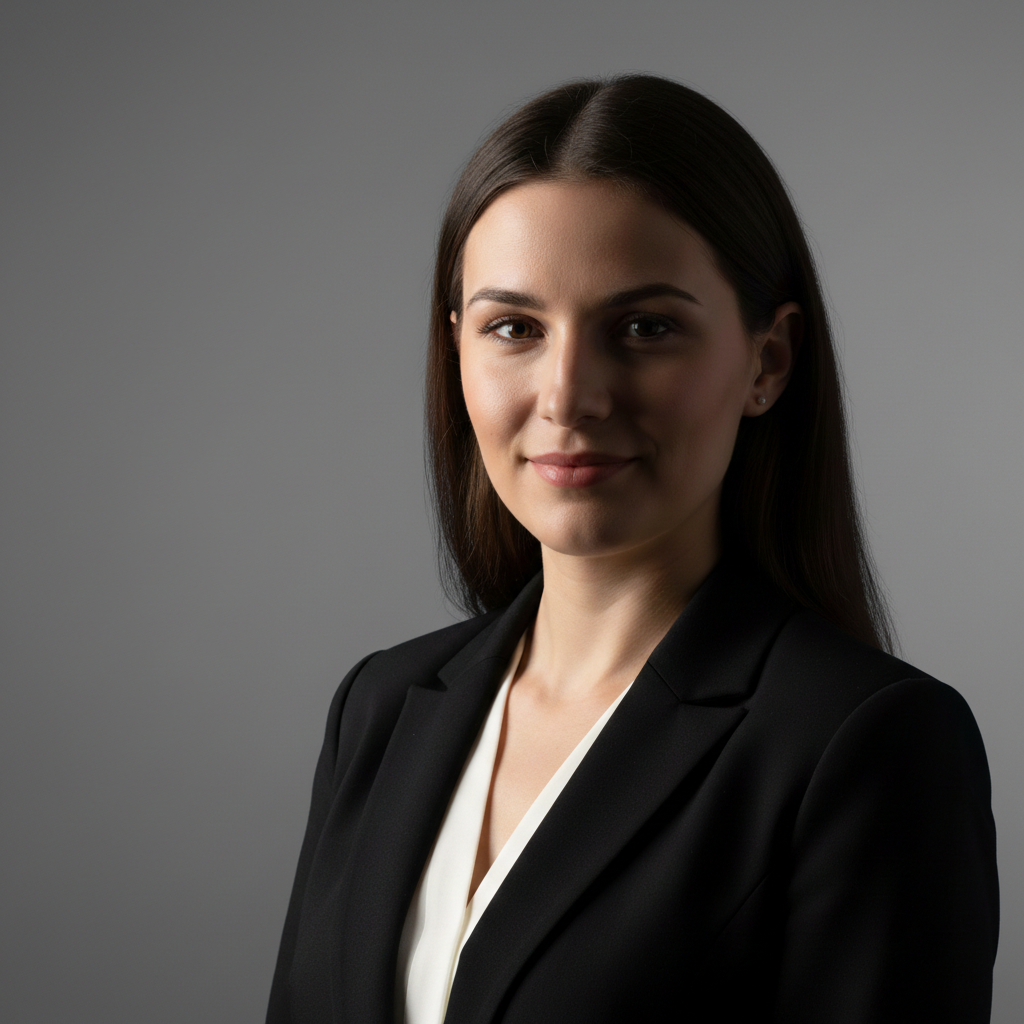
After acquisition, you need to integrate the new team's headshots with your existing corporate style. Their photos have different backgrounds and lighting.
replace blue backdrop with our corporate gray gradient, adjust lighting to match standard team headshot style, professional consistency
Video call screenshot to proper headshot
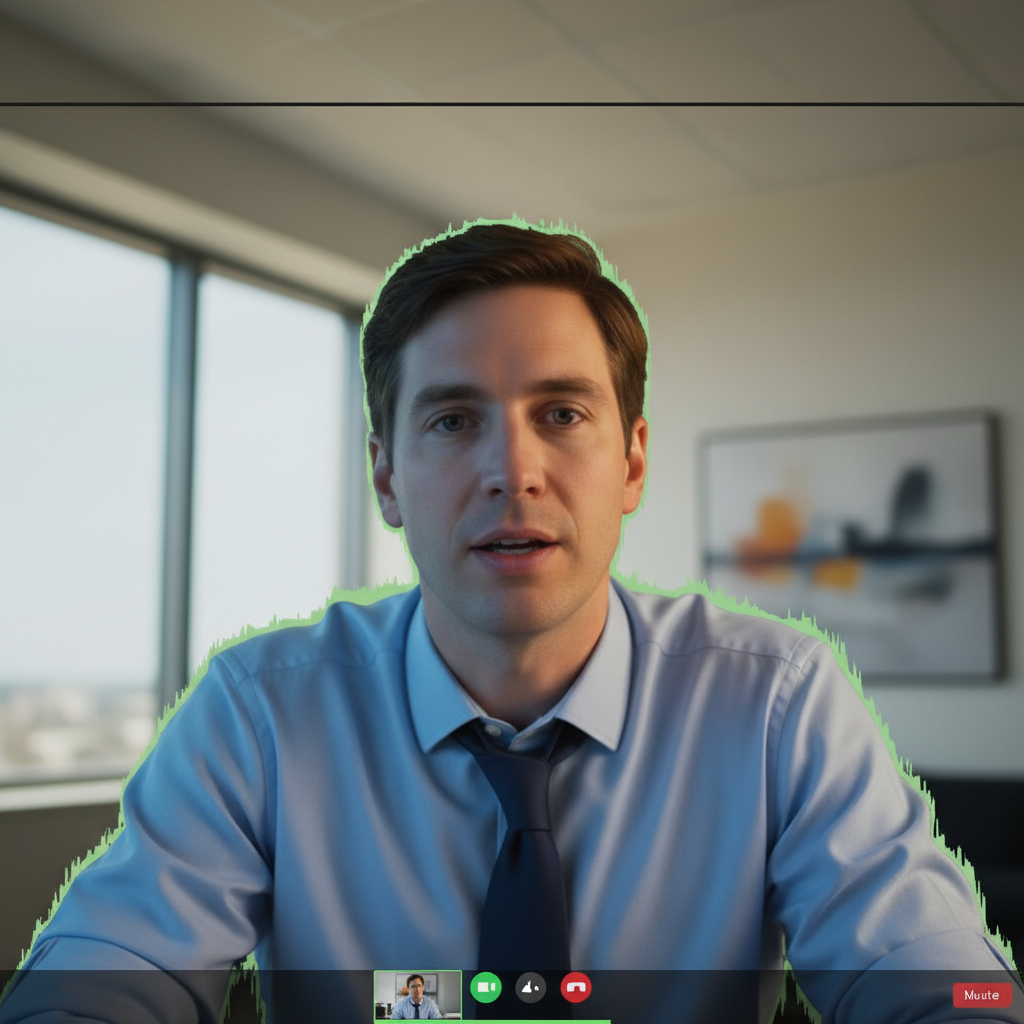
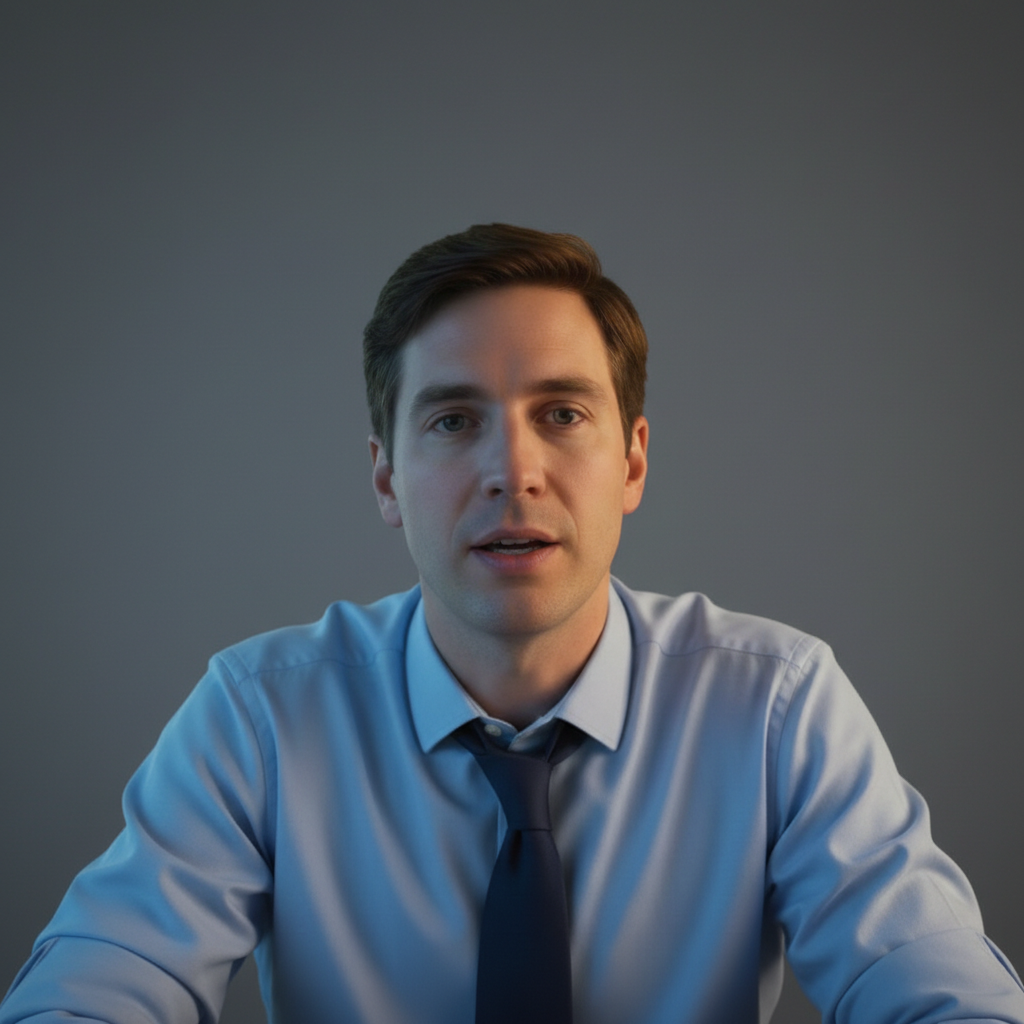
The only good recent photo is a screenshot from a video call where you looked great, but the virtual background and webcam quality show.
enhance image quality significantly, remove virtual background artifacts, replace with clean corporate gray, professional studio lighting, make it look like a real photograph
When Things Go Wrong
Background doesn't match existing team photos exactly
Why: The AI interpreted 'corporate gray' differently than your specific shade or gradient.
replace with specific gray gradient from light #E5E5E5 to dark #808080, match existing team headshot backdrop exactly
Use color picker on existing headshots to get exact hex codes. Specify 'gradient from X to Y' for precise matching.
Lighting direction inconsistent with team
Why: Your original photo's lighting came from a different angle than the standard.
adjust lighting to match standard corporate headshots, soft even light from front-left, reduce harsh shadows
Note lighting direction on existing headshots. Most corporate photos use soft front lighting with slight bias to one side.
Hair edges have halos against new background
Why: Fine hair strands are difficult to separate cleanly from complex original backgrounds.
Tap markers on hair edges, then: blend hair edges naturally with gray background, smooth transition without halos
Photos where your hair contrasts with the original background (dark hair, light background) work best for clean edges.
Looks too retouched or artificial
Why: Multiple enhancement requests may have over-processed the image.
Start fresh with just: replace background with corporate gray, keep face completely natural and unchanged
Corporate headshots should look polished but authentic. Do background first, then decide if any face enhancement is needed.
Remote employee photo looks different quality
Why: Home photos often have different resolution, lighting, and camera quality than studio shots.
enhance image quality, normalize lighting to match professional studio shot, corporate gray background, consistent with team standard
Ask remote employees to send the highest resolution photo they have, taken in good natural light if possible.
Frequently Asked Questions
How do I match our existing team headshot style?
Look at your current team photos and note: background color or gradient, lighting direction, and crop ratio. Use those specifics in your prompt: 'replace with gray gradient matching our team page, soft front lighting, head and shoulders crop.' For exact color matching, use a color picker tool on existing photos to get hex codes.
Can this work for our entire team?
Yes. Save your exact prompt and reuse it for every team member. Consistency comes from using identical instructions. For large teams, process a few test photos first to establish the standard, then batch the rest. Works great for integrating remote employees, new hires, and acquired company staff.
What resolution do I need for website team pages?
Most team pages work with images around 400x500 pixels. However, start with the highest resolution source photo possible. EditThisPic preserves input quality. For press kits or print materials, you'll want larger files - 1000+ pixels wide minimum.
How do I handle different employee photo quality?
Some employees will have professional photos, others smartphone snapshots. Focus on consistent output: same background, same lighting style, same crop. The AI can normalize quality differences better than you'd expect. Ask everyone to send their best available photo taken in good lighting.
Should executives have different styling than other employees?
Many companies use the same backdrop for everyone but give executives slightly more polished lighting or larger crops for prominence. Specify 'executive quality lighting' for C-suite. The key is that everyone should clearly belong to the same visual family.
How is this different from hiring a corporate photographer?
Corporate photographers cost $200-400 per person, require scheduling, and can't handle remote employees easily. EditThisPic lets you match professional quality instantly from any source photo. You can update headshots when employees change hairstyles or need quick refreshes without rebooking the photographer.
Ready to unify your team's professional presence?
Free to try. No signup required. No watermarks.
Create Team Headshots