AI Photo Editor for Nurse LinkedIn Headshots
Look polished and professional without leaving the hospital break room.
Drop your photo here
or click to browse
Release to upload
Free • No signup
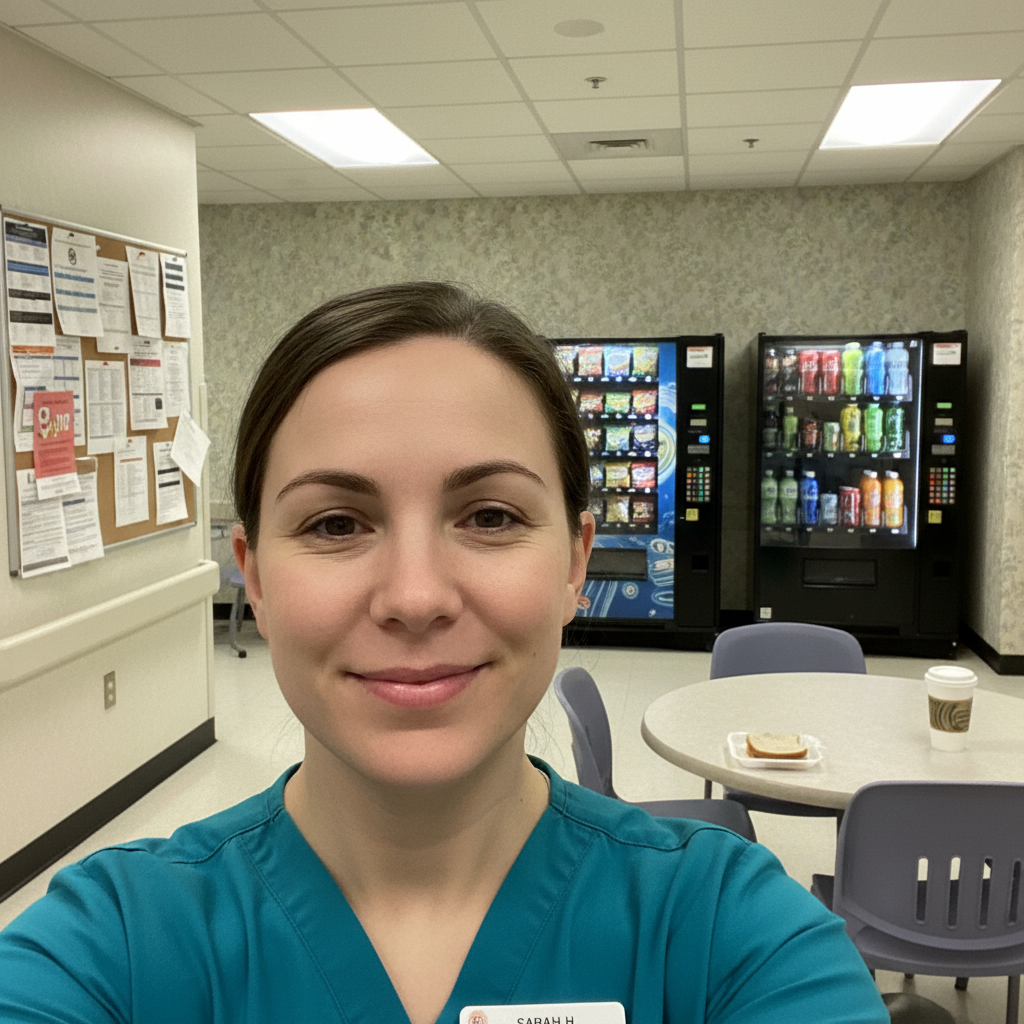
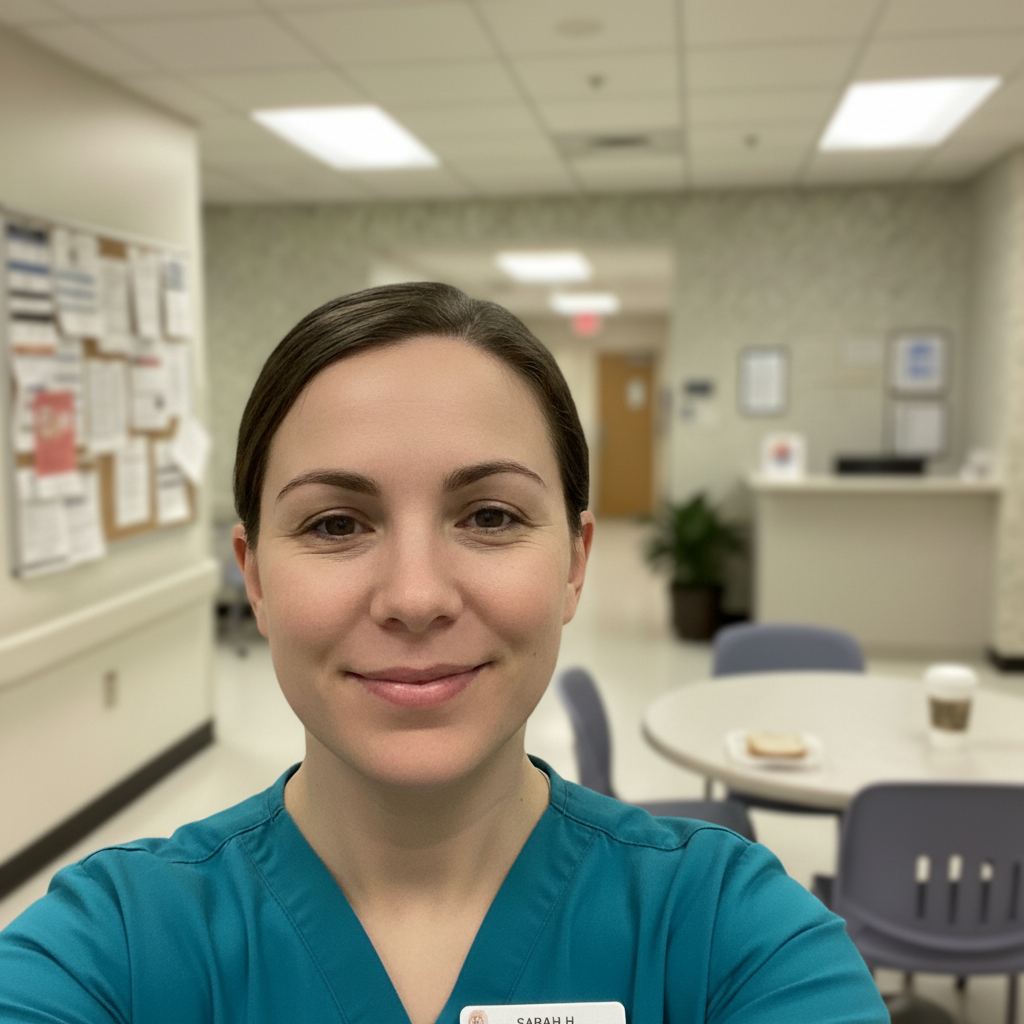
"Took a quick selfie in the break room between patients. Replaced the vending machines with a soft clinical blur. Now my LinkedIn looks as professional as my credentials. Two recruiters reached out that week." @NurseNightShift
Built for Healthcare Professionals
Your LinkedIn photo represents your professional identity to recruiters, patients, and colleagues. As a nurse, finding time for a photographer between shifts is nearly impossible. EditThisPic lets you transform a quick phone photo into a polished, trustworthy headshot that reflects your competence and care. Look professional without sacrificing your precious time off.
Tools for Healthcare Headshots
Blur Background
Blur out cluttered clinical settings while keeping you sharp
Replace Background
Swap break room or hallway for clean, professional backdrop
Enhance Lighting
Fix harsh fluorescent hospital lighting
Enhance Face
Look refreshed even after a double shift
Remove Background
Create clean cutout for custom healthcare backgrounds
Step-by-Step Guide
-
Choose your best photo
Pick a photo where you're looking at the camera with a warm, approachable expression. Photos in scrubs work great. Avoid extreme angles or heavy shadows. The background doesn't matter - that's what we'll fix.
Background blur: 15-20 seconds. Full background replacement: 25-35 seconds.Natural light from a window beats harsh hospital fluorescents. The break room or near windows works well. -
Upload and describe your professional look
Drop your photo into EditThisPic and describe what you want: 'blur background professionally, enhance lighting for healthcare headshot' or 'replace background with soft neutral clinical setting.'
Combine edits in one prompt: 'blur background, fix fluorescent lighting, reduce tired shadows, keep natural looking' -
Review for professional standards
Check that you still look like yourself - warm, trustworthy, and competent. Verify scrubs look neat and background is appropriately clinical but not distracting. Your headshot should project caring professionalism.
-
Fine-tune and download
If edges need cleanup or lighting needs adjustment, use markers on specific areas and regenerate. Download your LinkedIn-ready headshot. Consider variations with different backgrounds for hospital applications vs. travel nursing profiles.
LinkedIn displays photos as circles - check that your face is centered and your scrubs color is visible.
Copy-Paste Prompts for Nurse Headshots
replace background with soft blurred hospital corridor, neutral tones, professional healthcare setting
A softly blurred clinical setting says 'healthcare professional' without distraction
replace background with smooth gradient light blue to white studio backdrop, professional portrait lighting
Light blue conveys trust and calm - perfect for healthcare professionals
blur background with professional portrait bokeh, keep me in sharp focus, enhance lighting to reduce fluorescent harshness
Blurring your actual environment can look more natural than full replacement
enhance face to look well-rested and professional, reduce under-eye shadows, subtle skin polish, keep completely natural
'Completely natural' prevents the over-processed look that undermines trust
Show 4 more prompts
replace background with soft warm neutral backdrop, enhance lighting to look welcoming and professional, maintain natural skin tones
Warm tones project approachability - important for patient-facing roles
correct the harsh fluorescent lighting to natural tones, enhance face with soft professional lighting, blur background cleanly
Hospital fluorescents cast unflattering green/yellow - this neutralizes them
replace background with modern healthcare facility blur, professional lighting, crisp and polished appearance
Travel nursing recruiters see hundreds of profiles - stand out with polish
slightly brighten teeth naturally, enhance eye brightness subtly, keep my warm natural expression
A genuine smile builds patient trust - subtle enhancements preserve authenticity
| Edit Type | Prompt | Time | |
|---|---|---|---|
| Clinical backdrop | replace with soft hospital corridor blur |
25s | Try This → |
| Studio look | gradient light blue to white studio backdrop |
20s | Try This → |
| Blur existing | blur background with portrait bokeh |
15s | Try This → |
| Full refresh | blur background, fix fluorescent lighting, reduce tired look |
35s | Try This → |
Real Examples
Break room to boardroom ready
Quick selfie between patients with vending machines and bulletin boards visible. Transformed into a polished healthcare professional headshot.
replace the break room background with soft neutral clinical corridor blur, enhance lighting to be warm and professional, keep my natural friendly expression
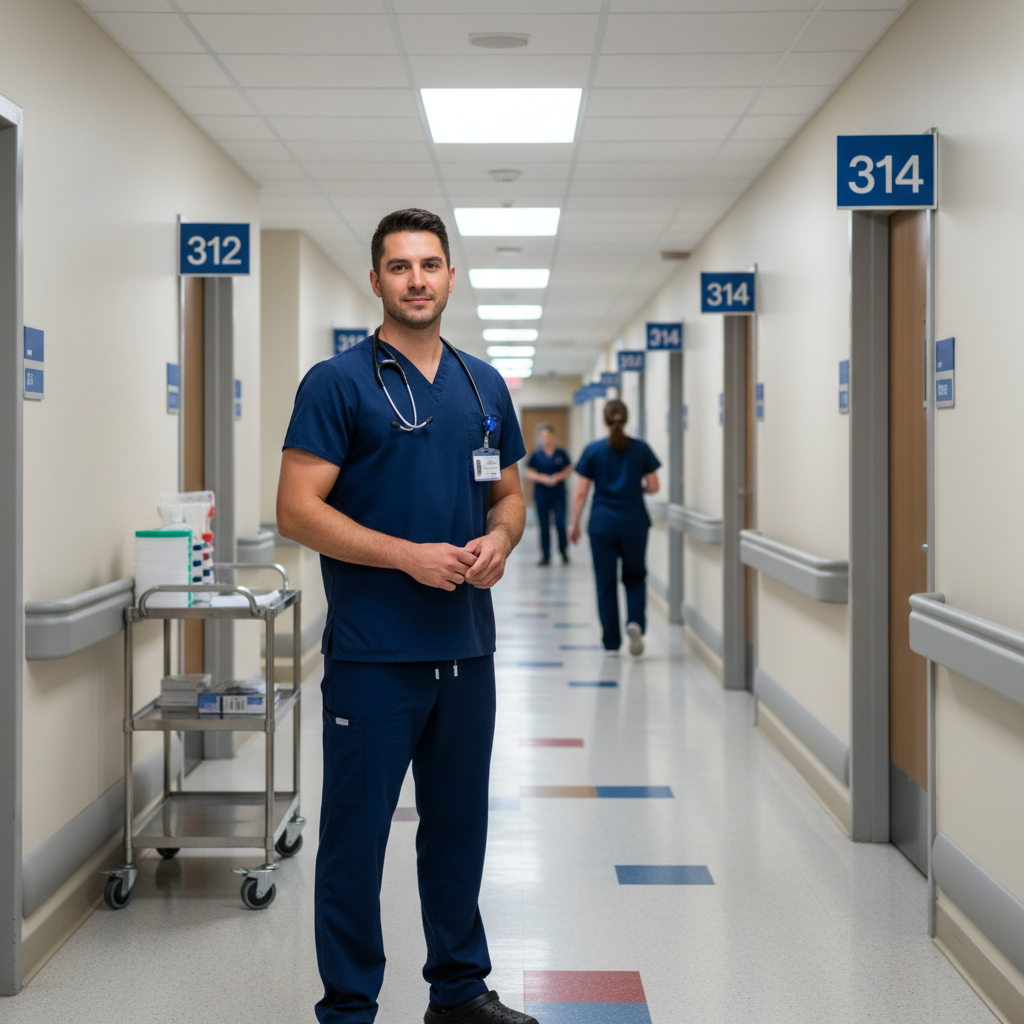
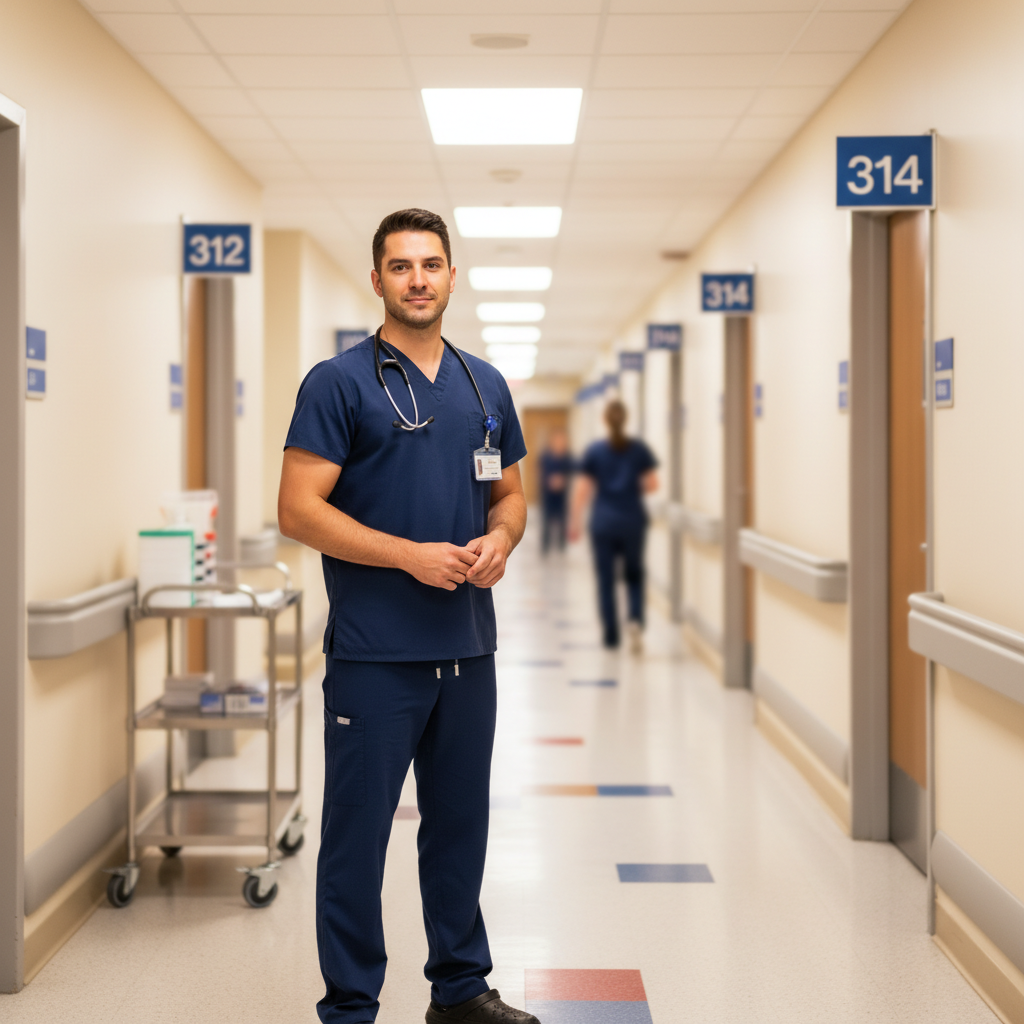
Hospital hallway transformation
A coworker snapped this in the corridor. Medical carts and room numbers in frame. Now it's a professional headshot.
blur the hospital hallway background with professional portrait bokeh, correct the fluorescent lighting to warm natural tones, keep me sharp and professional
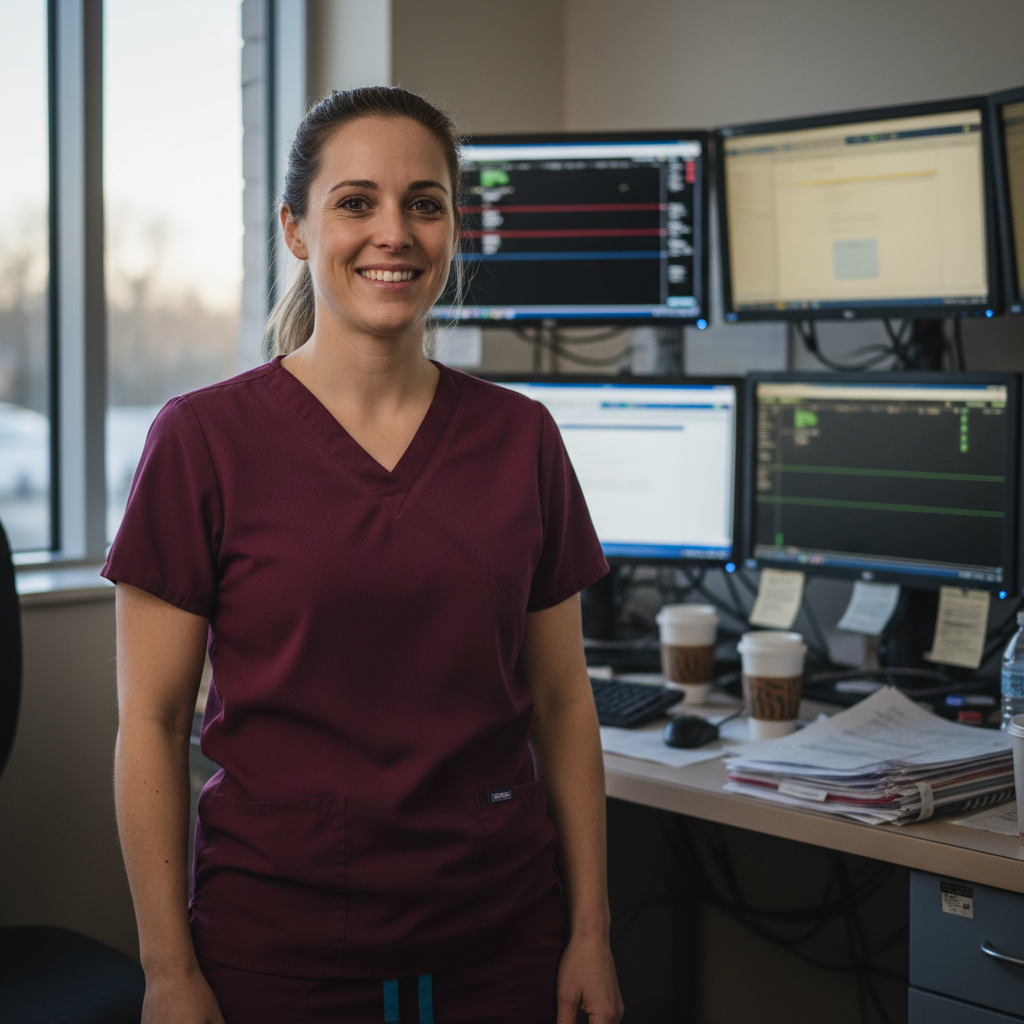
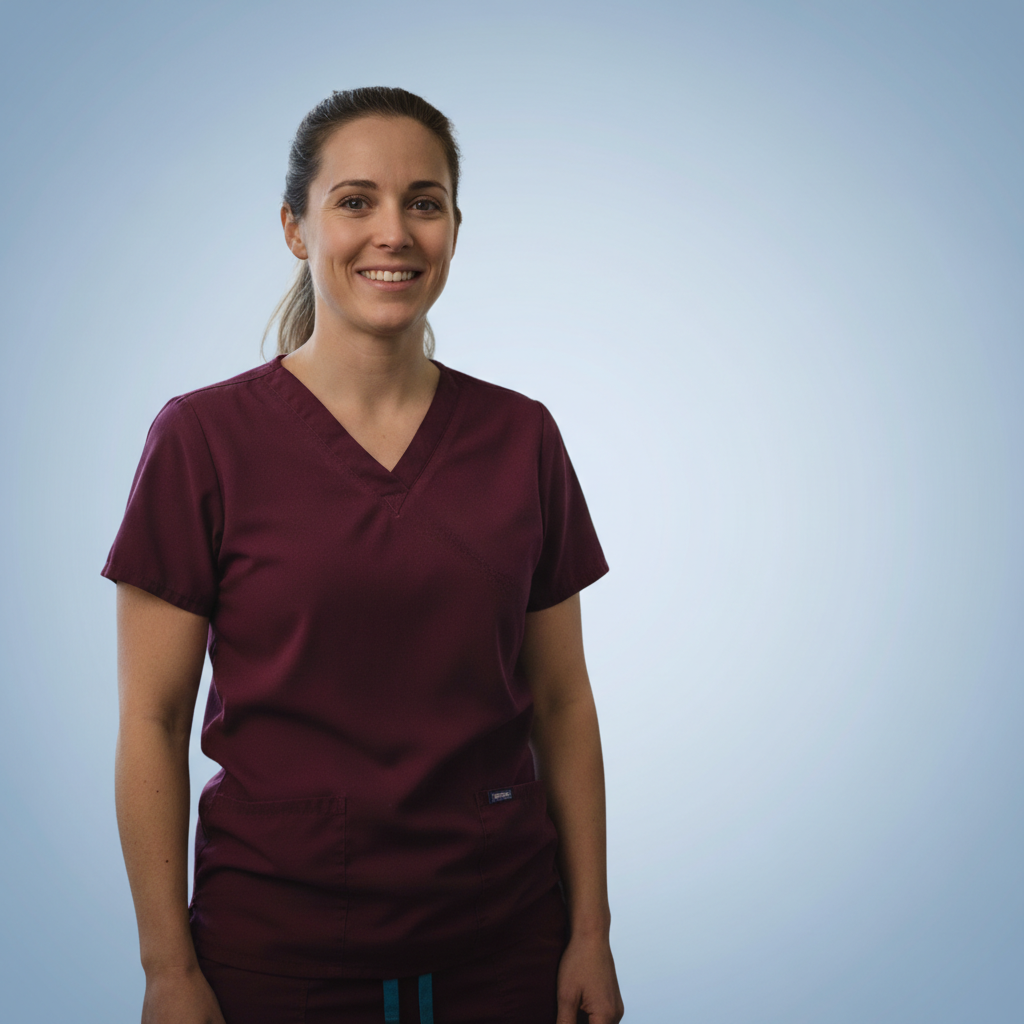
Post-night shift refresh
End of a 12-hour night shift but the lighting was good by the window. Fixed the tired look while keeping it authentic.
enhance face to look well-rested, reduce under-eye shadows and tiredness, replace cluttered background with clean light blue gradient, keep my natural features exactly
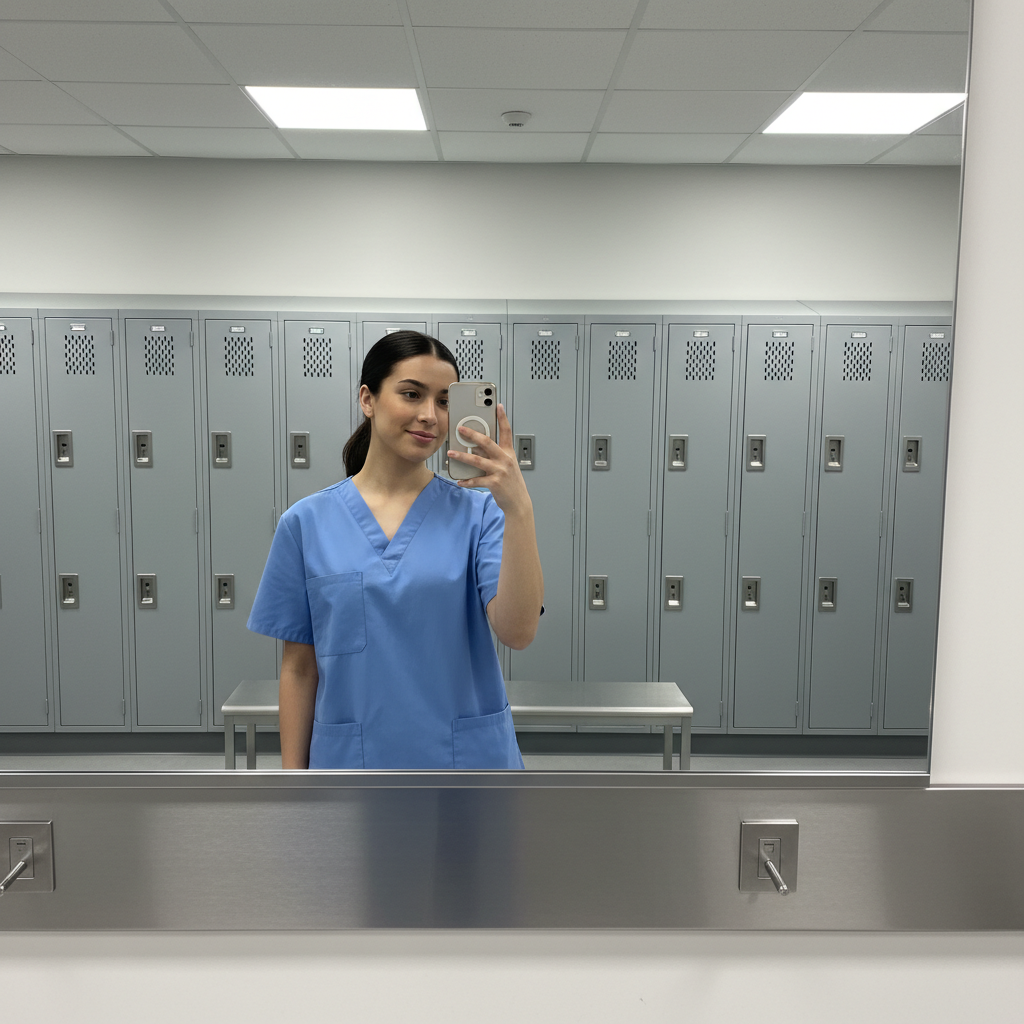
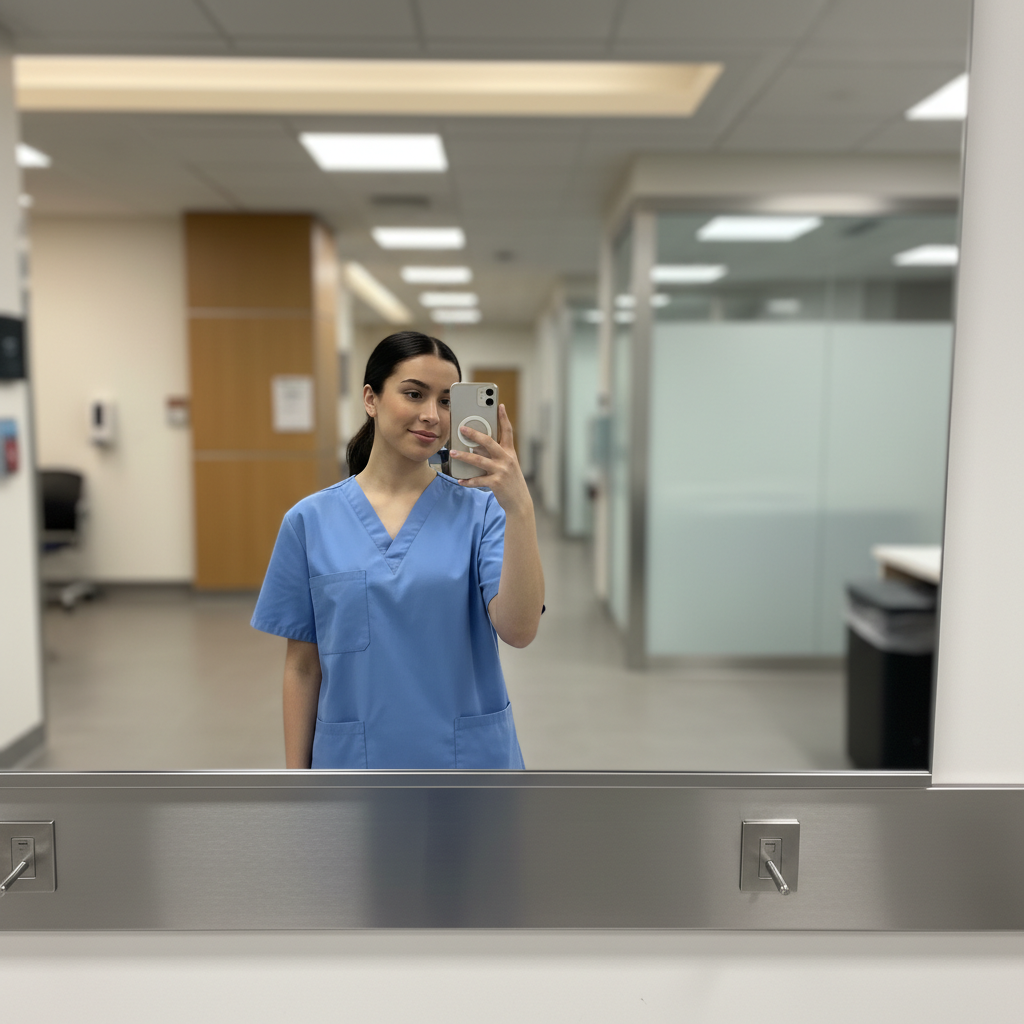
Scrubs selfie to travel nurse profile
Needed a professional photo fast for travel nursing applications. Turned a locker room mirror selfie into a recruiter-ready headshot.
replace the locker room and mirror with modern healthcare facility backdrop, soft professional blur, enhance lighting for polished professional look
When Things Go Wrong
Scrubs color looks different after editing
Why: Color correction for fluorescent lighting can shift fabric colors unintentionally.
Mention your scrubs color specifically: 'keep my teal scrubs the same color'
Stethoscope or badge edges look choppy
Why: Small objects with complex edges against varied backgrounds are challenging to separate cleanly.
Tap markers on the stethoscope/badge edges, then: blend edges naturally with background, smooth transition
If your badge has text, make sure it's still readable after editing.
Look too polished and not trustworthy
Why: Heavy enhancement can make healthcare professionals look artificial, undermining patient trust.
Patients trust authenticity. Do background first, skip face enhancement unless really needed.
Background still looks clinical in a distracting way
Why: The AI may have kept too much detail when blurring clinical settings.
replace background with smooth neutral gradient instead of blurring, soft professional look
Full replacement with a studio backdrop is cleaner than trying to blur busy clinical areas.
Hair edges have halos from fluorescent lights
Why: Bright overhead lighting creates halos that are hard to separate cleanly.
Photos taken in natural window light have cleaner hair separation.
Frequently Asked Questions
Can I use a photo in scrubs for my LinkedIn headshot?
Absolutely. Scrubs are professional attire for nurses and immediately signal your profession. Many recruiters and patients appreciate seeing healthcare workers in their element. Just ensure the scrubs are neat and the background is professional. EditThisPic can blur or replace distracting clinical backgrounds while keeping your scrubs looking sharp.
Will I still look like myself after editing?
Yes, if you keep edits focused on the background and lighting. We recommend doing background blur or replacement first - this alone makes most photos look professional. Only add face enhancement if truly needed. Patients and colleagues will recognize you, and your headshot will project the warm, trustworthy presence that matters in healthcare.
What background works best for nurse LinkedIn photos?
For nurses: soft blurred clinical settings, neutral gradients (light blue conveys calm and trust), or simple professional backdrops. Avoid: identifiable patient areas, visible medical records, or anything that could raise HIPAA concerns. A generic blurred hospital corridor or neutral studio backdrop works for any healthcare role.
Is there a free headshot tool that works for healthcare professionals?
Yes. EditThisPic is free to try with no account required. It works especially well for nurses because it can fix harsh fluorescent hospital lighting, blur clinical backgrounds appropriately, and make you look refreshed even after long shifts - all while keeping you looking authentically like yourself.
Can I fix the tired look from night shifts?
Yes, but subtly. Use 'reduce under-eye shadows, look well-rested but natural' in your prompt. The goal is looking like yourself on a good day, not artificially refreshed. Over-editing undermines the trustworthy, caring impression you want to make with patients and recruiters.
Should I remove my stethoscope or hospital badge?
Keep your stethoscope - it's a professional credential that signals your role. For badges, consider: if it shows your full name and current employer, you may want to blur or remove it for privacy. EditThisPic can selectively blur just the badge while keeping the stethoscope crisp.
Ready to upgrade your nursing profile?
Free to try. No signup required. No watermarks.
Create Your Headshot