Pricing Colorize Black and white photo · Free

AI Black and White to Color Converter

← Browse all creative effects

Last updated

Add natural color to any black and white photo — just describe the colors and our AI does the rest.
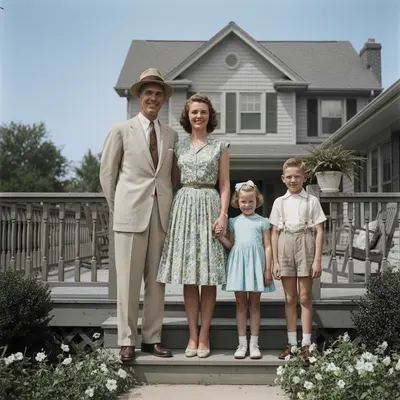
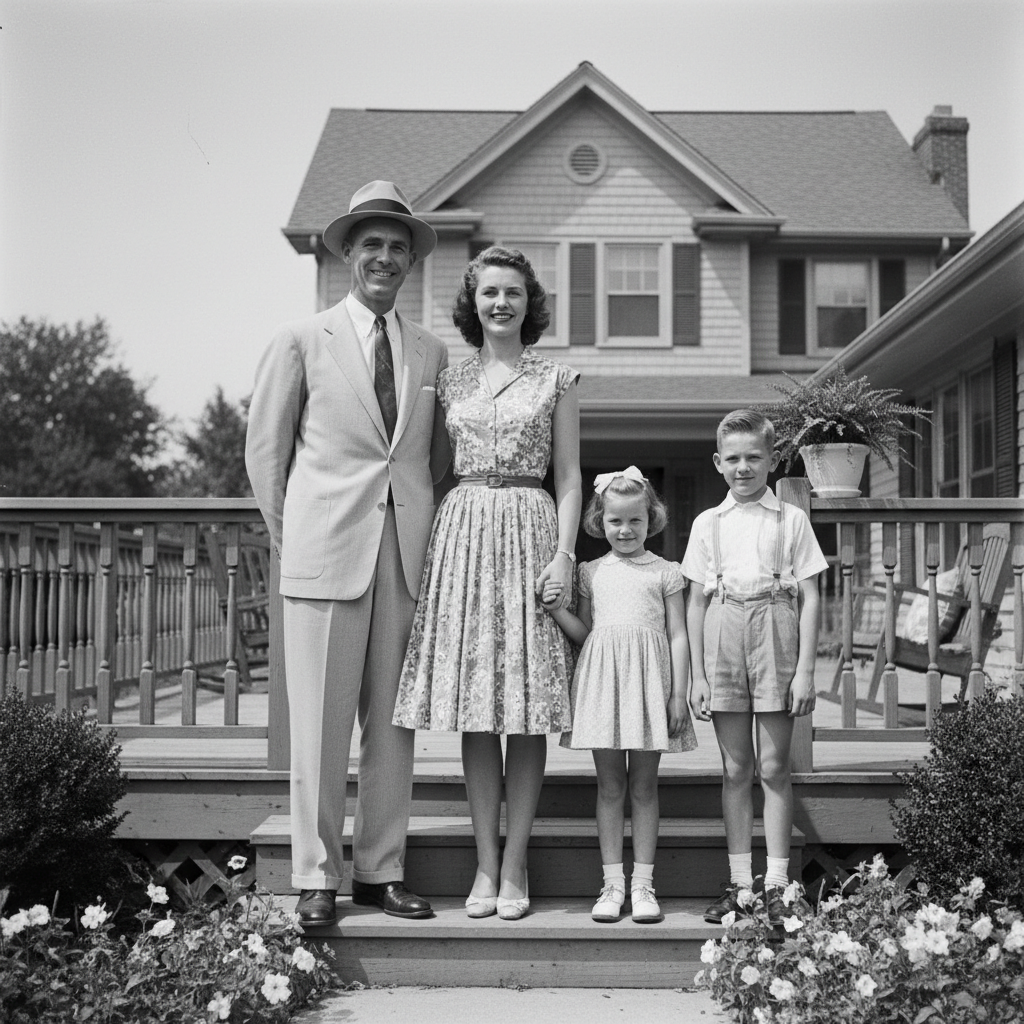
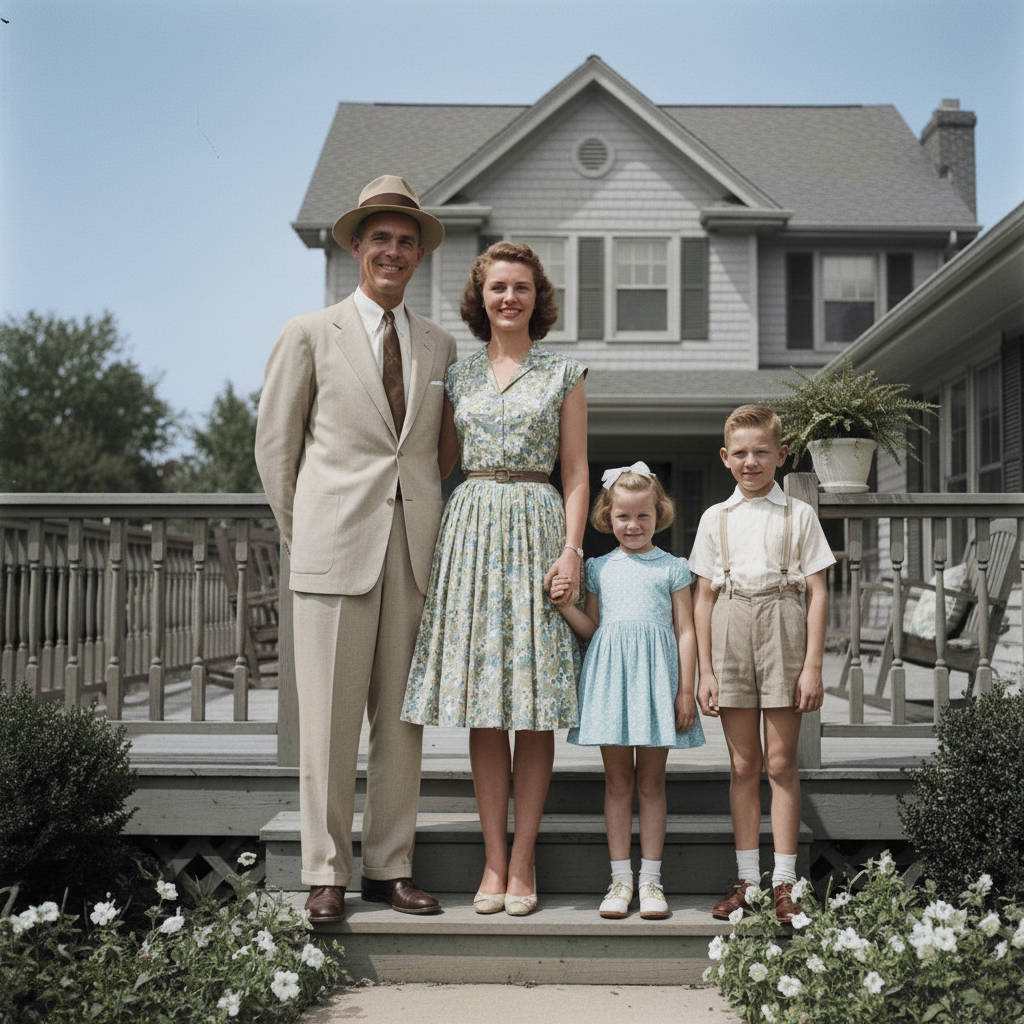
Black and white 1950s family portrait on front porch Colorized version with warm skin tones, blue sky, green garden

Upload photo to colorize black and white photo

"colorize this photo: the woman's dress was navy blue, the man's suit was charcoal grey, natural skin tones, the background wall was cream-colored"

Free to try · no sign-up · photos are never shared

Release to upload

<30stypical edit
1 freeedit weekly
Photo on your phone? Scan to open this editor there — free edit works on your phone too.

1 free edit every week·packs from $4.99

How it works

  1. Upload your black and white photo

    A well-exposed B&W photo with clear subjects and good contrast gives the AI the most to work with. Badly underexposed or very low-resolution images produce less convincing colorization. JPG, PNG, or WebP up to 7MB.

    Expect: Simple portraits with clear subjects: 20–30 seconds. Complex outdoor scenes with multiple subjects: 30–45 seconds.
  2. Describe the colors you want

    The AI uses your description to guide colorization. 'Colorize with natural skin tones, blue jeans, and a white shirt' gives much better results than just 'add color.' If you know the actual colors (a green car, a red dress), say so. If you don't know, describe what looks natural: 'natural outdoor colors with warm afternoon light.'

    Tip: For historical photos where you know the subject's clothing colors, specify them: 'the woman's dress was dark red, the man's suit was dark grey.' Your knowledge improves the output over automatic AI guessing.

    Copy one of these to get started:

    Family portrait — natural colors colorize this black and white family photo with natural warm skin tones, natural hair colors, and realistic clothing colors — use warm afternoon light tones
    Known clothing colors colorize this photo: the woman's dress was navy blue, the man's suit was charcoal grey, natural skin tones, the background wall was cream-colored
    Outdoor scene — natural landscape colorize this outdoor scene with natural colors: blue sky, green grass and trees, natural stone and wood tones, warm natural light
    Vintage car photo colorize this vintage car photo: the car was red, chrome bumpers and trim, black tires with white sidewalls, street or lot background with natural tones
    3 more prompts
    Portrait with dramatic lighting colorize this portrait with warm natural skin tones, dramatic warm-to-cool lighting preserved from the original, natural hair color for the apparent age of the subject
    Street scene — historical colorize this historical street scene with period-appropriate colors: warm brick and stone buildings, natural wood storefronts, period clothing colors for the era
    Subtle colorization — sepia-adjacent add subtle, muted color to this black and white photo — warm natural tones, not oversaturated, maintaining the vintage quality of the original
  3. Review skin tones and sky

    Check skin tones first — they're the most noticeable if wrong. Then verify sky colors, grass, and any clothing you described. Zoom in to check that color transitions look natural at edges.

See it in action

Black and white 1950s family portrait on front porch
Before
->
Colorized version with warm skin tones, blue sky, green garden
After

1950s family on front porch

A B&W photo of a family on a suburban front porch, summer setting, with clear sky and garden visible.

Prompt: colorize with natural warm skin tones, blue sky, green garden, white painted house exterior, period 1950s clothing colors
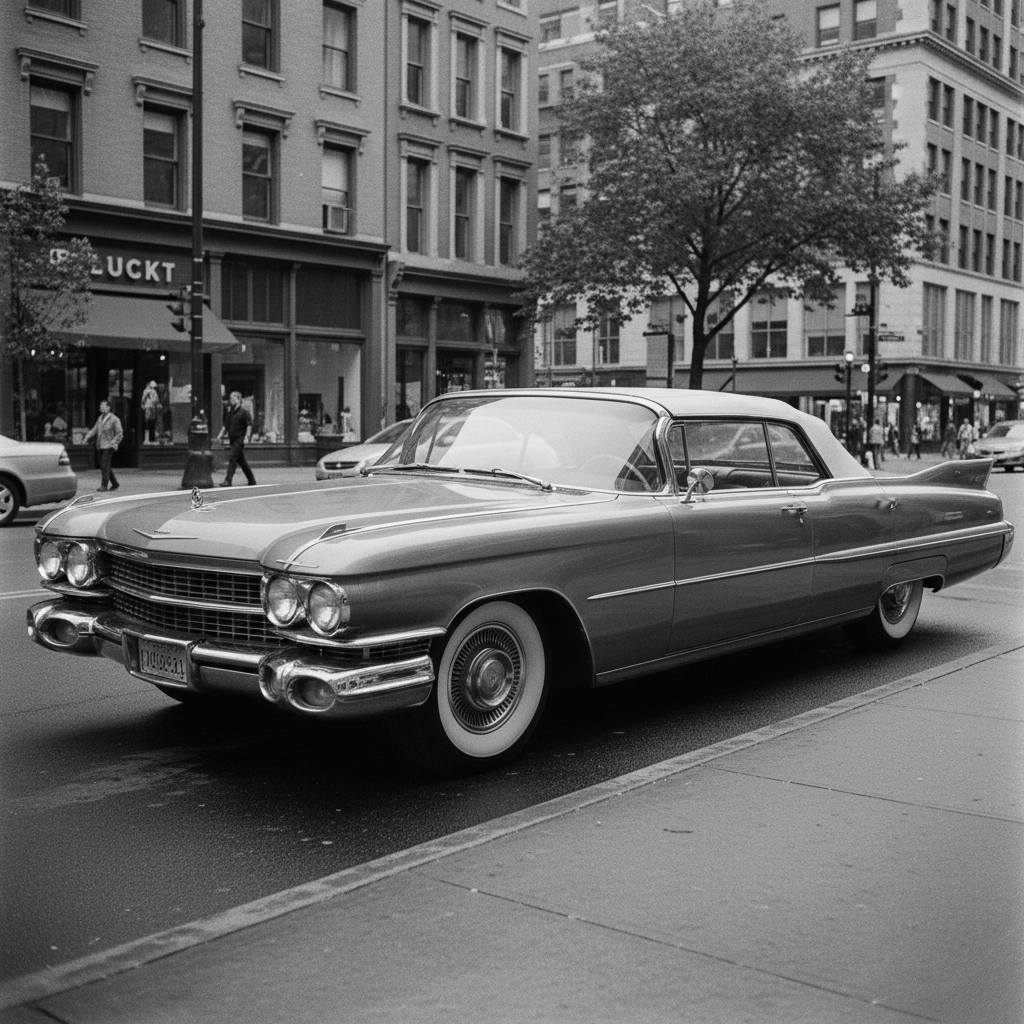
Black and white 1960s classic car on city street
Before
->
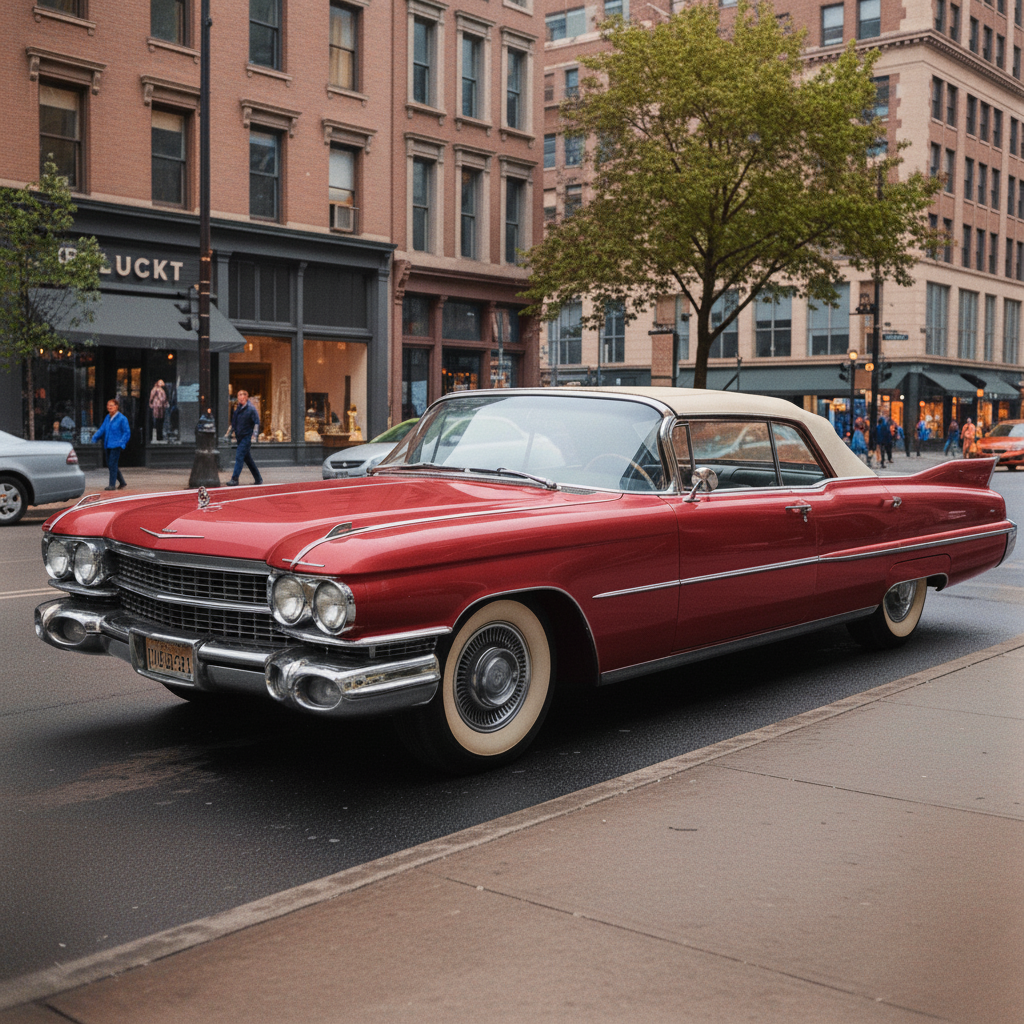
Colorized with cherry red body, chrome trim, and natural street tones
After

Vintage car on street

A B&W photo of a classic American car parked on a city street, 1960s era.

Prompt: colorize: the car was cherry red with chrome bumpers and trim, white sidewall tires, city street with warm concrete and natural building tones
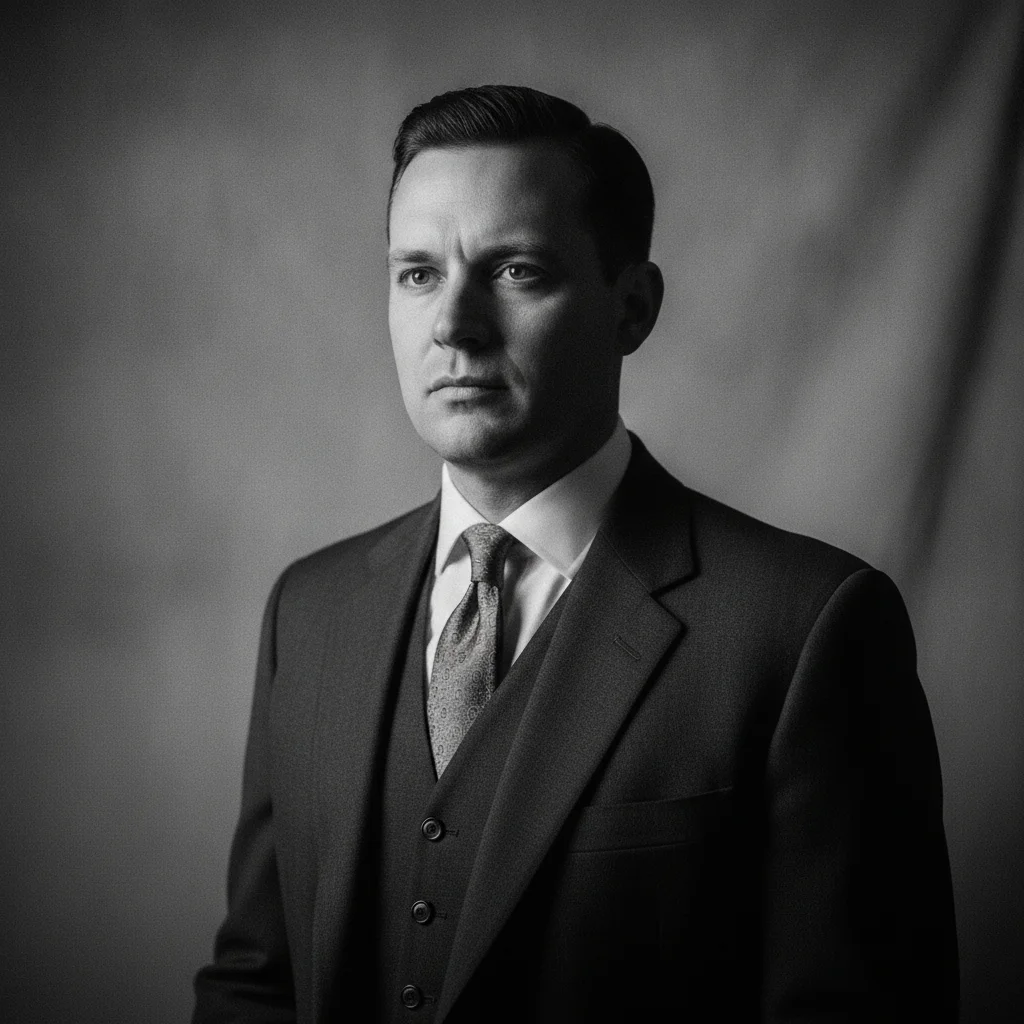
Black and white 1940s studio portrait with dramatic side lighting
Before
->
Colorized with warm skin tones, navy suit, white shirt, warm studio backdrop
After

Studio portrait — individual

A formal studio portrait in B&W with dramatic side lighting, 1940s era clothing.

Prompt: colorize with warm natural skin tones, dark navy suit, white shirt, warm-toned studio background, preserve the dramatic side lighting feel

Quick answers

Do I need to mark the areas I want colorized?

No — just describe the colors you want. 'Colorize with natural skin tones, blue sky, and green grass' is enough.

Is there a free AI black and white to color converter with no login?

Yes. EditThisPic colorizes B&W photos for free with no account required. Upload your photo, describe the colors you want, and preview the result free — purchased downloads are clean, full quality.

Can I specify the exact colors I want in the output?

Yes — and you should. If you know a subject's clothing color, car color, or wall color, include it in your prompt. 'The dress was dark burgundy red, the man's jacket was forest green' produces much more accurate results than automatic AI color guessing.

How accurate is AI colorization of historical photos?

AI colorization applies plausible colors based on your description and what the AI learned from colorized images. When you provide known colors, accuracy is high. When the AI guesses without guidance, it produces plausible but not necessarily historically accurate results. For personal and family use, the results look natural and convincing. For academic or archival purposes, always note that colors are interpretive.

Can I colorize just part of a black and white photo?

Yes. You can also explicitly instruct the AI to leave certain areas black and white: 'colorize the sky and garden but leave the subjects in black and white for an artistic effect.'

How do I colorize an old photo online for free?

Go to EditThisPic, upload your black and white photo, and describe the colors you want: 'colorize with natural skin tones, blue sky, and green grass.' The AI applies color in about 30 seconds. Preview the result free, no account required — purchased downloads are clean, full quality.

How much does EditThisPic cost?

You get 1 free edit per week — no account needed. After that, one-time credit packs start at $4.99 for 10 edits, valid 12 months, no subscription. Power users who edit daily can pick Studio Membership, a monthly workspace at $49.99/mo for 300 edits. Purchased downloads are clean with no watermark.

Ready to colorize your black and white photos?

Free to try. No signup required.

1 free edit included·Credit packs from $4.99