Pricing Change Clothing · Free

AI Clothing Changer

← Browse all body & person tools

Last updated

Describe a replacement garment and keep the photographed person and scene fixed.
Woman in a bright red hoodie against a warm-white wall The same woman in a camel trench coat over a white shirt, face and pose unchanged

Upload photo to change clothing

"Change the blue blouse to a cream cable-knit sweater with a crew neck and relaxed fit, preserving hairstyle, body proportions, arms, jewelry, and room lighting"

Free to try · no sign-up · photos are never shared

Release to upload

<30stypical edit
1 freeedit weekly
Photo on your phone? Scan to open this editor there — free edit works on your phone too.

1 free edit every week·packs from $4.99

How it works

  1. Upload a fully clothed source photo

    Choose the image whose garment you want replaced. A clearly visible torso or full body gives the editor enough context for neckline, sleeves, waist, and pose while keeping the person identifiable.

    Expect: A single unobstructed garment is the simplest case; coats over shirts, crossed arms, and seated poses can require an additional focused correction.
  2. Describe the replacement garment

    Type a self-contained instruction such as: “Replace the visible red hoodie with a fitted camel trench coat over a white shirt; keep the exact face, body, pose, hands, and background fixed.” No preliminary selection is needed.

    Tip: Name layers from inside to outside and include material or cut only when those details matter.

    Copy one of these to get started:

    Hoodie to trench coat Replace the visible red hoodie with a fitted camel trench coat over a white shirt; keep the exact face, body, pose, hands, and background fixed
    Blouse to knit sweater Change the blue blouse to a cream cable-knit sweater with a crew neck and relaxed fit, preserving hairstyle, body proportions, arms, jewelry, and room lighting
    Jacket replacement Replace only the black leather jacket with a matte forest-green field jacket, matching the photographed pose and shadows and leaving the shirt underneath unchanged
    Full coordinated outfit Change the clothing to a charcoal blazer, pale grey shirt, and straight black trousers; retain the person's exact face, body, stance, hands, shoes, and street background
    2 more prompts
    Seasonal garment swap Replace the heavy wool coat with a lightweight tan linen overshirt over the existing white t-shirt; preserve the person, pose, hands, trousers, and outdoor setting
    Dress replacement Replace the floral dress with a solid navy wrap dress of the same length, with realistic fabric overlap and folds; keep the person's body, face, arms, pose, and backdrop unchanged
  3. Review realism and protected details

    Confirm the source identity, body proportions, posture, hands, setting, and light direction survived. Then inspect collar, sleeve openings, waist, hem, and any garment overlap for plausible construction.

  4. Optionally mark one ambiguous garment edge

    If the written prompt changes the wrong layer or leaves part of the old garment, place a marker on that exact clothing region and repeat the narrow correction. Most replacements do not require this.

    Tip: A marker identifies location; the words still need to describe the intended garment.

See it in action

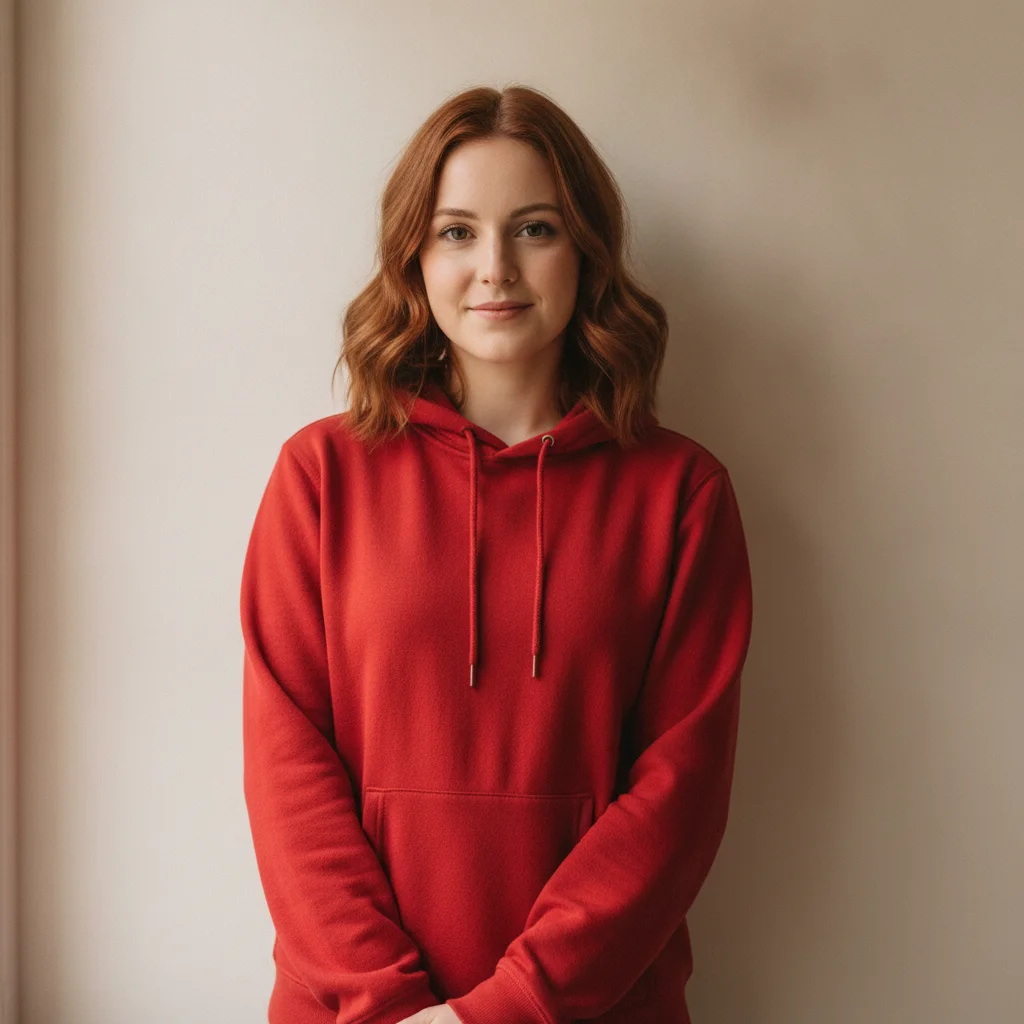
Woman in a bright red hoodie against a warm-white wall
Before
->
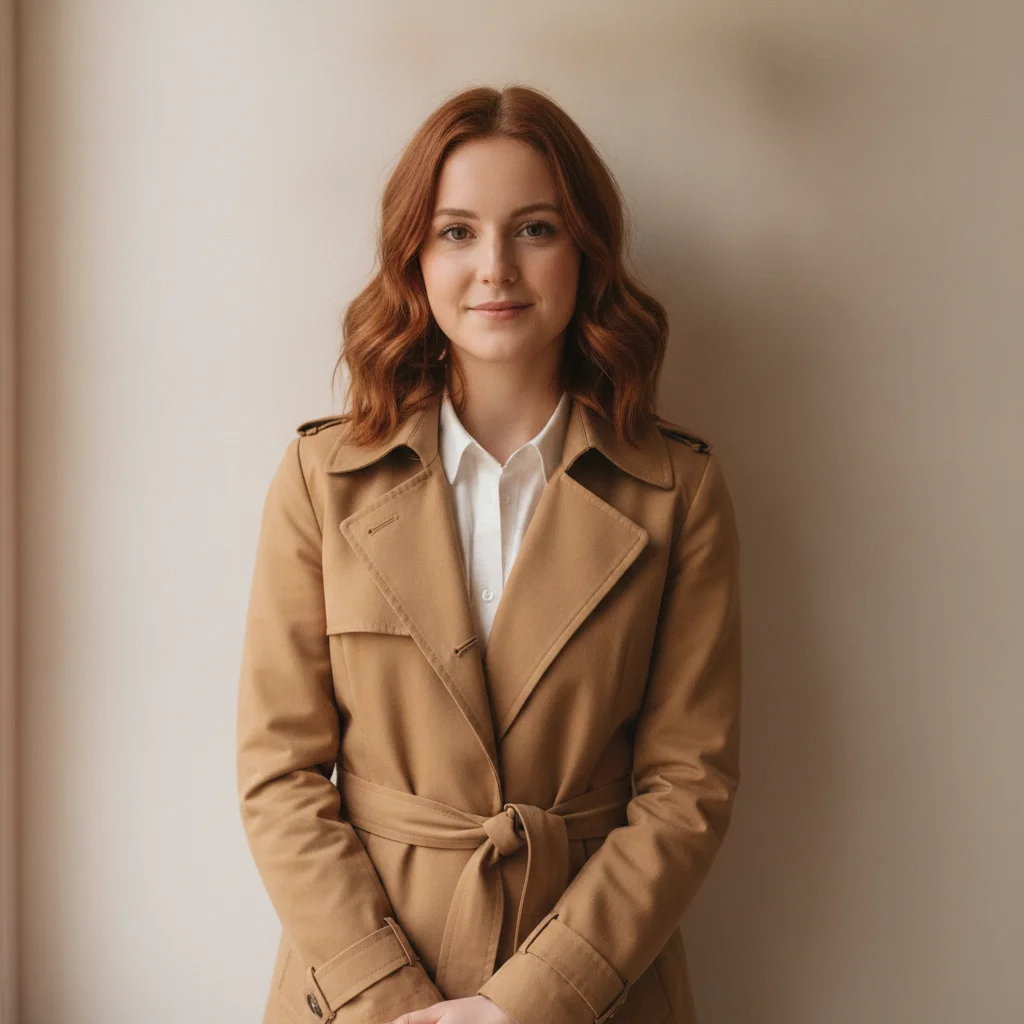
The same woman in a camel trench coat over a white shirt, face and pose unchanged
After

Red hoodie to camel trench coat

A full garment replacement from a red hoodie to a camel trench coat over a white shirt, with the face, body, pose, and background fixed.

Prompt: Replace the visible red hoodie with a fitted camel trench coat over a white shirt; keep the exact face, body, pose, hands, and background fixed

Quick answers

Do I need to mark the garment before changing it?

No. Identify the old and new garments in one complete description first. If layers remain ambiguous, a marker can optionally point to the specific clothing region during a follow-up.

How do I change clothing with AI for free?

Upload a fully clothed image, describe the replacement garment's cut, material, color, and layers, and preserve face, body, pose, hands, and setting. EditThisPic is free to try with no signup.

Is there a free AI clothing changer that does not require login?

Yes. You can try a natural-language clothing replacement without an account. Keep the first request self-contained so the intended item and the protected image details are unambiguous.

What is the best AI clothing changer for garment replacement?

Use a changer that follows complete natural-language constraints and lets you inspect the result at full zoom. A useful request identifies the source garment, replacement, layer order, pose, and every protected detail.

Can the AI replace clothing without changing my face or background?

That is the goal, but generated outputs still require review. State that face, hair, body proportions, hands, pose, lighting, and background must stay fixed, then compare each with the original.

How much does EditThisPic cost?

You get 1 free edit per week — no account needed. After that, one-time credit packs start at $4.99 for 10 edits, valid 12 months, no subscription. Power users who edit daily can pick Studio Membership, a monthly workspace at $49.99/mo for 300 edits. Purchased downloads are clean with no watermark.

Ready to change clothing?

Free to try. No signup required.

1 free edit included·Credit packs from $4.99