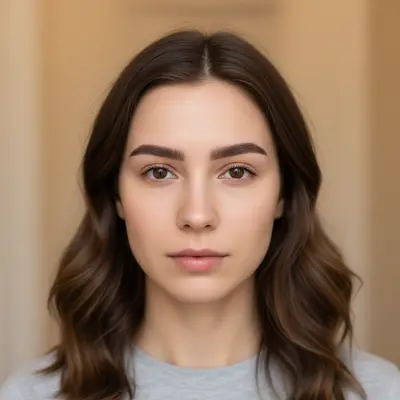
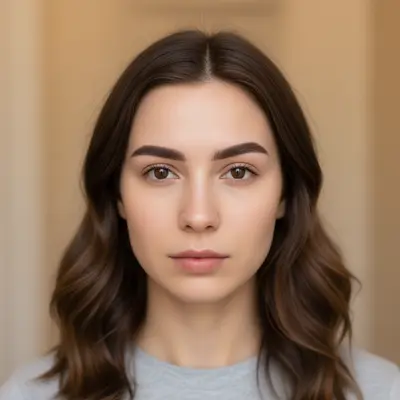
Do I need to mark my eyebrows before describing the shape I want?
No! Just describe the eyebrow shape you want: 'reshape to arched eyebrows' or 'make eyebrows thicker and more angular.' The AI understands eyebrow anatomy and can identify them automatically.
Is there a free AI eyebrow reshaper that doesn't require login?
Yes, EditThisPic is free to try with no account needed. Upload your photo, describe the eyebrow shape you want, and download the result. No watermarks on outputs. Perfect for previewing salon results or trying different brow styles before committing.
Can I preview how different eyebrow shapes will look before my salon appointment?
Absolutely! Upload a clear photo and try different prompts like 'classic arched eyebrows', 'straight bold brows', or 'soft rounded shape.' This helps you visualize results and communicate exactly what you want to your brow technician.
Does the AI eyebrow reshaper work on all face shapes?
Yes! The AI considers your facial structure when reshaping eyebrows. It creates results that complement your bone structure and eye shape. You can experiment with different styles to see what flatters your specific face shape best.
How do I reshape eyebrows in a photo with AI for free?
Upload your photo to EditThisPic and type what shape you want: 'reshape to arched eyebrows' or 'make eyebrows thicker and fuller.' The AI transforms your brows in 15-30 seconds. Free, no account required, no watermarks on the result.
What eyebrow shapes work best with the AI tool?
All major eyebrow styles work well: arched, straight, rounded, angular, thick, thin, or dramatic. The more specific your description (like 'soft arch with tapered tail' or 'bold straight brows'), the more accurate the result.
Can I make my eyebrows thicker or thinner in photos?
Yes! You can adjust thickness by describing what you want: 'make eyebrows thicker and fuller' or 'thin out the eyebrows for a more delicate look.' The AI can also change both shape and thickness simultaneously.
What is the best free tool for trying different eyebrow shapes?
EditThisPic offers the best free AI eyebrow reshaping with no signup required. Unlike apps that need manual tracing, just describe the shape you want. It handles everything from subtle arch adjustments to dramatic style changes, generating natural-looking results in seconds.
Can I reshape eyebrows in a photo on my phone?
Yes. EditThisPic works in any mobile browser on iPhone or Android with no app download needed. Upload your photo, type your eyebrow shape description, and download the result. The full editing experience works on mobile.
How much does EditThisPic cost?
You get 1 free edit per week — no account needed. After that, one-time credit packs start at $4.99 for 10 edits, valid 12 months, no subscription. Power users who edit daily can pick Studio Membership, a monthly workspace at $49.99/mo for 300 edits. Purchased downloads are clean with no watermark.