Pricing Fix Red eye · Free

Fix Red Eye in Photos with AI

← Browse all creative effects

Last updated

Remove red eye from any photo and restore natural eye color — portraits, group shots, even pet photos with glowing eyes.
Portrait with bright red eye flash effect in both eyes Same portrait with red eye removed and natural dark brown eyes restored

Upload photo to fix red eye

"remove red eye from this photo and restore natural blue/brown/hazel eyes — fix the red glow, keep the original iris color"

Free to try · no sign-up · photos are never shared

Release to upload

<30stypical edit
1 freeedit weekly
Photo on your phone? Scan to open this editor there — free edit works on your phone too.

1 free edit every week·packs from $4.99

How it works

  1. Upload your photo with red eye

    Drop any photo with red eye flash effect into EditThisPic. JPG, PNG, or WebP up to 7MB. Works for portraits, family photos, group shots, and pet photos with the characteristic glowing-eye effect. Even older scanned photos with flash red eye can be fixed.

    Expect: Single portrait: under 20 seconds. Group photos with multiple red eyes: 20-30 seconds.
  2. Describe the red eye fix

    Type: 'fix the red eye in this photo — restore natural eye color, remove the red glow from flash photography' or 'remove red eye from both eyes and replace with natural dark pupils.' For group photos, describe how many people have red eye. No marking needed — the AI detects and fixes red eye automatically.

    Tip: If you know the person's natural eye color, mention it: 'restore to natural dark brown eyes' or 'fix red eye, person has blue irises.' This helps the AI reconstruct the correct iris color around the corrected pupil.

    Copy one of these to get started:

    Standard red eye portrait fix the red eye in this photo — remove the red glow and restore natural dark pupil color with realistic eye detail
    Specific natural eye color remove red eye from this photo and restore natural blue/brown/hazel eyes — fix the red glow, keep the original iris color
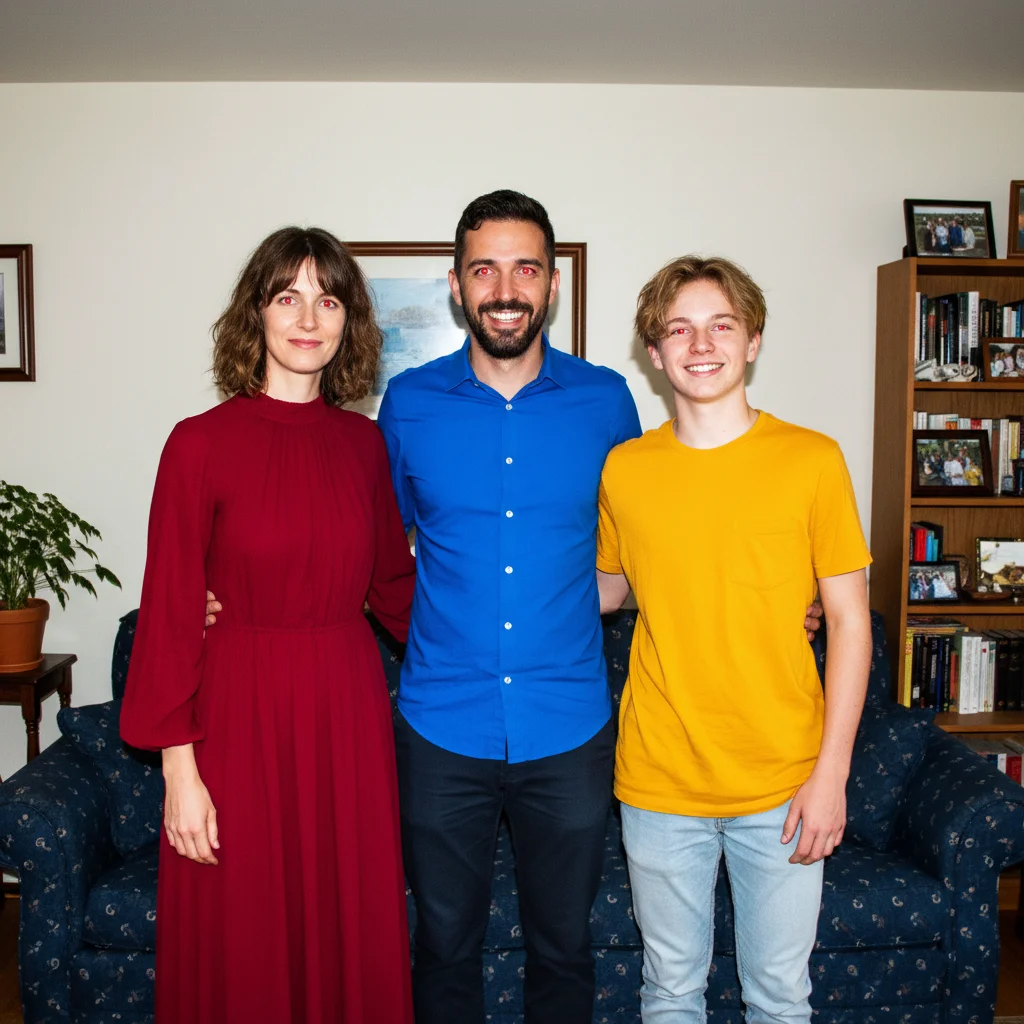
    Group photo multiple red eyes fix red eye on all three people in this photo — remove the flash red glow from each person's eyes and restore natural eye color
    Pet red eye or glowing eyes fix the glowing eye effect on the dog/cat in this photo — remove the green/orange/blue glow from the flash and restore natural pet eye color
    2 more prompts
    Old scanned photo red eye remove the red eye from this old scanned photo — restore natural dark eyes that look period-appropriate and natural for the photo era
    One eye worse than the other fix red eye in both eyes — the left eye has worse red glow, both need to match in natural dark color after the fix
  3. Review the eye color

    Check that the red is fully removed, the pupil area looks naturally dark (not flat black), and any visible iris color looks consistent with a real eye. The eyes should look alive with natural detail rather than just having a dark dot pasted over the red area.

See it in action

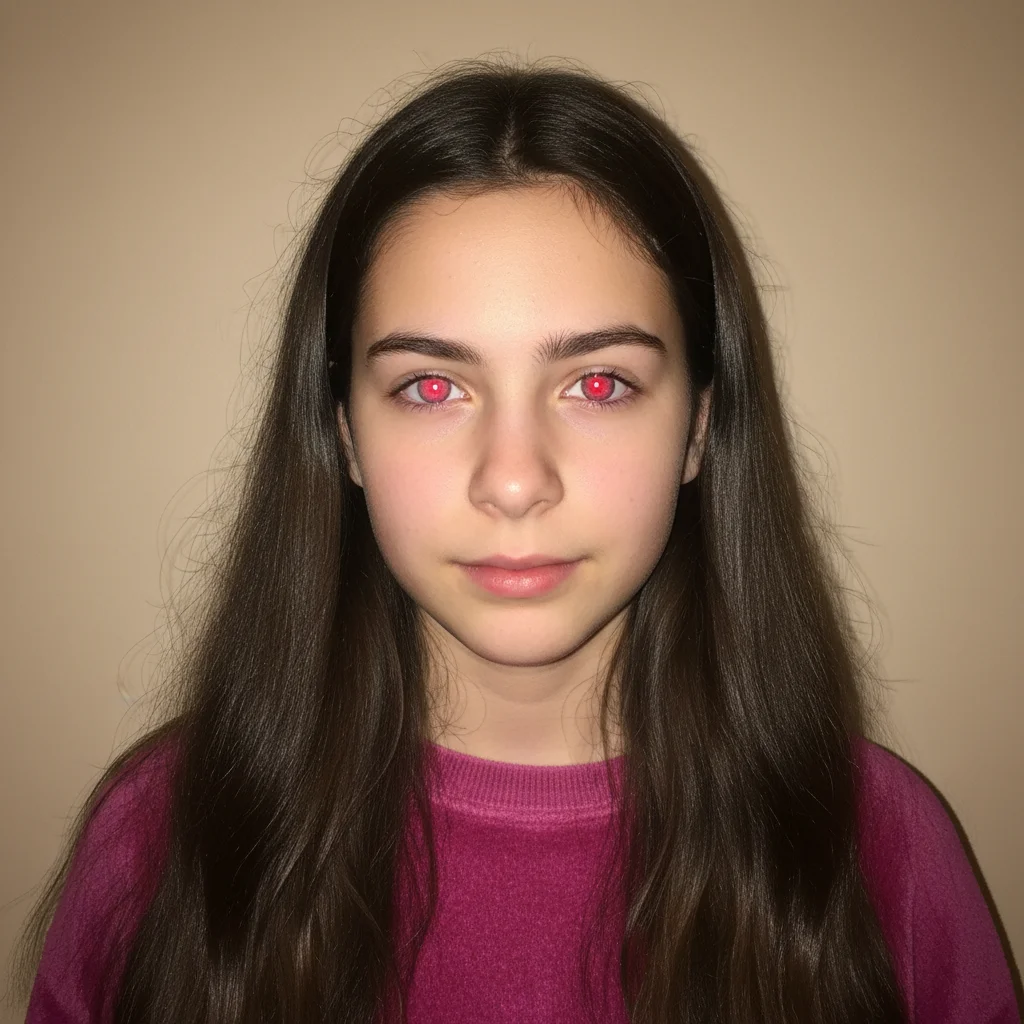
Portrait with bright red eye flash effect in both eyes
Before
->
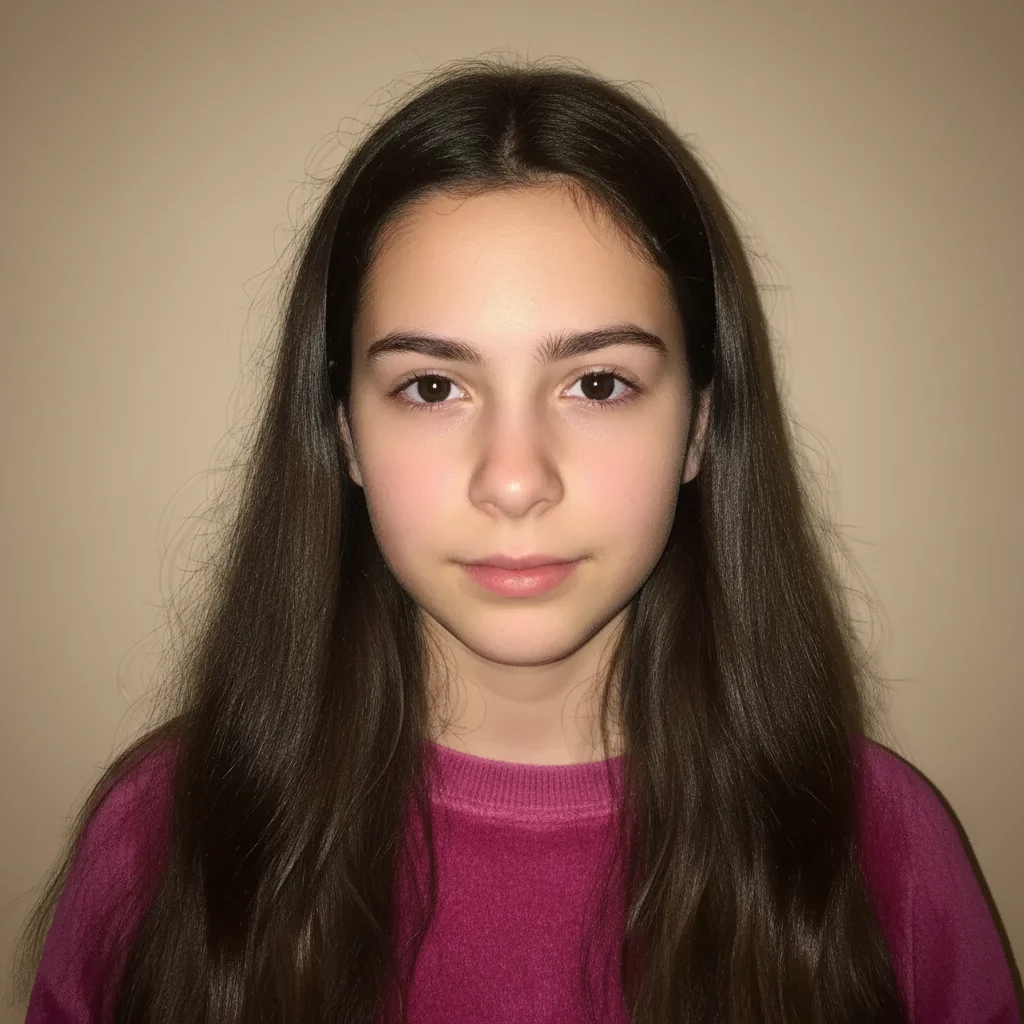
Same portrait with red eye removed and natural dark brown eyes restored
After

Flash portrait red eye removed

A flash portrait with bright red eye restored to natural dark eye color.

Prompt: fix the red eye in this photo — remove the red glow and restore natural dark pupil color with realistic eye detail
Family group photo with red eye flash effect visible on all three people
Before
->
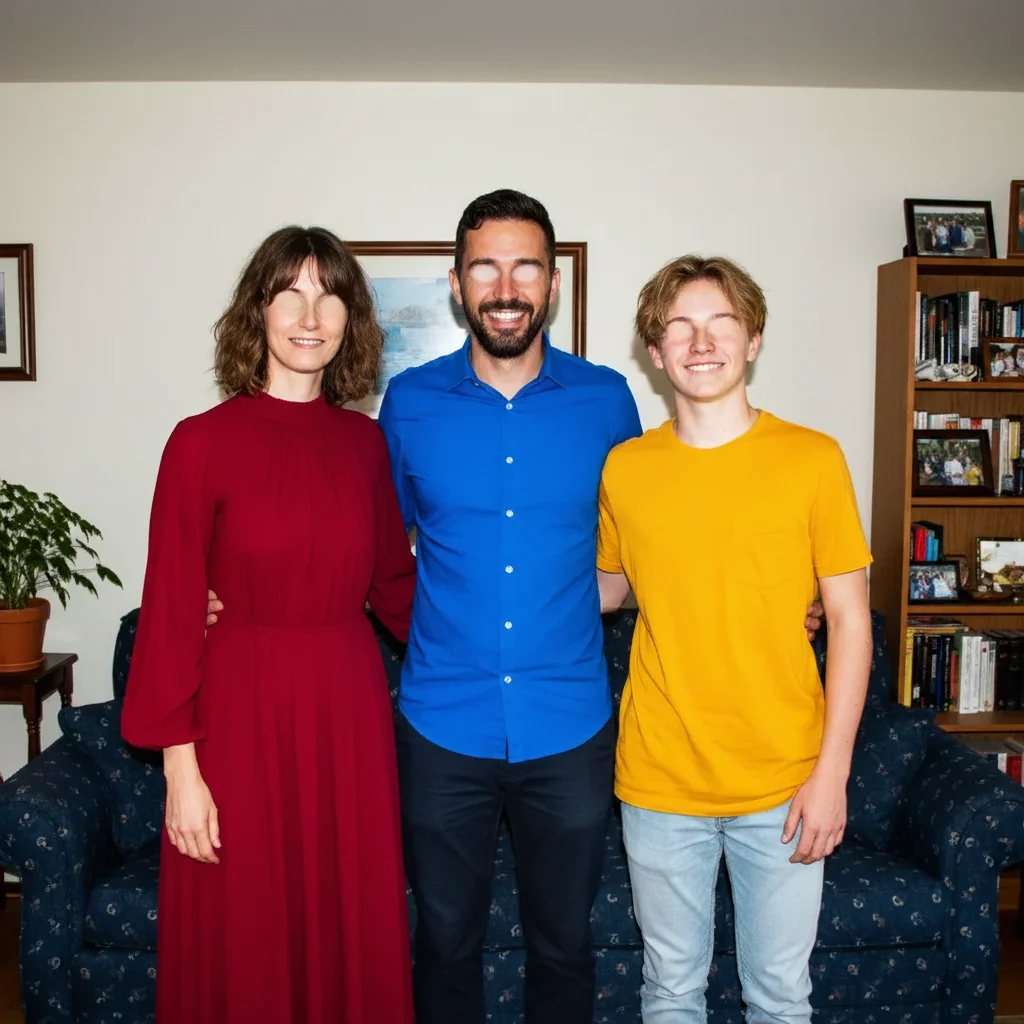
Same group photo with red eye removed from all three people, natural eye colors restored
After

Group photo multiple red eyes fixed

A family group photo with red eye in multiple people, all corrected to natural eye color.

Prompt: fix red eye on all three people in this photo — remove the flash red glow from each person's eyes and restore natural eye color

Quick answers

Do I need to mark the red eye before fixing it?

Not for most photos — the AI automatically detects red eye and fixes it from your description.

How do I fix red eye in photos for free?

EditThisPic removes red eye for free with no account needed. Upload your photo, type 'fix the red eye and restore natural eye color,' and download the result — no signup or watermark.

Does it work for pet red eye too?

Yes — pets often show different colors (green tapetum glow in cats, orange or blue in dogs) rather than red. Use: 'fix the glowing eye effect on the pet — remove the green/orange glow and restore natural pet eye color.' The fix works the same way.

Can it fix red eye in old or low-resolution scanned photos?

Yes, though lower resolution photos have less detail to work with. The AI reconstructs the eye area based on available context. Results are significantly better even if not pixel-perfect due to limited source resolution.

Can it fix red eye in group photos with many people?

Yes — describe how many people need fixing: 'fix red eye on all four people in this photo.' For large groups, you can also specify which people by location: 'fix the red eye on the two people on the left side.'

How much does EditThisPic cost?

You get 1 free edit per week — no account needed. After that, one-time credit packs start at $4.99 for 10 edits, valid 12 months, no subscription. Power users who edit daily can pick Studio Membership, a monthly workspace at $49.99/mo for 300 edits. Purchased downloads are clean with no watermark.

Ready to fix those red eyes?

Free to try. No signup required.

1 free edit included·Credit packs from $4.99