Free • No signup Open Editor

Free Logo Remover — Remove Any Logo from Photos Online

Last updated

Remove any logo from any photo in 15 seconds — clothing, products, watermarks. Free. No watermark on your download.

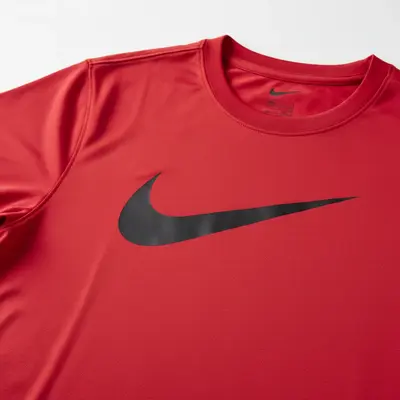
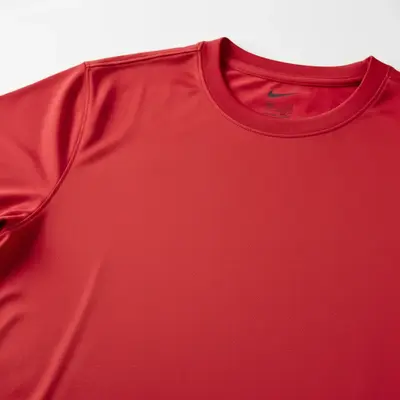
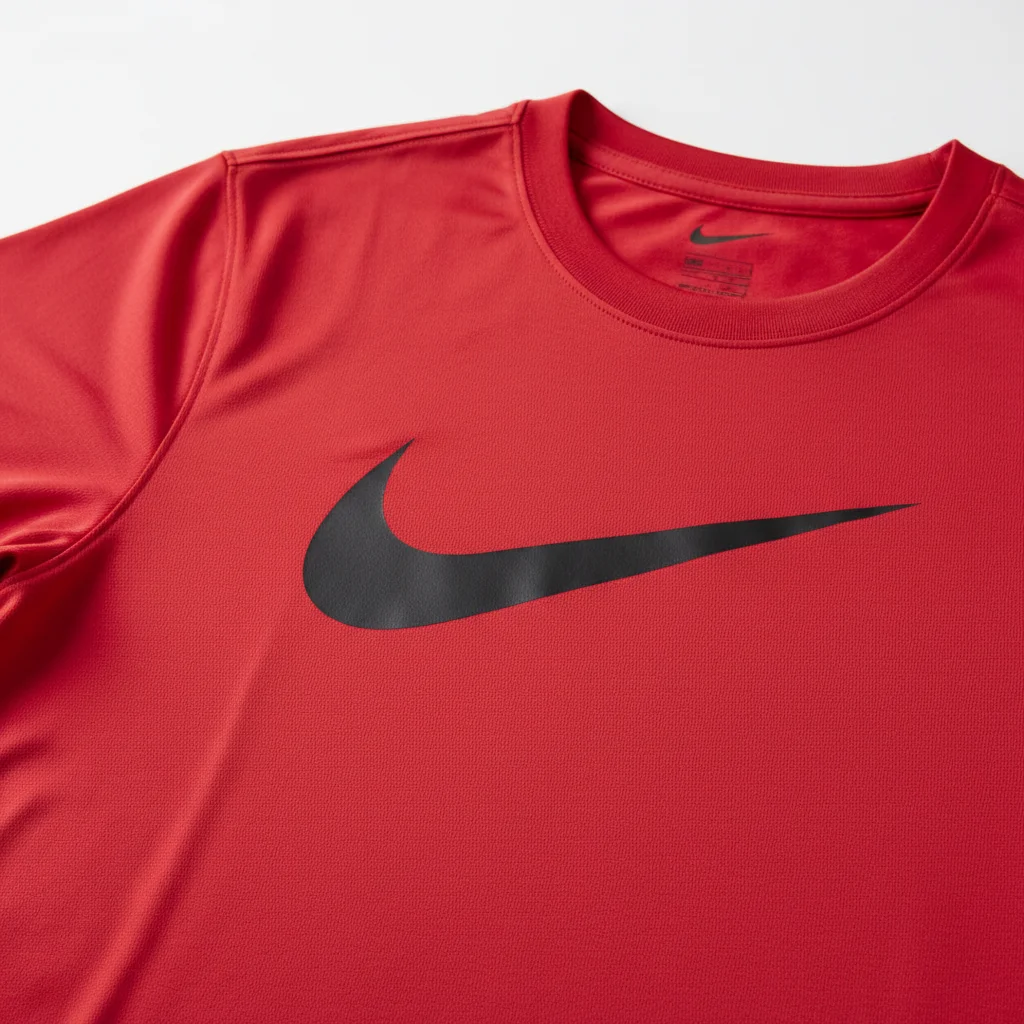
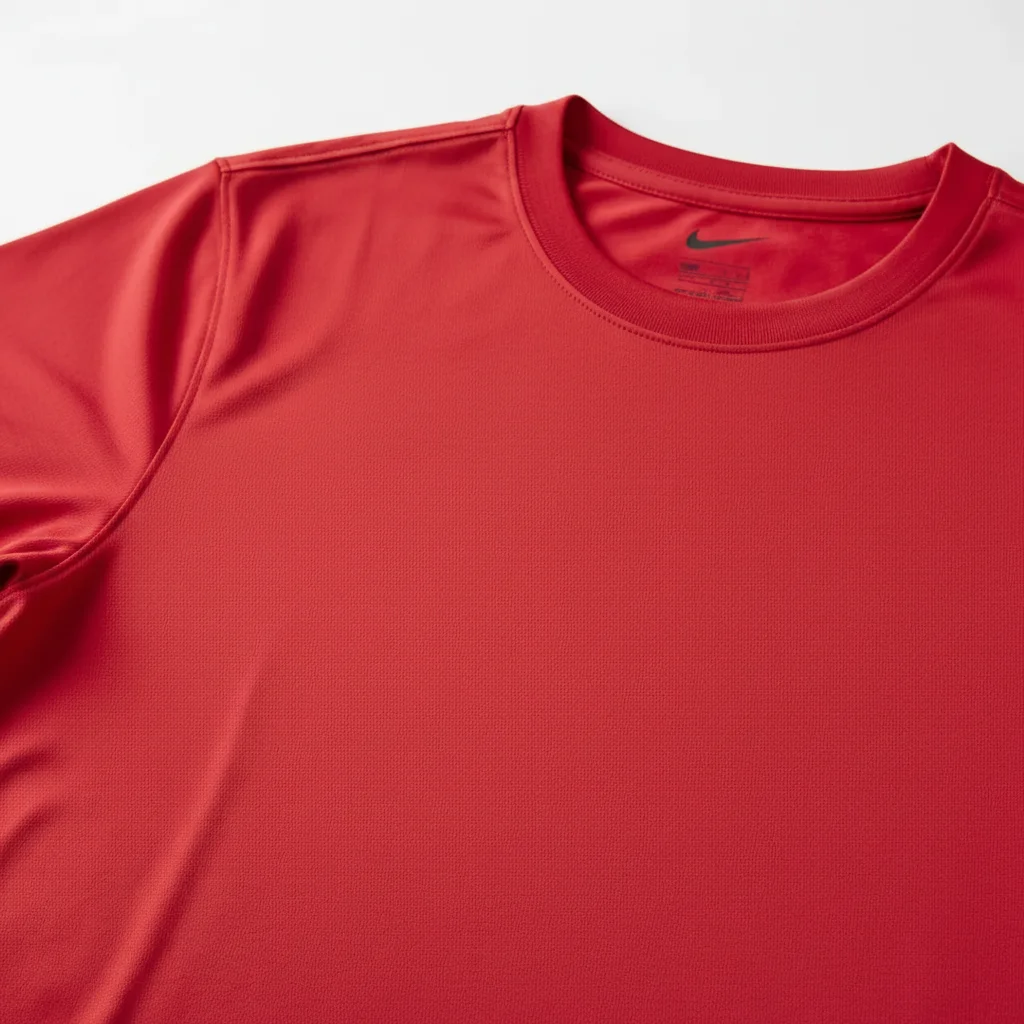
Red athletic t-shirt with large black Nike swoosh on left chest, product photo Same red athletic t-shirt with Nike swoosh fully removed, fabric texture reconstructed

Drop your photo here

"remove any brand logos or watermarks from this photo and fill each area with matching background"

Release to upload

50,000+photos edited
<30stypical edit
1 freeedit weekly

1 free edit·then from $4.99

How it works

  1. Upload your photo

    Drop your photo into EditThisPic or tap to browse. JPG, PNG, WebP, or HEIC. No account needed.

    Expect: Upload completes in 2-3 seconds.
    Tip: Higher resolution photos give the AI more texture data to reconstruct what was under the logo.

    Copy one of these to get started:

    Clothing logo on shirt remove the brand logo from the shirt and reconstruct the fabric texture underneath naturally
    Any logo — quick scan remove any brand logos or watermarks from this photo and fill each area with matching background
    Product packaging logo remove the brand logo from the product packaging and restore the clean surface underneath, keep other text and design elements
    Sports brand logo remove the Nike swoosh (or Adidas stripes / Under Armour logo) from the clothing and blend with the surrounding fabric naturally
    3 more prompts
    Logo on glass or metal remove the printed logo from the metal or glass surface, restore the reflective surface texture underneath
    Logo on leather or patterned fabric remove the embossed or printed logo from the leather surface, continue the grain pattern underneath
    Multiple logos in one photo remove all visible brand logos from this photo — clothing, accessories, and product labels — fill each with matching texture
  2. Name the logo in your prompt

    Type what you want removed: 'remove the Nike swoosh from the shirt' or 'delete the brand logo from the packaging and fill with matching texture.' Being specific about the logo location helps.

    Tip: You can also say 'remove any brand logos' for a scan of the full image — useful when you're not sure exactly which logos appear.

    Copy one of these to get started:

    Clothing logo on shirt remove the brand logo from the shirt and reconstruct the fabric texture underneath naturally
    Any logo — quick scan remove any brand logos or watermarks from this photo and fill each area with matching background
    Product packaging logo remove the brand logo from the product packaging and restore the clean surface underneath, keep other text and design elements
    Sports brand logo remove the Nike swoosh (or Adidas stripes / Under Armour logo) from the clothing and blend with the surrounding fabric naturally
    3 more prompts
    Logo on glass or metal remove the printed logo from the metal or glass surface, restore the reflective surface texture underneath
    Logo on leather or patterned fabric remove the embossed or printed logo from the leather surface, continue the grain pattern underneath
    Multiple logos in one photo remove all visible brand logos from this photo — clothing, accessories, and product labels — fill each with matching texture
  3. Download — no watermark

    Download your logo-free photo in full resolution. No watermark added to your file.

See it in action

Red athletic t-shirt with large black Nike swoosh on left chest, product photo
Before
->
Same red athletic t-shirt with Nike swoosh fully removed, fabric texture reconstructed
After

Nike swoosh removed from athletic shirt

Red athletic t-shirt product photo with a prominent black Nike swoosh on the left chest. Removed cleanly with the jersey mesh texture reconstructed underneath.

Prompt: remove the brand logo from the shirt and blend with fabric texture naturally
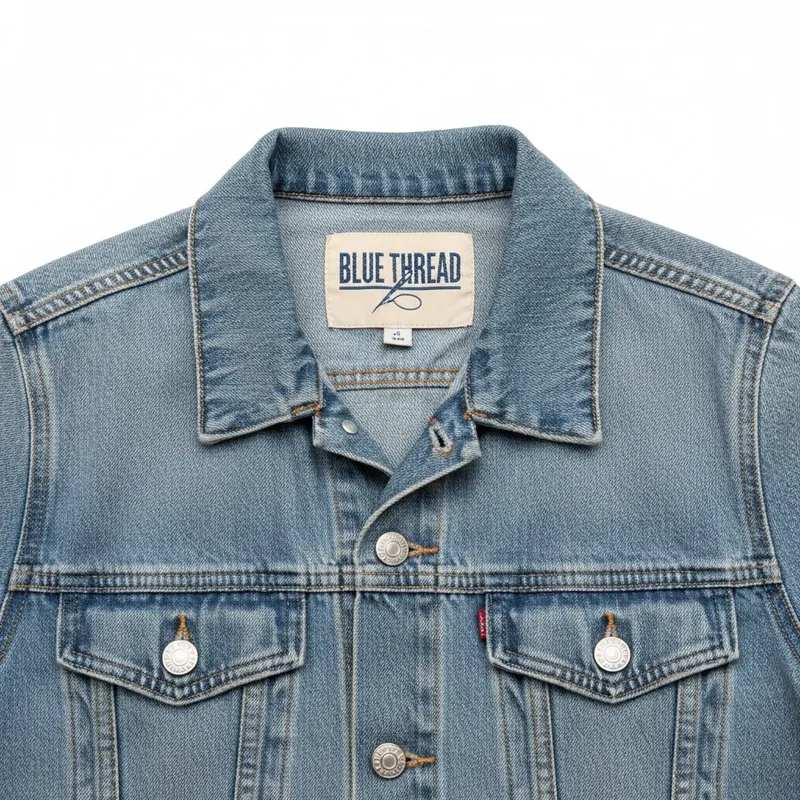
Denim jacket flat lay with brand label visible in collar
Before
->
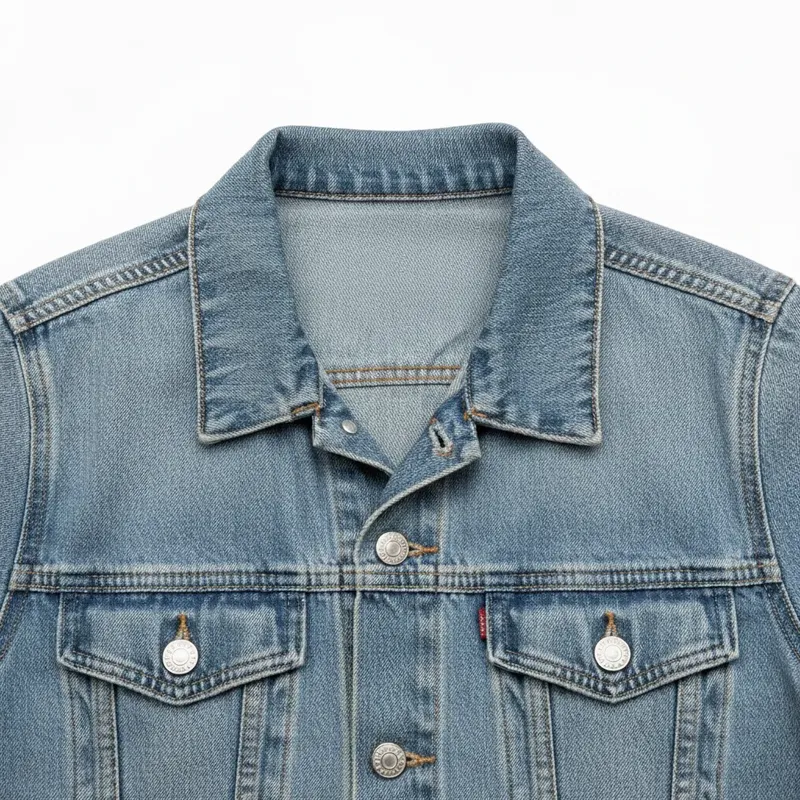
Same denim jacket with brand label removed, clean collar area
After

Brand tag removed from resale clothing

Resale listing photo of a denim jacket where the interior brand label is visible in the collar area. Removed for a cleaner, anonymous listing photo.

Prompt: remove the brand label from the collar area, reconstruct the fabric and lining underneath

Quick answers

How do I remove a logo from a photo for free?

Upload your photo to EditThisPic, type 'remove the brand logo from the shirt' (or wherever the logo is), and download the clean result. The AI reconstructs the surface under the logo. Free, no account required. No watermark added to your download.

Is there a free logo remover that doesn't add a watermark to my photo?

Yes — EditThisPic adds no watermark to downloaded photos. Many free tools add their own watermark when you download, making the tool pointless for professional use. EditThisPic outputs clean, watermark-free files. Free one edit per week, or plans from $4.99/mo.

What is the best free tool to remove logos from photos?

EditThisPic uses Gemini inpainting to reconstruct the surface under the logo — not just erase it. It works on clothing, product photos, glass, metal, and patterned fabric. The result looks like the logo was never there. Free, no signup, no watermark on output.

Can I remove a logo from a photo without Photoshop?

Yes. EditThisPic handles logo removal with a text prompt — no selection tools, no cloning, no manual work. Type what you want removed, and the AI does it in 15 seconds. No Photoshop, no design skills needed.

Does this remove watermarks too?

Yes. The same inpainting approach removes watermarks — copyright overlays, photographer watermarks, and agency watermarks. Type 'remove the watermark and restore the underlying photo.' Note: only remove watermarks from photos you own rights to.

Can I remove a logo from clothing in a photo?

Yes. Clothing logos (Nike, Adidas, Under Armour, etc.) are the most common use case. Type 'remove the [brand] logo from the shirt and blend with fabric texture.' Works on athletic wear, denim, leather, and most fabric types.

How do I remove a logo from a photo on my phone?

EditThisPic works in any mobile browser — no app download needed. Upload from your camera roll, type the logo removal prompt, and download the clean photo. Works on iPhone and Android.

Can it remove logos from product packaging?

Yes. For product packaging with brand logos, type 'remove the brand logo from the packaging and restore the clean surface underneath.' Useful for resellers, product photographers, and Amazon or Etsy sellers creating generic product images.

Do I need to create an account?

No. EditThisPic works without signing up. Upload, remove the logo, download — no email or password required. Free one edit per week. Paid plans start at $4.99/mo for 15 edits.

Is there a limit to how many logos I can remove?

Each edit removes logos from one photo. The prompt can target multiple logos in a single photo ('remove all brand logos'). For bulk removal across many photos, plans start at $4.99/mo for 15 edits.

How much does EditThisPic cost?

You get 1 free edit per week — no account needed. After that, credit packs start at $1.99 for 3 edits. Monthly plans start at $4.99/mo for 20 edits with unused credits rolling over. All edits are full resolution with no watermark.

Ready to remove that logo?

Free to try. No signup. No watermark on output.

1 free edit included·Credit packs from $4.99