Pricing Remove Junk from equipment photos · Free

Remove Junk from Equipment Photos

← Browse all remove tools

Last updated

Pallets, drums, trash piles, parked machines, people. Name what to clear and it comes out of the frame.
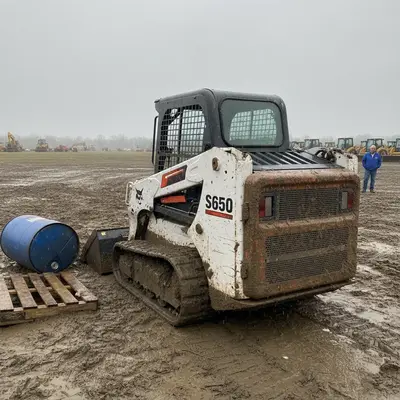
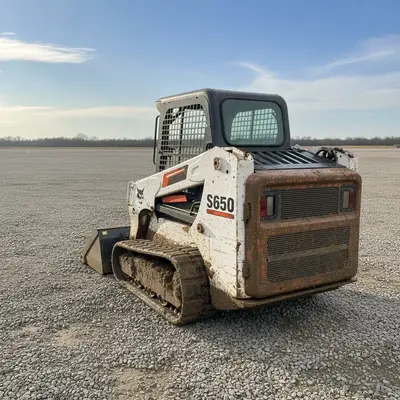
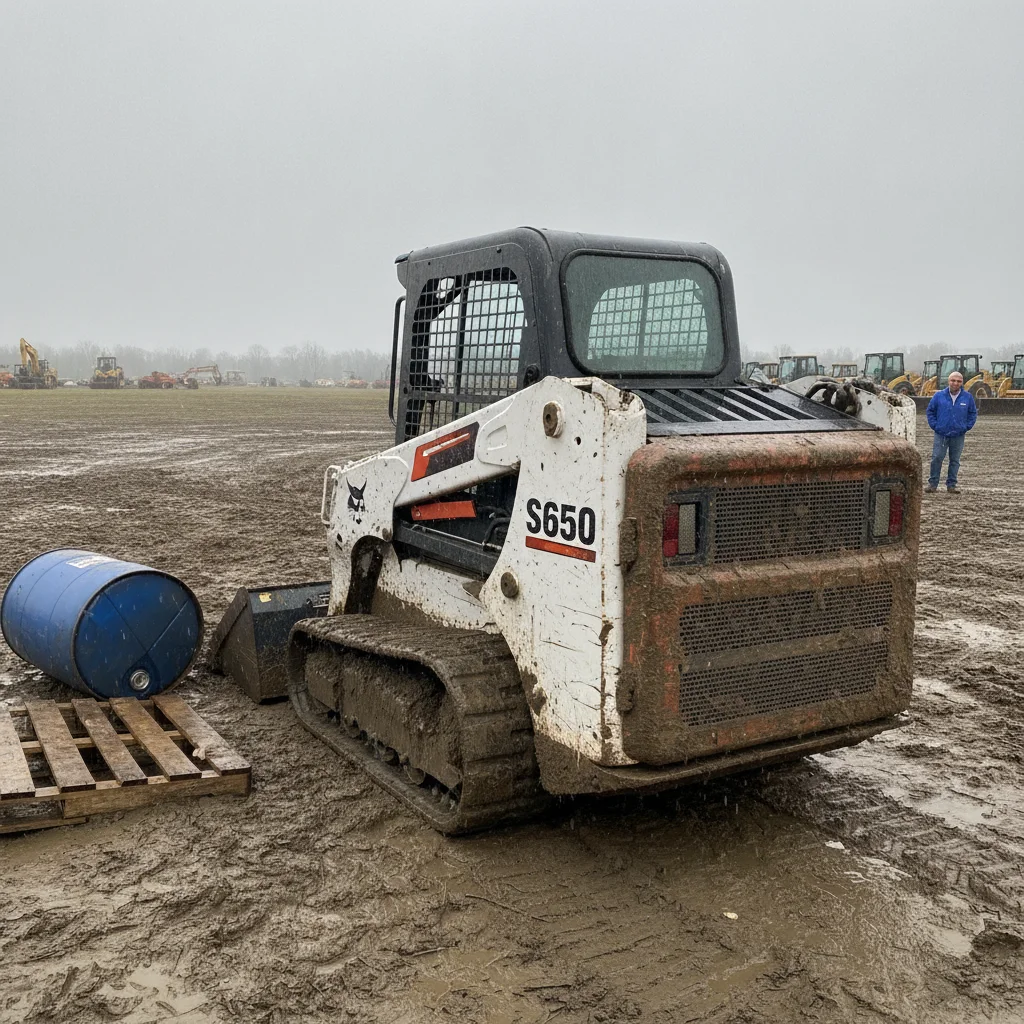
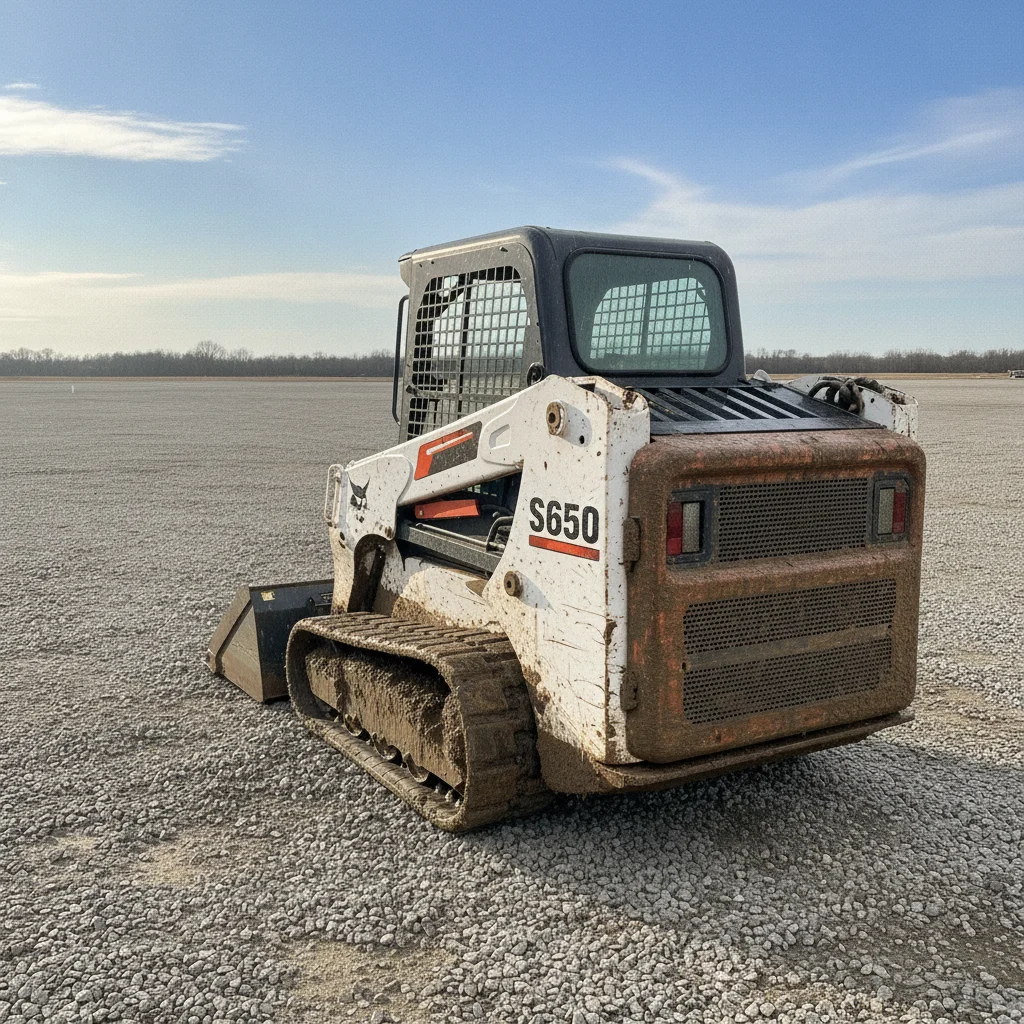
Mud-caked compact track loader on a wet churned lot with an oil drum, wooden pallets, a bystander and a row of other machines behind it The same loader on a dry gravel lot under a blue sky, with the drum, pallets, bystander and background machine row no longer in the frame

Upload photo to remove junk from equipment photos

"replace the flat grey overcast sky with a bright blue sky with a few soft white clouds, leave everything else in the photo exactly as it is"

Free to try · no sign-up · photos are never shared

Release to upload

<30stypical edit
1 freeedit weekly
Photo on your phone? Scan to open this editor there — free edit works on your phone too.

1 free edit every week·packs from $4.99

How it works

  1. Upload one machine photo

    Drop a single photo into EditThisPic. Any shot where the machine is clear of what you want removed works best. Shoot the whole machine in frame with a bit of ground and sky around it — that gives the AI room to rebuild the lot and the sky without touching the machine. JPG, PNG or WebP up to 7MB.

    Expect: About 30 seconds per photo. A busy lot with several people or machines behind the subject may take a second pass.
  2. Say what to clean up

    Type the cleanup in plain words — 'replace the grey sky with clear blue, clean the mud and puddles off the ground, and remove the people and pallets in the background'. Add 'keep the machine exactly as photographed, same paint wear, rust and dirt' so the AI cleans the scene around the machine and leaves the machine's real condition alone.

    Tip: Naming the individual items you want gone — 'the oil drum, the pallets, the person on the left' — works better than a general 'tidy this up'.

    Copy one of these to get started:

    Full lot cleanup Replace the sky with a bright blue late-morning sky with a few soft white clouds. Clean the mud, puddles, ruts and debris off the ground so the machine stands on a clean, dry, level gravel lot. Remove every person, background vehicle, other machine, trash pile and pallet. Keep the exact same camera framing and viewpoint, and keep the machine itself exactly as photographed - same paint wear, scratches, dents, rust, tyre wear and dirt on the machine.
    Grey sky only replace the flat grey overcast sky with a bright blue sky with a few soft white clouds, leave everything else in the photo exactly as it is
    Mud and standing water clean the mud, puddles, ruts and tyre tracks off the ground so the machine stands on clean dry level gravel, keep the mud and dirt on the machine itself
    People out of the shot remove every person from the photo and fill the space behind them with the same lot surface, keep the machine and its framing unchanged
    3 more prompts
    Clear the yard behind the machine remove the other machines, parked vehicles, pallets, drums and trash piles behind the subject so there is a plain open lot behind it, keep the machine and the camera angle exactly the same
    Late-afternoon shot with heavy shadows replace the hazy late-afternoon sky with a bright late-morning blue sky and even out the long shadows on the ground, keep the machine's own colour, paint wear and dirt exactly as photographed
    Snow or wet-season lot replace the grey winter sky with clear blue and clean the slush, snow melt and wet patches off the ground so the machine stands on dry gravel, leave the machine as it is
  3. Check the machine before you post it

    Compare the result against the original with the before/after slider. Look specifically at the decals and any lettering on the bodywork — small text can be redrawn. Check that the wear, rust and dents you are selling the machine with are all still there, then download it.

See it in action

Mud-caked compact track loader on a wet churned lot with an oil drum, wooden pallets, a bystander and a row of other machines behind it
Before
->
The same loader on a dry gravel lot under a blue sky, with the drum, pallets, bystander and background machine row no longer in the frame
After

Muddy skid steer with a full auction row behind it

Deep mud, a blue oil drum, a pallet stack, a bystander and an entire row of background machines taken out, leaving the machine on a dry lot.

Prompt: Replace the sky with a bright blue late-morning sky with a few soft white clouds. Clean the mud, puddles, ruts and debris off the ground so the machine stands on a clean, dry, level gravel lot. Remove every person, background vehicle, other machine, trash pile and pallet. Keep the exact same camera framing and viewpoint, and keep the machine itself exactly as photographed - same paint wear, scratches, dents, rust, tyre wear and dirt on the machine.
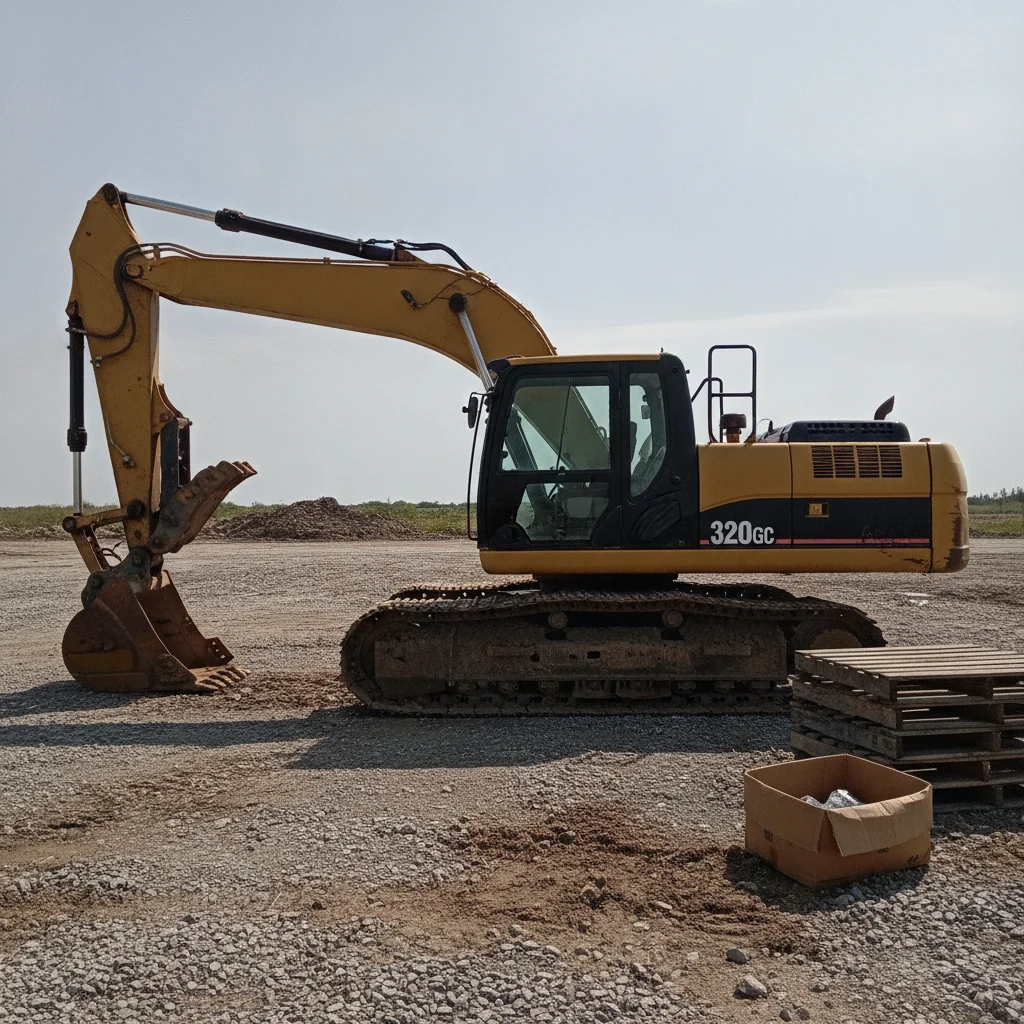
Used yellow excavator on a gravel lot in harsh sun with stacked pallets and a cardboard box on the ground beside the tracks
Before
->
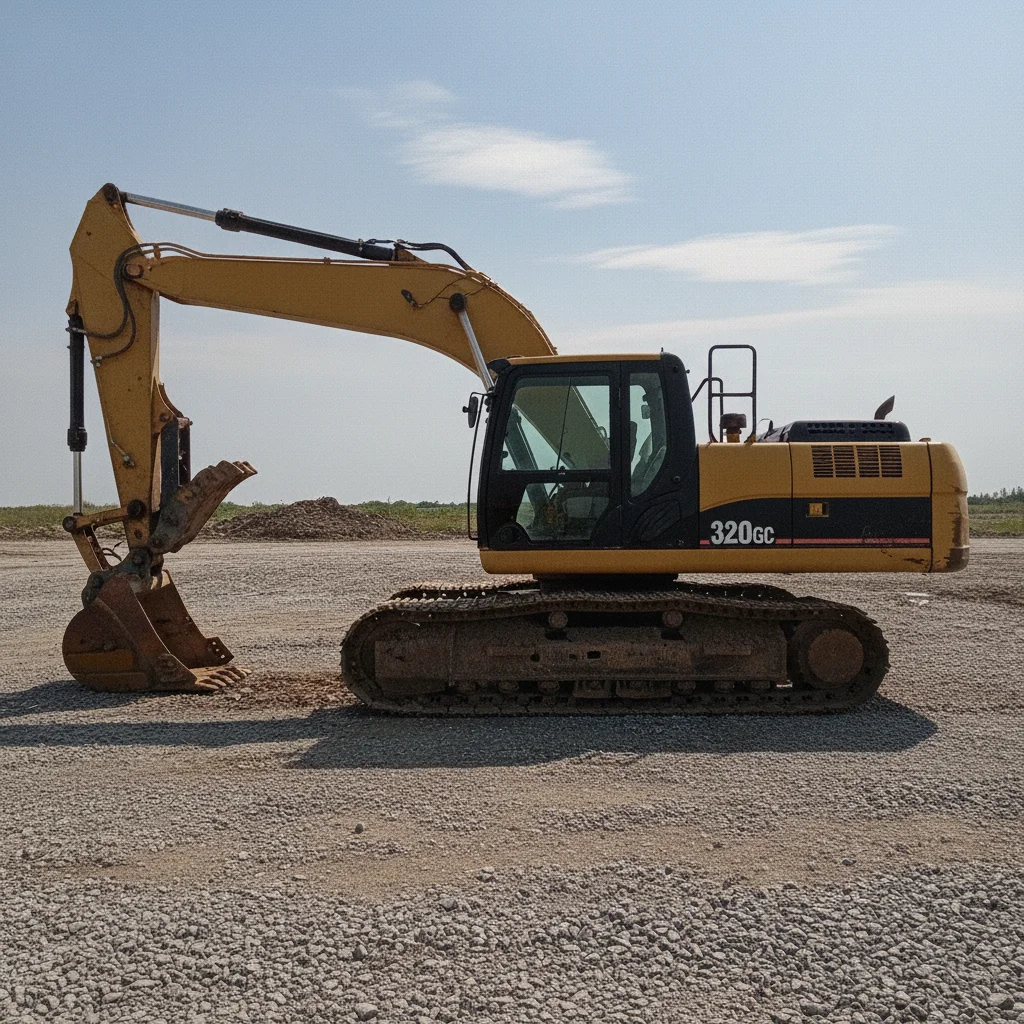
The same excavator on a clean dry gravel lot under a blue sky, with the pallets and cardboard box no longer in the frame
After

Excavator on a harsh-sun gravel lot

Stacked pallets and a torn cardboard box cleared from beside the tracks, the washed-out midday sky replaced, and the churned ground levelled to dry gravel.

Prompt: Replace the sky with a bright blue late-morning sky with a few soft white clouds. Clean the mud, puddles, ruts and debris off the ground so the machine stands on a clean, dry, level gravel lot. Remove every person, background vehicle, other machine, trash pile and pallet. Keep the exact same camera framing and viewpoint, and keep the machine itself exactly as photographed - same paint wear, scratches, dents, rust, tyre wear and dirt on the machine.

Quick answers

What kind of junk can it actually remove?

Pallets, oil drums, tyre stacks, scrap piles, cardboard, loose timber, traffic cones, portable toilets, parked cars, other machines, and people. Anything sitting on the ground near the machine or standing behind it, with the ground rebuilt underneath. Add 'keep the machine exactly as photographed' so the clearing stays aimed at the clutter, then check the machine in the result.

Do I have to mark or select what to remove?

No. Describe it in words — 'the pallets on the left, the drum behind the tracks, the man in the hi-vis vest'. Naming items individually works noticeably better than a general 'clean this up', which tends to get applied to the machine too.

Can I clear the same yard out of every photo at once?

Not as a matched batch. Each photo is edited on its own and takes its lighting from that frame, so the results will not share a uniform look. Clearing clutter one photo at a time still works well — just don't expect the set to look colour-matched.

What about a pallet or a sign that has writing on it?

Removing it is fine — that is the whole job. What you should not do is ask the editor to clean up or sharpen a frame whose subject IS text, like a serial plate, a spec decal or an hour meter. Fine lettering gets rewritten rather than preserved. Shoot those as separate close-ups and upload them untouched.

What if the junk is touching or overlapping the machine?

That is the case to be careful with. When something overlaps the machine, the AI has to reconstruct the part of the machine it cannot see, and on a machine you are selling an invented edge is not acceptable. Move the item and re-shoot, or pick a different angle for the hero photo.

Will the ground where the junk was look right?

Usually. It rebuilds the lot surface underneath — gravel, dirt or concrete — and on a plain surface it is hard to spot. Where it struggles is a strongly patterned surface or a spot where the removed object was casting a hard shadow, so check that area before posting.

Is it free?

There is a free edit each week and no account is needed to try it. Full-quality downloads come from credits, bought in packs with no subscription.

Can I use it on a phone?

Yes, it runs in any mobile browser with no app to install.

How much does EditThisPic cost?

You get 1 free edit per week — no account needed. After that, one-time credit packs start at $4.99 for 10 edits, valid 12 months, no subscription. Power users who edit daily can pick Studio Membership, a monthly workspace at $49.99/mo for 300 edits. Purchased downloads are clean with no watermark.

Ready to clean up a listing photo?

Free to try. No signup required.

1 free edit included·Credit packs from $4.99