Pricing Remove Tourists at landmark · Free

Remove People from a Landmark Photo

← Browse all remove tools

Last updated

Get the empty-plaza shot you queued for and never got. Describe the tourists in front of the monument and the AI erases them, continuing the stone, steps, and railings they stood on.
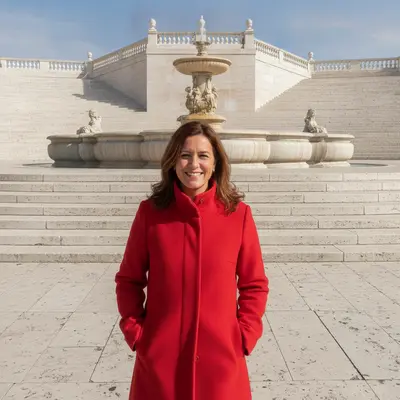
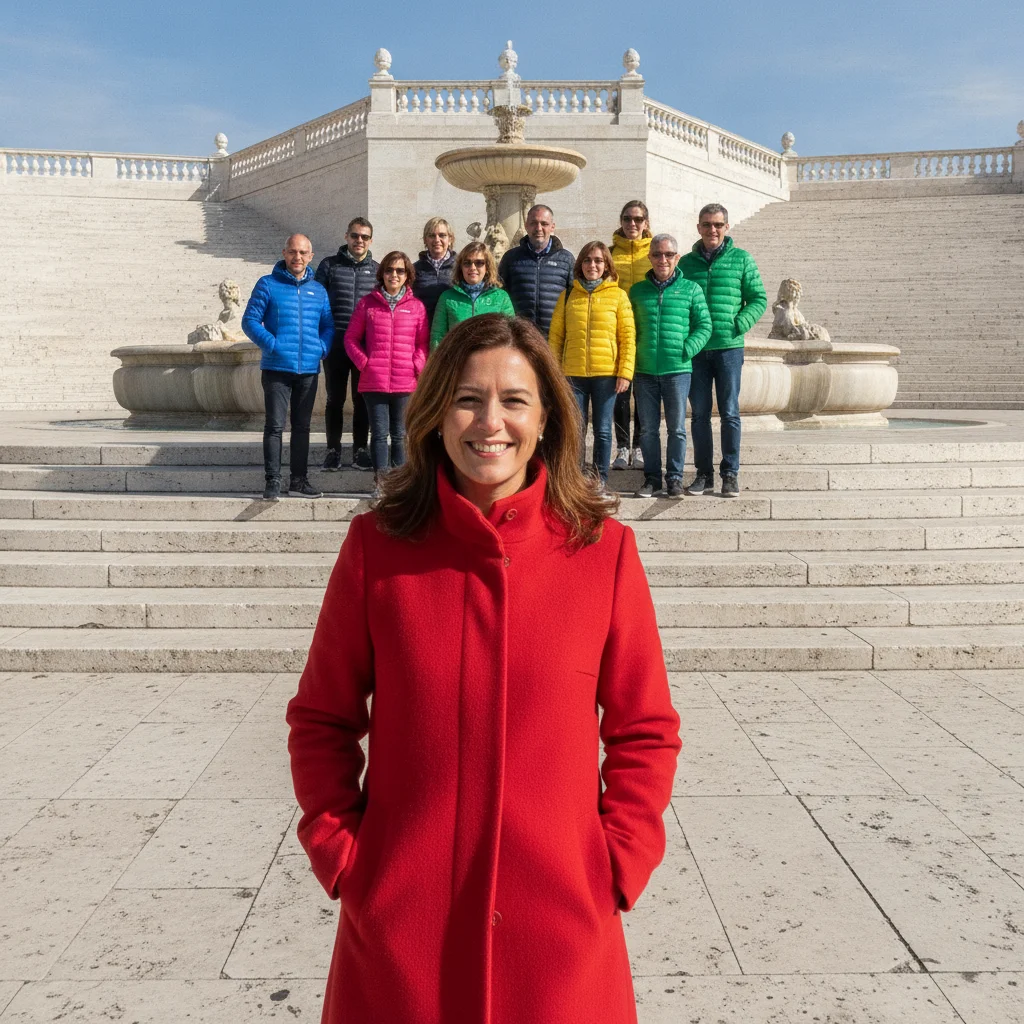
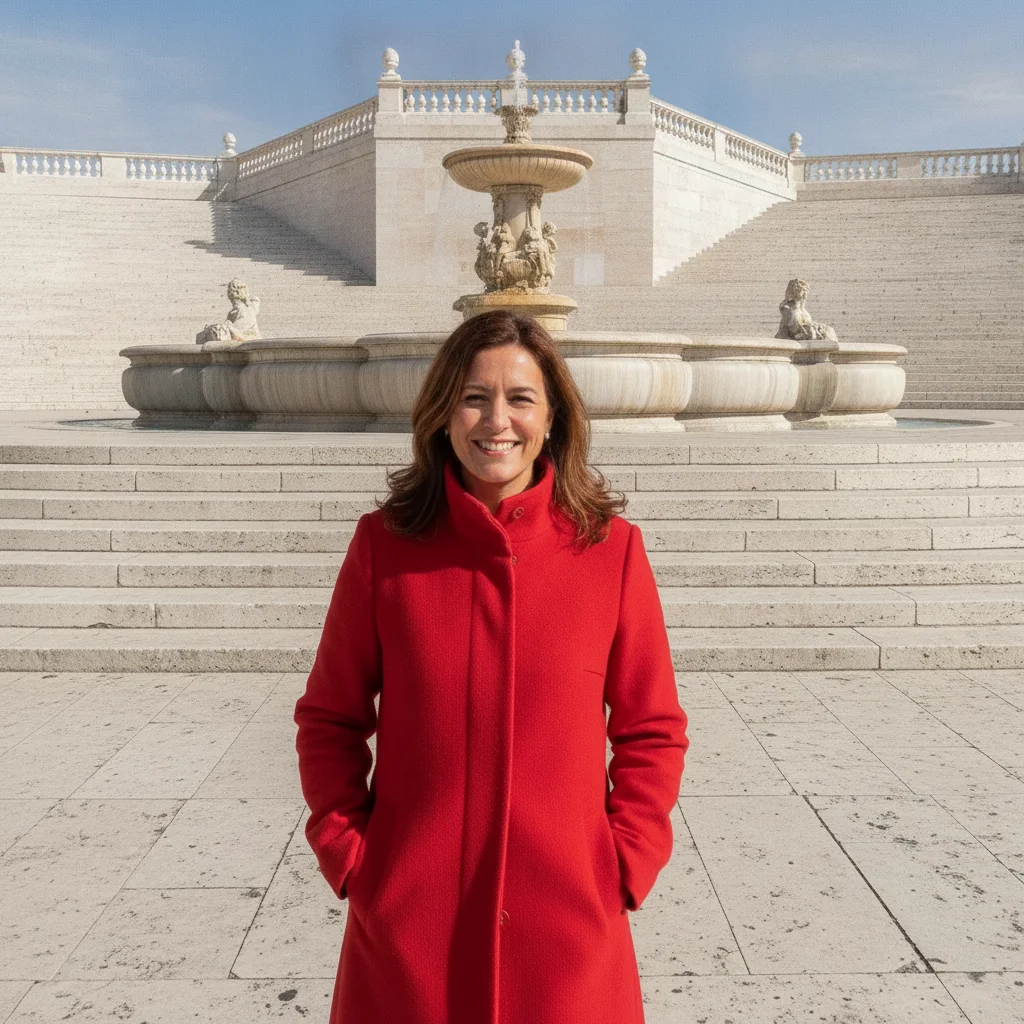
Woman in a red coat in front of a stone fountain with a crowd of tourists on the steps behind her Same woman alone in front of the fountain with the steps and plaza empty behind her

Upload photo to remove tourists at landmark

"remove every other person in the photo and continue the cathedral façade and the square behind them, keep the woman in the red coat exactly as she is"

Free to try · no sign-up · photos are never shared

Release to upload

<30stypical edit
1 freeedit weekly
Photo on your phone? Scan to open this editor there — free edit works on your phone too.

1 free edit every week·paid packs after

How it works

  1. Upload the landmark photo with the crowd in it

    JPG, PNG, or WebP up to 7MB. Monument, cathedral, fountain, viewpoint — any shot where visitors you did not want are standing between the camera and the thing you came to photograph.

    Expect: A handful of tourists against plain stone or sky takes about 20-40 seconds and usually comes back clean. A dense crowd in front of carved façades, mosaic floors, or railings is the hard case: the AI has to invent detail it never saw, so name what should continue and expect a second pass.
  2. Describe who goes and what the monument should show instead

    Type the whole instruction: 'remove all the tourists on the steps in front of the fountain, continue the stone steps, the balustrade, and the plaza paving, keep the woman in the red coat exactly as she is.' There is nothing to select or mark — describing the crowd and naming the fill is the whole job.

    Tip: Name the architecture. 'Continue the columns and the carved arch' produces a convincing monument; 'remove the people' alone leaves the AI guessing at the stonework.

    Copy one of these to get started:

    Tourists in front of a monument remove all the tourists in front of the monument and continue the stone steps, the plinth, and the plaza paving where they were, keep the monument exactly as it is
    Keep yourself, remove everyone else remove every other person in the photo and continue the cathedral façade and the square behind them, keep the woman in the red coat exactly as she is
    Crowd against sky at a viewpoint remove the people standing along the viewpoint railing and extend the railing, the hillside, and the sky naturally where they were
    People on a carved staircase remove the visitors sitting on the stone staircase and continue the steps at the same spacing and the carved balustrade on both sides
    3 more prompts
    Queue in front of an entrance remove the line of people in front of the museum entrance and continue the doorway, the columns, and the paving, keep the signage and lamps unchanged
    Distant figures across a plaza remove the small distant figures scattered across the plaza and continue the paving pattern and the fountain edge, keep the buildings unchanged
    Crowd plus their shadows on stone remove the tourists in front of the temple and their shadows on the stone floor, continue the flagstones and the base of the columns naturally
  3. Check the architecture for repeats and breaks

    Zoom into where the crowd stood. Steps should keep their count and spacing, columns should stay evenly spaced, railings should run straight. Repeated texture or a soft blur means the AI ran out of information there.

  4. Refine with a marker if needed

    If a few visitors survived at the edges, or a carved detail came back wrong, tap a marker on that spot and repeat the instruction for just that area. A second pass on a small patch beats re-running the whole crowd.

See it in action

Woman in a red coat in front of a stone fountain with a crowd of tourists on the steps behind her
Before
->
Same woman alone in front of the fountain with the steps and plaza empty behind her
After

Tourists cleared from in front of a fountain

A dozen visitors on the fountain steps erased and the steps, balustrade, and plaza continued; the subject stays as shot.

Prompt: remove all the tourists standing on the stone steps in front of the fountain and continue the steps, the stone balustrade, and the plaza paving where they were; keep the woman in the red coat exactly as she is and keep the fountain unchanged
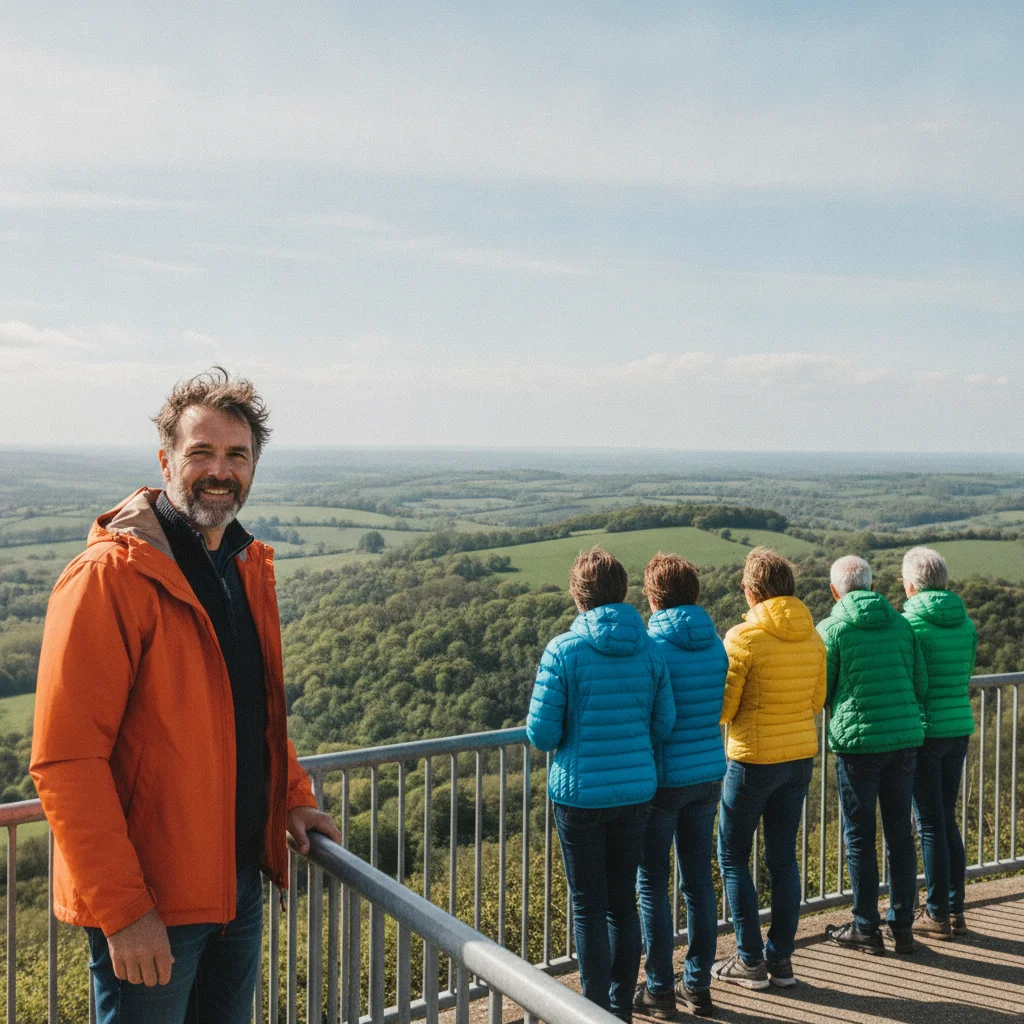
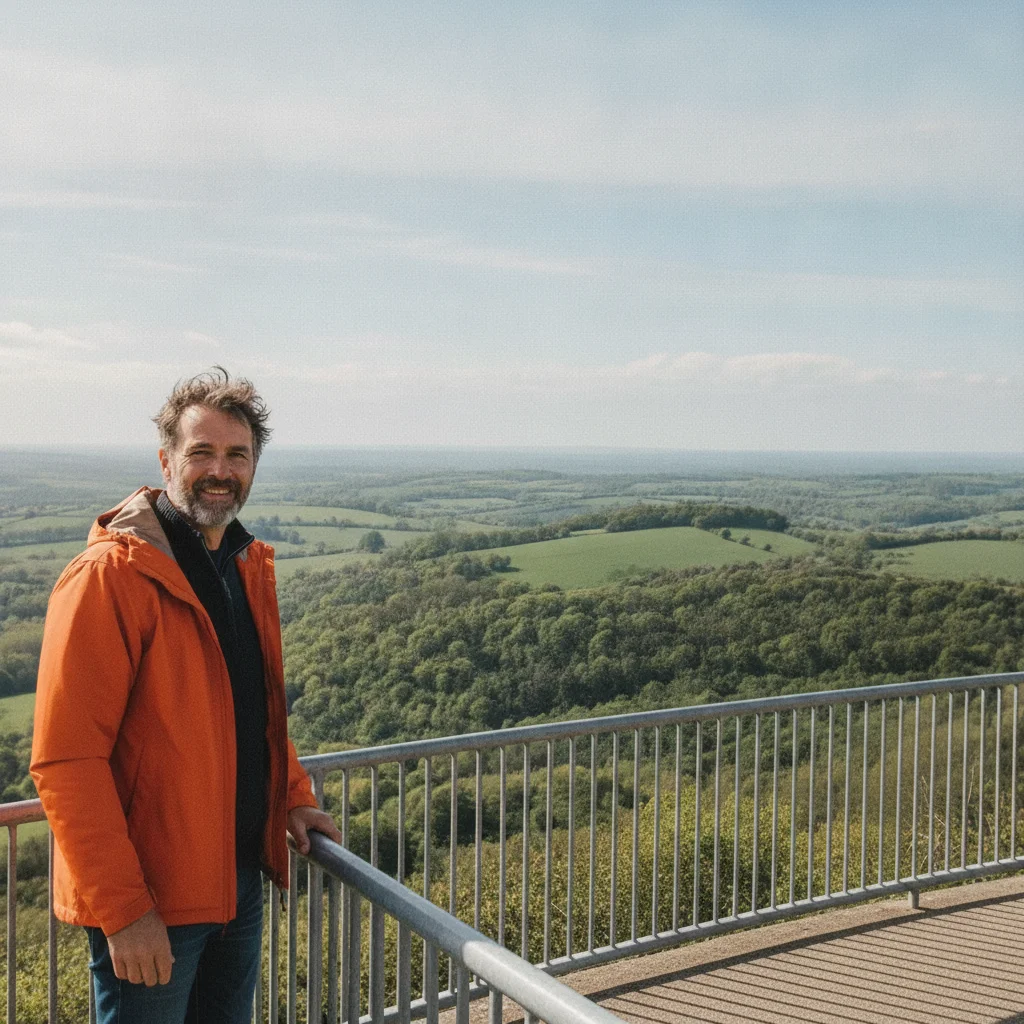
Man in an orange jacket at a viewpoint railing with six other visitors lined along it
Before
->
Same man alone at the railing with the hillside and sky continued where the others stood
After

Visitors removed from a viewpoint railing

The people along the railing erased and the railing, hillside, and sky extended; the man on the left is untouched.

Prompt: remove all the people standing along the viewpoint railing except the man in the bright orange jacket on the left, and extend the metal railing, the green hillside, and the sky naturally where they were; keep the man exactly as he is

Quick answers

How do I remove people from a landmark photo?

Upload the photo and describe the crowd — 'remove the tourists in front of the fountain, continue the stone steps and railing.' The AI erases them and rebuilds the monument in about 20-40 seconds, with nothing to trace or mark first.

Is it free to remove tourists from a travel photo?

Yes. You can remove people from a landmark photo free with one Fast edit per week, no signup or credit card required. Credit packs and a subscription are available if you have several photos or want to run a second pass.

Do I need to mark the area first?

No. Describe the person in words — where they stand and what they are wearing — and the AI finds them. Markers are optional: tap one on the person only if the description could apply to more than one figure, or the wrong area was changed the first time.

Will the monument look right where the crowd was?

Against plain stone or sky, usually yes. Carved façades, mosaic floors, and staircases are the hard case — the AI is inventing detail it never saw. Name what should continue ('the steps at the same spacing, the carved arch') and check the patch at full size; a second pass there is normal.

Can I keep myself in the photo and remove everyone else?

Yes. Describe yourself by clothing and position — 'keep the woman in the red coat on the left exactly as she is' — then 'remove every other person and continue the plaza behind them.' If someone was pressed against you, the overlapped edge may need a second pass.

Can it remove clothing from the tourists instead of the tourists?

No. The tool removes people and objects from a scene and rebuilds the background behind them — it does not remove clothing from anyone, and requests like that are refused.

What photo formats can I upload?

JPG, PNG, and WebP up to 7MB. The edited photo downloads in the same format you uploaded, with the rebuilt background at the original resolution.

How much does EditThisPic cost?

You get 1 free edit per week — no account needed. After that, one-time credit packs start at $4.99 for 10 edits, valid 12 months, no subscription. Power users who edit daily can pick Studio Membership, a monthly workspace at $49.99/mo for 300 edits. Purchased downloads are clean with no watermark.

Ready to empty the plaza in your photo?

Free to try. No signup required.

1 free edit included·paid credit packs after