Pricing Remove Random strangers · Free

Remove Random People from a Photo

← Browse all remove tools

Last updated

Strangers scattered across the frame — some near, some far, none of them yours. Describe them and the AI erases each one, continuing the scene behind them.
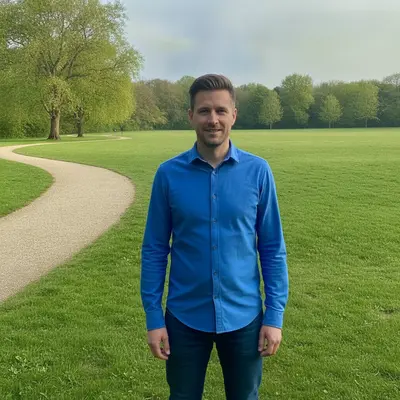
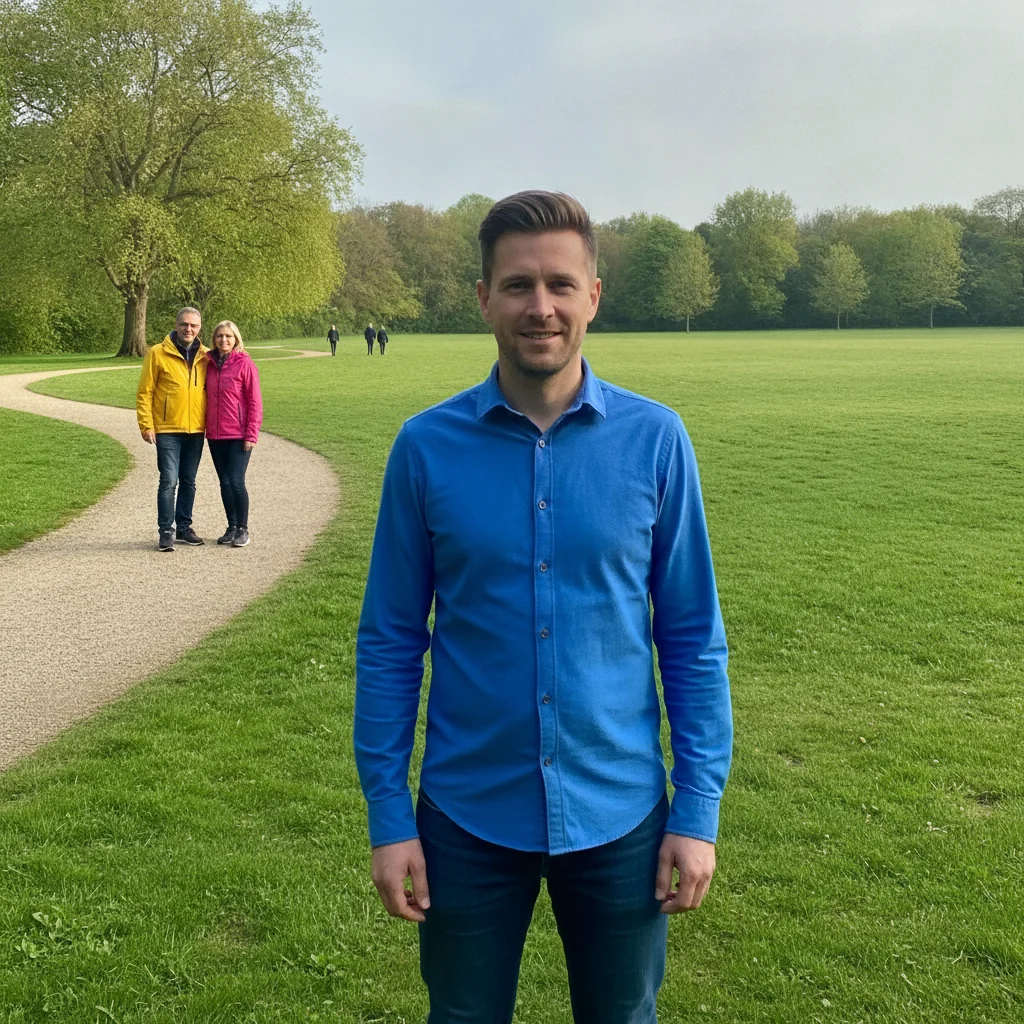
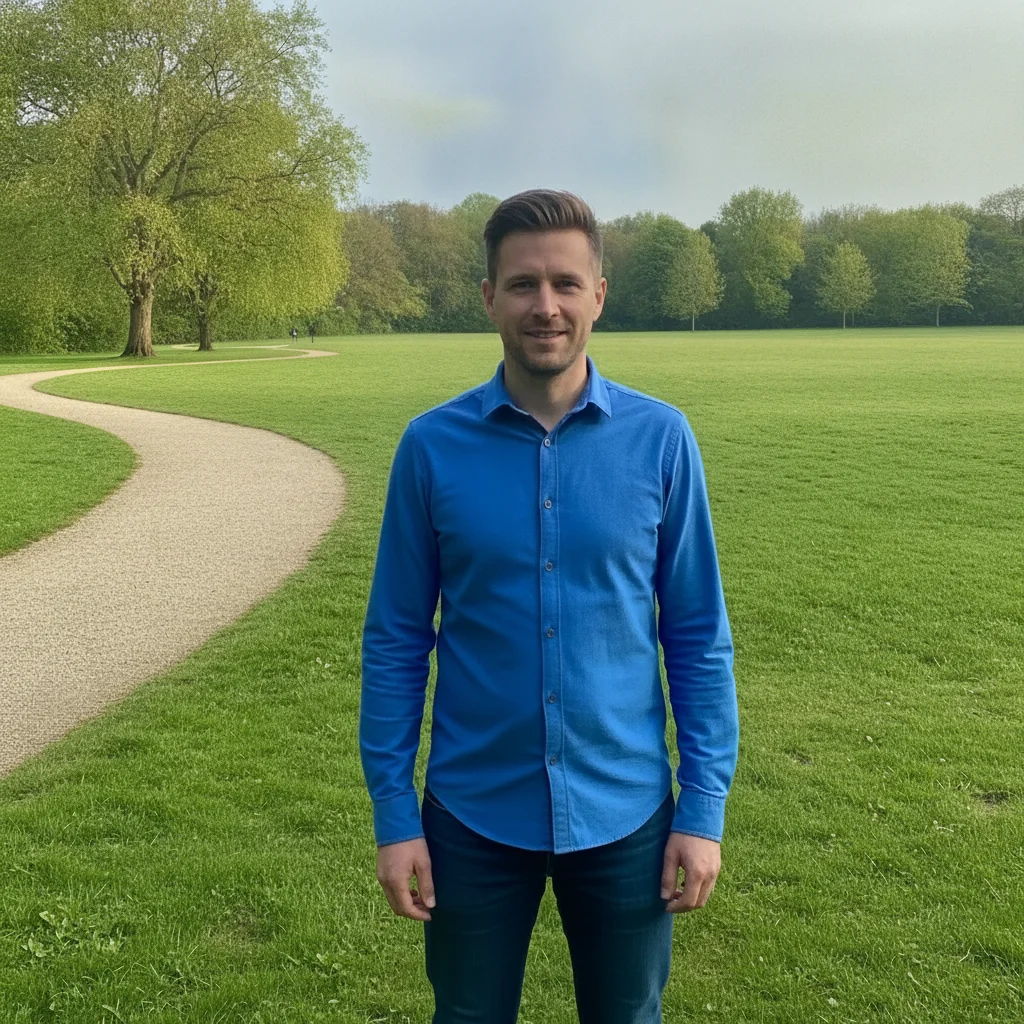
Man in a blue shirt in a park with several strangers scattered across the lawn behind him Same man alone in the park with the lawn, path, and trees continued behind him

Upload photo to remove random strangers

"remove the group of people standing at the far left of the photo and continue the lawn and the fence line where they were"

Free to try · no sign-up · photos are never shared

Release to upload

<30stypical edit
1 freeedit weekly
Photo on your phone? Scan to open this editor there — free edit works on your phone too.

1 free edit every week·paid packs after

How it works

  1. Upload the photo with the strangers in it

    JPG, PNG, or WebP up to 7MB. Park, street, beach, market — any scene where people you do not know ended up in the frame at different distances.

    Expect: A few scattered figures against grass, sand, or sky take about 20-35 seconds and usually come back clean. Someone standing right against your subject, or a cluster in front of a detailed background, is where a second pass is normal.
  2. Describe the strangers and what to keep

    Type the whole instruction: 'remove all the random people in the photo — the group on the left, the man walking on the path, the small figures by the trees — continue the grass and path, keep the man in the blue shirt exactly as he is.' There is nothing to select or mark — a rough list of where they are is how the AI finds them all.

    Tip: Say 'all' and give rough positions. 'Remove the people' can leave one or two survivors; 'remove all the random people, near and far' rarely does.

    Copy one of these to get started:

    All strangers, near and far remove all the random people in this photo, near and far, and continue the grass, path, and trees where each one was, keep the man in the blue shirt exactly as he is
    A group off to one side remove the group of people standing at the far left of the photo and continue the lawn and the fence line where they were
    Small distant figures remove the small distant figures walking along the shoreline and extend the sand, sea, and sky naturally
    Strangers in a busy street remove all the pedestrians in the street behind the woman in the green dress, keep the buildings, shopfronts, and parked cars, continue only the pavement and road where people stood
    3 more prompts
    Stranger right next to your subject remove the man standing right beside the woman in the red coat and rebuild her sleeve and the wall behind him, keep her face, hair, and pose unchanged
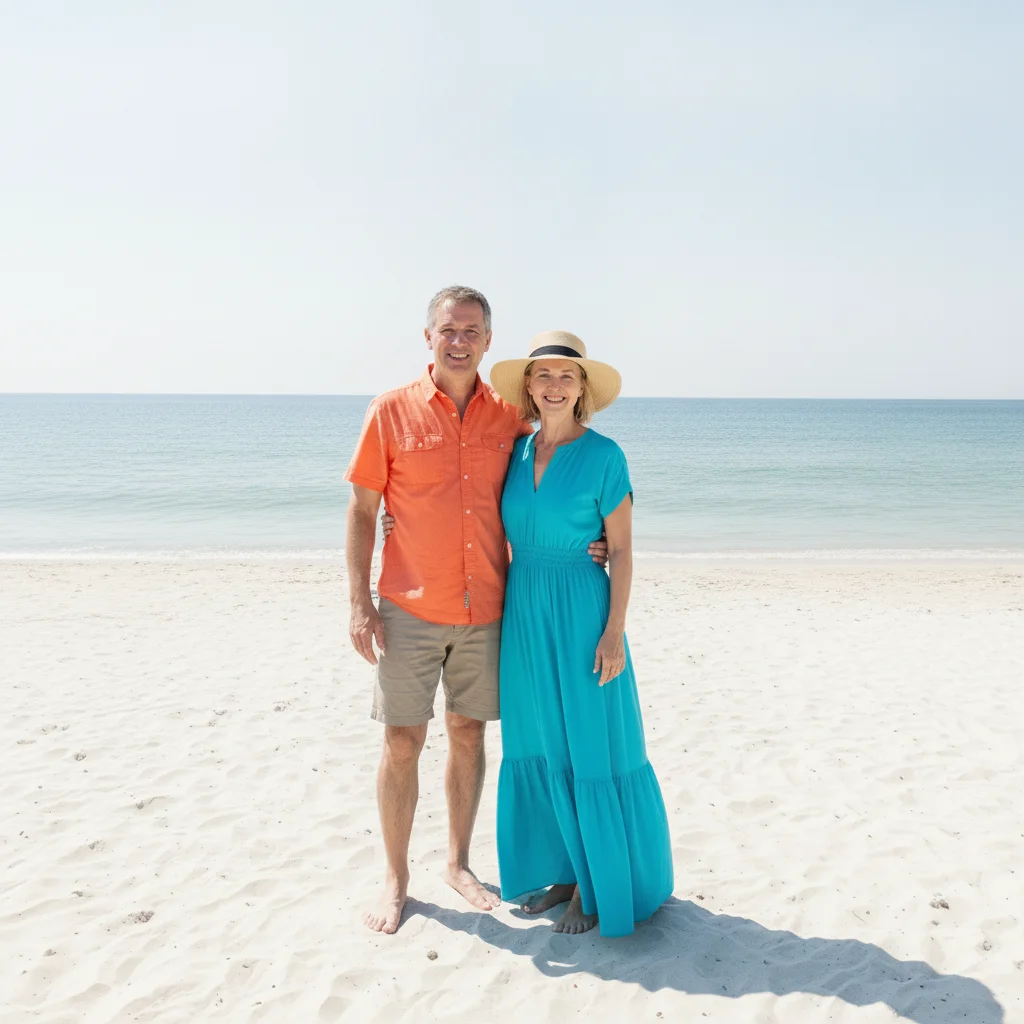
    Everyone except two people remove everyone in the photo except the two people in the centre — the man in the orange shirt and the woman in the turquoise dress — and continue the beach behind them
    Strangers plus their shadows remove all the random people and their shadows on the ground, continue the paving and the grass naturally, keep the bench and lamp post unchanged
  3. Sweep the whole frame

    Zoom in and scan edge to edge, not just the centre. Look for a survivor by the trees, a smeared patch where a group stood, or a shadow with no one casting it. The subject you named should be exactly as shot.

  4. Refine with a marker if needed

    If one stranger survived or a patch came back blurred, tap a marker on that spot and repeat the instruction for just that area. Small second passes are quicker than re-describing the whole scene.

See it in action

Man in a blue shirt in a park with several strangers scattered across the lawn behind him
Before
->
Same man alone in the park with the lawn, path, and trees continued behind him
After

Strangers cleared from a park photo

A couple on the left, a walker on the path, and two distant figures erased; grass, path, and trees continued around the subject.

Prompt: remove every person in the background so the man in the blue shirt is the only person left — the two people in the yellow and pink jackets at the far left and the small figures near the trees — and continue the grass, gravel path, and tree line where they were; keep the man in the blue shirt exactly as he is
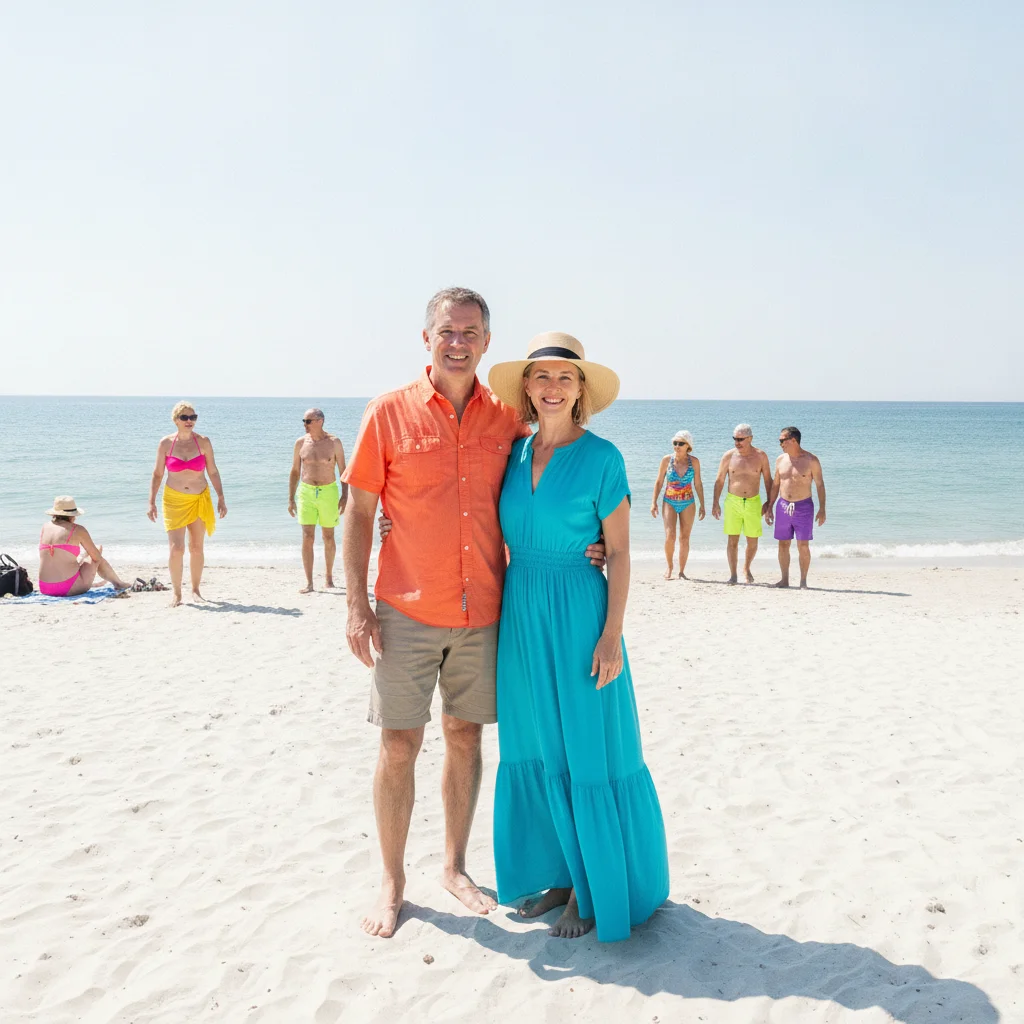
Couple on a beach with unrelated beachgoers scattered across the sand around them
Before
->
Same couple alone on the beach with the sand, sea, and sky continued around them
After

Beach strangers removed around a couple

Everyone except the couple erased and the sand, sea, and sky extended; the pair stays exactly as shot.

Prompt: remove everyone in the photo except the couple in the centre — the man in the orange shirt and the woman in the turquoise dress — and extend the sand, sea, and sky naturally where the other people were; keep the couple exactly as they are

Quick answers

How do I remove random people from a photo?

Upload the photo and describe them — 'remove all the random people in the background, near and far, continue the path and grass, keep the man in the blue shirt exactly as he is.' The AI erases each one and rebuilds the scene in about 20-35 seconds, with nothing to trace or mark first.

Is it free to remove strangers from a photo?

Yes. You can remove random people from a photo free with one Fast edit per week, no signup or credit card required. Credit packs and a subscription are available if you have several photos or want to run a second pass.

Do I need to mark the area first?

No. Describe the person in words — where they stand and what they are wearing — and the AI finds them. Markers are optional: tap one on the person only if the description could apply to more than one figure, or the wrong area was changed the first time.

Can it remove several people at once?

Yes. One instruction covers the whole frame — 'remove all the random people, near and far' — and the AI works through them together. If one or two survive, run a second pass on those spots rather than the whole photo.

What if a stranger is standing right against my subject?

The part of your subject they covered was never photographed and has to be invented. Results are close but not guaranteed — say what to keep unchanged, tap a marker on the stranger, and expect a second pass on that edge.

Can it remove someone's clothing instead of removing them?

No. The tool removes people and objects from a scene and rebuilds the background behind them — it does not remove clothing from anyone, and requests like that are refused.

What photo formats can I upload?

JPG, PNG, and WebP up to 7MB. The edited photo downloads in the same format you uploaded, with the rebuilt background at the original resolution.

How much does EditThisPic cost?

You get 1 free edit per week — no account needed. After that, one-time credit packs start at $4.99 for 10 edits, valid 12 months, no subscription. Power users who edit daily can pick Studio Membership, a monthly workspace at $49.99/mo for 300 edits. Purchased downloads are clean with no watermark.

Ready to clear the strangers out of your photo?

Free to try. No signup required.

1 free edit included·paid credit packs after