AI Photo Editor for Tinder Photos
Last updated
Turn good photos into great profile pics. Remove exes. Upgrade backgrounds. Get noticed.
Drop your photo here
"remove the person on the right and fill in the background naturally, keep me looking exactly the same"
Free to try · no sign-up · never used for AI training
Release to upload

Built for Tinder Users
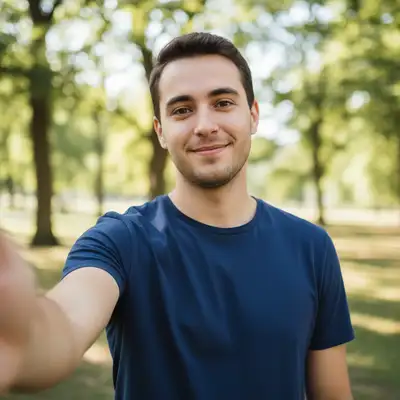
Your Tinder photos are your first impression. You have great photos, but they're unusable because of who's in them or what's behind you. EditThisPic lets you keep the photos where you look your best while fixing everything else. Remove exes completely, swap boring backgrounds for interesting venues, fix unflattering lighting.
Tools Tinder Users Love
Remove Person
Completely remove exes, awkward cropped arms, or anyone who shouldn't be in your dating photos
Change Background
Swap boring apartment walls for trendy bars, rooftops, or outdoor scenes
Fix Lighting
Correct harsh shadows and make your face look more flattering
Remove Object
Clean up clutter, mess, or anything embarrassing in your photos
How to Edit Your Tinder Photos
-
Upload your photo
Upload a clear photo showing the area you want to edit. Good lighting and sharp focus help the AI deliver better results. JPG, PNG, WebP up to 7MB.
Simple edits like background changes: 15-30 seconds. Complex ex-removal with detailed backgrounds: may need 2-3 refinements. -
Describe what you want
Type your instruction: 'remove the person on the left side' or 'change the background to a stylish coffee shop.' Be specific about what you want changed. No marking needed for most edits.
For ex-removal, specify their position: 'remove the person on the right wearing the blue shirt' to ensure the AI knows exactly who to remove. -
Generate and review
Tap generate and check the result at full zoom. Make sure the person is completely gone, the background looks natural, and your lighting is flattering. This is going on your dating profile.
Zoom in on edges where the removed person was. Any ghosting or weird artifacts will be noticed by potential matches.
Copy-Paste Prompts for Tinder
remove the person on the right and fill in the background naturally, keep me looking exactly the same
Specify which side your ex is on. The AI will reconstruct what was behind them.
change the background to a trendy rooftop bar at golden hour with city skyline, keep the lighting warm and flattering
Lifestyle backgrounds suggest you have an interesting social life. Golden hour lighting is universally flattering.
enhance the lighting to be softer and more flattering, reduce harsh shadows on my face, make skin look natural
Harsh overhead lighting creates unflattering shadows. Soft enhancement makes you look your best.
clean up the messy room in the background, remove visible clutter and make it look tidy
Messy backgrounds are a common swipe-left trigger. Clean rooms suggest you have your life together.
Show 4 more prompts
remove the stranger in the background wearing the red shirt, fill with the beach scene naturally
Vacation photos show you travel, but random tourists ruin the shot. Specify clothing color for accuracy.
enhance colors to be more vibrant, make the sky more blue and dramatic, boost overall quality
Vibrant photos catch attention in the swipe feed. Enhanced colors make you stand out.
change the gym mirror background to an outdoor hiking trail with mountains, keep my pose and lighting consistent
Gym selfies can look try-hard. Same fitness vibe, more adventurous setting.
remove the arm draped over my shoulder from the person cropped out of frame, fill with my shoulder and clothing naturally
Cropped-out exes often leave arms behind. The AI can reconstruct your shoulder cleanly.
| Edit Type | Prompt | Time | |
|---|---|---|---|
| Remove ex | remove the person on the [left/right] and fill background naturally |
25s | Try This → |
| Upgrade background | change the background to a stylish rooftop bar at sunset |
20s | Try This → |
| Fix lighting | enhance lighting to be softer and more flattering |
15s | Try This → |
| Clean up clutter | remove the mess in the background, make room look tidy |
20s | Try This → |
Real Tinder Photo Transformations
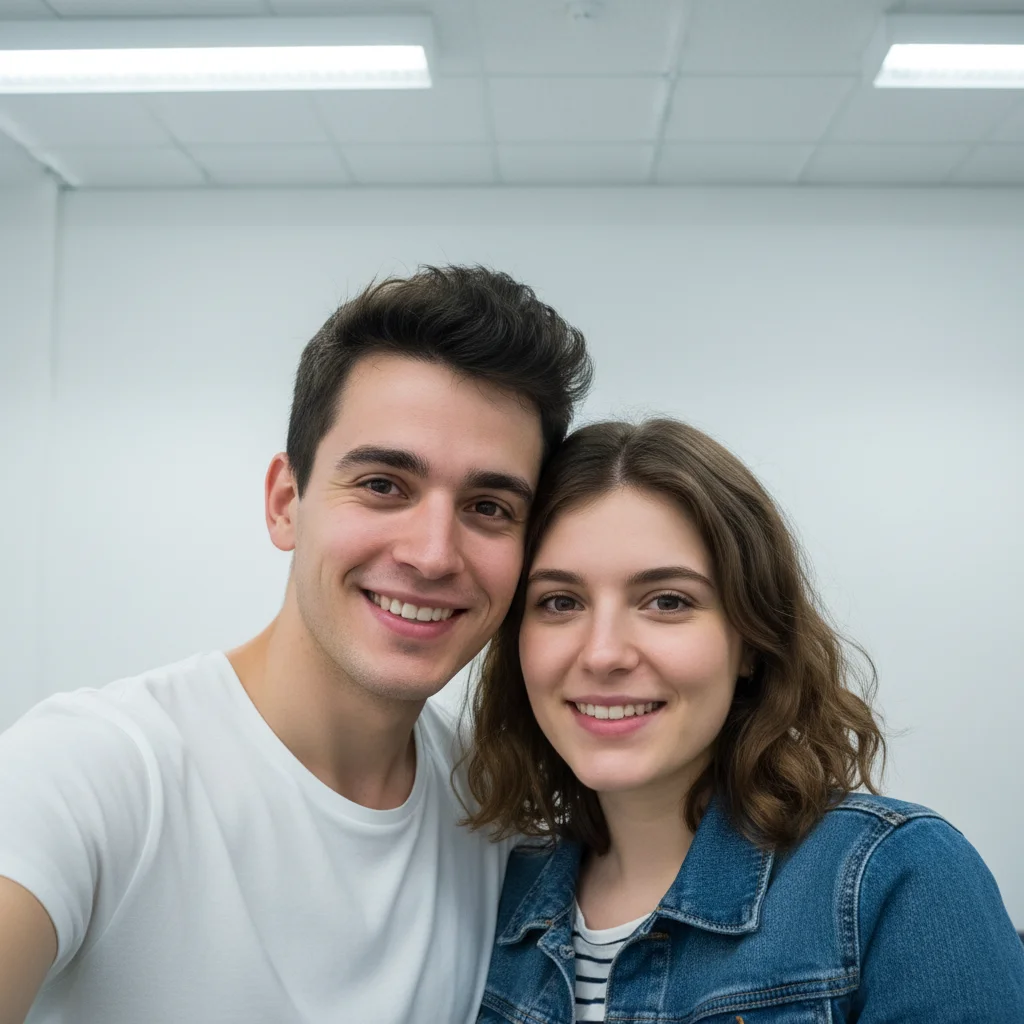
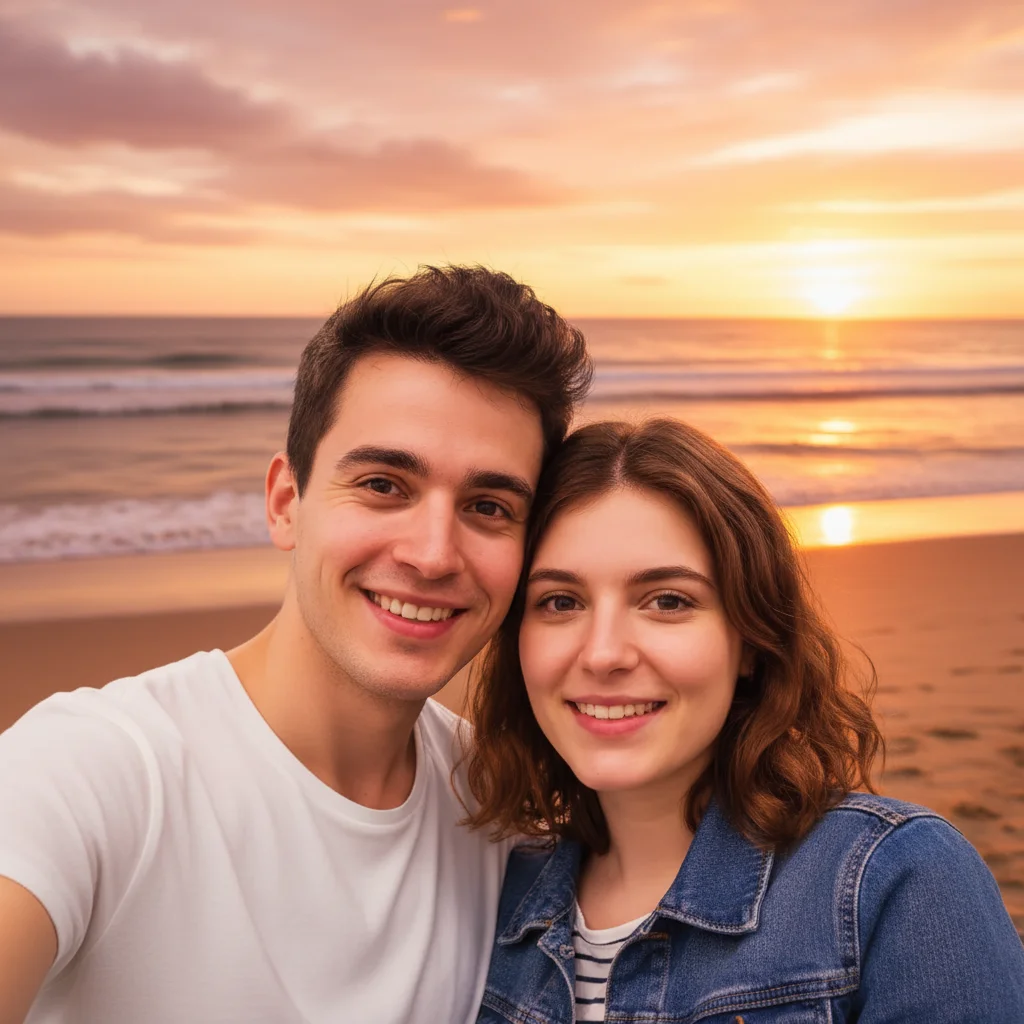
Ex removed from vacation photo
Perfect beach photo ruined by the ex in frame. One prompt removed them and restored the ocean view behind.
remove the person on the left side and fill in with the beach and ocean naturally, keep me exactly as I am
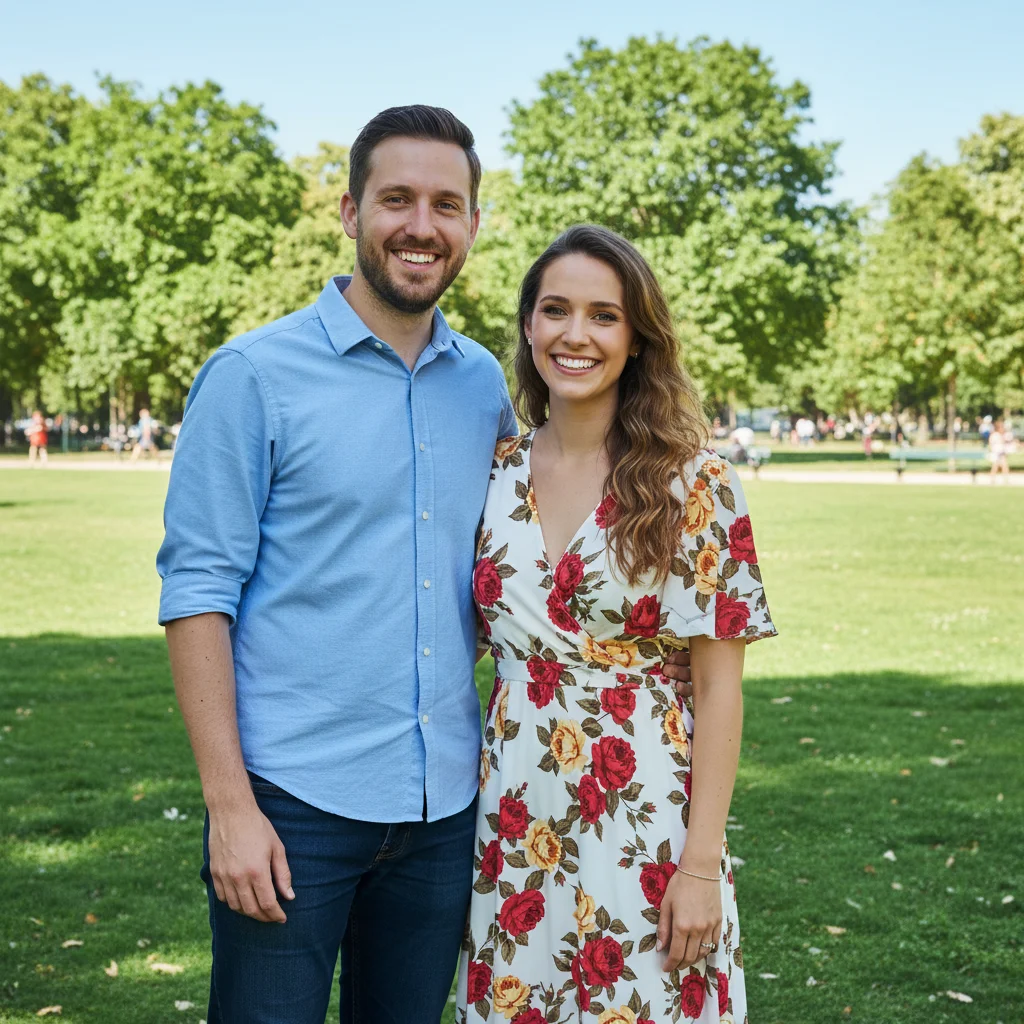

Boring apartment upgraded to rooftop bar
Good selfie taken at home, but the plain wall was hurting matches. Changed to a trendy venue for better first impressions.
change the background to a stylish rooftop bar at sunset with city lights starting to glow, warm flattering lighting
When Things Go Wrong
Removed person left a shadow or outline behind
Why: The AI filled the space but didn't account for the shadow they cast. This is common in bright outdoor photos.
remove the remaining shadow and blend the background naturally where the person was standing
Run a second pass specifically targeting the leftover shadow for clean results.
New background lighting doesn't match my face
Why: You added a sunset background but your face was lit by indoor light. The mismatch looks fake.
change the background to [scene] with lighting direction matching my face, light coming from [front/left/right]
Look at which side of your face is brighter, then match the background light source.
Part of my ex's arm or hand is still visible
Why: The AI didn't realize the arm belonged to the removed person, especially if it was draped over you.
remove the remaining arm on my shoulder and fill with my clothing and shoulder naturally
Crop-out arms are tricky. Be specific that it belongs to the removed person.
Background change looks obviously fake
Why: The new scene doesn't match your original photo's perspective, lighting, or style.
change the background to [scene] with natural perspective matching my position, subtle blur for depth
Adding 'subtle blur for depth' creates realistic background separation like a professional photo.
Frequently Asked Questions
How specific should my prompt be to get a good AI Photo Editor for Tinder Photos result on the first try?
One sentence is usually enough: 'enhance this photo to look my best.' If the first result is off, refine with details — color, position, lighting, or what to keep. Each pass takes 20-45 seconds and runs separately, so you can compare. Free first edit per week, no signup.
Will people be able to tell the photo is edited?
Not if you review carefully. Zoom in on edges where people were removed. Check that backgrounds look natural. Avoid adding obviously mismatched lighting. Most well-done edits are undetectable.
What makes a good Tinder photo to edit?
Photos where YOU look great but something else is wrong. Your ex is in it, the background is boring, the lighting is harsh. Start with photos where your face and expression are already good.
Can I fix a blurry photo?
AI can enhance slightly soft photos but cannot recover severely blurry or motion-blurred images. Try 'enhance sharpness and clarity while keeping natural look' for mild blur.
Should I use all edited photos on my profile?
Mix edited and unedited. Your main photo can have an upgraded background, but include some natural photos too. Authenticity matters for actual dates. Remove exes liberally though.
Does this work for Hinge, Bumble, and other dating apps?
Absolutely. EditThisPic works on any photo regardless of which dating app you use. The same editing techniques work across Tinder, Hinge, Bumble, Happn, or any other platform.
Is EditThisPic's AI photo editor for tinder photos really free?
Yes — you get 1 free edit per week, no account needed. Credit packs start at $4.99 for 10 edits.
Can I use this on my phone?
Yes. EditThisPic works in any mobile browser — iPhone, Android, tablet. No app download needed.
Popular use cases
Ready to upgrade your Tinder photos?
Free to try. No signup required. Get noticed.
Start Editing