Free β€’ No signup Enhance Valentine's Day photos Β· Free

Valentine's Day Photo Editor

Capture the love - make your Valentine's photos picture perfect with just a few words

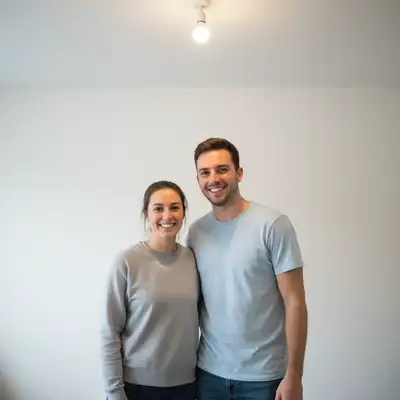
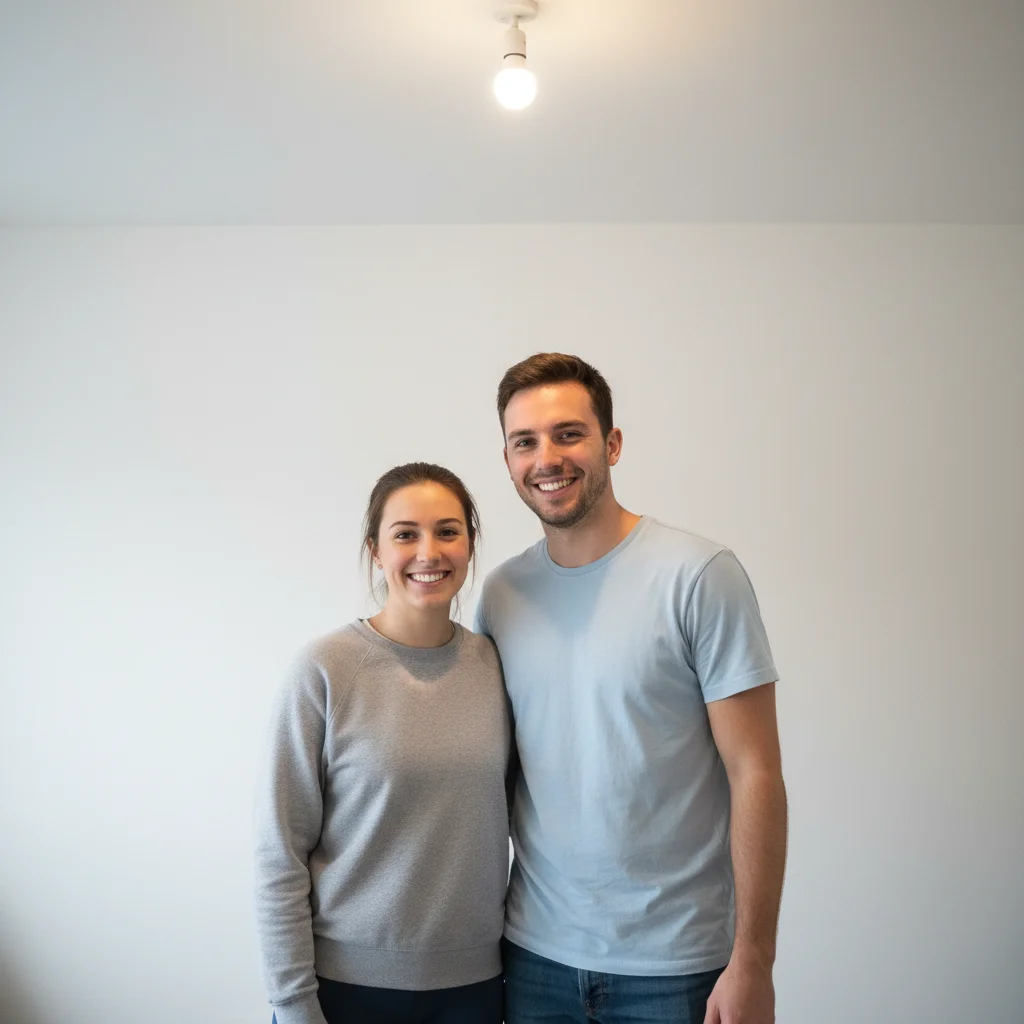
Couple portrait with plain white wall background
Before
β†’
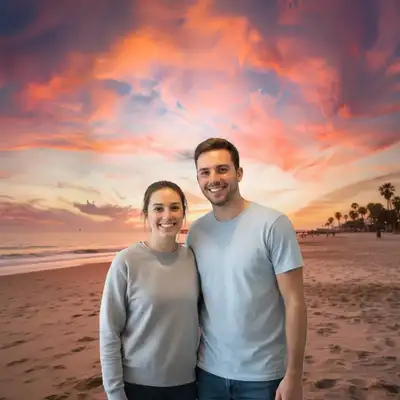
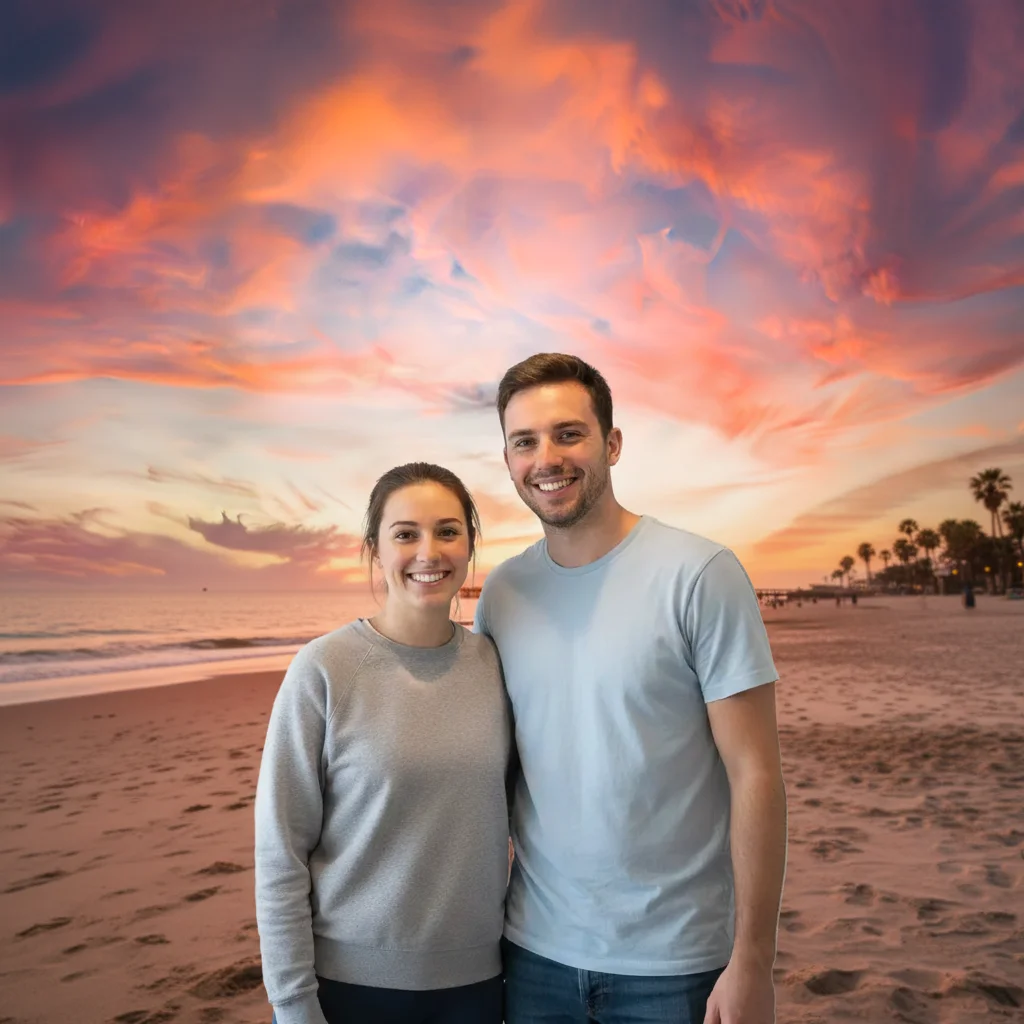
Same couple with beautiful pink and orange sunset over ocean backdrop
After

Valentine's Day Photo Editor

Upload photo to enhance Valentine's Day photos

Free β€’ Results in 30 seconds β€’ No signup

Release to upload

FreeNo signupNo watermark
Popular use cases:
  • Valentine's Day card photos
  • romantic couple portraits
  • engagement photo editing
  • anniversary photo enhancement
  • dinner date photos
  • romantic backgrounds
  • heart overlay effects
  • couple photo combining
  • remove ex from photo
  • photobomber removal

Cost
Free No signup required
Time
Instant results in 15-30 seconds
Works on
Any device - browser, phone, tablet, desktop
Powered by
AI-powered photo editing
Scenario Prompt Time
Romantic sunset replace background with romantic sunset over the ocean 25s
Fix dark photo brighten faces, add warm candlelight ambiance 15s
Heart bokeh add soft heart-shaped bokeh overlay 20s
Remove person remove the person on the left, extend background 25s

How it works

  1. Upload your romantic photo

    Drop any Valentine's photo into EditThisPic. Couple portraits, dinner photos, engagement shots, or anniversary pictures all work. JPG, PNG, WebP up to 7MB.

    Expect: Simple enhancements like lighting: 15-20 seconds. Background replacements or combining photos: 25-30 seconds.
  2. Describe your romantic edit

    Type what you want: 'replace background with romantic sunset' or 'add heart overlays and soft glow.' Be specific about the look you want. The AI understands romantic concepts like 'roses,' 'hearts,' 'candlelight,' and 'sunset' without needing you to mark anything.

    Tip: For dinner photos, try 'brighten faces and add warm candlelight glow' to fix dim restaurant lighting

    Copy one of these to get started:

    Add romantic sunset background to couple photo replace background with romantic sunset over the ocean with soft pink and orange colors
    Add heart overlays and romantic effects add soft heart-shaped bokeh overlay and gentle pink glow
    Remove an ex from old romantic photo remove the person on the left side of the photo, extend the background naturally
    Fix dark restaurant dinner photo brighten faces, fix shadows, add warm candlelight ambiance
    4 more prompts
    Create couple photo from two separate pictures place both people together naturally as if in the same photo
    Add rose petals to background add scattered rose petals falling softly in the background
    Remove photobomber from date photo remove the person behind us, keep the romantic setting
    Enhance engagement or proposal photo enhance lighting, add soft romantic glow, make the moment look magical
  3. Download your Valentine's photo

    Review your romantic photo and download in high resolution. Perfect for Valentine's cards, social media, or printing. If you want adjustments, just describe the change.

  4. Refine with markers if needed

    If you want to adjust specific areas or the AI changed something unexpected, tap markers on those spots and describe the refinement. Most Valentine's photo edits work perfectly without markers.

    Tip: Markers help when you want to remove a specific person while keeping the romantic setting
Try it free ↓

Valentine's Day Photo Editor

Upload photo to enhance Valentine's Day photos

Free β€’ Results in 30 seconds β€’ No signup

Release to upload

Free β€’ No signup

"Combined two separate photos into one beautiful couple shot for our Valentine's card. So much easier than I expected!" @lovebirdsmemories

See it in action

Couple portrait with plain white wall background
Before
->
Same couple with beautiful pink and orange sunset over ocean backdrop
After

Added Romantic Sunset Background

Indoor couple photo transformed with dreamy sunset backdrop.

Prompt: replace background with romantic sunset over the ocean with soft pink and orange colors
Dark restaurant photo with couple's faces in shadow
Before
->
Same photo brightened with warm candlelight glow on faces
After

Fixed Dark Restaurant Lighting

Dim dinner photo brightened with warm romantic candlelight glow.

Prompt: brighten faces, fix shadows, add warm candlelight ambiance

Detailed Guides by Scenario

πŸ“·

Photo Rescue & Restoration

Revive old, damaged, or poorly-shot photos with AI Valentine's Day photos β€” bring new life to images you thought were unsalvageable.

Common Scenarios

  • Applying Valentine's Day photos to old family photos that have degraded over time
  • Fixing a once-in-a-lifetime shot (wedding, graduation) that suffers from poor quality
  • Using Valentine's Day photos on scanned prints to get crisp digital versions

Best Practices

  • Scan old photos at the highest DPI your scanner supports before uploading for best results
  • Describe the specific issue β€” 'this photo is too dark and blurry' gives better Valentine's Day photos than a generic prompt
  • For severely damaged photos, work in stages: fix the biggest issue first, then refine
πŸ“·

Professional & Business Use

Ensure photos for websites, presentations, and marketing meet professional standards with Valentine's Day photos.

Common Scenarios

  • Using Valentine's Day photos on employee photos for a company website that need to look polished
  • Applying Valentine's Day photos to event photos before sharing in a client presentation
  • Improving product images with Valentine's Day photos for an online store or catalog

Best Practices

  • Process all images in a batch with the same enhancement settings for visual consistency
  • For web use, balance enhancement quality with file size β€” overly large images slow page loads
  • Always compare before and after to make sure Valentine's Day photos looks natural, not over-processed
πŸ“·

Social Media & Personal Sharing

Make your personal photos look their best before sharing with friends, family, or followers using Valentine's Day photos.

Common Scenarios

  • Quickly applying Valentine's Day photos to vacation photos before posting on social media
  • Using Valentine's Day photos on a selfie that has great composition but poor lighting
  • Batch-fixing a phone gallery of photos with Valentine's Day photos before creating an album to share

Best Practices

  • Start with the photo you'd most like to share β€” fix that one first and use the same approach on the rest
  • For selfies, subtle enhancement always beats heavy processing β€” keep it natural
  • If the photo was shot in low light, mention it in the prompt so the AI tailors Valentine's Day photos accordingly

If something looks off

Sunset background doesn't match the lighting on faces

Why: The original photo has cool or indoor lighting that clashes with warm sunset

Try: Try 'replace background with romantic sunset and adjust lighting on subjects to match the warm golden tones'

Tip: Adding 'match lighting to background' helps the AI blend subjects naturally into new scenes

Heart overlays look too intense or cartoonish

Why: The AI may add bold hearts instead of subtle bokeh

Try: Use 'add very subtle, soft-focus heart bokeh in background only' or 'add delicate heart-shaped light spots'

Tip: Words like 'subtle,' 'soft,' and 'delicate' help create elegant rather than over-the-top effects

Person removal left weird artifacts

Why: Complex backgrounds are harder to fill naturally

Try: Tap markers on the artifacts and use 'clean up this area to match surrounding background'

Tip: Multiple passes with specific markers often give cleaner results than one broad prompt

Combined photo looks unnatural

Why: The two source photos had different lighting, angles, or scales

Try: Try 'adjust the lighting and scale so both people look natural together in the same scene'

Tip: Photos taken in similar lighting conditions combine much more seamlessly

Quick answers

How do I add romantic backgrounds to Valentine's photos?

Type 'replace background with romantic sunset' or 'add rose garden backdrop.' The AI automatically separates you from the background and adds the romantic scene. Works best when subjects are clearly separated from the original background. Try specific scenes like 'Paris Eiffel Tower at sunset' or 'beach with pink sky' for unique results.

Can I create a couple photo from two separate pictures?

Yes! Upload your first photo, then add the second photo as a reference image. Type 'place both people together naturally as if in the same photo.' The AI will combine them into one scene. Best results come from photos with similar lighting and angles.

How do I remove my ex from old photos?

Upload the photo and type 'remove the person on the left' (or right, or describe them). The AI will remove them and fill in the background naturally. For group photos, tap a marker on the specific person to remove. You'll keep your favorite memories without the awkward presence.

Is there a free Valentine's photo editor without login?

Yes! EditThisPic is completely free to try with no signup needed. You can add romantic backgrounds, fix lighting, remove photobombers, and create Valentine's cards without creating an account or entering payment info.

How do I fix dark restaurant or dinner photos?

Type 'brighten faces and add warm candlelight ambiance' or 'fix the dark lighting while keeping romantic mood.' The AI will lift shadows on faces while preserving the intimate atmosphere. For very dark photos, try 'significantly brighten while keeping warm romantic tones.'

Is EditThisPic's AI Valentine's Day photos enhancer really free?

Yes β€” you get 1 free edit per week, no account needed. For unlimited edits, plans start at $3.99/month.

Can I enhance Valentine's Day photos on my phone?

Yes. EditThisPic works in any mobile browser β€” iPhone, Android, tablet. No app download needed.

What photo formats does the AI Valentine's Day photos enhancer support?

JPG, PNG, WebP, and HEIC. Upload any common photo format and EditThisPic handles the rest.

Ready to create perfect Valentine's photos?

Free to try. No signup required. Romantic photos in 15-30 seconds.