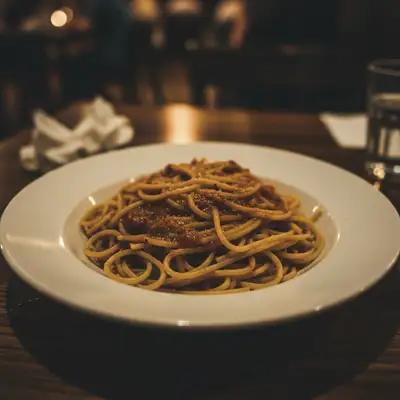
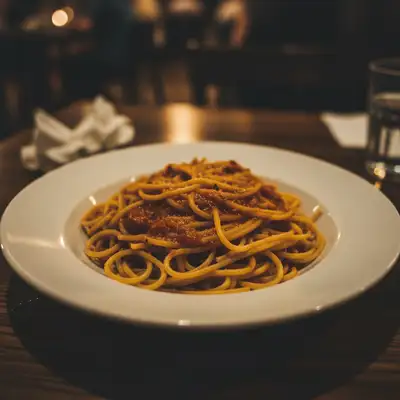
Delivery app food photos are tiny thumbnails in competitive feeds. Dishes that stand out get clicked. Optimize your DoorDash, Uber Eats, and Grubhub photos for maximum visibility — square format, centered dish, bright and high-contrast.
Common scenarios
- A restaurant updating DoorDash listings with phone photos that are too dark, off-color, or landscape-oriented
- A ghost kitchen building an entire photo library for a delivery-only brand with no professional photography budget
- An operator noticing low click-through rates on delivery apps and wanting to update food photos to improve conversion
Best practices
- Always crop to square (1:1) — delivery apps thumbnail in square format and landscape photos lose significant food area when cropped
- Brighten more than you think necessary — app thumbnails display at very small sizes where dark photos become unrecognizable blobs
- Center the hero element of the dish — delivery thumbnails are too small to show complex compositions, one dominant element per photo
- Check the thumbnail at actual size before uploading — zoom out on your phone to see it at 150–200px to verify it reads correctly
Sample prompts
Crop to a square centered on the dish, brighten significantly so all details are visible, boost the colors for high contrast in a delivery app thumbnailFormat this food photo for DoorDash — square crop, bright and colorful, dish centered and filling 80% of the frame
Food blog and Instagram content needs to stop the scroll. Close-up textures, vibrant colors, and clean compositions create the visual appeal that drives engagement, saves, and shares.
Common scenarios
- A food blogger shooting recipe hero shots for a cooking blog and needing consistent professional-quality images without a Lightroom subscription
- An Instagram food account wanting to improve the visual quality and consistency of phone-shot food photos
- A home cook building a food social media presence and needing to level up photo quality without photography training
Best practices
- Shoot at the most flattering angle first — 45-degree diner's angle for tall food, overhead flat lay for bowls and platters — then enhance from a good source
- Add bokeh requests to your prompt — 'slight depth-of-field blur on the background' turns flat phone photos into professional-looking shots
- Name specific elements in your prompt for accurate color enhancement: 'make the sauce glossy, the herbs bright green, the crust golden' vs. 'enhance colors'
- Portrait format (1080×1350) occupies more Instagram feed space than square — use portrait for hero shots when possible
Sample prompts
Enhance for Instagram — sharpen the food textures, boost the colors naturally, add slight bokeh to the background, make the dish the clear focal pointMake this food photo Instagram-ready — vibrant appetizing colors, crisp details on the dish, clean background, bright and eye-catching overall
Cookbook and recipe photography prioritizes accuracy and clarity over appetite-driven enhancement. Food should look exactly as it will look when readers cook it — natural, precise colors, sharp details throughout, no over-saturation.
Common scenarios
- A cookbook author or food stylist needing consistent high-quality dish photos across 80+ recipes without a full retouching workflow
- A recipe blogger creating a self-published cookbook and needing photos that print accurately at 300 DPI
- A culinary school or cooking class business building a recipe library with professional photo standards
Best practices
- Prioritize accurate color over appealing color — tell the AI 'accurate natural colors' not 'vibrant appetizing colors' for cookbook use
- Request 'sharp detail throughout the dish' rather than selective sharpening — readers need to see the dish structure, not just the glamour angle
- For print export, specify '300 DPI equivalent quality' in your prompt — this pushes the AI toward maximum detail preservation
- Maintain neutral backgrounds — white, light gray, or natural wood — for visual consistency across recipe chapters
Sample prompts
Enhance for cookbook photography — accurate natural food colors, sharp detail throughout the entire dish, clean neutral background, no over-saturationCorrect the white balance, sharpen all dish textures for print quality, and maintain accurate food colors — this is for a printed cookbook